

Are you the author? Sign in to claim
Self-hosted platform for Claude Agent SDK agents. Container isolation, real-time execution tracking, and Web UI dashboar
AgCluster Container is a self-hosted platform for running Claude Agent SDK instances with a web dashboard and REST API. Each agent runs in an isolated Docker container with configurable tools and resources.
What it provides:
Current Status: Alpha (v0.3.0)
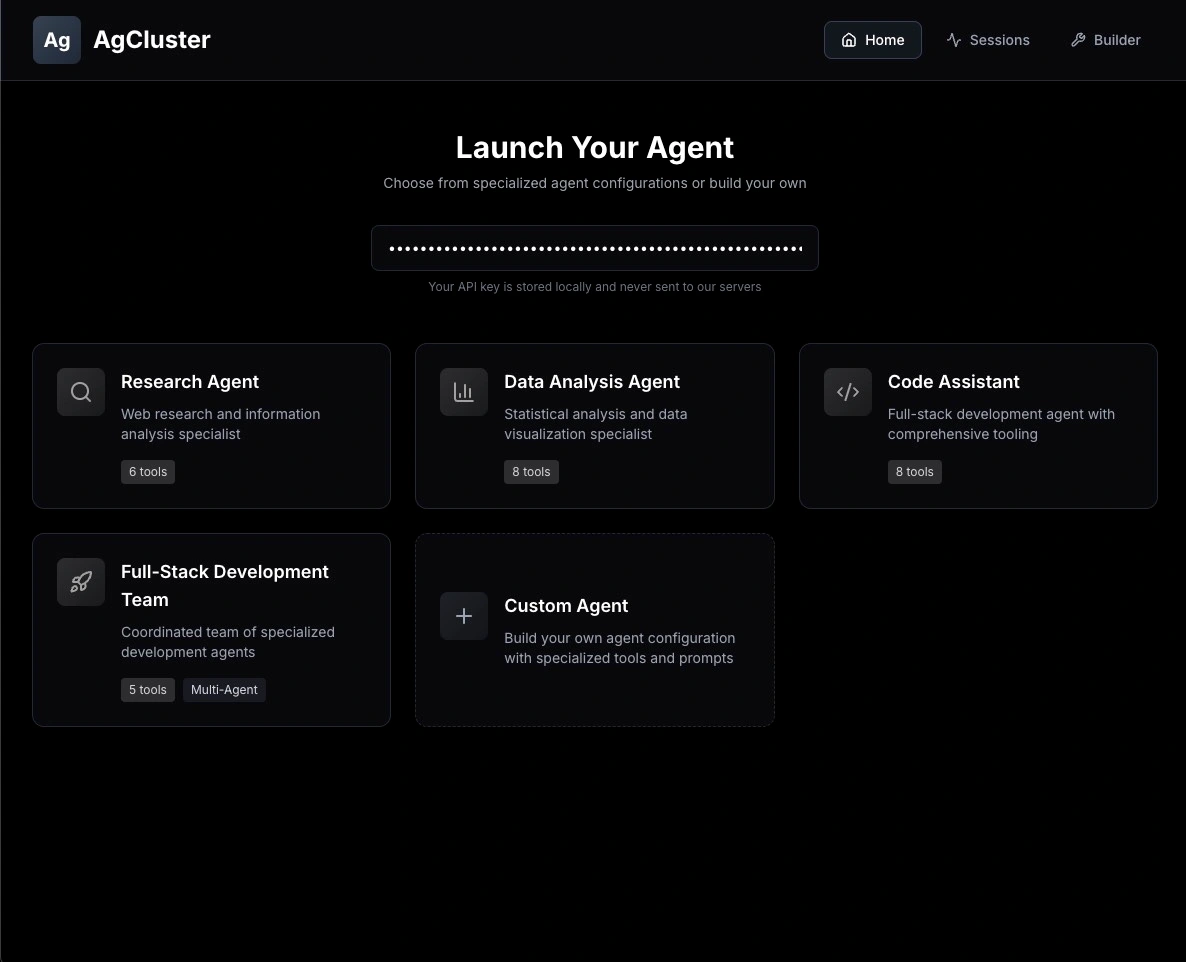 Select from preset agent configurations and launch with your Anthropic API key
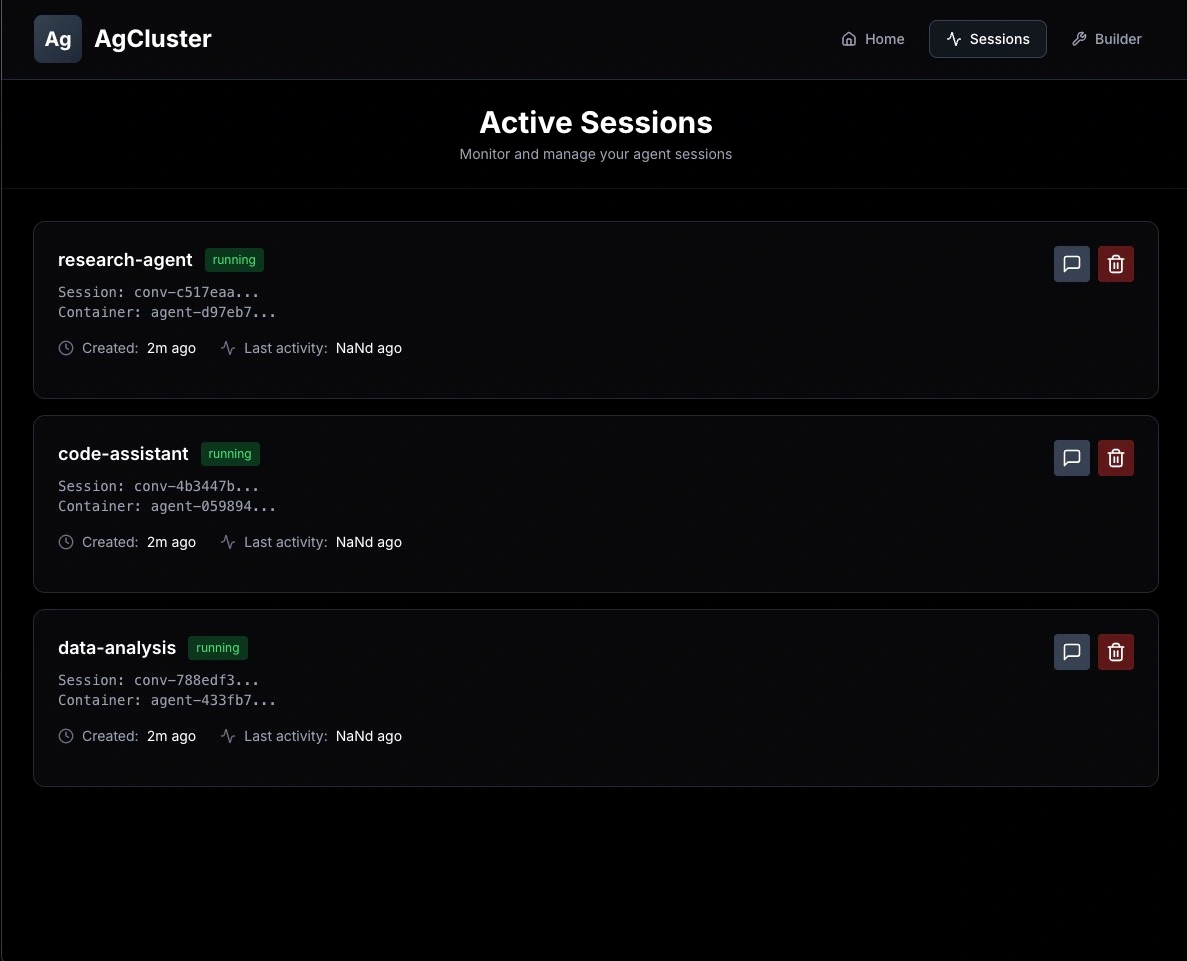 Monitor active sessions, view resource usage, and manage containers
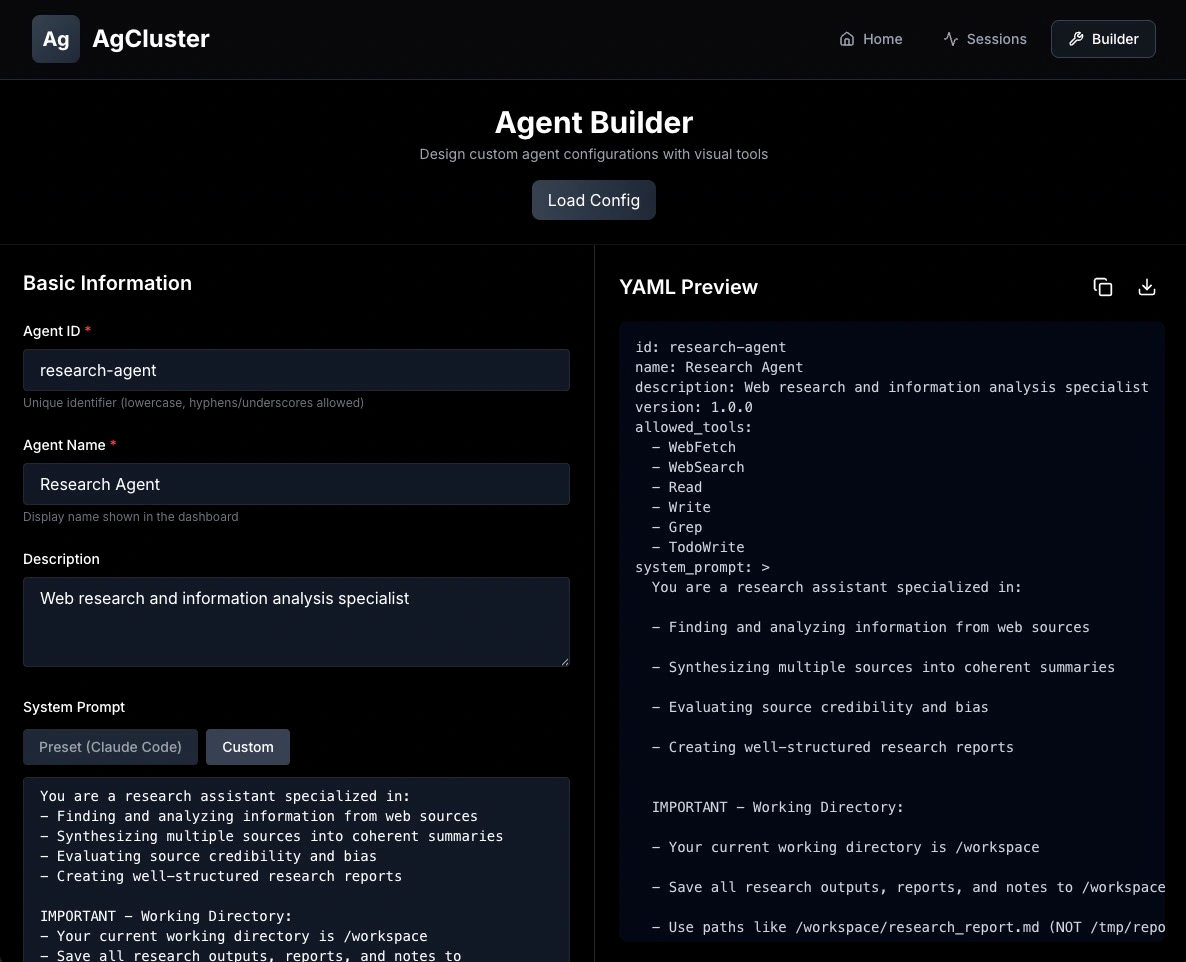 Visual agent builder with preset templates and custom configuration support
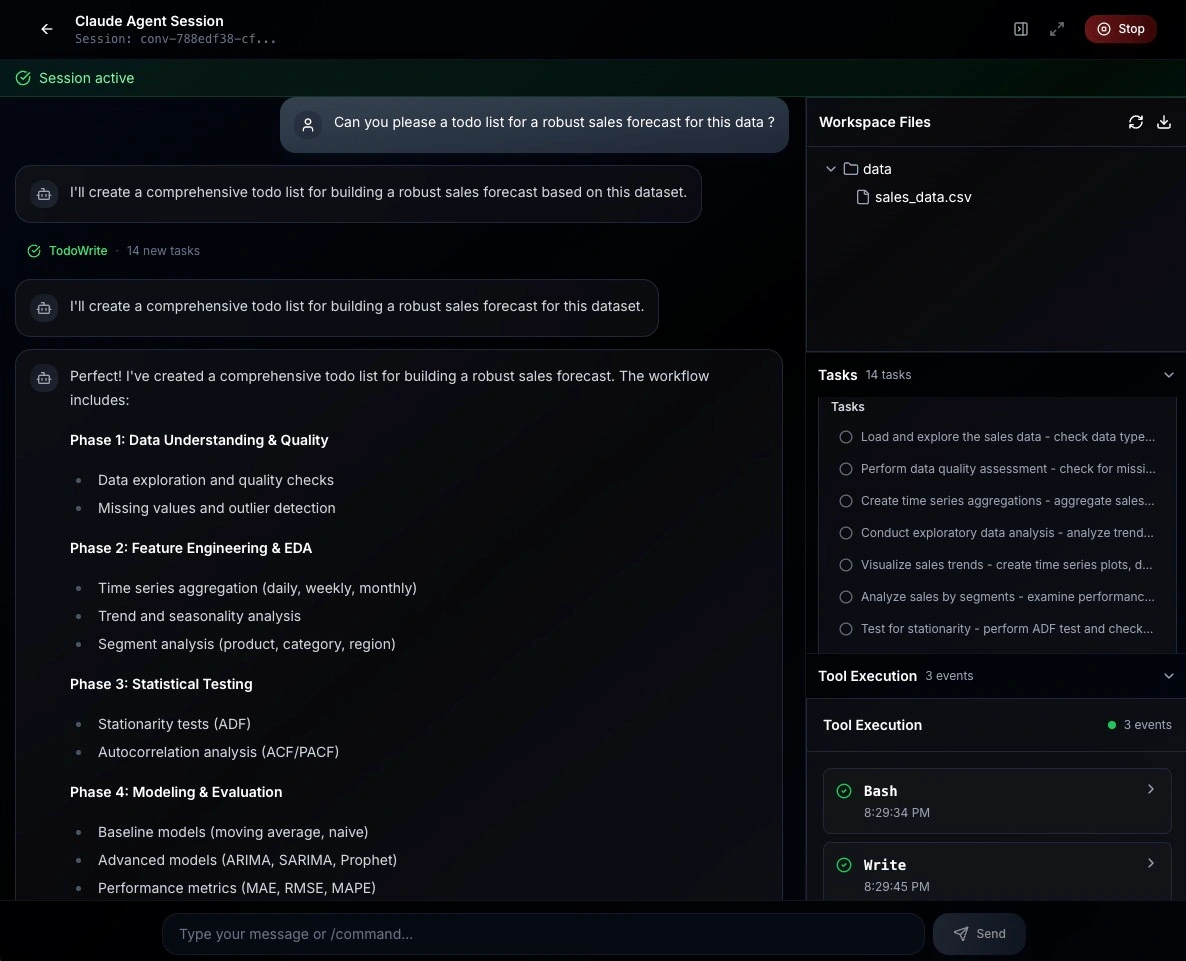 Real-time tool execution, file operations, and task tracking
code-assistant - Full-stack developmentresearch-agent - Web research and analysisdata-analysis - Statistical analysis with Jupytergithub-code-review - GitHub PR reviews with MCP integrationfullstack-team - Multi-agent orchestration with sub-agentsgit clone https://github.com/whiteboardmonk/agcluster-container.git
cd agcluster-container
# Copy example environment file
cp .env.example .env
# Build with docker compose (recommended)
docker compose build

# Or build individually:
# docker build -t agcluster/agent:latest -f docker/Dockerfile.agent .
# docker build -t agcluster/agent-api:latest -f Dockerfile .
First build may take 2-3 minutes.
# Start the full stack
docker compose up -d

# Check logs
docker compose logs -f
AgCluster is now running at http://localhost:8000
Open your browser to http://localhost:3000
code-assistant)Health Check:
curl http://localhost:8000/health
Launch an Agent:
curl -X POST http://localhost:8000/api/agents/launch \
  -H "Content-Type: application/json" \
  -d '{
    "api_key": "YOUR_ANTHROPIC_API_KEY",
    "config_id": "code-assistant"
  }'
# Response: {"session_id":"conv-abc123...","agent_id":"agent-xyz789","status":"running"}
Send a Message:
SESSION_ID="conv-abc123..."  # from launch response

curl -X POST http://localhost:8000/api/agents/${SESSION_ID}/chat \
  -H "Content-Type: application/json" \
  -H "Authorization: Bearer YOUR_ANTHROPIC_API_KEY" \
  -d '{"message": "Hello! Tell me what tools you have access to."}'
code-assistant)Full-stack development agent
curl -X POST http://localhost:8000/api/agents/launch \
  -H "Content-Type: application/json" \
  -d '{"api_key": "sk-ant-...","config_id": "code-assistant"}'
research-agent)Web research and information analysis
data-analysis)Statistical analysis and data visualization
github-code-review)GitHub PR review agent with MCP integration
permission_mode: bypassPermissions to avoid repeated approval prompts for MCP callsLaunch with GitHub token:
curl -X POST http://localhost:8000/api/agents/launch \
  -H "Content-Type: application/json" \
  -d '{
    "api_key": "sk-ant-...",
    "config_id": "github-code-review",
    "mcp_env": {
      "github": {
        "GITHUB_PERSONAL_ACCESS_TOKEN": "ghp_..."
      }
    }
  }'
fullstack-team)Multi-agent orchestrator with specialized sub-agents
Create custom agents with inline configurations:
curl -X POST http://localhost:8000/api/agents/launch \
  -H "Content-Type: application/json" \
  -d '{
    "api_key": "sk-ant-...",
    "config": {
      "id": "my-custom-agent",
      "name": "My Custom Agent",
      "allowed_tools": ["Bash", "Read", "Write"],
      "system_prompt": "You are a helpful assistant specializing in...",
      "permission_mode": "acceptEdits",
      "resource_limits": {
        "cpu_quota": 100000,
        "memory_limit": "2g"
      }
    }
  }'
# List all configs
curl http://localhost:8000/api/configs/

# Get specific config details
curl http://localhost:8000/api/configs/code-assistant
See configs/README.md for detailed configuration documentation.
The integrated Next.js dashboard provides a visual interface for managing agents:
Launch Dashboard
Chat Interface
File Explorer
File Upload
Task Tracking
Tool Timeline
Session Management
Access the UI at http://localhost:3000 after starting with docker compose up.
┌────────────────────────────────────────────┐
│       Web UI Dashboard (Next.js)           │
│   File explorer, chat, task tracking       │
└──────────────────┬─────────────────────────┘
                   │ HTTP/SSE
                   ▼
┌────────────────────────────────────────────┐
│     AgCluster FastAPI Backend              │
│  • Session management                      │
│  • Container lifecycle                     │
│  • File operations                         │
│  • Agent configuration                     │
└──────────────────┬─────────────────────────┘
                   │ HTTP/SSE
                   ▼
┌────────────────────────────────────────────┐
│   Isolated Agent Container (Docker)        │
│  ┌──────────────────────────────────────┐  │
│  │    Claude Agent SDK                  │  │
│  │  • Session ID: unique per container  │  │
│  │  • Tools: Bash, Read, Write, etc.    │  │
│  │  • Working dir: /workspace           │  │
│  └──────────────────────────────────────┘  │
│                                            │
│  Security: resource limits, no privileges  │
└────────────────────────────────────────────┘
Each session gets an isolated container:
Session 1 → Container A (code-assistant)
Session 2 → Container B (research-agent)
Session 3 → Container C (data-analysis)
...
GET /api/configs/List all available agent configurations.
Response:
{
  "configs": [
    {
      "id": "code-assistant",
      "name": "Code Assistant",
      "description": "Full-stack development agent",
      "allowed_tools": ["Bash", "Read", "Write", ...],
      "has_mcp_servers": false,
      "has_sub_agents": false
    }
  ],
  "total": 4
}
GET /api/configs/{config_id}Get detailed configuration for a specific agent.
POST /api/agents/launchLaunch a new agent from configuration.
Request:
{
  "api_key": "sk-ant-...",
  "config_id": "code-assistant"
}
With MCP credentials:
{
  "api_key": "sk-ant-...",
  "config_id": "github-code-review",
  "mcp_env": {
    "github": {
      "GITHUB_PERSONAL_ACCESS_TOKEN": "ghp_..."
    }
  }
}
MCP credential rules and permissions: keys in mcp_env must match those declared under each server’s env in the config (e.g., GITHUB_PERSONAL_ACCESS_TOKEN). Core container env vars (such as ANTHROPIC_API_KEY, AGENT_CONFIG_JSON, AGENT_ID) cannot be overridden. When mcp_servers are present, agents auto-enable ListMcpResources, ReadMcpResource, and mcp__{server}__* tool permissions, and use Claude SDK permission mode acceptEdits by default. If you require stricter gating, set permission_mode: plan or default in the config.
Response:
{
  "session_id": "conv-abc123...",
  "agent_id": "agent-xyz789",
  "config_id": "code-assistant",
  "status": "running"
}
GET /api/agents/sessionsList all active agent sessions.
GET /api/agents/sessions/{session_id}Get details about a specific session.
DELETE /api/agents/sessions/{session_id}Stop and remove a session.
POST /api/agents/{session_id}/chatSend messages to an active agent session.
Headers:
Authorization: Bearer YOUR_ANTHROPIC_API_KEYContent-Type: application/jsonAccept: text/event-stream (for streaming)Request:
{
  "message": "Your message here"
}
Response:
GET /api/files/{session_id}Browse workspace files in tree structure.
GET /api/files/{session_id}/{path}Preview file content with syntax highlighting.
POST /api/files/{session_id}/downloadDownload entire workspace as ZIP.
POST /api/files/{session_id}/uploadUpload files to workspace.
Query Parameters:
target_path (optional): Target directoryoverwrite (default: false): Overwrite existing filesRequest: Multipart form data with files
Response:
{
  "uploaded": [
    {"filename": "file1.txt", "path": "/workspace/file1.txt"}
  ]
}
AgCluster supports multiple deployment platforms through a provider abstraction layer.
Docker:
# .env
CONTAINER_PROVIDER=docker
Fly Machines:
# .env
CONTAINER_PROVIDER=fly_machines
FLY_API_TOKEN=your_token
FLY_APP_NAME=agcluster-agents
FLY_REGION=iad  # Optional
See PROVIDERS.md for detailed provider documentation.
Edit .env to configure settings:
# API Settings
API_HOST=0.0.0.0
API_PORT=8000
API_DEBUG=true

# Agent Image
AGENT_IMAGE=agcluster/agent:latest

# Default Container Resources
CONTAINER_CPU_QUOTA=200000  # 2 CPUs
CONTAINER_MEMORY_LIMIT=4g
CONTAINER_STORAGE_LIMIT=10g

# Session Management
SESSION_CLEANUP_INTERVAL=300      # 5 minutes
SESSION_IDLE_TIMEOUT=1800         # 30 minutes
Agent configurations are stored in configs/presets/ as YAML files.
Example structure:
id: my-agent
name: My Custom Agent
description: Brief description

system_prompt: |
  You are a specialist in...

allowed_tools:
  - Bash
  - Read
  - Write

resource_limits:
  cpu_quota: 200000      # 2 CPUs
  memory_limit: 4g
  storage_limit: 10g

max_turns: 100
See configs/README.md for complete documentation.
# Clone repository
git clone https://github.com/whiteboardmonk/agcluster-container.git
cd agcluster-container

# Install dependencies
pip install -r requirements.txt
pip install -e ".[dev]"

# Run locally (without Docker)
python -m agcluster.container.api.main
# Build agent image
docker build -t agcluster/agent:latest -f docker/Dockerfile.agent .

# Build API image
docker build -t agcluster/agent-api:latest -f Dockerfile .

# Or build both
docker compose build
# Install package
pip install -e ".[dev]"

# Run all tests
pytest tests/

# Run with coverage
pytest --cov=agcluster.container tests/

# Run specific categories
pytest tests/unit/           # Unit tests
pytest tests/integration/    # Integration tests
pytest tests/e2e/           # E2E tests (require Docker)
Test Coverage:
View logs:
# All logs
docker compose logs -f

# API only
docker compose logs -f api

# Specific container
docker logs <container-id>
Check running containers:
docker ps | grep agcluster
Self-Hosted Development Platform
Custom Agent Infrastructure
Code Review & Analysis
Data Science & Analytics
Research & Intelligence
# Check Docker
docker ps

# Check logs
docker compose logs api

# Rebuild
docker compose build --no-cache
# Check container logs
docker logs <container-id>

# Verify network
docker network inspect agcluster-container_agcluster-network
# Reinstall dependencies
pip install -e ".[dev]"

# Run with verbose output
pytest tests/ -v
Need help? Open an issue
Contributions welcome! Please read CONTRIBUTING.md first.
MIT License - see LICENSE
Built with ❤️ by whiteboardmonk & Claude Code. Not affiliated with or endorsed by Anthropic PBC
⚠️ Experimentelle Skill-Sammlung für deutsches Recht (Arbeits-, Gesellschafts-, Insolvenz-, Datenschutz-, Prozessrecht u
Manage multiple Claude Code agents from TUI or Web with tmux and git worktrees
Project management using GitHub Issues + Git worktrees for parallel agent execution
Core skills library for Claude Code with 20+ battle-tested skills including TDD, debugging, and brainstorming



