

Are you the author? Sign in to claim
Open-source AI agent orchestration platform — self-hosted mission control for autonomous multi-agent systems. Visual DAG
Self-hosted mission control for AI agents. Build, run, and monitor autonomous multi-agent systems with a visual DAG builder, human-in-the-loop approvals, MCP server integration, and full audit trail. Works with Claude, GPT-4o, Gemini, Ollama, Codex, Claude Code, and any OpenAI-compatible LLM.





Keywords: AI agents · agent orchestration · MCP server · Model Context Protocol · LangGraph alternative · CrewAI alternative · n8n for AI · Claude agents · LLM workflow · autonomous agents · agent framework · AI automation · self-hosted
☁️ Prefer managed? Try FleetQ Cloud — zero setup, free tier. ⭐ Like the project? Give it a star on GitHub — it helps others find FleetQ.
Most agent frameworks give you a Python notebook. FleetQ gives you a production platform.
app/Mcp/Tools/ — no registry edit); unified human + agent activity timeline; git-backed context filesystem (/settings/git-sync mirrors artifacts + memory to a repo as versioned markdown); project snapshots (capture/restore project config); Sentry Watchdog for autonomous error triage.| Concept | What it is | When to use |
|---|---|---|
| Agent | A configured AI personality with role, goal, backstory, skills, and tool access | The basic unit — one agent per specialized task |
| Skill | A reusable LLM prompt, rule, connector, or GPU compute call | When multiple agents need the same capability |
| Experiment | A stateful run through a 20-stage pipeline (scoring → planning → building → executing → evaluating) | Any non-trivial agent task with lifecycle |
| Crew | A team of agents working on one goal (sequential, parallel, hierarchical, adversarial, fanout, chat-room) | Multi-perspective tasks or when you need review/QA |
| Workflow | A visual DAG template (reusable across experiments) with branching, loops, human-tasks | Recurring processes — CI/CD, content pipelines, QA flows |
| Project | A continuous (cron-scheduled) or one-shot container for experiments, with budget + milestones | Long-running initiatives, scheduled agent work |
| Signal | An inbound event (webhook, RSS, email, bug report, GitHub issue) that can trigger agents | Event-driven automation |
| MCP Tool | A programmatic action any LLM can call to query or mutate the platform | Expose FleetQ to external agents (Claude, Cursor, etc.) |
|
Dashboard KPI overview with active experiments, success rate, budget spend, and pending approvals. 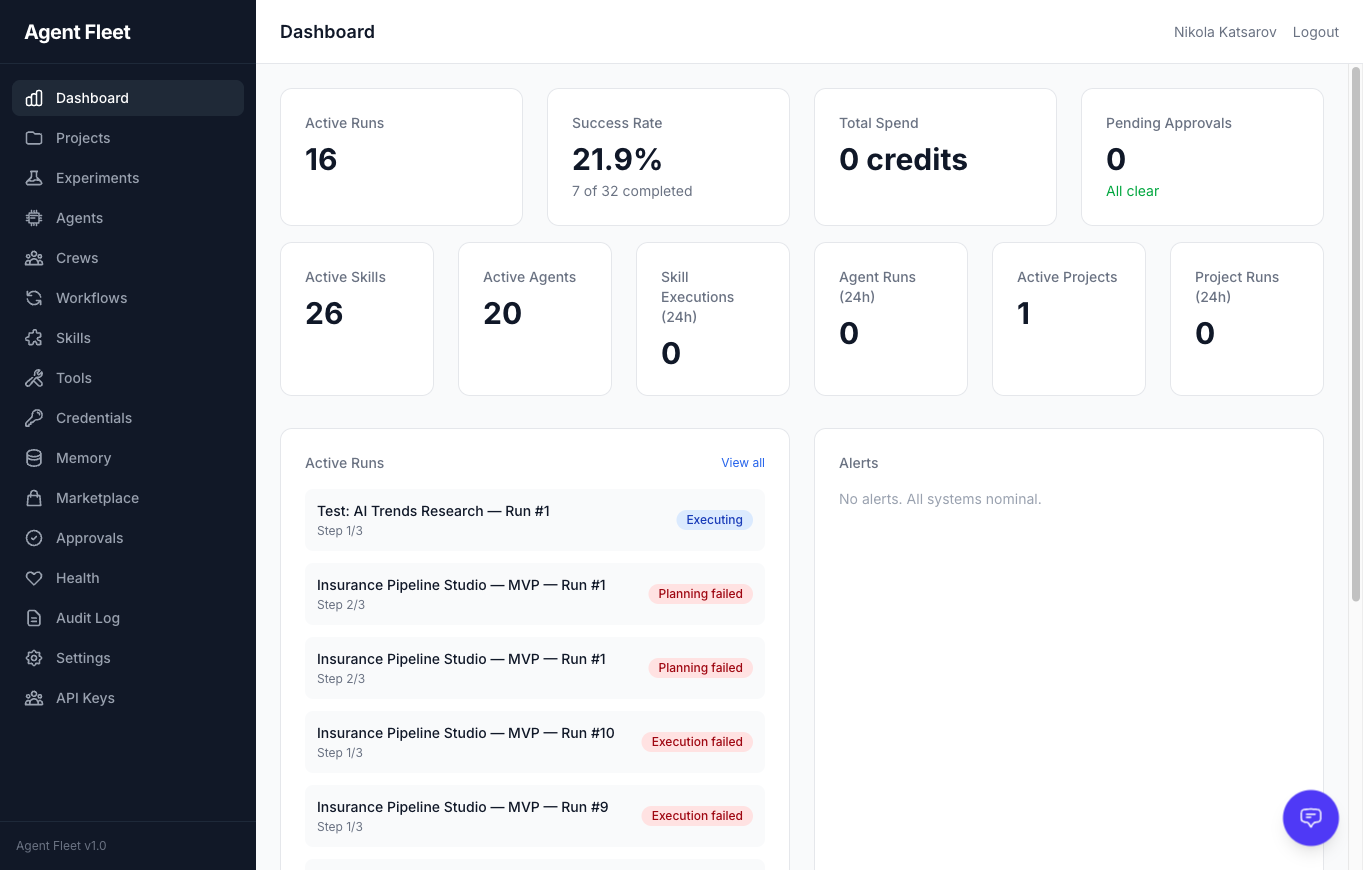
|
Agent Template Gallery Browse 14 pre-built agent templates across 5 categories. Search, filter by category, and deploy with one click. 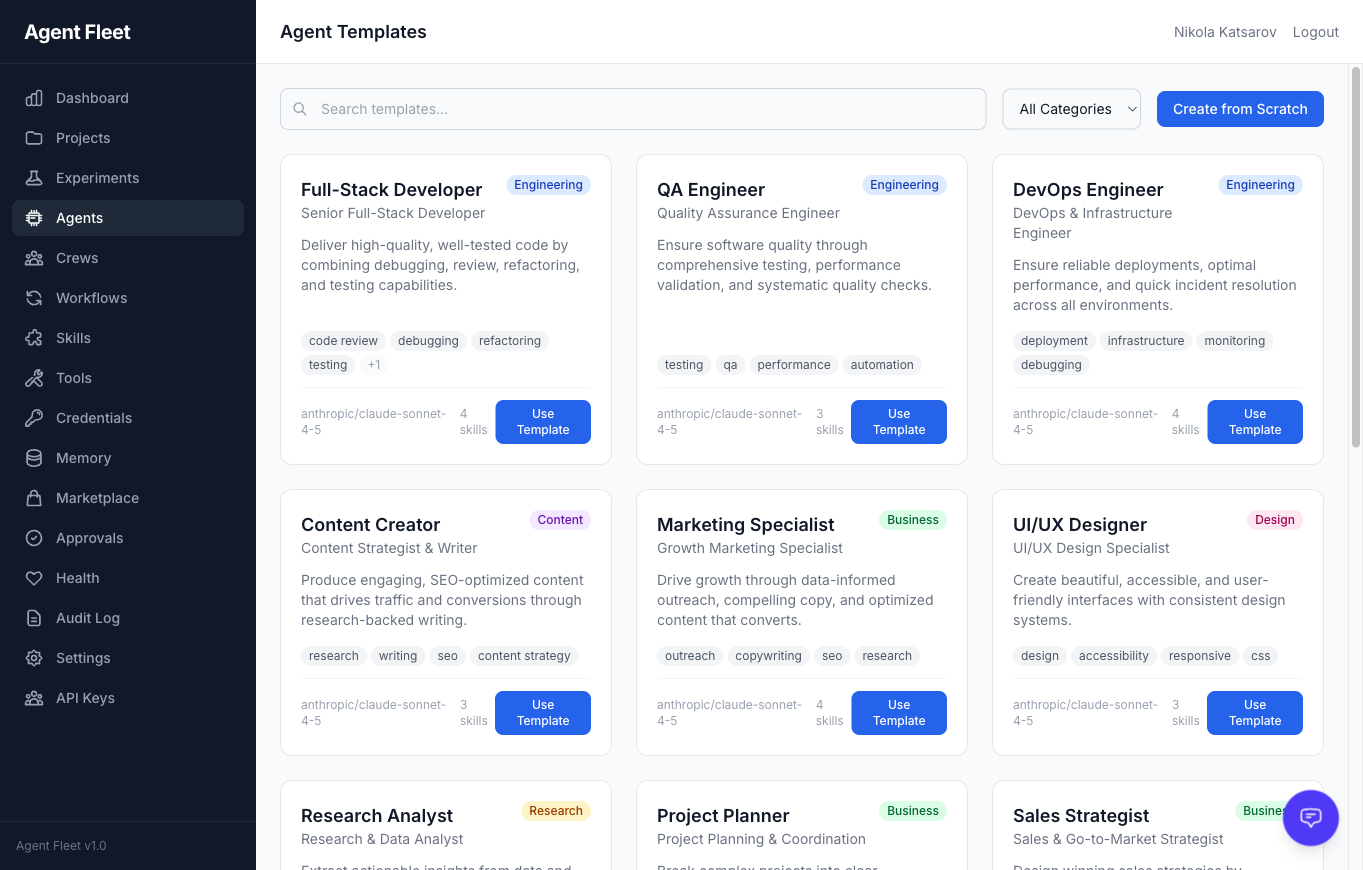
|
|
Agent LLM Configuration Per-agent provider and model selection with fallback chains. Supports Anthropic, OpenAI, Google, and local agents. 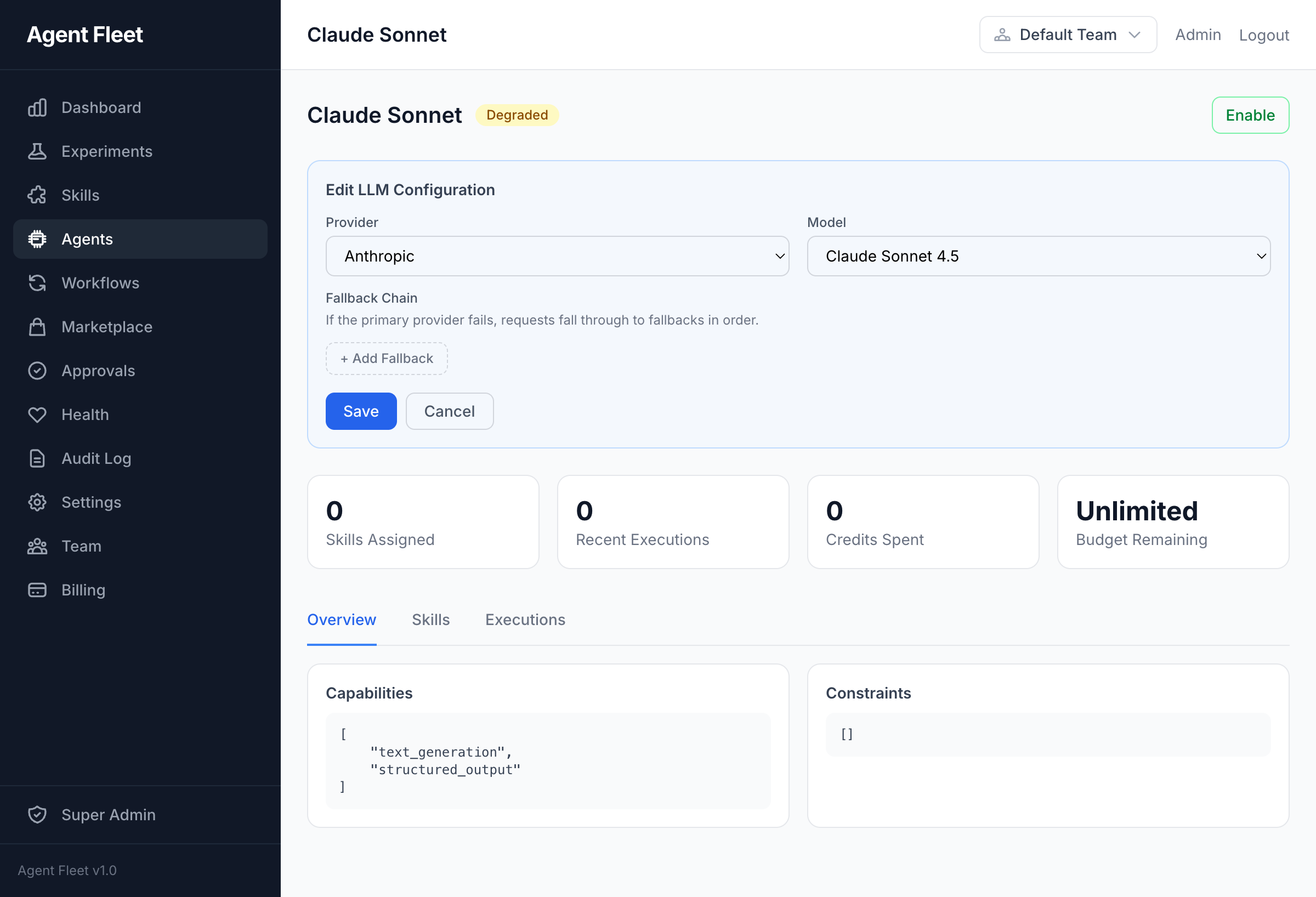
|
Agent Evolution AI-driven agent self-improvement. Analyze execution history, propose personality and config changes, and apply with one click. 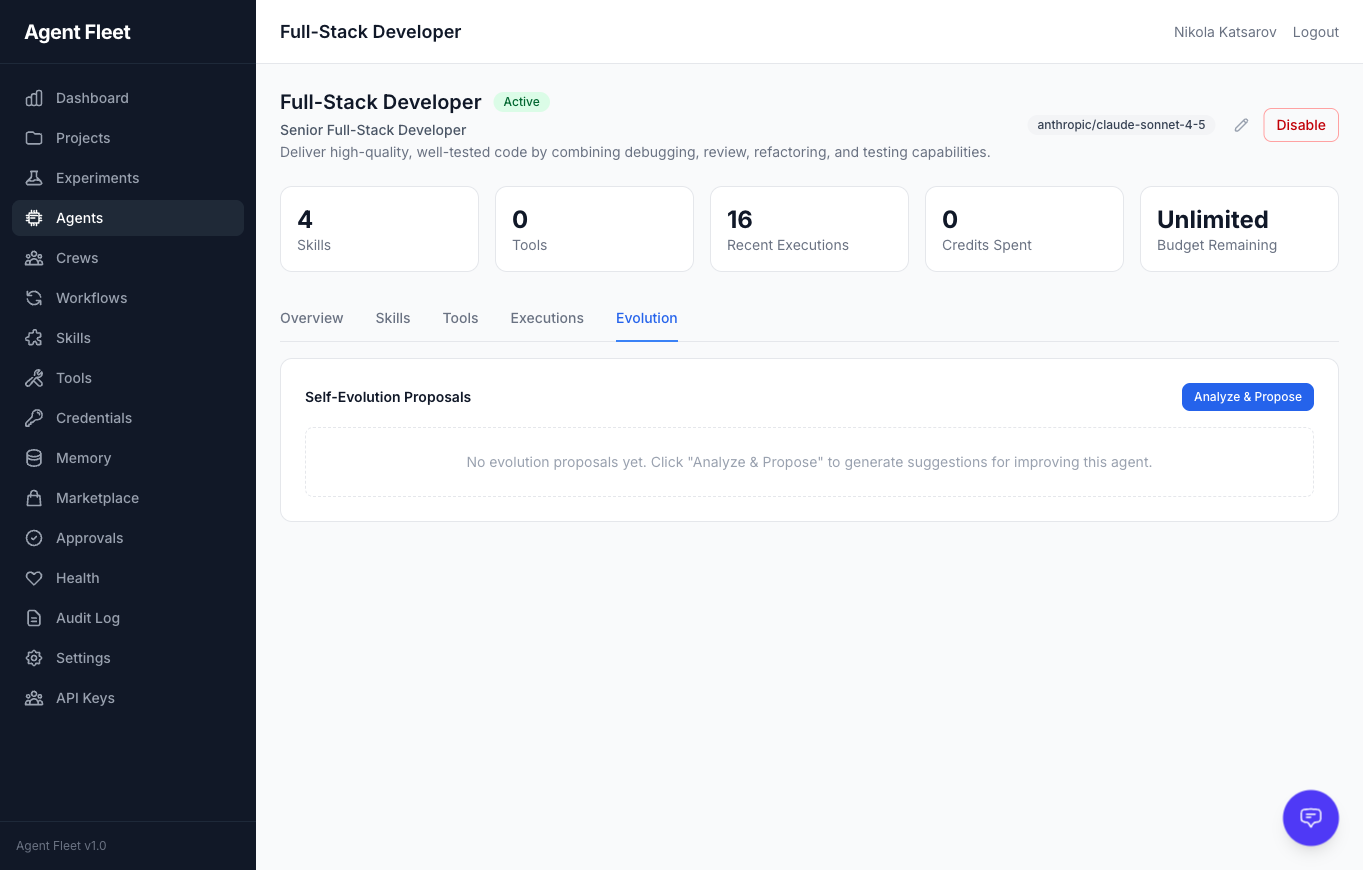
|
|
Crew Execution Live progress tracking during multi-agent crew execution. Each task shows its assigned skill, provider, and elapsed time. 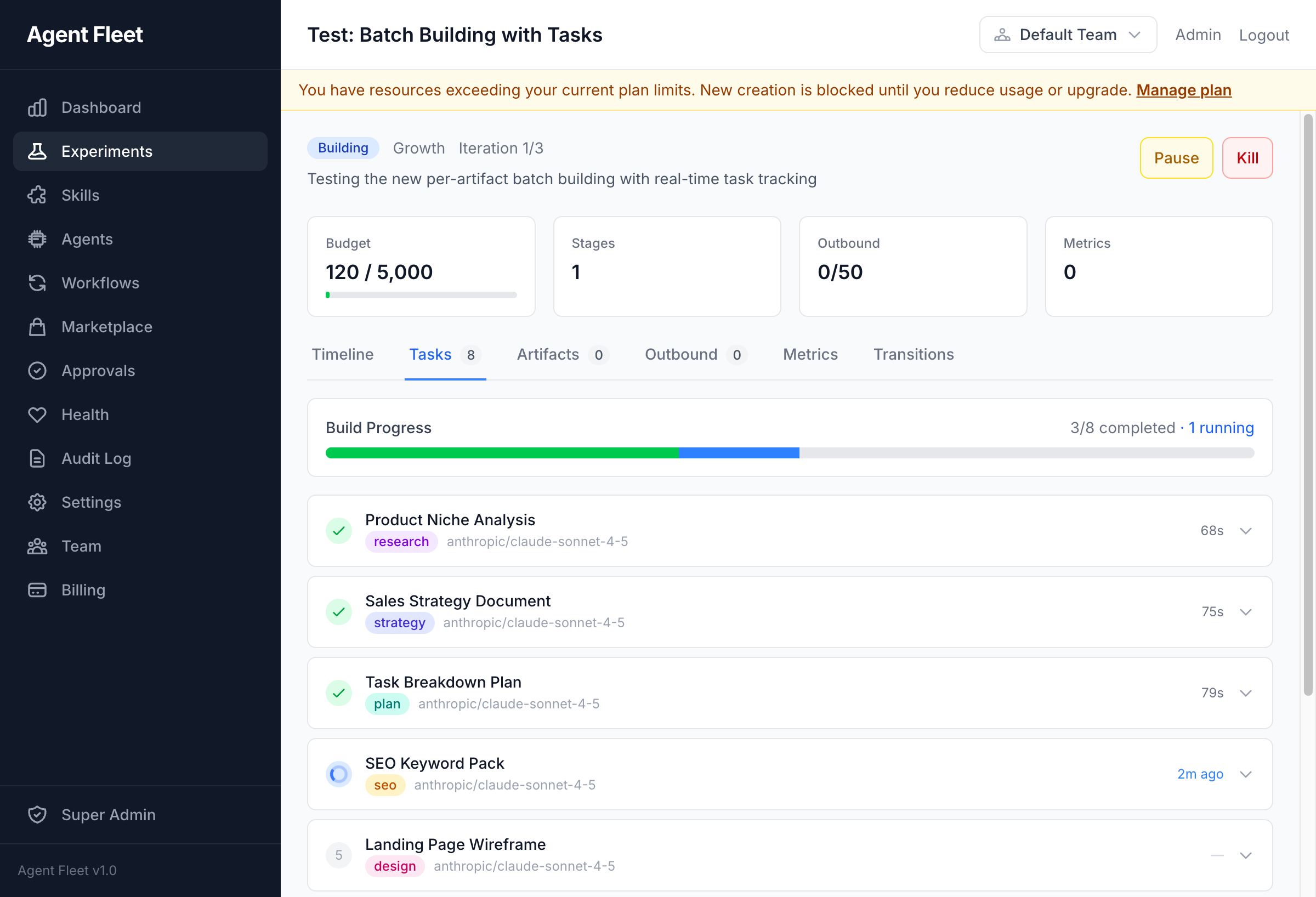
|
Task Output Expand any completed task to inspect the AI-generated output, including structured JSON responses. 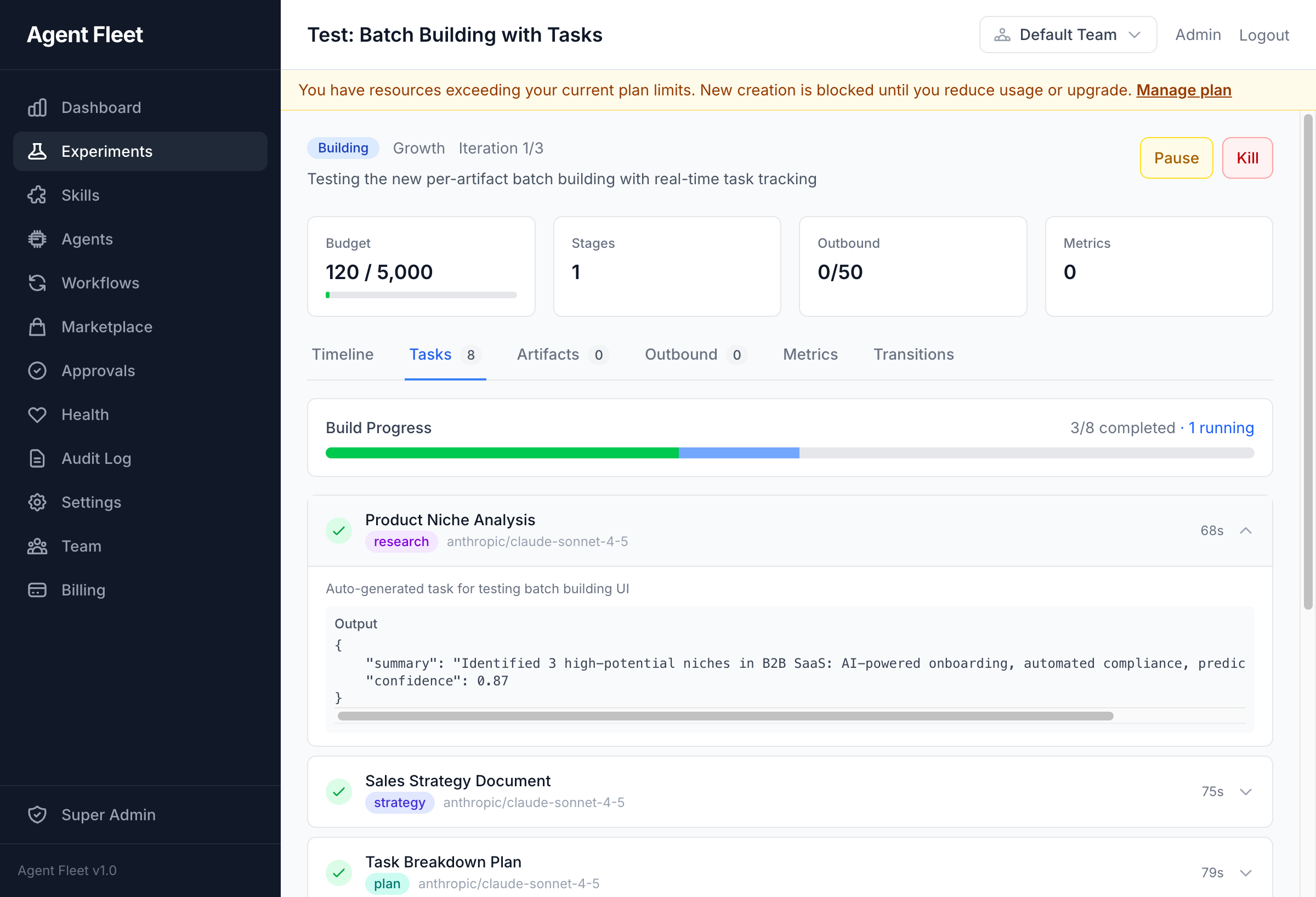
|
|
Visual Workflow Builder DAG-based workflow editor with conditional branching, human tasks, switch nodes, and dynamic forks. 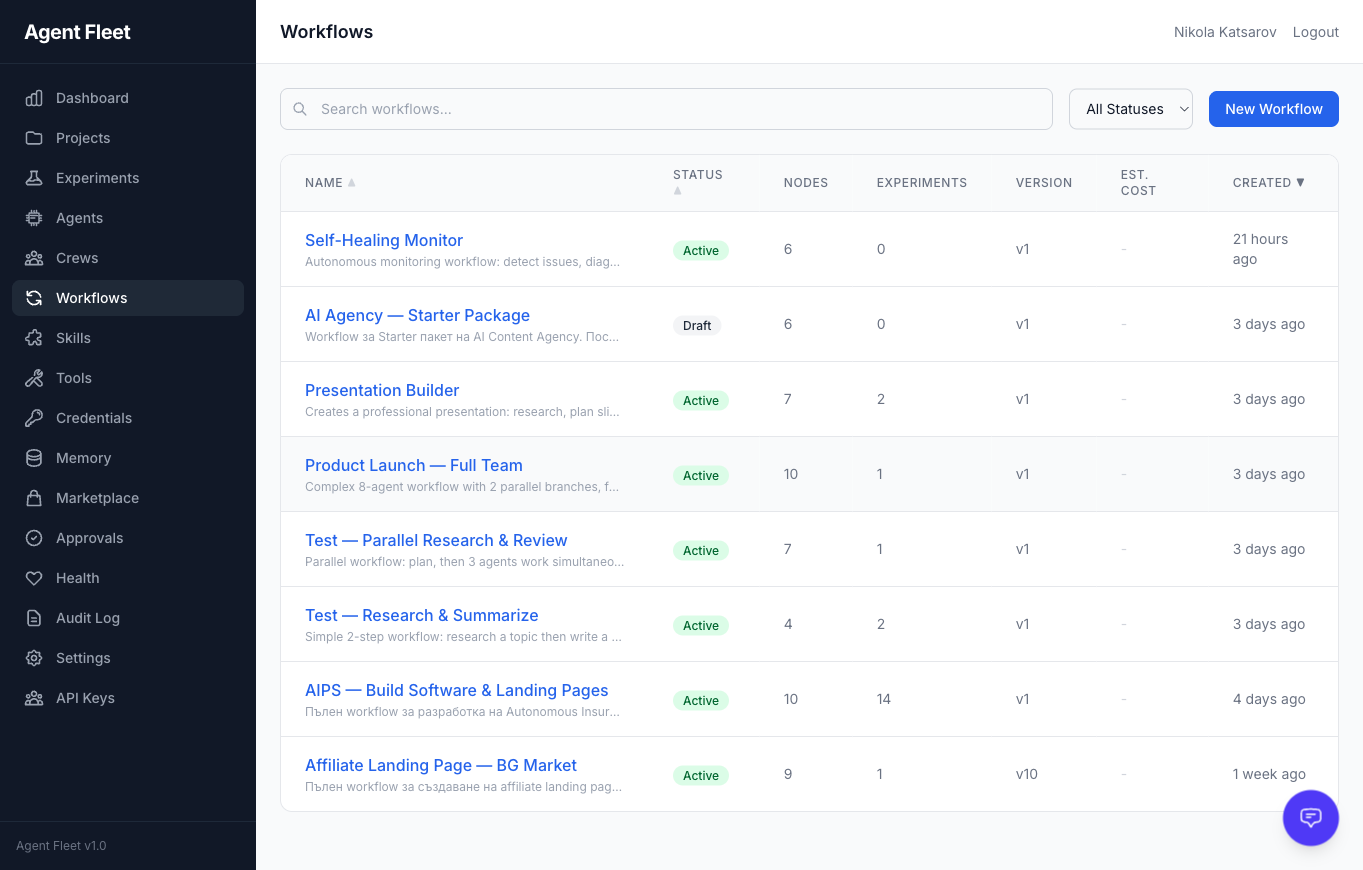
|
Tool Management Manage MCP servers, built-in tools, and external integrations with risk classification and per-agent assignment. 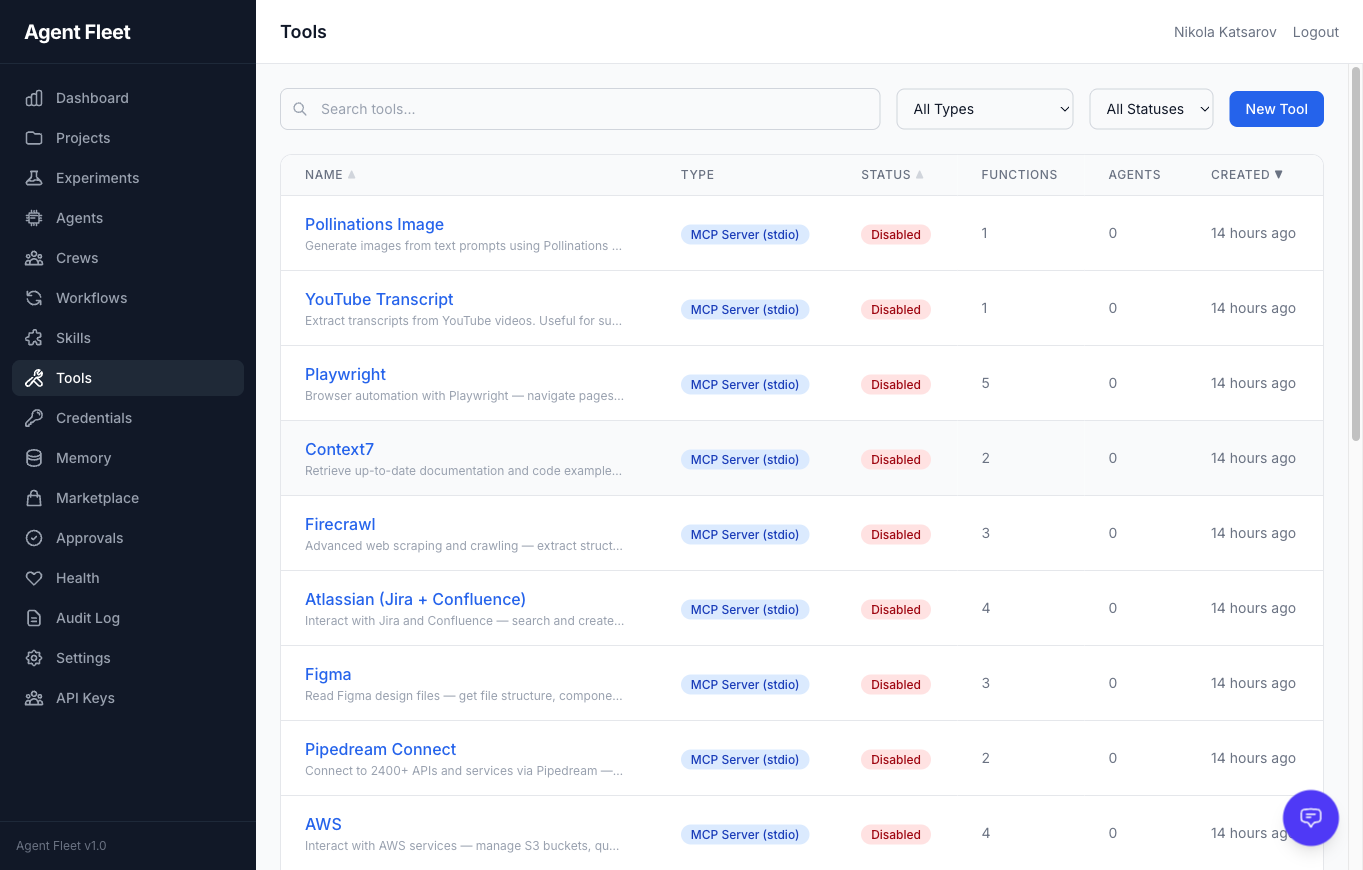
|
|
AI Assistant Sidebar Context-aware AI chat embedded in every page with 28 built-in tools for querying and managing the platform. 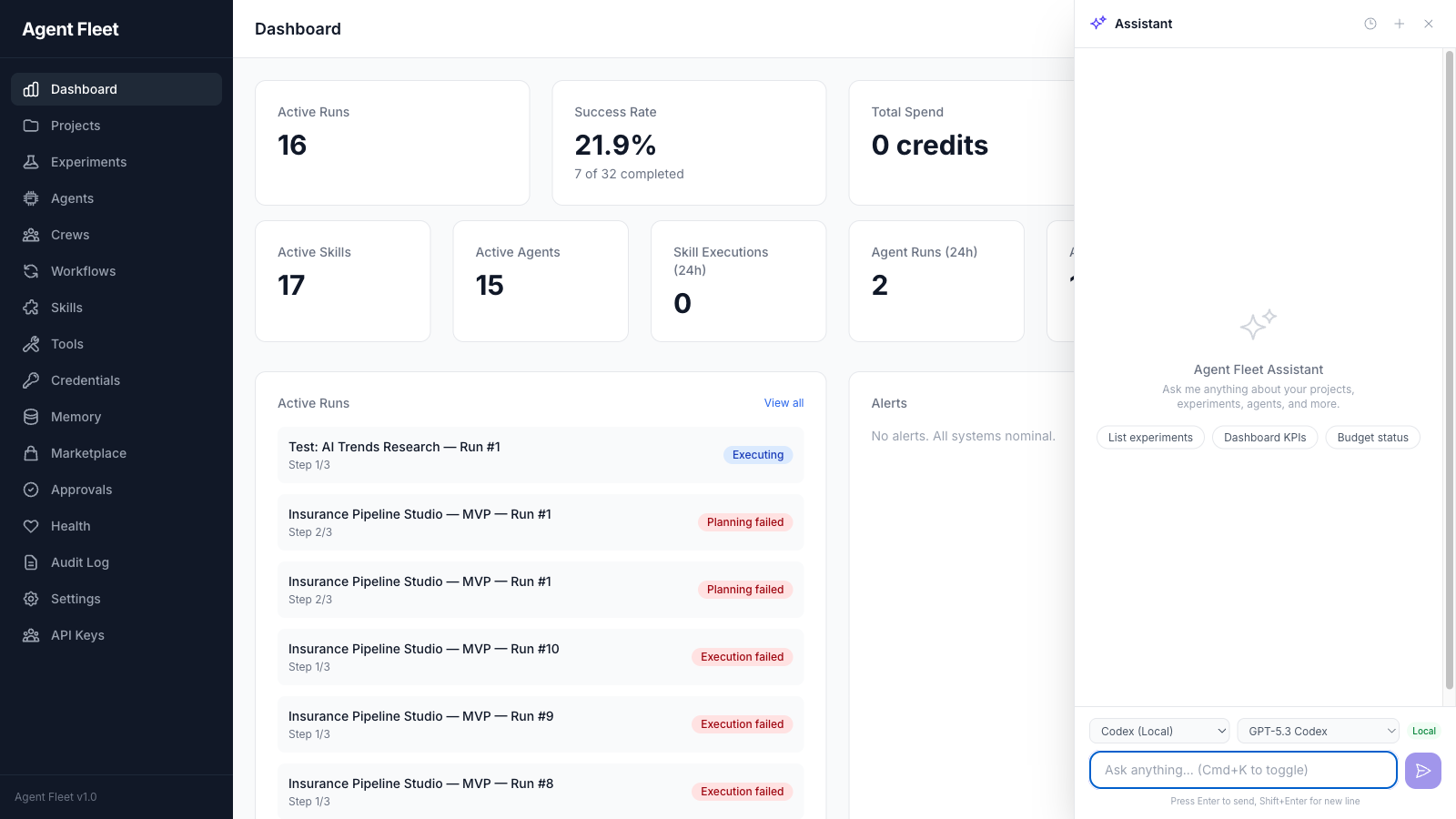
|
Experiment Detail Full experiment lifecycle view with timeline, tasks, transitions, artifacts, metrics, and outbound delivery. 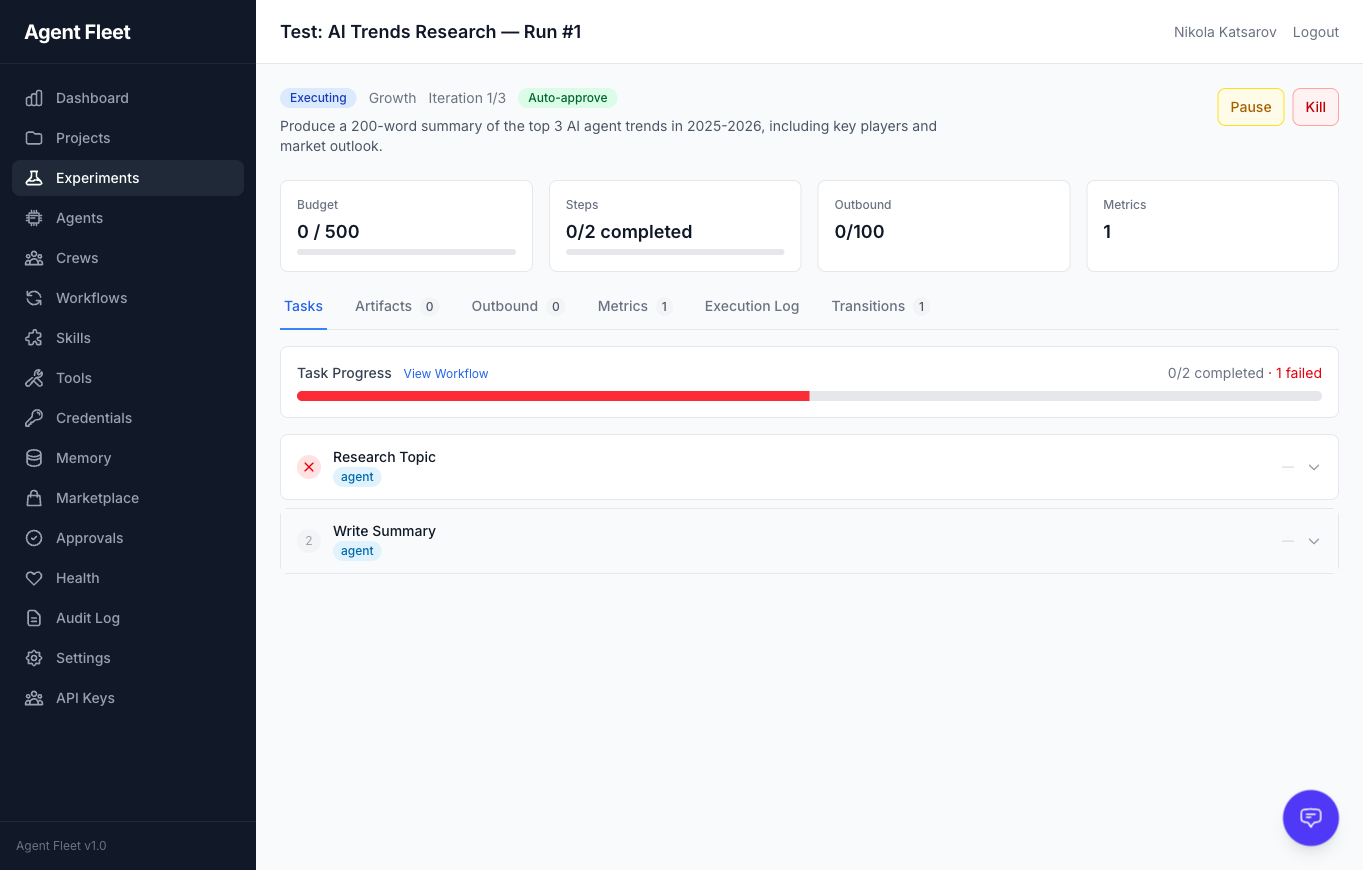
|
|
Settings & Webhooks Global platform settings, AI provider keys (BYOK), outbound connectors, and webhook configuration. 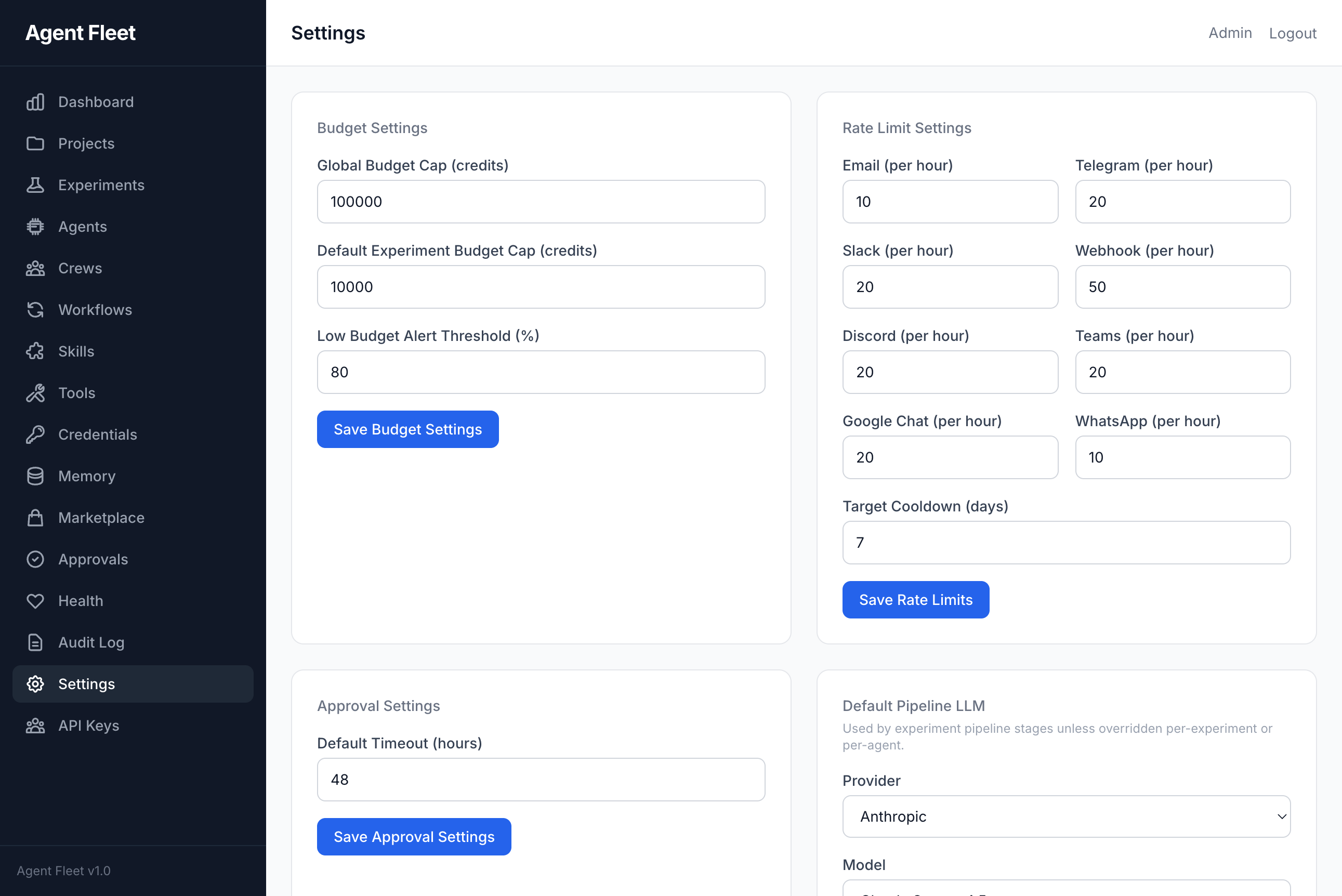
|
Error Handling Failed tasks display detailed error information including provider, error type, and request IDs for debugging. 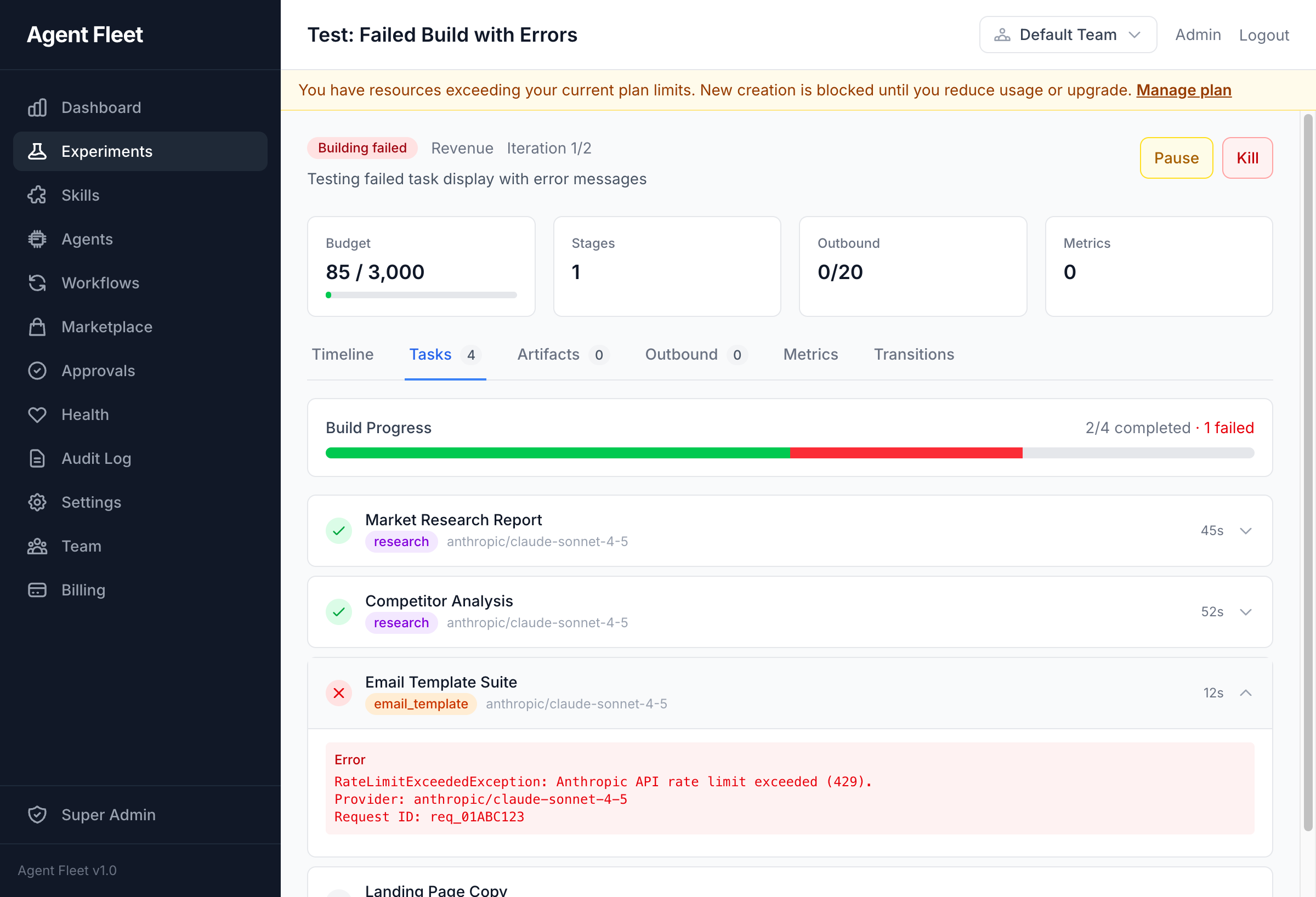
|
gpu_compute skills backed by RunPod, Replicate, Fal.ai, Vast.aiTeamScope + BelongsToTeam + withoutGlobalScopes() discipline/api/v1/ with Sanctum auth, cursor pagination, auto-generated OpenAPI 3.1 at /docs/apiActionProposal flow gates assistant tool calls, integration writes, and git pushes through a per-tier risk policy with auto-execute on approvalGET /.well-known/fleetq returns a config-gated capability manifest so external AI tools can auto-configure/team-graph page with real-time updates via Laravel Reverb WebSocketsUNAVAILABLE, PERMISSION_DENIED, RESOURCE_EXHAUSTED, DEADLINE_EXCEEDED, INVALID_ARGUMENT, FAILED_PRECONDITION, NOT_FOUND, INTERNAL) with retryable hints — agents know when to retry vs. fail fastdeadline_ms parameter on every MCP tool; agents can bound wall-clock time per calldocker compose --profile observability up, spans for MCP tool → AI gateway → LLM providerFleetQ is built for teams running AI agents in production, not toy demos.
gpu_compute skill on RunPod serverless (Whisper, FLUX, Bark) as part of a larger workflow, with cost accounting.| FleetQ | n8n | CrewAI | LangGraph | Make.com | |
|---|---|---|---|---|---|
| Open source | ✅ AGPLv3 | ✅ Sustainable Use | ✅ MIT | ✅ MIT | ❌ Proprietary |
| Visual DAG builder | ✅ 8 node types | ✅ (not AI-first) | ❌ | ❌ | ✅ |
| Multi-agent crews | ✅ 7 process types | ❌ | ✅ | ✅ (build-your-own) | ❌ |
| MCP server (native) | ✅ 493+ tools | ❌ | ❌ | ❌ | ❌ |
| Human-in-the-loop | ✅ native | ⚠️ workaround | ⚠️ code | ⚠️ code | ⚠️ approve-node |
| Budget ledger + locks | ✅ pessimistic | ❌ | ❌ | ❌ | ❌ |
| Audit trail | ✅ every action | ✅ | ❌ | ❌ | ✅ |
| BYOK + local LLMs | ✅ both | ⚠️ BYOK only | ⚠️ depends | ⚠️ BYOK | ❌ |
| Self-hosted | ✅ Docker Compose | ✅ | n/a (library) | n/a (library) | ❌ |
| Agent evolution (self-improve) | ✅ | ❌ | ❌ | ❌ | ❌ |
| OpenTelemetry tracing | ✅ native | ❌ | ❌ | ⚠️ partial | ❌ |
| Credit/usage metering | ✅ per-team/project | ❌ | ❌ | ❌ | per-workspace |
TL;DR — if you're building production agent systems with LLMs and want visual workflows + MCP + human oversight, FleetQ is the only platform that bundles all of it.
git clone https://github.com/escapeboy/agent-fleet-o.git
cd agent-fleet
make install
This will:
.env.example to .envVisit http://localhost:8080 when complete.
Requirements: PHP 8.4+, PostgreSQL 17+, Redis 7+, Node.js 20+, Composer
git clone https://github.com/escapeboy/agent-fleet-o.git
cd agent-fleet
composer install
npm install && npm run build
cp .env.example .env
# Edit .env — set DB_HOST, DB_DATABASE, DB_USERNAME, DB_PASSWORD, REDIS_HOST
php artisan key:generate
php artisan migrate
php artisan horizon &
php artisan serve
Then open http://localhost:8000 in your browser. The setup page will guide you through creating your admin account.
Alternative: Run
php artisan app:installfor an interactive CLI setup wizard that also seeds default agents and skills.
If you're running FleetQ locally on your own machine and don't want to enter a password on every visit, set APP_AUTH_BYPASS=true in .env:
APP_AUTH_BYPASS=true   # Auto-login as first user
APP_ENV=local          # Required — bypass is disabled in production
With bypass enabled, the app logs you in automatically on every request. A logout link is still shown but you'll be logged back in on the next page load — this is intentional.
Warning: Never set
APP_AUTH_BYPASS=trueon a server accessible from the internet.
All configuration is in .env. Key variables:
# Database (PostgreSQL required)
DB_CONNECTION=pgsql
DB_HOST=postgres
DB_DATABASE=agent_fleet

# Redis (queues, cache, sessions, locks)
REDIS_HOST=redis
REDIS_DB=0          # Queues
REDIS_CACHE_DB=1    # Cache
REDIS_LOCK_DB=2     # Locks

# LLM Providers -- at least one required for AI features
ANTHROPIC_API_KEY=
OPENAI_API_KEY=
GOOGLE_AI_API_KEY=

# Auth bypass -- local no-password mode (never use in production)
APP_AUTH_BYPASS=false
Additional LLM keys can be configured in Settings > AI Provider Keys after login.
To use local models (Ollama, LM Studio, vLLM):
LOCAL_LLM_ENABLED=true
LOCAL_LLM_SSRF_PROTECTION=false  # set false if Ollama is on a LAN IP (192.168.x.x)
LOCAL_LLM_TIMEOUT=180
Then configure endpoints in Settings > Local LLM Endpoints.
Agents can execute commands on the host machine (or any remote server) via SSH using the built-in SSH tool type. This is useful for running local scripts, interacting with the filesystem, or orchestrating host-level processes from an agent.
host, port, username, credential_id, and an optional allowed_commands whitelist.tool_ssh_fingerprints MCP tool.The containers reach the host machine via host.docker.internal, which is pre-configured in docker-compose.yml via extra_hosts: host.docker.internal:host-gateway.
Step 1 — Enable SSH on the host
| OS | Command |
|---|---|
| macOS | System Settings → General → Sharing → Remote Login → On |
| Ubuntu/Debian | sudo apt install openssh-server && sudo systemctl enable --now ssh |
| Fedora/RHEL | sudo dnf install openssh-server && sudo systemctl enable --now sshd |
| Windows | Settings → System → Optional Features → OpenSSH Server, then Start-Service sshd |
Step 2 — Generate an SSH key pair
ssh-keygen -t ed25519 -C "fleetq-agent@local" -f ~/.ssh/fleetq_agent_key -N ""
Step 3 — Authorize the key on the host
cat ~/.ssh/fleetq_agent_key.pub >> ~/.ssh/authorized_keys
chmod 600 ~/.ssh/authorized_keys
Step 4 — Create a Credential in FleetQ
Navigate to Credentials → New Credential:
SSH Key~/.ssh/fleetq_agent_key (private key)Or via API:
curl -X POST http://localhost:8080/api/v1/credentials \
  -H "Authorization: Bearer $TOKEN" \
  -H "Content-Type: application/json" \
  -d '{
    "name": "Host SSH Key",
    "credential_type": "ssh_key",
    "secret_data": {"private_key": "<contents of fleetq_agent_key>"}
  }'
Step 5 — Create an SSH Tool
Navigate to Tools → New Tool → Built-in → SSH Remote, or via API:
curl -X POST http://localhost:8080/api/v1/tools \
  -H "Authorization: Bearer $TOKEN" \
  -H "Content-Type: application/json" \
  -d '{
    "name": "Host SSH",
    "type": "built_in",
    "risk_level": "destructive",
    "transport_config": {
      "kind": "ssh",
      "host": "host.docker.internal",
      "port": 22,
      "username": "your-username",
      "credential_id": "<credential-id>",
      "allowed_commands": ["ls", "pwd", "whoami", "uname", "date", "df"]
    },
    "settings": {"timeout": 30}
  }'
Step 6 — Assign the tool to an agent
In the Agent detail page, go to Tools and assign the SSH tool. The agent will now have an ssh_execute function available during execution.
The platform enforces a multi-layer security hierarchy for bash and SSH commands:
rm -rf /, mkfs, shutdown, reboot, pipe-to-shell patternstool_bash_policy MCP toolallowed_commands whitelist in the tool's transport configMore restrictive layers always win. A command blocked at the platform level cannot be unblocked by any other layer.
Trusted host fingerprints are viewable and removable via:
GET /api/v1/ssh-fingerprints / DELETE /api/v1/ssh-fingerprints/{id}tool_ssh_fingerprints with list or delete actionRemove a fingerprint when a host's SSH key is legitimately rotated — the next connection will re-verify via TOFU.
flowchart LR
    subgraph Clients["Operators & external agents"]
        UI["Admin UI — Livewire 4 + Alpine"]
        MCPCLI["MCP clients (Claude Desktop, Cursor, Codex, Claude Code)"]
        APIC["REST clients — /api/v1/* (Sanctum)"]
        SIG["Inbound signals (webhook / RSS / IMAP / Slack / Telegram)"]
    end

    UI --> WEB
    APIC --> API
    MCPCLI -->|HTTP/SSE or stdio| MCP
    SIG --> INGEST

    subgraph App["FleetQ app (Laravel 13 / PHP 8.4)"]
        WEB["Web routes (auth:web)"] --> DOM
        API["/api/v1/* — Sanctum tokens"] --> DOM
        MCP["AgentFleetServer — 200+ MCP tools / 31 domains"] --> DOM
        INGEST["SignalWebhookController / IngestSignalAction"] --> TRIG["TriggerRule evaluator"]
        TRIG --> DOM

        DOM["Domain layer — Agent / Crew / Experiment / Workflow / Project / Approval / Budget / Tool / Credential / Skill / Outbound"]
        DOM --> SM["ExperimentStateMachine (20 states)"]
        SM --> EVT(("ExperimentTransitioned event"))
        EVT --> STAGE["BaseStageJob + PlaybookExecutor"]
        STAGE --> GATEWAY["AI Gateway (PrismPHP) — 6-layer middleware + circuit breakers"]
        GATEWAY --> LLM["Providers: Anthropic / OpenAI / Google / Ollama / vLLM / Codex / Claude Code"]
        STAGE --> TOOLS["ToolTranslator — MCP stdio/HTTP, bash, filesystem, browser, SSH (TOFU)"]
        STAGE --> APPR["ApprovalRequest / HumanTask (auth:web inbox)"]
        STAGE --> OUT["Outbound connectors — Email / Telegram / Slack / Webhook / ntfy"]
        STAGE --> ARTI[("Artifact + ArtifactVersion")]

        DOM --> DB[("Postgres 17 + pgvector — semantic cache, UUIDv7, JSONB+GIN")]
        STAGE --> QUEUE[("Redis 7 — 6 Horizon queues, cache, locks")]
        APPR --> DB
        ARTI --> DB
    end

    subgraph Optional["Optional Docker profiles"]
        REVERB["Reverb — WebSocket live team graph"]
        BROWSER["browserless (Chromium)"]
        SEARX["searxng"]
        VOICE["voice-worker (LiveKit / Deepgram)"]
        SANDBOX["bash_sidecar (sandboxed shell)"]
        RELAY["fleetq-bridge relay"]
        JAEGER["Jaeger — OTLP traces (--profile observability)"]
    end

    App -.OTLP spans.-> JAEGER
    UI <-->|WebSocket| REVERB
    TOOLS -.->|browser tools| BROWSER
    TOOLS -.->|web search skill| SEARX
    TOOLS -.->|bash skill| SANDBOX
    App <-->|relay| RELAY
    DOM <--> VOICE
The platform is a single Laravel 13 monolith that exposes three coequal control surfaces over the same domain layer: the Livewire admin UI, a Sanctum-authenticated REST API at /api/v1/* (~175 endpoints), and AgentFleetServer — an MCP server with 200+ tools across 31 domains served over both HTTP/SSE and local stdio. Inbound signals (webhook, RSS, IMAP, Slack, Telegram, and the rest of the 20+ connectors) flow through IngestSignalAction and the TriggerRule evaluator into the domain layer, where the ExperimentStateMachine walks a 20-state pipeline by emitting ExperimentTransitioned events whose listeners dispatch the next BaseStageJob onto Horizon-managed Redis queues. Stage jobs talk to LLMs through the PrismPHP-backed AI Gateway (rate-limit, budget, idempotency, semantic-cache, schema-validation, usage-tracking middleware + circuit breakers + provider fallbacks), invoke Tool instances translated to PrismPHP tool calls (MCP stdio/HTTP, built-in bash/filesystem/browser, SSH with TOFU fingerprints), park ApprovalRequest/HumanTask records for the human-in-the-loop inbox, and persist Artifact versions plus deliver outbound messages over Email/Telegram/Slack/Webhook/ntfy. State and tenant data live in Postgres 17 with pgvector (semantic cache, UUIDv7 primary keys, JSONB+GIN indexes); Redis 7 carries the six Horizon queues, application cache, and pessimistic budget locks. Optional Docker Compose profiles add Reverb for the live team-graph WebSocket, browserless for browser tools, searxng for web search, a voice worker (LiveKit/Deepgram), a sandboxed bash sidecar, the fleetq-bridge relay, and Jaeger for OpenTelemetry tracing via --profile observability.
Built with Laravel 12, Livewire 4, and Tailwind CSS. Domain-driven design with 33 bounded contexts — table below shows the 17 primary domains:
| Domain | Purpose |
|---|---|
| Agent | AI agent configs, execution, personality, evolution |
| Crew | Multi-agent teams with lead/member roles |
| Experiment | Pipeline, state machine, playbooks |
| Signal | Inbound data ingestion |
| Outbound | Multi-channel delivery |
| Approval | Human-in-the-loop reviews and human tasks |
| Budget | Credit ledger, cost enforcement |
| Metrics | Measurement, revenue attribution |
| Audit | Activity logging |
| Skill | Reusable AI skill definitions |
| Tool | MCP servers, built-in tools, risk classification |
| Credential | Encrypted external service credentials |
| Workflow | Visual DAG builder, graph executor |
| Project | Continuous/one-shot projects, scheduling |
| Assistant | Context-aware AI chat with 28 tools |
| Marketplace | Skill/agent/workflow sharing |
| Integration | External service connectors (GitHub, Slack, Notion, Airtable, Linear, Stripe, Generic) |
| Service | Purpose | Port |
|---|---|---|
| app | PHP 8.4-fpm | -- |
| nginx | Web server | 8080 |
| postgres | PostgreSQL 17 | 5432 |
| redis | Cache/Queue/Sessions | 6379 |
| horizon | Queue workers | -- |
| scheduler | Cron jobs | -- |
| vite | Frontend dev server | 5173 |
make start          # Start services
make stop           # Stop services
make logs           # Tail logs
make update         # Pull latest + migrate
make test           # Run tests
make shell          # Open app container shell
Or with Docker Compose directly:
docker compose exec app php artisan tinker       # REPL
docker compose exec app php artisan test          # Run tests
docker compose exec app php artisan migrate       # Run migrations
make update
This pulls the latest code, rebuilds containers, runs migrations, and clears caches.
Contributions are welcome. Please open an issue first to discuss proposed changes.
git checkout -b feat/my-feature)php artisan test to verifySee CONTRIBUTING.md for coding conventions, commit style, and PR checklist.
If FleetQ saves you time, a ⭐ helps others find it. GitHub ranks repos by star velocity.
FleetQ Community Edition is open-source software licensed under the GNU Affero General Public License v3.0.
TL;DR of AGPLv3: You can self-host, modify, and run FleetQ for free — including commercial use. If you offer FleetQ as a hosted service to others, you must open-source your modifications. Questions? See our AGPLv3 FAQ.
Run Claude Code as an MCP server so any agent can delegate coding tasks to it
 @microsoft✓ Official
Browser automation using accessibility snapshots instead of screenshots
 @googleapis✓ Official
Google's universal MCP server supporting PostgreSQL, MySQL, MongoDB, Redis, and 10+ databases
 @github✓ Official
Official GitHub integration for repos, issues, PRs, and CI/CD workflows