

Are you the author? Sign in to claim
Real-time gamified dashboard for monitoring Claude Code and Codex AI agents in a medieval fantasy setting
A fantasy village dashboard for monitoring your Claude Code CLI and Codex agents.



Use Claude Code CLI or Codex as usual — each agent session auto-spawns a hero on the dashboard, live.
Agent Quest is a browser-based monitoring dashboard that visualizes active Claude Code and Codex agent sessions as fantasy heroes in a 2D village. Each running agent becomes a hero who walks between buildings based on what it's doing: Read sends it to the Library, Edit to the Forge, Bash to the Arena, and so on.
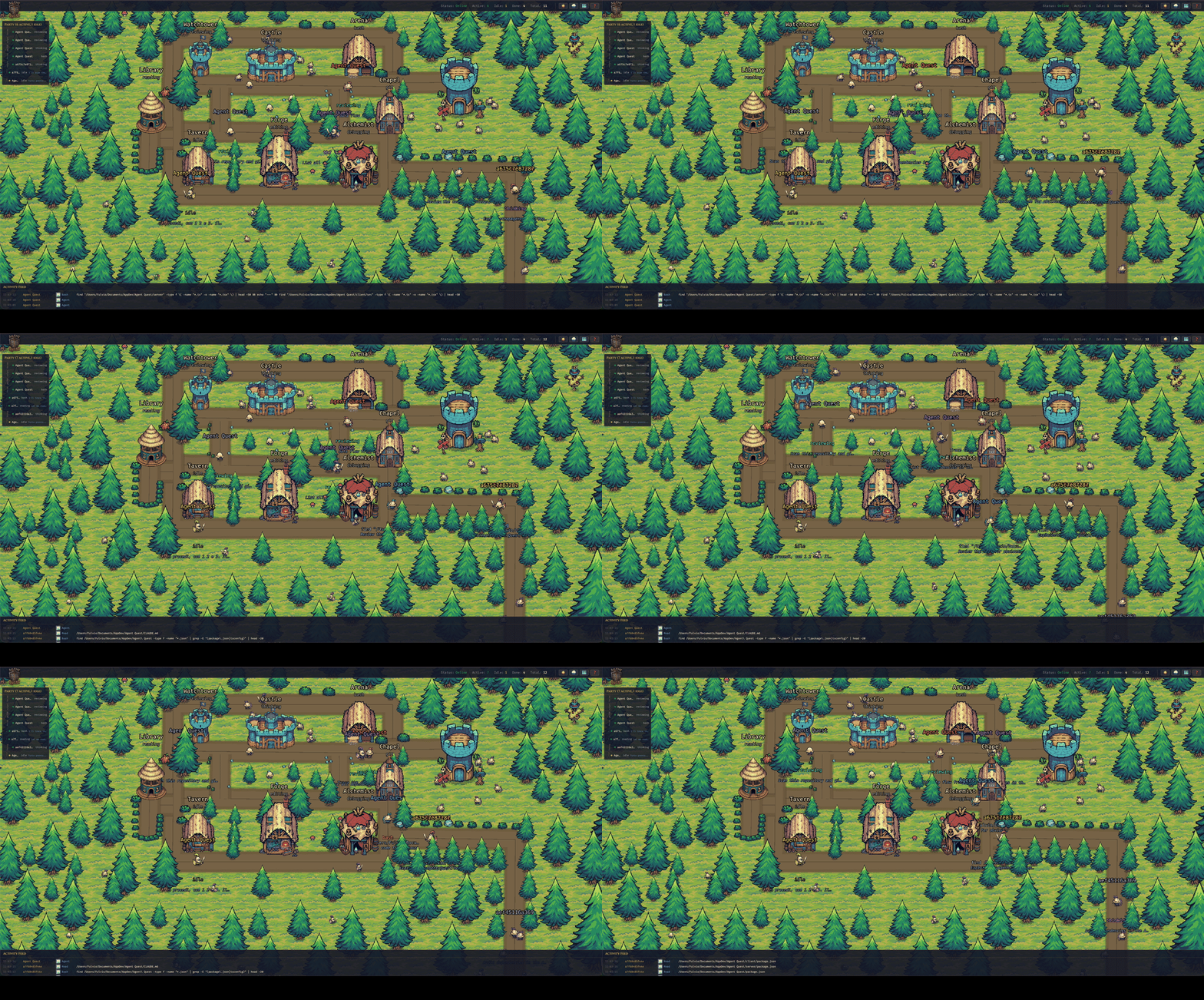
Every hero is an agent — the building it visits tells you what it's doing.
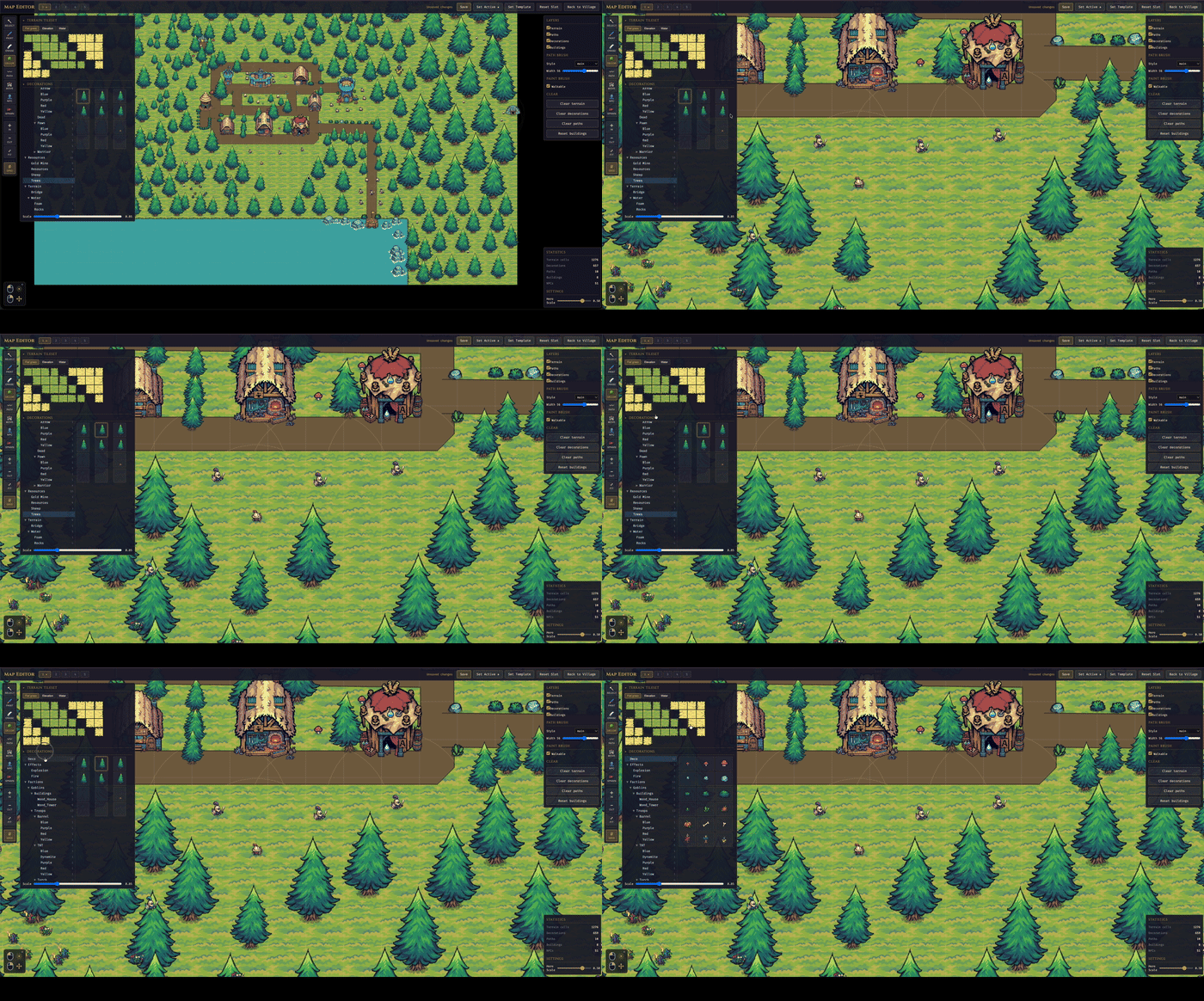
Integrated Tile Map Editor |
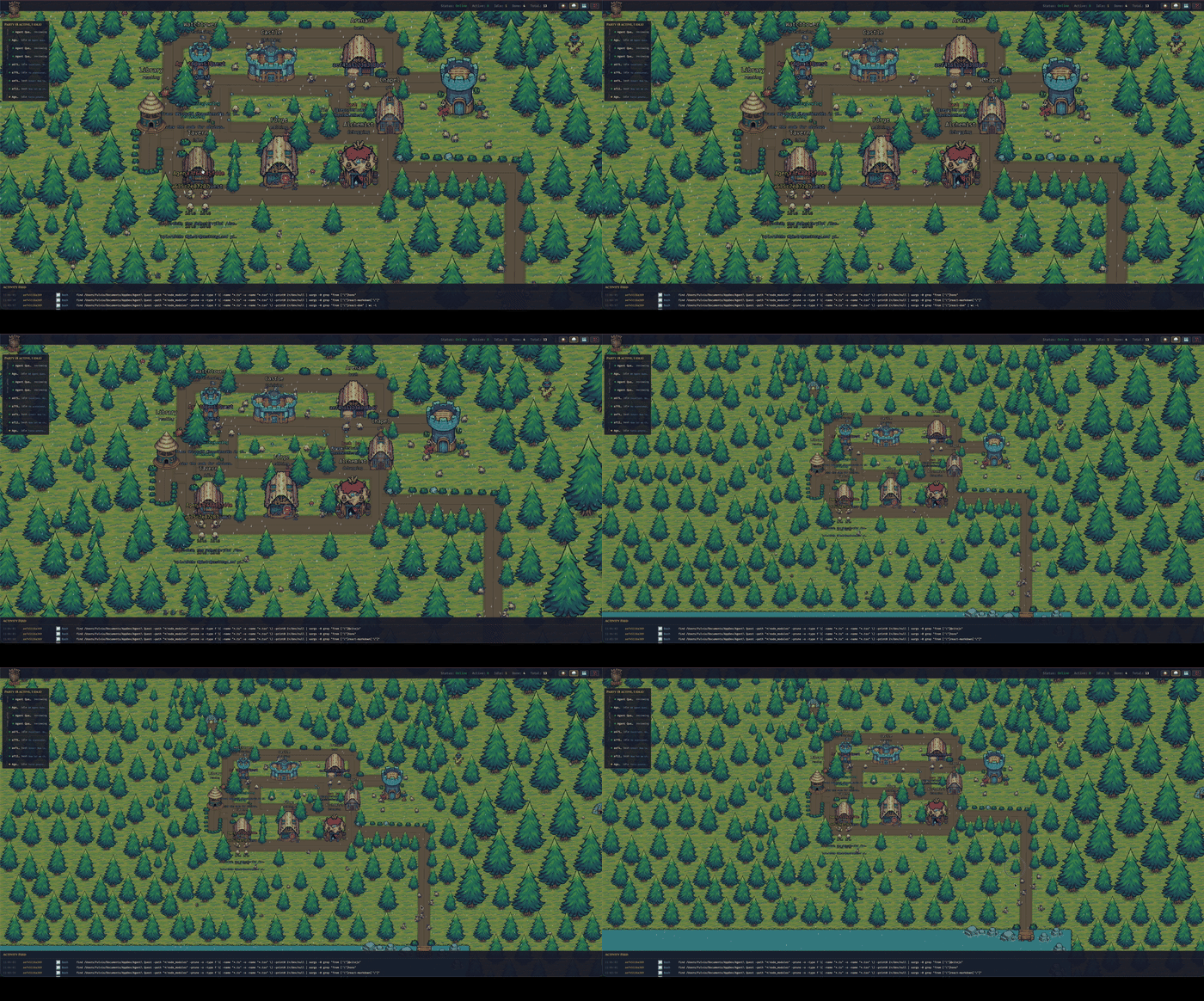
Weather effects |
Claude Code and Codex sessions happen in a terminal — useful, but not very alive. When you run several agents at once (across projects, across ~/.claude* installations and ~/.codex), it's hard to feel what they're actually doing. Agent Quest turns that invisible activity into something you can glance at: a little village where every hero is an agent, and where they walk tells you what they're up to.
~/.claude* directory (supports multiple installations like ~/.claude-work, ~/.claude-personale) and of ~/.codex if presentpostToolUse hooks — Claude Code only; Codex doesn't expose hooks)Required
curl -fsSL https://bun.sh/install | bash~/.claude* directories, and/or ~/.codex, with session logs). Without either, the dashboard still starts, but the village stays empty and a banner tells you so.Optional
npm run … command form. If you only have Bun installed, every npm run X in this README has an equivalent bun run X.Agent Quest can be set up in two equivalent ways — pick the one that matches your platform:
git clone + bun install + bun start. Three commands, full control, works everywhere (macOS, Linux, Windows via WSL2).curl | bash that installs Bun if missing, clones the repo, installs dependencies, creates a global agentquest command, and launches the app.They do the same work under the hood. Every daily command has an equivalent:
| With the CLI | Without (classic) |
|---|---|
agentquest | bun start |
agentquest update | git pull --ff-only && bun install |
agentquest update is a convenience command for end users running an installed copy that tracks origin/main. It is not the contributor workflow for feature branches.
Three commands — works on macOS, Linux, and Windows via WSL2:
git clone https://github.com/FulAppiOS/Agent-Quest.git
cd Agent-Quest
bun install
bun start
That's it: your browser opens on http://localhost:4445 and the village appears.
Optional — create an agentquest shortcut so you can launch from any directory:
mkdir -p ~/.local/bin
ln -s "$PWD/bin/agentquest" ~/.local/bin/agentquest
After the symlink you can run agentquest (alias of bun start) and agentquest update (alias of git pull --ff-only && bun install) from anywhere.
Agent Quest ships with a bundled CC0 pixel-art sprite pack (under client/public/assets/themes/tiny-swords-cc0/), so there's nothing else to download.
The one-line installer script is macOS-only; Agent Quest itself runs on macOS and Linux, and via WSL2 on Windows — see the manual install above.
curl -fsSL https://raw.githubusercontent.com/FulAppiOS/Agent-Quest/main/install.sh | bash
The installer prints exactly what it's going to do and asks before touching anything. It checks/installs Bun, clones into ~/agent-quest (override with --dir <path>), runs bun install, creates an agentquest shortcut in ~/.local/bin/, and offers to launch right away. When it finishes, your browser opens on http://localhost:4445 and the village appears.
From the next session onwards:
agentquest            # same as `agentquest start` — launches and opens the browser
agentquest update     # git pull + bun install (preserves local map edits)
bun: command not found — install Bun first, then re-run the Quick start:
curl -fsSL https://bun.sh/install | bash
Cannot find module … on startup — dependencies weren't installed. From the repo root:
bun install
EADDRINUSE on port 4444 or 4445 — another process holds the port. Either free it or override the port via env (see Configuration). To see what is holding it and kill it:
lsof -ti:4444,4445 | xargs kill -9
agentquest: command not found after install — ~/.local/bin is not in your $PATH. Add it:
echo 'export PATH="$HOME/.local/bin:$PATH"' >> ~/.zshrc && source ~/.zshrc
Empty village with a "No Claude Code or Codex installation detected" banner — expected when no ~/.claude* or ~/.codex directory with session logs exists. Start a Claude Code or Codex session and heroes appear automatically (the banner disappears on its own).
Assets look broken or the app blocks at boot with "missing asset" screens — see Missing assets.
Defaults work out of the box. To customize ports or URLs, copy the example env files:
cp server/.env.example server/.env
cp client/.env.example client/.env
| Variable | Where | Default | Purpose |
|---|---|---|---|
PORT | server | 4444 | HTTP + WebSocket port |
CLIENT_URL | server | http://localhost:4445 | CORS origin |
CLIENT_PORT | client | 4445 | Vite dev server port |
VITE_SERVER_URL | client | http://localhost:4444 | Server HTTP base |
VITE_WS_URL | client | ws://localhost:4444/ws | Server WebSocket URL |
npm start              # server + client concurrently   (or: bun start)
npm run dev:server     # server only (:4444)            (or: bun run dev:server)
npm run dev:client     # client only (:4445)            (or: bun run dev:client)
npm run check:assets   # verify every bundled sprite is on disk (or: bun run check:assets)
cd server && bun test  # run server tests
For installed end-user copies that follow main, agentquest update runs the equivalent of git pull --ff-only && bun install while preserving local map edits. Contributors on feature branches should use normal Git commands instead.
If you accidentally delete or move files under client/public/assets/themes/tiny-swords-cc0/ (hero spritesheets, building PNGs, terrain, decorations), Agent Quest will tell you:
bun run check:assets any time to verify the whole bundled pack ahead of starting the app. Exits non-zero with a detailed list if anything is missing — good for CI or pre-commit.Restore with:
git checkout -- client/public/assets/themes/tiny-swords-cc0/
By default the dev servers only listen on localhost for security. To share the village with other devices on the same Wi-Fi (phone, tablet, another laptop), opt in with a single env flag:
# macOS / Linux — one-off, for this run only
AGENT_QUEST_LAN=1 agentquest          # (or: AGENT_QUEST_LAN=1 bun start)

# Permanent — decide once, then just run `agentquest`
echo "AGENT_QUEST_LAN=1" >> ~/agent-quest/server/.env
echo "AGENT_QUEST_LAN=1" >> ~/agent-quest/client/.env
agentquest
Any env var documented in this README works identically with agentquest — just prefix it on the command line, or add it to the two .env files for a persistent choice.
At startup the server prints reachable LAN URLs, for example:
[Server] LAN mode enabled — reachable from other devices at:
[Server]   http://192.168.1.42:4444 (API)  |  http://192.168.1.42:4445 (UI)
Open the UI URL on the other device. The client auto-detects the host so API and WebSocket calls go to the same Mac. The first time, macOS asks to allow incoming connections — click Allow.
Security note. LAN mode exposes your agents' tool calls, file paths and command output to anyone on the same network. Fine at home; think twice on office / café / conference Wi-Fi.
| macOS | Windows | Linux | |
|---|---|---|---|
| Claude Code | ✓ | ✓ (WSL2 recommended) | ✓ |
| Codex | ✓ | not yet verified | not yet verified |
Claude Code is exercised on macOS and Windows (via WSL2). Codex has been tested on macOS only so far — it should work on Windows/Linux the same way (the provider watches ~/.codex/sessions/), but we haven't confirmed it yet.
Bun officially supports Windows (1.1+), but we don't exercise this project on native Windows and a few dev-tool edge cases exist (file watching under certain paths, spawn semantics). For a frictionless experience on Windows, run Agent Quest inside WSL2:
Install WSL2 following Microsoft's guide (one command: wsl --install in an admin PowerShell).
Open your WSL2 shell (Ubuntu by default) and install Bun:
curl -fsSL https://bun.sh/install | bash
Follow the Manual install steps above, inside the WSL2 shell. The one-line installer is macOS-only.
Native Windows (PowerShell / cmd.exe) should also work after this project's cross-platform shell fixes, but isn't routinely tested. If you hit a Windows-only issue, please open a ticket — pull requests welcome.
Issues and pull requests are welcome — bug reports, feature ideas, new building sprites, extra hero classes, anything. See CONTRIBUTING.md for the short version.
If Agent Quest makes your agents feel a little more alive, a beer is always welcome 🍺 — every one helps keep the updates flowing.

client/public/assets/themes/tiny-swords-cc0/.1000+ skills curated from Anthropic, Vercel, Stripe, and other engineering teams
Design enforcement with memory — keeps your UI consistent across a project
Detects 37 AI writing patterns and rewrites text with human rhythm across 5 voice profiles
WCAG accessibility audit — automated scanning, manual review, remediation