

Are you the author? Sign in to claim
Approval workflows for AI agents
Human-in-the-loop approval system for AI agents.
Agents request. Policies decide. Humans approve.
Keep humans in control of what AI agents can do.




Your AI agent wants to send an email, delete a file, or deploy to production. Should it? AgentGate lets you define policies that auto-approve safe actions, auto-deny dangerous ones, and route everything else to a human — via dashboard, Slack, Discord, or email.
docker-compose up for the full stack# Self-host the full stack (server + dashboard + Postgres):
docker compose up
# …or from source:
pnpm install && pnpm --filter @agentkitai/agentgate-server db:migrate && pnpm --filter @agentkitai/agentgate-server bootstrap && pnpm dev
Drop AgentGate into an MCP client (Claude Desktop / Cursor / VS Code) — point it at the gateway:
{ "mcpServers": { "agentgate": { "command": "npx", "args": ["@agentkitai/agentgate-mcp"] } } }
See all pending requests at a glance, color-coded by urgency so you know what needs attention first.
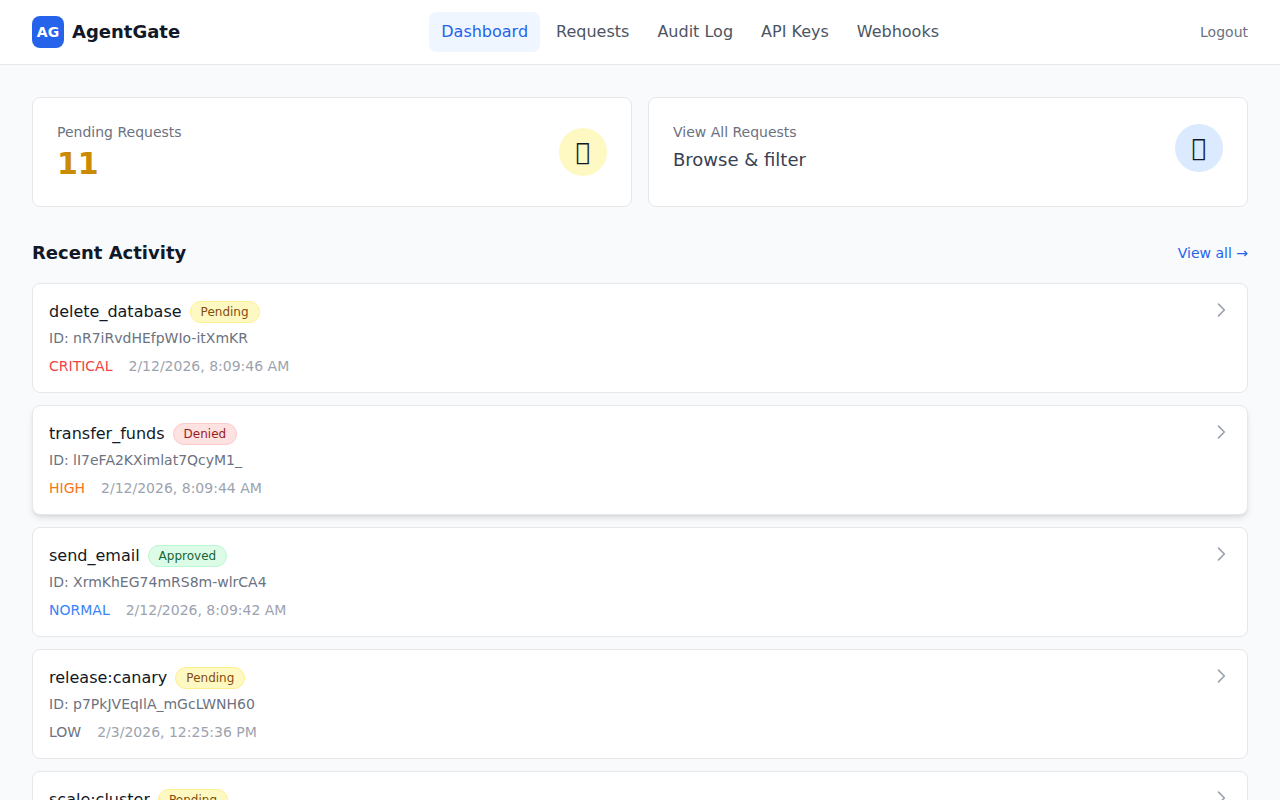
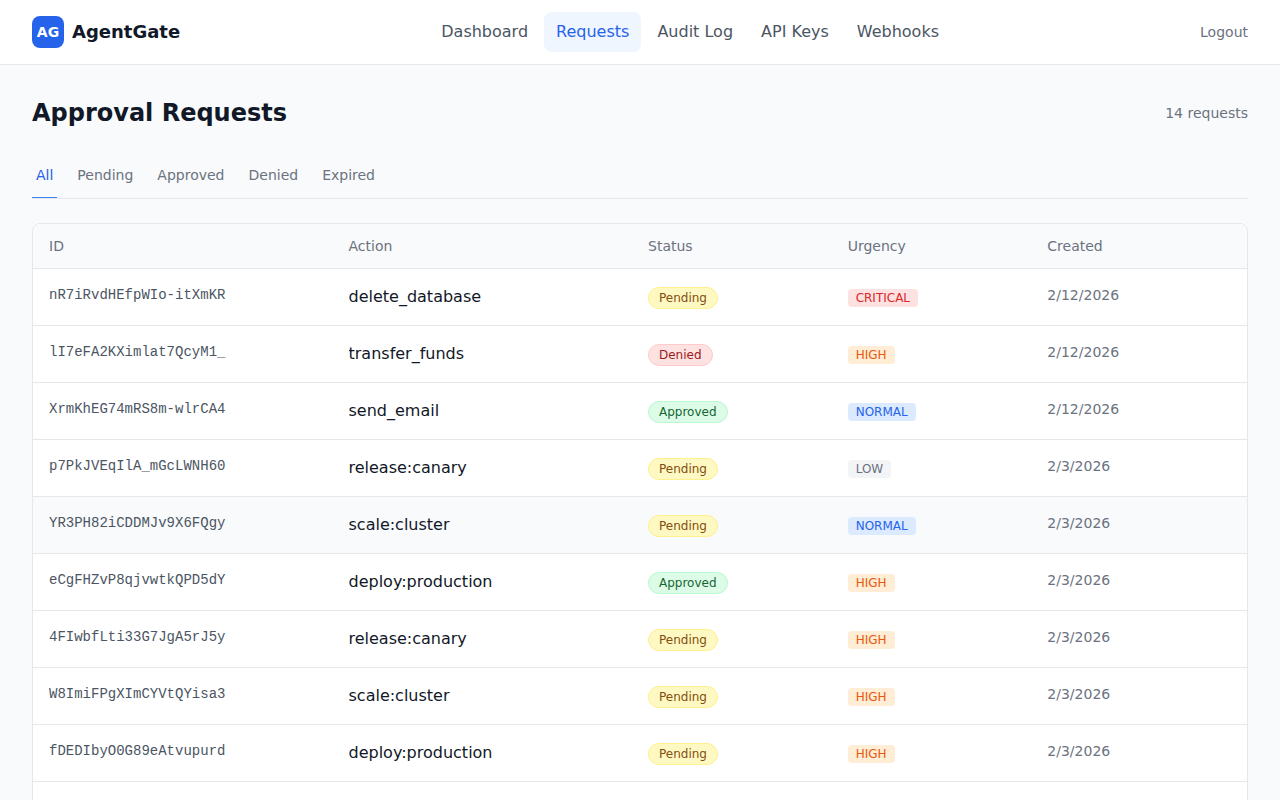
Review, approve, or deny requests — filter by status to focus on what matters.
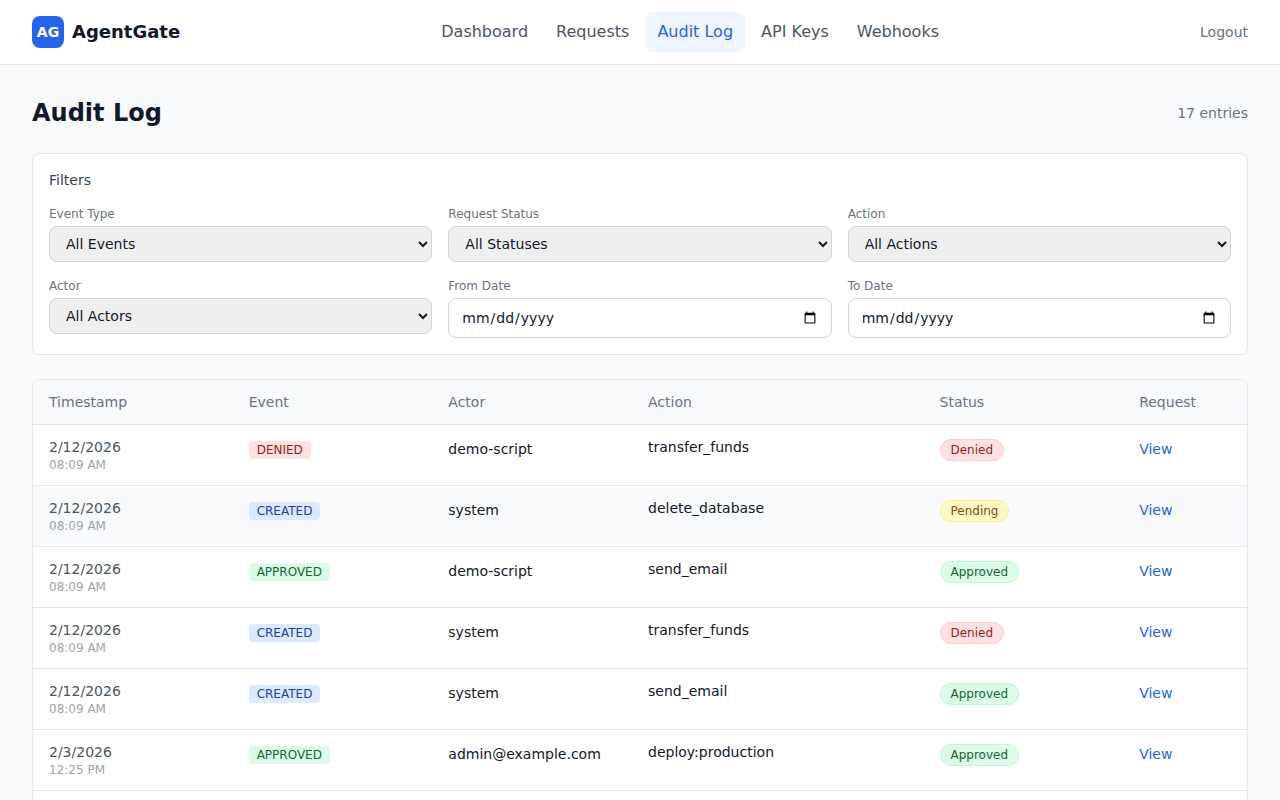
Search through every decision with filters for event type, action, actor, and date range.
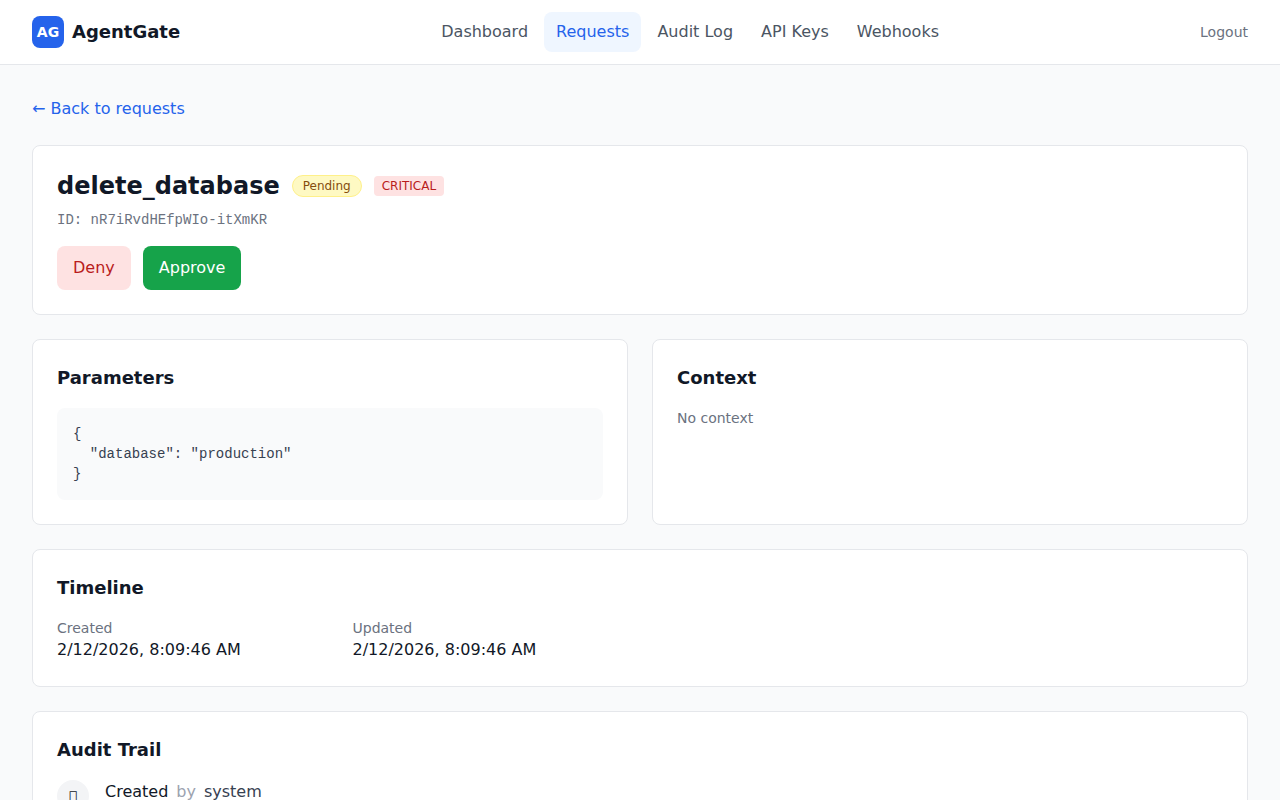
Drill into any request to see parameters, context, timeline, and audit trail — with one-click Approve/Deny buttons.
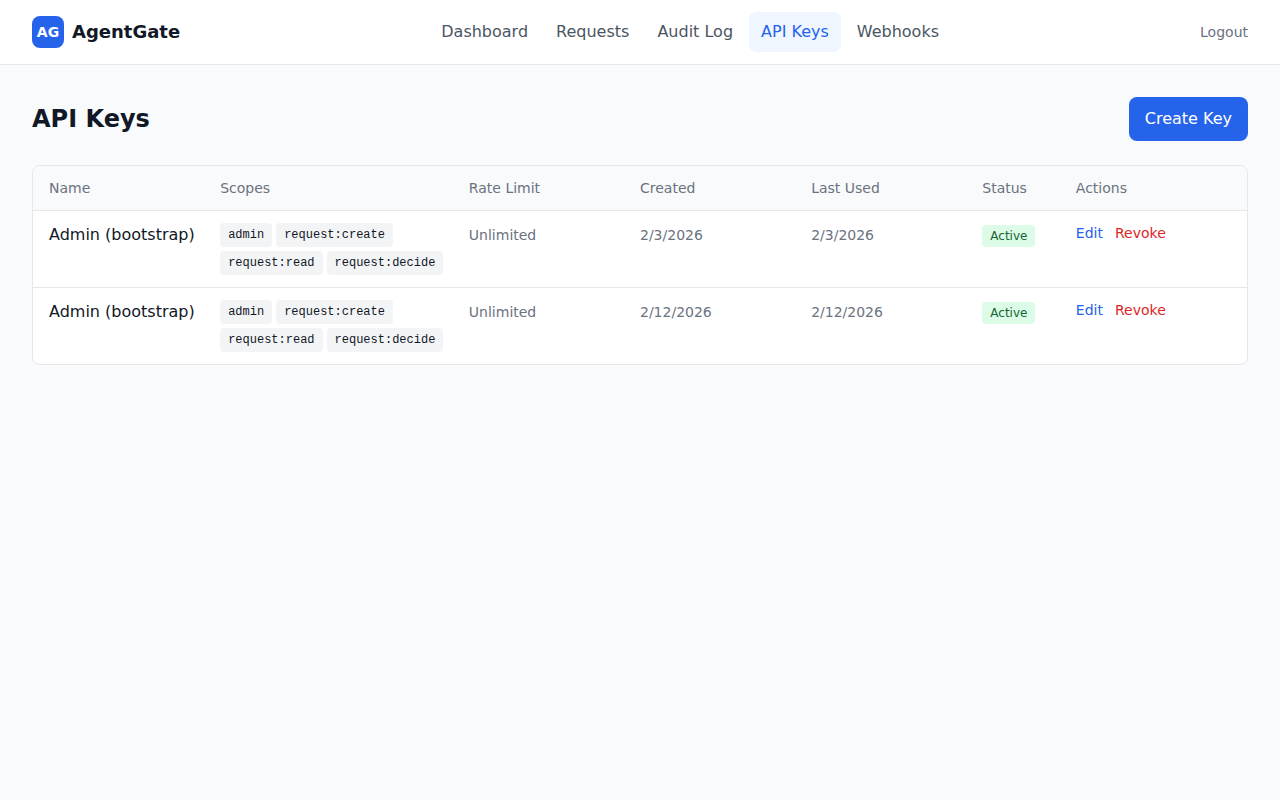
Manage API keys with fine-grained scopes, rate limits, and usage tracking. Create, edit, or revoke keys from the dashboard.
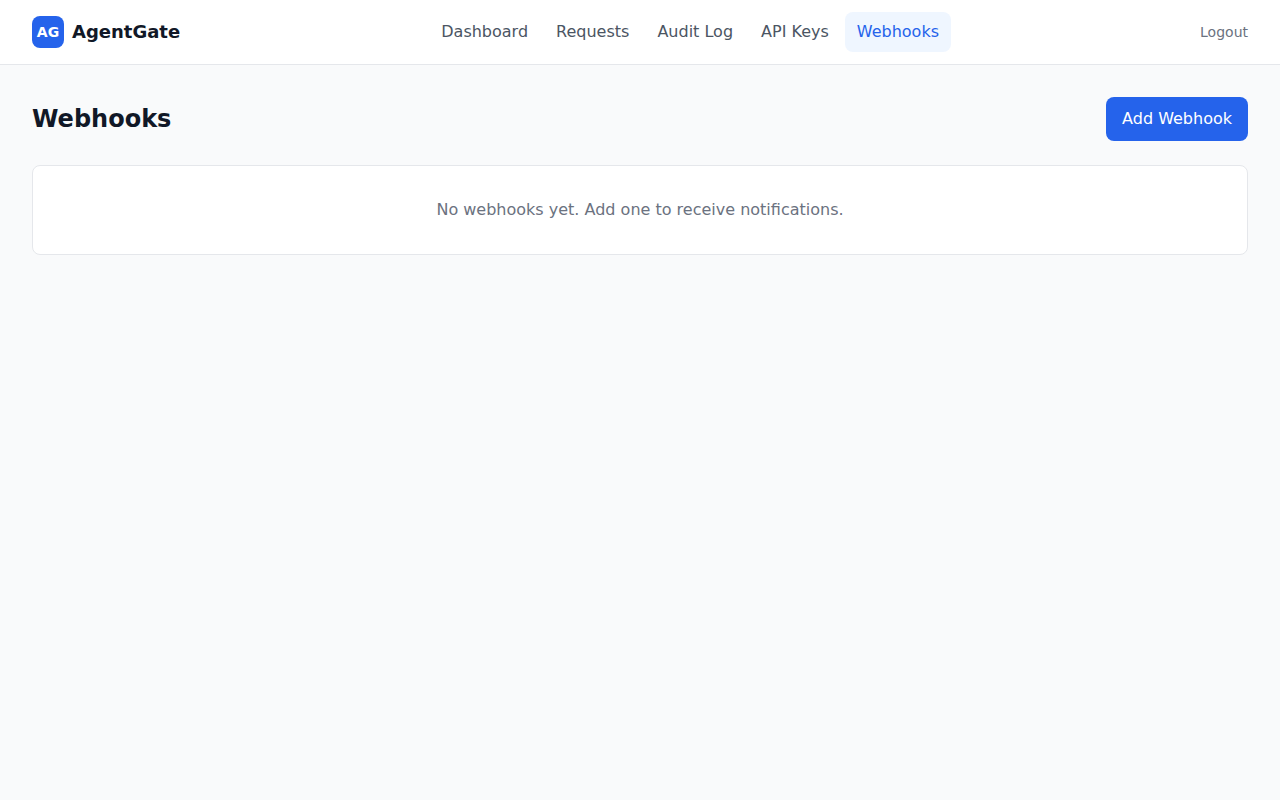
Configure webhook endpoints for real-time notifications. Add URLs, pick events, and let AgentGate handle retries automatically.
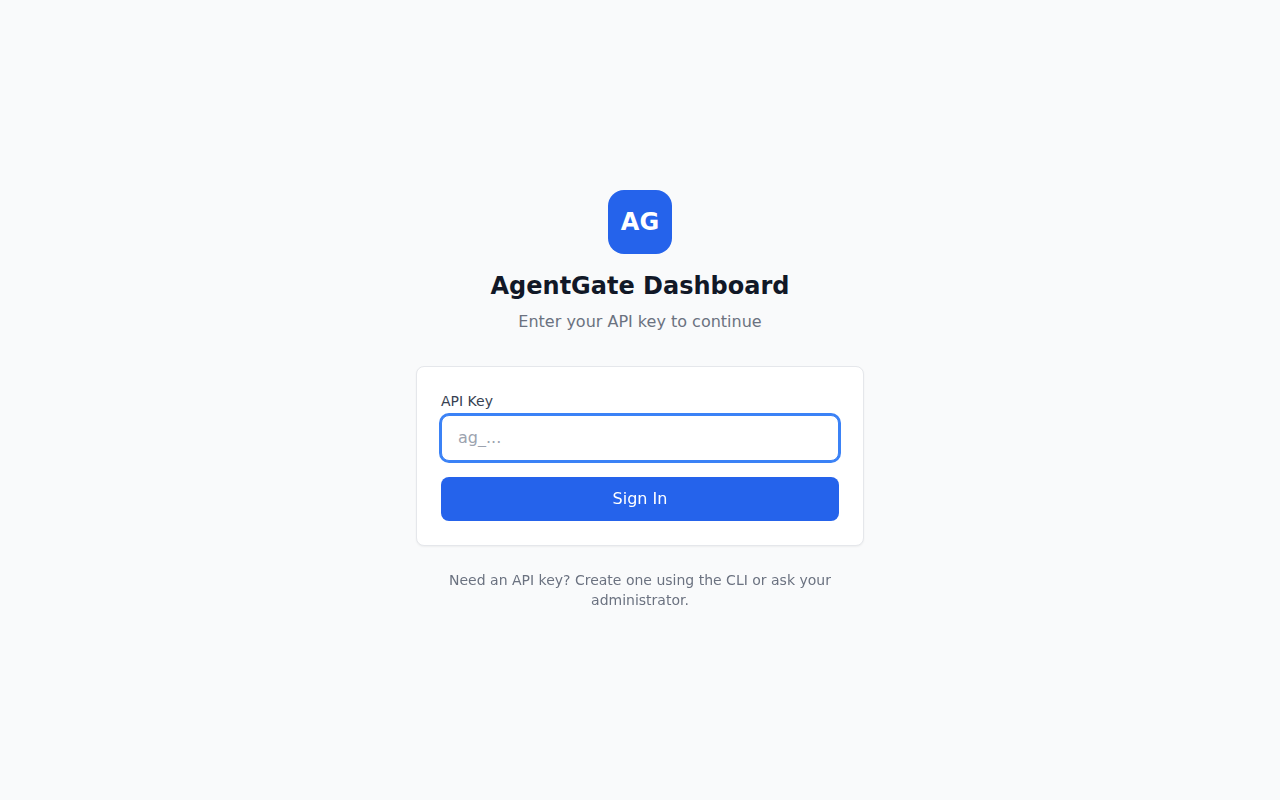
Sign in with your API key — create one via the CLI or ask your admin.
pnpm install
pnpm --filter @agentkitai/agentgate-server db:migrate
pnpm --filter @agentkitai/agentgate-server bootstrap
Save the API key - it's shown once only! Set it in your environment:
export AGENTGATE_API_KEY="agk_..."
# Start server (port 3000) and dashboard (port 5173)
pnpm dev
In a new terminal (with API key set):
export AGENTGATE_API_KEY="agk_..."
pnpm demo
Visit http://localhost:5173 to view and manage approval requests.
┌─────────────────────────────────────────────────────────────────┐
│                         AI Agents                                │
│  (use @agentkitai/agentgate-sdk or MCP to request approvals)               │
└───────────────────────────┬─────────────────────────────────────┘
                            │ HTTP API (authenticated)
                            ▼
┌─────────────────────────────────────────────────────────────────┐
│                    AgentGate Server                              │
│  ┌──────────────┐  ┌──────────────┐  ┌──────────────┐          │
│  │ Policy Engine│  │ Request Store│  │ Audit Logger │          │
│  ├──────────────┤  ├──────────────┤  ├──────────────┤          │
│  │  API Keys    │  │  Webhooks    │  │  MCP Server  │          │
│  └──────────────┘  └──────────────┘  └──────────────┘          │
└───────────────────────────┬─────────────────────────────────────┘
                            │
              ┌─────────────┼─────────────┐
              ▼             ▼             ▼
┌────────────────┐ ┌────────────────┐ ┌────────────────┐
│  Web Dashboard │ │   Slack Bot    │ │  Discord Bot   │
│(React+Tailwind)│ │(approve in DM) │ │(approve in ch) │
└────────────────┘ └────────────────┘ └────────────────┘
              │             │             │
              └─────────────┼─────────────┘
                            ▼
                      ┌──────────┐
                      │  Humans  │
                      └──────────┘
| Package | Description | Docs |
|---|---|---|
@agentkitai/agentgate-core | Types, schemas, policy engine | - |
@agentkitai/agentgate-server | Hono API server | - |
@agentkitai/agentgate-sdk | TypeScript SDK for agents | README |
@agentkitai/agentgate-cli | Command-line interface | - |
@agentkitai/agentgate-mcp | MCP server for Claude Desktop | - |
@agentkitai/agentgate-slack | Slack bot integration | README |
@agentkitai/agentgate-discord | Discord bot integration | README |
@agentkitai/agentgate-dashboard | React web dashboard | - |
import { AgentGateClient } from '@agentkitai/agentgate-sdk';

// Create client with API key
const client = new AgentGateClient({
  baseUrl: 'http://localhost:3000',
  apiKey: process.env.AGENTGATE_API_KEY,
});

// Request approval
const request = await client.request({
  action: 'send_email',
  params: {
    to: 'customer@example.com',
    subject: 'Order shipped!',
  },
  urgency: 'normal',
});

// Wait for human decision
const decided = await client.waitForDecision(request.id, {
  timeout: 60000, // 1 minute
});

if (decided.status === 'approved') {
  // Execute the action
  await sendEmail(decided.params);
} else {
  console.log('Action denied:', decided.decisionReason);
}
AgentGate includes a command-line interface for managing approval requests.
# From the monorepo
pnpm --filter @agentkitai/agentgate-cli build

# Or install globally (when published)
npm install -g @agentkitai/agentgate-cli
Configure the CLI with your server URL and API key:
# Set server URL
agentgate config set serverUrl http://localhost:3000

# Set API key
agentgate config set apiKey agk_your_api_key

# View current config
agentgate config show
Configuration is stored in ~/.agentgate/config.json. You can also use environment variables:
export AGENTGATE_URL=http://localhost:3000
export AGENTGATE_API_KEY=agk_...
| Command | Description |
|---|---|
agentgate config show | Show current configuration |
agentgate config set <key> <value> | Set a configuration value |
agentgate request <action> | Create a new approval request |
agentgate status <id> | Get status of a request |
agentgate list | List approval requests |
agentgate approve <id> | Approve a pending request |
agentgate deny <id> | Deny a pending request |
# Create a request
agentgate request send_email \
  --params '{"to": "user@example.com", "subject": "Hello"}' \
  --urgency high

# List pending requests
agentgate list --status pending

# Approve a request
agentgate approve req_abc123 --reason "Looks good"

# Deny a request
agentgate deny req_abc123 --reason "Not authorized"

# Output as JSON
agentgate list --json
AgentGate includes a Model Context Protocol (MCP) server for integration with Claude Desktop and other MCP-compatible clients.
Add to your claude_desktop_config.json:
{
  "mcpServers": {
    "agentgate": {
      "command": "npx",
      "args": ["@agentkitai/agentgate-mcp"],
      "env": {
        "AGENTGATE_URL": "http://localhost:3000",
        "AGENTGATE_API_KEY": "agk_..."
      }
    }
  }
}
| Tool | Description |
|---|---|
agentgate_request | Submit a new approval request |
agentgate_get | Get the status of an approval request by ID |
agentgate_list | List approval requests with optional filters |
agentgate_decide | Approve or deny a pending request |
agentgate_list_policies | List all policies ordered by priority |
agentgate_create_policy | Create a new policy with rules |
agentgate_update_policy | Replace an existing policy |
agentgate_delete_policy | Delete a policy by ID |
agentgate_list_audit_logs | List audit log entries with filters and pagination |
agentgate_get_audit_actors | Get unique actor values from audit logs |
AgentGate uses API keys for authentication. All API requests (except /health) require a valid API key.
| Scope | Description |
|---|---|
admin | Full access to all operations |
request:create | Create new approval requests |
request:read | Read approval requests |
request:decide | Approve or deny requests |
webhook:manage | Create/update/delete webhooks |
HTTP Header:
curl -H "Authorization: Bearer agk_..." http://localhost:3000/api/requests
SDK:
const client = new AgentGateClient({
  baseUrl: 'http://localhost:3000',
  apiKey: process.env.AGENTGATE_API_KEY,
});
// Via API (requires admin scope)
POST /api/api-keys
{
  "name": "My Agent",
  "scopes": ["request:create", "request:read"]
}
| Method | Endpoint | Description | Required Scope |
|---|---|---|---|
POST | /api/requests | Create approval request | request:create |
GET | /api/requests | List requests (with filters) | request:read |
GET | /api/requests/:id | Get request by ID | request:read |
POST | /api/requests/:id/decide | Submit approval/denial | request:decide |
GET | /api/requests/:id/audit | Get audit trail | request:read |
GET | /api/policies | List policies | admin |
POST | /api/policies | Create policy | admin |
PUT | /api/policies/:id | Update policy | admin |
DELETE | /api/policies/:id | Delete policy | admin |
POST | /api/api-keys | Create API key | admin |
GET | /api/api-keys | List API keys | admin |
PATCH | /api/api-keys/:id | Update API key | admin |
DELETE | /api/api-keys/:id | Revoke API key | admin |
GET | /api/webhooks | List webhooks | webhook:manage |
POST | /api/webhooks | Create webhook | webhook:manage |
DELETE | /api/webhooks/:id | Delete webhook | webhook:manage |
GET | /health | Health check | (none) |
AgentGate supports per-API-key rate limiting to prevent abuse and ensure fair usage.
429 Too Many Requests| Header | Description |
|---|---|
X-RateLimit-Limit | Maximum requests per minute |
X-RateLimit-Remaining | Remaining requests in current window |
X-RateLimit-Reset | Seconds until window resets |
Set rate limits when creating or updating API keys:
// Via API (requires admin scope)
POST /api/api-keys
{
  "name": "My Agent",
  "scopes": ["request:create", "request:read"],
  "rateLimit": 60  // 60 requests per minute
}

// null = unlimited
{
  "name": "Internal Service",
  "scopes": ["admin"],
  "rateLimit": null
}
Rate limits can also be managed from the web dashboard under Settings → API Keys.
AgentGate can notify external systems when request events occur.
// Create a webhook via API
POST /api/webhooks
{
  "url": "https://your-server.com/webhook",
  "events": ["request.created", "request.decided"],
  "secret": "optional-signing-secret"
}
| Event | Description |
|---|---|
request.created | A new approval request was created |
request.decided | A request was approved or denied |
request.expired | A request expired without decision |
{
  "event": "request.decided",
  "timestamp": "2024-01-15T10:30:00Z",
  "data": {
    "id": "abc123",
    "action": "send_email",
    "status": "approved",
    "decidedBy": "admin@example.com"
  }
}
If you provide a secret, requests are signed with HMAC-SHA256:
X-AgentGate-Signature: sha256=...
Verify by computing HMAC-SHA256(secret, body) and comparing.
Failed webhook deliveries are retried automatically with exponential backoff. The server scans for pending deliveries and retries them with increasing delays (2^attempts * 1000ms) until successful or the maximum retry count is reached.
| Variable | Default | Description |
|---|---|---|
PORT | 3000 | Server port |
DATABASE_URL | ./data/agentgate.db | SQLite database path |
AGENTGATE_API_KEY | - | API key for SDK/CLI |
SLACK_BOT_TOKEN | - | Slack bot token (for Slack integration) |
SLACK_SIGNING_SECRET | - | Slack signing secret |
DISCORD_BOT_TOKEN | - | Discord bot token (for Discord integration) |
DISCORD_DEFAULT_CHANNEL | - | Default Discord channel for notifications |
_FILE suffix)For Docker secrets or Kubernetes secret mounts, AgentGate supports a _FILE suffix convention. Instead of setting a secret directly in an environment variable, point to a file containing the value:
| Variable | Reads secret from file |
|---|---|
ADMIN_API_KEY_FILE | Sets ADMIN_API_KEY |
JWT_SECRET_FILE | Sets JWT_SECRET |
DATABASE_URL_FILE | Sets DATABASE_URL |
REDIS_URL_FILE | Sets REDIS_URL |
SLACK_BOT_TOKEN_FILE | Sets SLACK_BOT_TOKEN |
SLACK_SIGNING_SECRET_FILE | Sets SLACK_SIGNING_SECRET |
DISCORD_BOT_TOKEN_FILE | Sets DISCORD_BOT_TOKEN |
SMTP_PASS_FILE | Sets SMTP_PASS |
Behavior:
_FILE variant are set, the explicit env var takes precedenceExample with Docker Compose:
services:
  agentgate:
    environment:
      ADMIN_API_KEY_FILE: /run/secrets/admin_api_key
      JWT_SECRET_FILE: /run/secrets/jwt_secret
    secrets:
      - admin_api_key
      - jwt_secret

secrets:
  admin_api_key:
    file: ./secrets/admin_api_key.txt
  jwt_secret:
    file: ./secrets/jwt_secret.txt
Policies are stored in the database and can be managed via API:
// Example: Auto-approve low-risk emails
{
  name: "auto-approve-emails",
  priority: 10,
  enabled: true,
  rules: [
    {
      match: { action: "send_email" },
      decision: "auto_approve"
    }
  ]
}
AgentGate provides Docker images for easy self-hosted deployments.
cp .env.example .env
# Generate admin API key (required)
echo "ADMIN_API_KEY=$(openssl rand -hex 32)" >> .env

# Generate JWT secret (recommended for production)
echo "JWT_SECRET=$(openssl rand -hex 32)" >> .env
docker-compose up -d
Host ports are configurable via
SERVER_PORT(default3002) andDASHBOARD_PORT(default3003); both map to the container's internal port 3000/80.
| Service | Description | Host Port |
|---|---|---|
server | AgentGate API server | 3002 |
dashboard | Web dashboard (nginx) | 3003 |
postgres | PostgreSQL database | internal only* |
redis | Redis (rate limiting, queues) | internal only* |
* PostgreSQL and Redis are on an internal Docker network (
agentgate-internal) and are not exposed to the host by default. During development,docker-compose.override.ymlis auto-loaded and exposes them on ports 5432/6379. For production, rundocker-compose -f docker-compose.yml up -dto skip the override.
To include the bot services, use the bots profile:
# Set required bot credentials in .env first
docker-compose --profile bots up -d
All configuration is done via environment variables. See .env.example for all options.
Required variables:
ADMIN_API_KEY — Admin API key (min 16 characters)Recommended for production:
JWT_SECRET — JWT signing secret (min 32 characters)CORS_ALLOWED_ORIGINS — Restrict to your domain(s)POSTGRES_PASSWORD — Use a strong passwordBuild all images locally:
docker-compose build
Build a specific service:
docker-compose build server
docker-compose build dashboard
Migrations run automatically when the server starts. For manual control:
# Run migrations inside the container
docker-compose exec server node -e "
  import('./dist/db/migrate.js').then(m => m.runMigrations())
"
# All services
docker-compose logs -f

# Specific service
docker-compose logs -f server

# Last 100 lines
docker-compose logs --tail=100 server
# Stop all
docker-compose down

# Stop and remove volumes (WARNING: deletes data)
docker-compose down -v
# Install dependencies
pnpm install

# Run migrations
pnpm --filter @agentkitai/agentgate-server db:migrate

# Bootstrap (create admin key)
pnpm --filter @agentkitai/agentgate-server bootstrap

# Start development (server + dashboard)
pnpm dev
AgentGate uses Vitest for testing across all packages.
# Run all tests
pnpm test

# Run tests with coverage report
pnpm test:coverage

# Run tests in watch mode (single package)
pnpm --filter @agentkitai/agentgate-server test:watch

# Run a specific test file
pnpm --filter @agentkitai/agentgate-server test -- src/__tests__/integration.test.ts
Coverage reports are generated per-package and include line, branch, and function coverage.
# Build all packages
pnpm build

# Type checking
pnpm typecheck

# Lint (ESLint)
pnpm lint

# Fix lint issues
pnpm lint:fix

# Format code (Prettier)
pnpm format

# Check formatting
pnpm format:check
agentgate/
├── packages/
│   ├── core/           # Shared types, schemas, policy engine
│   ├── server/         # Hono API server
│   ├── sdk/            # TypeScript SDK
│   ├── cli/            # Command-line interface
│   ├── mcp/            # MCP server for Claude Desktop
│   ├── slack/          # Slack bot
│   ├── discord/        # Discord bot
│   └── dashboard/      # React dashboard
├── apps/
│   └── demo/           # Demo application
├── docker-compose.yml  # Docker deployment
└── package.json        # Monorepo root
Contributions are welcome! To get started:
pnpm install)pnpm build && pnpm test to verify everything worksPlease make sure all tests pass and code is formatted (pnpm format:check && pnpm lint) before submitting.
| Project | Description | |
|---|---|---|
| AgentLens | Observability & audit trail for AI agents | |
| Lore | Cross-agent memory and lesson sharing | |
| AgentGate | Human-in-the-loop approval gateway | ⬅️ you are here |
| FormBridge | Agent-human mixed-mode forms | |
| AgentEval | Testing & evaluation framework | |
| agentkit-cli | Unified CLI orchestrator |
MIT
Run Claude Code as an MCP server so any agent can delegate coding tasks to it
 @microsoft✓ Official
Browser automation using accessibility snapshots instead of screenshots
 @googleapis✓ Official
Google's universal MCP server supporting PostgreSQL, MySQL, MongoDB, Redis, and 10+ databases
 @github✓ Official
Official GitHub integration for repos, issues, PRs, and CI/CD workflows