

Are you the author? Sign in to claim
Helper aider with neovim
Minimal helper plugin for aider with neovim.
You can invoke Aider from vim
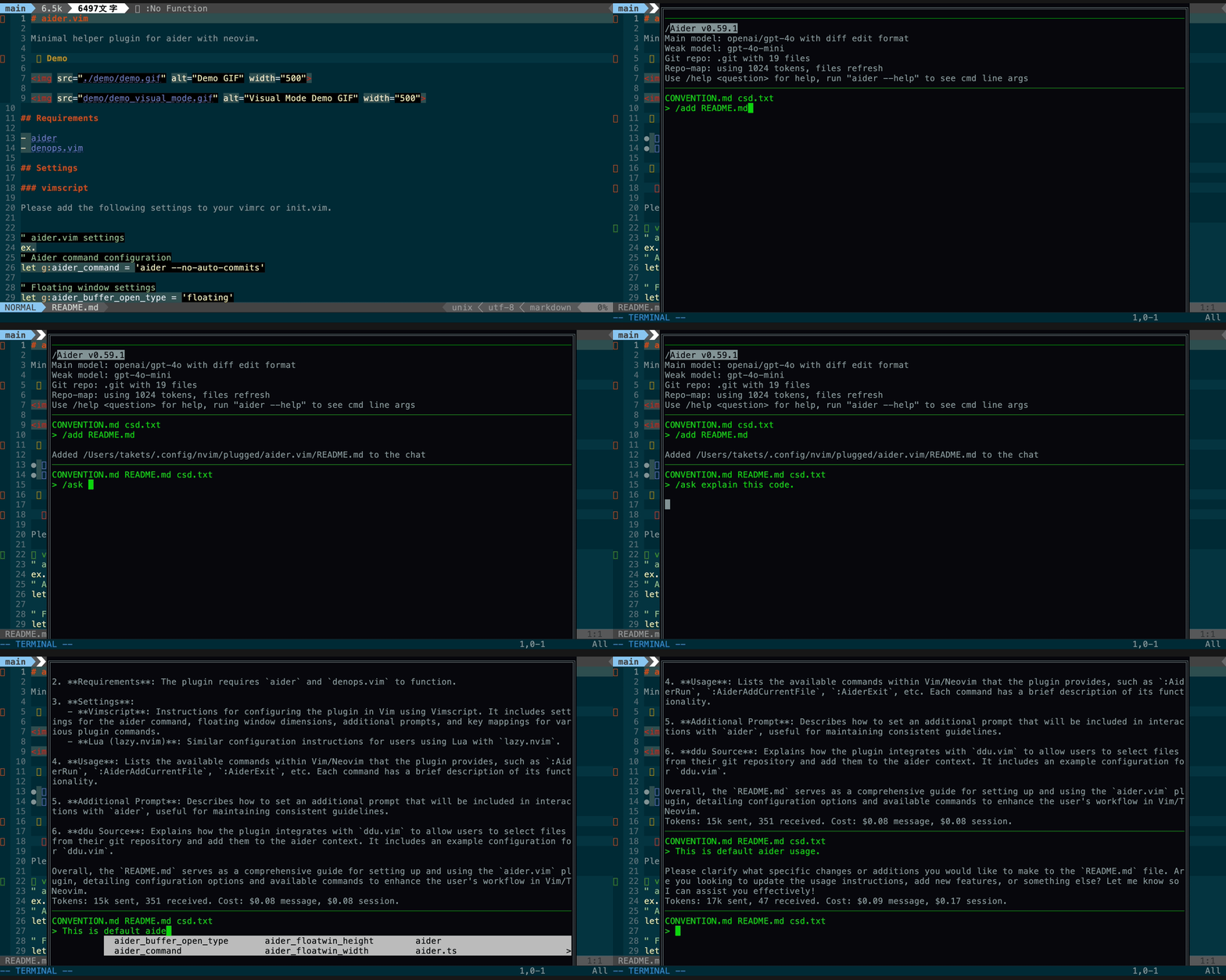
You can send the selected range to Aider as context
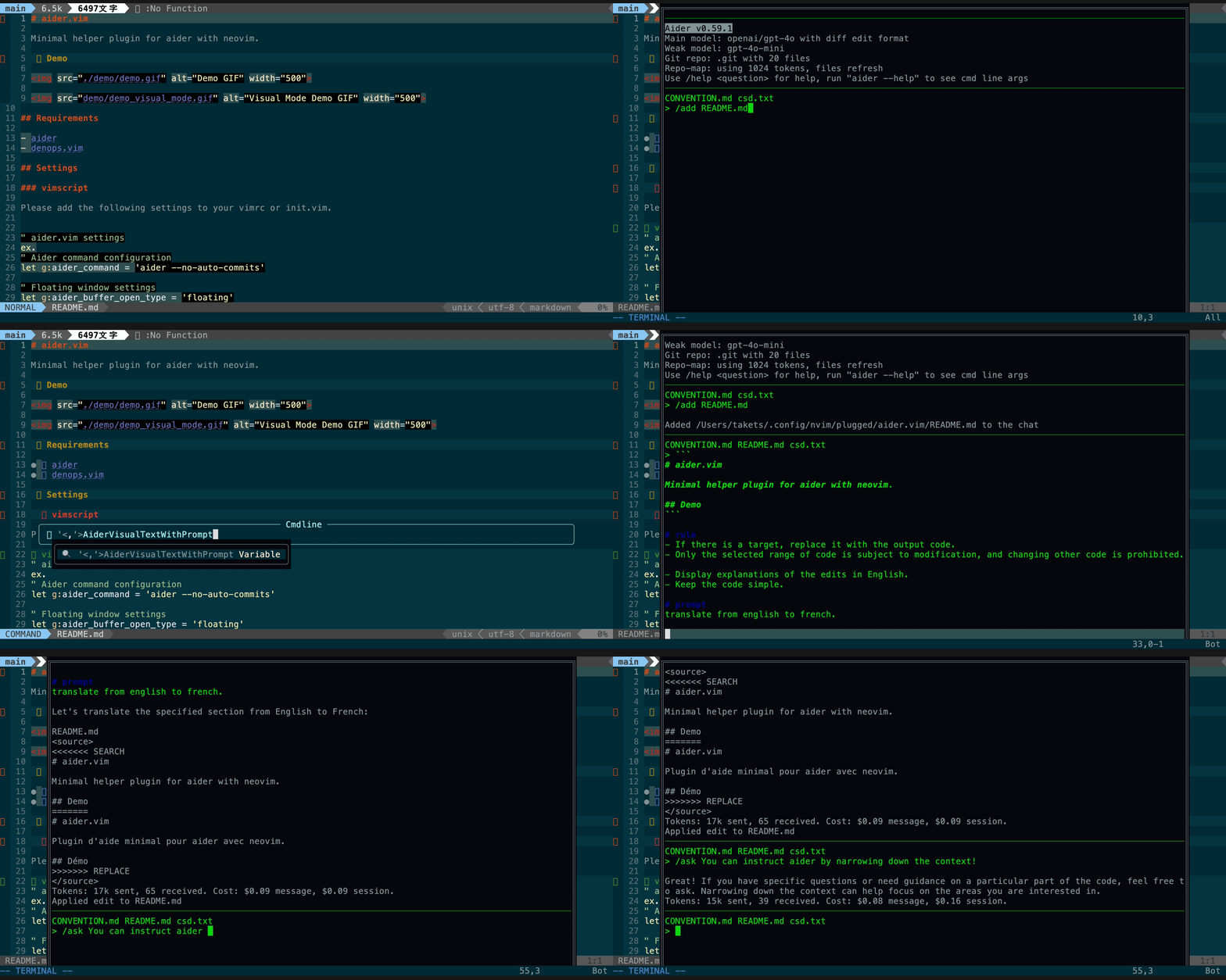
You can send the current buffer to Aider as context
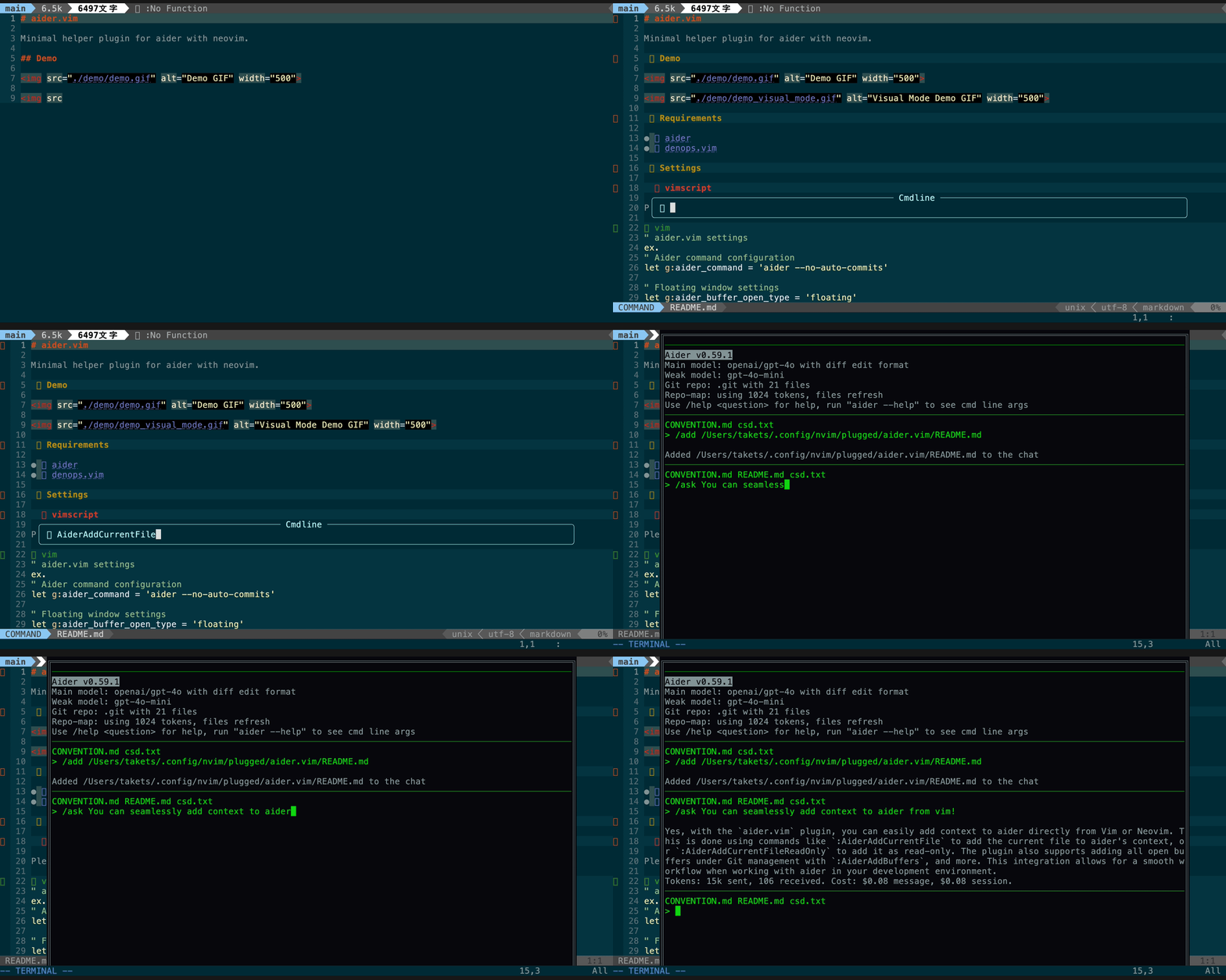
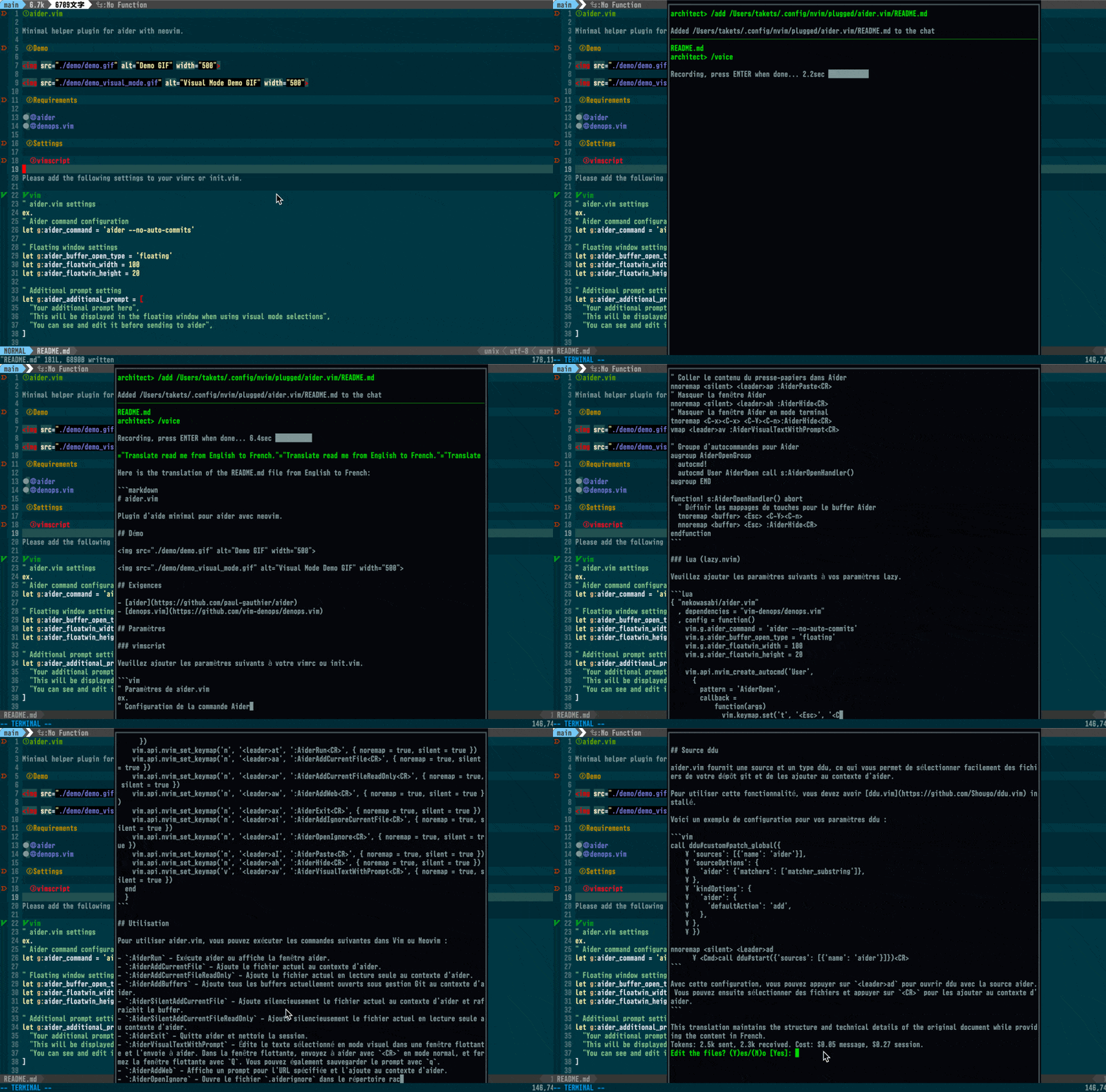
You can send voice commands to Aider using Whisper
Please add the following settings to your vimrc or init.vim.
" aider.vim settings
ex.
" Aider command configuration
let g:aider_command = 'aider --no-auto-commits'

" Where to show Aider
" - 'floating': Neovim floating window (inside Neovim)
" - 'vsplit'/'split': If inside tmux, Aider opens in a tmux pane
let g:aider_buffer_open_type = 'floating'
let g:aider_floatwin_width = 100
let g:aider_floatwin_height = 20
let g:aider_floatwin_border = "double"
let g:aider_floatwin_border_style = "minimal"

" Additional prompt setting
let g:aider_additional_prompt = [
  "Your additional prompt here",
  "This will be displayed in the floating window when using visual mode selections",
  "You can see and edit it before sending to aider",
]

" Key mappings
nnoremap <silent> <leader>at :AiderRun<CR>
" Add current file to Aider
nnoremap <silent> <leader>aa :AiderAddCurrentFile<CR>
" Add current file as read-only to Aider
nnoremap <silent> <leader>ar :AiderAddCurrentFileReadOnly<CR>
" Add Aider web interface
nnoremap <silent> <leader>aw :AiderAddWeb<CR>
" Exit Aider
nnoremap <silent> <leader>ax :AiderExit<CR>
" Add current file to Aider ignore list
nnoremap <silent> <leader>ai :AiderAddIgnoreCurrentFile<CR>
" Open Aider ignore list
nnoremap <silent> <leader>aI :AiderOpenIgnore<CR>
" Paste content from clipboard into Aider
nnoremap <silent> <leader>ap :AiderPaste<CR>
" Hide Aider window
nnoremap <silent> <leader>ah :AiderHide<CR>
" Hide Aider window in terminal mode
tnoremap <C-x><C-x> <C-\><C-n>:AiderHide<CR>
vmap <leader>av :AiderVisualTextWithPrompt<CR>

" Autocommand group for Aider
augroup AiderOpenGroup
  autocmd!
  autocmd User AiderOpen call s:AiderOpenHandler()
augroup END

function! s:AiderOpenHandler() abort
  " Set key mappings for the Aider buffer
  tnoremap <buffer> <Esc> <C-\><C-n>
  nnoremap <buffer> <Esc> :AiderHide<CR>
endfunction
Please add the following settings to your lazy settings.
{ "nekowasabi/aider.vim"
  , dependencies = "vim-denops/denops.vim"
  , config = function()
    vim.g.aider_command = 'aider --no-auto-commits'
    -- Where to show Aider
    -- 'floating': inside Neovim. 'vsplit'/'split': if inside tmux, use a tmux pane
    vim.g.aider_buffer_open_type = 'floating'
    vim.g.aider_floatwin_width = 100
    vim.g.aider_floatwin_height = 20

    vim.api.nvim_create_autocmd('User',
      {
        pattern = 'AiderOpen',
        callback =
            function(args)
              vim.keymap.set('t', '<Esc>', '<C-\\><C-n>', { buffer = args.buf })
              vim.keymap.set('n', '<Esc>', '<cmd>AiderHide<CR>', { buffer = args.buf })
            end
      })
    vim.api.nvim_set_keymap('n', '<leader>at', ':AiderRun<CR>', { noremap = true, silent = true })
    vim.api.nvim_set_keymap('n', '<leader>aa', ':AiderAddCurrentFile<CR>', { noremap = true, silent = true })
    vim.api.nvim_set_keymap('n', '<leader>ar', ':AiderAddCurrentFileReadOnly<CR>', { noremap = true, silent = true })
    vim.api.nvim_set_keymap('n', '<leader>aw', ':AiderAddWeb<CR>', { noremap = true, silent = true })
    vim.api.nvim_set_keymap('n', '<leader>ax', ':AiderExit<CR>', { noremap = true, silent = true })
    vim.api.nvim_set_keymap('n', '<leader>ai', ':AiderAddIgnoreCurrentFile<CR>', { noremap = true, silent = true })
    vim.api.nvim_set_keymap('n', '<leader>aI', ':AiderOpenIgnore<CR>', { noremap = true, silent = true })
    vim.api.nvim_set_keymap('n', '<leader>ap', ':AiderPaste<CR>', { noremap = true, silent = true })
    vim.api.nvim_set_keymap('n', '<leader>ah', ':AiderHide<CR>', { noremap = true, silent = true })
    vim.api.nvim_set_keymap('v', '<leader>av', ':AiderVisualTextWithPrompt<CR>', { noremap = true, silent = true })
  end
  }
To use aider.vim, you can run the following commands within Vim or Neovim:
All commands with the name "Silent" send commands to aider without moving the focus to the aider buffer.
:AiderRun - Runs aider or displays the Aider UI.
g:aider_buffer_open_type is split/vsplit, a tmux pane is created.:AiderAddCurrentFile - Adds the current file to aider's context.:AiderAddCurrentFileReadOnly - Adds the current file as read-only to aider's
context.:AiderAddBuffers - Adds all currently open buffers under Git management to
aider's context.:AiderSilentAddCurrentFile - Without moving the focus to the aider buffer,
adds the current file to aider's context and refreshes the buffer.:AiderSilentAddCurrentFileReadOnly - Without moving the focus to the aider
buffer, adds the current file as read-only to aider's context.:AiderExit - Exits aider and cleans up the session.:AiderVisualTextWithPrompt - Edit the selected text in visual mode in a
floating window and send it to aider. In the floating window, send to aider
with <CR> in normal mode, and close the floating window with Q. You can
also backup prompt with q.:AiderAddPartialReadonlyContext - Adds the selected text in visual mode as
read-only context to Aider.:AiderAddWeb - Displays a prompt for the specified URL and adds it to the
aider context.:AiderOpenIgnore - Opens the .aiderignore file in the git root directory
if it exists.:AiderAddIgnoreCurrentFile - Adds the current file to the .aiderignore.:AiderSendPromptByCommandline <prompt> - Sends a prompt from the command
line and displays the Aider window.:AiderSilentSendPromptByCommandline <prompt> - Sends a prompt from the
command line and refreshes the buffer.:AiderAsk <question> - Sends a question to aider without adding any files to
the context.:AiderHide - Hides the Aider UI.
:AiderPaste - Pastes the content from the clipboard into the aider context.:AiderHideVisualSelectFloatingWindow - Hides the visual selection floating
window used for displaying selected text.:AiderVoice - Sends voice commands to Aider (using Whisper).When running inside tmux and g:aider_buffer_open_type is split or vsplit:
:AiderRun re-attaches an existing Aider pane to the current tmux window if it exists; otherwise, it creates a new pane and launches Aider using your $SHELL -lc so your shell profile is respected.:AiderHide detaches the Aider tmux pane from the current window (pane stays alive and can be re-attached later by :AiderRun).Note: Since the UI lives in the tmux pane, Aider output will not appear in a Neovim buffer in this mode. Use floating to keep the UI inside Neovim.
If you want to send a custom prompt to Aider, use
AiderSendPromptByCommandline. Set it up as follows:
" Send a prompt to Aider and display the Aider window
:AiderSendPromptByCommandline "/chat-mode architect"

" Send a prompt to Aider but do not display the Aider window
:AiderSilentSendPromptByCommandline "/chat-mode code"
You can set an additional prompt that will be automatically added to every interaction with aider. This is useful for setting consistent rules or guidelines for the AI.
To use this feature, set the g:aider_additional_prompt variable in your vimrc
or init.vim:
let g:aider_additional_prompt = [
  "Your additional prompt here",
  "This will be displayed in the floating window when using visual mode selections",
  "You can see and edit it before sending to aider",
]
This prompt will be displayed in the floating window when using visual mode selections, allowing you to see and edit it before sending to aider.
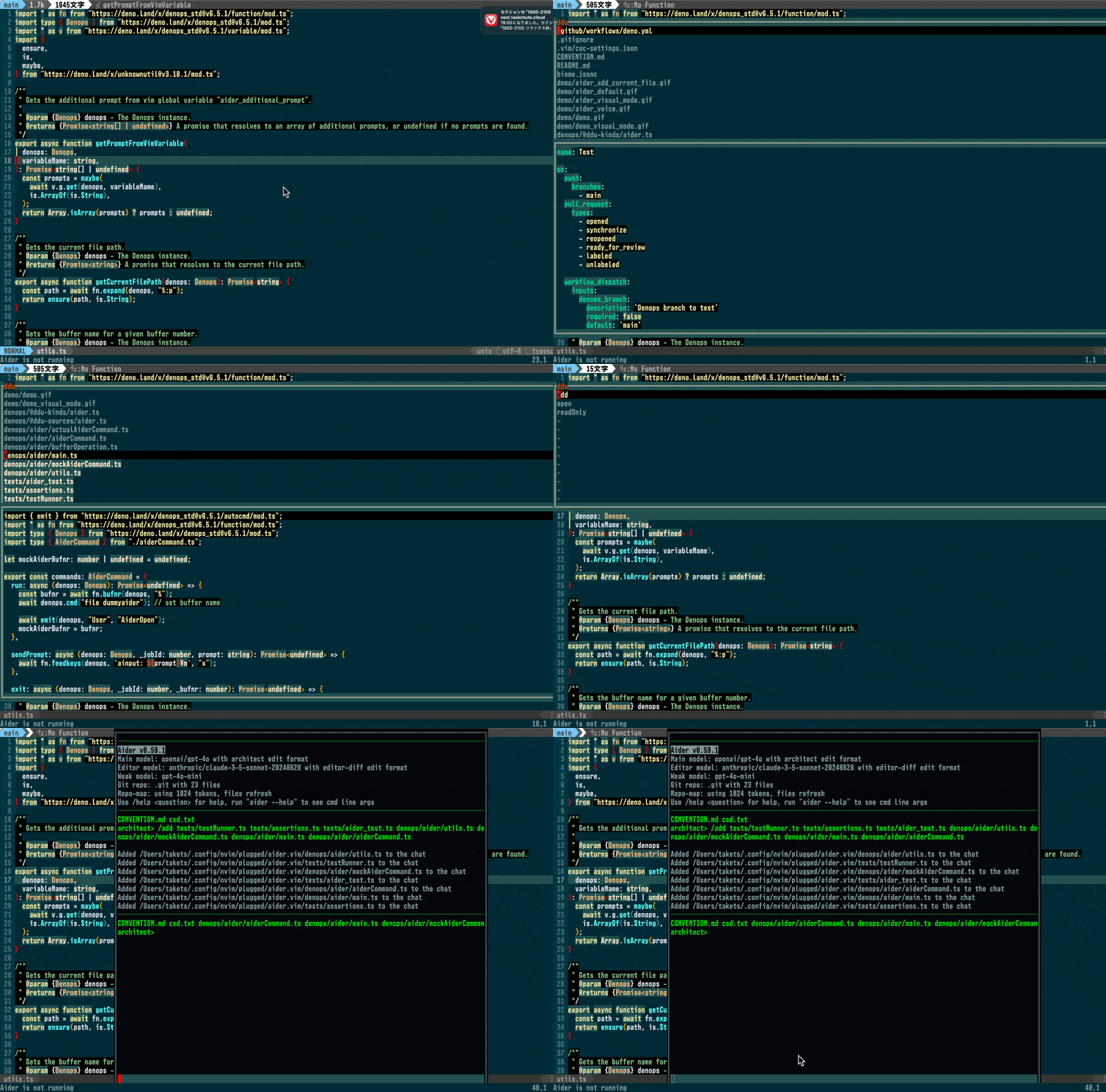
aider.vim provides a ddu source and kind, which allows you to easily select files from your git repository and add them to the aider context.
To use this feature, you need to have ddu.vim installed.
Here's an example configuration for your ddu settings:
call ddu#custom#patch_global({
    \ 'sources': [{'name': 'aider'}],
    \ 'sourceOptions': {
    \   'aider': {'matchers': ['matcher_substring']},
    \ },
    \ 'kindOptions': {
    \   'aider': {
    \     'defaultAction': 'add',
    \   },
    \ },
    \ })

nnoremap <silent> <Leader>ad
      \ <Cmd>call ddu#start({'sources': [{'name': 'aider'}]})<CR>
With this configuration, you can press <leader>ad to open ddu with the aider
source. You can then select files and press <CR> to add them to the aider
context.
Aider CLI tool created by Paul Gauthier.
⚠️ Experimentelle Skill-Sammlung für deutsches Recht (Arbeits-, Gesellschafts-, Insolvenz-, Datenschutz-, Prozessrecht u
Manage multiple Claude Code agents from TUI or Web with tmux and git worktrees
Project management using GitHub Issues + Git worktrees for parallel agent execution
Core skills library for Claude Code with 20+ battle-tested skills including TDD, debugging, and brainstorming