

Are you the author? Sign in to claim
一个 MCP Server 连接你的所有数据库,数据库 MCP Server 的瑞士军刀。One MCP Server for all your databases. The Swiss Army Knife of Database MCP



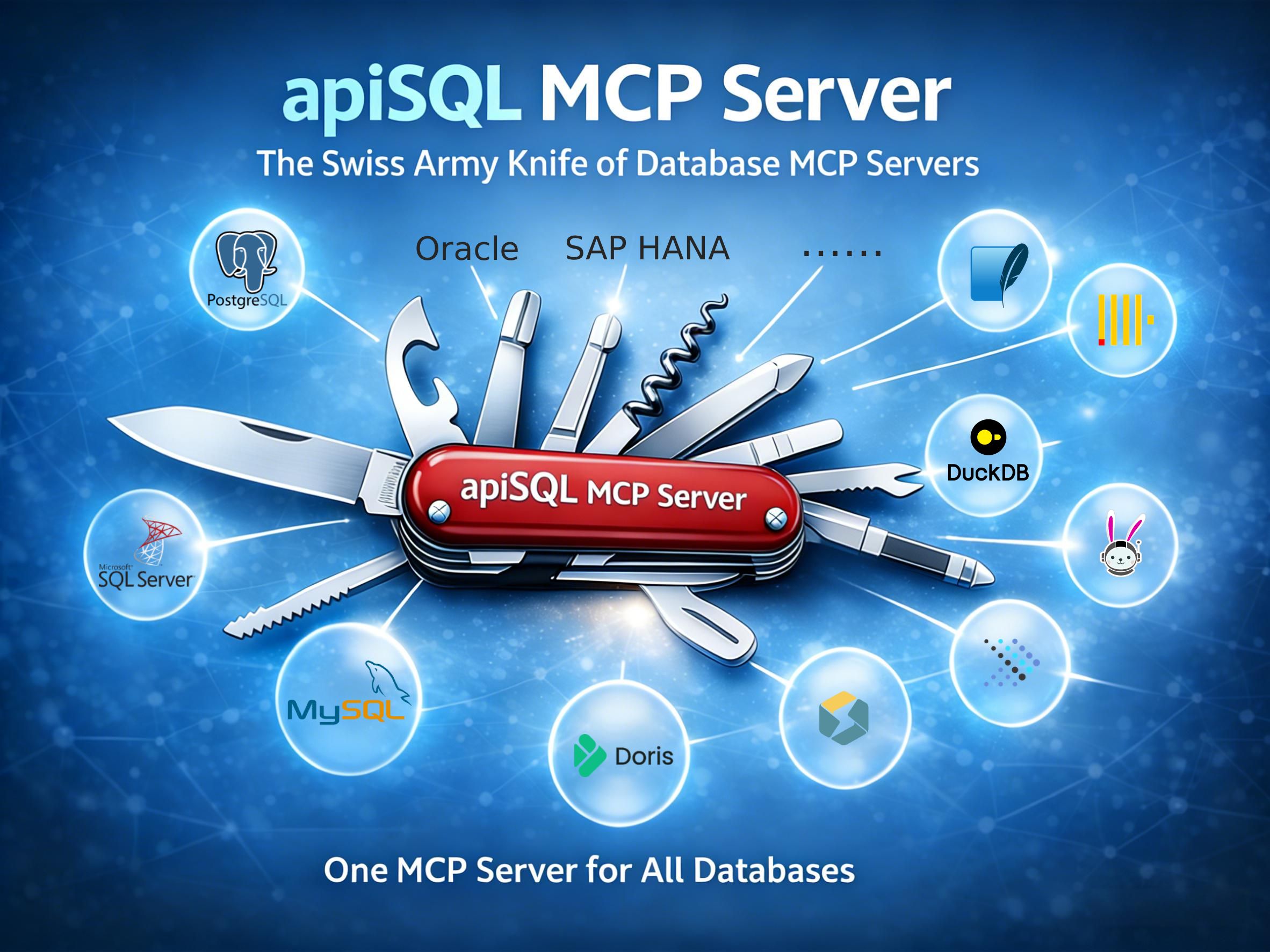
一个 MCP Server 连接所有数据库,数据库 MCP Server 的瑞士军刀。
graph LR
    %% 定义节点
    A["🤖 MCP 客户端<br/>(Claude 等)"]
    B["🔌 apiSQL-mcp<br/>(本工具)"]
    C["☁️ apiSQL 平台<br/>(API 接口)"]

    %% 定义内网区域
    subgraph Internal["🔒 用户内网环境"]
        direction LR
        D["🛡️ apiSQL 网关<br/>(内网)"]
        E[("🗄️ 数据库<br/>(内网)")]
    end

    %% 定义连线
    A <-->|MCP 协议| B
    B <-->|HTTPS| C
    C <-->|MQTT| D
    D <-->|TCP| E

    %% 样式美化 (可选)
    style Internal fill:#f4f6f8,stroke:#d0d7de,stroke-width:2px,stroke-dasharray: 5 5
| 数据库 | 类型 | 说明 |
|---|---|---|
| MySQL / MariaDB | OLTP | 完整支持,包括存储过程 |
| PostgreSQL | OLTP | 完整支持,包括 JSON 操作 |
| SQL Server | OLTP | 支持 T-SQL |
| Oracle | OLTP | 支持 11g、12c、19c、20c+ |
| SQLite | 嵌入式 | 文件型数据库 |
| StarRocks | OLAP | 高性能分析型数据库 |
| Apache Doris | OLAP | 实时分析型数据库 |
| TiDB | 分布式 | MySQL 兼容的分布式 SQL |
| DuckDB | 分析型 | 进程内分析型数据库 |
| OceanBase | 分布式 | 分布式关系型数据库 |
| Trino / Presto | 查询引擎 | 联邦查询支持 |
| Dameng | 国产信创 | 达梦数据库 |
| 自定义 JDBC | 多种 | 任何 JDBC 兼容的数据库 |
apiSQL-mcp 提供完整的数据库访问权限,包括结构修改和数据操作。请务必遵循以下安全准则:
最小权限原则:
推荐配置:
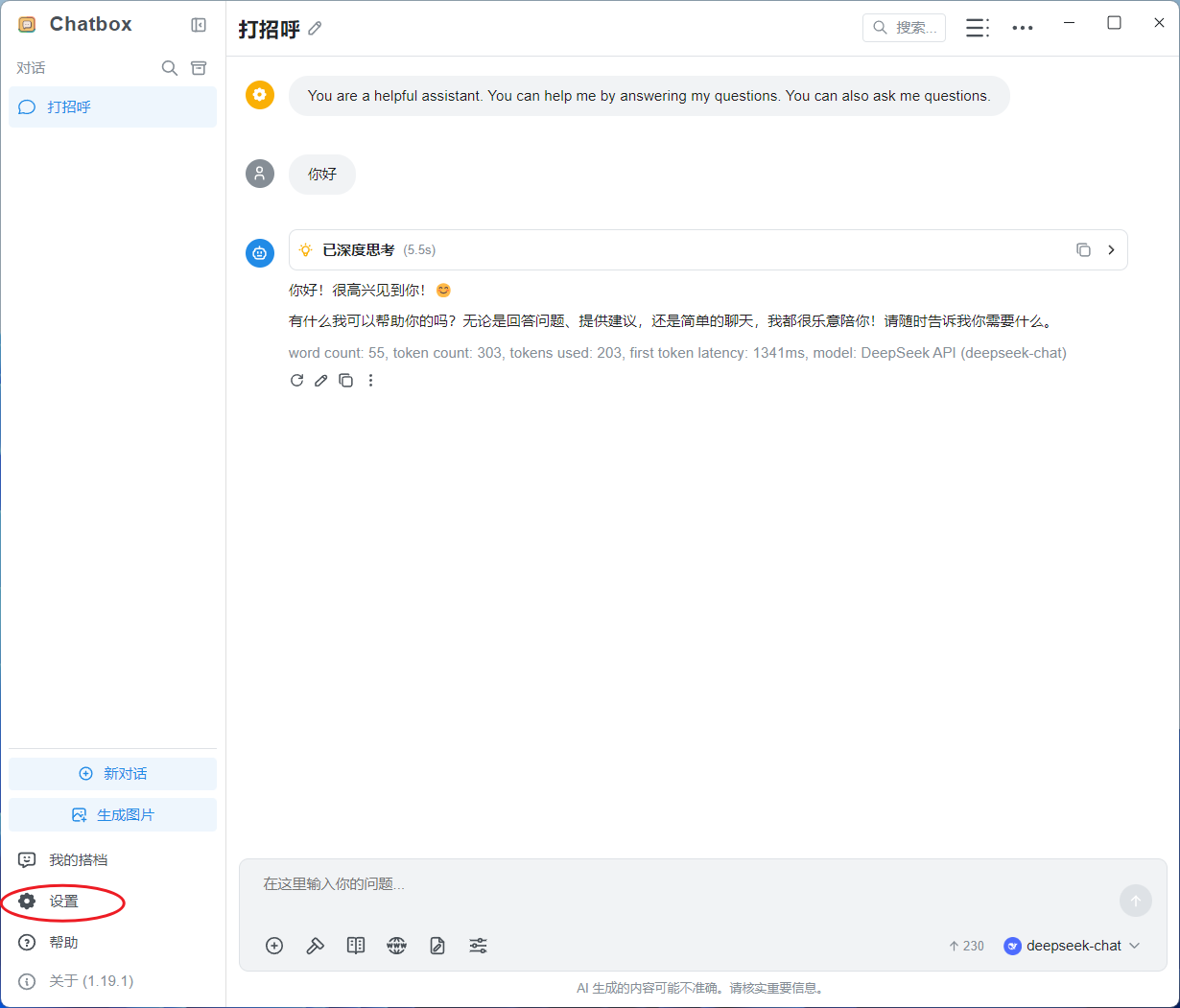
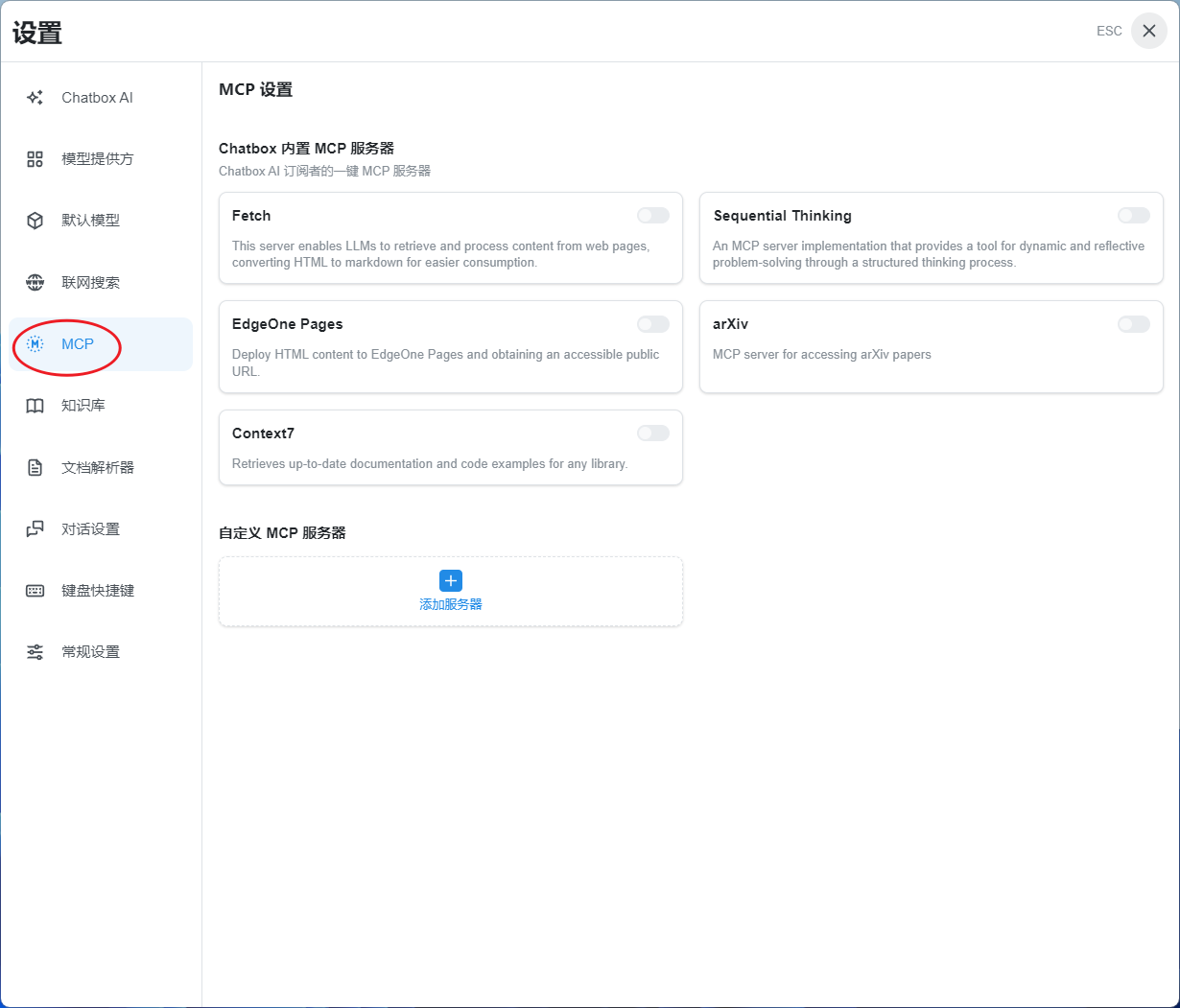
1、以ChatBox配置为例: 设置 -> MCP
2、复制以下内容
{
  "mcpServers": {
    "apisql-mcp": {
      "command": "npx",
      "args": ["-y", "apisql-mcp"],
      "env": {
        "APISQL_MCP_API_URL": "https://open.apisql.cn/api/mytest/$sudb",
        "APISQL_MCP_API_KEY": "Bearer sk-7dd9b66d38f8aff81f091ecfcf259f70",
        "APISQL_MCP_DS": "mysql"
      }
    }
  }
}
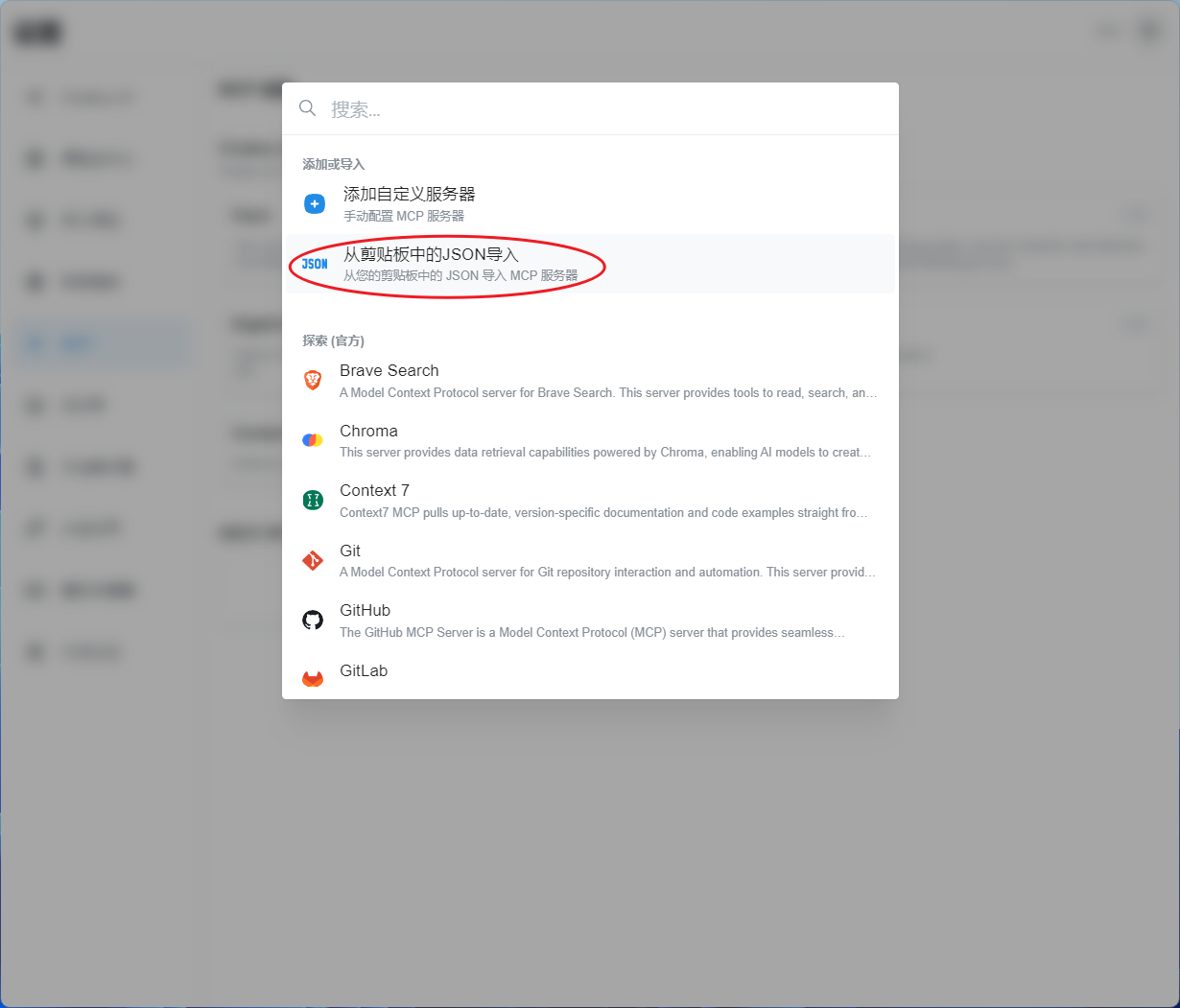
3、选择 从剪贴板中的josn导入,即可完成配置
4、启用刚配置的MCP
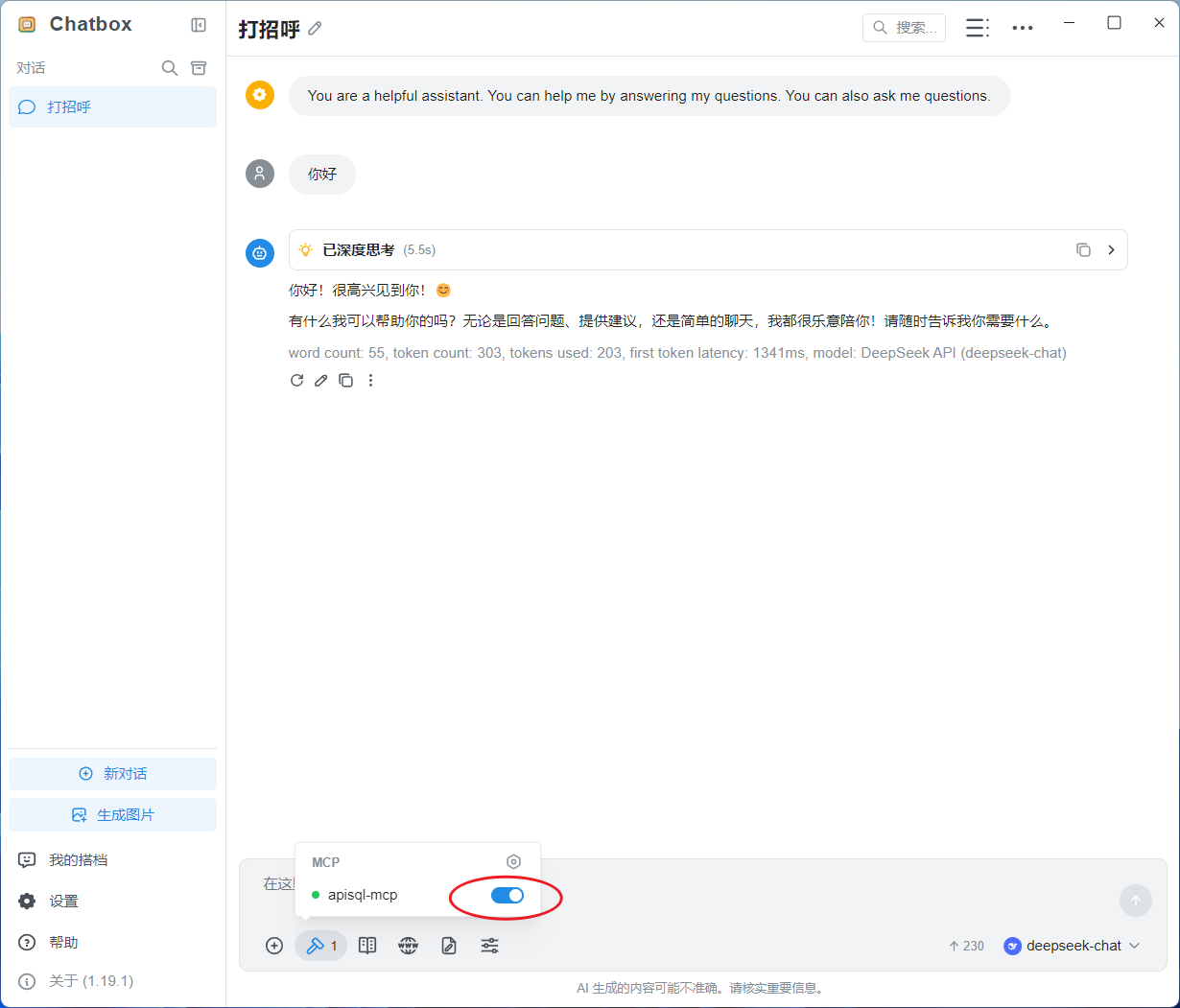
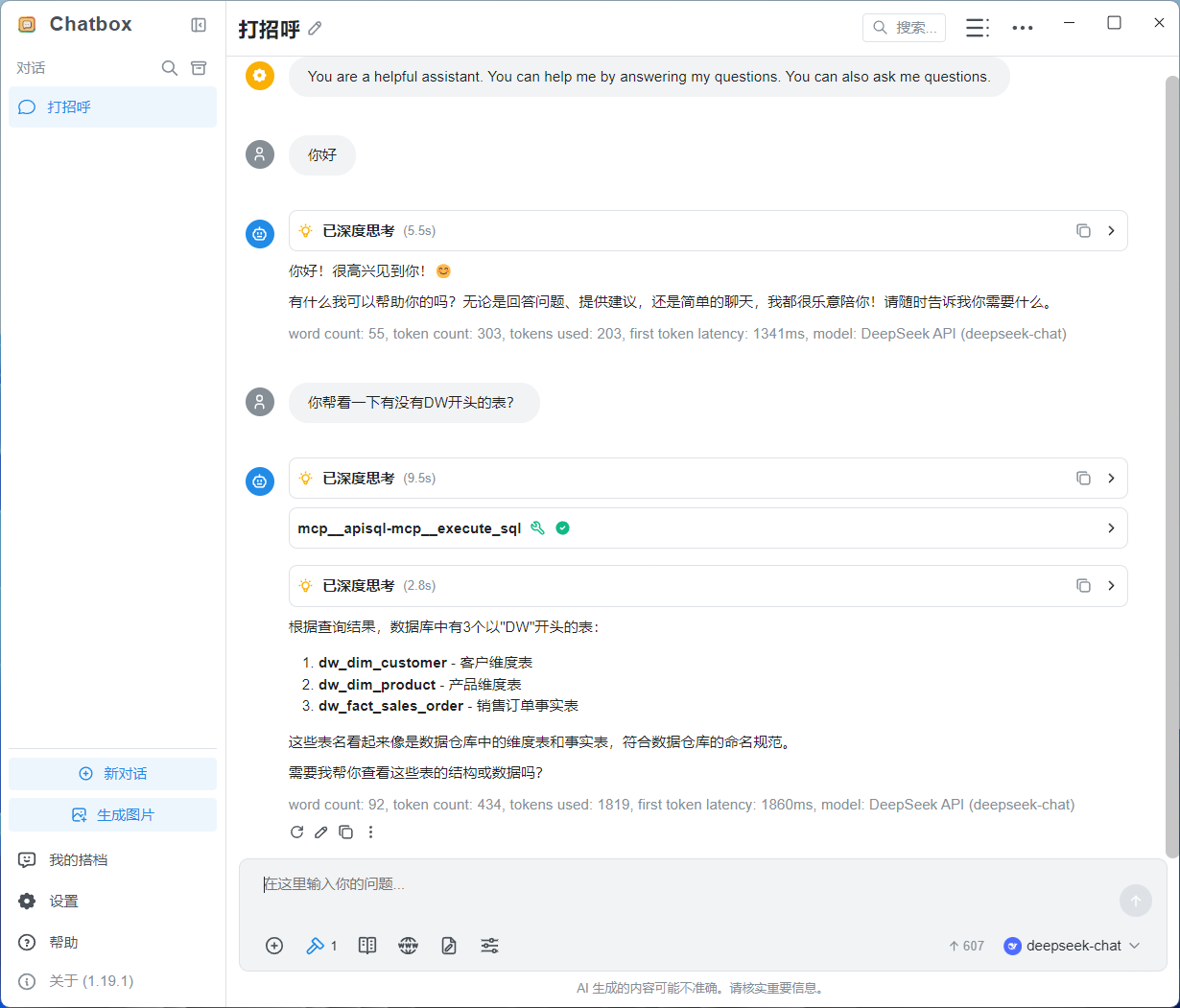
5、可以向默认的mysql数据库提问
你帮看一下有没有DW开头的表?
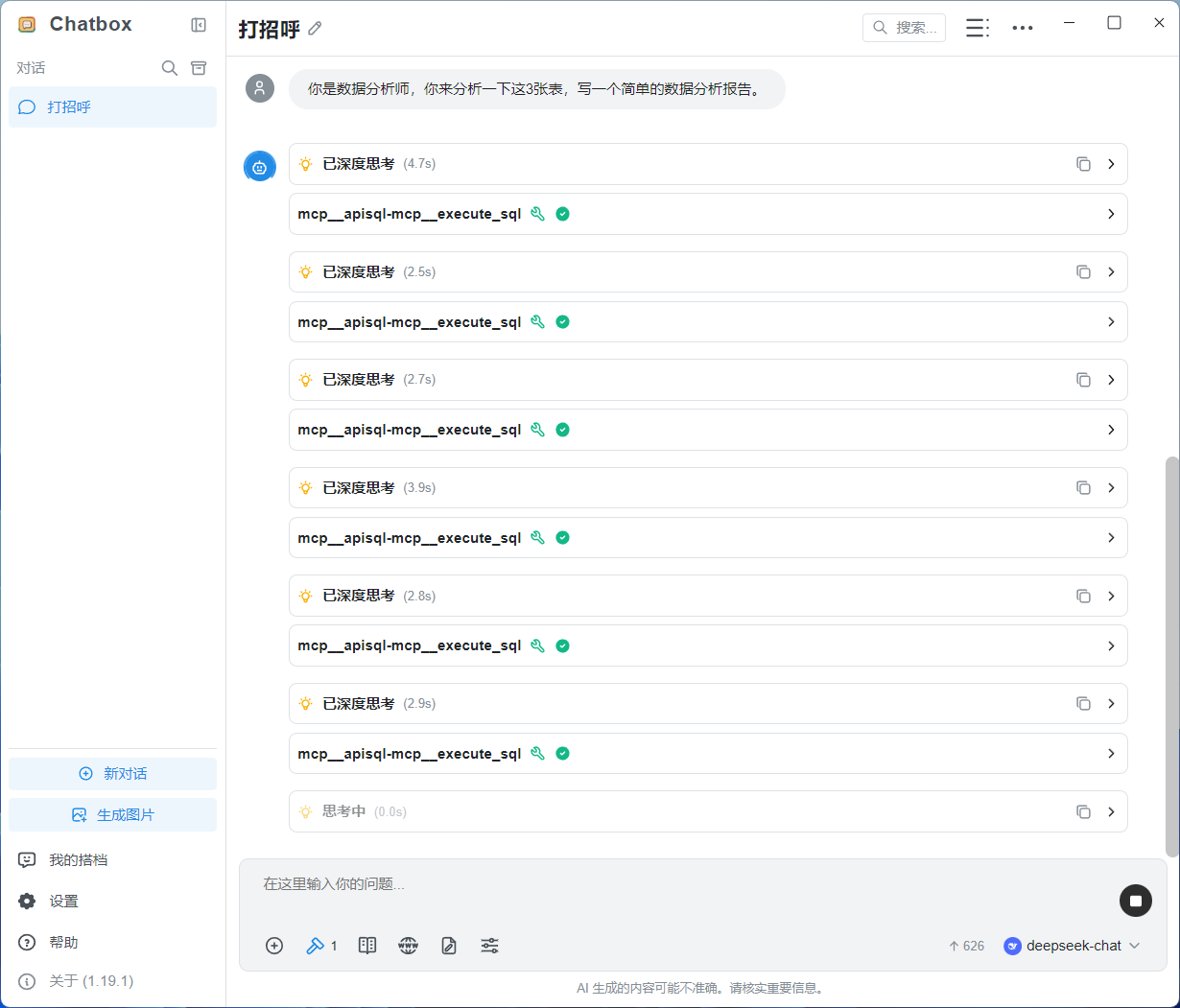
6、测试基于3张数据库,写个数据分析报告,运行中
你是数据分析师,你来分析一下这3张表,写一个简单的数据分析报告。
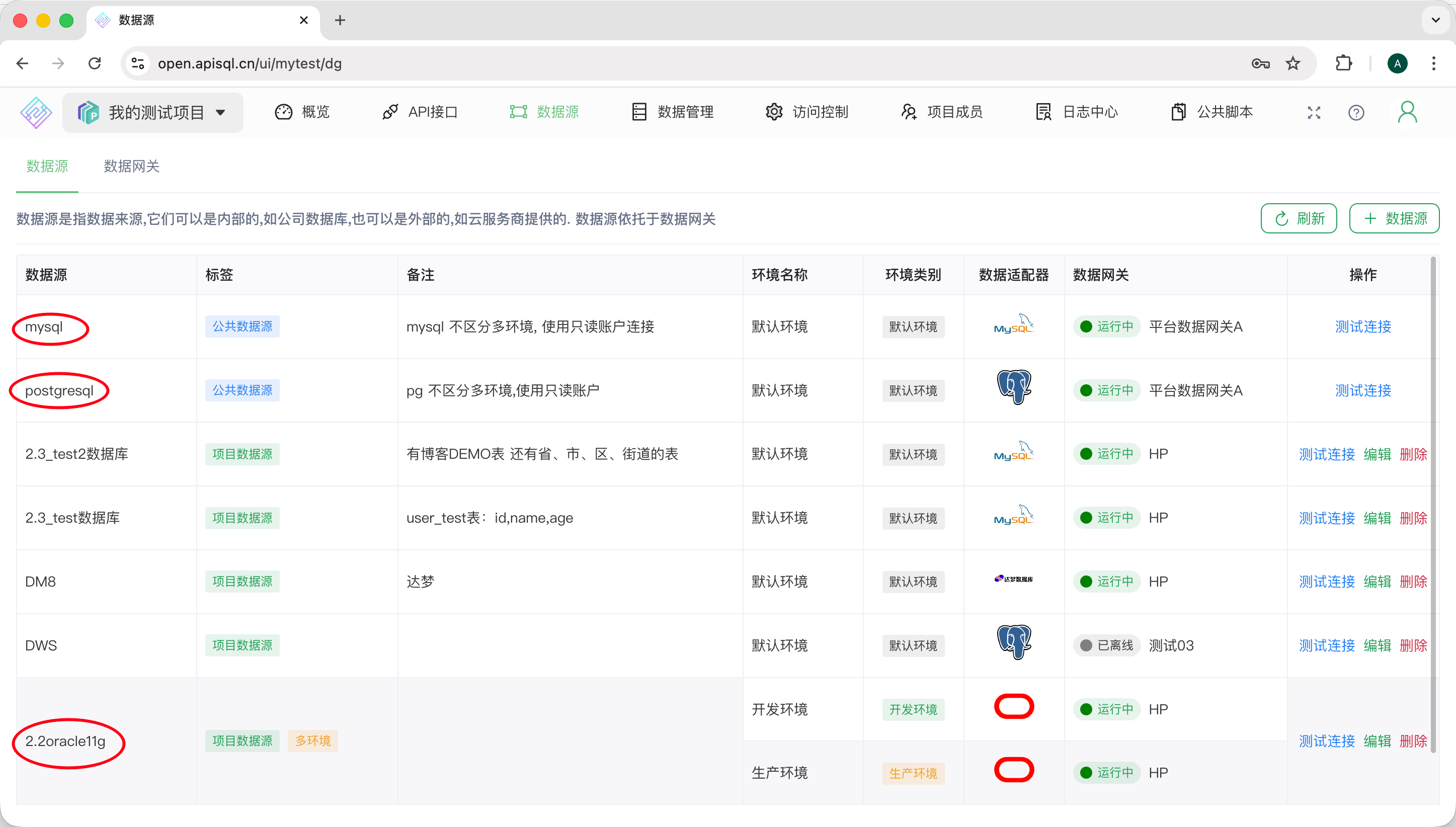
7、切换一个 oracle11g 操作
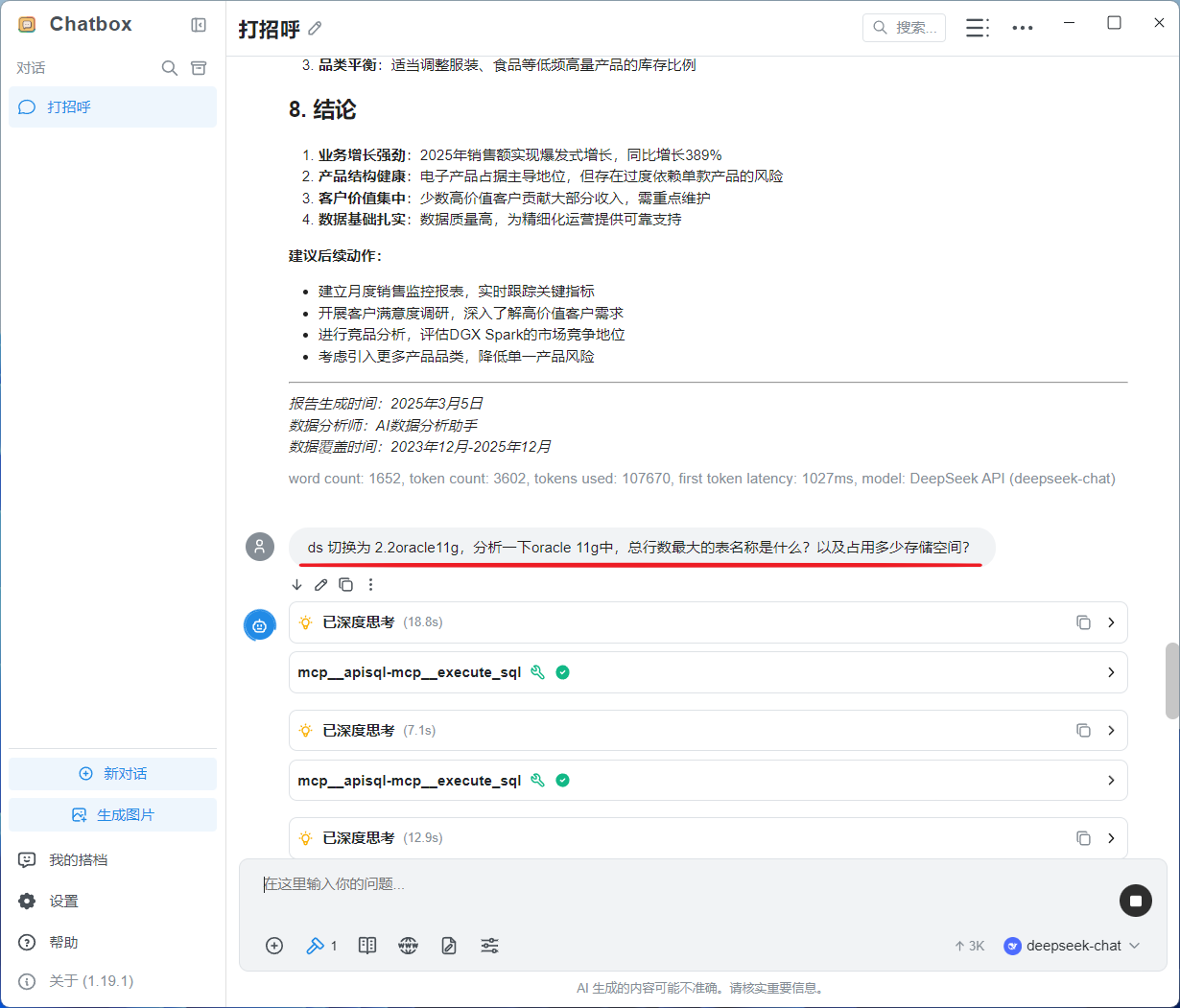
8、顺便解释一下,这里的oracle数据源是一个临时内网数据库,后续公开演示只有 mysql 和 postgresql 两个数据源)
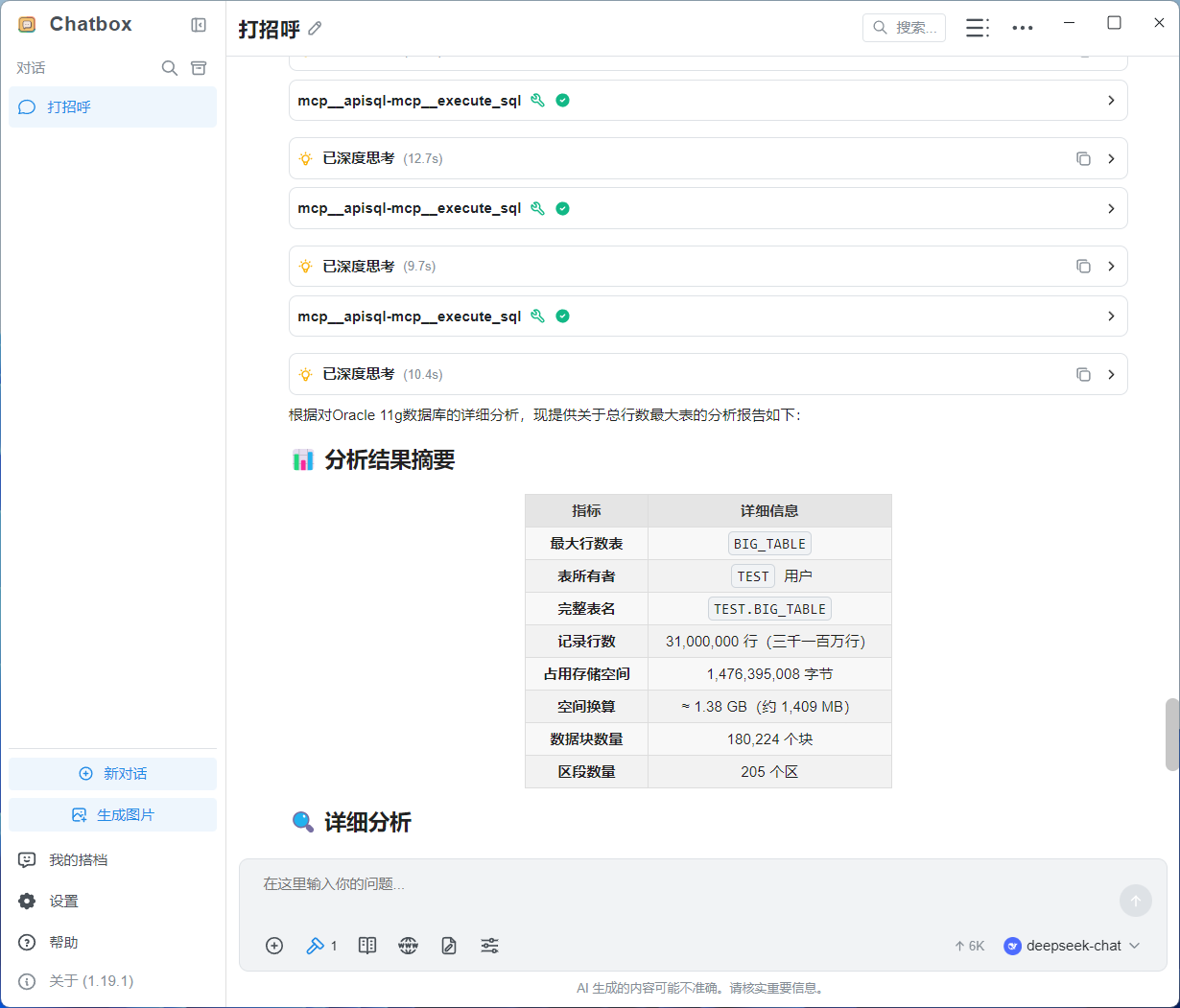
9、切换至postgresql进行sql操作
再切换到 postgresql 数据库,看一下都有什么表?
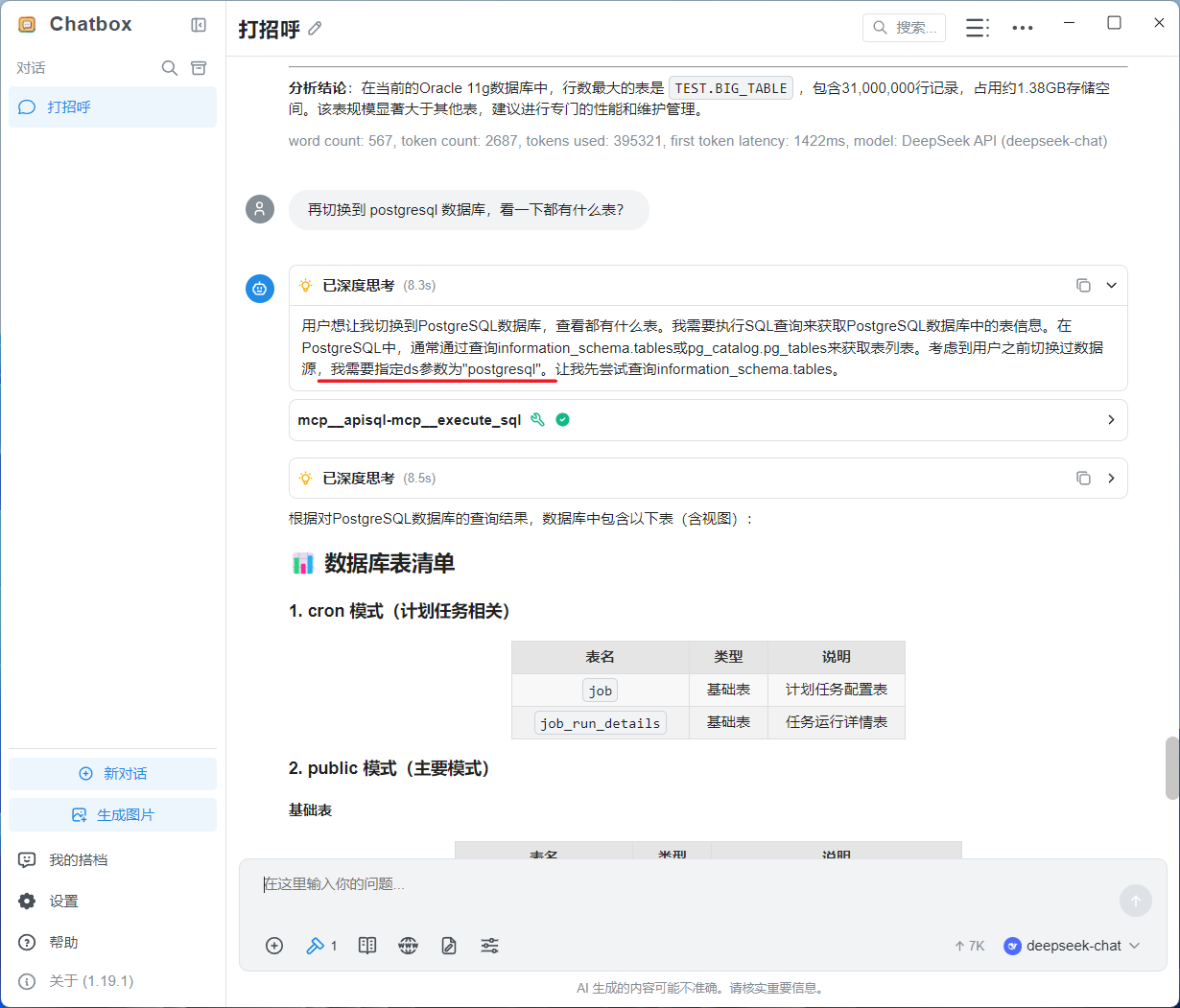
10、可以正常查询postgresql数据库
11、以及在apiSQL后台可以查看日志
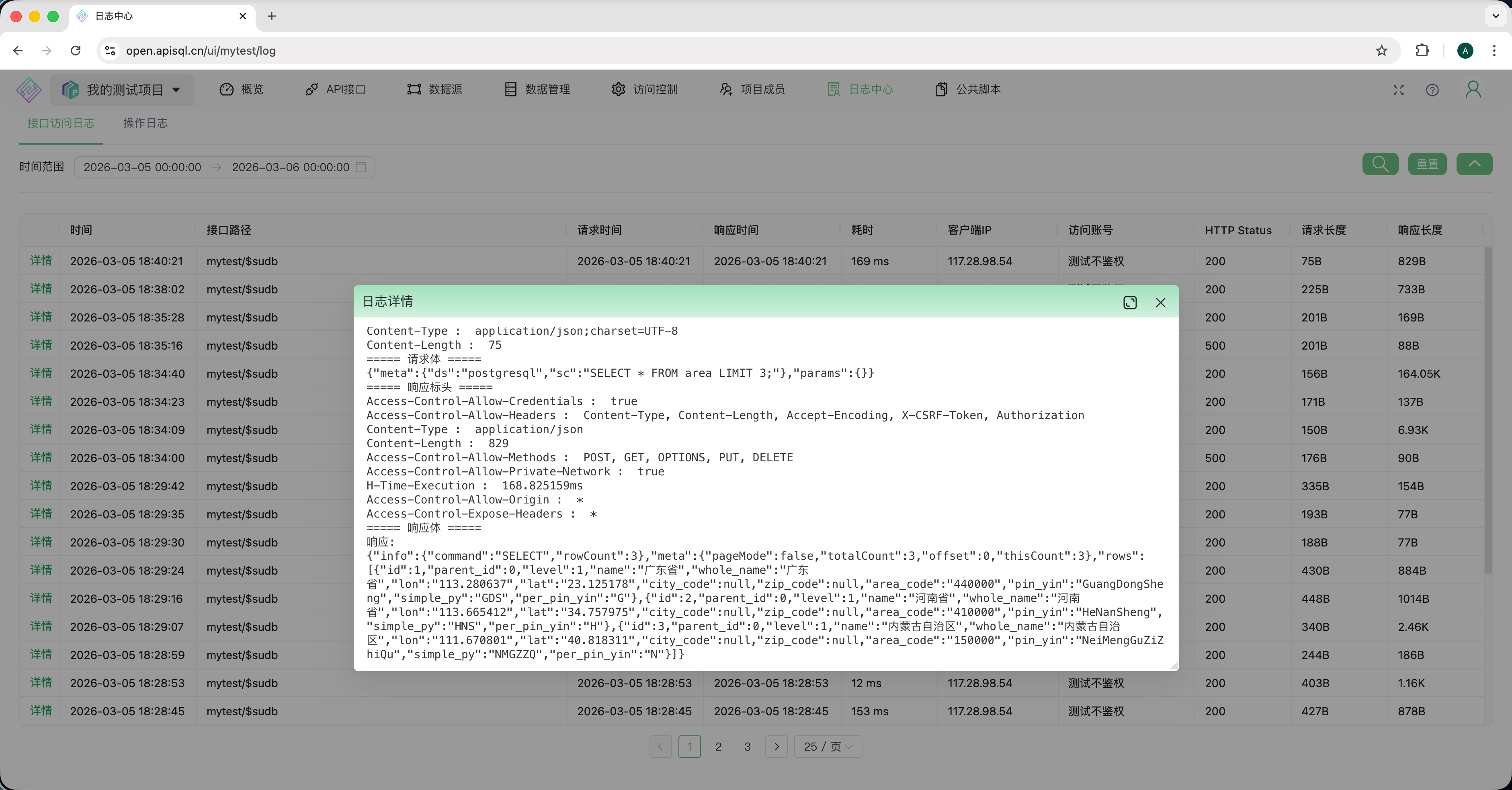
这样一个MCP Server,可以查询N个数据库。 在最佳实践中一般将数据源名称写入提示词,
# 全局安装(可选)
npm install -g apisql-mcp

# 或直接通过 npx 运行
npx -y apisql-mcp
| 变量名 | 是否必需 | 说明 | 可测试的示例 |
|---|---|---|---|
APISQL_MCP_API_URL | 是 | apiSQL API 端点地址 | https://open.apisql.cn/api/mytest/$sudb |
APISQL_MCP_API_KEY | 是 | API 认证密钥(Bearer token) | Bearer sk-7dd9b66d38f8aff81f091ecfcf259f70 |
APISQL_MCP_DS | 否 | 默认数据源名称 | mysql |
将以下内容添加到 Claude Desktop 配置文件(macOS: ~/Library/Application Support/Claude/claude_desktop_config.json,Windows: %APPDATA%/Claude/claude_desktop_config.json):
{
  "mcpServers": {
    "apisql-mcp": {
      "command": "npx",
      "args": ["-y", "apisql-mcp"],
      "env": {
        "APISQL_MCP_API_URL": "https://open.apisql.cn/api/mytest/$sudb",
        "APISQL_MCP_API_KEY": "Bearer sk-7dd9b66d38f8aff81f091ecfcf259f70",
        "APISQL_MCP_DS": "mysql"
      }
    }
  }
}
使用 Claude Code CLI:
claude mcp add apisql-mcp --scope user -- npx apisql-mcp
在 Cursor 设置 → MCP → 添加 MCP 服务器:
{
  "name": "apisql-mcp",
  "command": "npx",
  "args": ["-y", "apisql-mcp"],
  "env": {
    "APISQL_MCP_API_URL": "https://open.apisql.cn/api/mytest/$sudb",
    "APISQL_MCP_API_KEY": "Bearer sk-7dd9b66d38f8aff81f091ecfcf259f70",
    "APISQL_MCP_DS": "mysql"
  }
}
添加到 VS Code 的 settings.json:
{
  "mcp": {
    "servers": {
      "apisql-mcp": {
        "command": "npx",
        "args": ["-y", "apisql-mcp"],
        "env": {
          "APISQL_MCP_API_URL": "https://open.apisql.cn/api/mytest/$sudb",
          "APISQL_MCP_API_KEY": "Bearer sk-7dd9b66d38f8aff81f091ecfcf259f70",
          "APISQL_MCP_DS": "mysql"
        }
      }
    }
  }
}
添加到 Cline 的 MCP 设置:
{
  "mcpServers": {
    "apisql-mcp": {
      "command": "npx",
      "args": ["-y", "apisql-mcp"],
      "env": {
        "APISQL_MCP_API_URL": "https://open.apisql.cn/api/mytest/$sudb",
        "APISQL_MCP_API_KEY": "Bearer 你的api-key",
        "APISQL_MCP_DS": "mysql"
      }
    }
  }
}
添加到 ~/.codeium/windsurf/mcp_config.json:
{
  "mcpServers": {
    "apisql-mcp": {
      "command": "npx",
      "args": ["-y", "apisql-mcp"],
      "env": {
        "APISQL_MCP_API_URL": "https://open.apisql.cn/api/mytest/$sudb",
        "APISQL_MCP_API_KEY": "Bearer sk-7dd9b66d38f8aff81f091ecfcf259f70"
      }
    }
  }
}
对于基于 HTTP 的 MCP 客户端,使用 Streamable HTTP 模式启动:
APISQL_MCP_API_URL=https://open.apisql.cn/api/mytest/$sudb \
APISQL_MCP_API_KEY="Bearer sk-7dd9b66d38f8aff81f091ecfcf259f70" \
APISQL_MCP_DS=mysql \
npx apisql-mcp --transport streamable-http --port 9090 --host 0.0.0.0
然后配置 MCP 客户端连接到:
http://localhost:9090/mcp
可用选项:
--transport <type>:传输类型(stdio 或 streamable-http,默认:stdio)--port <number>:HTTP 服务器端口(默认:9090)--host <host>:HTTP 服务器主机(默认:127.0.0.1){
"name": "execute_sql",
"arguments": {
"sc": "SELECT * FROM user LIMIT 10"
}
}
// 查询 MySQL
{
  "name": "execute_sql",
  "arguments": {
    "sc": "SELECT * FROM orders WHERE status = 'pending'",
    "ds": "mysql"
  }
}

// 切换到 PostgreSQL
{
  "name": "execute_sql",
  "arguments": {
    "sc": "SELECT * FROM customers WHERE created_at > NOW() - INTERVAL '7 days'",
    "ds": "postgresql"
  }
}

// 切换到 Oracle
{
  "name": "execute_sql",
  "arguments": {
    "sc": "SELECT * FROM employees WHERE ROWNUM <= 10",
    "ds": "oracle"
  }
}
SELECT、WITH(CTE)、JOIN、子查询INSERT INTO ... VALUES、INSERT INTO ... SELECTUPDATE ... SET ... WHEREDELETE FROM ... WHERECREATE TABLE、ALTER TABLE、DROP TABLE、CREATE INDEX# 克隆仓库
git clone https://github.com/apisql-dev/apisql-mcp.git
cd apisql-mcp
# 安装依赖
npm install
# 编译 TypeScript
npm run build
# 开发模式(监听文件变化)
npm run dev
# 运行测试
npm test
# 启动服务器
npm start
/$sudb 结尾(SUDB 功能必需,固定地址,非变量)dsEnvSET NAMES utf8mb4(MySQL)MIT © apiSQL
 @designcomputer
Secure MCP server for MySQL database interaction, queries, and schema management
 @googleapis✓ Official
Google's universal MCP server supporting PostgreSQL, MySQL, MongoDB, Redis, and 10+ databases
Official MongoDB integration — query collections, run aggregations, inspect schemas
Run analytics queries on ClickHouse — explore schemas, execute SQL, fetch results