

Are you the author? Sign in to claim
Arkon: Enterprise AI Knowledge Hub & MCP Server. Self-hosted knowledge base for teams to manage RAG contexts, access pol



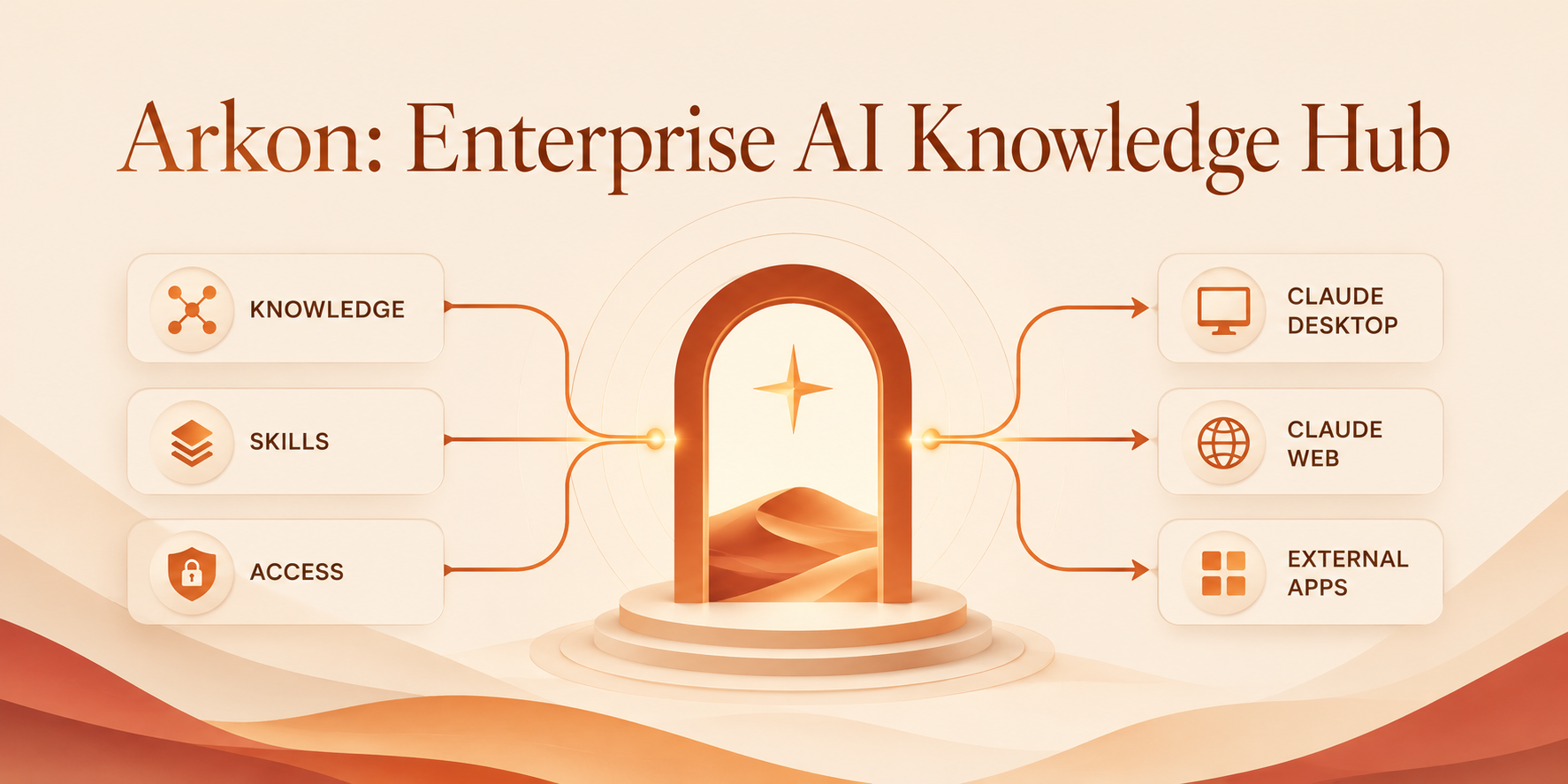
Arkon is a self-hosted, enterprise-grade knowledge management layer that bridges organizational data and AI clients. It runs as a centralized MCP Server (Model Context Protocol), compiling your SOPs, policies, and internal docs into a structured, traceable knowledge wiki - then serving that wiki to Claude and other LLMs through a single permission-scoped endpoint.
In most organizations, AI adoption is fragmented. Employees copy-paste documents into chatbots, producing inconsistent context, security risks, and duplicated work.
Arkon treats AI as a managed organizational resource. Every employee gets the right context, automatically and securely - filtered by their department and role.
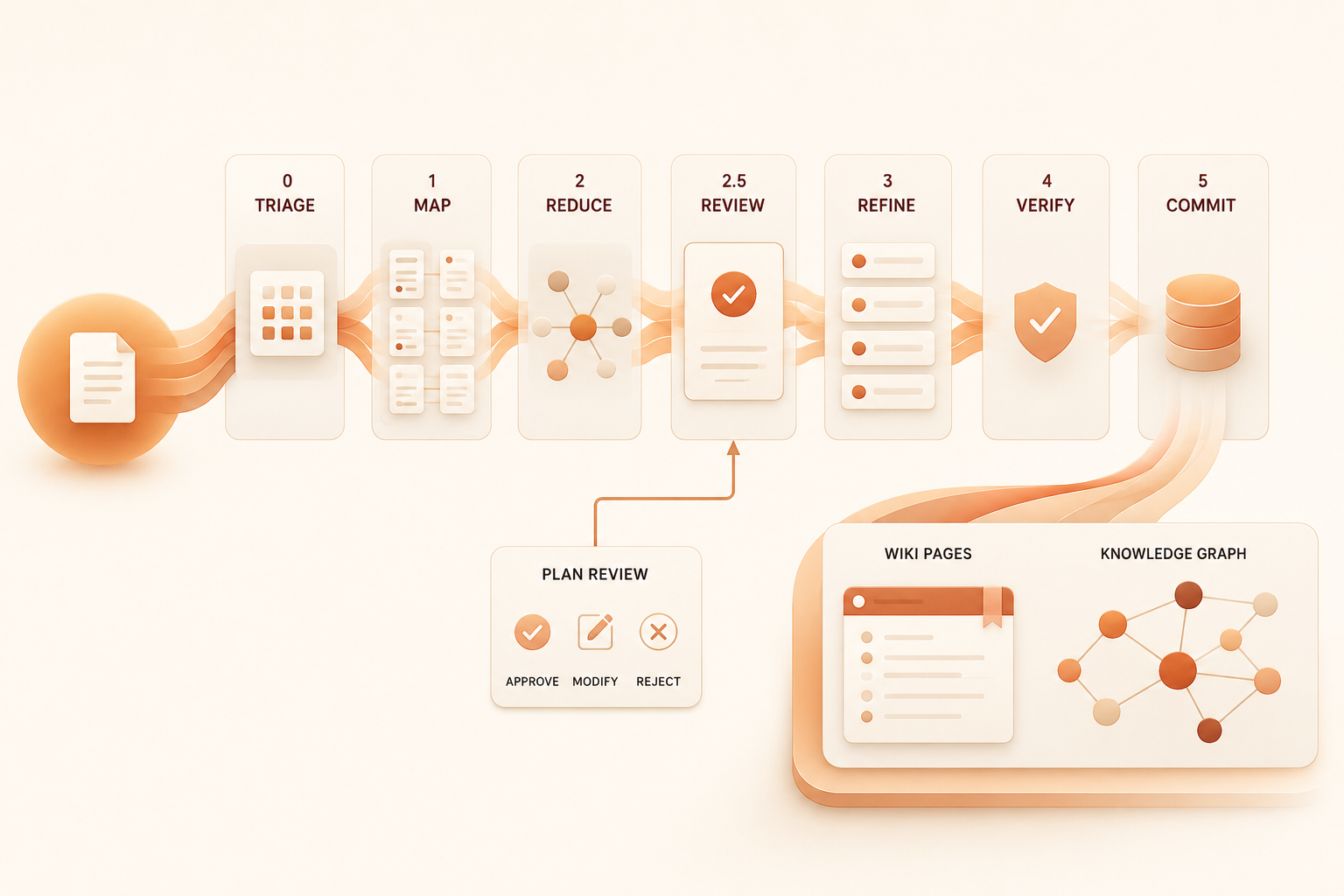
Unlike a vector database that just chunks and indexes, Arkon's MRP pipeline (Map → Reduce → Plan-review → Refine → Verify → Commit) actually compiles documents into a coherent wiki of interlinked pages.
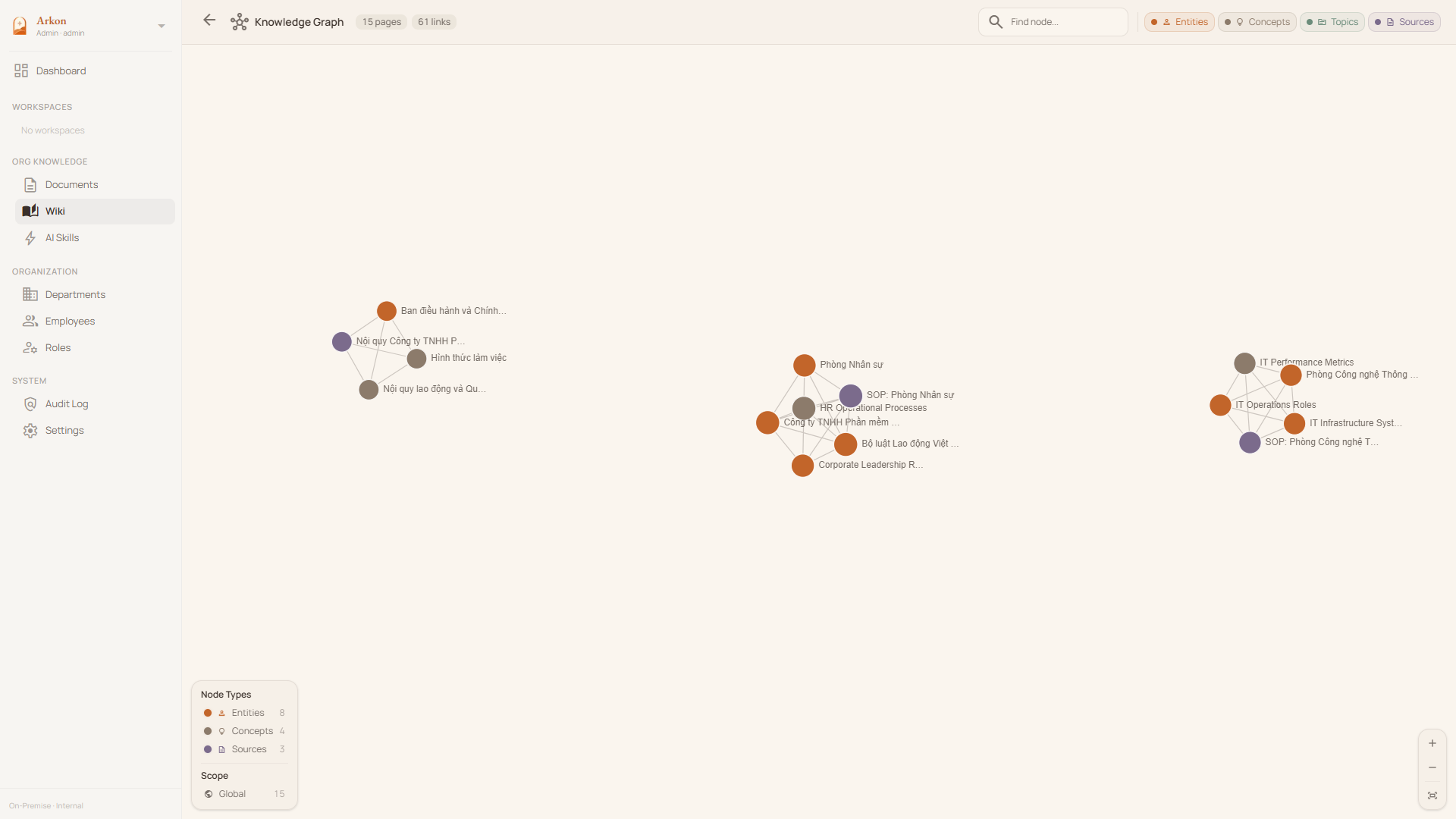
Precise context boundaries with their own scoped wiki, document set, and department rosters.
Role-based access control at the department and global levels.
doc:read:own_dept, wiki:edit:all, org:settings:manage, ...).Employees connect Claude Desktop or Claude.ai to Arkon via OAuth 2.1 + PKCE — just add the server URL and sign in through the browser. No manual token copying required. The MCP server exposes:
search_wiki, read_wiki_page, list_wiki_pages, read_wiki_index.get_source, get_source_outline, get_source_pages, list_sources.propose_wiki_edit, edit_wiki_page, list_pending_drafts, review_draft, approve_draft, reject_draft.list_knowledge_types, get_knowledge_type_docs.All tools enforce per-token scope (department, knowledge type, source list).
Upload custom agent packages once and distribute them across the org.
SKILL.md).Catalog-driven selection - admins pick from a curated list with context window, cost, and capability metadata on display.
gemini-embedding-*, OpenAI text-embedding-3-* - switchable with online re-embed migration (active model atomically flipped on completion, no zero-result search window).
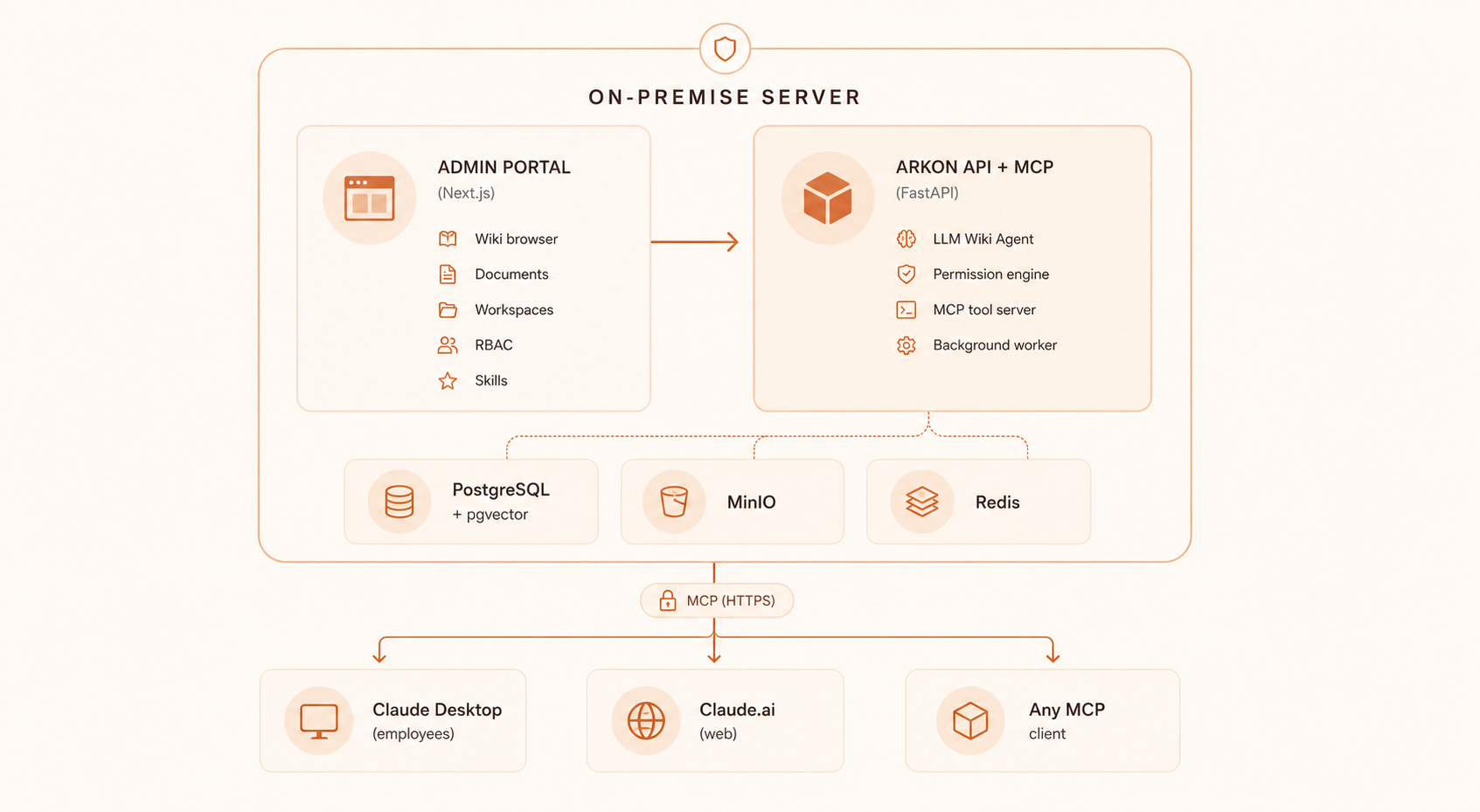
Arkon runs 7 Docker containers (PostgreSQL + pgvector, Redis, MinIO, FastAPI API, 2 ARQ workers, Next.js frontend). The table below provides recommended configurations based on team size:
| Starter | Team | Enterprise | |
|---|---|---|---|
| Team size | 1 – 20 | 20 – 100 | 100+ |
| vCPU | 2 cores | 4 cores | 8+ cores |
| RAM | 4 GB | 8 GB | 16+ GB |
| Storage | 40 GB SSD | 100 GB SSD | 250+ GB NVMe SSD |
| OS | Ubuntu 22.04+ / Debian 12+ | Ubuntu 22.04+ / Debian 12+ | Ubuntu 22.04+ / Debian 12+ |
| Use case | Evaluation / small teams | Departmental deployment | Organization-wide rollout |
[!NOTE]
- RAM is the primary bottleneck — the MRP pipeline workers load large LLM context windows into memory during wiki compilation.
- Storage scales with your document corpus — pgvector indexes, MinIO file storage, and PostgreSQL WAL logs are the main consumers.
- All AI inference happens externally (Anthropic / Google / OpenAI APIs), so GPU is not required.
- A reverse proxy (Nginx / Caddy) with SSL is recommended for production. See Setup Guide.
[!NOTE] Arkon is built for teams, not individuals. If you're looking for a personal knowledge setup, Obsidian + Claude Skills is a much simpler fit.
Not a tech person? Skip the self-hosting hassle — reach out for a free guided demo tailored for your team. No config, no Docker, just a walkthrough of what Arkon can do for your organization.
Prerequisites: Docker & Docker Compose, plus an API key from your preferred AI provider (Anthropic, Google, or OpenAI).
Clone the repository:
git clone https://github.com/nduckmink/arkon.git
cd arkon
Configure environment:
cp .env.docker.example .env.docker
# Edit .env.docker - set SECRET_KEY, admin credentials, and Postgres/MinIO secrets
Launch:
docker compose --env-file .env.docker up -d --build
Access the portal at http://localhost:3119, sign in as admin, then go to Settings to pick your embedding / LLM / vision models and paste API keys.
→ See Setup Guide for development mode and the full env reference.
In Claude Desktop or Claude.ai → Settings → Connectors, add a custom connector:
Arkonhttps://your-arkon-server/mcpClick Connect → a browser window opens with the Arkon login form → sign in with your Arkon credentials → done. Arkon uses OAuth 2.1 + PKCE so no manual token setup is required.
To make Claude consistently use Arkon, add this to Claude's Custom Instructions (Settings → Custom Instructions):
Whenever answering questions related to the company — its processes, products,
people, departments, policies, or projects — always search Arkon first using
the search_wiki tool before relying on general knowledge.
For stronger enforcement, create a Project in Claude Desktop, attach Arkon as a connector, and paste the same text as Project Instructions.
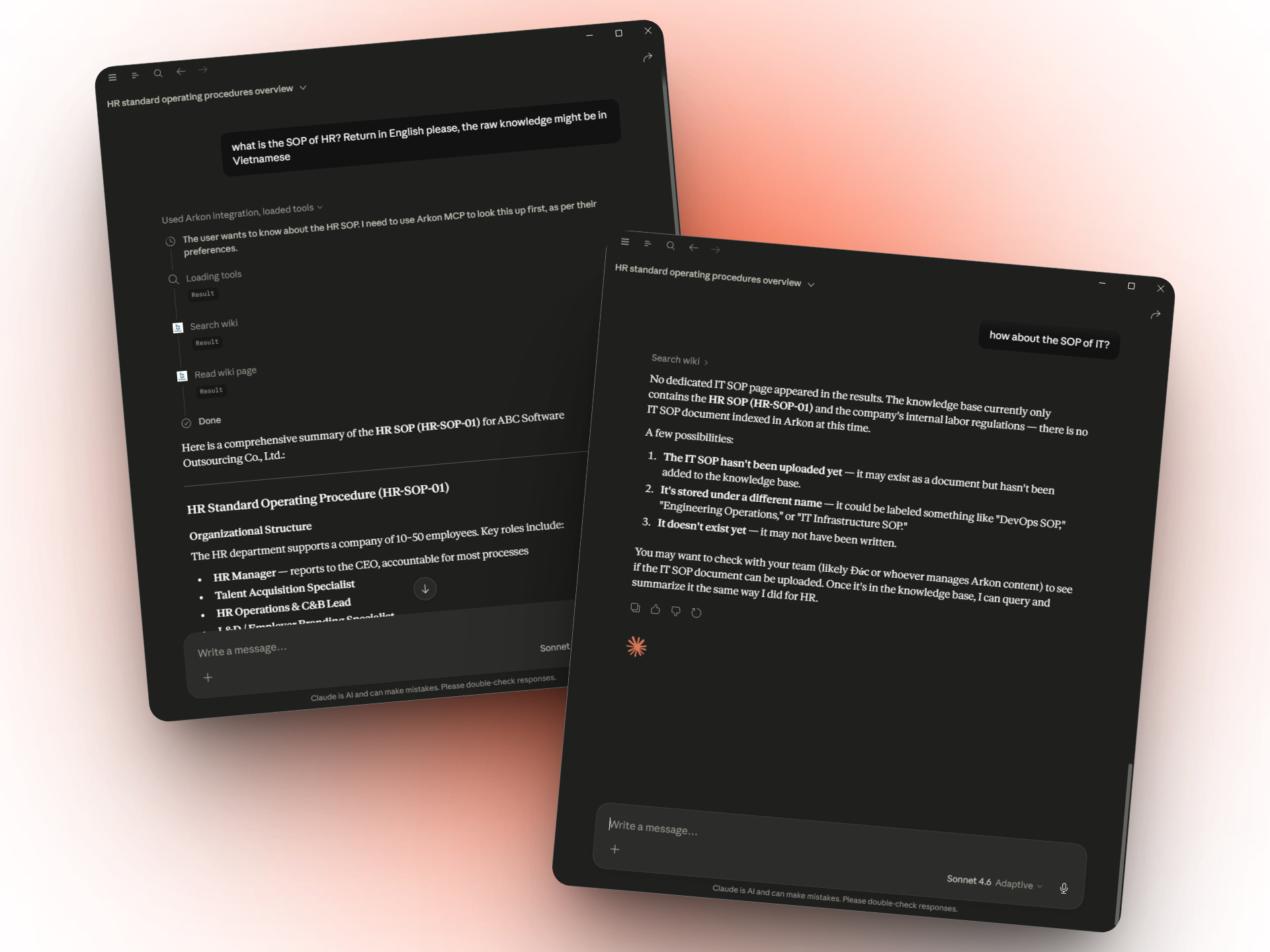
→ See MCP & Claude for the complete tool reference.
Arkon is licensed under the PolyForm Internal Use License 1.0.0. Free for internal business operations; you may not offer Arkon as a service to third parties.
For enterprise support or custom integrations, please contact the maintainers.
Keywords: Enterprise AI, Model Context Protocol, MCP Server, Knowledge Management System, Self-hosted RAG, AI Knowledge Base, Claude MCP, LLM Context Management, Open Source Wiki.
Main Author Minh Nguyen (Nguyễn Đức Minh) — Vietnam (GMT+7) · Fluent English ✉️ duckmink.bitsness@gmail.com
Company BITSNESS TECHNOLOGY AND SOLUTIONS COMPANY LIMITED ✉️ bitsness.ad@bitsness.vn
For enterprise inquiries, demo requests, or custom integrations — email us directly.
Run Claude Code as an MCP server so any agent can delegate coding tasks to it
 @microsoft✓ Official
Browser automation using accessibility snapshots instead of screenshots
 @googleapis✓ Official
Google's universal MCP server supporting PostgreSQL, MySQL, MongoDB, Redis, and 10+ databases
 @github✓ Official
Official GitHub integration for repos, issues, PRs, and CI/CD workflows