

Are you the author? Sign in to claim
Open-source Vedic astrology engine, agent skill & MCP server — kundali, dasha, panchang, gochar, guna milan, Hindi PDF p




Portable Vedic astrology engine, agent skill, and MCP server. Deterministic kundali, dasha, panchang, and yoga calculations with JSON and Hindi/English PDF reports — reusable by any agent or MCP-compatible client.
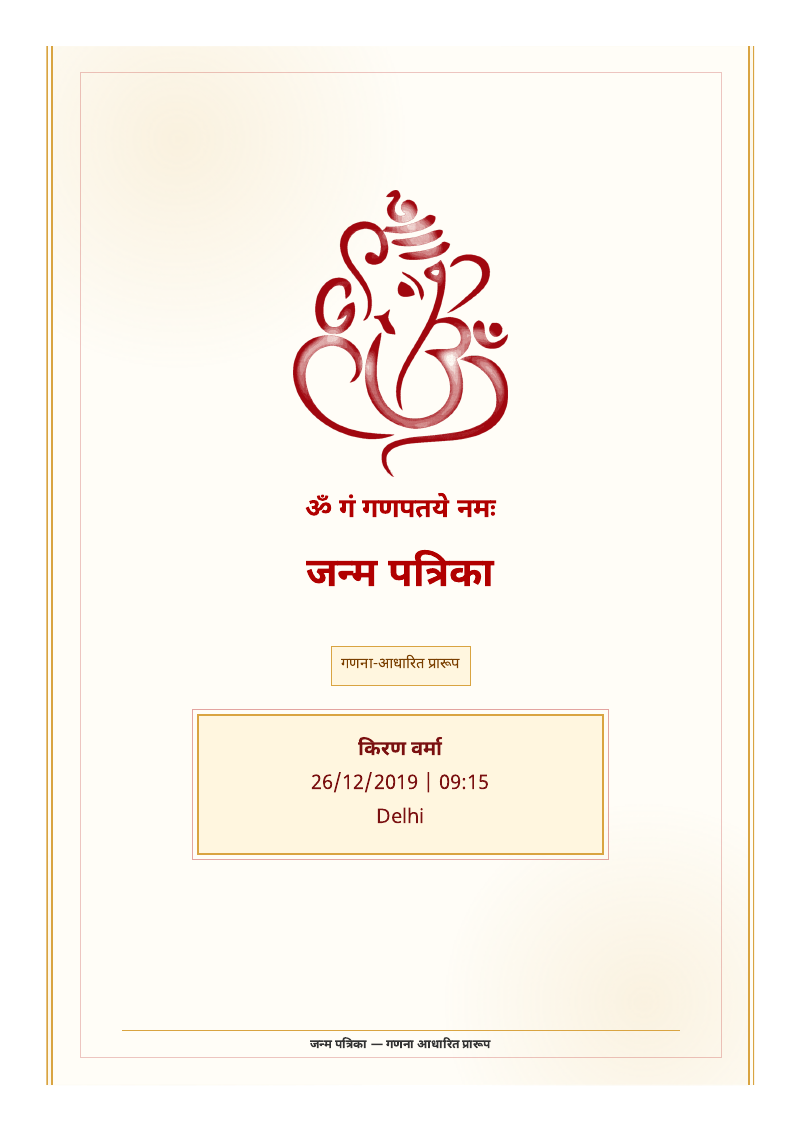
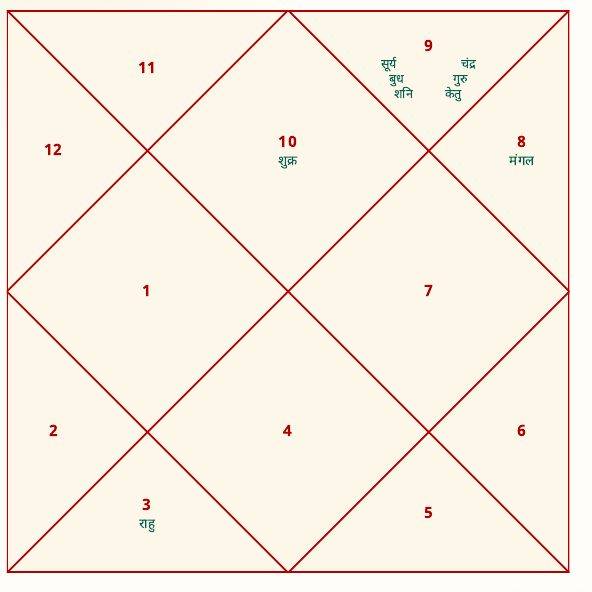
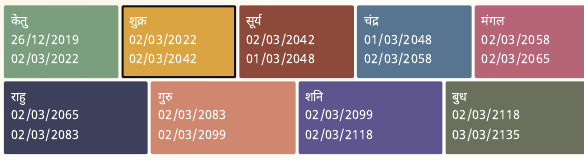
The repo is split so each layer can be reused on its own:
astro/ — the portable skill: calculator scripts, reference data, bundled
Swiss Ephemeris + Devanagari font, and tests. Drop it into any agent or call
the scripts directly from Python.services/astro_mcp/ — a generic stdio MCP server exposing the same
calculations plus SQLite storage as 11 stable tools.apps/ — optional products built on top (e.g. a web panel scaffold).docs/ — architecture, roadmap, deployment, and operations docs..se1 data (SWIEPH) with an
automatic Moshier fallback; each output records the tier used in
calculation.ephemeris.pandit_v1 premium template for pitch-ready operator reports.pip install astro-skill
# Optional: Chromium for the preferred HTML PDF renderer
python -m playwright install chromium
# Run the stdio MCP server
astro-mcp
# or: python -m services.astro_mcp
Requires Python 3.11+. For development from source, use the editable install below.
git clone https://github.com/adityarya24/astro-skill.git
cd astro-skill
python -m venv .venv && . .venv/bin/activate    # Windows: .\.venv\Scripts\Activate.ps1
python -m pip install --upgrade pip
pip install -e ".[dev]"

# Optional: Chromium for the preferred HTML PDF renderer
python -m playwright install chromium

# Checks
python -m pytest -q
python -m ruff check astro services scripts
All tests pass; the HTML/Chromium PDF render test skips automatically until
Chromium is installed. For OS-specific venv details and MCP client config
examples, see docs/operations/install-smoke.md.
The premium report sections can carry LLM-written prose (bilingual hi/en), generated strictly from the computed chart JSON — prompts forbid inventing any placement, yoga, or date. Configure via environment variables:
| Env var | Default | Meaning |
|---|---|---|
ASTRO_LLM_PROVIDER | gemini | gemini, openai (OpenAI-compatible), or cli |
ASTRO_LLM_API_KEY | (empty) | API key for the chosen provider |
ASTRO_LLM_MODEL | provider default | Model name |
ASTRO_LLM_CLI_ARGS | — | For cli provider: JSON argv with a {prompt} token |
With no key configured, every section falls back to a compact factual digest — the pipeline never fails because a provider is down. Calls have timeouts and log provider failures to stderr.
services/astro_mcp/ is an importable package and a runnable stdio MCP
server. The same TOOLS registry powers the unit tests and the wire protocol
— no duplicated logic, and no environment variables required.
Tools (11): parse_birth_details, save_client_profile, find_client_profile,
list_client_reports, calculate_kundali, calculate_dasha,
calculate_gochar, calculate_compatibility, calculate_panchang,
generate_report_json, generate_pdf_report.
python -m services.astro_mcp # or `astro-mcp` after `pip install -e .`
Wire it into any MCP client (Claude Desktop, a Codex agent, or your own) by
pointing the client's MCP config at that command with cwd set to the repo
root. See services/astro_mcp/README.md for the
tool contract and config examples, and verify an install in one shot with:
python scripts/smoke_mcp_client.py
# Kundali JSON
python astro/scripts/kundali_calculator.py --dob 26/12/2019 --tob 09:15 \
  --place Delhi --lat 28.6139 --lon 77.2090 --timezone Asia/Kolkata --json

# Panchang JSON
python astro/scripts/panchang_calculator.py --date 2026-05-21 \
  --place Delhi --lat 28.6139 --lon 77.209 --timezone Asia/Kolkata --json

# Hindi PDF (default HTML/Chromium renderer; add --renderer reportlab for the
# no-browser fallback)
python astro/scripts/pdf_report.py --kundali-json chart.json --dasha-json dasha.json \
  --panchang-json panchang.json --output report.pdf --language hi

# Pandit-style report
python astro/scripts/pdf_report.py --kundali-json chart.json --dasha-json dasha.json \
  --panchang-json panchang.json --output pandit-v1.pdf --language hi \
  --template pandit_v1 --client-name "Client Name"
Run it as a Docker MCP server or straight from Python. The default Dockerfile
builds a slim image (Python, dependencies, Devanagari font, ephemeris data);
Dockerfile.full adds Chromium for the HTML PDF renderer. See
docs/deploy.md for build, run, smoke-test, and MCP-client
wiring instructions.
docs/operations/install-smoke.md — fresh-clone install, MCP client config, smoke checklist.docs/deploy.md — Docker / MCP-client deployment.docs/architecture/generic-astro-platform.md — layering and reuse model.docs/architecture/astro-skill-roadmap.md — engine roadmap.services/astro_mcp/README.md — MCP server contract.astro/SKILL.md — agent skill instructions.data/ directory (or a
caller-provided output directory).These rules apply across every layer and downstream product:
MIT — see LICENSE.
Run Claude Code as an MCP server so any agent can delegate coding tasks to it
 @microsoft✓ Official
Browser automation using accessibility snapshots instead of screenshots
 @googleapis✓ Official
Google's universal MCP server supporting PostgreSQL, MySQL, MongoDB, Redis, and 10+ databases
 @github✓ Official
Official GitHub integration for repos, issues, PRs, and CI/CD workflows