

Are you the author? Sign in to claim
Multi-workspace terminal aggregator with Claude Code AI integration





A Tauri-powered terminal aggregator with multi-workspace support and built-in AI agent integration
Manage multiple project terminals in one window, with built-in Claude Code and Codex agent panels, file browser, git viewer, snippet manager, and remote access — all in a single Tauri app.
Version 3.0 is the Tauri-only release. The Electron runtime has been removed; the app now uses a Rust/Tauri host, a React renderer, and a small bundled Node sidecar only where JavaScript SDK/runtime support is still required.
Mobile apps require Better Agent Terminal v3.1.3 or later.
| iOS TestFlight | Android |
|---|---|
https://l.tonyq.org/bat-ios
|
https://l.tonyq.org/bat-android
|
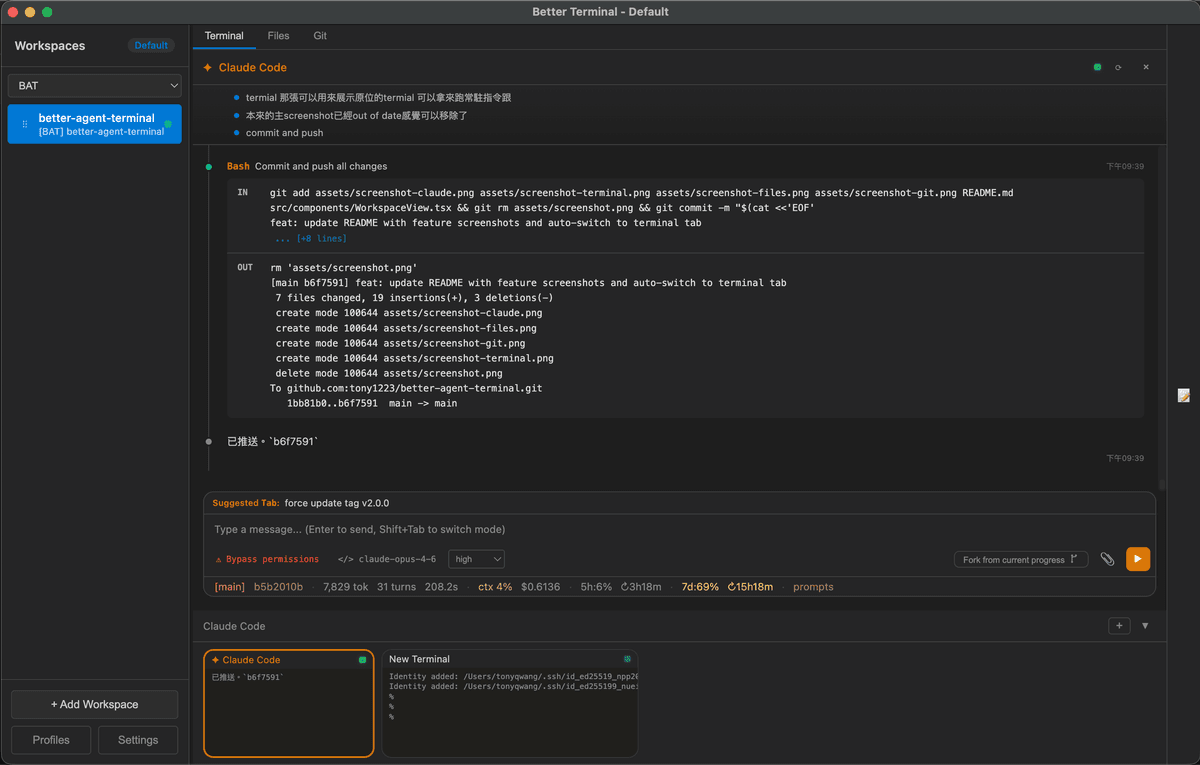
Claude Code Agent Panel — Built-in AI agent with permission controls, status line, and streaming output
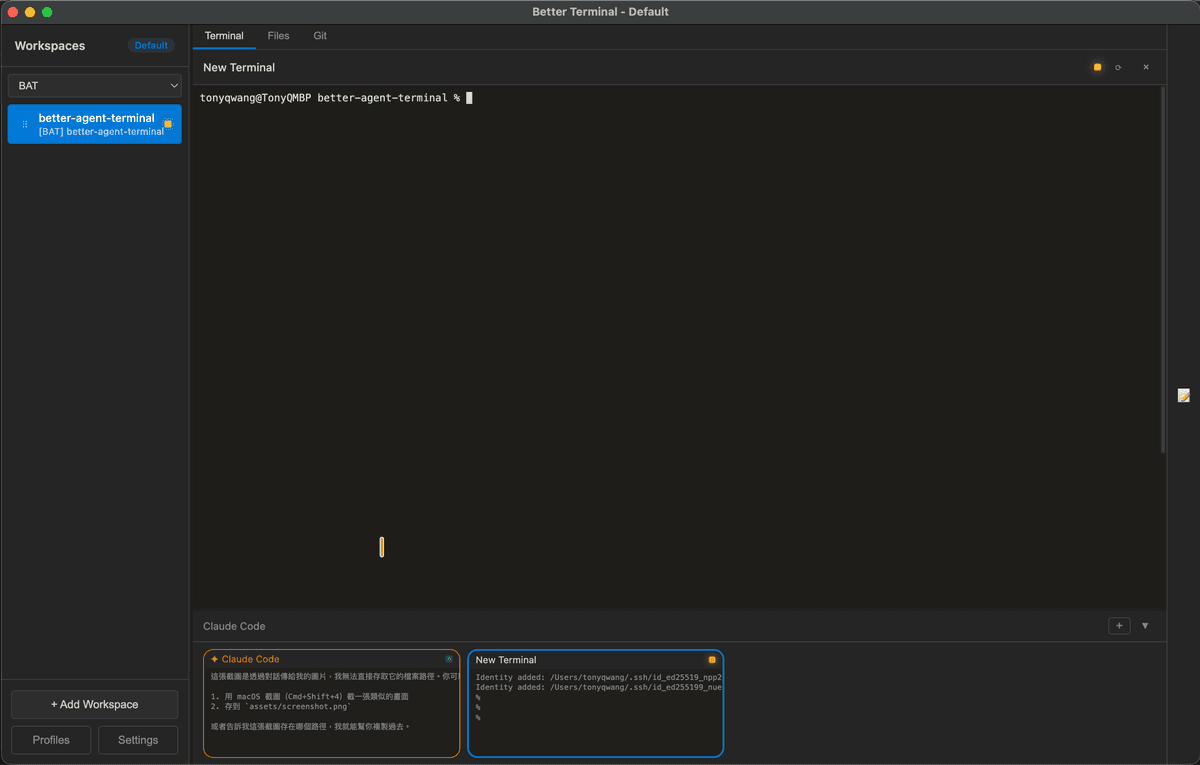
Terminal — Run persistent terminals alongside your agent for long-running commands and monitoring
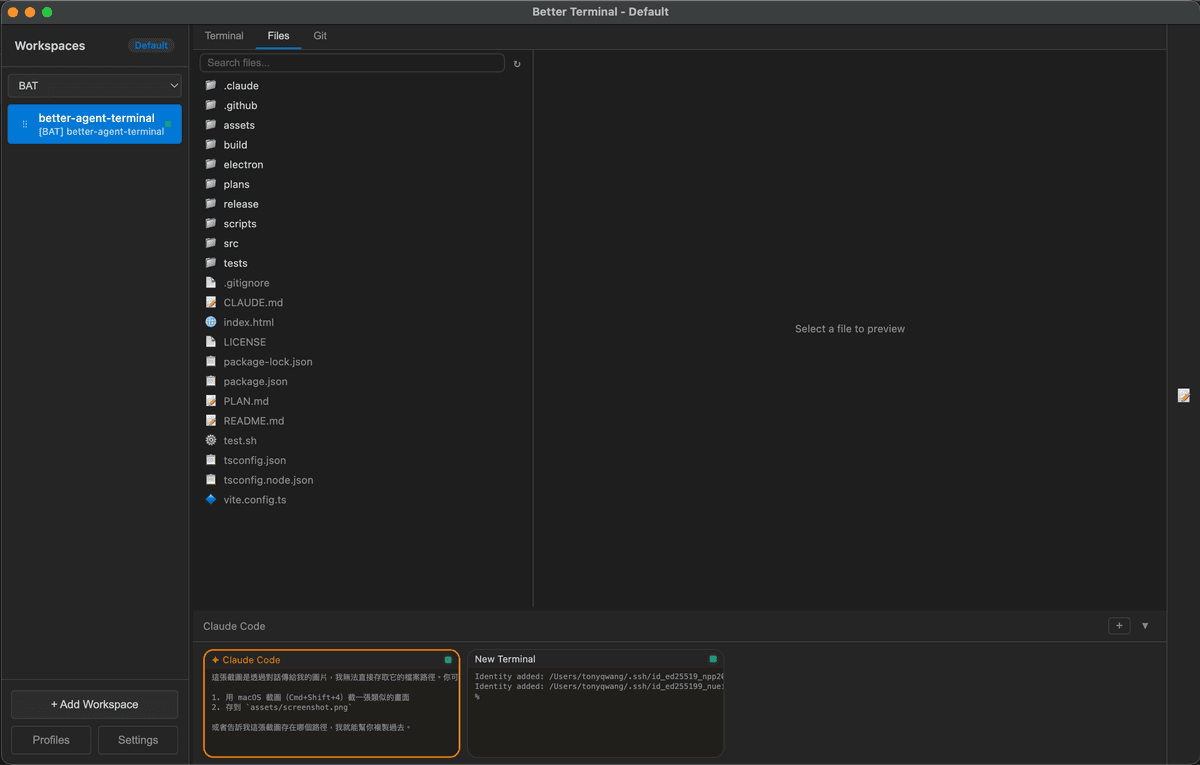
File Browser — Browse and preview project files without leaving the app
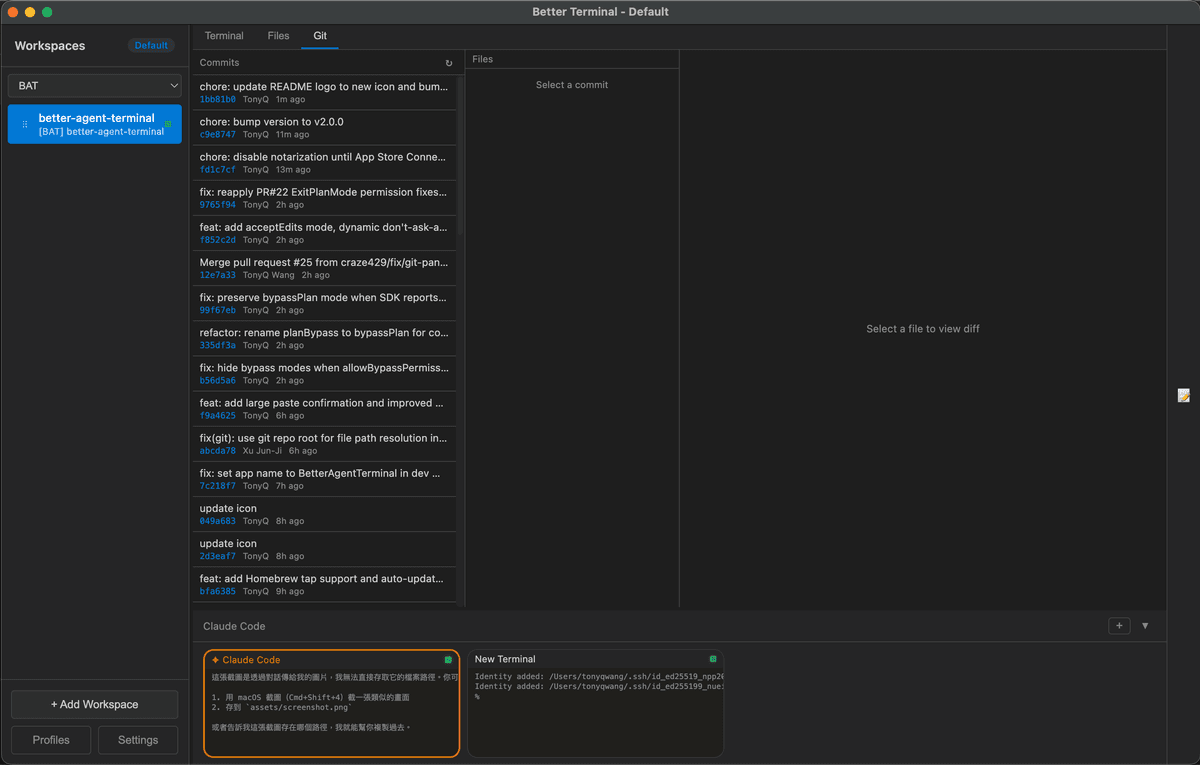
Git Viewer — View commit history and diffs at a glance
.md files in a dedicated right sidebar panel with live file watching and right-click context menuA configurable status bar at the bottom of the agent panel, with 15 items across three zones (left / center / right):
| Item | Description |
|---|---|
| Session ID | First 8 chars of SDK session ID (click to resume a past session) |
| Git Branch | Current git branch name |
| Tokens | Total input + output token count (click for context breakdown) |
| Turns | Number of conversation turns |
| Duration | Session duration |
| Context % | Percentage of context window used (color-coded) |
| Cost | Total session cost in USD |
| Workspace | Current workspace name |
| 5h Usage / Reset | 5-hour API rate limit usage and reset countdown |
| 7d Usage / Reset | 7-day API rate limit usage and reset countdown |
| Max Output | Maximum output tokens for current model |
| Cache Eff. | Cache read efficiency percentage (click for cache history with per-turn cost breakdown) |
| Prompts | Link to view prompt history |
Items can be reordered, colored, and toggled on/off via a drag-and-drop template editor in Settings.
/switch to manage and switch between multiple Claude accountsOptional alternate agent backend powered by @openai/codex-sdk. Pick Codex Agent (or Codex Agent (worktree)) from the agent preset list when creating a terminal.
read-only, workspace-write, or danger-full-accessuntrusted, on-request, or never (auto)~/.codex/sessions/ are auto-indexed; resume hits a local cache so re-opening a thread is fast even with months of historyplan items render as approvable blocks in the panelOptional integration with cx — a tree-sitter-based CLI that gives agents file overviews, symbol search, definitions, and references without spinning up a language server. Useful for cutting context tokens on large codebases: agents can run cx overview (~20 tokens) before deciding which files to actually read.
When enabled in Settings → Agents → cx semantic navigation, BAT:
cx on PATH (or uses a custom binary path)cx overview / symbols / definition / references over full file readsCX_CACHE_DIR to a per-app cache directory so repeated queries are fastInstall:
| Platform | Command |
|---|---|
| macOS (Homebrew) | brew tap ind-igo/cx && brew install cx |
| Cargo | cargo install cx-cli |
| macOS / Linux (script) | curl -sL https://raw.githubusercontent.com/ind-igo/cx/master/install.sh | sh |
| Windows (PowerShell) | irm https://raw.githubusercontent.com/ind-igo/cx/master/install.ps1 | iex |
After installing, run cx lang add <language> for each language you want grammars for (e.g. rust, typescript, python), then toggle the option in BAT settings. The toggle is off by default — agents continue to work normally without cx installed.
| Shortcut | Action |
|---|---|
Ctrl+` (Windows) | Switch to the next BAT window |
Cmd+` (macOS) / Ctrl+` (Linux) | Toggle between Agent terminal and first regular terminal |
Ctrl+←/→ / Cmd+←/→ | Cycle workspace tabs (Terminal / Files / Git) |
Ctrl+↑/↓ / Cmd+↑/↓ | Switch to previous / next workspace |
Ctrl+P / Cmd+P | File picker (search & attach files to agent context) |
Ctrl+N / Cmd+N | Open new window |
Ctrl+Shift+T / Cmd+T | Open the new-terminal quick-pick (choose Shell, Worktree, Claude / Codex agent…) |
Ctrl+Shift+W / Cmd+Shift+W | Close the focused terminal |
Shift+Tab | Switch between Terminal and Agent mode |
Enter | Send message |
Shift+Enter | Insert newline (multiline input) |
Escape | Stop streaming / close modal |
Ctrl+Shift+C | Copy selected text |
Ctrl+Shift+V | Paste from clipboard |
Right-click | Copy (if text selected) or Paste |
| Command | Description |
|---|---|
/resume | Resume a previous Claude session from history |
/model | Switch between available Claude models |
/new / /clear | Reset session (clear conversation, fresh start) |
/abort | Stop the current agent session immediately |
/snippet | Show snippets to Claude for management |
/switch | Switch between Claude accounts |
/login | Sign in to Claude (switch account) |
/logout | Sign out of Claude |
/whoami | Show current account info and usage |
/auto-continue / /ac | Auto-resend a prompt when the agent stops — see Auto-Continue |
Some tasks are too long to finish in a single turn — the agent stops mid-plan, or pauses waiting for the user to say "keep going". /auto-continue (alias /ac) tells the host to re-send a prompt automatically when the turn ends, up to N times.
Syntax (typed into the agent input box):
/auto-continue                  # enable, max 3, prompt="繼續"
/auto-continue 5                # enable, max 5, prompt="繼續"
/auto-continue 繼續做完         # enable, max 3, custom prompt
/auto-continue 10 keep going    # enable, max 10, custom prompt
/ac 5                           # short alias
/auto-continue off              # disable (also: /ac stop)
Behavior
0 every time you manually send a new message — your own input always restarts the budget.subtype=success; errors, abort, max-turns, or rate-limit halts stop auto-continue.<prompt> [auto N/max] in the message list so you can tell the agent didn't type that./abort and manual session stop clear the auto-continue state.Tips
/auto-continue 5 請依照 plan 的 step 繼續,做完一步就停下 instead of just 繼續 — the agent behaves more predictably.max (3–5) the first time you try it on a new task, then raise it once you trust the loop./ac off before a long lunch break — auto-continue will happily burn credits while you're away.brew install --cask tonyq-org/tap/better-agent-terminal
choco install better-agent-terminal
Package is currently pending review on Chocolatey.org.
Download from Releases for your platform:
| Platform | Format | Architectures |
|---|---|---|
| Windows | NSIS installer, .zip | x86_64 |
| macOS | .dmg | Apple Silicon (arm64) & Intel (x86_64) |
| Linux | .AppImage | x86_64 & arm64/aarch64 |
The x86_64 AppImage keeps its historical name (BetterAgentTerminal-<version>.AppImage); the arm64 build is published as BetterAgentTerminal-<version>-arm64.AppImage. The install script picks the right one automatically.
Headless / remote server (e.g. ARM cloud hosts):
The same AppImage doubles as a headless remote server — handy for an arm64 cloud box you drive from a mobile/remote client:
# arm64 host
./BetterAgentTerminal-<version>-arm64.AppImage --bat-server --help
Since it is a WebKitGTK app, on a box with no display server, run it under a virtual display:
xvfb-run -a ./BetterAgentTerminal-<version>-arm64.AppImage --bat-server
macOS DMG installation:
.dmg file from Releases.dmg to mount itnpm install -g @anthropic-ai/claude-code if you prefer to use a system-wide CLI; BAT will pick the global one when present.)Prerequisites:
/login inside the app, or pre-authenticate the Claude Code CLI — the binary is bundled, no separate global install required)git clone https://github.com/tony1223/better-agent-terminal.git
cd better-agent-terminal
corepack enable
pnpm install
Development mode:
pnpm run dev
Build for production:
pnpm run build
For an unsigned local installer/package check, use:
pnpm run tauri:build:debug
Run the following command in your terminal (macOS, Linux, or Windows with Git Bash/MSYS2):
curl -fsSL https://raw.githubusercontent.com/tony1223/better-agent-terminal/main/install.sh | bash
This script will detect your OS and install the application to the standard location.
Native dependencies (node-pty, better-sqlite3) require Xcode Command Line Tools:
xcode-select --install
Then:
corepack enable
pnpm install
pnpm run dev      # Development
pnpm run build    # Build signed/release package when signing env is configured
pnpm run tauri:build:debug  # Local unsigned package
better-agent-terminal/
├── renderer/                          # React renderer running inside the Tauri webview
│   └── src/
│       ├── App.tsx                    # Root component, layout, profile orchestration
│       ├── components/                # Workspace, terminal, agent, file, git, settings UI
│       ├── stores/                    # Renderer state stores
│       ├── locales/                   # EN / zh-TW / zh-CN translations
│       ├── types/                     # Shared renderer/domain TypeScript types
│       ├── host-api.ts                # Tauri host adapter used by renderer code
│       └── styles/                    # Component-specific styles
├── src-tauri/                         # Tauri host runtime (Rust)
│   ├── src/                           # Commands, PTY, profiles, remote server, sidecar bridge
│   ├── capabilities/                  # Tauri IPC capability declarations
│   ├── windows/                       # Windows installer hooks
│   └── tauri.conf.json                # Tauri app and bundle configuration
├── node-sidecar/                      # Bundled Node sidecar for SDK/runtime pieces not yet native Rust
├── assets/                            # App icons and screenshots
├── scripts/
│   └── build-version.js               # Version string generator
└── package.json
@anthropic-ai/claude-agent-sdk + bundled @anthropic-ai/claude-code binary (Claude); @openai/codex-sdk (Codex Agent)BAT includes a built-in WebSocket server that allows other BAT instances or mobile devices to connect and control it remotely. This feature is currently experimental.
On the client BAT instance:
On the host BAT instance:
If the host and client are not on the same local network (e.g., connecting from home to an office machine), we recommend using Tailscale to establish a secure peer-to-peer VPN:
100.x.x.x IP addressInstallation:
| Platform | Install |
|---|---|
| macOS | Download or brew install tailscale |
| Windows | Download |
| iOS | App Store |
| Android | Google Play |
| Linux | Install Guide |
After installation, sign in with the same account on all devices and they will be able to communicate. BAT's QR code will automatically use the Tailscale IP.
Warning: Enabling the Remote Server opens a WebSocket connection. Any device with the token can fully control BAT on the host machine, including executing terminal commands, accessing the file system, and controlling Claude Agent sessions.
- Do not start the server on untrusted networks
- Do not share the token with untrusted parties
- Shut down the server when not in use
- Strongly recommended to use Tailscale to avoid direct exposure to the public internet
bat-server)bat-server starts the same Tauri/Rust Remote Server without opening the GUI. It is useful for always-on hosts, SSH sessions, and container-style deployments where another BAT instance connects remotely.
pnpm run start:server -- --port=9876 --bind=localhost
Options:
| Option | Description |
|---|---|
--port=N | TCP port to listen on (default: 9876) |
--bind=localhost|tailscale|all | Bind only localhost, the first Tailscale 100.x.x.x address, or all interfaces |
--data-dir=PATH | Override the persistent state directory |
--token=HEX | Use a fixed connection token instead of the persisted/random token |
--debug | Enable debug logging |
Environment variables mirror the flags: BAT_DATA_DIR, BAT_TAURI_DATA_DIR, BAT_PORT, BAT_BIND, BAT_TOKEN, and BAT_DEBUG.
On startup, the server prints the wss:// URL, token, certificate fingerprint, data directory, and a one-shot connect URL that can be pasted into a Remote Profile.
Workspaces, settings, and session data are saved to:
| Platform | Path |
|---|---|
| Windows | %APPDATA%/better-agent-terminal/ |
| macOS | ~/Library/Application Support/better-agent-terminal/ |
| Linux | ~/.config/better-agent-terminal/ |
Set the BAT_DEBUG=1 environment variable to enable disk-based debug logging. Logs are written to debug.log in the configuration directory.
Follows semantic versioning: vMAJOR.MINOR.PATCH (e.g., v2.2.27)
Pre-release versions use the -pre.N suffix (e.g., v2.2.28-pre.1). Tags containing -pre are automatically marked as pre-release on GitHub and do not update the Homebrew tap.
Push a tag to trigger builds for all platforms:
git tag v2.2.28
git push origin v2.2.28
MIT License - see LICENSE for details.
TonyQ - @tony1223
Built with Claude Code
Manage multiple Claude Code instances in separate git worktrees simultaneously
⚠️ Experimentelle Skill-Sammlung für deutsches Recht (Arbeits-, Gesellschafts-, Insolvenz-, Datenschutz-, Prozessrecht u
Manage multiple Claude Code agents from TUI or Web with tmux and git worktrees
Project management using GitHub Issues + Git worktrees for parallel agent execution