

Are you the author? Sign in to claim
c9watch (short for claude code watch, like k8s for Kubernetes) is a macOS desktop app that gives you a real-time dashboa
Monitor and control all your Claude Code sessions — built for both humans and agents.
c9watch (short for claude code watch, like k8s for Kubernetes) gives you a real-time view of every Claude Code session running on your machine. A desktop dashboard for you, and a JSON CLI for your agents — both watching the same sessions at the same time.
You see which agent needs permission, which one is working, and which one is idle. Your agents can do the same — querying session status, searching past work, and coordinating with each other — all through the same tool.
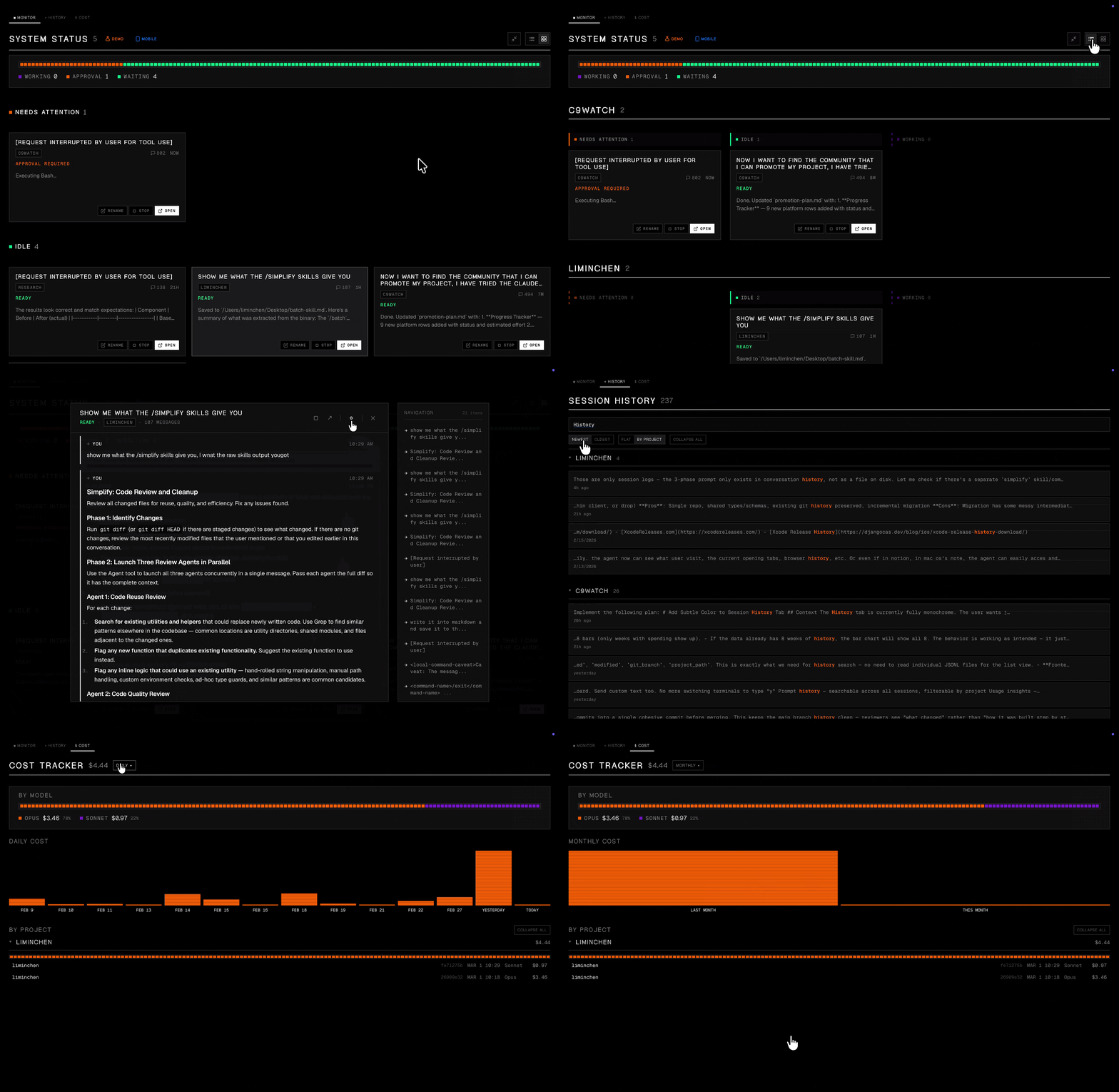
Unlike other Claude Code management tools that require you to launch sessions from within their app, c9watch doesn't care where you start your sessions. It discovers them automatically by scanning running processes at the OS level.
Start Claude Code from any terminal or IDE you already use -- VS Code, Zed, iTerm2, Antigravity, you name it -- and c9watch picks them all up. No plugins to install. No workflows to change. No vendor lock-in.
Just open c9watch and see everything.
Built with Tauri, Rust, and Svelte -- not Electron. The app binary is small, memory usage is minimal, and the UI stays snappy. Rust handles process scanning and file parsing at native speed. Svelte compiles away the framework overhead. You're already running multiple Claude Code agents eating up resources -- your monitoring tool shouldn't add to the pile.
curl -fsSL https://raw.githubusercontent.com/minchenlee/c9watch/main/install.sh | bash
This installs the app to /Applications and symlinks the CLI to ~/.local/bin/c9watch, so both the GUI and c9watch list, c9watch view, etc. work out of the box.
Or grab the latest .dmg from the Releases page (you'll need to symlink the CLI manually: ln -s /Applications/c9watch.app/Contents/MacOS/c9watch ~/.local/bin/c9watch).
curl -fsSL https://raw.githubusercontent.com/minchenlee/c9watch/main/install-cli.sh | bash
Installs to ~/.local/bin by default. Use | bash -s -- --global to install to /usr/local/bin instead.
Prerequisites: Rust, Node.js (v18+), and the Tauri CLI.
git clone https://github.com/minchenlee/c9watch.git
cd c9watch
npm install
npm run tauri build       # Desktop app → src-tauri/target/release/bundle/macos/
To build just the CLI (no Node.js or Tauri CLI needed):
cd src-tauri
cargo build --release --no-default-features --features cli
# Binary → target/release/c9watch
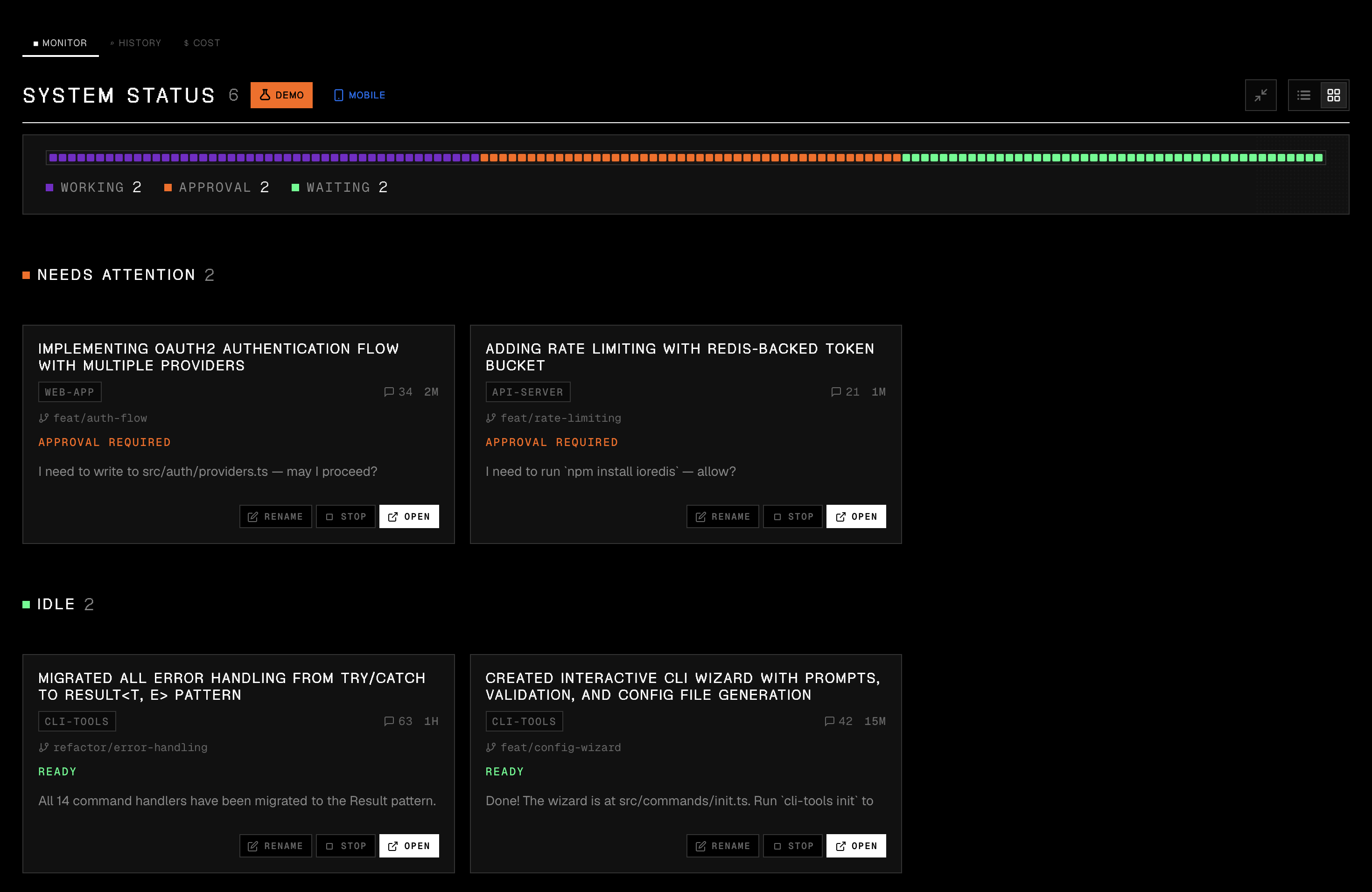
Sessions grouped by status. Permission requests surface to the top so you never leave an agent stuck waiting.
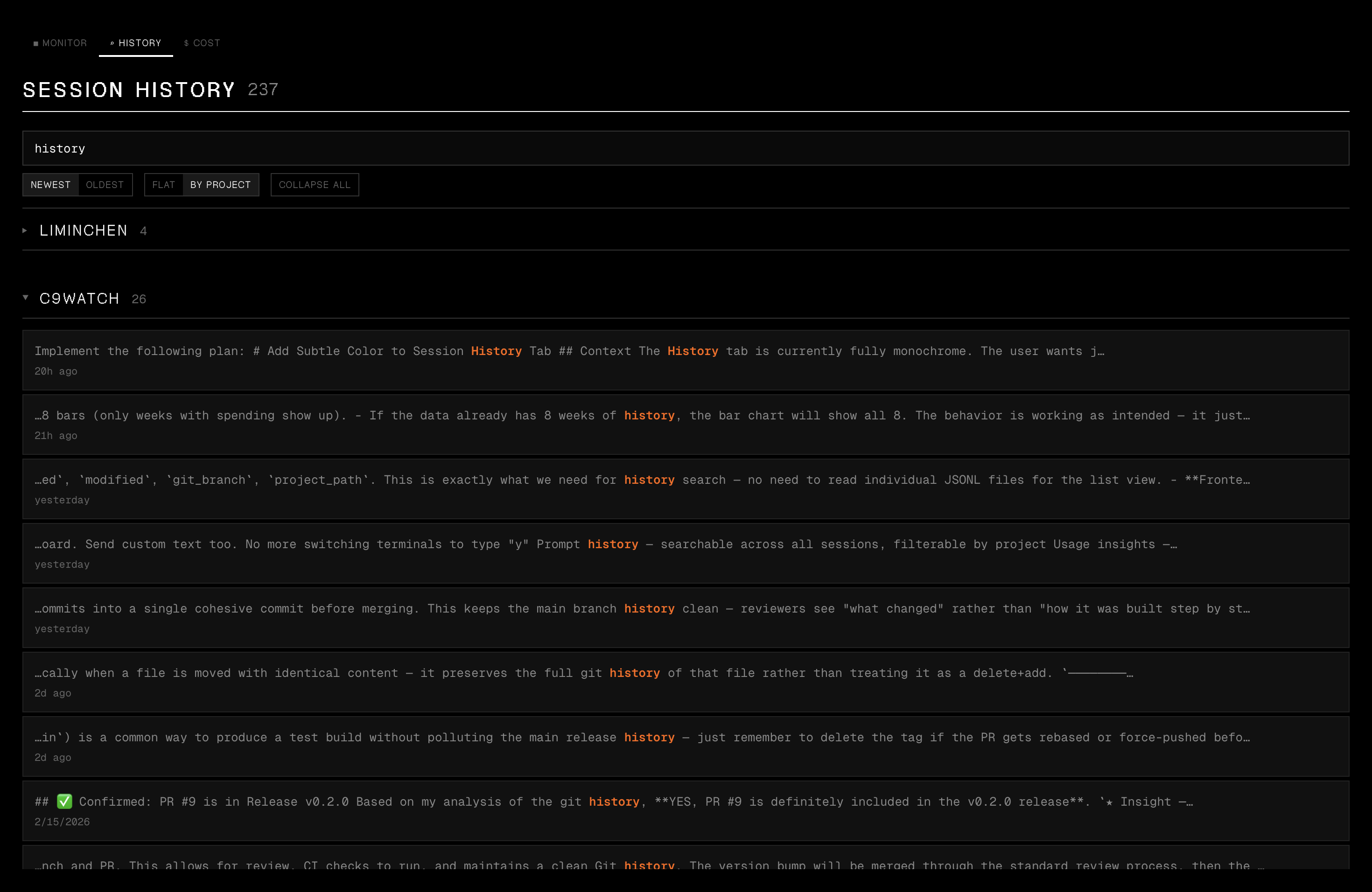
Search all past sessions with instant metadata filter and deep content search. Click a result to view the full conversation.
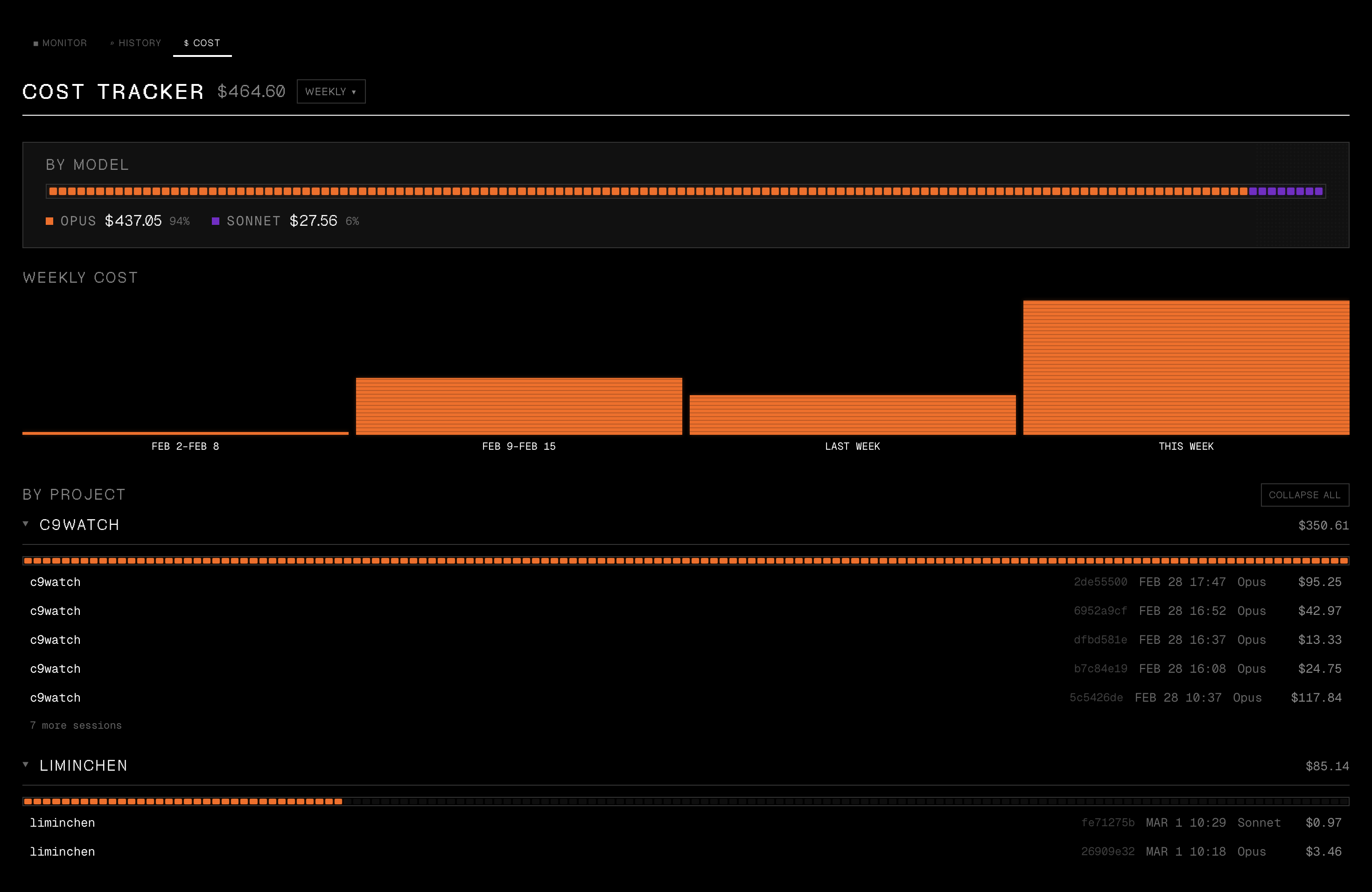
Daily, per-project, and per-model spending breakdowns across all your Claude Code sessions.
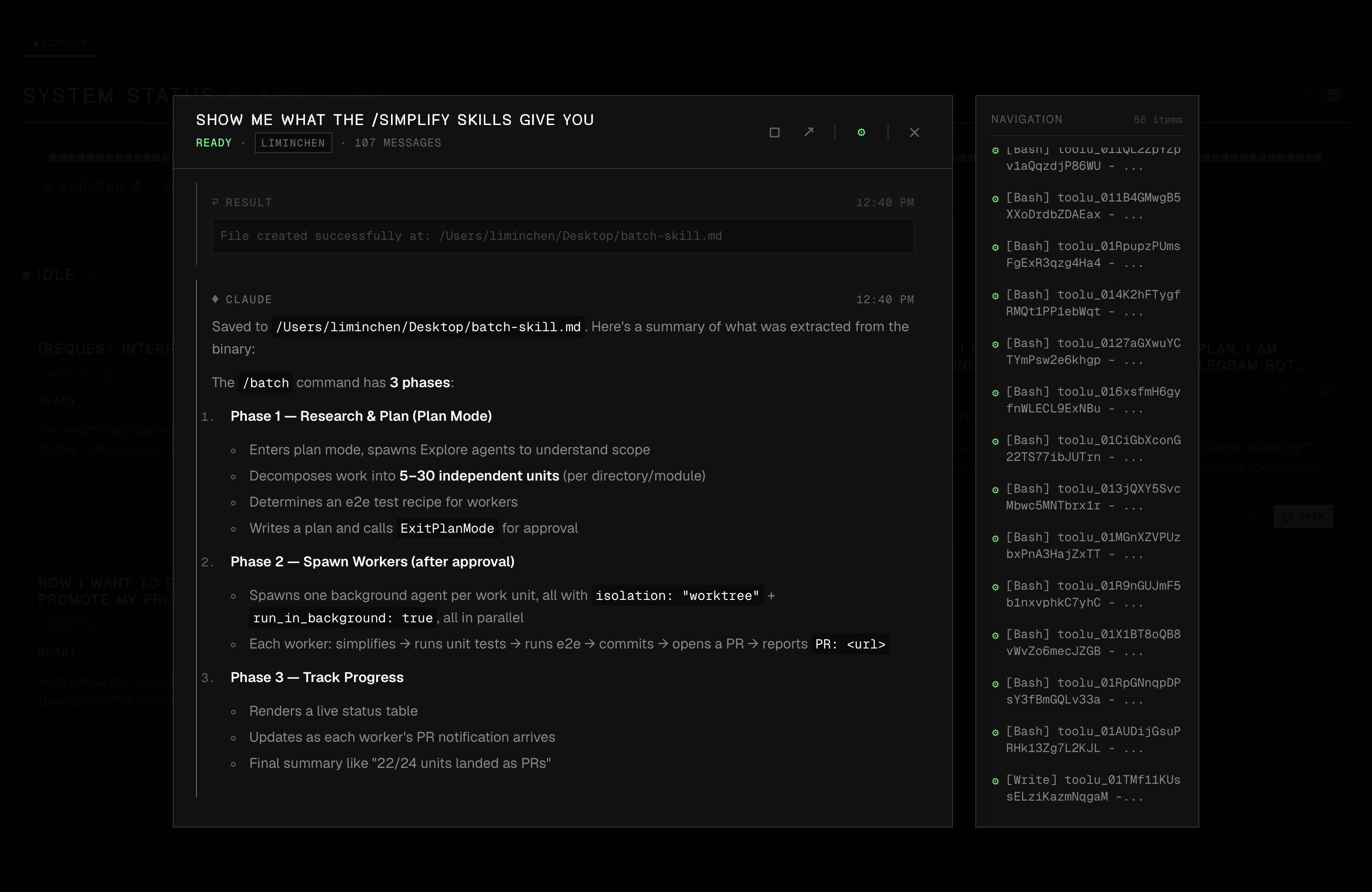
Expand any session to see the full conversation with formatted markdown, code blocks, inline images, and a navigation sidebar.
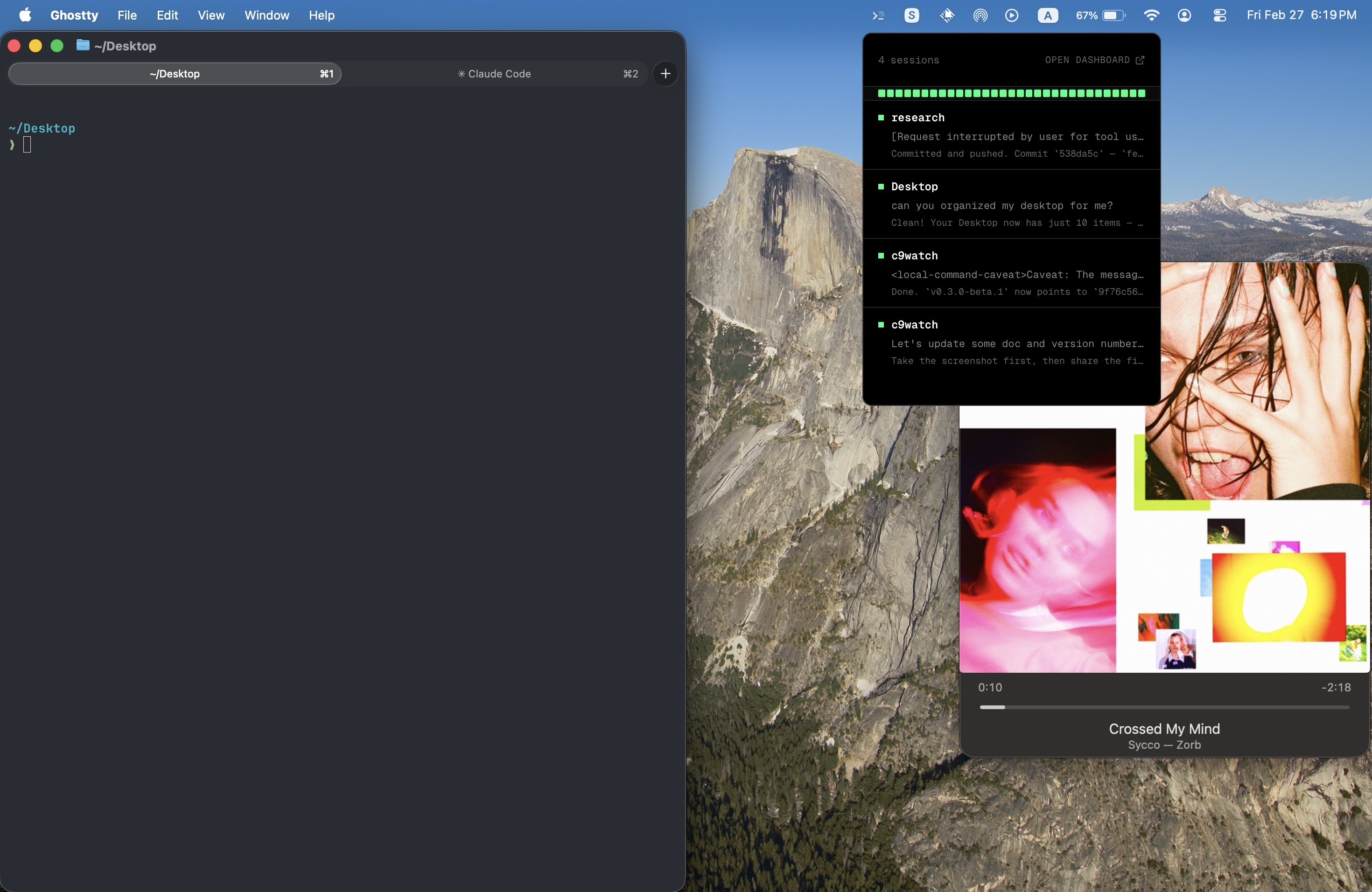
A quick-glance overlay showing all active sessions and their status directly from the menu bar.
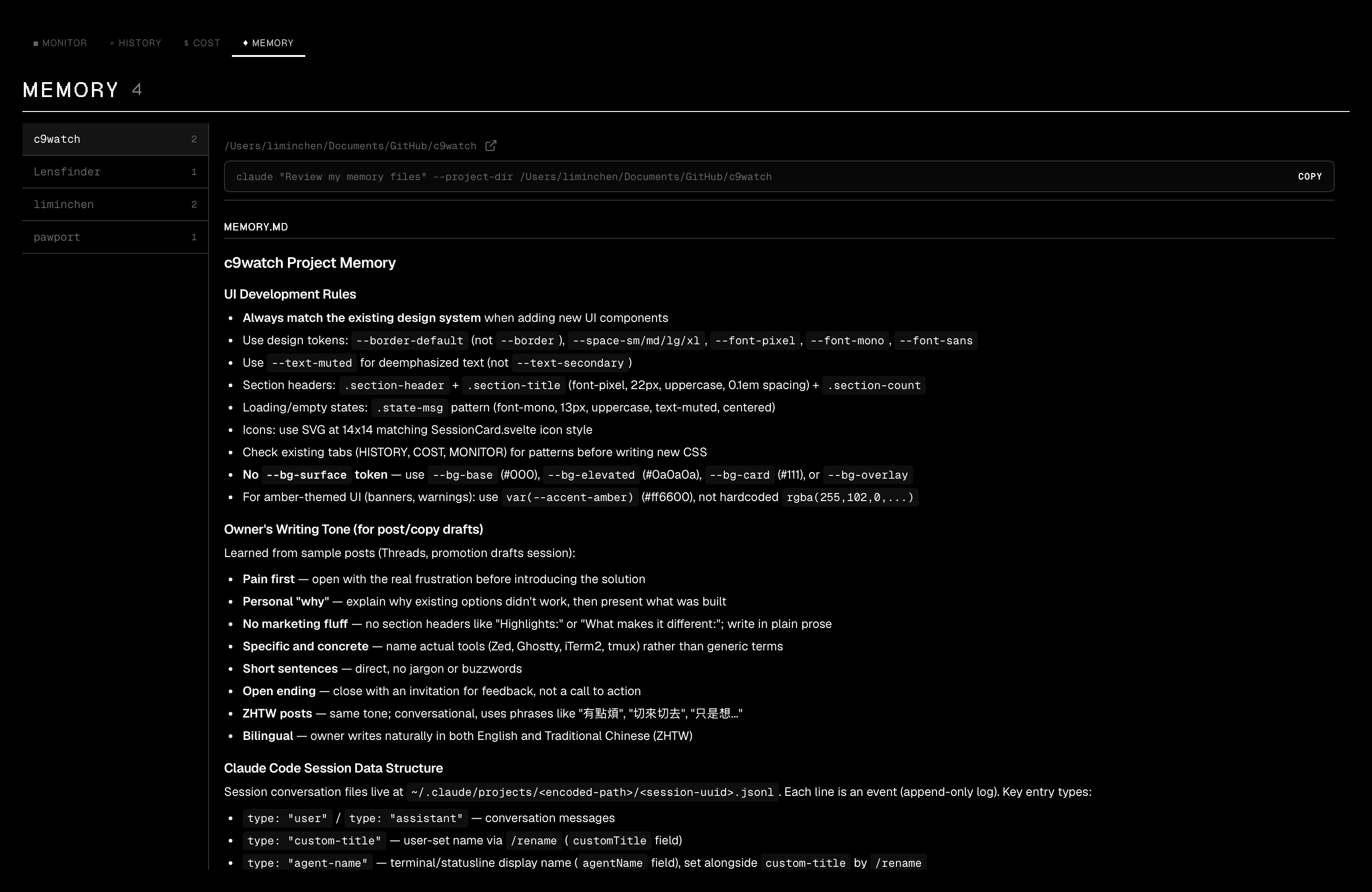
View and inspect all Claude Code memory files in a two-panel layout with quick access to Claude commands.
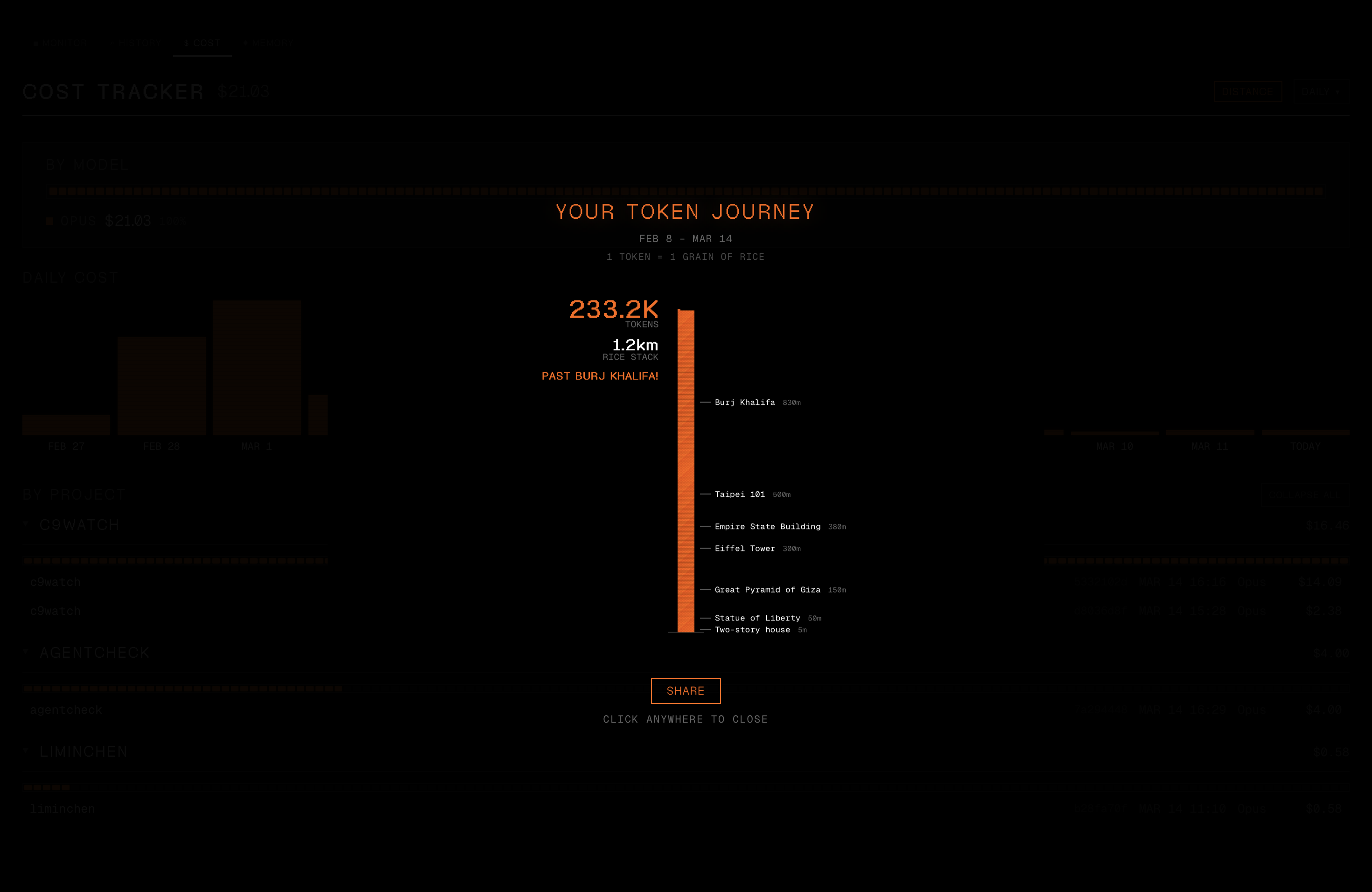
See your total token usage as a rice stack towering past real-world landmarks. Share the result as an Instagram-ready PNG.
The same c9watch binary doubles as a CLI for scriptable session management. All output is JSON, designed for piping into jq or consumption by other coding agents.
# List active sessions
c9watch list
c9watch list --project myapp --status Working --compact

# Aggregate status summary
c9watch status

# View a conversation (prefix matching works)
c9watch view abc123 --last 5 --pretty

# Browse and search history
c9watch history -n 20
c9watch search "fix the auth bug" --project myapp

# Identify the calling agent's own session
c9watch self

# Stop a session
c9watch stop 12345

# Watch for status changes (NDJSON stream)
c9watch watch --interval 2 --compact --changes-only

# View tasks/todos for a session
c9watch tasks abc123

# Cost breakdown, including per-session lookup
c9watch cost --daily
c9watch cost --session abc12345 --pretty
c9watch cost --session-prefix abc

# PM orchestration (opt-in — see note below): spawn and manage child workers
c9watch spawn --name my-worker --cwd ../my-worktree --append-system-prompt "..."
c9watch send <session-id> --message "do this task"
c9watch workers
c9watch inbox --pretty
PM orchestration is disabled by default. Claude Code and Codex now provide native agent spawning, so c9watch's own PM/worker orchestration is opt-in. The
spawn,send,workers,inbox, andadoptsubcommands (and their dashboard affordances) are hidden in normal builds. Build with the Cargo feature to enable them:hljs language-bashcargo build --release --no-default-features --features cli,pm-orchestrationTo also surface the WORKER/PM badges and Workers panel in the dashboard, set
PM_ORCHESTRATION_ENABLED = trueinsrc/lib/feature-flags.tsbefore building the GUI.
Use --pretty on any command for human-readable JSON. The watch command streams newline-delimited JSON events (started, status_changed, stopped) for real-time monitoring.
c9watch ships with a Claude Code skill that teaches Claude how to use the CLI. Install it to let Claude Code monitor sibling sessions, search past work, and coordinate with other agents:
ln -s /path/to/c9watch/skills/c9watch-cli ~/.claude/skills/c9watch-cli
See SKILLS.md for more install options.
c9watch list, view, history, search, stop, watch, cost commands for scriptable session management and agent-to-agent monitoringc9watch spawn, send, workers, adopt, inbox, tasks. WORKER and PM badges on session cards and a Workers panel in the overlay. Now that Claude Code and Codex spawn agents natively, this is opt-in: build the CLI with --features cli,pm-orchestration and set PM_ORCHESTRATION_ENABLED = true in src/lib/feature-flags.ts for the dashboard. Workers run as claude --bg background-pinned sessions, billed against your Pro/Max chat quota (not the separate Agent SDK credit pool that took effect 2026-06-15), falling back to legacy --print mode on older CC.Cmd+Shift+D) for troubleshooting session detection issuesLive monitoring -- A background thread polls every 2 seconds, scanning for running claude processes using sysinfo. Each process is matched to its session file in ~/.claude/projects/ via path encoding and timestamp correlation. The last N entries of each session's JSONL file are parsed to determine status:
Status updates are pushed to the Svelte frontend via Tauri events. The UI reactively updates, sorting sessions by priority (permission requests surface first).
Session history -- Reads ~/.claude/history.jsonl for the session index, then scans individual JSONL files across all project directories for deep content search. Results link back to the full conversation viewer with scroll-to-match highlighting.
Cost tracking -- Parses assistant message metadata from JSONL files to extract model usage and token counts. Costs are computed using per-model pricing tables and cached by file mtime to avoid re-scanning unchanged sessions.
| Layer | Technology |
|---|---|
| Desktop framework | Tauri 2 |
| Frontend | SvelteKit + Svelte 5 |
| Backend | Rust |
| Process discovery | sysinfo |
| Design system | Vercel Noir (true black, Geist fonts) |
npm install
npm run tauri dev
This starts both the Vite dev server (hot-reload for the frontend) and the Tauri Rust backend.
c9watch/
├── src/                        # SvelteKit frontend
│   ├── routes/
│   │   ├── (app)/              # Main dashboard (monitor, history, cost tabs)
│   │   └── popover/            # Tray popover window
│   ├── lib/
│   │   ├── components/         # Svelte components
│   │   │   ├── SessionCard     # Live session cards with status
│   │   │   ├── SessionHistory  # History browser with search
│   │   │   ├── CostTracker     # Spending dashboard
│   │   │   ├── MessageBubble   # Conversation message rendering
│   │   │   └── ...             # Overlays, nav map, status bar, etc.
│   │   ├── stores/             # Reactive state management
│   │   ├── demo/               # Demo mode with mock data
│   │   ├── api.ts              # Tauri command wrappers
│   │   └── types.ts            # TypeScript type definitions
│   └── app.css                 # Global styles (Vercel Noir theme)
├── src-tauri/                  # Rust backend (Tauri)
│   └── src/
│       ├── lib.rs              # App setup, tray icon, NSPanel popover
│       ├── polling.rs          # Background session detection loop
│       ├── actions.rs          # Stop/open session, IDE detection
│       ├── web_server.rs       # WebSocket server for mobile clients
│       ├── auth.rs             # Token generation, local IP discovery
│       └── session/
│           ├── parser.rs       # JSONL file parsing and message extraction
│           ├── detector.rs     # Process-to-session matching
│           ├── status.rs       # Status determination from JSONL entries
│           ├── history.rs      # Session history index and deep search
│           ├── cost.rs         # Cost aggregation with mtime caching
│           ├── enrichment.rs   # Session metadata enrichment (titles, first prompt)
│           ├── conversation.rs # Conversation loading and rendering
│           ├── sanitize.rs     # Strip internal XML tags from messages
│           ├── permissions.rs  # Auto-approval rule checking
│           └── custom_names.rs # User-defined session titles
Press Cmd+D to toggle demo mode, which loads simulated sessions with animated status transitions. Useful for testing the UI without running real Claude Code sessions.
Contributions are welcome! Please read CONTRIBUTING.md for guidelines on:
Thanks to these wonderful people who have contributed to c9watch:
 Min-Chen Lee 💻 📖 🎨 |  Ray Lee 💻 📦 |  Grimmer Kang 💻 |  Stanimir 💻 |  josh.dev 💻 |  Max Harris 💻 |  Vladan 💻 |
 Alex Jones-Wolsey 💻 |  Jeff Carey 💻 |
See CONTRIBUTORS.md for the full list and contribution details.
MIT
1000+ skills curated from Anthropic, Vercel, Stripe, and other engineering teams
Design enforcement with memory — keeps your UI consistent across a project
Detects 37 AI writing patterns and rewrites text with human rhythm across 5 voice profiles
WCAG accessibility audit — automated scanning, manual review, remediation