

Are you the author? Sign in to claim
CAD MCP Server
CAD-MCP is an innovative CAD control service that allows controlling CAD software for drawing operations through natural language instructions. This project combines natural language processing and CAD automation technology, enabling users to create and modify CAD drawings through simple text commands without manually operating the CAD interface.
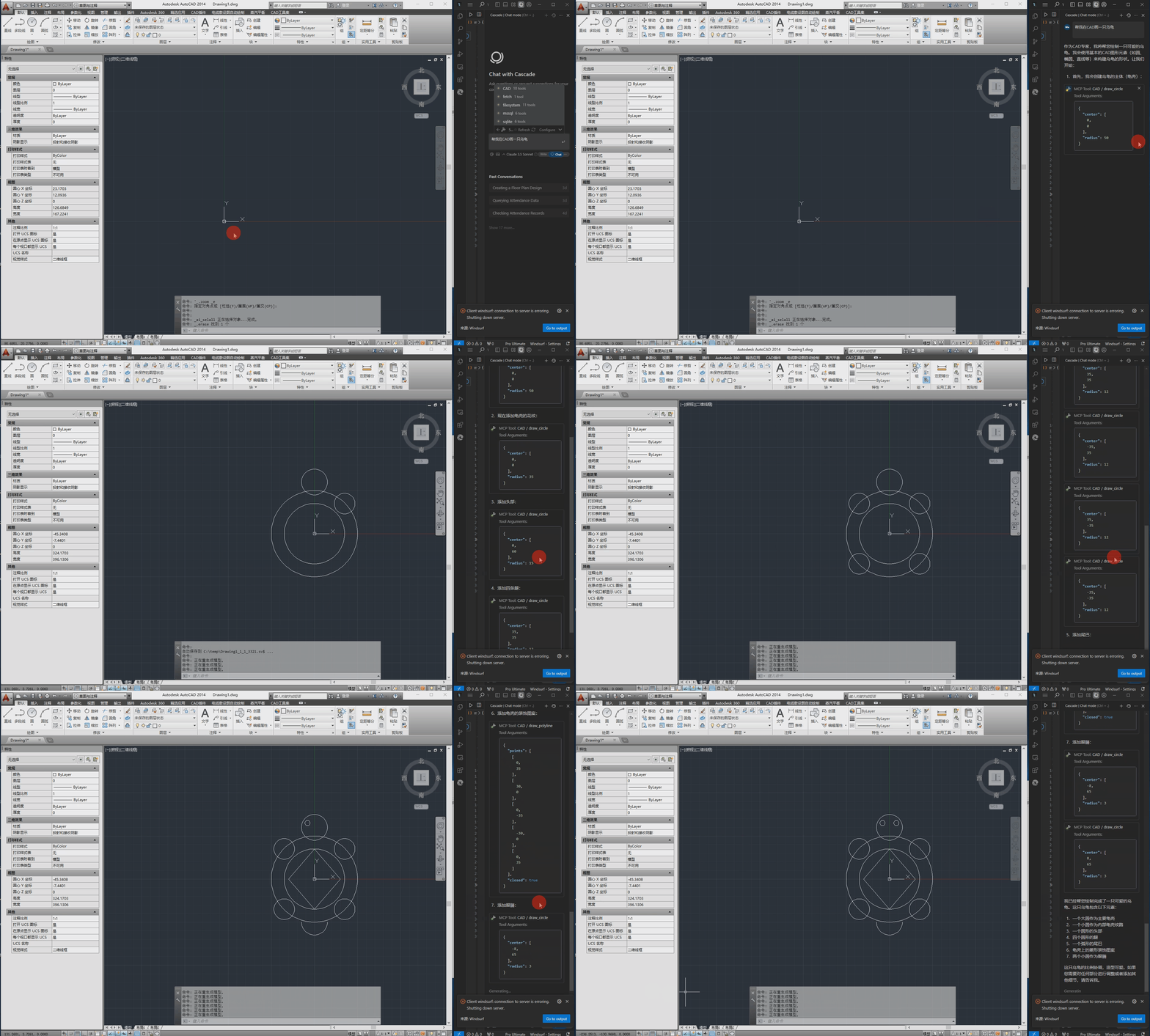
The following is the demo video.
pywin32>=228    # Windows COM interface support
mcp>=0.1.0      # Model Control Protocol library
pydantic>=2.0.0 # Data validation
typing>=3.7.4.3 # Type annotation support
The configuration file is located at src/config.json and contains the following main settings:
{
    "server": {
        "name": "CAD MCP Server",
        "version": "1.0.0"
    },
    "cad": {
        "type": "AutoCAD",
        "startup_wait_time": 20,
        "command_delay": 0.5
    },
    "output": {
        "directory": "./output",
        "default_filename": "cad_drawing.dwg"
    }
}
type: CAD software type (AutoCAD, GCAD, GstarCAD, or ZWCAD)startup_wait_time: CAD startup waiting time (seconds)command_delay: Command execution delay (seconds)python src/server.py
# add to claude_desktop_config.json. Note: use your path
{
    "mcpServers": {
        "CAD": {
            "command": "python",
            "args": [
                # your path, e.g.: "C:\\cad-mcp\\src\\server.py"
                "~/server.py"
            ]
        }
    }
}
# Add according to the following diagram Cursor MCP. Note: use your path
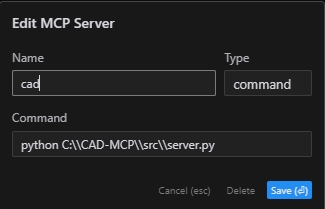
Note:The new version of cursor has also been changed to JSON configuration, please refer to the previous section
# Note: use your path
npx -y @modelcontextprotocol/inspector python C:\\cad-mcp\\src\\server.py
The server provides the following main API functions:
draw_line: Draw a linedraw_circle: Draw a circledraw_arc: Draw an arcdraw_polyline: Draw a polylinedraw_rectangle: Draw a rectangledraw_text: Add textdraw_hatch: Draw a hatch patternadd_dimension: Add linear dimensionsave_drawing: Save the drawingprocess_command: Process natural language commandsCAD-MCP/
├── imgs/ # Images and video resources
│ └── CAD-mcp.mp4 # Demo video
├── requirements.txt # Project dependencies
└── src/ # Source code
├── __init__.py # Package initialization
├── cad_controller.py # CAD controller
├── config.json # Configuration file
├── nlp_processor.py # Natural language processor
└── server.py # Server implementation
MIT License
Run Claude Code as an MCP server so any agent can delegate coding tasks to it
 @microsoft✓ Official
Browser automation using accessibility snapshots instead of screenshots
 @googleapis✓ Official
Google's universal MCP server supporting PostgreSQL, MySQL, MongoDB, Redis, and 10+ databases
 @github✓ Official
Official GitHub integration for repos, issues, PRs, and CI/CD workflows