

Are you the author? Sign in to claim
Local analytics dashboard for Claude Code. No cloud, no telemetry.
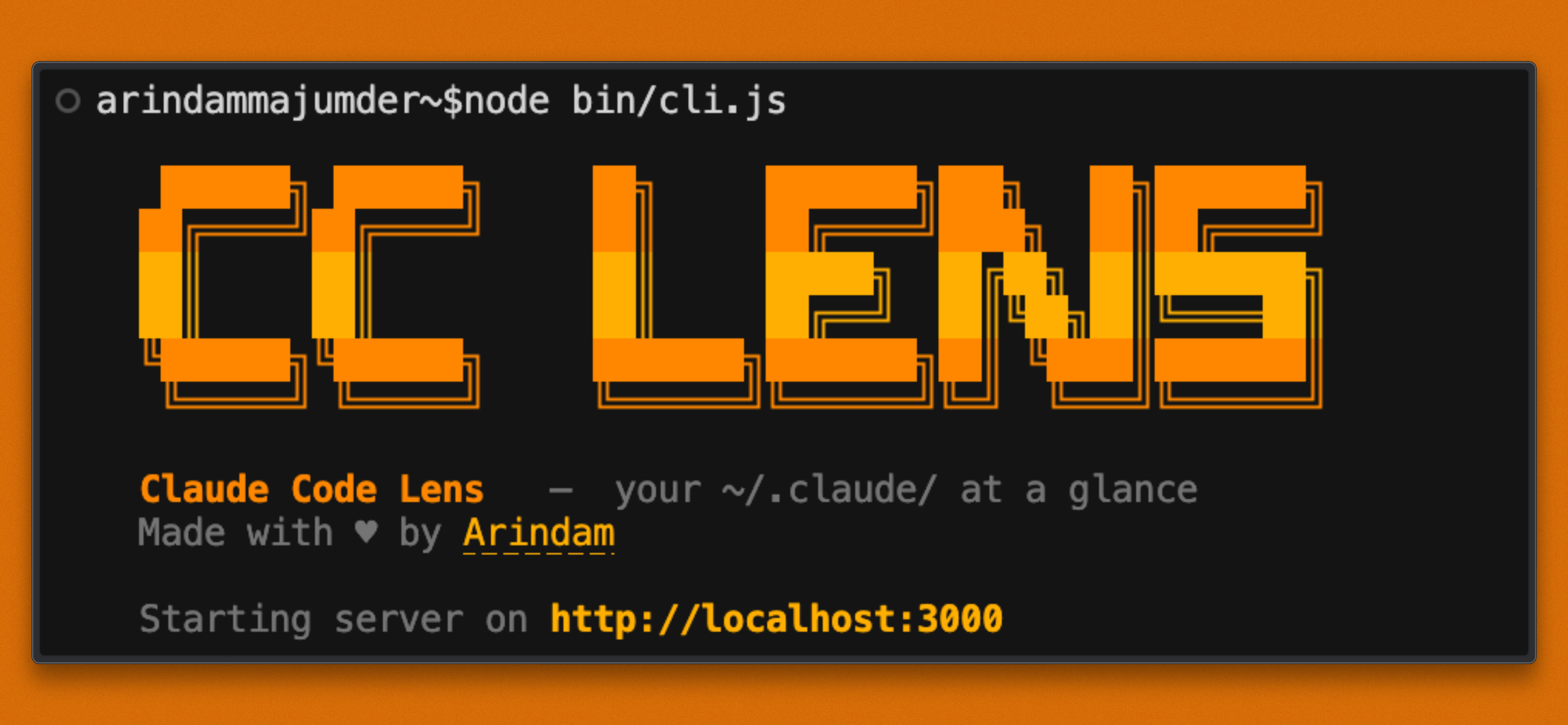
Local analytics dashboard for Claude Code. No cloud, no telemetry, no API key, just your ~/.claude/ data, visualized.
npx cc-lens
The CLI finds a free local port, starts the dashboard, and opens it in your browser.
[!NOTE] cc-lens 0.4.0 is out
Adds Insights, budgets, team adoption, terminal digest, Wrapped, and expanded project docs.
Run directly with npx:
npx cc-lens
On first run, cc-lens prepares a small runtime cache in ~/.cc-lens/. After that, launches are faster.
Overview Track sessions, messages, tokens, cost, storage, trends, models, peak hours, projects, and recent activity. | Sessions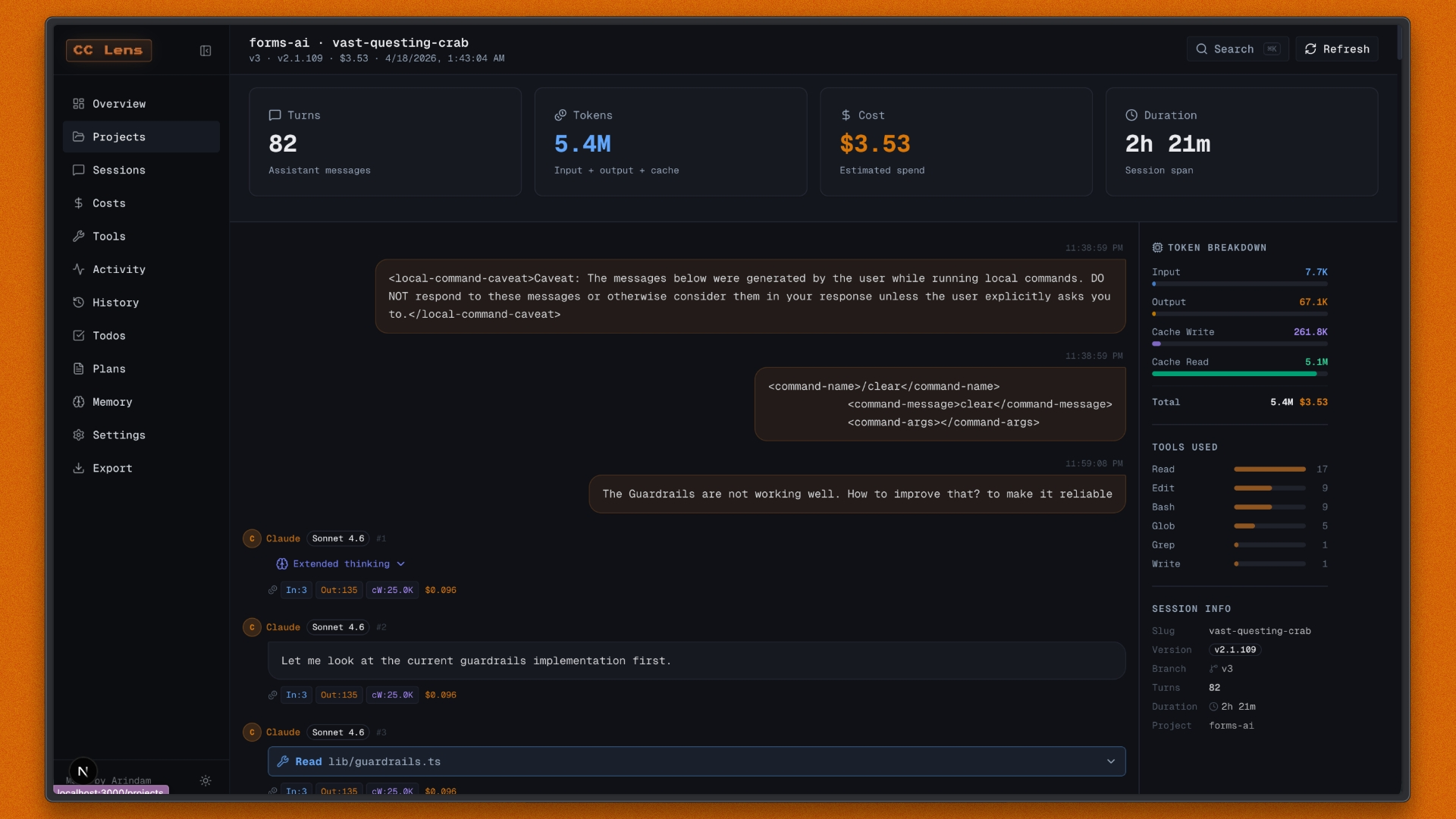 Search sessions, replay JSONL conversations, inspect Markdown replies, tool calls, costs, tokens, and compactions. |
Costs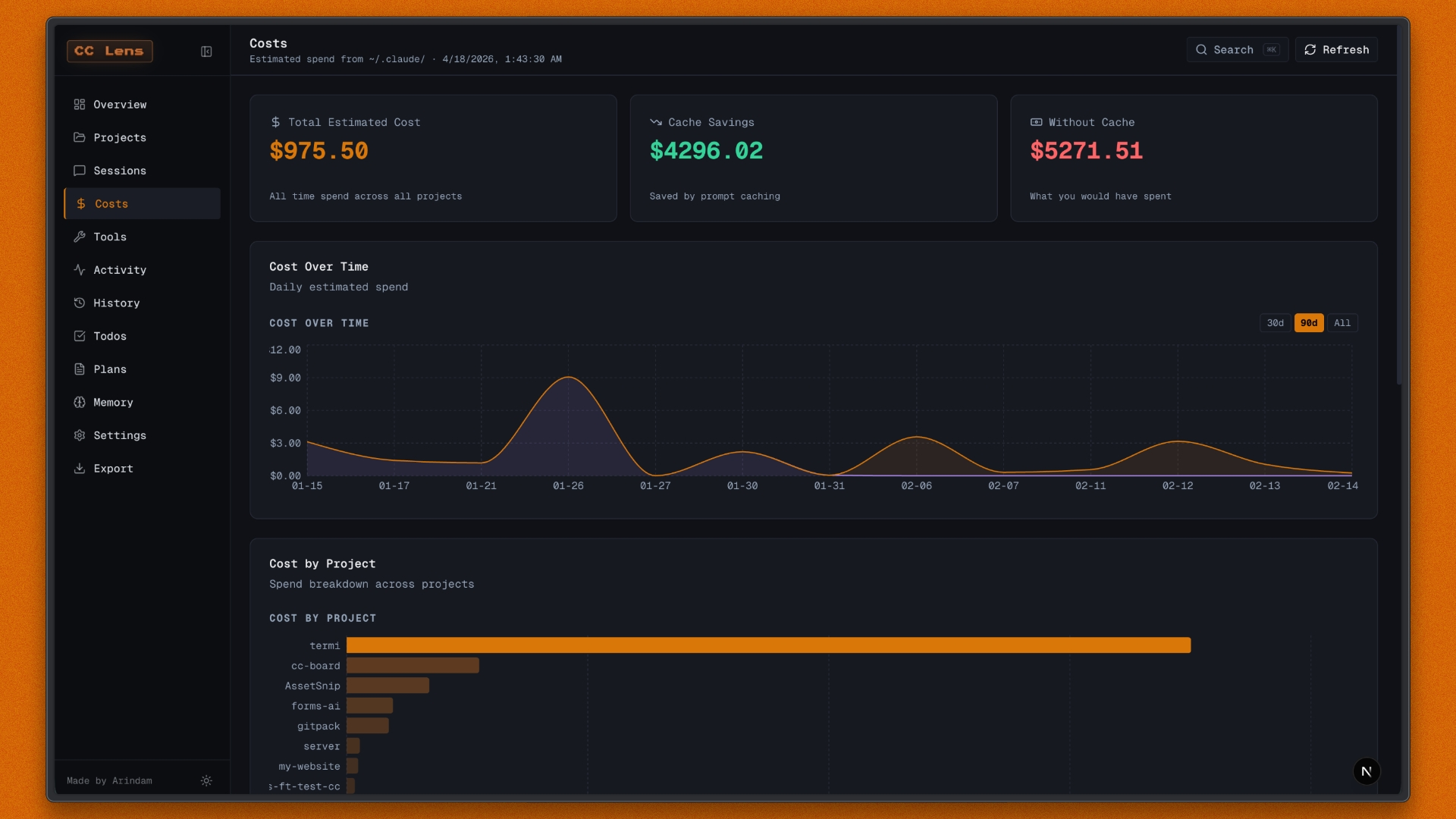 Review estimated spend, cache savings, project costs, model breakdowns, token usage, and pricing references. | Insights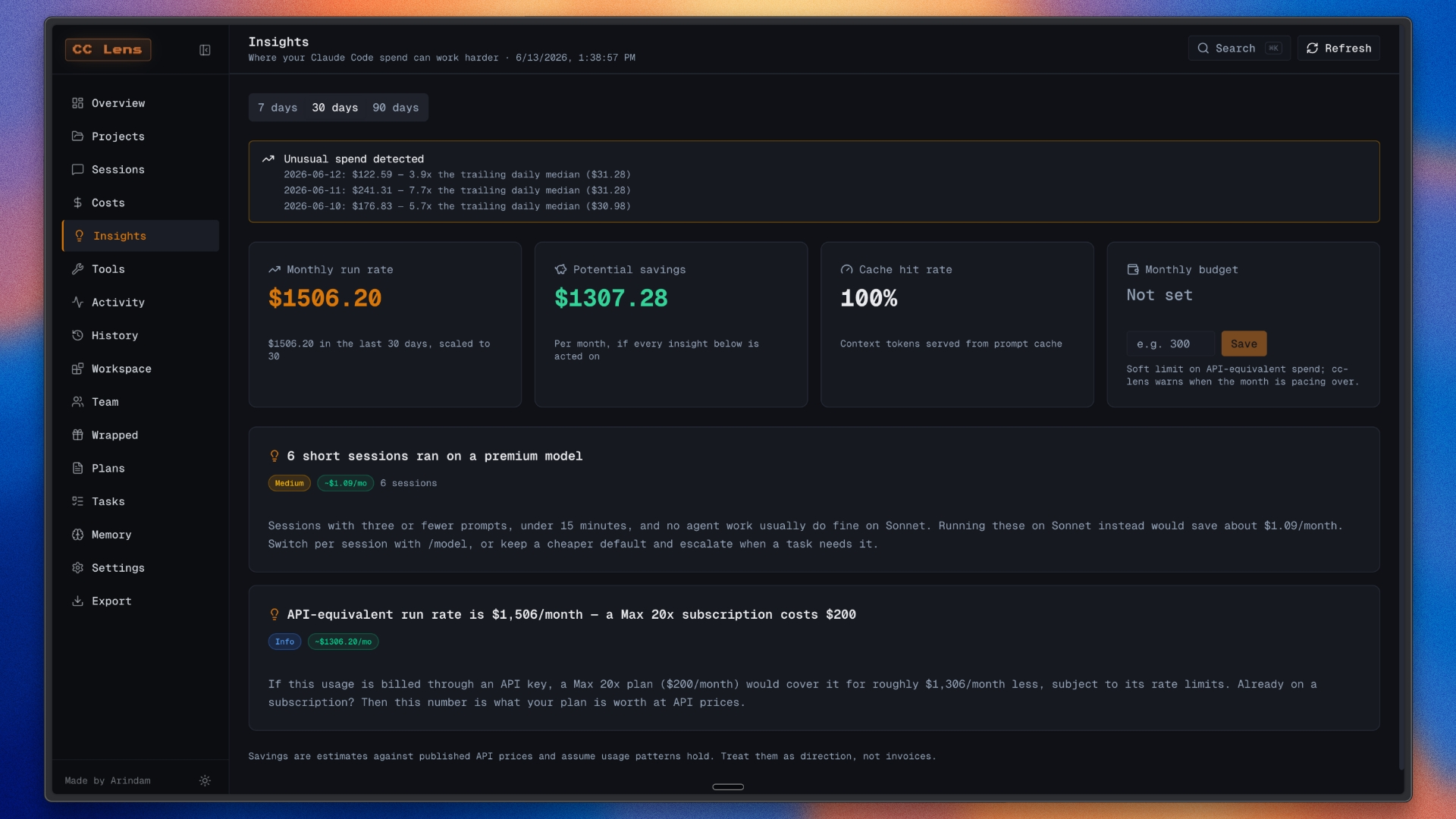 Find cache, model, compaction, plan-fit, budget, and savings opportunities from local usage patterns. |
Projects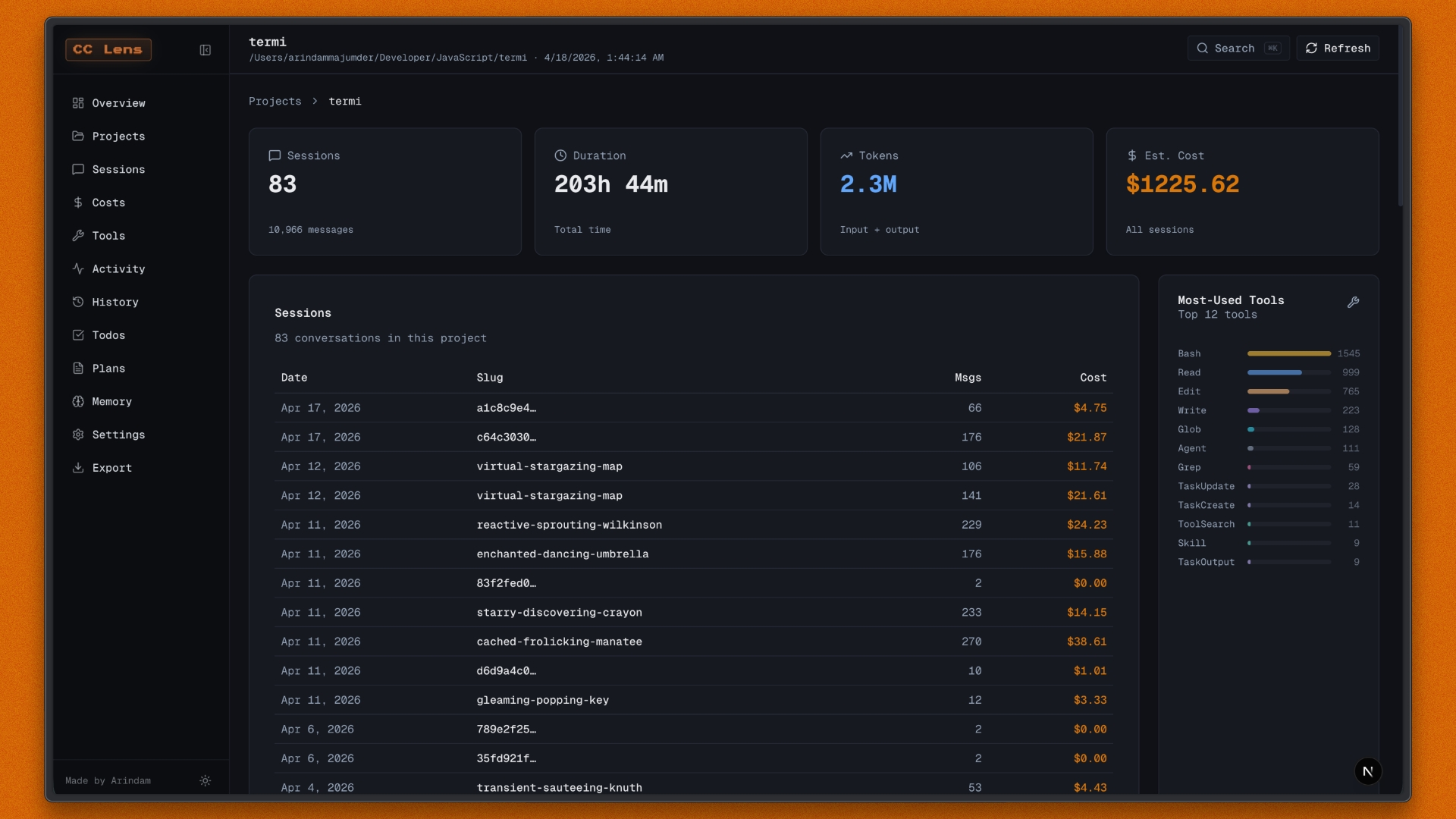 Browse projects by sessions, duration, spend, languages, branches, MCP usage, agents, and top tools. | Project Trends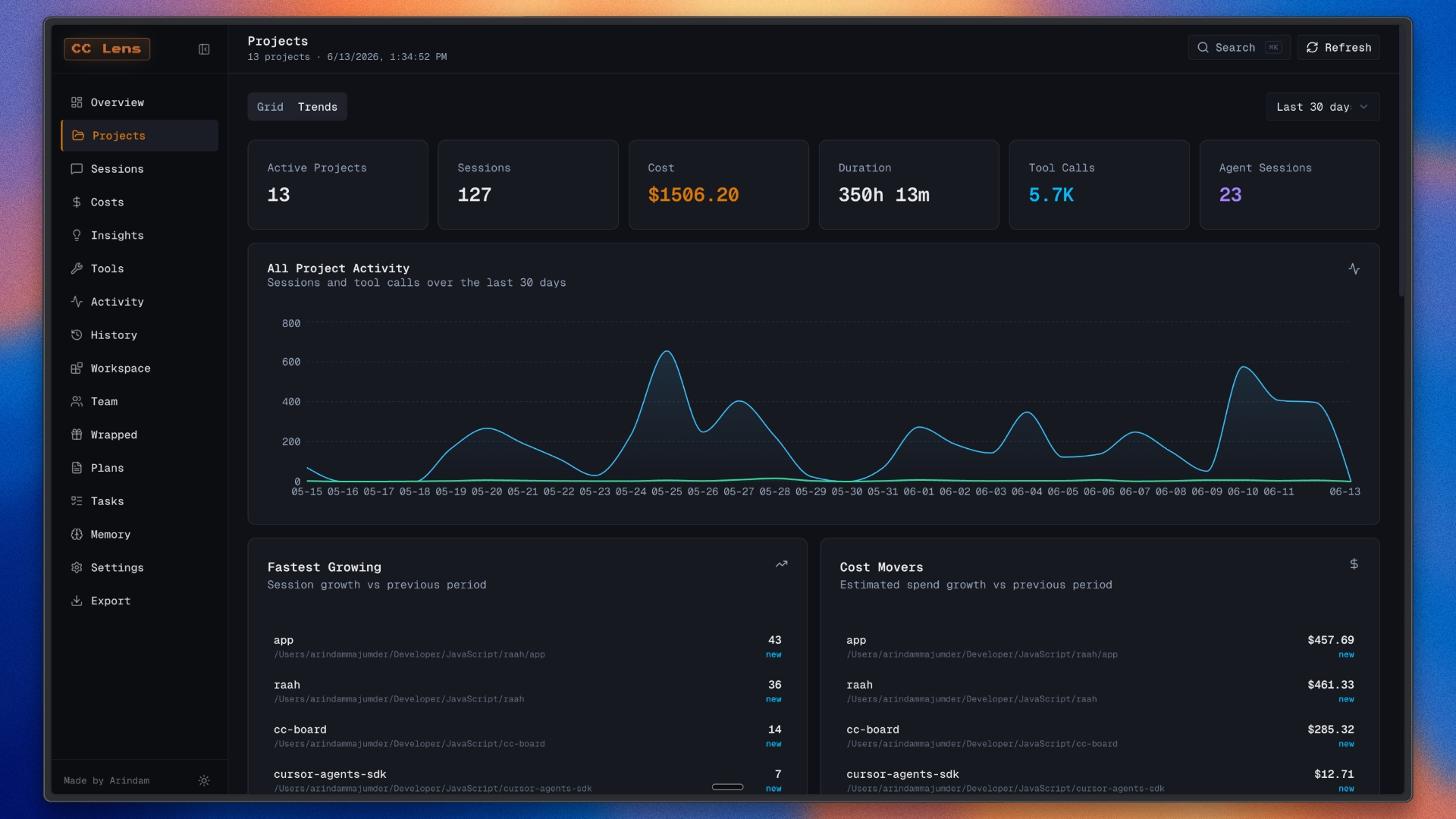 Analyze project sessions, spend, language mix, branch activity, model usage, tools, and activity over time. |
Tools & Features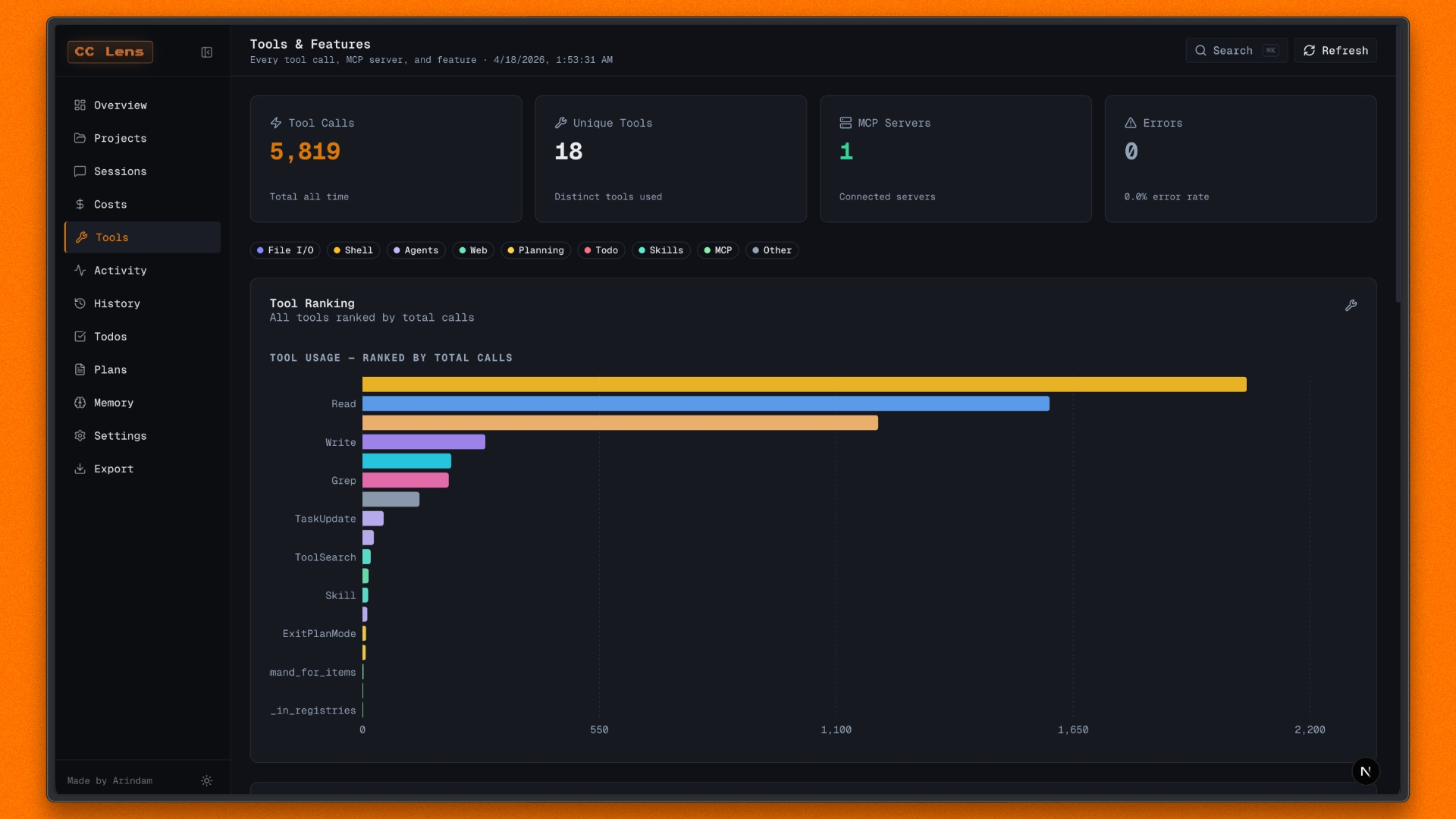 Compare tool rankings, categories, skill (slash-command) usage, MCP servers, feature adoption, errors, versions, and git branch usage. | Activity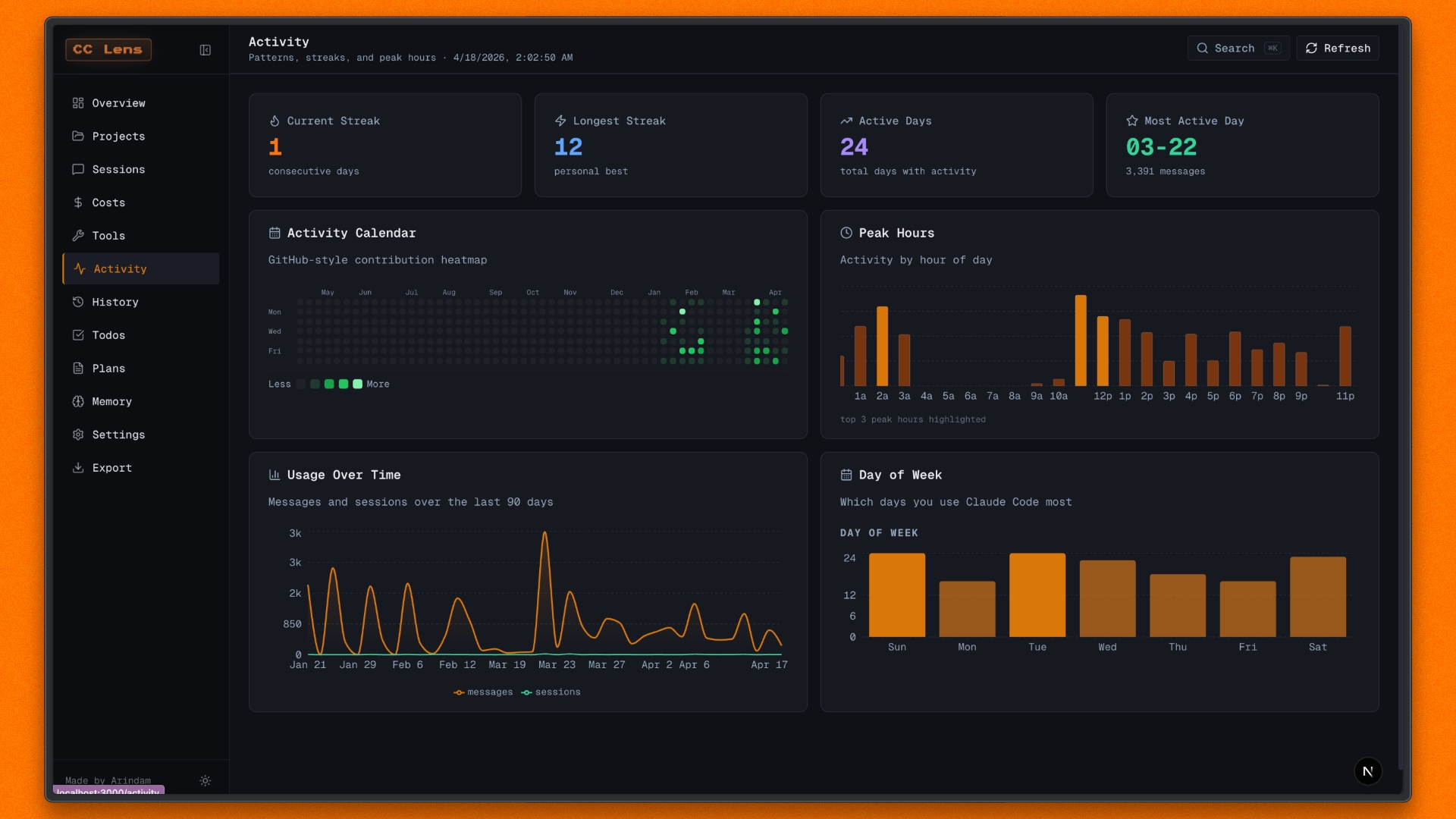 View activity calendars, streaks, active days, peak hours, day-of-week patterns, and usage consistency. |
Tasks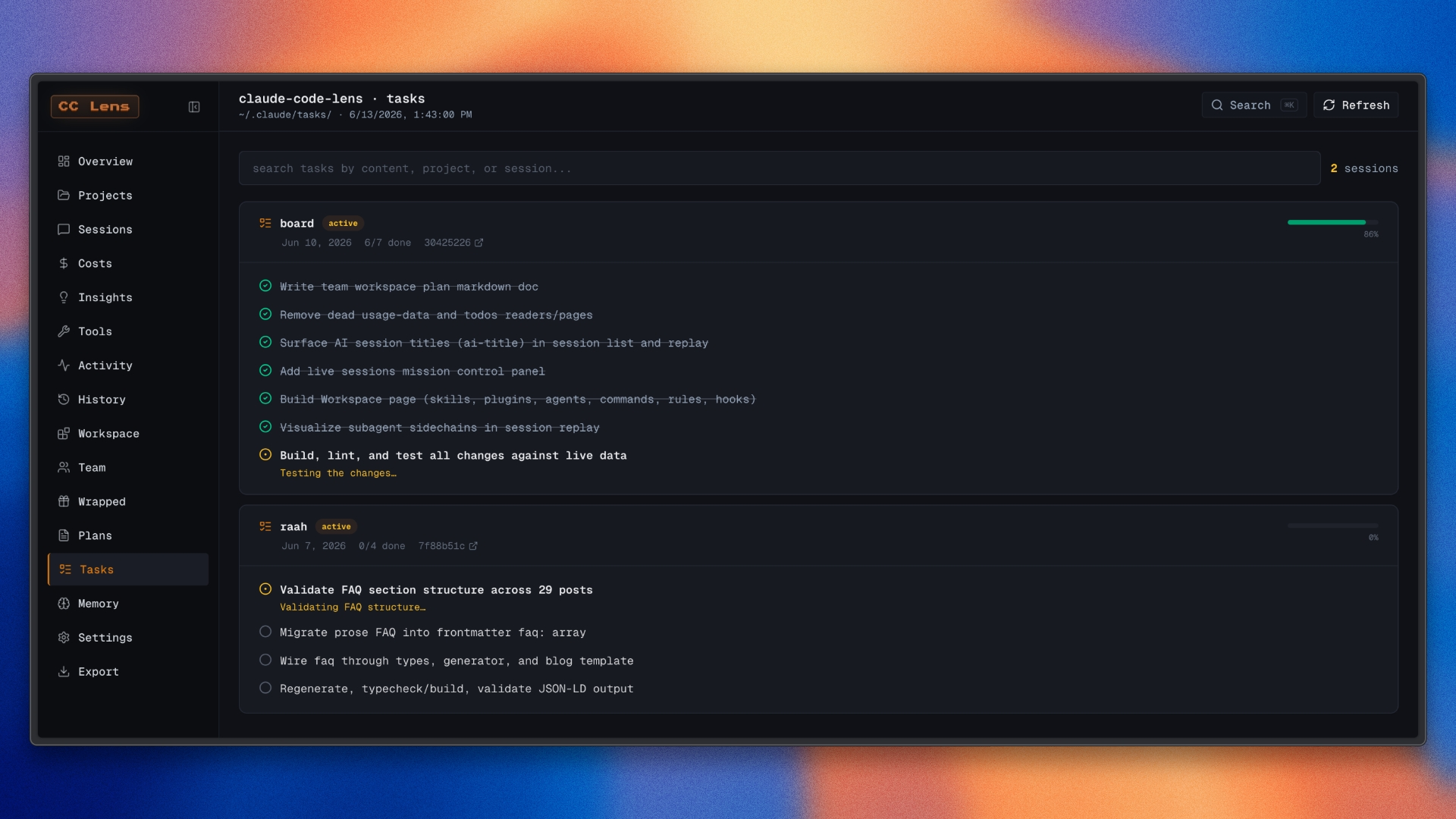 Browse Claude Code todos with search, status filters, task metadata, project context, and local file provenance. | Workspace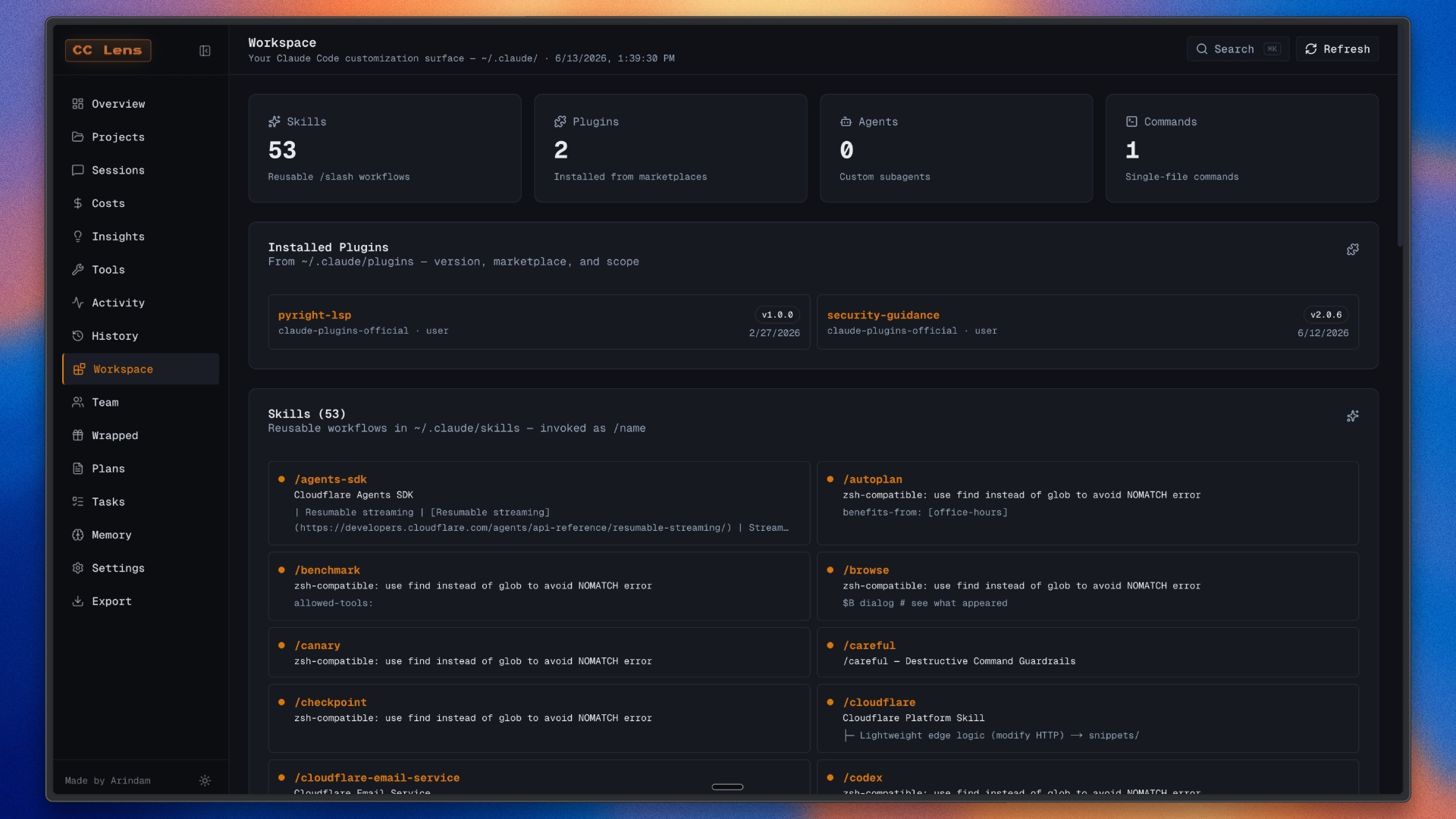 Inspect workspace state, memory, settings, installed skills, plugins, MCP servers, and local storage usage. |
Wrapped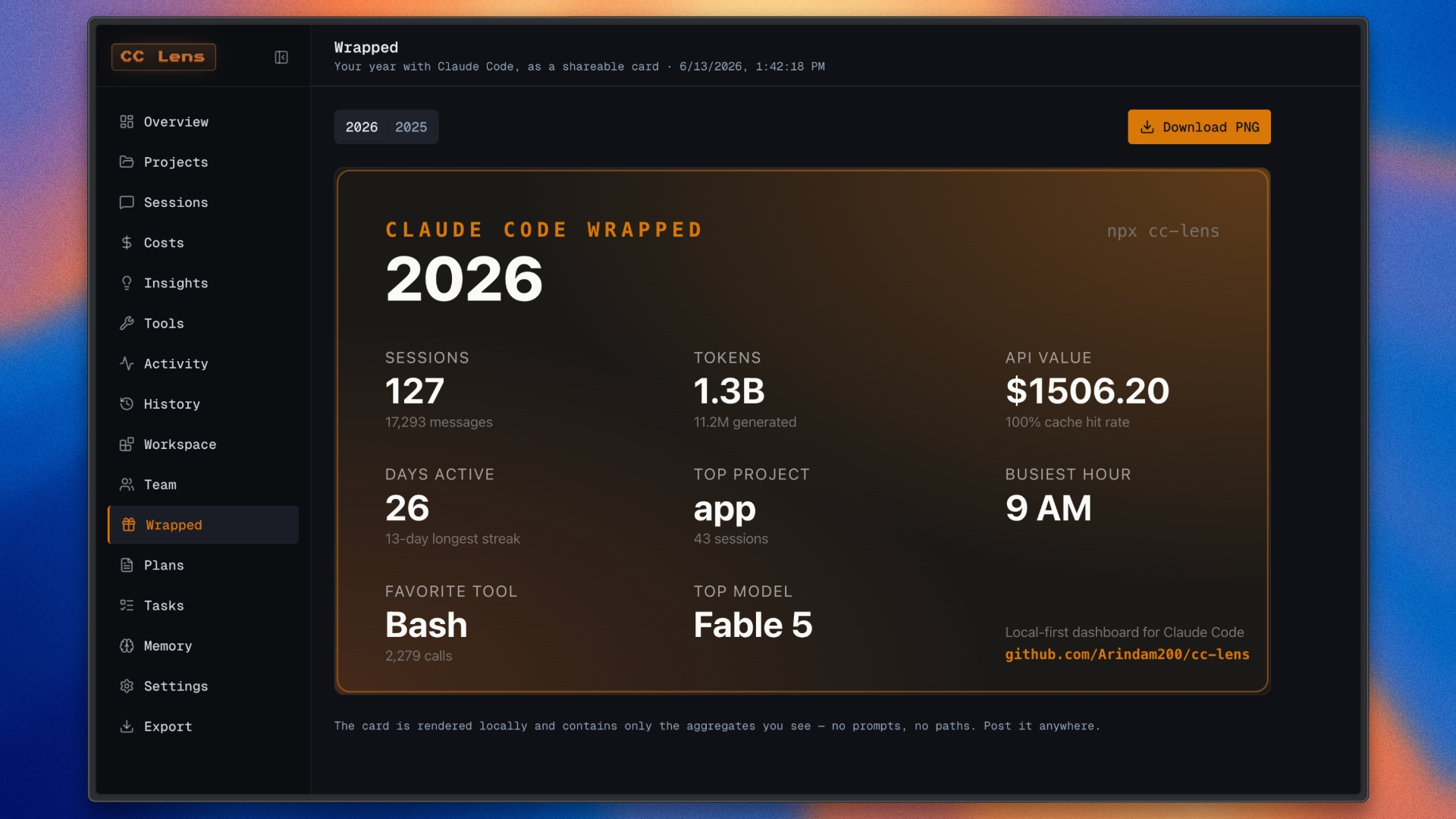 Create a yearly card with sessions, usage, spend, favorite tools, active projects, and local highlights. | Export & Import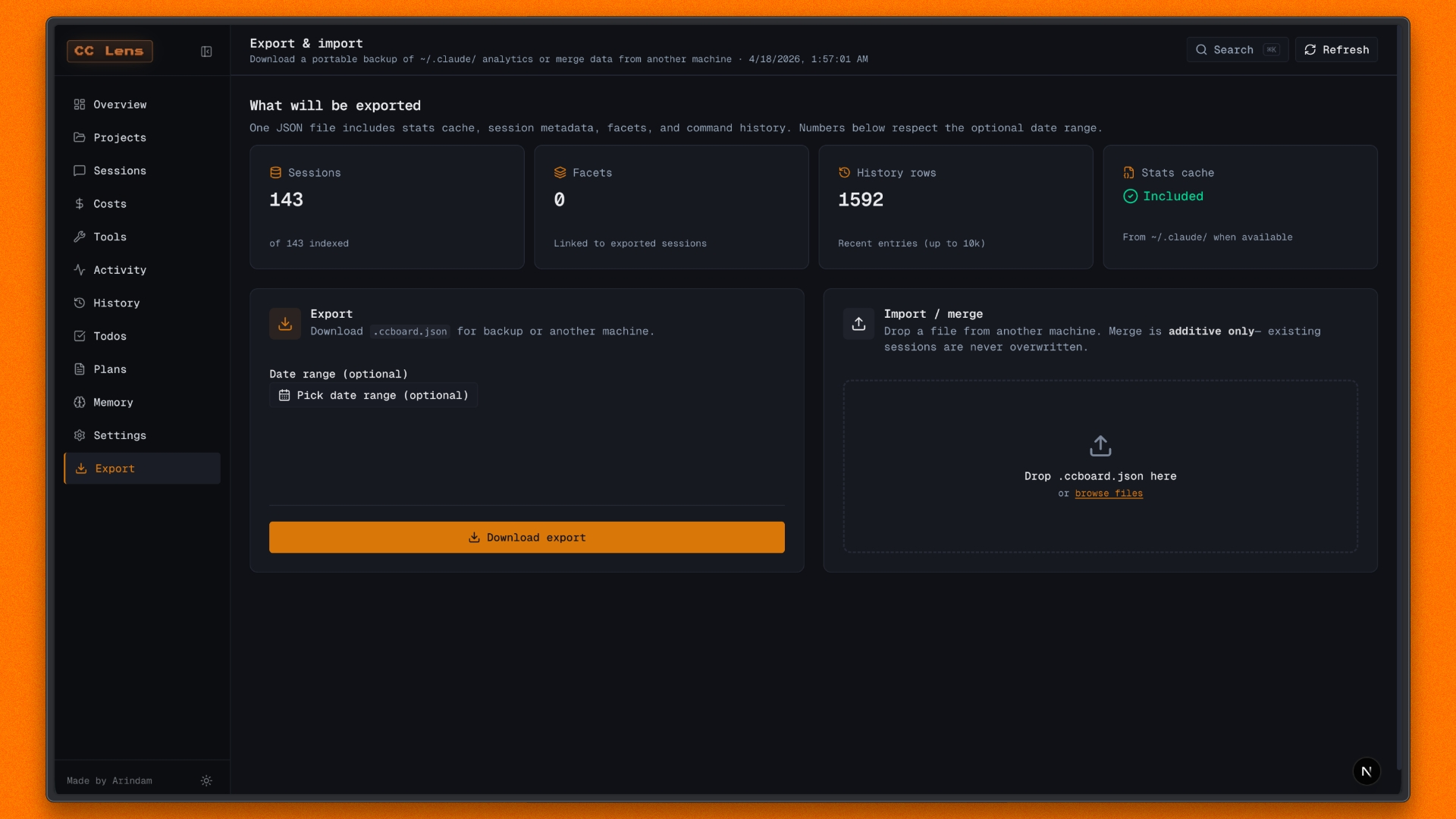 Export portable .cclens.json files with stats, metadata, facets, history, previews, and date filters. |
Import is preview-only right now. It shows which sessions are new or already present, but it does not write merged data back into ~/.claude/, to avoid corrupting live Claude Code files.
By default, cc-lens reads ~/.claude/. To point it at another Claude Code config directory, set CLAUDE_CONFIG_DIR:
# Default profile
npx cc-lens

# Work profile
CLAUDE_CONFIG_DIR=~/.claude-work npx cc-lens
On Windows PowerShell:
$env:CLAUDE_CONFIG_DIR="C:\Users\you\.claude-work"; npx cc-lens
The active config directory is shown in the CLI banner on launch.
npx cc-lens [options]
| Option | Default | Description |
|---|---|---|
--host <host> | 127.0.0.1 | Address to bind. Loopback only by default. Set 0.0.0.0 to expose the dashboard on your LAN. Also settable with the CC_LENS_HOST env var. |
--port <port> | 3000 | Port to listen on. Auto-increments if the port is taken. Also settable with the PORT env var. |
--help, -h | Print usage and exit. | |
--version, -v | Print the version and exit. |
The dashboard serves your private Claude Code history, so it binds to loopback (127.0.0.1) by default. cc-lens does not read the shell's HOSTNAME variable, so it works the same on WSL, containers, and CI. Override the host only if you understand the exposure.
# Bind to a fixed port
npx cc-lens --port 4000

# Expose on the local network (opt-in)
npx cc-lens --host 0.0.0.0
There are also cc-lens push and cc-lens digest subcommands for team mode; see Team mode.
~/.claude/npm install
npm run dev
Open http://localhost:3000, or the port shown in your terminal.
npm run build
npm start
For the packaged standalone bundle used by the CLI:
npm run build:dist
npm run lint
npm test
cc-lens reads local Claude Code files directly:
~/.claude/projects/<slug>/*.jsonl: session JSONL and replay data~/.claude/stats-cache.json: aggregate stats when available~/.claude/usage-data/session-meta/: session metadata fallback~/.claude/history.jsonl: command history~/.claude/todos/: todo files~/.claude/plans/: saved plan files~/.claude/projects/*/memory/: project memory files~/.claude/settings.json: settings, skills, plugins, and MCP configDashboard data refreshes every 5 seconds while the app is open.
Claude Code Lens runs locally and reads files from your machine. It does not require a login, API key, hosted backend, or telemetry service. Your Claude Code history stays on your computer.
Claude Code stores token counts and model identifiers, not final billing totals. cc-lens estimates cost using the pricing table in lib/pricing.ts. If provider pricing changes, update that file to keep estimates current.
To override or add rates without editing source, create ~/.cc-lens/pricing.json. Entries are merged over the defaults, so you can override a single model or add new ones. Values are in dollars per million tokens:
{
  "claude-opus-4-8": { "input": 5.0, "output": 25.0, "cacheWrite": 6.25, "cacheRead": 0.5 }
}
⚠️ Experimentelle Skill-Sammlung für deutsches Recht (Arbeits-, Gesellschafts-, Insolvenz-, Datenschutz-, Prozessrecht u
Manage multiple Claude Code agents from TUI or Web with tmux and git worktrees
Project management using GitHub Issues + Git worktrees for parallel agent execution
Core skills library for Claude Code with 20+ battle-tested skills including TDD, debugging, and brainstorming