

Are you the author? Sign in to claim
OpenAI-API compatible terminal chatbot and MCP client in Rust
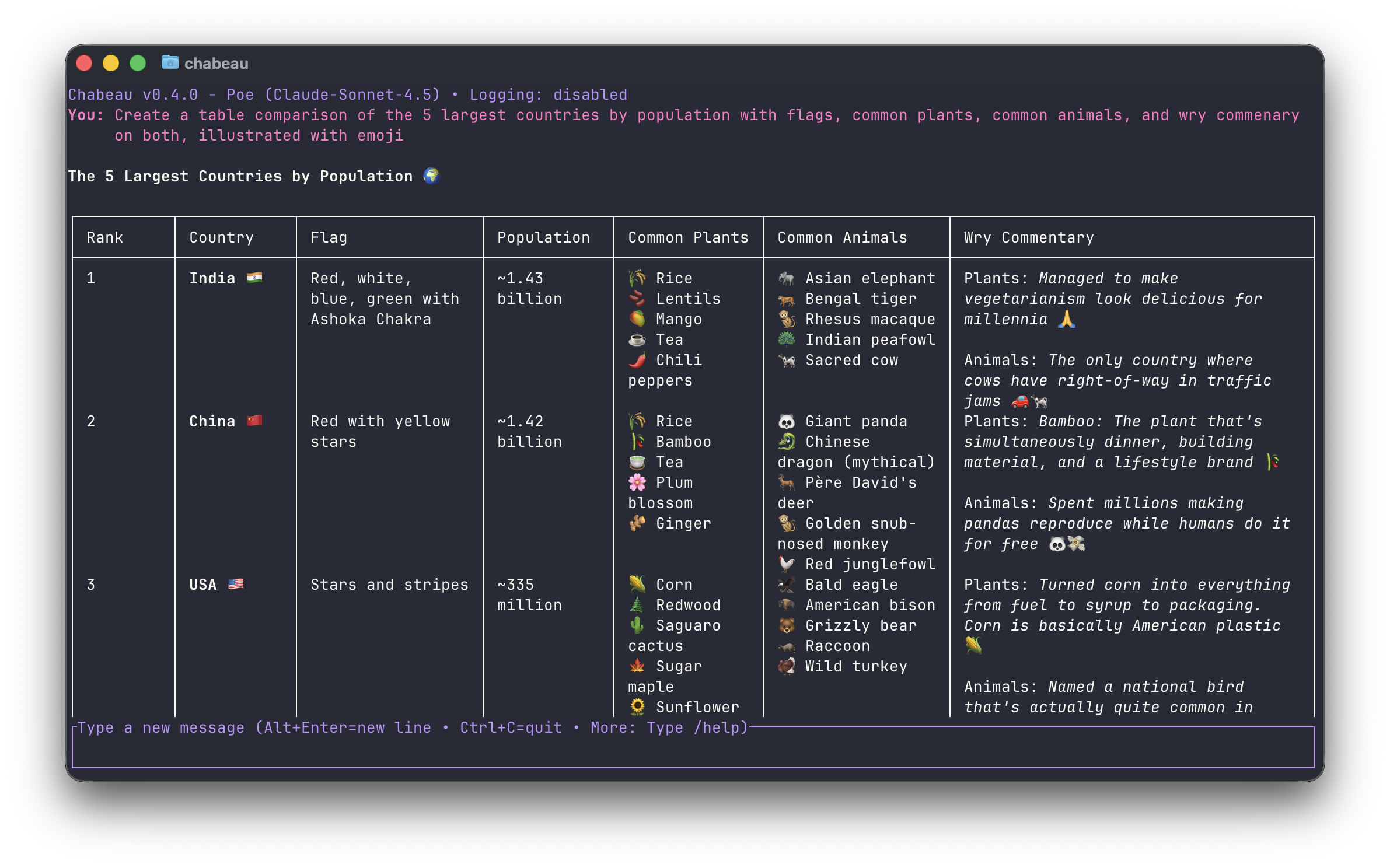
Chabeau is a full-screen terminal chat interface that connects to various AI APIs for real-time conversations. Chabeau brings the convenience of modern chat UIs to the terminal with a focus on speed, ergonomics, and sensible defaults. It is not a coding agent, but preliminary support for the Model Context Protocol is in development. This makes it possible to connect Chabeau with various local and remote services as well.

The MCP server shown in the videos above is "MCP Research Friend", a Permacommons project.
/refine <prompt>/dump of contents to a fileFor features under consideration, see WISHLIST.md.
cargo install chabeau
Versioned release binaries (tagged semver releases) are published on the
GitHub Releases page
after the release tag becomes reachable from main (for example, when a
release/* branch carrying the tag is merged).
Nightly pre-release binaries are also published under the Nightly
pre-release tag.
Each nightly artifact includes per-file SHA-256 checksums plus a combined
SHA256SUMS file. Nightly releases also include SHA256SUMS.sig and
SHA256SUMS.pem, produced by keyless Sigstore signing in GitHub Actions.
On macOS, unsigned nightly binaries may be quarantined by Gatekeeper. If you trust the downloaded artifact, you can remove the quarantine attribute:
xattr -d com.apple.quarantine ./chabeau
Run unsigned binaries at your own risk.
Stable release artifacts are signed by .github/workflows/publish.yml.
Nightly checksum manifests are signed by .github/workflows/nightly.yml.
You can verify them with:
# Stable release checksums
cosign verify-blob \
  --signature SHA256SUMS.sig \
  --certificate SHA256SUMS.pem \
  --certificate-identity-regexp 'https://github.com/permacommons/chabeau/\.github/workflows/publish\.yml@refs/heads/main' \
  --certificate-oidc-issuer https://token.actions.githubusercontent.com \
  SHA256SUMS

# Nightly checksums
cosign verify-blob \
  --signature SHA256SUMS.sig \
  --certificate SHA256SUMS.pem \
  --certificate-identity-regexp 'https://github.com/permacommons/chabeau/\.github/workflows/nightly\.yml@refs/heads/main' \
  --certificate-oidc-issuer https://token.actions.githubusercontent.com \
  SHA256SUMS

sha256sum -c SHA256SUMS
chabeau provider list
chabeau provider add
chabeau # Uses defaults; opens pickers when needed
Inside the TUI, use /provider and /model to switch, and /help to see a full breakdown of commands and keyboard shortcuts.
chabeau                              # Start chat with defaults (pickers on demand)
chabeau --provider openai            # Use specific provider
chabeau --model gpt-5                # Use specific model
chabeau --log conversation.log       # Enable logging immediately on startup
Discover available options:
chabeau -p                           # List providers and auth status
chabeau -m                           # List available models
chabeau -p openrouter -m             # List models for specific provider
Manage providers from the CLI:
chabeau provider list
chabeau provider add                 # Built-in token or custom provider
chabeau provider add poe             # Shortcut for built-in provider token
chabeau provider add my-provider     # Shortcut for custom provider id
chabeau provider edit <provider-id>
chabeau provider remove <provider-id>  # Remove custom provider, or built-in token
Most users only need provider add; it can either attach a token to a
built-in provider or create a custom provider and prompt for a token.
Use chabeau provider token ... commands later when rotating or removing
credentials.
Environment variables are used only if no providers are configured, or when you pass --env.
export OPENAI_API_KEY="your-api-key-here"
export OPENAI_BASE_URL="https://api.openai.com/v1"  # Optional
chabeau --env     # Force using env vars even if providers are configured
For quick, one-off questions without launching the full TUI, use the say command:
chabeau say "What is the capital of France?"
This command sends a single-turn message to the configured model, streams the response directly to your terminal, and exits. It respects your markdown settings, emits OSC8 hyperlinks when your terminal supports them, and uses a monochrome theme for clean, readable output.
MCP is disabled in chabeau say mode.
When you omit the prompt argument, chabeau say will read from piped or redirected stdin (trimming trailing whitespace) before showing the usage message, so cat prompt.txt | chabeau say works as expected.
When stdout is redirected to a file or piped into another program, Chabeau automatically falls back to a plain-text streaming mode. This mode skips OSC8 hyperlinks and cursor control so captured output stays free of escape codes.
If you have multiple providers configured but no default set, Chabeau will prompt you to specify a provider with the -p flag. The -p and other global flags can be placed before or after the prompt.
Environment variable values can make their way into shell histories or other places they shouldn't, so using the keyring is generally advisable.
Chabeau stores its configuration in config.toml.
~/.config/chabeau/config.toml~/Library/Application Support/org.permacommons.chabeau/config.tomlGenerally, you can rely on the UI: when you use interactive commands like /model, /provider, /theme, or /character, press Alt+Enter (or Ctrl+J) to persist the selection.
chabeau set / chabeau unsetchabeau set handles scalar values and selection defaults — anything that's a single value or a provider/model mapping. Run chabeau set with no arguments to print the current configuration and see which values are explicitly set versus inherited defaults.
chabeau set                                              # Show all settings
chabeau set default-provider openai                      # Provider selection
chabeau set theme dracula                                # Theme selection
chabeau set default-model openai gpt-4o                  # Default model per provider
chabeau set default-character openai gpt-4 hypatia       # Default character per provider/model
chabeau set default-persona anthropic claude-3 developer  # Default persona per provider/model
chabeau set default-preset openai gpt-4o short           # Default preset per provider/model
chabeau set markdown off                                 # Toggle markdown rendering
chabeau set syntax off                                   # Toggle syntax highlighting
chabeau set builtin-presets off                          # Toggle built-in presets
chabeau set refine-prefix "REVISE:"                      # Custom refine trigger
chabeau set refine-instructions "Custom instructions"    # Custom refine system prompt
chabeau set mcp agpedia off                              # Enable/disable an MCP server
chabeau set mcp agpedia yolo on                          # Toggle auto-approve for a server
Every set key has a matching unset to clear the value:
chabeau unset default-provider
chabeau unset default-model openai                       # Provider-keyed: pass the provider
chabeau unset default-character "openai gpt-4"           # Provider/model-keyed: quote both
chabeau unset markdown                                   # Reverts to default (on)
chabeau unset mcp agpedia                                # Reverts to default (on)
chabeau unset mcp "agpedia yolo"                         # Reverts to default (off)
config.toml by handThe following structured definitions need to be edited in config.toml
directly:
[[custom_themes]][[personas]][[presets]]You can also edit the following in config.toml, but you don't strictly need to:
chabeau provider subcommandschabeau mcp subcommandsCopy examples/config.toml.sample to your config directory for a starting point.
Both the CLI and TUI run mutations through the same configuration orchestrator. Chabeau caches the parsed file based on its last-modified timestamp, skipping redundant reloads when nothing has changed, and persists updates atomically so a failed write never clobbers your existing config.toml.
Chabeau lets you connect MCP servers (HTTP or stdio) and use their tools/resources from the TUI.
chabeau mcp list, chabeau mcp add, chabeau mcp add -a, chabeau mcp edit <server-id>, chabeau mcp edit <server-id> -a, and chabeau mcp remove <server-id>.chabeau mcp add and chabeau mcp edit run in basic mode by default and prompt only for required settings; use -a/--advanced to configure optional fields.chabeau mcp token list [server-id], chabeau mcp token add <server-id>, and chabeau mcp token remove <server-id>.headers = { KEY = "VALUE" } in [[mcp_servers]].chabeau mcp add probes OAuth discovery for HTTP/HTTPS servers and starts browser auth when available. You can also run chabeau mcp oauth list [server-id], chabeau mcp oauth add <server-id>, and chabeau mcp oauth remove <server-id> directly. Use chabeau mcp oauth add <server-id> -a to provide an OAuth client id manually.chabeau mcp oauth add <server-id>.args and env./mcp lists servers and /mcp <server-id> shows server info, including whether cached MCP tool schemas have client-side validation available. Toggle with /mcp <server-id> on|off (or chabeau set mcp <server-id> on|off). To also clear session runtime MCP state, use /mcp <server-id> forget instead./yolo <server-id> on|off (or chabeau set mcp <server-id> yolo on|off) for per-server auto-approve.--disable-mcp turns MCP off for a session. --debug-mcp writes verbose MCP logs to mcp.log.Chabeau supports character cards in the v2 format, letting you chat with AI personas that define tone, background, and greeting. Cards can be JSON or PNG files (with embedded metadata).
chabeau import path/to/character.json       # Import JSON card
chabeau import path/to/character.png        # Import PNG with embedded metadata
chabeau import character.json --force       # Overwrite existing card
Cards are stored in the Chabeau configuration directory. Use chabeau -c to print the directory name and any cards Chabeau discovers.
chabeau -c hypatia                          # Start with character by name
chabeau -c hypatia.json                     # Start with character by filename
In the TUI, /character opens the character picker (↑↓ to navigate, Ctrl+O to inspect full definitions, Enter to select, Alt+Enter to set as default). You can also run /character <name> for quick switches.
Set defaults for provider/model combinations via Alt+Enter (or Ctrl+J) in the picker, or on the CLI:
chabeau set default-character openai gpt-4 hypatia
chabeau unset default-character openai gpt-4
To use a separate configuration directory (including cards), set the CHABEAU_CONFIG_DIR environment variable before launching Chabeau.
Example cards live in examples/hypatia.json and examples/darwin.json.
~/.config/chabeau/cards/ (or its equivalent on macOS or Windows) or provide the full path.chara tEXt chunk with base64-encoded JSON..json or .png extensions.Character cards follow the v2 specification.
Personas allow you to define different user identities for conversations, each with their own name and optional biographical context. Unlike character cards (which define AI personas), personas define who you are in the conversation.
Add personas to your config.toml:
[[personas]]
id = "developer"
name = "Alex"
bio = "You are talking to Alex, a senior software developer with expertise in Rust and distributed systems."

[[personas]]
id = "student"
name = "Sam"
bio = "Sam is a computer science student learning about AI and machine learning."

[[personas]]
id = "casual"
name = "Jordan"
# bio is optional - persona will just change the display name
Assign defaults per provider/model from the CLI or in config.toml:
chabeau set default-persona openai gpt-4o developer
[default-personas.openai]
"gpt-4o" = "developer"
chabeau --persona developer # Start with a specific persona
In the TUI, /persona opens the persona picker (↑↓ to navigate, Ctrl+O to read the persona text, Enter to select, Alt+Enter to set as default). You can also run /persona <id> for quick switches, or select "[Turn off persona]" to return to anonymous mode.
When a persona is active:
Both personas and character cards support {{user}} and {{char}} variable substitutions:
{{user}} is replaced with the active persona's display name (or "Anon" if no persona is active){{char}} is replaced with the character's name (or "Assistant" if no character is active)Personas and character cards work together seamlessly:
{{user}} and {{char}} variable substitutionsPresets let you inject reusable system instructions into the first and last system messages that Chabeau sends to the model. They are ideal for lightweight tone or formatting tweaks that you want to toggle quickly.
Chabeau ships with three built-in presets (short, roleplay, and casual) so you can experiment without editing your config. Set builtin_presets = false in config.toml to hide them from /preset, /preset <id>, and the --preset flag. If you define a preset with the same ID, your version overrides the built-in automatically.
Add presets to your config.toml:
[[presets]]
id = "focus"
pre = """
You are collaborating with {{user}}. Keep responses focused and direct.
"""
post = """
Before finishing, list any follow-up actions.
"""

[[presets]]
id = "roleplay"
pre = """
- Engage in roleplay with the user.
- Two paragraphs per turn max.
- Don't be shy to perform actions. Format these in italics, like this: *{{char}} frowns at {{user}}.*
- Be creative! Feel free to take the roleplay into new directions.
"""
pre text is wrapped in blank lines and prepended to the very first system message.post text is wrapped in blank lines and appended to the final system message. If no system message exists at either position, Chabeau creates one automatically.{{user}} and {{char}} substitutions as personas and character cards.Assign defaults per provider/model from the CLI or in config.toml:
chabeau set default-preset openai gpt-4o focus
[default-presets.openai]
"gpt-4o" = "focus"
Launch with an ID like --preset focus, or pick interactively with /preset. Use Ctrl+O in the picker to review the preset instructions. The picker includes a "Turn off preset" option to clear the active preset.
The status bar shows the current preset when one is active so you can confirm the context you're using at a glance.
Chabeau ships with built-in themes and supports custom ones. Use /theme in the TUI to preview and Alt+Enter (or Ctrl+J) to persist the choice. On the CLI, run:
chabeau set theme dark   # Set a theme
chabeau themes           # List themes (built-in and custom)
chabeau unset theme      # Revert to default detection
When no explicit theme is set, Chabeau tries to infer a sensible default from your OS preference (e.g., macOS, Windows, GNOME). If no hint is available, it defaults to the dark theme.
Custom themes belong in config.toml under [[custom_themes]]. See src/builtins/themes.toml for color references and examples/config.toml.sample for structure.
Themes can also set a cursor_color to change the terminal cursor via OSC 12 when the theme is applied.
Input uses a steady bar cursor inside the chat box so the insertion point stays easy to see while typing.
App messages—Chabeau’s own informational banners, warnings, and errors—use dedicated theme knobs so they’re easy to distinguish from assistant replies. Customize them with the app_info_*, app_warning_*, and app_error_* keys in your theme to control the prefix text, prefix styling, and message styling independently.
Toggle these features at runtime:
/markdown on|off|toggle/syntax on|off|toggleChabeau persists these preferences to the config file automatically. Syntax colors adapt to the active theme and use the theme’s code block background for consistent contrast.
When markdown is enabled, image ALT text is rendered as an OSC hyperlink pointing to the underlying image URL so you can open assets directly from the transcript.
Chabeau detects terminal color depth and adapts themes accordingly:
COLORTERM contains truecolor or 24bit, Chabeau uses 24-bit RGB.TERM contains 256color, RGB colors are quantized to the xterm-256 palette.Force a mode when needed with CHABEAU_COLOR=truecolor|256|16.
See the built-in help for a full list of keyboard controls. A few highlights:
/refine prompt on the latest assistant reply./. When it does, Tab autocompletes slash commands. The active region shows a ›; the inactive one shows a ·.Chabeau avoids capturing the mouse so selection operations (copy/paste) work as expected. Some terminals treat mousewheel events as cursor key input, so scrolling moves the conversation. Others reveal terminal history; in that case, use the cursor keys or PgUp/PgDn instead.
Set the EDITOR environment variable to compose longer responses in your favorite editor:
export EDITOR=nano          # or vim, code, etc.
export EDITOR="code --wait" # VS Code with wait
Once set, press Ctrl+T in the TUI to launch the external editor.
See ARCHITECTURE.md for a high-level walkthrough aligned with the current repository state.
Chabeau uses a modular design with focused components:
main.rs – Entry pointapi/ – API data structures and model-related helpers
mod.rs – API data structuresmodels.rs – Model fetching and sorting functionalityauth/ – Authentication and provider management
mod.rs – Authentication manager implementationui.rs – Interactive prompts and input helpers for auth flowsbuiltins/ – Build-time assets embedded into the binary
help.md – In-app keyboard shortcut and command referencemcp-preamble.md – System prompt preamble explaining MCP tool usage to the modelmodels.toml – Supported provider definitionsoauth-callback.html – OAuth callback landing page templatepresets.toml – Built-in system instruction presetsthemes.toml – Built-in UI themescharacter/ – Character card support (v2 format)
cache.rs – In-memory caching with invalidationcard.rs – Character card data structures and v2 spec parsingimport.rs – Import command and validation logicloader.rs – Card file loading (JSON and PNG with metadata extraction)mod.rs – Module exports and public APIpng_text.rs – PNG tEXt chunk reader/writerservice.rs – Shared character cache and resolution helpers for the TUI and CLIcli/ – Command-line interface parsing and handling
character_list.rs – Character card listing functionalitymod.rs – CLI argument parsing and command dispatchingmodel_list.rs – Model listing functionalityprovider_list.rs – Provider listing functionalitysay.rs – TUI-less say command for streaming single-turn chat outputsettings/ – Trait-based set/unset handler registrytheme_list.rs – Theme listing functionalitycommands/ – Chat command processing and registry-driven dispatch
handlers/ – Domain-specific command handlers (core, config, io, mcp)mcp_prompt_parser.rs – /server-id:prompt-id parser and helpersmod.rs – Command dispatcher and command result plumbingrefine.rs – Message refinement logicregistry.rs – Static command metadata registrycore/ – Core application components
app/ – Application state and controllers
actions/ – Internal action definitions grouped by domain plus dispatcher routing
input/ – Input subdomains for compose, command, inspect, and status actionsfile_prompt.rs – File prompt handlers for conversation dump and code block save-to-file flowsmcp_gate.rs – MCP initialization gating and deferred-send handlingmcp_prompt.rs – MCP prompt handler for collecting and validating sequential prompt argumentspicker.rs – Picker action handlers (navigation, selection, escape)sampling.rs – MCP sampling request queueing and permission flowstream_errors.rs – Stream error handling and MCP unsupported fallback flowstream_lifecycle.rs – Stream creation, chunk/app-message appends, and finalizationstreaming.rs – Streaming action dispatchertool_calls.rs – Tool permission and tool-result completion handlingapp.rs – Main App struct and event loop integrationconversation.rs – Conversation controller for chat flow, retries, and streaming helpersinspect.rs – Inspect panel state (title, content, scroll, mode, decode flag)mod.rs – App struct and module exportspicker/ – Generic picker that powers all TUI selection dialogspickers.rs – Picker constructors and helpers for each picker typesession.rs – Session bootstrap and provider/model statesettings.rs – Theme and provider controllersstreaming.rs – Stream request construction, tool-flow orchestration, and MCP integration helpersui_helpers.rs – UI state transition helpersui_state.rs – UI state management and text input helpersbuiltin_mcp.rs – Built-in MCP prompt/tool context injection helpersbuiltin_oauth.rs – Built-in OAuth callback assets and helpersbuiltin_presets.rs – Built-in preset loaderbuiltin_providers.rs – Built-in provider configuration (loads from builtins/models.toml)chat_stream.rs – Shared streaming service that feeds responses to the app, UI, and loggersconfig/ – Configuration data, defaults, caching, and persistence
data.rs – Configuration data types and pure helpersdefaults.rs – Default selection helpers and Config implementationsio.rs – Config path resolution and persistence routinesmod.rs – Public exports for configuration helpersorchestrator.rs – Cached config loader, mutation orchestrator, and test isolationtests.rs – Configuration module testskeyring.rs – Secure storage for API keysmcp_auth.rs – Keyring-backed MCP token storagemcp_sampling.rs – MCP sampling request conversion and summarization helpersmessage.rs – Message data structuresoauth.rs – Shared MCP OAuth discovery, browser flow, callback handling, and token refresh helperspersona.rs – Persona management and variable substitutionpreset.rs – System instruction preset managementproviders.rs – Provider selection and shared provider utilitiesshared_selection.rs – Shared current-selection helperstext_wrapping.rs – Text wrapping utilitiesmcp/ – Model Context Protocol client integration
client/ – MCP client orchestration, transport plumbing, protocol parsing, and operations
mod.rs – Public MCP client manager API, state, and shared context typesoperations.rs – MCP execute_* entry points and shared request flow helpersprotocol.rs – MCP response parsing and protocol-version helperstransport_http.rs – Streamable HTTP session lifecycle, request exchange interface, and event listener helperstransport_stdio.rs – Stdio transport client lifecycle, request dispatch, and server I/O readersevents.rs – MCP server request envelopestransport/ – MCP transport implementations and shared interfaces
mod.rs – Shared transport traits, enums, and list-fetch helpersstdio.rs – Stdio transport request/list adaptersstreamable_http.rs – Streamable HTTP list adapters plus shared SSE buffering/parsing utilitiesmod.rs – MCP module exports and tool name constantspermissions.rs – Per-tool permission decision storeregistry.rs – Enabled MCP server registryui/ – Terminal interface rendering
appearance.rs – Theme and style definitionsbuiltin_themes.rs – Built-in theme spec definitions and deserializationchat_loop/ – Mode-aware chat loop orchestrating UI flows, keybindings, and command routing
event_loop.rs – Async terminal loop orchestration, event polling, and stream dispatchexecutors/ – Background task executors for model loading and MCP operations
mcp_init.rs – Async MCP server initialization spawnermcp_tools.rs – Async MCP tool call executor with sampling support and timeout handlingmodel_loader.rs – Async model list fetcher that dispatches picker loaded/failed actionskeybindings/ – Mode-aware keybinding registry and handlers
handlers.rs – Keybinding handler implementations organized by mode and categoryregistry.rs – Keybinding registry system with handler trait and result typeslifecycle.rs – Terminal setup/teardown helpers and resource guardsmodes.rs – Mode-aware key handlers and text interaction utilitiessetup.rs – App state bootstrapping, provider/model setup, and startup picker flowshelp.rs – Help text renderinglayout.rs – Shared width-aware layout engine for Markdown and plain textmarkdown/ – Modular markdown pipeline (parser, renderer, lists, code, metadata, table) plus wrapping helpers
code.rs – Fenced code block parsing and syntax-highlighted renderinglists.rs – List parsing and renderingmetadata.rs – Span metadata for inline styles and linksparser.rs – Markdown token parserrender.rs – Markdown-to-terminal renderer with theme and syntax supporttable.rs – Table parsing and renderingtests/ – Markdown rendering test suites (wrapping, lists, tables, syntax spans)markdown_wrap.rs – Unicode-aware span wrapping shared between markdown rendering and range computationmod.rs – UI module declarationsosc.rs / osc_backend.rs / osc_state.rs – OSC hyperlink and cursor-color supportpicker.rs – Picker controls and renderingrenderer.rs – Terminal interface rendering (chat area, input, pickers)span.rs – Span metadata for clickable linkstheme.rs – Theme loading and managementtitle.rs – Header bar renderingutils/ – Utility functions and helpers
auth.rs – Auth and provider utility helpersclipboard.rs – Cross-platform clipboard helpercolor.rs – Terminal color detection and palette quantizationeditor.rs – External editor integrationinput.rs – Keyboard/input utility helpersline_editor.rs – Shared single-line terminal editor for interactive CLI/auth promptslogging.rs – Chat logging functionalitymod.rs – Utility module declarationsscroll.rs – Text wrapping and scroll calculationssyntax.rs – Syntax highlighting support helpersurl.rs – URL parsing and normalization helperscargo test # All tests
cargo test scroll:: # Scroll functionality tests
cargo test --release # Faster execution
cargo check
cargo fmt
cargo test
cargo clippy --all-targets --all-features
.github/workflows/ci.yml runs build, test, and reproducibility checks on pushes and pull requests..github/workflows/publish.yml selects the newest semver tag reachable from main, then publishes the matching crates.io release and GitHub Release binaries with SHA-256 checksums, a keyless Sigstore-signed checksum manifest, and a GitHub Release description extracted from the matching CHANGELOG.md version section..github/workflows/nightly.yml builds Linux/macOS/Windows release binaries on a schedule and updates the moving Nightly pre-release with checksummed artifacts and a keyless Sigstore-signed checksum manifest.Chabeau includes lightweight performance checks in the unit test suite and supports optional Criterion benches.
cargo test (warnings print to stderr; tests only fail past the fail thresholds).render_cache bench validates the cached prewrapped rendering path.cargo benchtarget/criterion/ (HTML under report/index.html).benches/ (e.g., benches/my_bench.rs) and use Criterion’s criterion_group!/criterion_main!.src/lib.rs (e.g., use chabeau::...).CC0 1.0 Universal (Public Domain)
Run Claude Code as an MCP server so any agent can delegate coding tasks to it
 @microsoft✓ Official
Browser automation using accessibility snapshots instead of screenshots
 @googleapis✓ Official
Google's universal MCP server supporting PostgreSQL, MySQL, MongoDB, Redis, and 10+ databases
 @github✓ Official
Official GitHub integration for repos, issues, PRs, and CI/CD workflows