

Are you the author? Sign in to claim
Turn your course slides and PDFs into dense, exam-ready LaTeX cheatsheets.
Turn your course slides and PDFs into dense, exam-ready LaTeX cheatsheets — powered by Claude Code.
One command. Browser-based config. AI-generated LaTeX. Iterative editing loop. Done.
you: /cheatsheet-generator
      ↓
 ┌─────────────────────────────────────────────────────────┐
 │  Phase 1: Configure in browser                         │
 │  → paper size, columns, colors, font, file selection   │
 ├─────────────────────────────────────────────────────────┤
 │  Phase 2: Claude reads your materials & generates .tex  │
 │  → PDFs, PPTX, Markdown, images — all supported        │
 ├─────────────────────────────────────────────────────────┤
 │  Phase 3: Live editor in browser                        │
 │  → request changes in natural language, Claude edits    │
 └─────────────────────────────────────────────────────────┘
      ↓
 cheatsheet.tex — ready for Overleaf (XeLaTeX)
Generated cheatsheets — compiled in Overleaf with XeLaTeX:
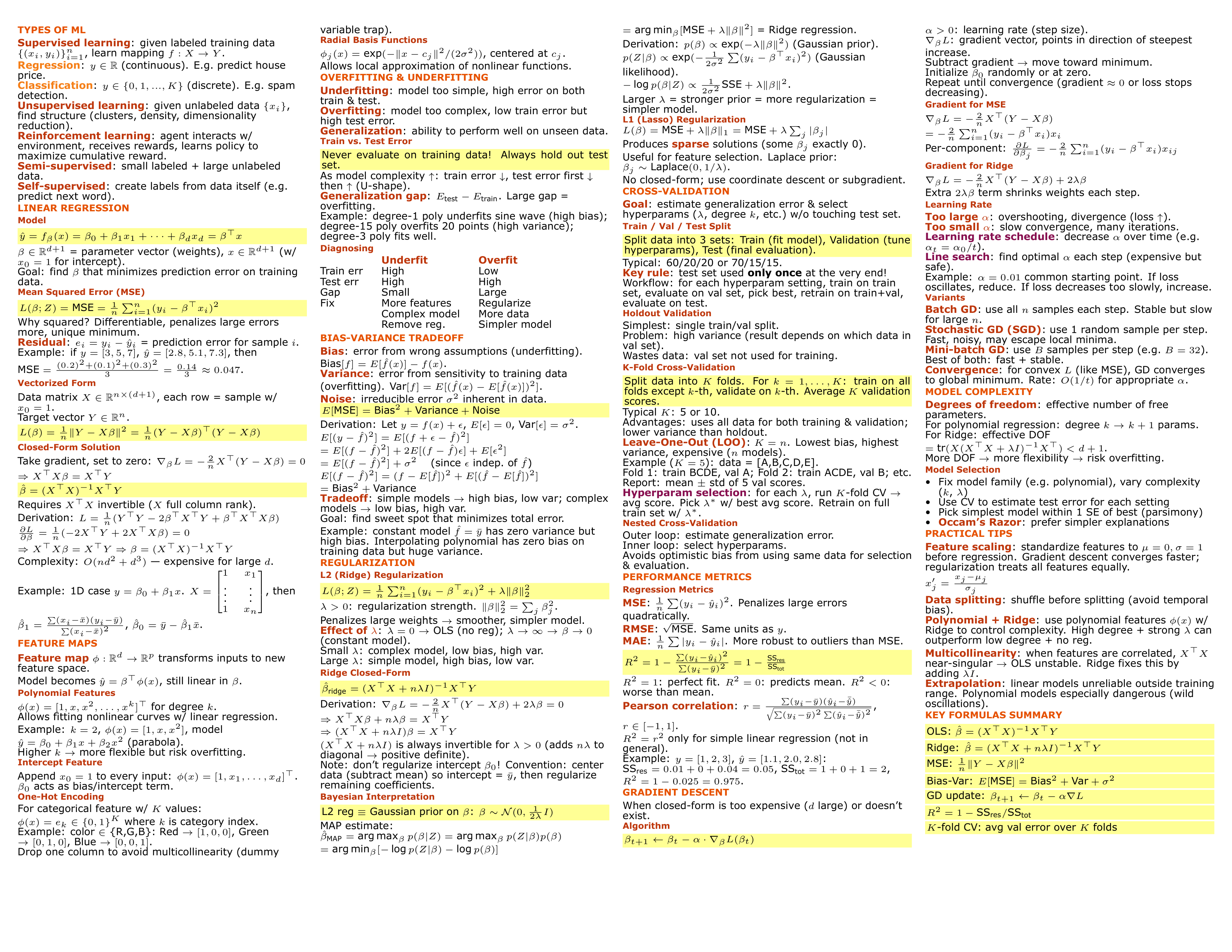
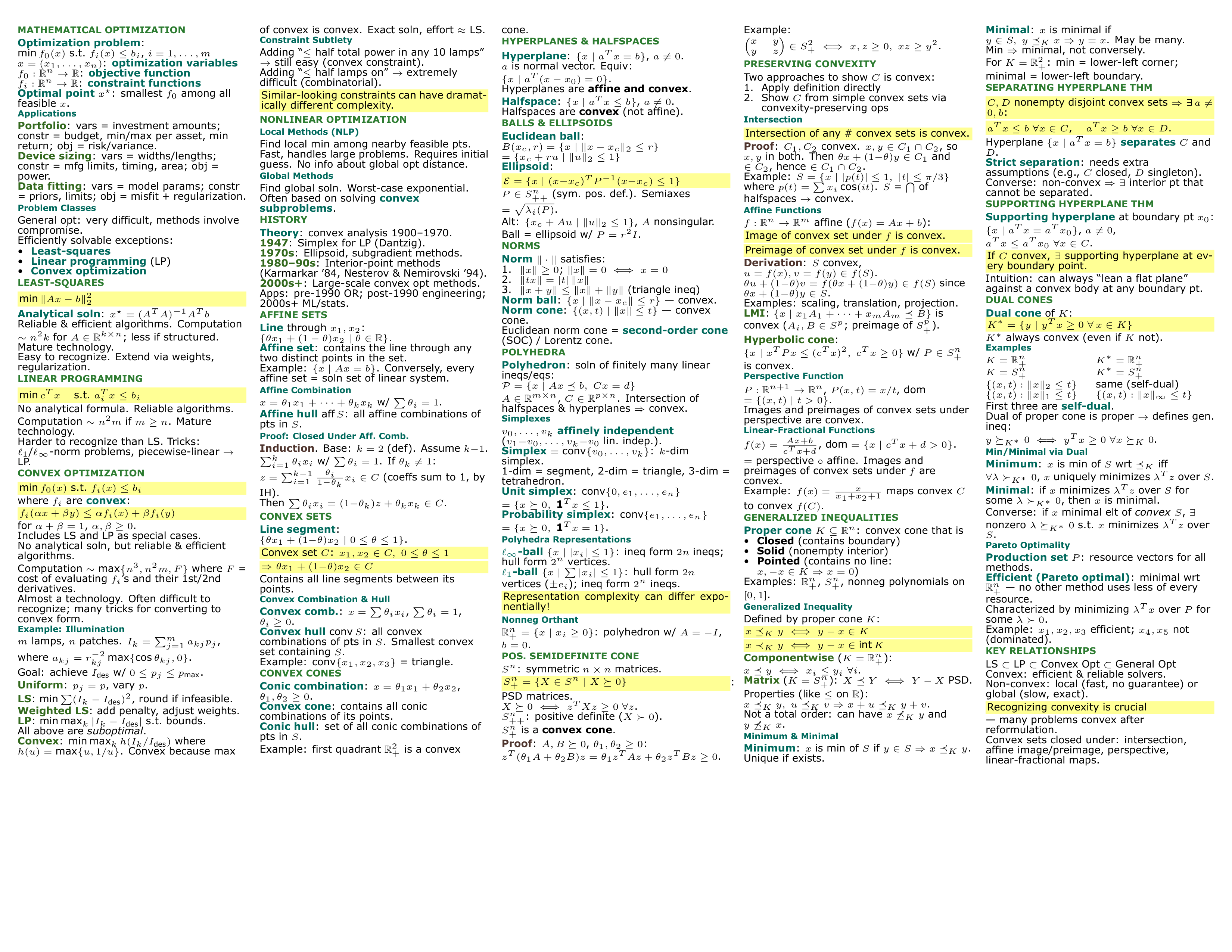
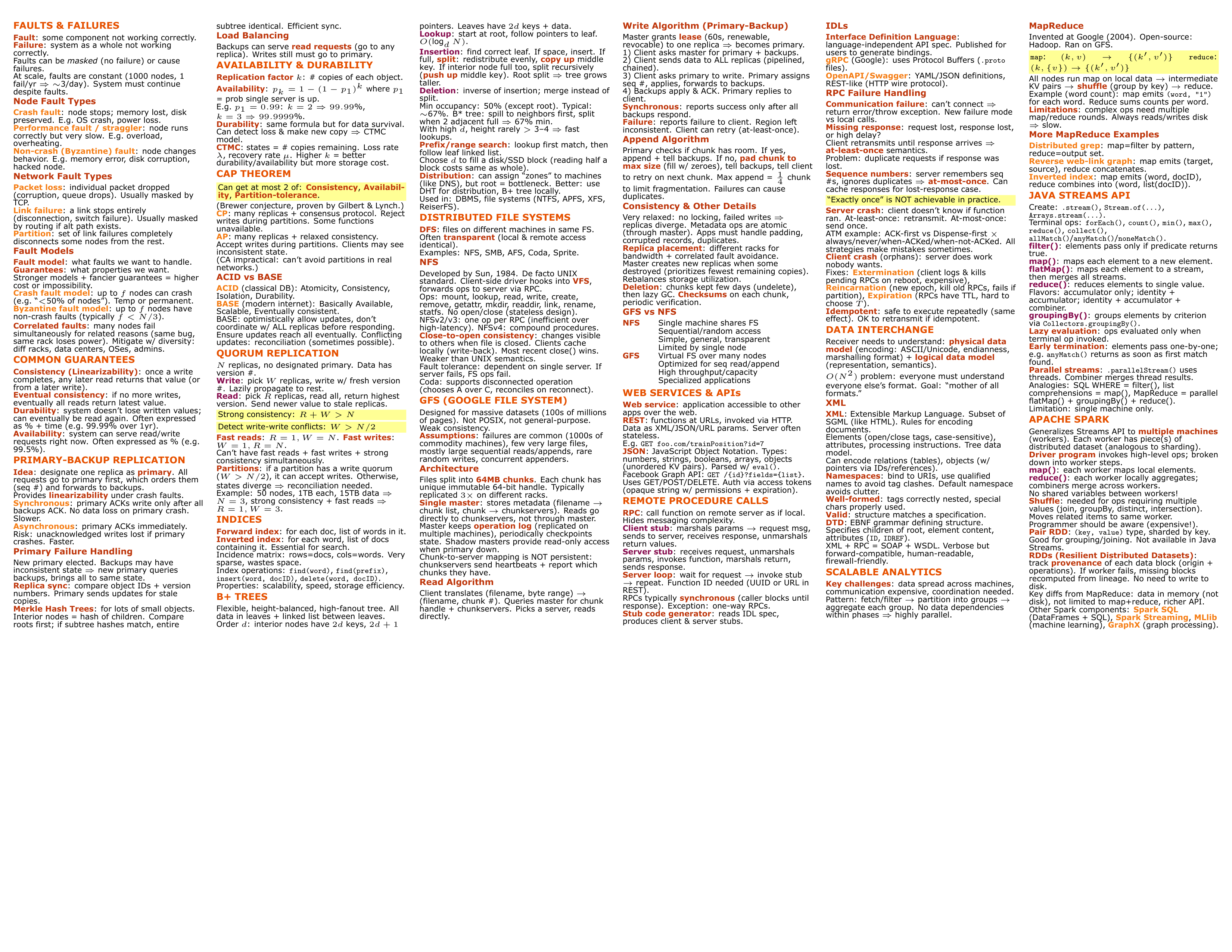
Sample materials are available in
skills/cheatsheet-generator/examples/sample_materials/— try them yourself!
npx skills add https://github.com/Evan715823/cheatsheet-generator-skill
Then install Python dependencies:
pip install flask python-pptx pymupdf
cd into a folder containing your course materials (PDFs, slides, notes)generate a cheatsheet for my exam based on the <your material files>
/cheatsheet-generator
cheatsheet.texcheatsheet.tex to Overleaf, compile with XeLaTeX| Classic | Ocean | Forest | Sunset | Mono |
|---|---|---|---|---|
| 🔵 Deep blue | 🌊 Royal blue | 🌲 Forest green | 🌅 Burnt orange | ⬛ Slate gray |
| Cyan / Purple | Teal / Indigo | Teal / Brown | Crimson / Magenta | Blue-gray tones |
| Green | Sea green | Olive | Amber | Cool gray |
All schemes include yellow highlight for critical formulas.
| Category | Options |
|---|---|
| Paper | Letter, A4, A3 |
| Orientation | Landscape, Portrait |
| Columns | 2 – 6 |
| Font size | 4 – 8 pt |
| Font | Verdana, Arial, Helvetica Neue, Times New Roman, Courier New, CMU Serif |
| Margins | 2 – 12 mm |
| Detail level | Concise (bullets only), Moderate (short explanations), Detailed (derivations + examples) |
| Content toggles | Include proofs, examples, derivations |
| Exam focus | Free-text field to prioritize specific topics |
skills/cheatsheet-generator/
├── SKILL.md                    # Claude Code skill definition (orchestrator)
├── scripts/
│   ├── config_server.py        # Phase 1: browser config form server
│   └── editor_server.py        # Phase 3: iterative editing server
├── templates/
│   ├── cheatsheet_base.tex     # Parameterized LaTeX template
│   ├── config_form.html        # Configuration UI
│   └── editor_ui.html          # Editing/preview UI
└── examples/
    ├── sample_output.tex       # Reference cheatsheet (compilable)
    ├── sample_materials/       # Sample PDFs to try the skill
    └── screenshots/            # README images
A local Flask server launches and opens a browser form. You configure layout (paper, columns, font, margins), content settings (detail level, proofs, examples), select a color scheme, and pick which files to include. Submitting writes .cheatsheet_config.json and the server exits.
Claude reads every selected file:
python-pptx + all embedded imagesThen generates a complete cheatsheet.tex using the base template with your config values. Content is organized by topic, color-coded with semantic commands (\concept{}, \process{}, \category{}, \important{}), and packed to fill the entire page.
Another Flask server launches with a split-panel editor:
The server uses a blocking HTTP protocol — no polling, no file watching. When you submit a request, Claude reads the current .tex, applies your change, and posts the result back. Repeat until satisfied, then click Done.
fontspec custom fontscheatsheet.texlatexmk and pdftoppm for live PDF preview in the editor (optional)| Dependency | Required | Purpose |
|---|---|---|
| Claude Code | ✅ | AI engine |
| Python 3.8+ | ✅ | Server scripts |
| Flask | ✅ | Web servers |
| python-pptx | ⚠️ | PPTX reading (install if you have slides) |
| pymupdf | ⚠️ | PDF text extraction fallback |
| latexmk + pdftoppm | ❌ | Optional: live PDF preview in editor |
MIT
1000+ skills curated from Anthropic, Vercel, Stripe, and other engineering teams
Design enforcement with memory — keeps your UI consistent across a project
Detects 37 AI writing patterns and rewrites text with human rhythm across 5 voice profiles
WCAG accessibility audit — automated scanning, manual review, remediation