

Are you the author? Sign in to claim
AI-powered Kanban board with Claude Code automation. Tasks, real-time execution, feedback loops.
A powerful Kanban-style task management system that seamlessly integrates with Claude Code to automate task execution. Transform your workflow with AI-powered task automation and visual project management.




Claude Code cannot use --dangerously-skip-permissions when running as root user for security reasons.
Before installation, ensure you are using a regular user account (not root):
# Check current user (should NOT be 'root')
whoami

# If you are root, create and switch to a regular user
sudo adduser yourusername
sudo usermod -aG sudo yourusername  # Add sudo privileges if needed
su - yourusername

# Or switch to existing user
su - yourusername
⚠️ Never install or run this application as root user!
This tool bridges the gap between task management and AI execution, allowing you to:
Diagram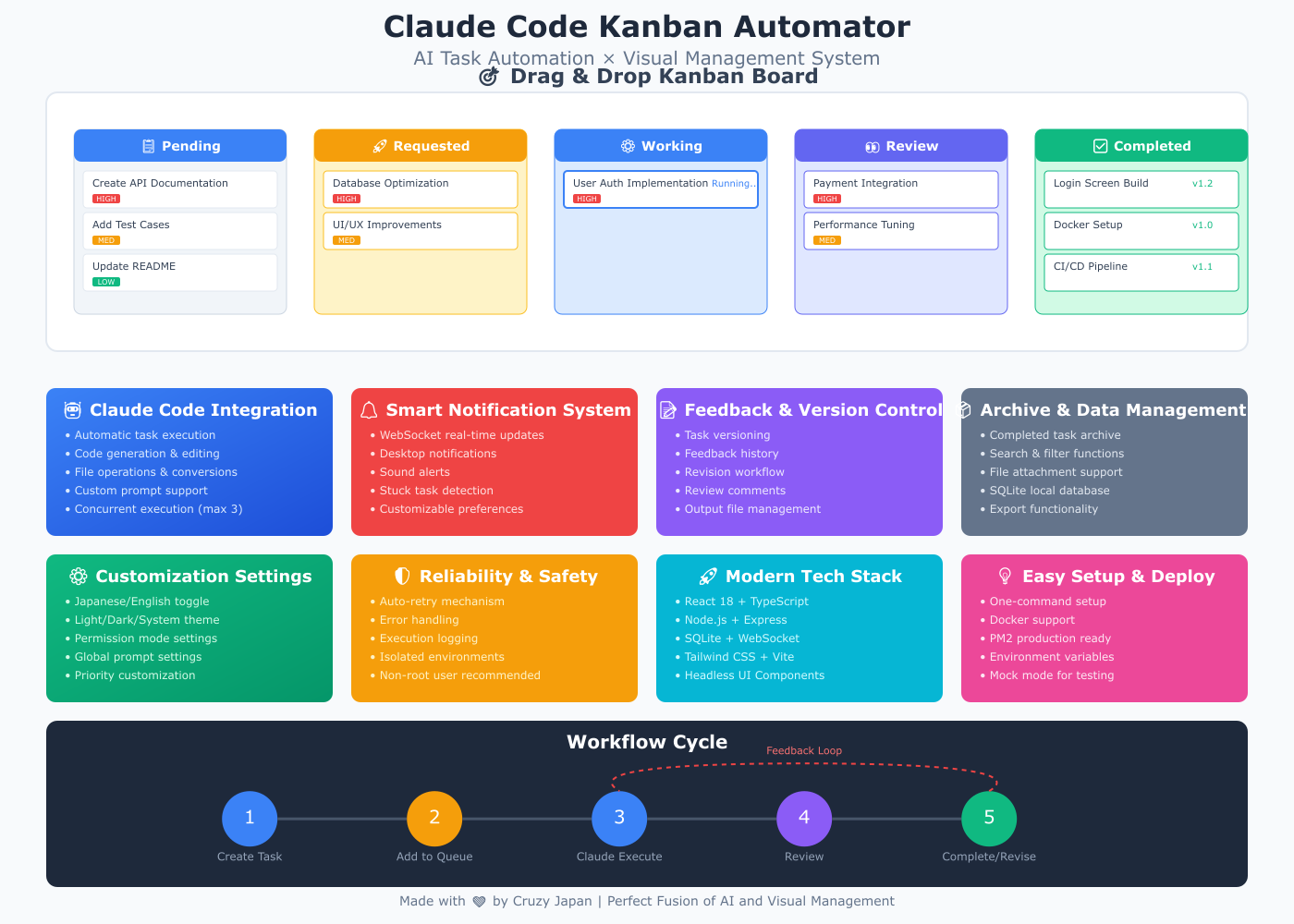
|
Create New Task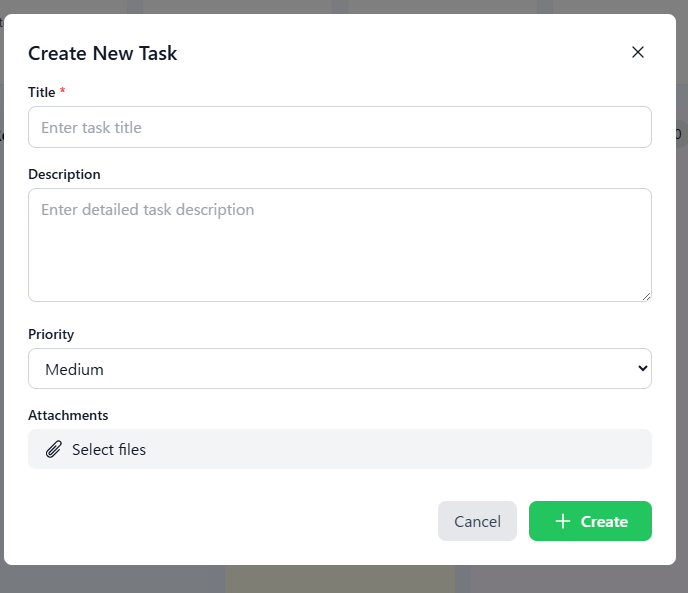
Create new task modal with title, description, priority, and attachments |
Kanban Board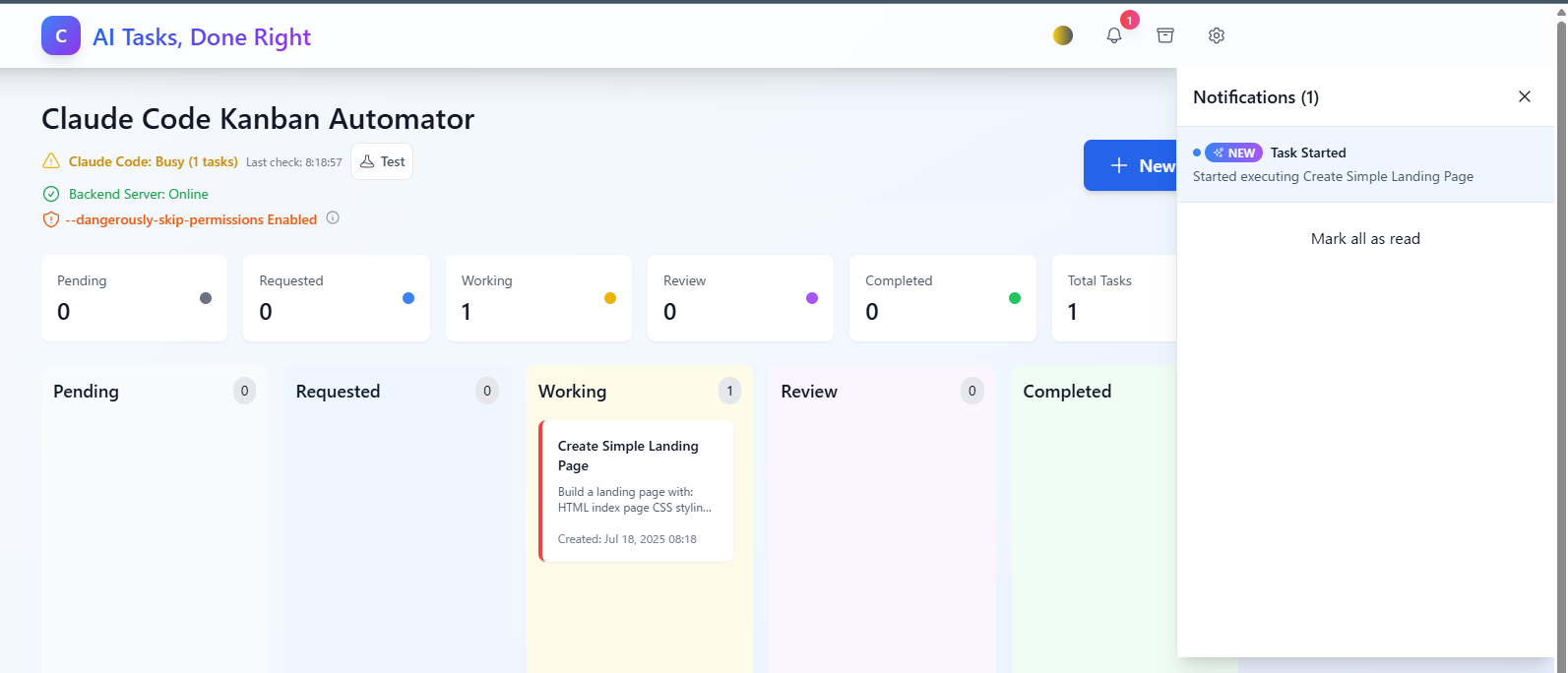
Kanban board view with task execution notification |
Language Settings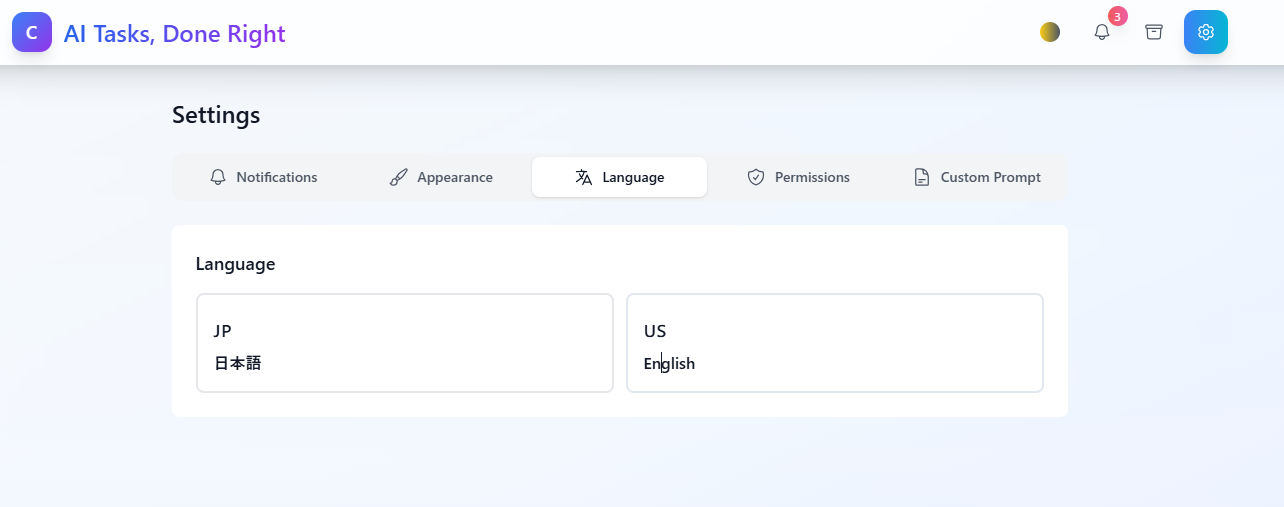
Language selection - Japanese/English support |
Theme Settings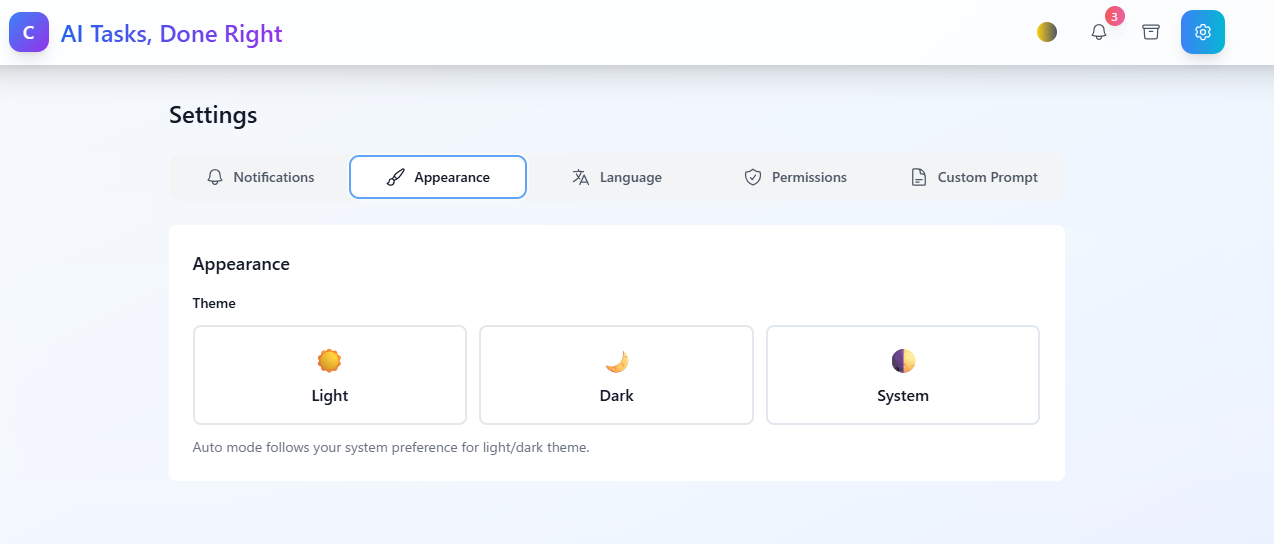
Appearance settings - Light/Dark/System theme options |
Notification Settings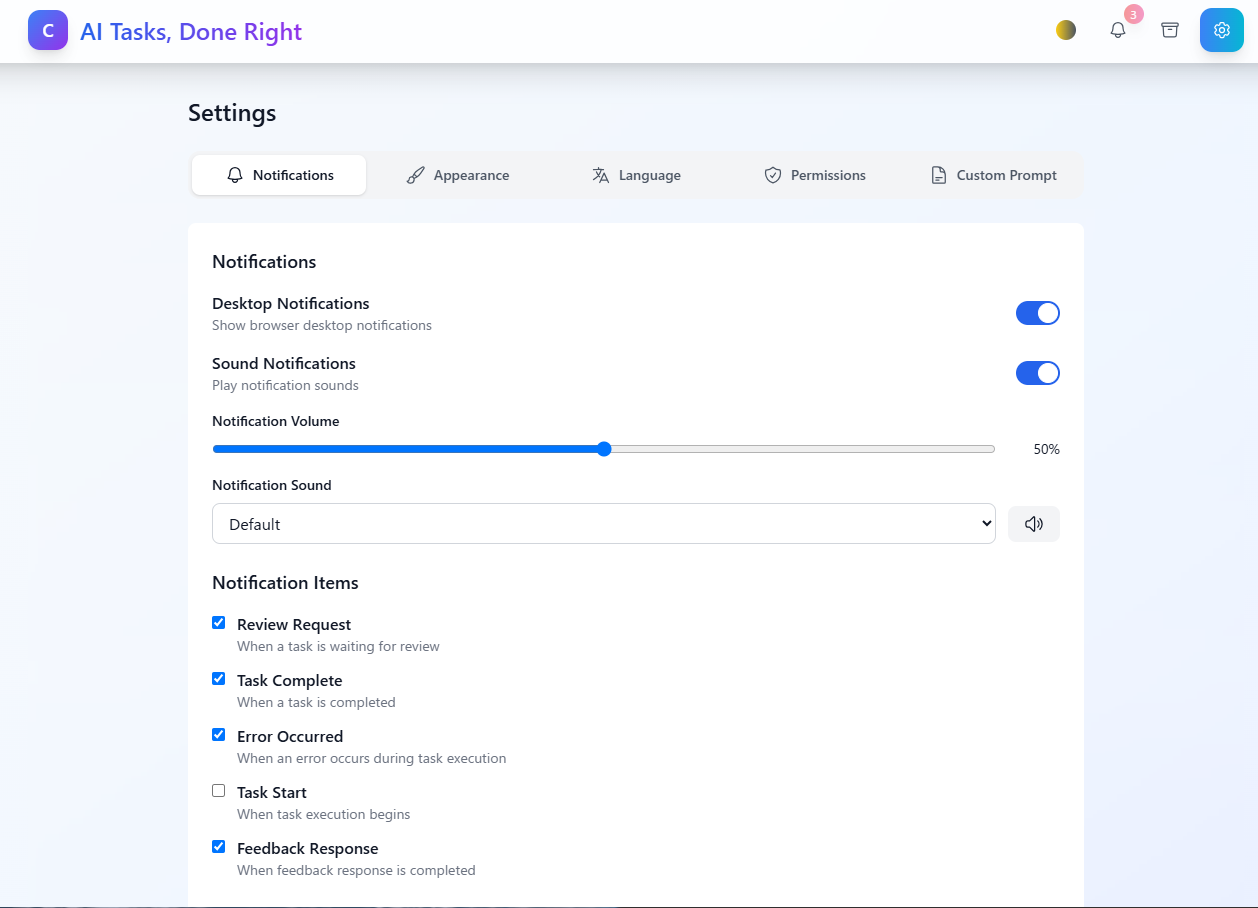
Configure desktop notifications, sound alerts, and notification items |
Archive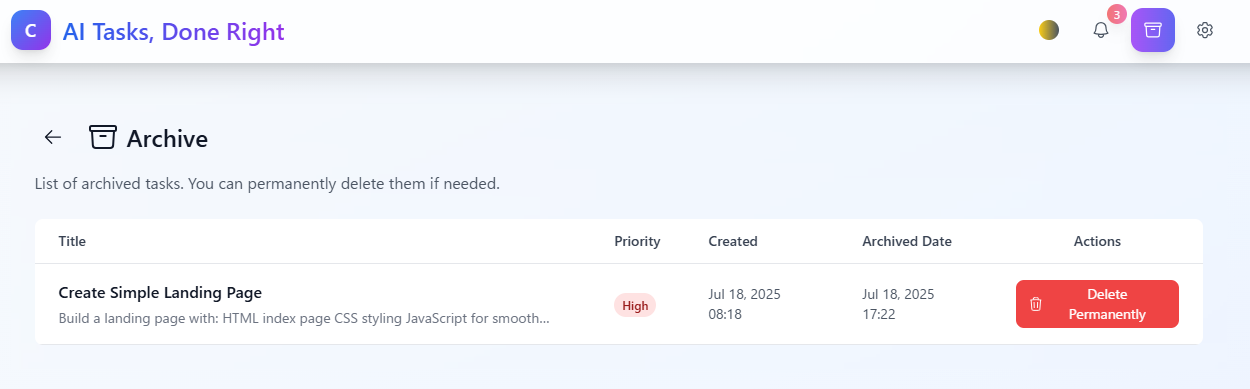
Archive view for managing completed tasks |
Task Feedback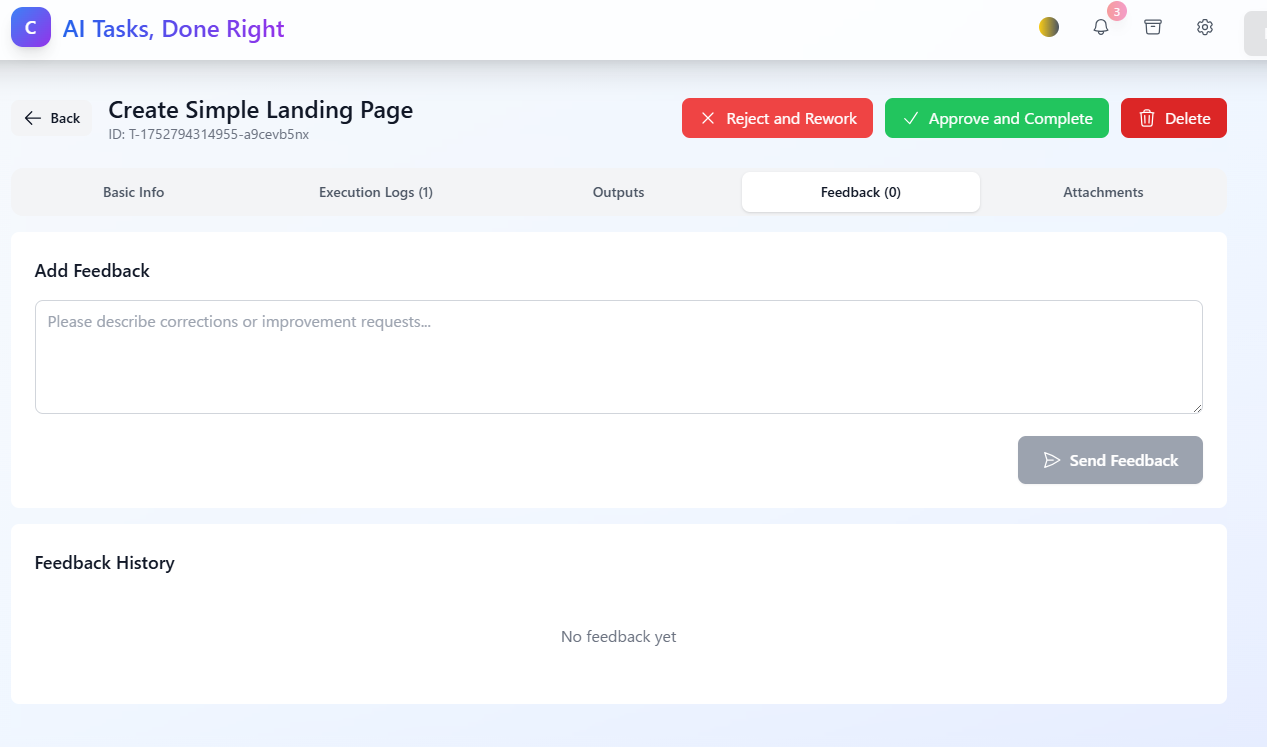
Feedback interface for task review and revision requests |
Task Information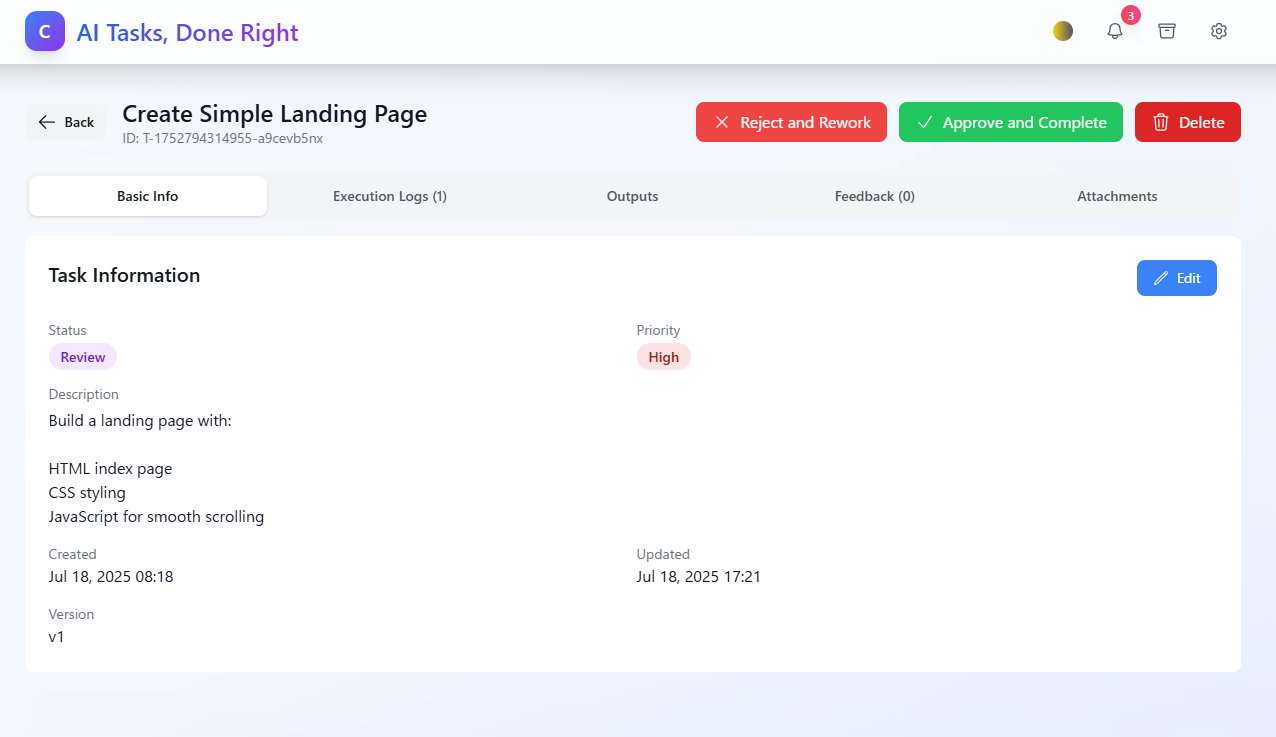
Task details showing status, priority, and version control |
git clone https://github.com/cruzyjapan/claude-code-kanban-automator.git
cd claude-code-kanban-automator
chmod +x install.sh
./install.sh
Option 1: Separate Terminals (Recommended)
# Terminal 1: Start Backend
npm run dev:backend

# Terminal 2: Start Frontend
npm run dev:frontend
Option 2: Single Command (May Have Issues)
# This may not work reliably on all systems
npm run dev
Note: The frontend runs on port 5173 by default (Vite's standard port). If this port is already in use, Vite will automatically use the next available port (5174, 5175, etc.).
# Install all dependencies
npm install
cd backend && npm install && cd ..
cd frontend && npm install && cd ..

# Create required directories
mkdir -p database outputs uploads claude-code-workspace logs

# Create environment configuration
cp .env.example .env
# Or create manually:
cat > .env << 'EOF'
# Database
DATABASE_PATH=./database/tasks.db

# Output directory
OUTPUT_DIR=./outputs

# Claude Code settings
# Use mock for testing, replace with 'claude' for real integration
CLAUDE_CODE_COMMAND=claude
CLAUDE_CODE_WORK_DIR=./claude-code-workspace

# Server settings
PORT=5001
HOST=localhost

# Execution settings
MAX_CONCURRENT_TASKS=3
TASK_CHECK_INTERVAL=5000               # Check interval in milliseconds (5 seconds)
RETRY_LIMIT=3

# Security
JWT_SECRET=your-secret-key-here

# Environment
NODE_ENV=development
EOF

# Create frontend environment
cat > frontend/.env << 'EOF'
VITE_API_URL=http://localhost:5001/api
VITE_WS_URL=ws://localhost:5001
EOF

# Initialize database
node -e "
const sqlite3 = require('sqlite3').verbose();
const fs = require('fs');
const path = require('path');

const dbPath = './database/tasks.db';
const schemaPath = './database/schema.sql';

const schema = fs.readFileSync(schemaPath, 'utf8');
const db = new sqlite3.Database(dbPath);

db.exec(schema, (err) => {
  if (err) {
    console.error('Database initialization failed:', err);
    process.exit(1);
  }
  console.log('Database initialized successfully');
  db.close();
});
"
If you have Claude Code installed:
# Update the .env file to use real Claude Code
sed -i 's|CLAUDE_CODE_COMMAND=.*|CLAUDE_CODE_COMMAND=claude|' .env

# Or on macOS:
sed -i '' 's|CLAUDE_CODE_COMMAND=.*|CLAUDE_CODE_COMMAND=claude|' .env
# Development mode (recommended for first run)
npm run dev

# Or start services separately:
# Terminal 1:
npm run dev:backend

# Terminal 2:
npm run dev:frontend
Note: The frontend runs on port 5173 by default (Vite's standard port). If this port is already in use, Vite will automatically use the next available port (5174, 5175, etc.).
The .env file controls key settings:
# Claude Code Integration
CLAUDE_CODE_COMMAND=claude              # Command to run Claude Code
CLAUDE_CODE_WORK_DIR=./claude-code-workspace        # Working directory for tasks

# Execution Limits
MAX_CONCURRENT_TASKS=3                  # Max parallel executions
TASK_CHECK_INTERVAL=5000               # Check interval in milliseconds (5 seconds)               # Check interval (ms)
RETRY_LIMIT=3                          # Max retries on failure

# Server Configuration
PORT=5001                              # Backend port
DATABASE_PATH=./database/tasks.db      # SQLite database location
Add global instructions for all Claude Code executions:
To enable Claude Code to properly generate files and folders, you need to enable dangerous permissions mode:
Enable from Settings (Recommended):
Why it's necessary:
--dangerously-skip-permissions flag allows file and folder creation during task executionSecurity Notice:
Pending → Requested → Working → Review → Completed
   ↑         ↓           ↓         ↓
   └─────────┴───────────┴─────────┘ (Feedback loop)
claude-code-kanban-automator/
├── frontend/                 # React + TypeScript + Vite
│   ├── src/
│   │   ├── components/      # Reusable UI components
│   │   ├── pages/          # Route pages
│   │   ├── contexts/       # React context providers
│   │   ├── services/       # API communication
│   │   └── types/          # TypeScript definitions
│   └── public/             # Static assets
│
├── backend/                 # Node.js + Express + TypeScript
│   └── src/
│       ├── controllers/    # Route handlers
│       ├── services/       # Business logic
│       │   ├── claude-code-executor.service.ts
│       │   ├── task-execution-monitor.service.ts
│       │   └── websocket.service.ts
│       ├── routes/         # API endpoints
│       └── types/          # Type definitions
│
├── database/               # SQLite storage
│   ├── schema.sql         # Database structure
│   └── tasks.db           # Main database
│
├── claude-code-workspace/  # Isolated execution environments
└── outputs/               # Generated files from tasks
If you need to completely reset the application to its initial state:
Method 1: Directory Removal (Simplest)
# Complete removal and fresh install
cd ..
rm -rf claude-code-kanban-automator

# Fresh installation
git clone https://github.com/cruzy-japan/claude-code-kanban-automator.git
cd claude-code-kanban-automator
chmod +x install.sh
./install.sh
Method 2: Partial Reset
# Stop all running processes
npm run clean

# Remove all data and generated files
rm -rf database/tasks.db
rm -rf outputs/*
rm -rf uploads/*
rm -rf claude-code-workspace/*
rm -rf logs/*

# Keep .gitkeep files
touch outputs/.gitkeep uploads/.gitkeep claude-code-workspace/.gitkeep logs/.gitkeep

# Reinitialize database
node -e "
const sqlite3 = require('sqlite3').verbose();
const fs = require('fs');
const schema = fs.readFileSync('./database/schema.sql', 'utf8');
const db = new sqlite3.Database('./database/tasks.db');
db.exec(schema, (err) => {
  if (err) console.error(err);
  else console.log('Database reset successfully');
  db.close();
});"

# Restart application
npm run dev:backend  # Terminal 1
npm run dev:frontend # Terminal 2
# Clear only task data (keep settings)
rm -rf database/tasks.db outputs/* claude-code-workspace/*

# Clear only outputs and workspace
rm -rf outputs/* claude-code-workspace/*

# Clear only uploads
rm -rf uploads/*
Some folders may be protected or locked by the system:
node_modules/: May contain files locked by running processes
# Stop all Node processes first
npm run clean
# Then remove
rm -rf node_modules backend/node_modules frontend/node_modules
dist/: May be locked during TypeScript compilation
# Stop build processes and remove
rm -rf backend/dist
Running workspace directories: If Claude Code is actively executing
# Check for running processes
ps aux | grep claude
# Kill if necessary, then remove
rm -rf claude-code-workspace/*
If you encounter permission errors:
# Make files writable
chmod -R 755 outputs/ uploads/ claude-code-workspace/ logs/

# Force remove if needed (use with caution)
sudo rm -rf outputs/* uploads/* claude-code-workspace/*
Problem: Custom prompt instructions entered in settings are not reflected in task prompt.md files.
Solution:
# Run database migration
npm run db:migrate

# Or manually apply migration
node scripts/apply-migration.js
This adds the custom_prompt_instructions column to the database and enables the custom prompt feature.
Error: "cannot be use with root/sudo privileges for security reason"
Cause: Running the application as root user triggers security restrictions in Claude Code.
Solutions:
Switch to non-root user (Recommended):
# Check current user
whoami

# If you're root, switch to regular user
su - your-username
Disable dangerous permissions mode:
Reset application:
# Remove database and restart
rm -f database/tasks.db
npm run db:init
npm run dev
Important: Always run this application as a regular user, not as root or with sudo, for security reasons.
# Check if port is in use
lsof -i :5001

# Kill process if needed
kill -9 <PID>

# Or use different port
PORT=5002 npm run dev:backend
# Recreate database
rm database/tasks.db
npm run db:init
# Or: node scripts/init-db.js

# Check permissions
ls -la database/
chmod 644 database/tasks.db
# Clear cache and reinstall
cd frontend
rm -rf node_modules package-lock.json
npm install
npm run dev
# Verify installation
which claude

# Add to PATH if needed
export PATH="$PATH:/path/to/claude"

# Use mock for testing
# Edit .env: CLAUDE_CODE_COMMAND=./scripts/mock-claude-code.sh
# Build both frontend and backend
npm run build

# Start production server
NODE_ENV=production npm start
# Install PM2 globally
npm install -g pm2

# Start application
pm2 start ecosystem.config.js

# Monitor
pm2 monit
# Build and run with Docker Compose
docker-compose up -d

# View logs
docker-compose logs -f
We welcome contributions! Please see our Contributing Guide for details.
git checkout -b feature/amazing-feature)git commit -m 'Add amazing feature')git push origin feature/amazing-feature)This project is licensed under the MIT License - see the LICENSE file for details.
Made with ❤️ by Cruzy Japan | クルージジャパン株式会社
Manage multiple Claude Code agents from TUI or Web with tmux and git worktrees
Kanban-based orchestration for 10+ coding agents with isolated git worktrees per agent
⚠️ Experimentelle Skill-Sammlung für deutsches Recht (Arbeits-, Gesellschafts-, Insolvenz-, Datenschutz-, Prozessrecht u
Project management using GitHub Issues + Git worktrees for parallel agent execution