

Are you the author? Sign in to claim
Claude Code Toolbox — automated installers and environment configuration framework for Claude Code with one-line setup a
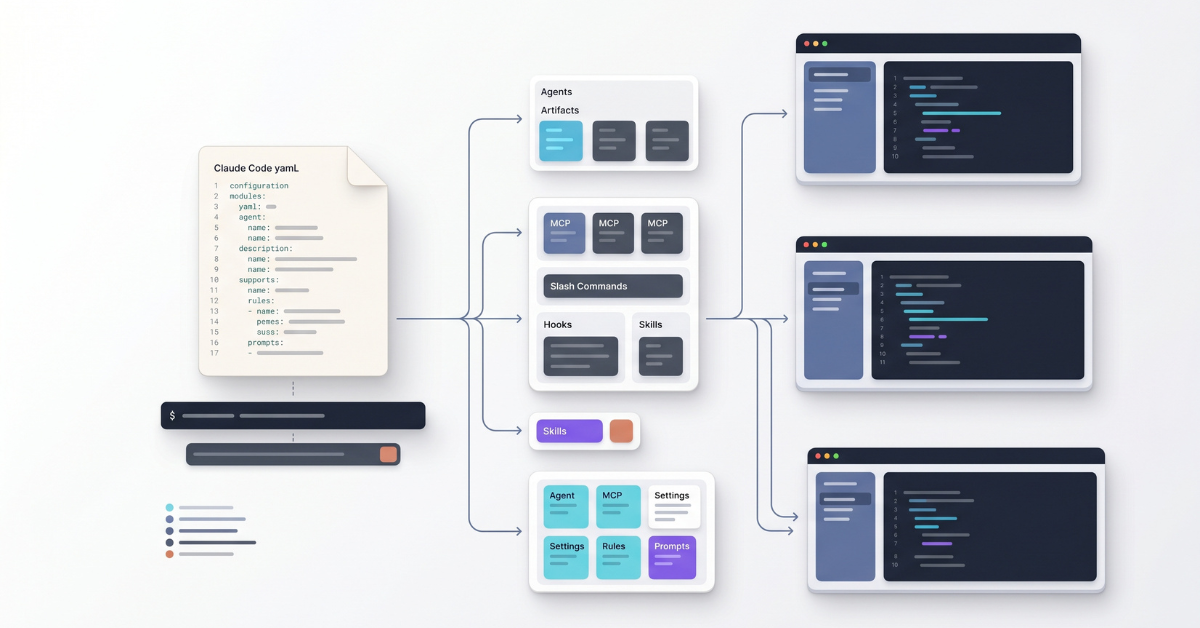


Automated installers and an environment configuration framework for Claude Code on Windows, macOS, and Linux.
Define your complete Claude Code environment in a single YAML file -- custom agents, MCP servers, slash commands, hooks, skills, model settings, and more -- and install everything with one command.
settings.json and ~/.claude.jsonprojects/ to the base ~/.claude/projects/ so the isolated and default Claude share session historyname: "My Development Environment"
command-names:
- "my-env"
# Base URL for downloading agents, commands, hooks, and other files
base-url: "https://raw.githubusercontent.com/my-org/my-configs/main"
agents:
- "agents/code-reviewer.md"
slash-commands:
- "commands/review.md"
rules:
- "rules/coding-standards.md"
mcp-servers:
- name: "context-server"
transport: "http"
url: "http://localhost:8000/mcp"
model: "sonnet"
effort-level: "high"
command-defaults:
system-prompt: "prompts/system-prompt.md"
mode: "append"
hooks:
files:
- "hooks/linter.py"
events:
- event: "PostToolUse"
matcher: "Edit|MultiEdit|Write"
type: "command"
command: "linter.py"
This creates a global my-env command that launches Claude Code with your custom agents, MCP servers, and hooks. See the Environment Configuration Guide for all configuration keys.
Host your YAML configuration in a repository, then run a single command to set everything up:
Linux:
export CLAUDE_CODE_TOOLBOX_ENV_CONFIG='https://raw.githubusercontent.com/your-org/your-repo/main/config.yaml' && curl -fsSL https://raw.githubusercontent.com/alex-feel/claude-code-toolbox/main/scripts/linux/setup-environment.sh | bash
macOS:
export CLAUDE_CODE_TOOLBOX_ENV_CONFIG='https://raw.githubusercontent.com/your-org/your-repo/main/config.yaml' && curl -fsSL https://raw.githubusercontent.com/alex-feel/claude-code-toolbox/main/scripts/macos/setup-environment.sh | bash
Windows:
powershell -NoProfile -ExecutionPolicy Bypass -Command "`$env:CLAUDE_CODE_TOOLBOX_ENV_CONFIG='https://raw.githubusercontent.com/your-org/your-repo/main/config.yaml'; iex (irm 'https://raw.githubusercontent.com/alex-feel/claude-code-toolbox/main/scripts/windows/setup-environment.ps1')"
You can also use a local file (./my-config.yaml) or a configuration from a private repository. See the Environment Configuration Guide for all options including authentication.
Browse the claude-code-artifacts-public repository for ready-made environment configurations. Find a configuration you like, copy its raw URL, and use it as the CLAUDE_CODE_TOOLBOX_ENV_CONFIG value in the commands above.
See Ready-Made Configurations for installation examples.
If you just need the Claude Code CLI without a custom environment configuration, the toolbox includes standalone installers that use the official Anthropic native installer with automatic npm fallback.
See the Installing Claude Code guide for platform-specific commands and options.
Environment configurations can execute commands on your system, download files, and configure MCP servers. Only use configurations from sources you trust.
Local files are under your control. Remote URLs should be verified before use. The setup script displays a confirmation prompt and flags sensitive paths before proceeding.
See the Security Considerations section for details.
Contributions are welcome! Please see CONTRIBUTING.md for guidelines.
MIT License -- see LICENSE for details.
This is a community project and is not officially affiliated with Anthropic. Claude Code is a product of Anthropic, PBC.
Run Claude Code as an MCP server so any agent can delegate coding tasks to it
 @microsoft✓ Official
Browser automation using accessibility snapshots instead of screenshots
 @googleapis✓ Official
Google's universal MCP server supporting PostgreSQL, MySQL, MongoDB, Redis, and 10+ databases
 @github✓ Official
Official GitHub integration for repos, issues, PRs, and CI/CD workflows