

Are you the author? Sign in to claim
Claude Code WSL2 setup with image paste, notifications, LSP, context-saving hooks, and Codex delegation.
My active Claude Code setup for WSL2 + Windows Terminal, built around one idea: keep Claude focused on orchestration and hand implementation churn to Codex.
The repo only tracks the pieces I actually use: Codex delegation, LangSmith tracing, LSP navigation, screenshot paste, Windows notifications, statusline, and token/context hygiene hooks.
Use this if you run Claude Code from WSL2 and want the Windows side to stop feeling bolted on: screenshots paste as WSL paths, notifications land in Windows, browser links open in your normal browser, and long implementation loops can move to Codex without filling Claude's main conversation.
Start with codex-delegate if your main pain is context burn.
Start with image-paste and claude-notify
if your main pain is day-to-day Windows/WSL friction.
Large implementation tasks are expensive twice: Claude spends tokens doing the work, then keeps every file read, edit, test run, and retry in the main conversation. That history competes with the architecture and product context Claude needs to orchestrate well.
codex-delegate sends a well-specified implementation task to Codex
through an isolated Claude subagent. Codex does the read/edit/test loop; the main session gets
back a short result and keeps its context for planning, steering, and review.
In the real run below, two Codex delegates handled tens of thousands of worker tokens in parallel while the main Claude session still showed 8% context and 6% five-hour usage.
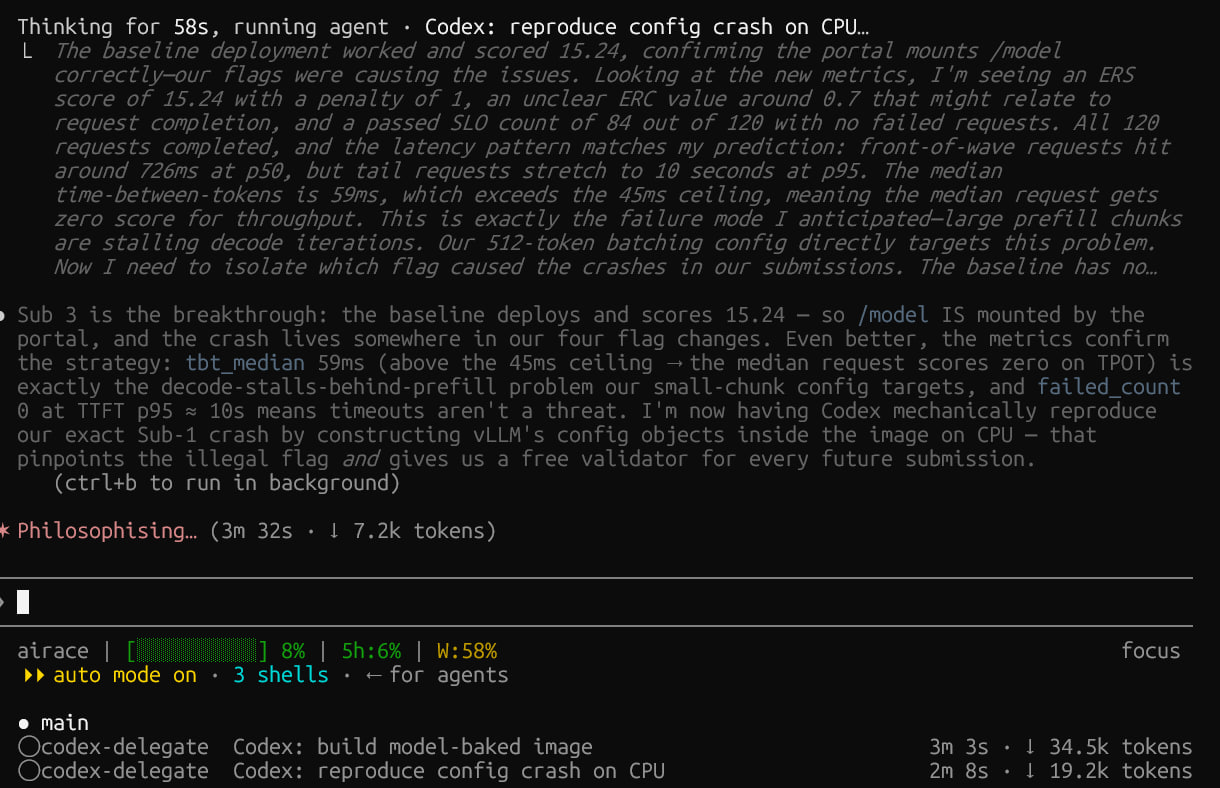
Codex does the implementation; the main Claude context receives only a compact summary.
Start with these — they are the highest-leverage pieces in the repo:
text2sql-agent · ✳ Claude or text2sql-agent · >_ Codex.
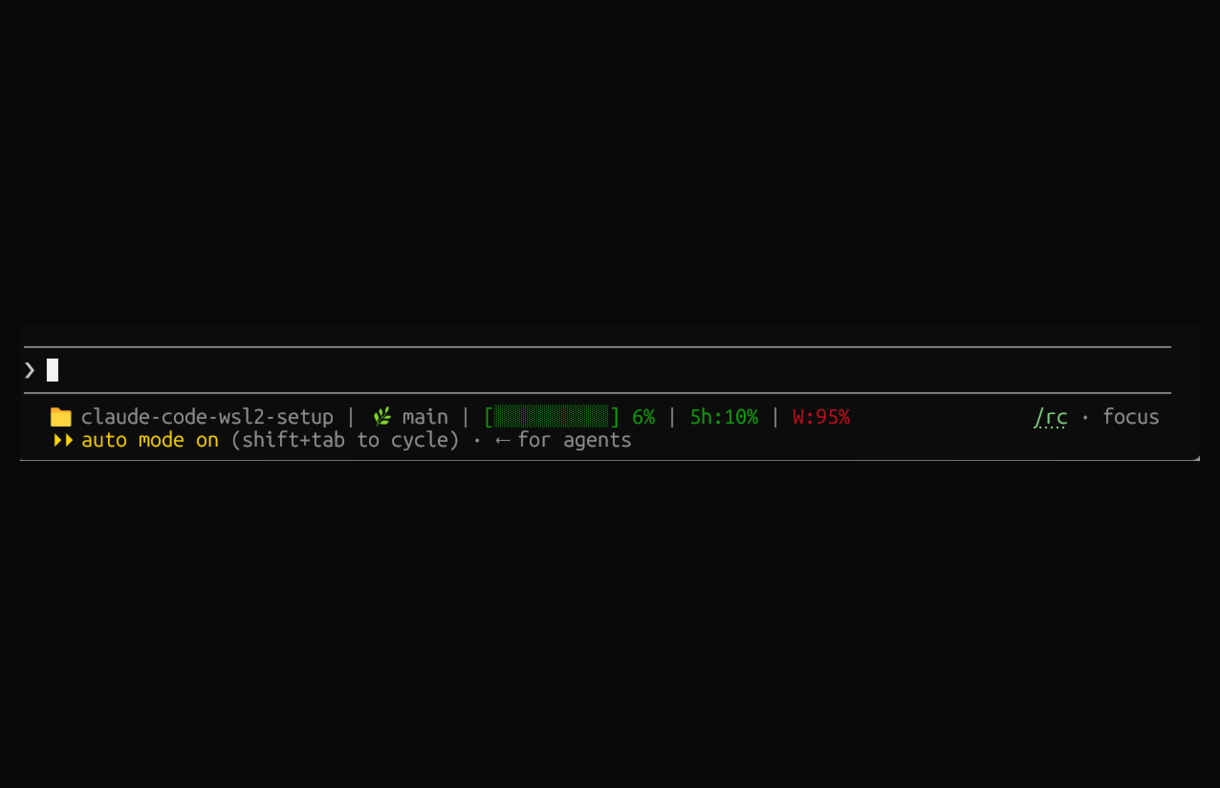
claude-code-wsl2-setup | main | [░░░░░░░░░░] 6% | 5h:10% | W:95%
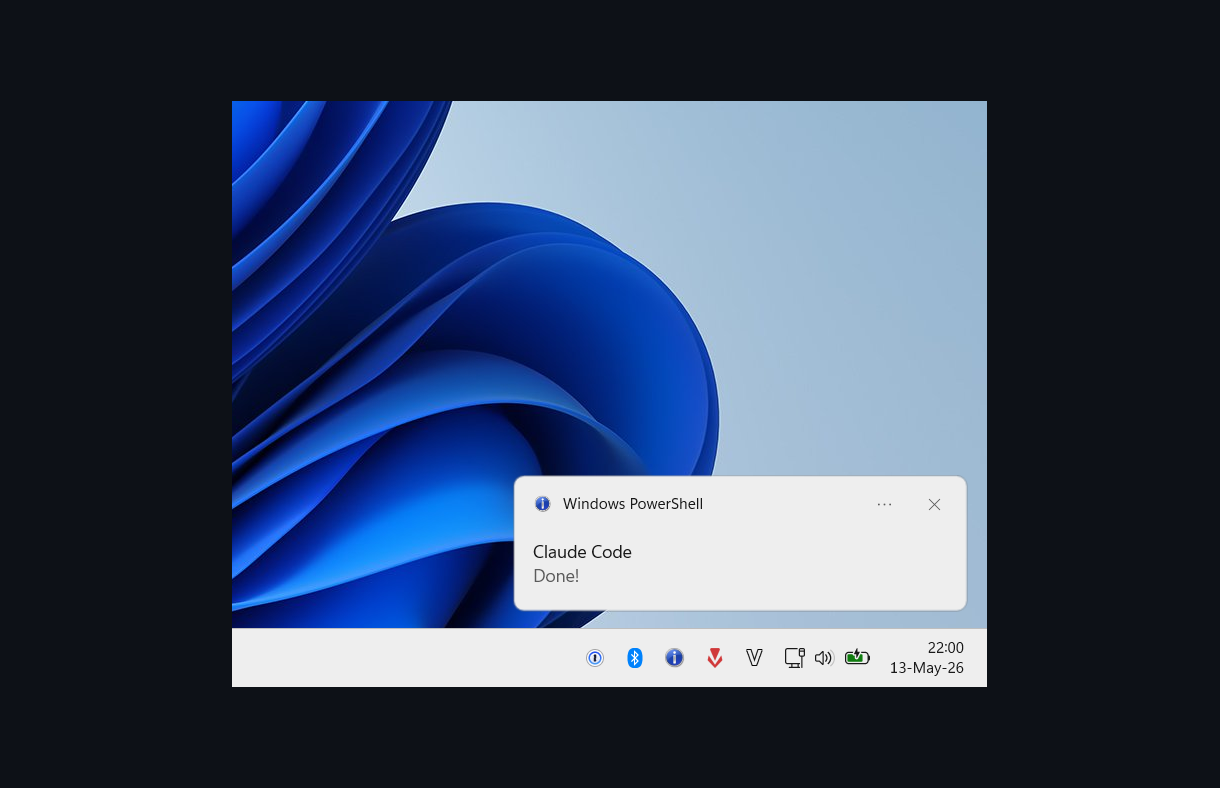
Balloon tip fires on Claude Code Notification events, skipped when Windows Terminal is focused
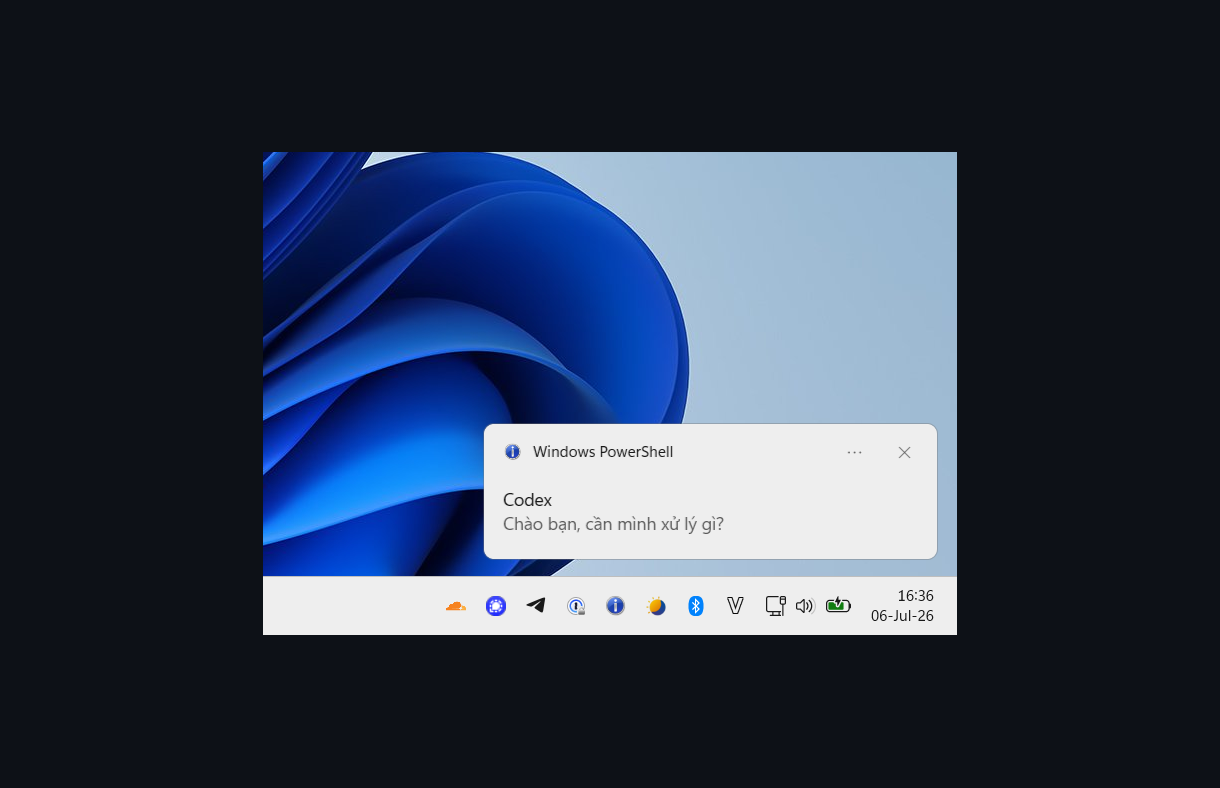
Codex's top-level notify command shows the completed turn's last reply
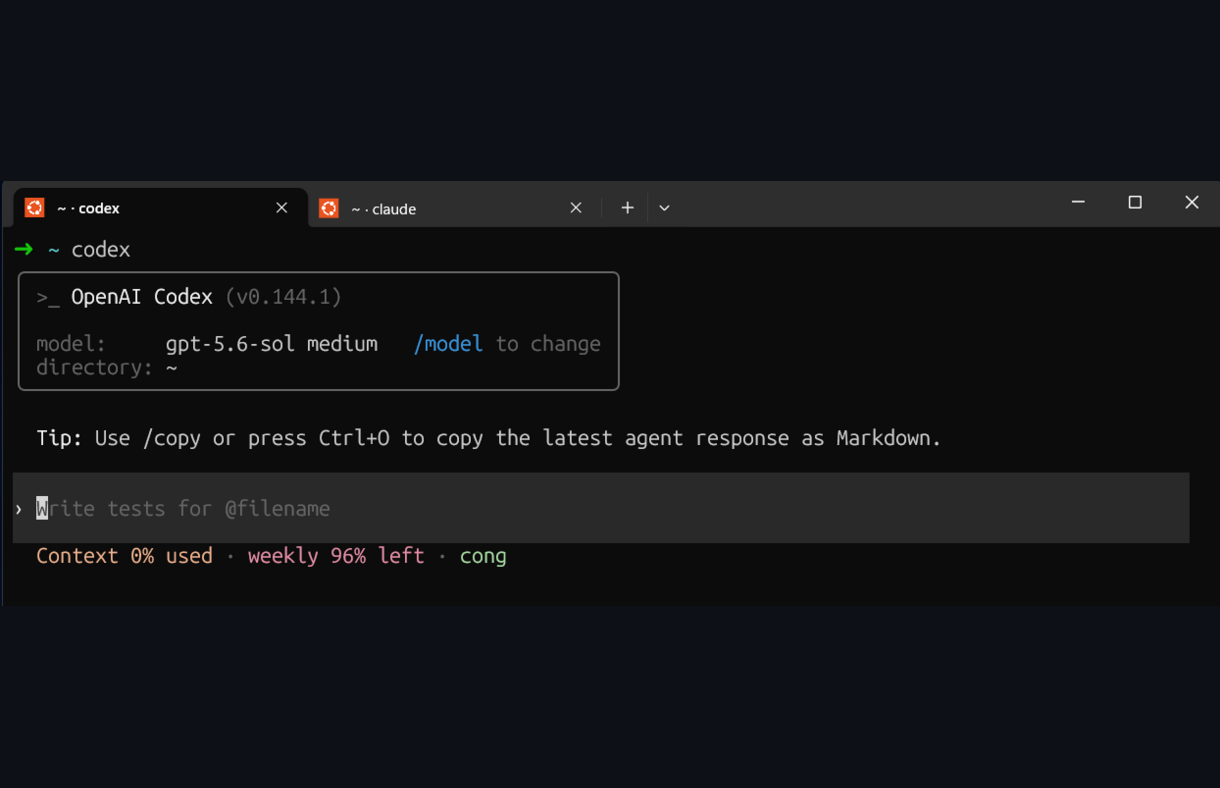
Shell-managed titles keep Claude Code and Codex tabs distinguishable.
/tmp/.wsl-screenshot-cli/, and restarts the clipboard monitor if it exits.Notification events when Claude finishes, asks for permission, or a background agent completes; suppressed automatically when Windows Terminal is already focused. WSL2 variant uses a balloon tip; the native PowerShell variant uses a modern Windows toast.Read, Grep, or content-printing shell commands.Co-authored-by: Claude git attribution and pre-accept the project trust dialog.git clone https://github.com/congmnguyen/claude-code-wsl2-setup.git
cd claude-code-wsl2-setup
claude
Then prompt:
Set this up
Claude will read the docs and configure everything.
For a manual install, copy the relevant files from agents/, skills/,
hooks/, and scripts/ into the matching ~/.claude/ directories,
then read the linked setup page for the feature you want.
| File | Fix |
|---|---|
lsp-setup.md | Official LSP plugins + language servers for TypeScript, Python, Go, Rust |
statusline.md | Project dir, git branch, context bar, 5h / 7d usage |
langsmith-tracing.md | Project-level LangSmith traces for Claude Code turns, tools, subagents, and compaction |
settings.md | Disable git attribution, skip trust dialog |
| File | Fix |
|---|---|
codex-delegate.md | Codex delegation with token isolation via a low-effort Sonnet wrapper instead of direct MCP/plugin foreground output |
mcp-setup.md | DeepWiki MCP; Figma Desktop is project-specific |
playwright-cli.md | Token-efficient browser automation; preferred over Playwright MCP for coding agents |
| File | Fix |
|---|---|
secrets-hygiene-hook.md + hooks/block-secret-reads.sh | PreToolUse hook — block credential-file reads before they hit the transcript |
truncate-bash-output.md + hooks/truncate-bash-output.sh | PostToolUse hook — truncate huge Bash output to head+tail before it eats context |
format-python-with-ruff.md + hooks/format-python-with-ruff.sh | PostToolUse hook — auto-format Python edits with Ruff, only in projects that declare Ruff config |
| File | Fix |
|---|---|
image-paste.md | Screenshot paste — supervised wsl-screenshot-cli service + optional Alt+V keybinding |
terminal-title.md | Distinct zsh tab titles for the current directory, Claude Code, and Codex |
claude-notify.md | Windows balloon tip for Claude Code Notification hooks |
bin/tmux-notify-run | Detached tmux jobs with logs, exit status, and Windows completion notification |
codex-notify.md | Reuse the same balloon script through Codex's top-level notify command |
shift-enter.md | Shift+Enter newline in VSCode terminal and Windows Terminal |
browser.md | Open links in your Windows browser via BROWSER plus an XDG fallback for OAuth CLIs |
capslock-esc.md | CapsLock → Escape registry remap via SharpKeys |
| Path | Contents |
|---|---|
agents/ | code-architect, codex-delegate |
skills/ | Active local skills: codex-delegate, commit-push-pr, deep-teach, pytorch-training |
hooks/ | block-secret-reads.sh PreToolUse hook; truncate-bash-output.sh and format-python-with-ruff.sh PostToolUse hooks |
scripts/ | codex-run.sh wrapper used by the codex-delegate Claude agent |
Copy the matching files from agents/, skills/, hooks/,
and scripts/ to ~/.claude/agents/, ~/.claude/skills/,
~/.claude/hooks/, and ~/.claude/scripts/ for Claude Code.
After adding or updating a skill, run /reload-skills to make it available without
restarting the session. Custom agents still require a restart.
Codex skills and the rest of my Codex setup live in the companion repo
congmnguyen/codex-wsl2-setup.
If a hook, plugin, or other customization breaks Claude Code, start a clean diagnostic
session with claude --safe-mode. Use /doctor, /hooks, and /mcp to inspect the
installation and loaded integrations.
Native Windows PowerShell notifications, WSLg voice-mode audio, and uninstalled Claude skills were removed from the main repo because they are not part of the active local setup.
Skills not authored here but worth installing alongside the setup:
liteparse (LlamaIndex, MIT) — parse PDF, DOCX, PPTX, XLSX, and images locally with no cloud calls. Useful for feeding unstructured documents into Claude or Codex without uploading them. Try it in the browser first: simonw.github.io/liteparse. Then install the npm package globally and copy the upstream SKILL.md into ~/.claude/skills/liteparse/:
npm i -g @llamaindex/liteparse
sudo apt-get install -y libreoffice   # required for DOCX/PPTX/XLSX
MIT — feel free to copy, fork, or adapt for your own setup.
Blocks dangerous git and shell commands from being executed by AI coding agents
Hook-based token compressor for 5 AI CLI hosts (Claude Code, Copilot CLI, OpenCode, Gemini CLI, Codex CLI). Up to 95% ba
One command to install 6 essential safety hooks in 10 seconds — zero dependencies
Smart Hebrew/Arabic RTL support for Claude Desktop on Windows