

Are you the author? Sign in to claim
Claude Config Editor is a lightweight web tool that helps you clean and optimize your Claude Code/Desktop config files (


Your Claude config is probably 10+ MB.
Mine was 17 MB. Now it's 732 KB.
This tool did it in 30 seconds.




Claude Code stores EVERY conversation from EVERY project in a single JSON file.
After a few weeks of use:
Sound familiar?
A beautiful web interface to:
Works with both Claude Code AND Claude Desktop.
"My .claude.json was 23 MB. Deleted 50 old projects. Now it's 1.8 MB. Claude Code starts instantly now." - Actual result
"Finally! I can see my MCP servers without opening VSCode." - Reddit user
"I didn't even know this was a problem until I ran this tool." - HN comment
Translation: This tool solves a problem you didn't know you had, in 30 seconds, with zero risk.
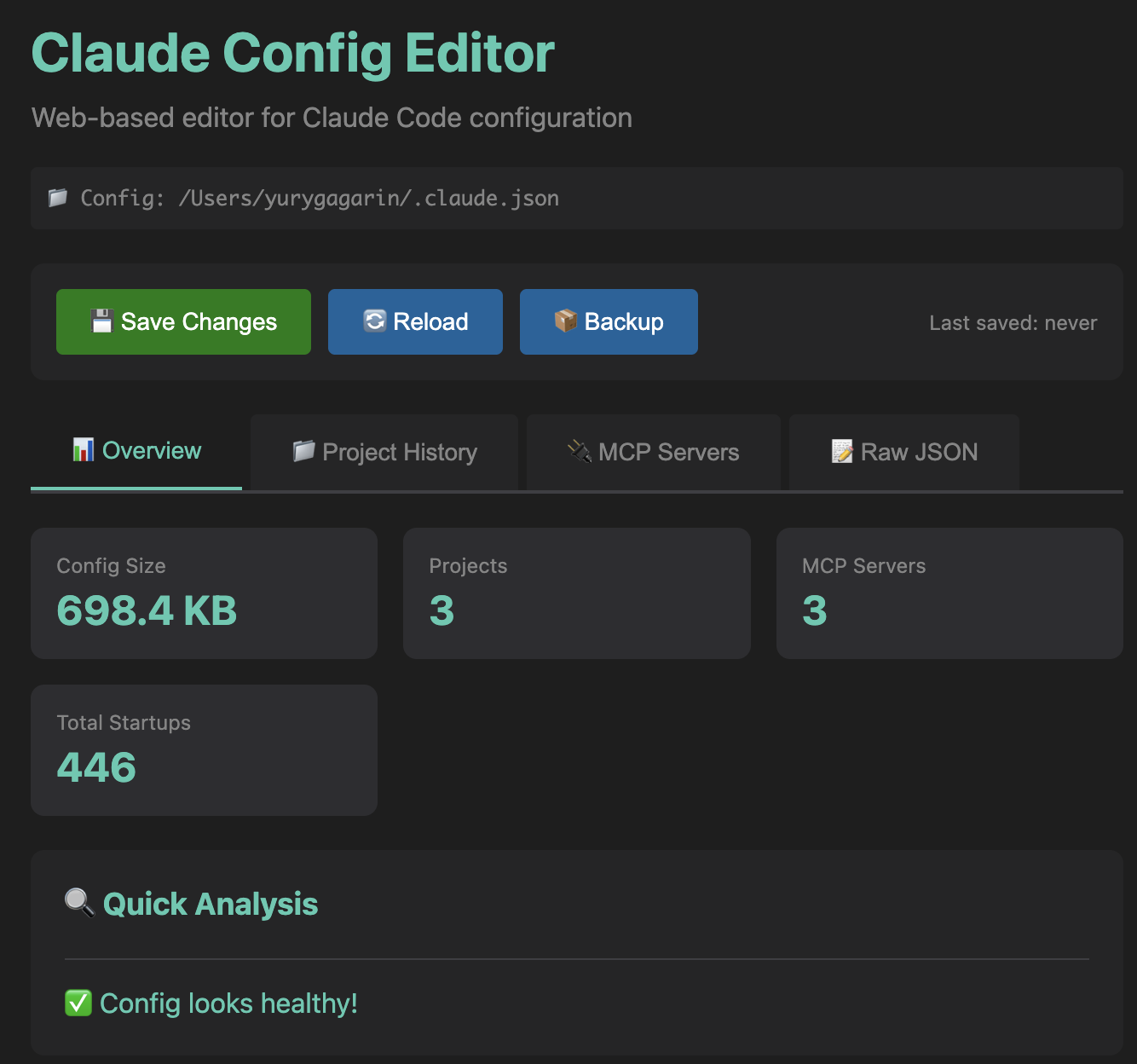 Quick stats and health analysis at a glance
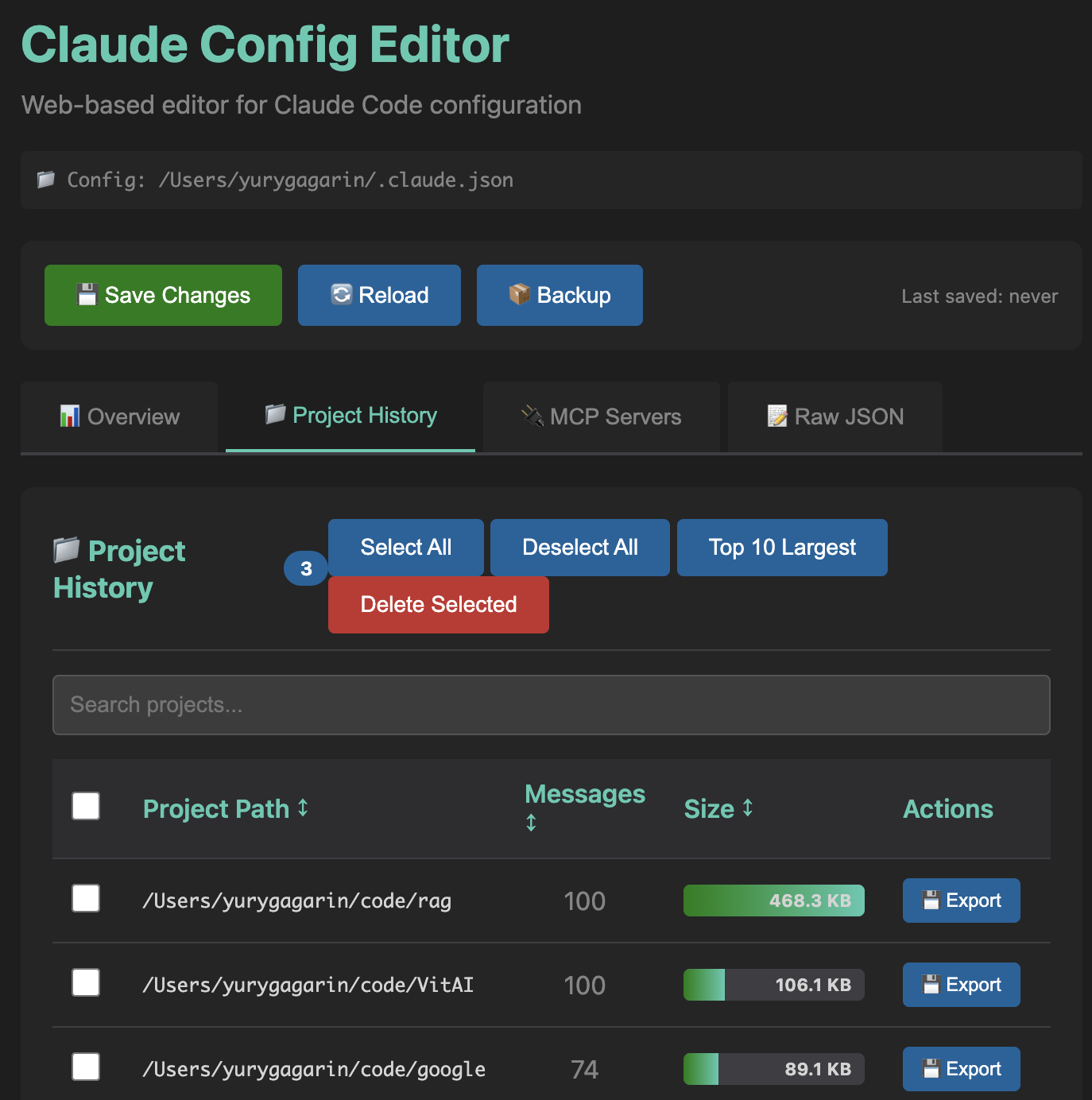 See which projects are eating disk space, export or delete with one click
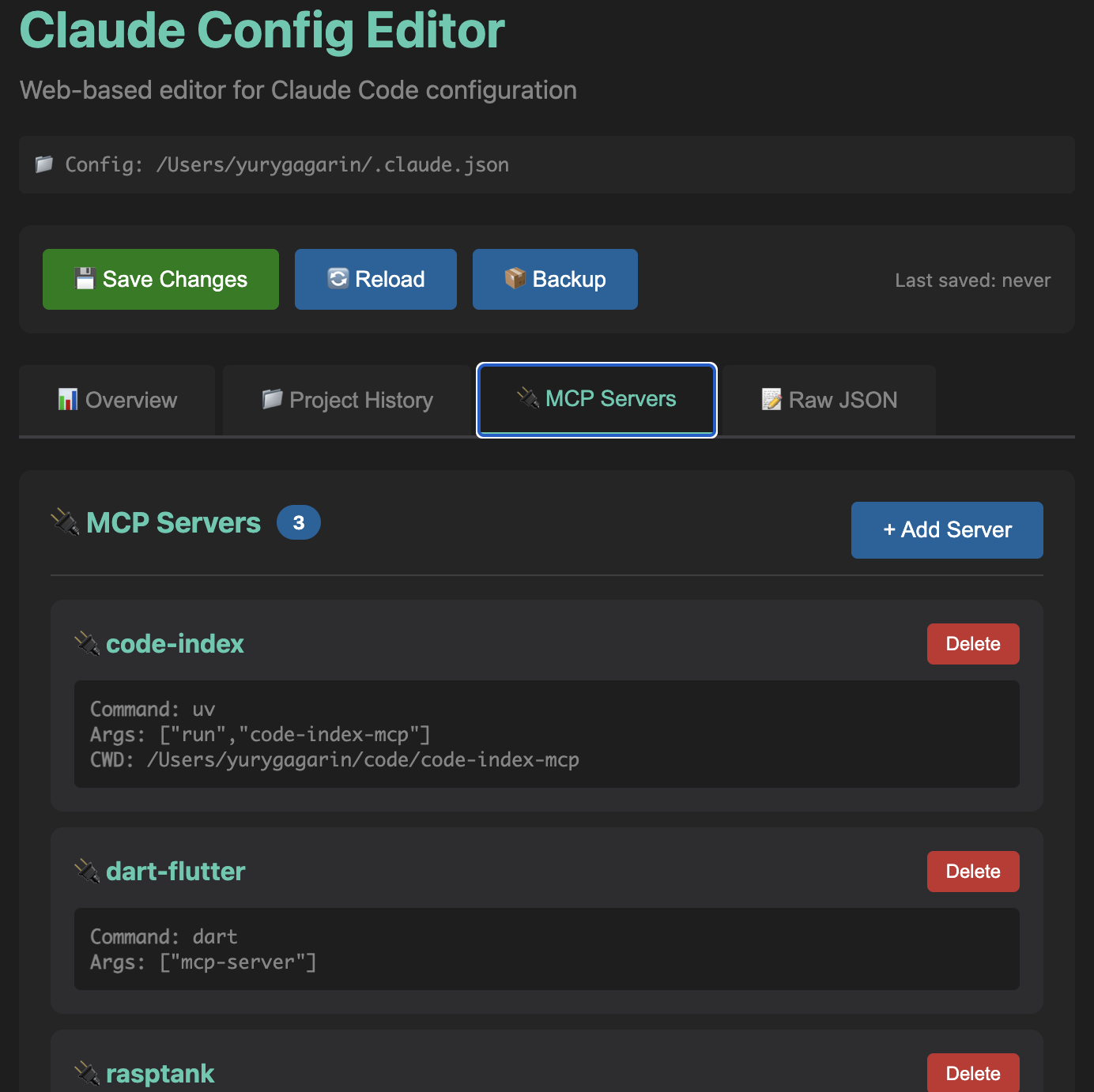 Visual management of MCP server configurations
Three commands. Zero dependencies. Zero configuration.
git clone https://github.com/gagarinyury/claude-config-editor.git
cd claude-config-editor
python3 server.py
That's it. Opens at http://localhost:8765.
See exactly what's taking up space:
The killer feature:
Because editing JSON manually is for masochists:
→ Your config is probably huge. Click "Top 10 Largest", delete, save. Done in 30 seconds.
→ Go to Project History, click "💾 Export" on any project. Downloads JSON. Keep forever.
→ Go to MCP Servers tab. See everything. No more cat ~/.claude.json | grep mcpServers.
→ Restore from .claude.backup.json (created automatically before every save).
→ Export your config, share the JSON. Or just share this tool.
1. Open tool → Go to "Project History"
2. Click "Top 10 Largest" (selects 90% of bloat)
3. Review → Click "Delete Selected"
4. Click "💾 Save Changes"
Result: 17 MB → 732 KB (actual result from my config)
1. Find project in list
2. Click "💾 Export" (downloads JSON)
3. Now safe to delete (you have a backup)
View:   See all servers, their commands, args, env
Add:    Click "+ Add Server" → Enter name & command → Save
Remove: Find server card → Click "Delete" → Save
.claude.backup.json)localhost:8765, no internet required)Worst case: Restore from .claude.backup.json. Best case: Your Claude is fast again.
| Config | Path | Auto-Detect |
|---|---|---|
| Claude Code (macOS/Linux) | ~/.claude.json | ✅ |
| Claude Code (Windows) | %USERPROFILE%\.claude.json | ✅ |
| Claude Desktop (macOS) | ~/Library/Application Support/Claude/claude_desktop_config.json | ✅ |
| Claude Desktop (Windows) | %APPDATA%\Claude\claude_desktop_config.json | ✅ |
| Claude Desktop (Linux) | ~/.config/Claude/claude_desktop_config.json | ✅ |
/api/config)Source: 300 lines of Python + 700 lines of HTML/CSS/JS. No frameworks. No build step. Just works.
Q: Will this break my Claude setup?
A: No. Automatic backups + only changes what you delete. Worst case: restore from .claude.backup.json.
Q: Why is my config so big? A: Claude stores EVERY message from EVERY project. 100 projects × 50 messages × 1 KB = 5 MB. Add paste content and it balloons to 10-20 MB.
Q: What happens to my conversations? A: Project history = conversation history. Deleting a project = deleting its chat history. Use "💾 Export" first if you want to keep it.
Q: Is my data sent anywhere?
A: Nope. Runs on localhost:8765. Zero network requests. Check the code if you don't believe me.
Q: Can I undo a delete?
A: Before save? Yes (just refresh). After save? Restore from .claude.backup.json (created automatically).
Q: Why not just edit the JSON manually? A: You could. Or you could use this and finish in 30 seconds instead of 30 minutes of JSON hell.
Q: Does this work with Claude Desktop?
A: Yes! Auto-detects both Claude Code (.claude.json) and Claude Desktop (claude_desktop_config.json).
Q: Can I run this on Windows? A: Yes! Python is cross-platform. Works on macOS, Linux, Windows.
Found a bug? Open an issue. Have an idea? Open an issue. Want to add a feature? Fork + PR.
git clone https://github.com/gagarinyury/claude-config-editor.git
cd claude-config-editor
# Make your changes
git commit -am "Add awesome feature"
git push origin main
# Open PR
Code style: Keep it simple. This is a tool, not a framework.
MIT License - do whatever you want with this code.
I built this because:
.claude.json → 17 MB 😱If this saved you time, star the repo! ⭐
It helps others discover the tool and validates my late-night coding session.
Got ideas? Open an issue!
If you found this useful, star the repo! It helps others discover it.
Made with ❤️ and Claude Code
(This tool was built using Claude Code. Meta, I know.)
If this saved you time, ⭐ star the repo!
It takes 2 seconds and makes my day.
P.S. Your config is probably bloated right now. Go check. I'll wait.
Project management using GitHub Issues + Git worktrees for parallel agent execution
Core skills library for Claude Code with 20+ battle-tested skills including TDD, debugging, and brainstorming
Coding agent session manager supporting Claude Code, Gemini CLI, Codex, and more
191 agents, 155 skills, and 82 plugins cross-compatible with Claude Code, Cursor, and Codex