

Are you the author? Sign in to claim
A macOS overlay app with pixel art mascots that guards your Claude Code sessions — approve or deny actions without leavi

A living mascot that floats above your windows, guards your Claude Code sessions, and lets you approve or deny actions without leaving your flow.
v2.2 — Always Allow button · keyboard shortcuts · hide/show mode · stop notifications
Each terminal session gets its own mascot — every active session spawns an independent mascot on screen, handling its own permission requests. Click the menubar icon to see live usage stats, costs, token breakdowns, and trends.
flowchart LR
    A["Claude Code\nwants to run a tool"] --> B{"Config check"}
    B -->|"Safe tool\n(Read, Glob...)"| C["Auto-approved"]
    B -->|"Blocked tool"| D["Auto-denied"]
    B -->|"Needs approval"| E["Guardian App\nshows overlay"]
    E --> F{"You decide"}
    F -->|"Allow / Y / Enter"| G["Tool runs"]
    F -->|"Always ★"| J["Tool runs +\nadded to auto_approve"]
    F -->|"Deny / N / Esc"| H["Tool blocked\n+ message to Claude"]
    F -->|"No response"| I["Auto-denied\nafter timeout"]

    style J fill:#d97706,color:#fff

    style A fill:#f4845f,color:#fff
    style C fill:#4ade80,color:#000
    style D fill:#f87171,color:#fff
    style E fill:#fbbf24,color:#000
    style G fill:#4ade80,color:#000
    style H fill:#f87171,color:#fff
    style I fill:#f87171,color:#fff
brew tap anshaneja5/tap
brew install --cask claudeguardian
This installs the app to /Applications/, sets up Claude Code hooks, copies the default config to ~/.config/claude-guardian/, and launches Guardian automatically.
macOS Gatekeeper note: Since the app isn't notarized, macOS may show "app is damaged" or block it on first launch. Run this once to fix it:
hljs language-bashxattr -cr /Applications/ClaudeGuardian.appThen open the app normally. You only need to do this once.
brew update
brew upgrade --cask claudeguardian
git clone https://github.com/anshaneja5/Claude-Guardian.git
cd Claude-Guardian
./setup.sh
This will:
.app bundlePreToolUse, SessionStart, SessionEnd, PermissionRequest, and Notification hooks into ~/.claude/settings.json~/.config/claude-guardian/guardian.config.json# Build
cd app/ClaudeGuardian
swiftc -o ClaudeGuardian Sources/main.swift Sources/sprites.swift \
-framework Cocoa -framework SwiftUI -framework Network
# Run
./ClaudeGuardian &
Click the menubar icon → Stats tab to see a full analytics dashboard powered by your local ~/.claude/ data:
claude --dangerously-skip-permissions, Guardian steps aside completely — no mascot, no overlay, total silence"notify_only": true in ~/.config/claude-guardian/guardian.config.json to always run in this modesettings.json / settings.local.json are also auto-approved silently+ / - buttons in the bottom-right corner — scales the entire widget (mascot, text, box)mascot field in config sets the default for new sessionsY / Return) — approve this actionauto_approve (no config editing needed)N / Escape) — first press reveals a text field to type a message back to Claude, second press sends and rejectsEdit ~/.config/claude-guardian/guardian.config.json (created during setup):
{
  "port": 9001,
  "timeout_seconds": 300,
  "mascot": "cat",
  "auto_approve": ["Read", "Glob", "Grep", "LS"],
  "always_block": []
}
| Field | Description |
|---|---|
port | HTTP port for hook-to-app communication (default 9001) |
timeout_seconds | Auto-deny after this many seconds of no response (default 300) |
mascot | Default mascot for new sessions (can be changed per-session by clicking) |
auto_approve | Tools that pass through without asking. You can also click ★ Always on any prompt to add a tool here automatically. |
always_block | Tools that are always denied without prompting. Note: Claude Code's own permissions.deny in ~/.claude/settings.json does the same thing at the system level — use whichever you prefer. |
Set "mascot" in config for the default, or click any mascot on screen to cycle through them live:
"claude" | "cat" | "owl" | "skull" | "dog" | "dragon" |
|---|---|---|---|---|---|
|  | 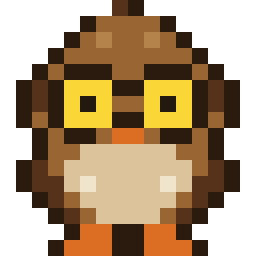 |  |  |  |
| Coral Claude | Dark Gray Cat | Brown Owl | Pixel Skull | Golden Puppy | Green Dragon |
~/.claude/settings.json)| Hook | Script | Purpose |
|---|---|---|
PreToolUse | hook/pre_tool_use.py | Intercepts tool calls already in the allow list; handles cost tracking |
PermissionRequest | hook/permission_request.py | Intercepts built-in "Yes/No" permission prompts for all other tools |
SessionStart | hook/session_lifecycle.py | Notifies Guardian to spawn a mascot |
SessionEnd | hook/session_lifecycle.py | Notifies Guardian to remove the mascot |
Notification | hook/notification.py | Forwards mid-task notifications as speech bubbles on mascot |
Stop | hook/stop.py | Shows "Claude finished coding! ✓" when Claude stops; launches app if needed |
app/ClaudeGuardian/Sources/)main.swift: App delegate with per-session window management, HTTP server (NWListener), SwiftUI views, menubarsprites.swift: All pixel art mascot sprites (16x16 grids) with animation frames and color palettes/health, /request, /session, and /decision/{id} endpoints.screenSaver level to appear above fullscreen appsclaude-guardian/
├── setup.sh # One-command install (build + post-install)
├── build-app.sh # Builds ClaudeGuardian.app bundle + zip
├── post-install.sh # Installs hooks, config, launch agent
├── guardian.config.json # Default config (port, timeout, mascot, rules)
├── hook/
│ ├── pre_tool_use.py # PreToolUse hook (allowed tools + cost tracking)
│ ├── permission_request.py # PermissionRequest hook (built-in Yes/No prompts)
│ ├── session_lifecycle.py # SessionStart/SessionEnd hook (fire-and-forget)
│ ├── notification.py # Notification hook (speech bubbles)
│ └── stop.py # Stop hook ("Claude finished coding!" notification)
├── app/
│ └── ClaudeGuardian/
│ ├── Info.plist # macOS app bundle metadata
│ └── Sources/
│ ├── main.swift # App, HTTP server, per-session windows, UI
│ └── sprites.swift # Pixel art mascot sprite data
├── homebrew/
│ └── claudeguardian.rb # Homebrew cask formula
├── .github/
│ └── workflows/
│ └── release.yml # CI: build + GitHub release on tag push
├── assets/ # Generated mascot preview images
│ ├── claude.png
│ ├── cat.png
│ ├── owl.png
│ ├── skull.png
│ ├── dog.png
│ └── dragon.png
├── generate_pngs.py # Script to regenerate mascot PNGs from sprites
└── README.md
brew uninstall --cask claudeguardian
This automatically stops the app, removes hooks from ~/.claude/settings.json, and cleans up the launch agent.
./uninstall.sh
Or manually:
# 1. Stop the running app
pkill -f ClaudeGuardian

# 2. Remove the launch agent
launchctl unload ~/Library/LaunchAgents/com.claudeguardian.app.plist
rm ~/Library/LaunchAgents/com.claudeguardian.app.plist

# 3. Remove hooks from Claude Code settings
# Edit ~/.claude/settings.json and delete PreToolUse, SessionStart, SessionEnd,
# PermissionRequest, and Notification hook entries

# 4. Remove config and project folder
rm -rf ~/.config/claude-guardian
rm -rf /path/to/claude-guardian
| Key | Action |
|---|---|
⌘Y | Allow the pending action |
⌘N | Deny (first press reveals message field, second press sends) |
| Click mascot | Jump to that session's terminal |
| Long press mascot | Cycle to next mascot style |
Click + / - | Resize the widget (scales everything) |
| Menubar → Hide | Dismiss mascot — Claude Code's own prompt handles permissions |
| Menubar → Show | Hand control back to Guardian |
Keyboard shortcuts use ⌘ to avoid accidental triggers while typing.
Hook error about spaces in path: If your project folder path contains spaces, make sure the hook command in ~/.claude/settings.json wraps the script path in single quotes:
"command": "python3 '/path/with spaces/hook/pre_tool_use.py'"
Overlay doesn't appear: Check that the Guardian app is running (curl http://localhost:9001/health should return {"status":"ok"}). If not, launch it manually.
Port conflict: If port 9001 is taken, change "port" in both guardian.config.json and the hook scripts' GUARDIAN_PORT variable.
Mascot doesn't appear for a session: Make sure SessionStart and SessionEnd hooks are installed in ~/.claude/settings.json. Run ./setup.sh again to reinstall all hooks.
⚠️ Experimentelle Skill-Sammlung für deutsches Recht (Arbeits-, Gesellschafts-, Insolvenz-, Datenschutz-, Prozessrecht u
Manage multiple Claude Code agents from TUI or Web with tmux and git worktrees
Project management using GitHub Issues + Git worktrees for parallel agent execution
Core skills library for Claude Code with 20+ battle-tested skills including TDD, debugging, and brainstorming