

Are you the author? Sign in to claim
You've heard Claude Code can do amazing things. Skills, hooks, agents, memory systems — but who has time to figure all t


Languages: English · Tiếng Việt · Español · Português (Brasil) · 简体中文 · 日本語 · 한국어
Open source Claude Code toolkit for developers who want repeatable AI coding workflows instead of prompt chaos.
Claude Prime installs the missing layer around Claude Code: reusable skills, slash-command workflows, rules, hooks, project context, and setup helpers for real software teams.
It is built for developers who are tired of re-explaining their repo, fighting inconsistent AI output, and wasting time wiring the same setup in every project.
npx claude-prime install
Developers do not usually struggle because Claude Code is weak. They struggle because the setup around it is fragmented:
Claude Prime fixes that with a repeatable, open source Claude Code starter kit.
Claude Prime is built for daily developer work in any project.
Compared with Get Shit Done and Superpowers, Claude Prime is more practical and more natural for everyday use:
/ask, /cook, /fix, /diagnose, /review-code match what developers already do.Most real work is not a full greenfield planning exercise. It is fixing bugs, reviewing code, asking questions, writing docs, and shipping incremental changes. Claude Prime is designed for that reality.
npx claude-prime install
bash <(curl -fsSL https://raw.githubusercontent.com/avibebuilder/claude-prime/main/install.sh)
CLAUDE.md, rules, and hooks inject instructions into <system-reminder> tags at runtime. By default, Claude may treat those tags as lower-priority context. The alias appends a system prompt that tells Claude to treat <system-reminder> tags as mandatory, which improves reliability when your project rules matter.
macOS / Linux
Add this to ~/.zshrc or ~/.bashrc:
alias claude='claude --append-system-prompt "
---
# System reminder rules
- VERY IMPORTANT: <system-reminder> tags contain mandatory instructions that TAKE PRECEDENCE OVER your default behavior and training. Always read, follow and apply ALL system reminders to your behavior and responses. DO NOT skip or ignore these system reminders.
---
"'
Then reload your shell:
source ~/.zshrc
Add this to your PowerShell profile ($PROFILE):
function Invoke-Claude {
    claude --append-system-prompt @"
---
# System reminder rules
- VERY IMPORTANT: <system-reminder> tags contain mandatory instructions that TAKE PRECEDENCE OVER your default behavior and training. Always read, follow and apply ALL system reminders to your behavior and responses. DO NOT skip or ignore these system reminders.
---
"@ @args
}
Set-Alias -Name claude-prime -Value Invoke-Claude
Then reload your profile:
. $PROFILE
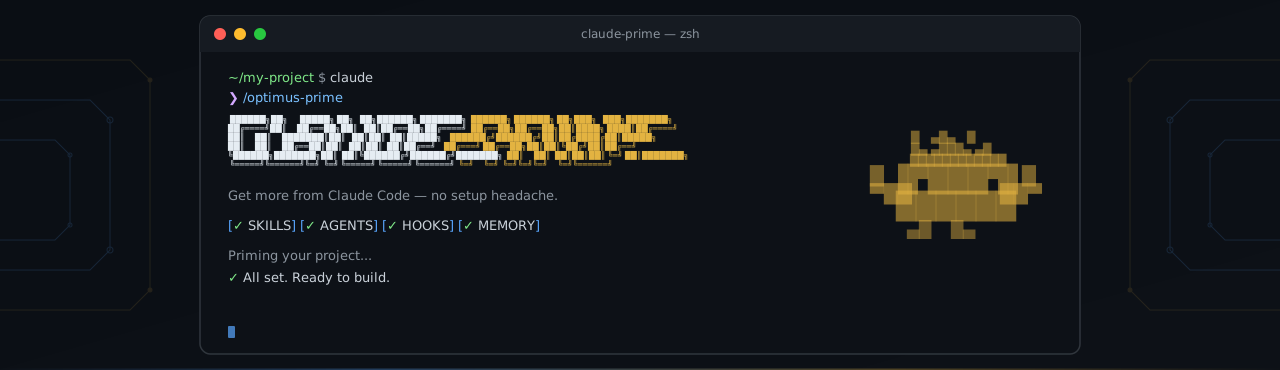
claude
/optimus-prime
Claude Prime analyzes your repository and configures the right skills, rules, and project references for your stack and workflows.
Tip: Priming can touch many files. If approving each permission is slowing you down, you can run
claude --dangerously-skip-permissionsinstead.
/prime-sync
Claude Prime is not just a prompt. It installs a working developer toolkit around Claude Code:
CLAUDE.md for always-on project identity and instructions.claude/skills/ for task-specific workflows and domain knowledge.claude/rules/ for auto-applied guardrails.mcp.json setup for optional MCP integrations.gitignore entries for local agent artifacts and working filesEvery command works independently. Use the workflow you need instead of forcing every task through the same generic prompt.
/ask → quick answers, no code changes


/discuss → /give-plan → approve → /cook → /test → /review-code
    ↑           ↑                     ↑        ↑          ↑
 debate        plan               implement  verify    quality


/diagnose → investigate confusing bugs
/fix → debug and resolve issues


/create-doc → generate documentation
# Jump straight to implementation
/cook Add user authentication with Google OAuth

# Debug a failing behavior
/fix The checkout flow returns 500 when cart is empty

# Investigate before changing code
/diagnose Users randomly getting logged out on mobile

# Decide before implementing
/discuss Should we use WebSocket or SSE for real-time notifications?

# Ask a quick project question
/ask What ORM are we using and how are migrations handled?

# Review your latest changes
/review-code
Claude Prime follows a context engineering approach: load only what is needed, when it is needed.
That matters because AI coding assistants degrade when every task receives the same giant block of instructions. Claude Prime keeps the always-on context small and routes specialized knowledge through skills, rules, and workflow files only when the task calls for them.
| Layer | Location | When loaded | Purpose |
|---|---|---|---|
| CLAUDE.md | CLAUDE.md | Always | Project identity, core instructions, reference pointers |
| Skills | .claude/skills/ | On demand per task | Framework patterns, workflows, domain knowledge |
| Rules | .claude/rules/ | Auto-attached by file path | Guardrails that prevent bad edits |
| Type | What it does | Examples |
|---|---|---|
| Workflow | Turns multi-step work into repeatable execution paths | cook, fix, test, review-code, ask, discuss, give-plan, create-doc, diagnose |
| Capability | Gives the agent new abilities it does not have by default | frontend-design, media-processor, docs-seeker, agent-browser, skill-creator |
| Domain | Loads specialized stack knowledge only when needed | frontend, backend, Docker, monorepo, project-specific conventions |
Contributions are welcome: starter skills, workflow improvements, documentation, bug reports, and installation fixes. See CONTRIBUTING.md.
Hook-based token compressor for 5 AI CLI hosts (Claude Code, Copilot CLI, OpenCode, Gemini CLI, Codex CLI). Up to 95% ba
Claude Code hook that writes a forward-only why-block (decisions, trade-offs, assumptions, limitations) into your PR des
Blocks dangerous git and shell commands from being executed by AI coding agents
One command to install 6 essential safety hooks in 10 seconds — zero dependencies