

Are you the author? Sign in to claim
MCP server with persistent memory + FTS5 search for Claude Code conversation history. Index your ~/.claude/projects/, ex


Professional conversation viewer and analysis tool for Claude Code
Category: Development Tools · Conversation Analysis · Usage Monitoring
Claudex is a full-stack web application designed for developers, QA engineers, and researchers who need to inspect, search, and analyze Claude Code conversation histories. Built with React and Fastify, it provides enterprise-grade full-text search using SQLite FTS5, universal template support for all Claude Code versions, and comprehensive analytics dashboards.





📚 Documentation | 💬 Discussions | 🐛 Issues
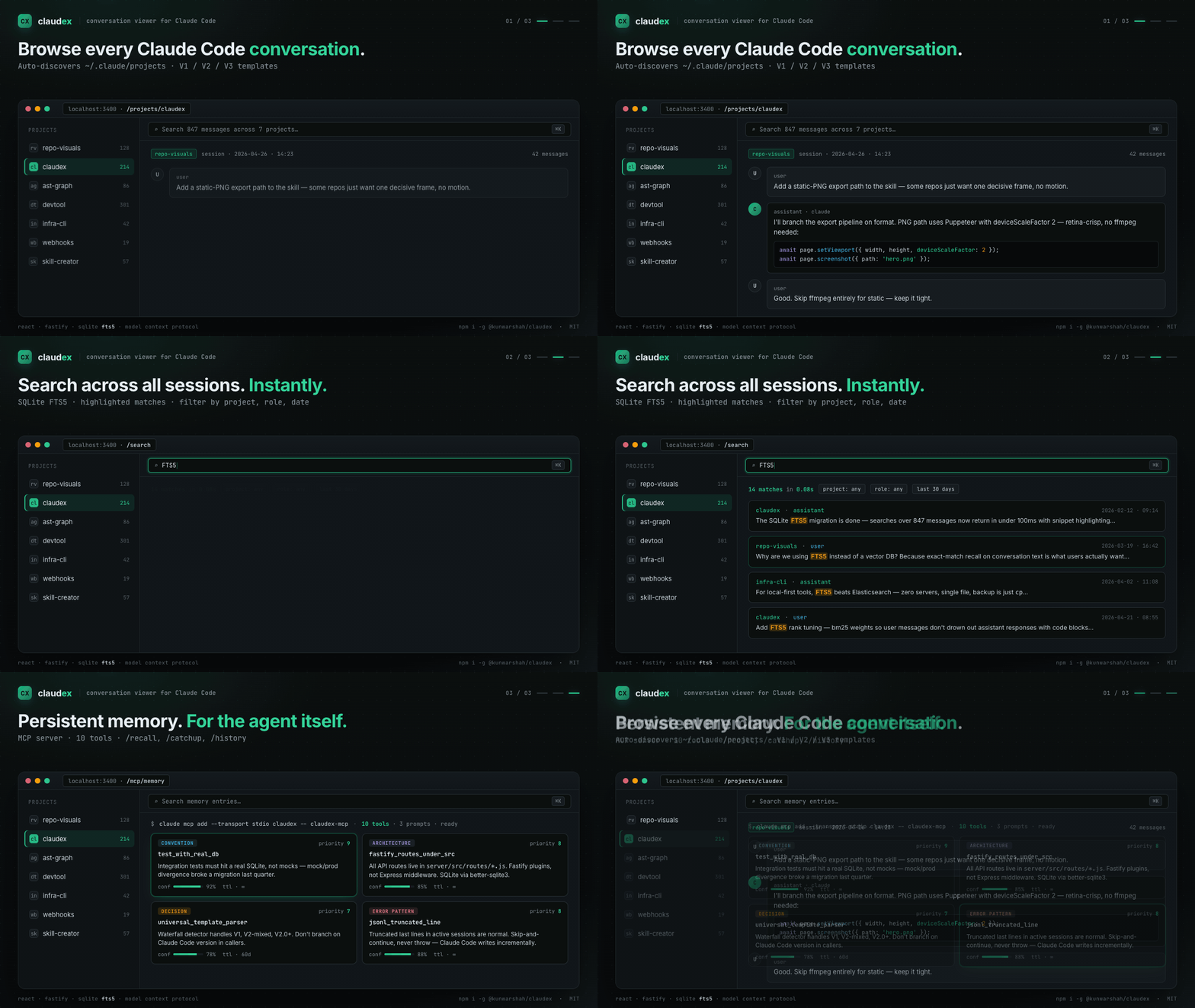
/recall, /catchup, /history for quick access to past sessionsclaude mcp add --transport stdio claudex -- claudex-mcpView full changelog | Troubleshooting guide
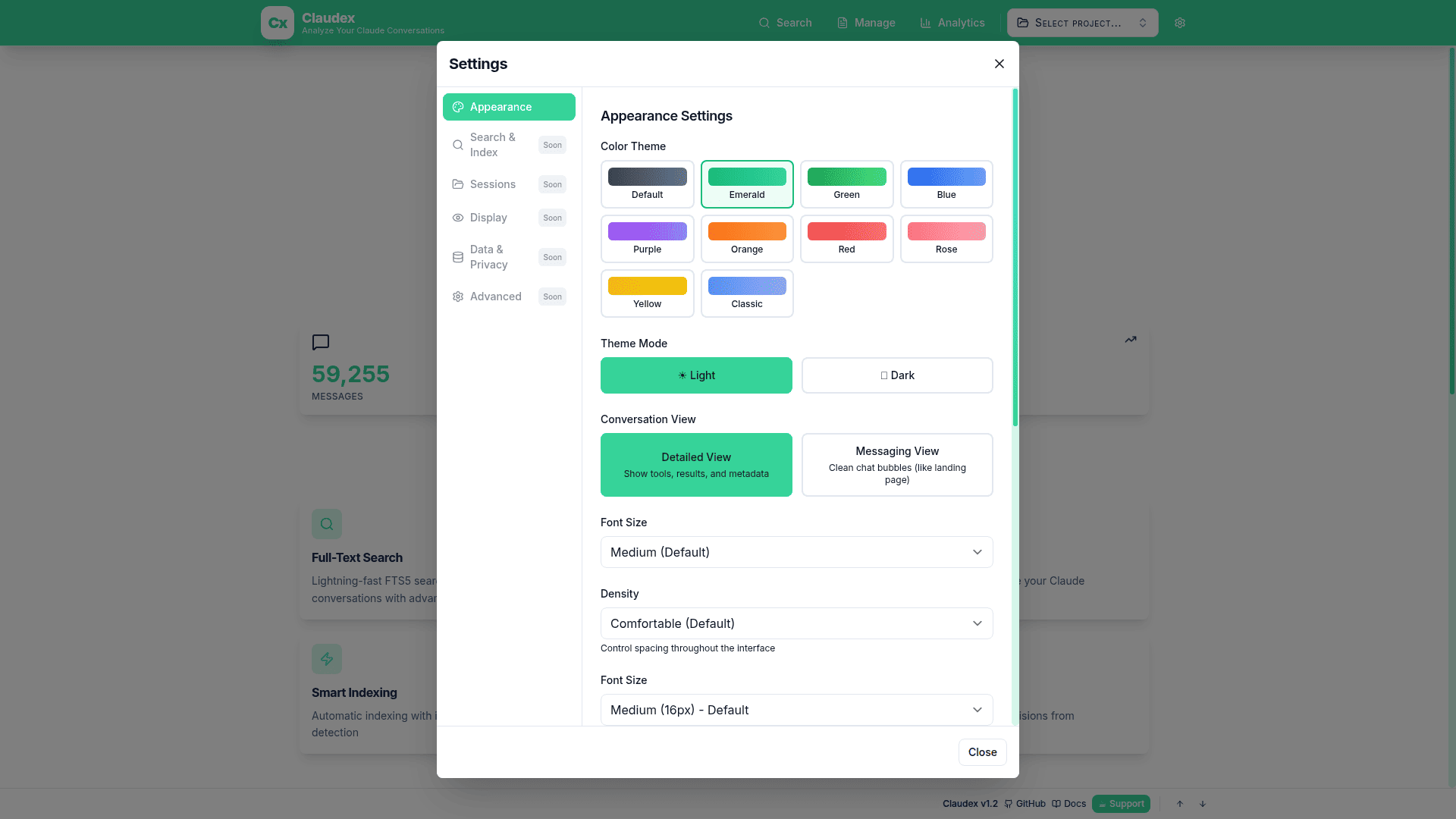
10 Professional Themes |
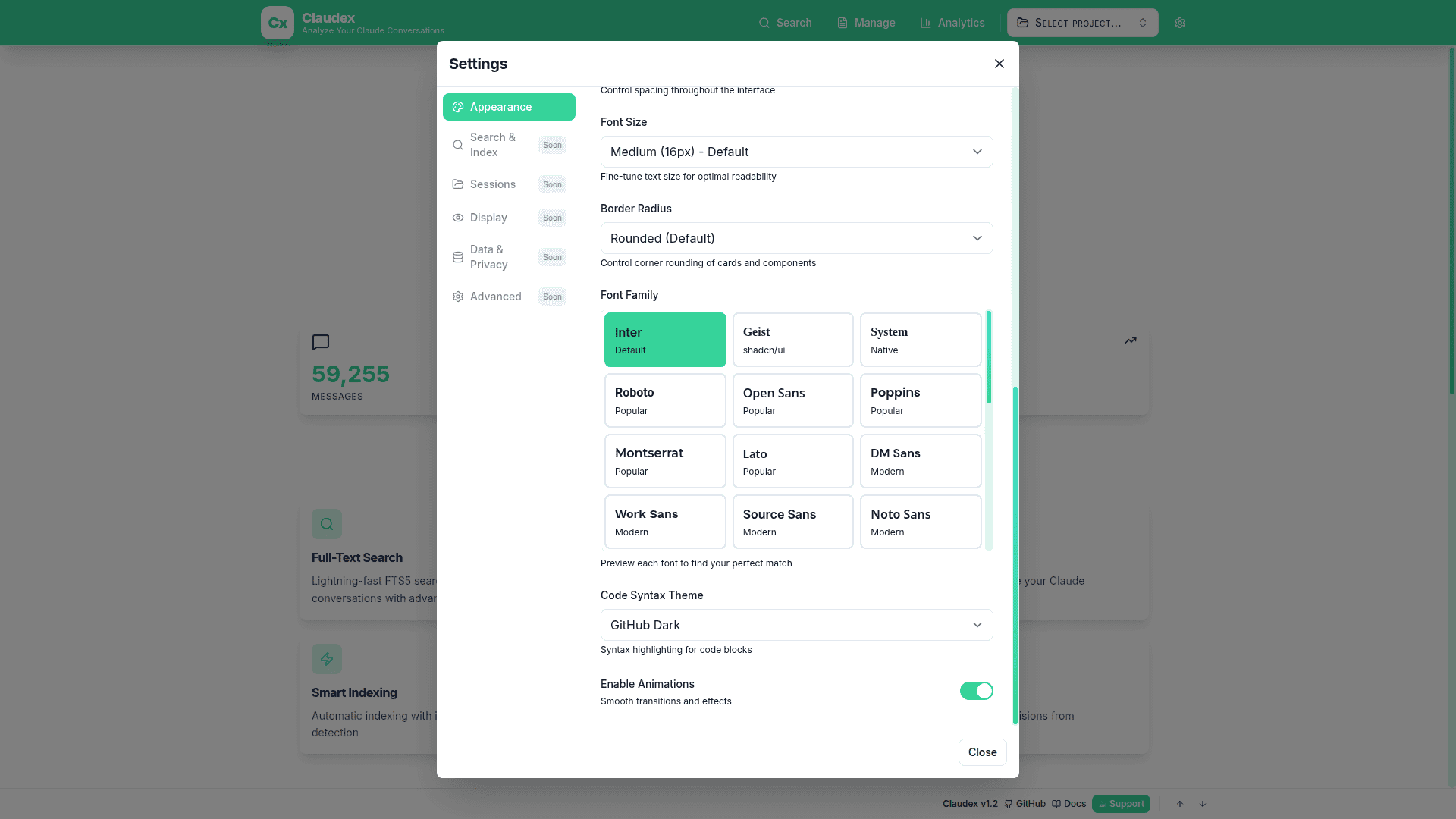
29 Font Families |
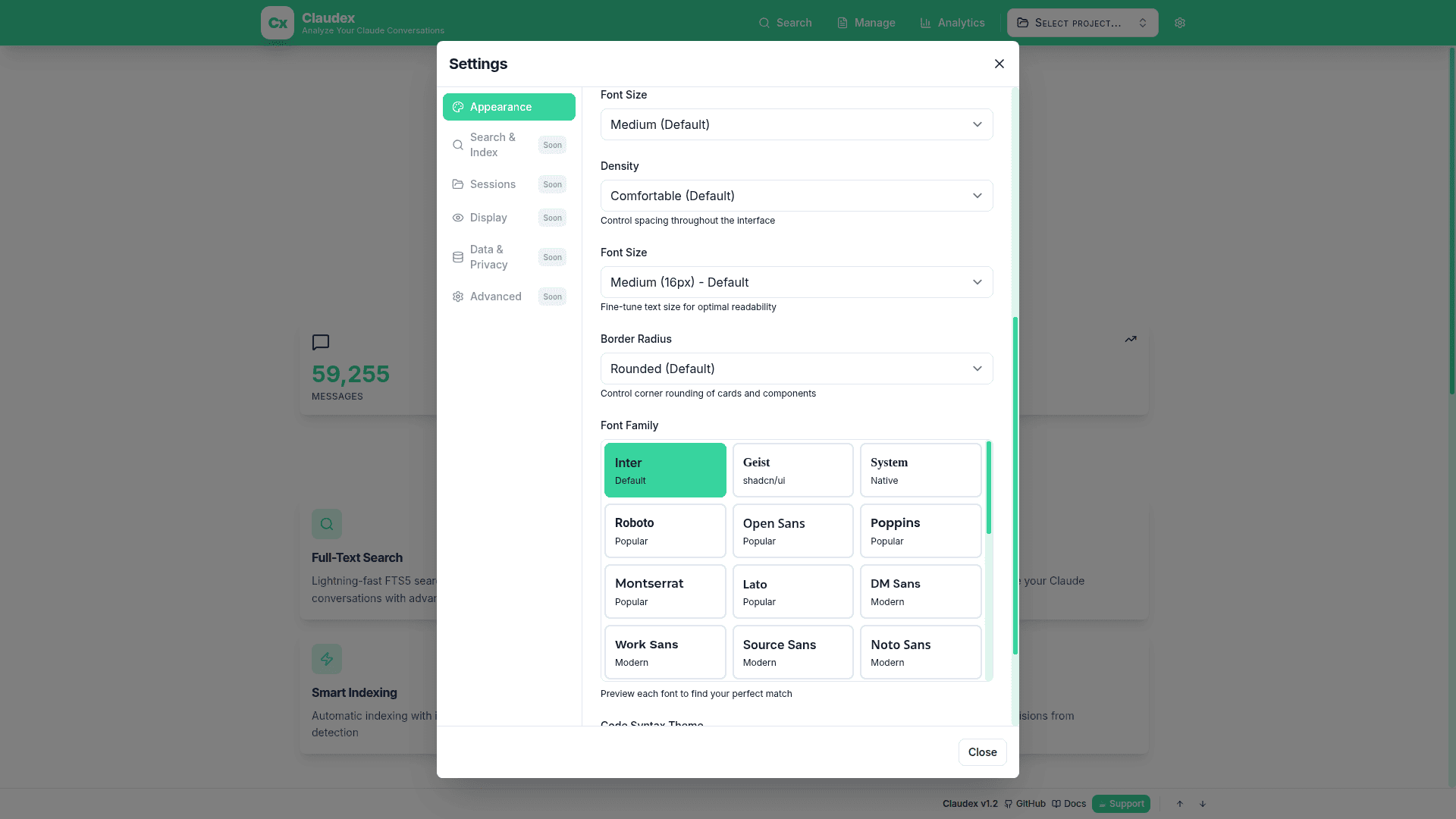
Granular Font Sizing |
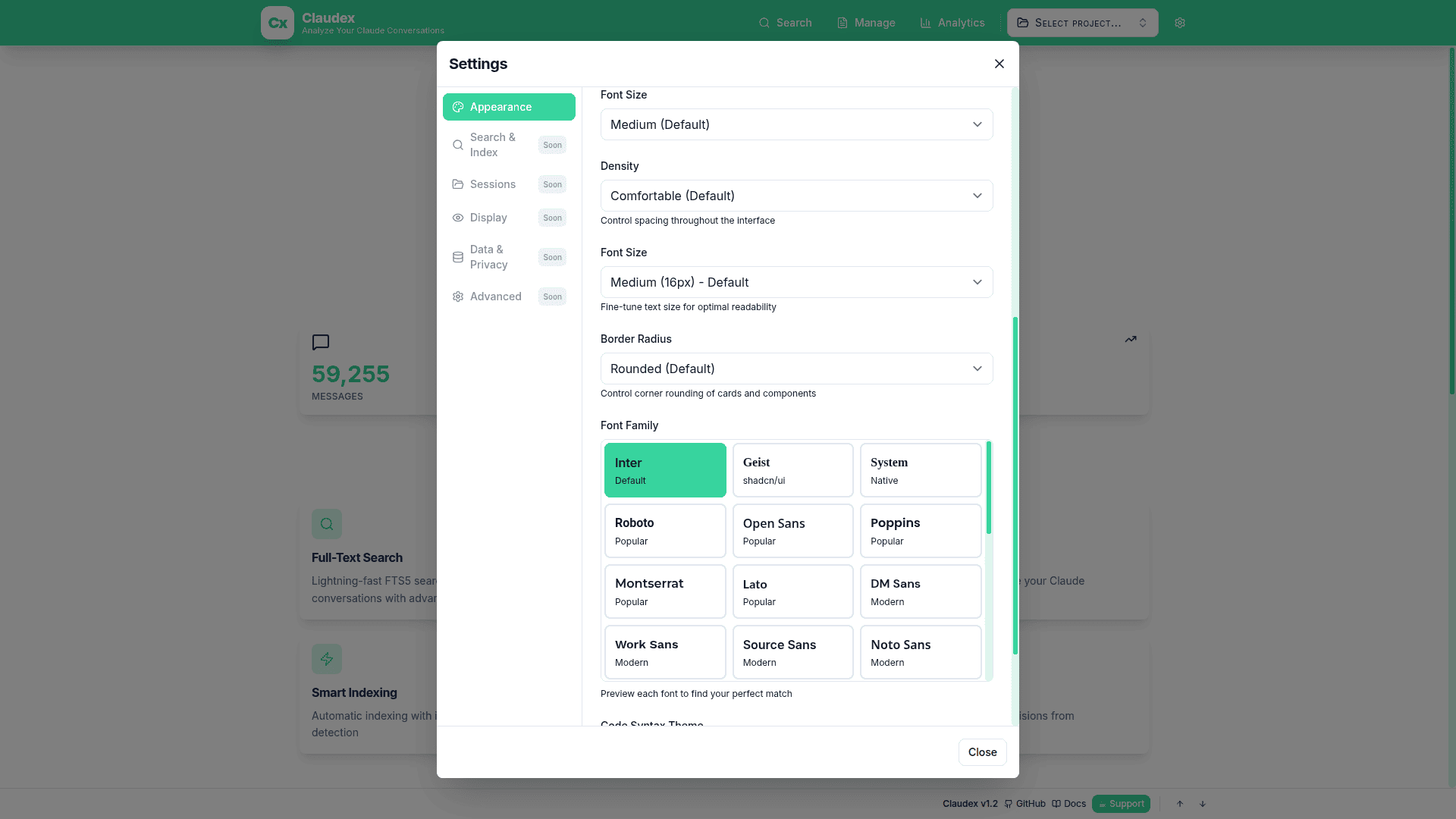
Settings Modal |
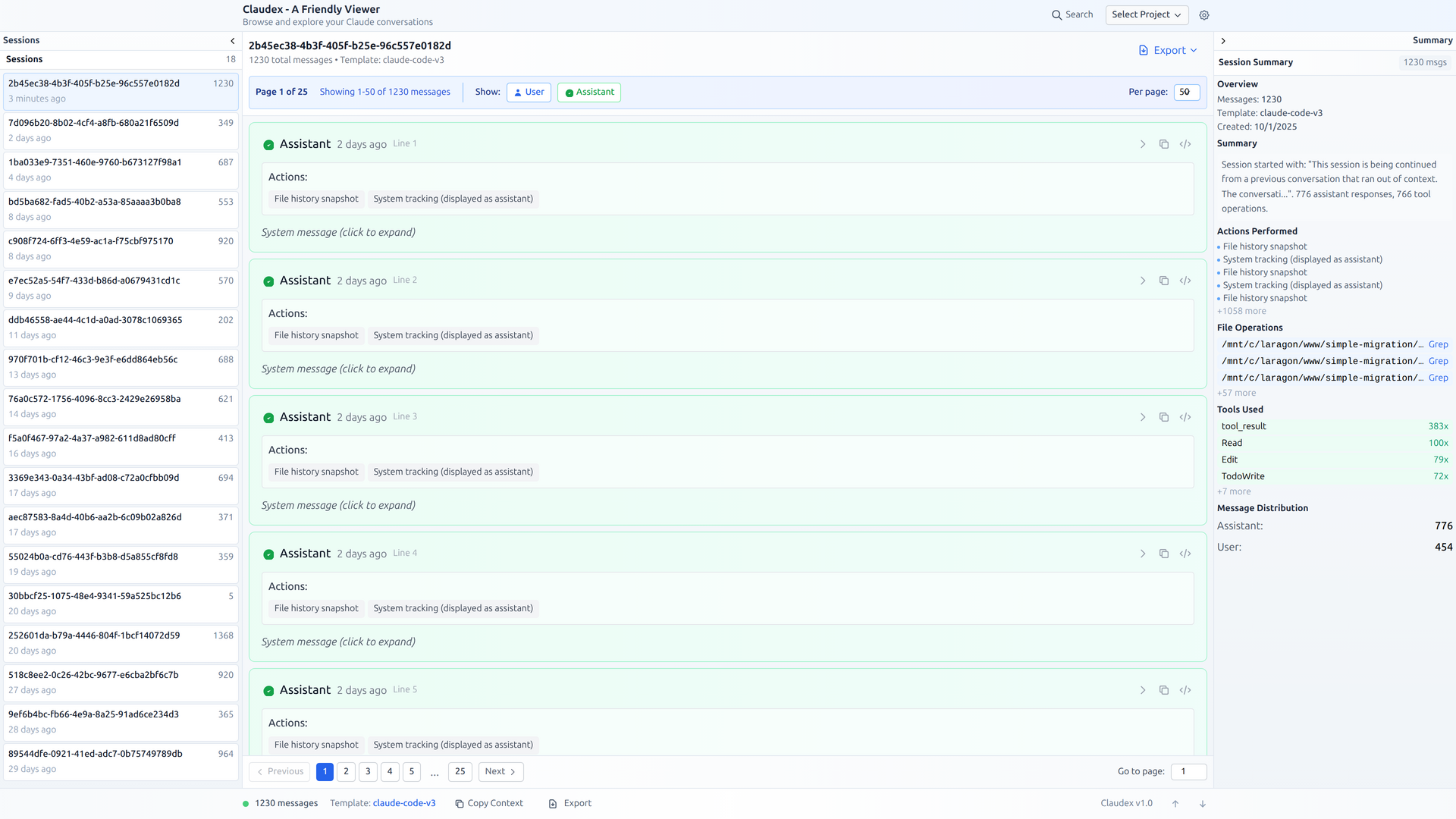
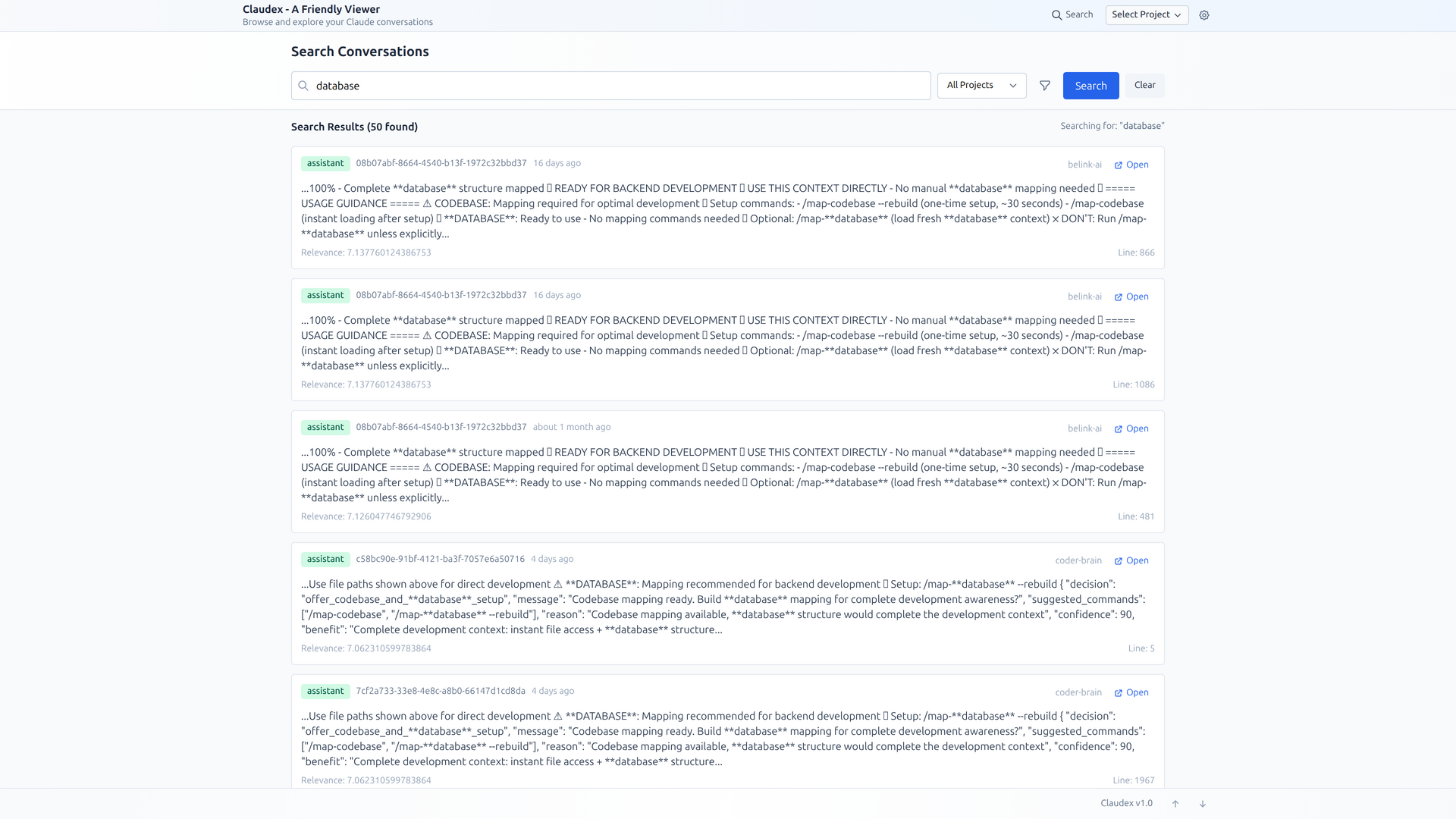
~/.claude/projects directory to discover all conversations across multiple projectsClaudex is free and open source. If it saves you time and improves your workflow, please consider:

Every contribution helps keep this project alive and growing! 🚀
~/.claude/projects# Global installation
npm install -g @kunwarshah/claudex [https://www.npmjs.com/package/@kunwarshah/claudex]
# Then run anywhere:
claudex
# Custom port (if 3400 is in use):
claudex --port 3500
# Custom project directory:
claudex --project-root ~/my-claude-projects
# Or use without installing (npx):
npx @kunwarshah/claudex
Add MCP Server (gives Claude Code persistent memory):
claude mcp add --transport stdio claudex -- claudex-mcp
See the MCP Server Guide for details.
CLI Options:
--help, -h: Show help message--version, -v: Show version--port, -p <port>: Custom server port (default: 3400)--project-root <path>: Custom Claude projects directoryEnvironment Variables:
PORT: Server port (default: 3400)PROJECT_ROOT: Claude projects directory (default: ~/.claude/projects)git clone https://github.com/kunwar-shah/claudex.git
cd claudex
npm run check
This validates your environment and catches common setup issues.
# Option 1: Manual installation
npm install
cd server && npm install && cd ..
cd client && npm install && cd ..

# Option 2: Auto-fix (installs deps + creates .env)
npm run check:fix
cd server
cp .env.example .env
# Edit .env if needed (default: PROJECT_ROOT=~/.claude/projects)
cd ..
# Automatically runs system check, then starts servers
npm run dev
The backend API runs on http://localhost:3400
Claudex includes a comprehensive system checker that validates your environment:
# Quick check
npm run check

# Detailed output
npm run check:verbose

# Auto-fix common issues
npm run check:fix

# JSON output (for CI/CD)
npm run check:json
What it checks:
Install globally to use claudex command anywhere:
./install.sh

# Then run from anywhere:
claudex
.env)# Path to Claude Code projects directory
# Supports ~ expansion (e.g., ~/.claude/projects)
PROJECT_ROOT=~/.claude/projects
# Server port
PORT=3400
# Environment
NODE_ENV=development
claudex/
├── server/                    # Backend (Node.js + Fastify)
│   ├── src/
│   │   ├── parsers/          # Template detection & message parsing
│   │   │   ├── templateDetector.js    # V1/V2/V3 template detection
│   │   │   └── messageParser.js       # Universal message parser
│   │   ├── services/         # Core business logic
│   │   │   ├── fileScanner.js        # Project/session discovery
│   │   │   ├── sessionParser.js      # Full session parsing
│   │   │   ├── searchDatabase.js     # SQLite FTS5 search
│   │   │   ├── searchIndexer.js      # Search index builder
│   │   │   └── memoryService.js      # Structured memory CRUD
│   │   ├── mcp/              # MCP server (Claude Code integration)
│   │   │   ├── index.js              # MCP entry point + stdio transport
│   │   │   ├── tools.js              # 10 MCP tool handlers
│   │   │   ├── resources.js          # MCP resources
│   │   │   └── prompts.js            # 3 MCP prompts
│   │   ├── routes/           # API endpoints
│   │   │   ├── projects.js           # Project/session routes
│   │   │   ├── search.js             # Search routes
│   │   │   └── export.js             # Export routes
│   │   ├── utils/            # Helper utilities
│   │   │   └── pathHelper.js         # Path expansion (~/ support)
│   │   └── server.js         # Main server
│   ├── data/                 # SQLite database (auto-created)
│   ├── .env.example          # Environment template
│   └── package.json
├── client/                   # Frontend (React + Vite)
│   ├── src/
│   │   ├── components/       # React components
│   │   │   ├── ProjectSelector.jsx
│   │   │   ├── SessionList.jsx
│   │   │   ├── ConversationThread.jsx
│   │   │   ├── MessageBubble.jsx
│   │   │   ├── ClaudeMessageRenderer.jsx
│   │   │   └── SearchPage.jsx
│   │   ├── services/         # API client
│   │   │   └── api.js
│   │   └── App.jsx           # Main app
│   └── package.json
├── bin/                      # CLI entry point
├── test-search.sh           # Search API testing script
├── install.sh               # Global CLI installer
├── SETUP.md                 # Detailed setup guide
├── README.md                # This file
└── package.json             # Root package (CLI + concurrently)
The viewer automatically detects and parses all Claude Code conversation formats:
role field directlytype fieldfile-history-snapshot supportThe template detector uses a waterfall detection strategy, automatically selecting the best parser for your conversation files.
The search index needs to be built before searching:
# Option 1: Via API
curl -X POST http://localhost:3400/api/search/index/build

# Option 2: Via test script
./test-search.sh

# Option 3: Via UI (Search page → "Rebuild Index" button)
Rebuild the search index when:
# Basic search
curl -X POST http://localhost:3400/api/search \
  -H "Content-Type: application/json" \
  -d '{"q": "migration", "limit": 10}'

# Search with filters
curl -X POST http://localhost:3400/api/search \
  -H "Content-Type: application/json" \
  -d '{
    "q": "database",
    "projectId": "my-project",
    "role": "user",
    "limit": 20,
    "offset": 0
  }'

# Check index status
curl http://localhost:3400/api/search/index/status
| Endpoint | Method | Description |
|---|---|---|
/api/projects | GET | List all projects |
/api/projects/:id/sessions | GET | Get sessions for project |
/api/projects/:id/sessions/:sessionId | GET | Get full session with messages |
| Endpoint | Method | Description |
|---|---|---|
/api/search | POST | Search conversations (FTS5) |
/api/search/index/build | POST | Build/rebuild search index |
/api/search/index/status | GET | Get index statistics |
/api/search/index/clear | POST | Clear search index |
| Endpoint | Method | Description |
|---|---|---|
/api/export/session/:projectId/:sessionId?format=json | GET | Export as JSON |
/api/export/session/:projectId/:sessionId?format=html | GET | Export as HTML |
/api/export/session/:projectId/:sessionId?format=txt | GET | Export as TXT |
| Endpoint | Method | Description |
|---|---|---|
/api/health | GET | Health check + system info |
# Run both frontend + backend with hot reload
npm run dev

# Or run separately:
# Terminal 1 - Backend (auto-restarts on changes)
cd server && npm run dev

# Terminal 2 - Frontend (hot module replacement)
cd client && npm run dev
# Run comprehensive search tests
./test-search.sh
This script will:
server/src/parsers/templateDetector.js):'my-template': {
name: 'My Template Name',
detect: (samples) => {
return samples.some(s => s.myUniqueField !== undefined);
},
parser: 'my-template'
}
server/src/parsers/messageParser.js):parseMyTemplate(rawMessage) {
return {
id: rawMessage.id || this.generateId(),
role: rawMessage.myRole === 'user' ? 'user' : 'assistant',
content: rawMessage.myContent || '',
timestamp: rawMessage.myTimestamp,
// ... other fields
};
}
npm run dev - Run frontend + backend concurrently (with pre-check)npm start - Run frontend + backend (production mode)npm run check - Run system health checknpm run check:verbose - Run detailed system checknpm run check:fix - Auto-fix common setup issuesnpm run check:json - JSON output for CI/CD./install.sh - Install as global CLI command./test-search.sh - Test search API endpointsnpm run dev - Run with nodemon (auto-restart)npm start - Run in production modenpm run dev - Vite dev server (http://localhost:3000)npm run build - Build for productionnpm run preview - Preview production buildRun the system checker first to identify issues:
npm run check:verbose
This will check all common problems and provide actionable suggestions.
Fixed in v1.1.1 - If you see intermittent empty sessions or duplicate key warnings:
# Update to latest version
cd claude-viewer
git pull origin main
npm install && cd server && npm install && cd ../client && npm install && cd ..
npm run dev
See detailed troubleshooting guide for more information.
# Check what the system sees
npm run check

# Verify path
cat server/.env | grep PROJECT_ROOT
PROJECT_ROOT in .env points to ~/.claude/projectsnpm run check:fix to auto-create missing directories# Quick fix via UI
# Visit http://localhost:3000/search → Click "Rebuild Index"
# Or via command line
curl -X POST http://localhost:3400/api/search/index/build
# System checker will detect port conflicts
npm run check

# Auto-detected ports in use show PID
# Kill process: kill <PID>
# Or change PORT in server/.env
# Check permissions
npm run check:verbose

# Fix permissions
chmod +r ~/.claude/projects
chmod +w claude-viewer/server/data
# Auto-install all dependencies
npm run check:fix
Claudex includes production-ready Docker configuration with multi-stage builds for optimal image size.
# Build and start with docker-compose
docker-compose up -d

# View logs
docker-compose logs -f

# Stop
docker-compose down
Access at: http://localhost:3400
The default docker-compose.yml mounts your Claude projects directory as read-only:
volumes:
  # Adjust path to match your system
  - ~/.claude/projects:/root/.claude/projects:ro
Common path configurations:
# Linux/macOS
~/.claude/projects:/root/.claude/projects:ro

# Windows (WSL2)
/mnt/c/Users/YourName/.claude/projects:/root/.claude/projects:ro

# Custom path
/path/to/your/projects:/root/.claude/projects:ro
# Build image manually
docker build -t claudex:latest .

# Run container manually
docker run -d \
  -p 3400:3400 \
  -v ~/.claude/projects:/root/.claude/projects:ro \
  -v claudex-data:/app/data \
  --name claudex-web \
  claudex:latest

# Check health
docker ps  # Check STATUS column for "healthy"

# View logs
docker logs claudex-web -f

# Stop and remove
docker stop claudex-web && docker rm claudex-web
# Override in docker-compose.yml or docker run
-e PORT=3400                           # Server port
-e HOST=0.0.0.0                        # Bind address
-e NODE_ENV=production                 # Environment
-e PROJECT_ROOT=/root/.claude/projects # Claude projects path
For non-Docker deployments:
# 1. Install dependencies
npm run install-deps

# 2. Build client
npm run build

# 3. Start server (serves built client)
cd server && NODE_ENV=production npm start
Access at: http://localhost:3400
MIT License - see LICENSE file for details.
git checkout -b feature/amazing-featuregit commit -m 'Add amazing feature'git push origin feature/amazing-feature/api/health endpoint to verify system statusnpm run dev for the best development experience with hot reloadRun Claude Code as an MCP server so any agent can delegate coding tasks to it
 @microsoft✓ Official
Browser automation using accessibility snapshots instead of screenshots
 @googleapis✓ Official
Google's universal MCP server supporting PostgreSQL, MySQL, MongoDB, Redis, and 10+ databases
 @github✓ Official
Official GitHub integration for repos, issues, PRs, and CI/CD workflows
