

Are you the author? Sign in to claim
See, steer, and remember every coding agent session — Claude Code, Codex, Cursor, Gemini. Team memory, live steering fro

See, steer, and remember every coding agent session.
Any agent, any machine — Claude Code, Codex, Cursor, and Gemini, on the machines you already run them.
Web Dashboard · Install CLI · Features · Self-Hosting · Contributing

Your agents' history stops evaporating when the terminal closes. Codecast keeps a permanent, searchable record of every conversation your team's agents have had — search it with cast search, ask questions across it with cast ask, and trace any line of code back to the session that wrote it with cast blame.
It records the agents you already run — Claude Code, Codex CLI, Cursor, and Gemini today, with OpenCode and pi coming — as real local terminal sessions, not just cloud runs. A background daemon watches your agent history files wherever you run them and syncs every conversation in real time.
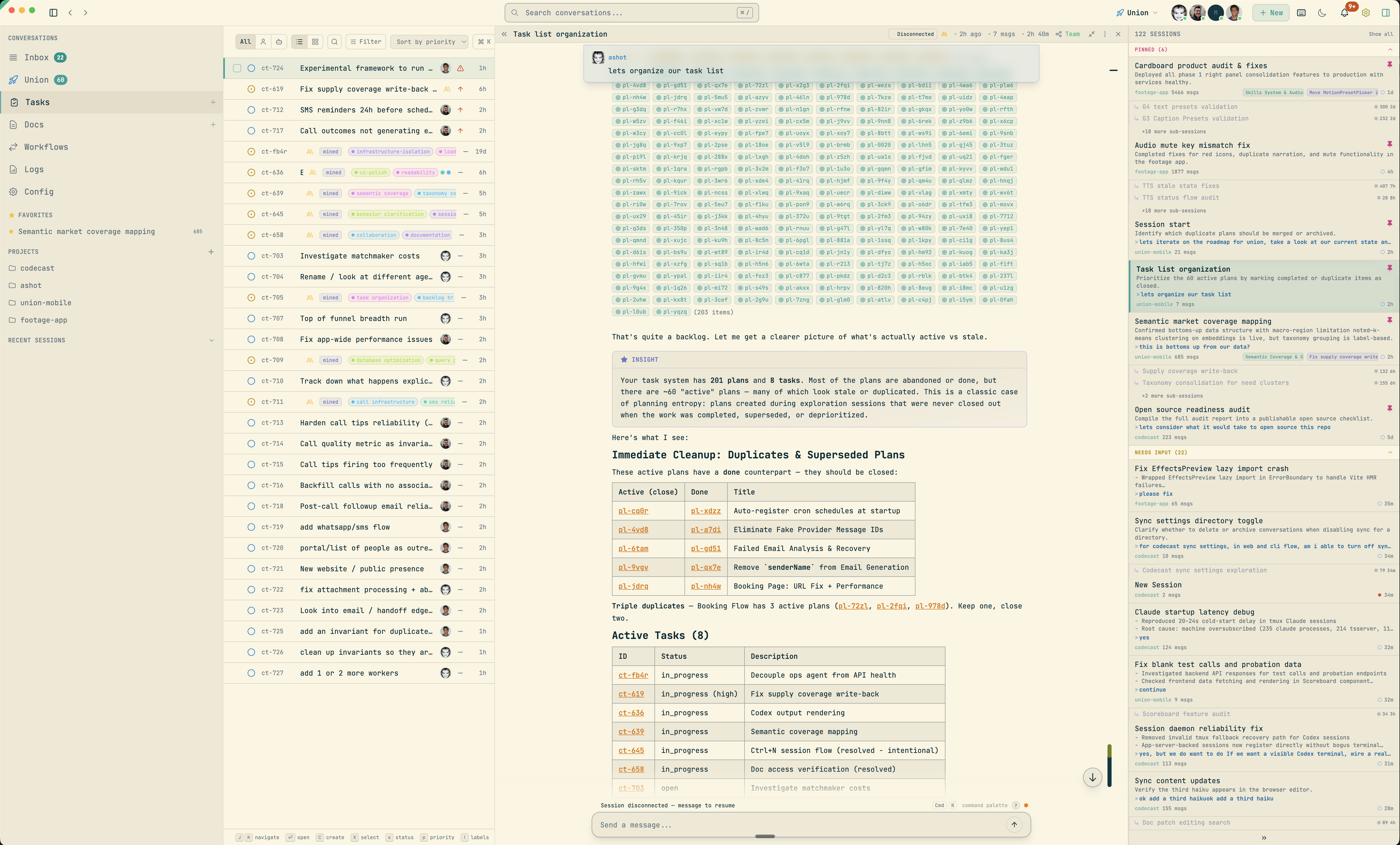
A live inbox shows every session — working, needs input, idle — steerable from web, desktop, and phone. Answer a permission prompt from the couch, or unblock an agent from your phone. Tasks, plans, documents, and multi-agent orchestration build on top.
curl -fsSL codecast.sh/install | sh
cast setup
cast start
On Windows:
irm codecast.sh/install.ps1 | iex
That's it. The installer ships a prebuilt binary — no runtime required. The daemon runs in the background, watching your agent history files and syncing conversations as they happen.
Requirements: macOS, Linux, or Windows
Your agents' history doesn't evaporate when the terminal closes. Every conversation becomes a permanent, searchable record — queryable from your terminal or from inside an agent session, so your team stops re-solving the same problems.
cast search across every session your team has had, with member, time, and label filterscast ask "how does auth work?" answers questions across every conversation; cast context surfaces relevant prior sessions before you startcast blame — git blame where the author column is the agent conversation that wrote each line (cast blame src/auth.ts), via a VS Code / Cursor extension, vim, or the CLIcast handoff generates a context transfer document so a fresh session picks up where the last one left offcast search or cast ask, it queries your whole team history — long-term memory that persists across sessionsCodecast watches your local agent history files and syncs conversations to the server in real time. The inbox is a triage queue — sessions are categorized by status (working, idle, needs input, errored) and sorted by priority. Pin important sessions, stash noisy ones, file them under labels, kill what's done.
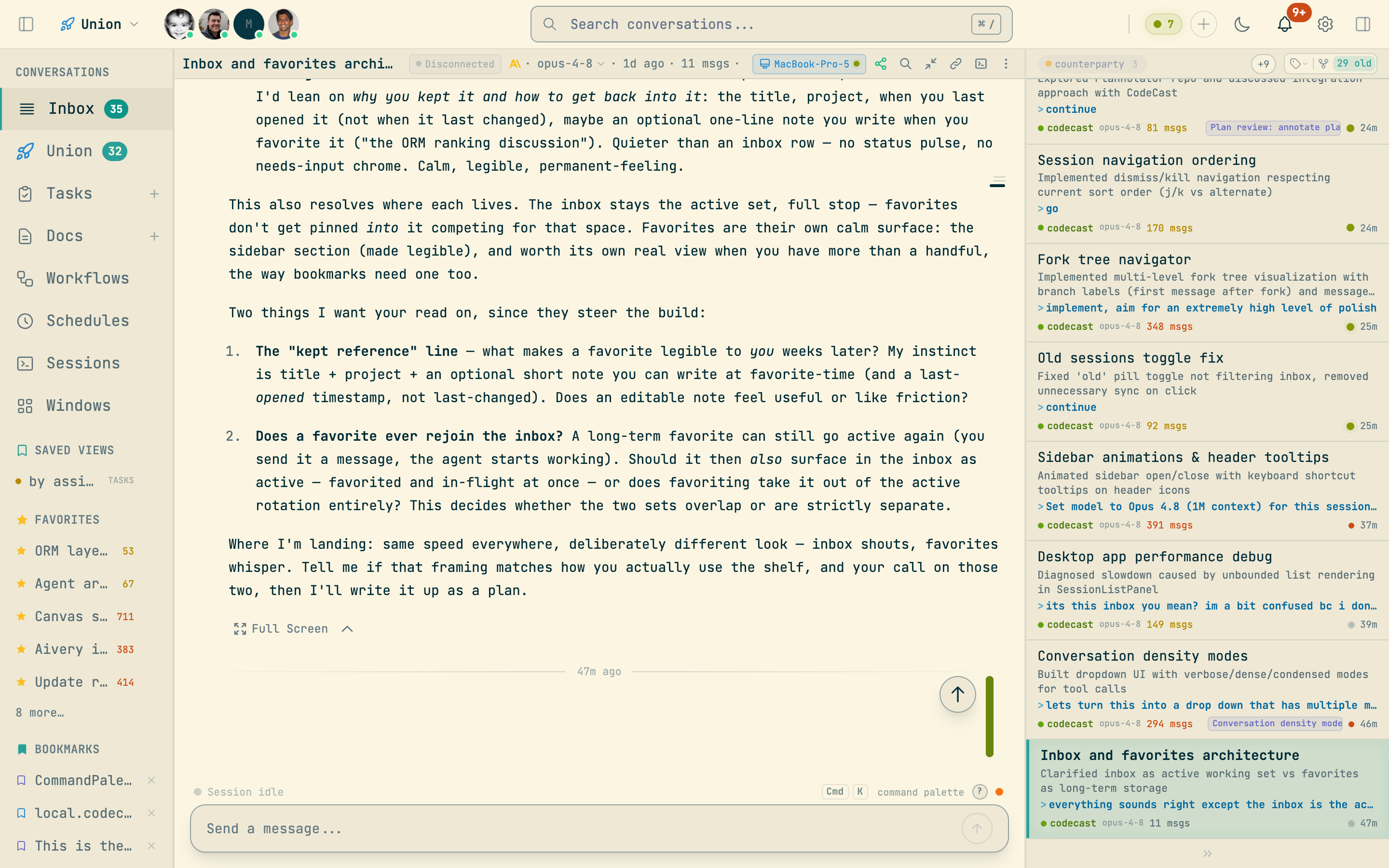
Ctrl+L), then switch between label and project views (Ctrl+Shift+L)Every conversation is rendered with syntax-highlighted code blocks, collapsible tool calls, and inline insights. You can send messages to sessions directly from the web UI — they're injected into the live terminal session, with delivery verification and retry.
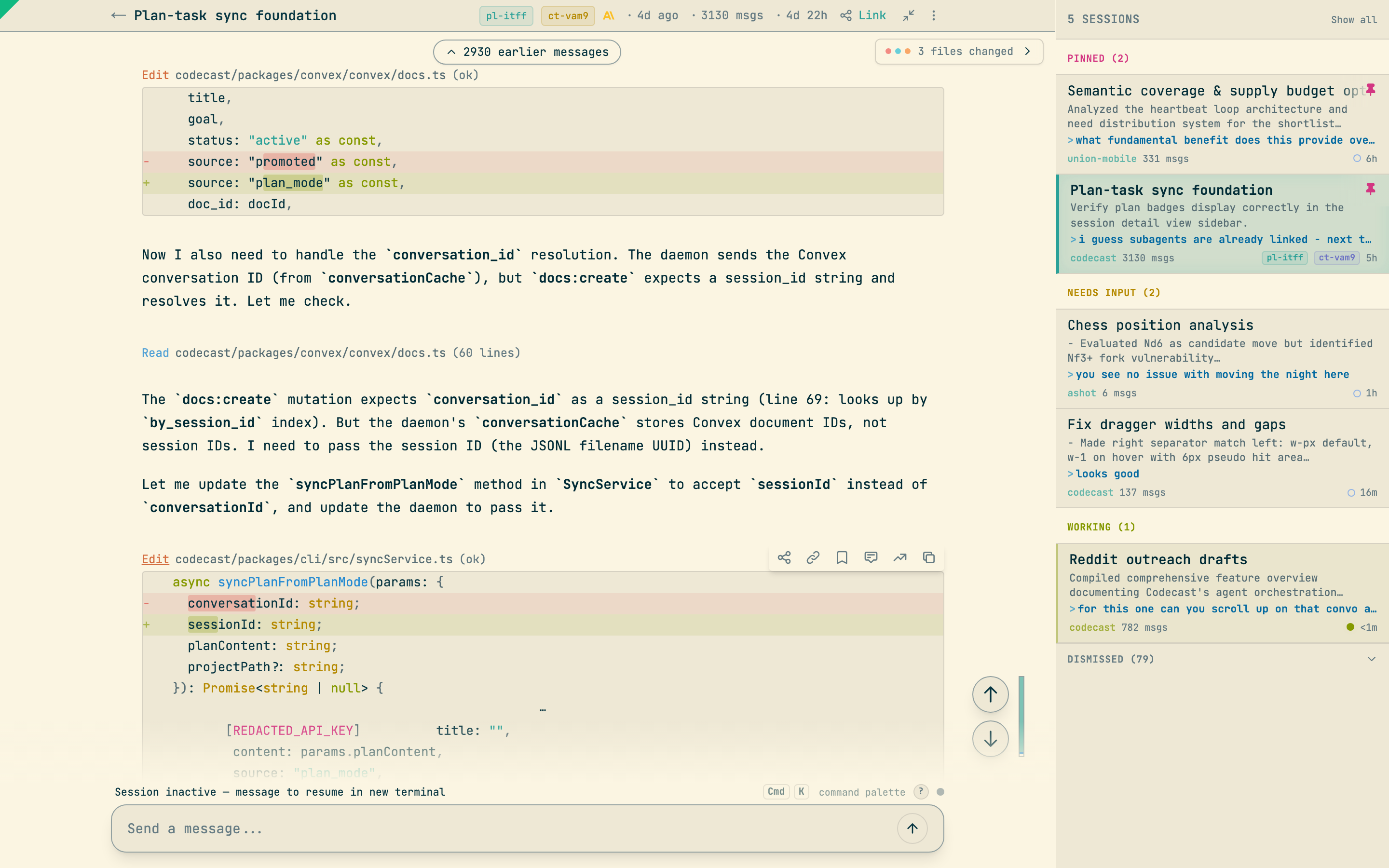
R), batch comments in the composer, and send them as one reviewAlt+F), instantly and local-first; fork chips show the tree inline and cast tree prints itY/NControl which model and effort level a session uses — from the web, for both new and running sessions — and switch between Claude Code accounts without touching a browser.
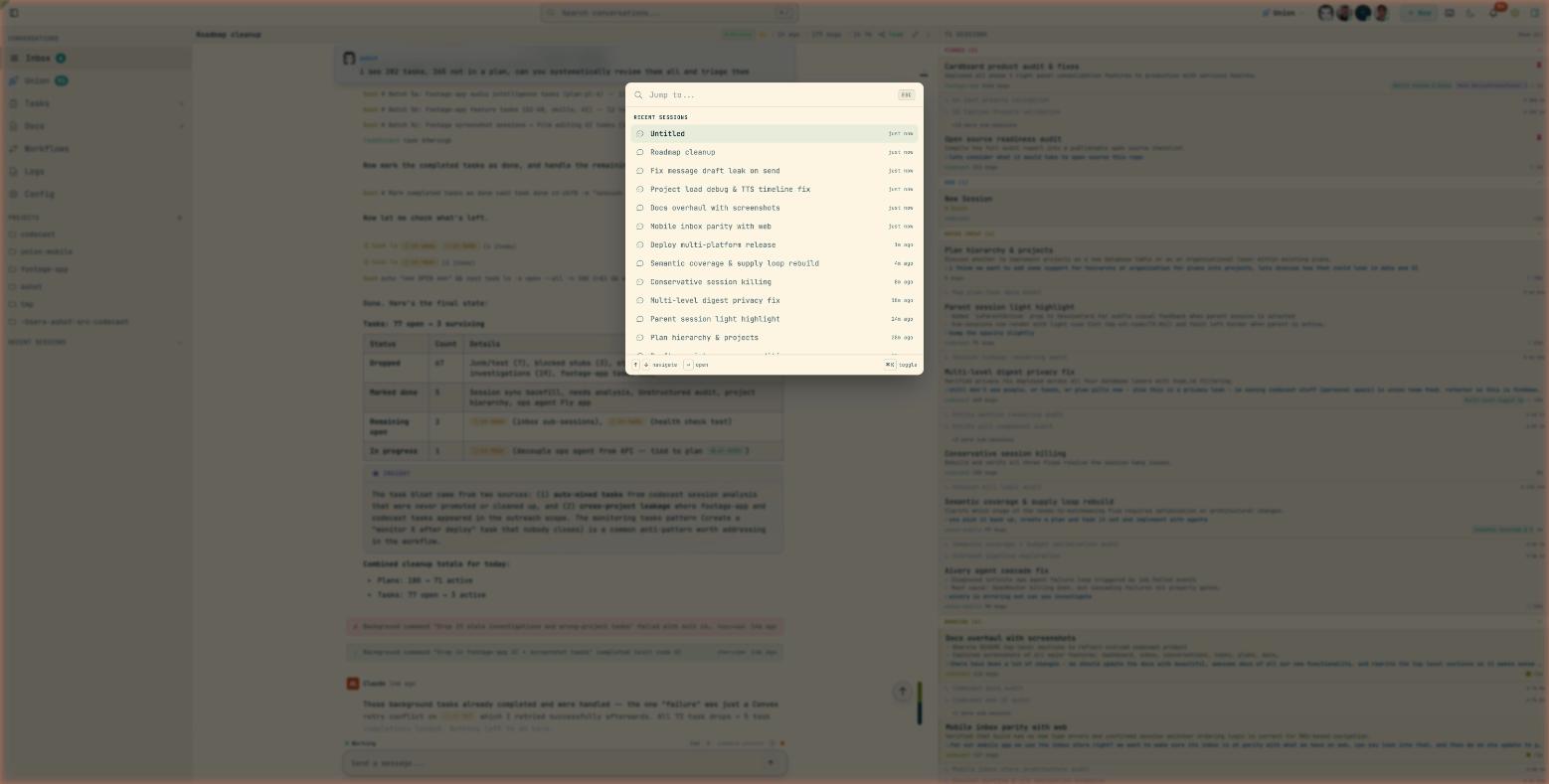
/model and /effort from the composercast accounts saves each Claude Code login as a profile and switches between them instantlyA Linear-style command palette (Cmd+K) for fast navigation across everything — sessions, tasks, plans, docs, and built-in actions — plus a dedicated search page with keyword and semantic modes.
? shows them all)Tasks are mined automatically from agent sessions or created manually. They support status cycling, priority levels, labels, plan binding, and dependency tracking.
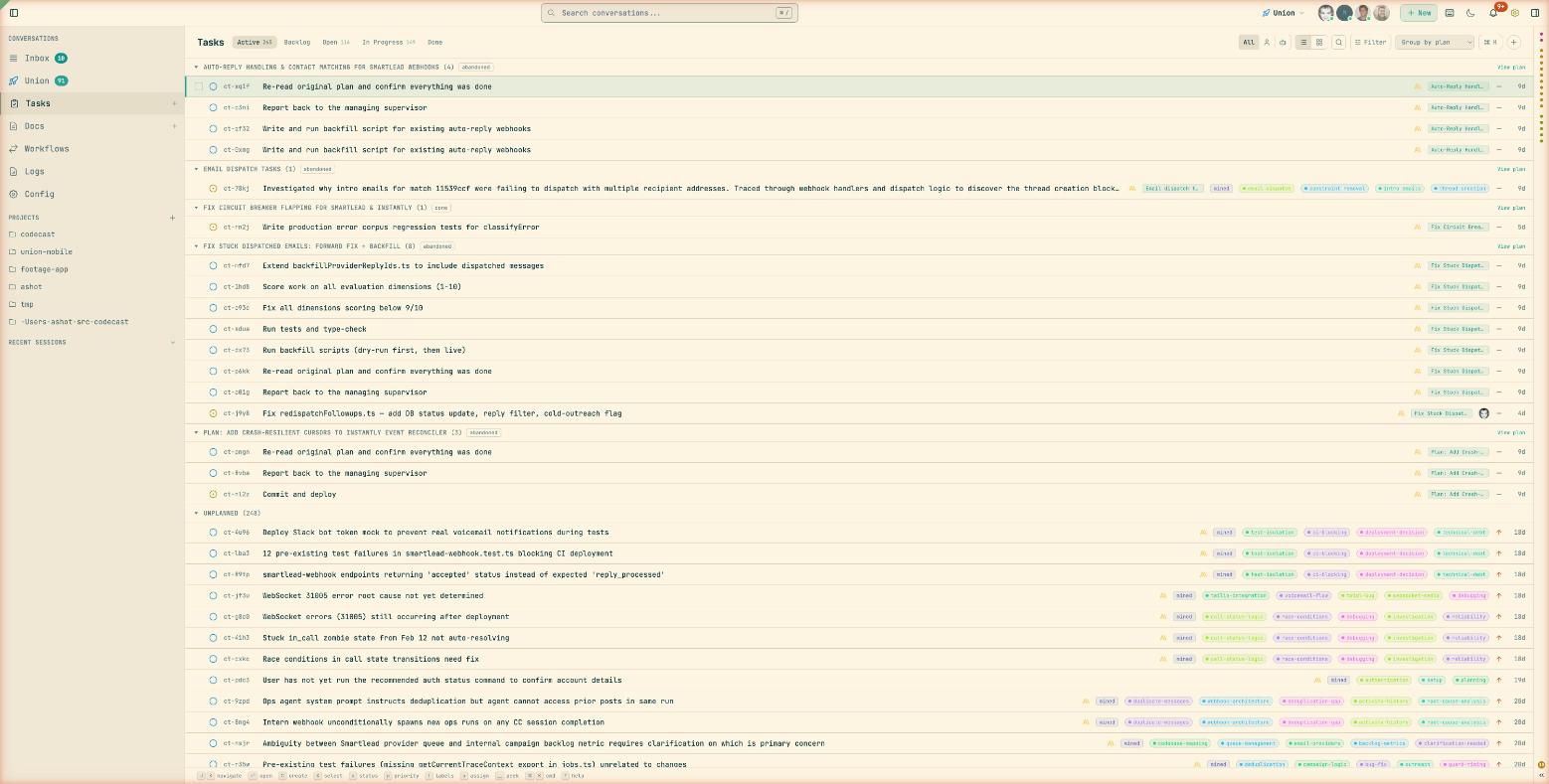
Plans are higher-level initiatives that group tasks toward a goal. They contain rich documents, task lists with progress bars, and links to the sessions that worked on them.
A collaborative document editor for specs, designs, investigations, handoffs, and notes. Documents can be linked to plans and sessions, and support entity mentions to cross-reference anything in the system.
@mention sessions, tasks, plans, or docs inline; references render as pills with hover previews# inserts dates that link to that day's activity/ for quick formatting and entity insertionEvery member gets a public profile, and you can subscribe to the entities you care about.
codecast.sh/<handle> with an activity feed, 180-day contribution heatmap, timeline chart, and punchcardSchedule follow-up work that runs autonomously — check CI in 30 minutes, review PRs every 4 hours, respond when a PR comment lands.
--in 30m), recurring intervals (--every 4h), or webhook events (--on pr_comment)Visual workflow definitions with node-based execution. Define agent, prompt, command, human gate, conditional, and parallel nodes — then run them with live progress tracking.
Share conversations, tasks, and plans across your team with granular privacy controls.
cast send <id> "text" messages any session, yours or a teammate's; replies arrive attributed to the senderA native macOS app with global keyboard shortcuts, notifications, and a floating command palette.
Cmd+Alt+Space from anywhere to summon codecastCtrl+Alt+Space for the floating command palette; Ctrl+Shift+N to compose a new session without leaving your editorBring session attribution into your editor with cast blame — a drop-in git blame replacement whose author column shows the codecast session that wrote each line.
cast blame src/auth.ts in any terminal, including porcelain output for toolingAn iOS app for monitoring agent sessions on the go.
The cast CLI is an agentic interface that integrates your coding agents — Claude Code, Codex, Cursor, and Gemini, with OpenCode and pi coming — into a shared system with global session memory, tasks, plans, docs, and team collaboration. It installs lightweight snippets into each agent's config, giving them access to the full Codecast system from within any conversation.
cast install            # Install snippets into agent configs
cast stable team        # Inject recent team activity into every new session
cast stable solo -g     # Inject your sessions across all projects
cast install writes to ~/.claude/CLAUDE.md, ~/.codex/AGENTS.md, and ~/.cursor/rules/codecast.mdc, teaching each agent how to use cast commands for memory, tasks, plans, and scheduling. After installation, your agents can search past sessions, create and manage tasks, and schedule follow-up work — without any manual copy-paste.
cast stable injects a rolling context window of recent conversations into every new agent session, so agents start with awareness of what's been happening across the project or team.
cast feed               # Browse recent conversations
cast read <id> 15:25    # Read messages 15-25 of a session
cast search "auth bug"  # Full-text search across all sessions
cast search "error" -g -s 7d  # Global search, last 7 days
cast ask "how does X work"     # Query across all sessions
cast context "implement auth"  # Find relevant prior sessions
cast similar --file src/auth.ts  # Sessions that touched a file
cast blame src/auth.ts  # Which session wrote each line?
cast summary <id>       # Generate a session summary
cast diff --today       # Aggregate all work done today
cast handoff            # Generate a context transfer document
These commands work both from your terminal and from inside agent sessions. When an agent calls cast search or cast ask, it's querying across every conversation your team has had — giving it long-term memory that persists across sessions.
cast sessions           # Work-state snapshot of your sessions
cast sessions -w        # Stream state changes live
cast sessions --state needs-input  # What's waiting on you
cast send <id> "text"   # Message another session
cast resume auth bug    # Search history and resume the match
cast attach             # tmux session picker TUI
cast fork --from 15     # Branch a conversation from message 15
cast tree <id>          # Show a conversation's fork tree
cast accounts           # Save and switch Claude Code account profiles
cast sessions is the terminal twin of the web inbox: it groups sessions by NEEDS INPUT → WORKING → IDLE, and -w streams transitions as they happen — useful for monitoring a fleet of agents or waiting for one to go idle.
cast task create "Fix auth bug" -p high
cast task start <id>
cast task done <id> -m "Fixed by adding guard"
cast plan create "Auth Overhaul" -g "Replace old auth middleware"
cast plan decompose <id>          # Break plan into tasks
cast plan orchestrate <id>        # Run tasks in waves across agents
cast plan autopilot <id>          # Continuous orchestration with monitoring
cast overview                     # Top-down view of all plans and tasks
Plans support wave-based parallel execution: autopilot spawns agents for ready tasks, monitors progress, merges completed work, advances to the next wave, and self-reschedules if it hits a runtime limit.
cast doc create "Auth Design" -t design
cast decisions add "Use JWT" --reason "Stateless, works across services"
cast learn add "convex-http" --description "HTTP action pattern"
cast schedule add "Check CI" --in 30m
cast schedule add "Review PRs" --every 4h
cast schedule add "Respond to comments" --on pr_comment
Reading long documents. cast doc show paginates instead of dumping the whole
file, and prints a footer telling you how to get the next page. cast doc grep
searches within one doc's body (unlike cast doc search, which matches titles
across the corpus). The natural loop is outline → search → jump-to-range:
cast doc grep <id> '^#'           # outline: every heading, with line numbers
cast doc show <id>                # first page (200 lines) + a "next:" hint
cast doc show <id> -p 2           # next page
cast doc show <id> 800:1000       # an explicit line range
cast doc show <id> 800: -n        # line 800 to the end, with a line-number gutter
cast doc grep <id> 'scoring' -C 2 # find a term in the body, 2 lines of context
cast doc show <id> --full         # opt out of paging, dump the whole thing
cast start              # Start the background sync daemon
cast stop               # Stop the daemon
cast status             # Show daemon status and agent connections
cast health             # Detailed sync health
cast setup              # Auto-start on login (launchd/systemd/Task Scheduler)
codecast/
  packages/
    cli/                CLI daemon, commands, and background sync engine
    web/                Vite + React web dashboard
    convex/             Self-hosted Convex backend (schema, queries, mutations)
    electron/           Native macOS desktop app
    mobile/             iOS/Android app (Expo + React Native)
    shared/             Encryption and cross-platform utilities
    vscode-extension/   VS Code / Cursor blame integration
  scripts/              Deploy, build, and dev server scripts
  docs/                 Specs, plans, and design documents
  infra/                Self-hosted Convex infrastructure (Railway)
codecast integrates six agent CLIs. Support is not all-or-nothing: each client
is a registry descriptor (packages/shared/contracts/agentClients.ts) that
declares only the capabilities it actually has. A capability a client lacks is
simply absent — the session never breaks. The matrix below states the real
per-client reality as merged; ✓ = supported, — = not available.
OpenCode and pi integration is implemented in-tree and in active testing — treat as pre-release until it ships in a release.
| Agent | History location | Launch from web | Transcript sync | cast send | State detection | Resume | Fork | Model control | Permissions |
|---|---|---|---|---|---|---|---|---|---|
| Claude Code | ~/.claude/projects/**/*.jsonl | ✓ | ✓ | ✓ | ✓ | ✓ | ✓ | ✓ (mid-session) | ✓ |
| Codex CLI | ~/.codex/sessions/**/*.jsonl | ✓ | ✓ | ✓ | ✓ | ✓ (+ app-server) | ✓⁸ | ✓ (at launch) | ✓ |
| OpenCode | ~/.local/share/opencode/opencode.db (SQLite) | ✓ | ✓ | ✓ | ✓ | ✓ | ✓¹ | ✓ (at launch) | auto² |
| pi | ~/.pi/agent/sessions/**/*.jsonl | ✓ | ✓ | ✓ | ✓ | ✓ | —³ | tracked⁴ | — |
| Cursor | Cursor app SQLite (workspace storage) | —⁵ | ✓ | —⁵ | —⁶ | ✓ | — | — | — |
| Gemini CLI | ~/.gemini/tmp/**/*.jsonl | ✓ | ✓ | ✓ | —⁶ | ✓⁷ | — | — | — |
opencode serve sidecar (POST /session/:id/fork, ct-39079/ct-39150): a fork at the conversation tip copies the full session, a mid-history fork truncates to the fork point to match the copied transcript. If the sidecar is unreachable the fork degrades to a fresh session rather than fabricated context.--auto): the daemon reads its turn state from the SQLite store and can't answer the TUI's permission prompts, so there is no per-session permission control.codex resume <fork-id> can't reopen it (ct-39170). The branch is a readable dead end until that fork resumes through the app-server the way the parent does.| Layer | Technology |
|---|---|
| Frontend | React 19, Vite 6, TailwindCSS, TipTap, Zustand |
| Backend | Self-hosted Convex (real-time sync, auth, full-text search) |
| CLI | Bun (compiled to standalone binaries), Commander, Chokidar |
| Desktop | Electron 33, electron-updater |
| Mobile | Expo 54, React Native |
bun install
cp packages/web/.env.example packages/web/.env.local
cp packages/convex/.env.example packages/convex/.env.local
cp packages/cli/.env.example packages/cli/.env.local
Configure your Convex instance URL in each .env.local. See Getting Started for the full walkthrough and Self-Hosting for infrastructure setup.
./dev.sh          # https://local.codecast.sh
./dev.sh 1        # https://local.1.codecast.sh (parallel instance)
Starts both the Convex backend and Vite web dashboard. The CLI daemon runs separately with cast start.
bun run typecheck
See CONTRIBUTING.md for code conventions and architecture details.
| Guide | Description |
|---|---|
| Getting Started | Dev environment setup, env files, testing |
| Self-Hosting | Full setup guide: Convex, web, CLI, auth, mobile, desktop |
| Contributing | Code conventions, architecture, dev setup |
| Releasing Mobile | iOS build, TestFlight, and App Store submission |
| Changelog | Version history and release notes |
The CLI stores its config at ~/.codecast/config.json:
{
  "web_url": "https://codecast.sh",
  "convex_url": "https://convex.codecast.sh",
  "auth_token": "...",
  "team_id": "..."
}
Self-hosters: replace the URLs with your own. See Self-Hosting for details.
| Shortcut | Action |
|---|---|
Cmd+K | Command palette |
Cmd+/ | Search |
Ctrl+J / K | Next / previous session |
Ctrl+I | Jump to idle session |
Ctrl+P | Jump to pinned session |
Ctrl+Shift+P | Pin/unpin session |
Ctrl+L | Label session |
Ctrl+Shift+L | Switch label/project view |
Ctrl+Backspace | Stash session (keep agent running) |
Ctrl+Shift+Backspace | Kill session |
Shift+Backspace | Defer and advance |
Ctrl+N | New session |
Ctrl+Tab | Switch session (most recently used) |
Ctrl+Shift+E | Rename session |
D | Toggle diff panel (in conversation) |
T | Toggle file tree (in conversation) |
H | Toggle thinking blocks (in conversation) |
R | Review / comment on a reply |
Y / N | Approve / deny permission prompt |
Alt+J / K | Next / previous user message |
Alt+F | Fork from message |
Alt+Enter | Send and advance |
Ctrl+M | Focus message input |
Ctrl+. | Zen mode |
Ctrl+, | Cycle inbox view (grouped / time / label) |
Ctrl+[ / ] | Toggle left / right sidebars |
? | Toggle shortcuts help |
The full registry — 70+ context-aware shortcuts — is available in-app via ?.
Run analytics queries on ClickHouse — explore schemas, execute SQL, fetch results
Run Claude Code as an MCP server so any agent can delegate coding tasks to it
 @microsoft✓ Official
Browser automation using accessibility snapshots instead of screenshots
 @googleapis✓ Official
Google's universal MCP server supporting PostgreSQL, MySQL, MongoDB, Redis, and 10+ databases