

Are you the author? Sign in to claim
Open-source agent runtime — SSH-native isolation, eBPF egress policy, Kubernetes + LXC backends, GPU passthrough, MCP-na
Open-source agent runtime · SSH-native isolation · eBPF egress policy · Kubernetes + LXC · MCP-native CLI · GPU passthrough
The open-source, self-hostable agent runtime for AI agents. Each agent gets a persistent, SSH-reachable box with per-tenant network isolation — no kube-apiserver token, no host access, no cross-tenant leakage.
Bring your own agent — Cursor, Claude Code, OpenCode, your own MCP client. We run the box.
agent: "create me a sandbox called 'blog'"           → containarium create
agent: "wire up SSH so I can reach it"               → containarium ssh-config sync
agent: "install Caddy on :8080 inside the box"       → shell_exec (via agent-box MCP)
agent: "expose that on blog.example.com"             → containarium expose-port

curl https://blog.example.com → hello world



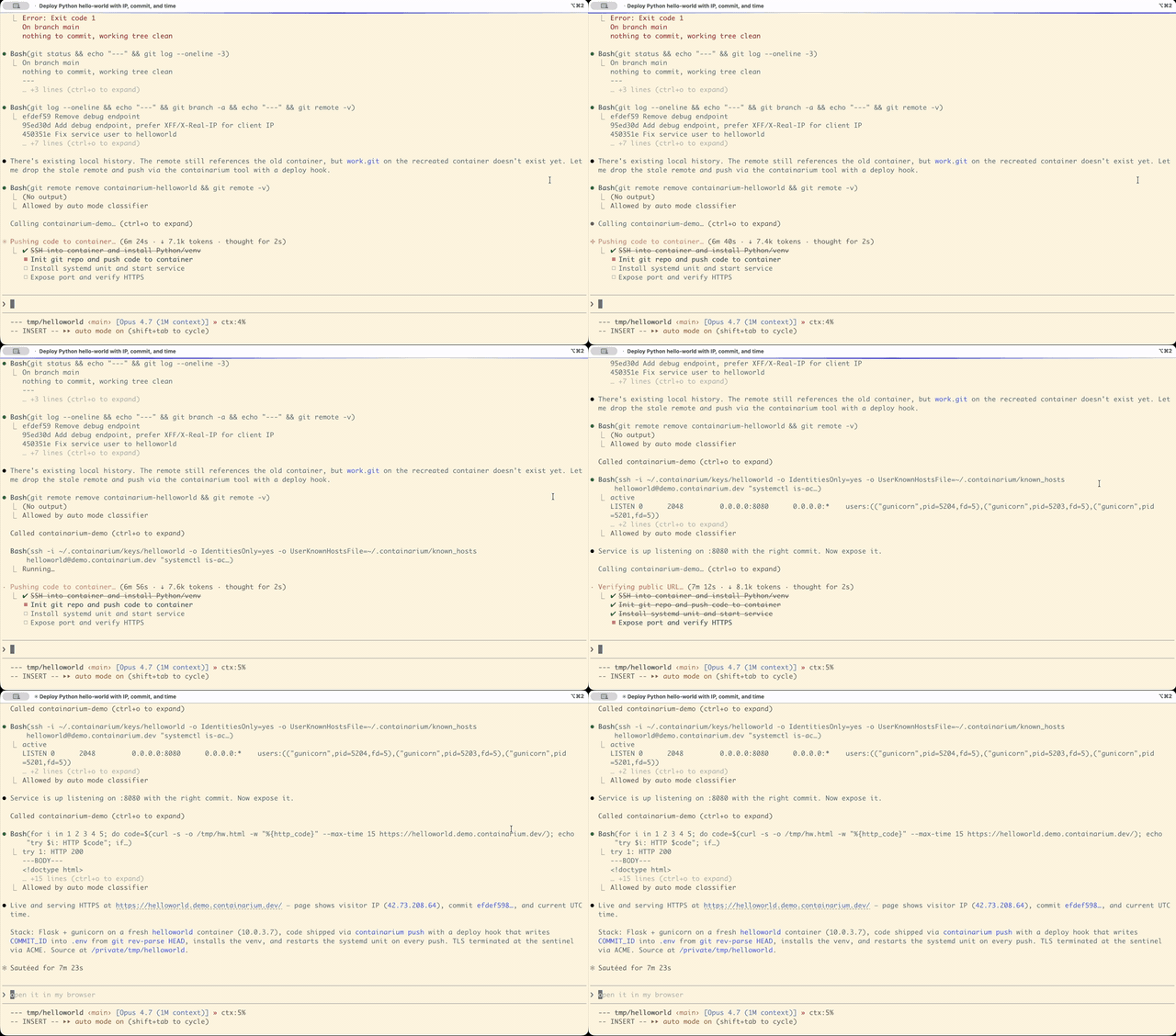
🌐 Project site: containarium.dev · 🎬 55s demo: youtu.be/IBDDD_tb8FY · 🚀 Live app: helloworld.demo.containarium.dev
AI agents are increasingly the primary user of dev infrastructure. They want to build, install, deploy, and verify — not on the human's laptop (too noisy, too risky, too local) but on a persistent, isolated runtime that's:
systemd, real networking,
and the ability to host things on the open internet.That's the runtime Containarium gives you. It runs as a self-hosted
platform on LXC or Kubernetes, exposes its admin surface over MCP, and
ships a second MCP server that lives inside the box so the agent can
shell_exec and edit files directly.
You bring the agent. We run the box.
curl -fsSL https://raw.githubusercontent.com/footprintai/containarium/main/hacks/install.sh \
  | sudo bash
That installs Containarium + Incus + dependencies, starts the daemon,
and gives you a working API at http://localhost:8080.
sudo containarium create alice --ssh-key ~/.ssh/id_ed25519.pub
sudo containarium list
ssh alice just workscontainarium ssh-config sync
# Adds entries to ~/.containarium/ssh_config.
# Then add ONE line to ~/.ssh/config:
# Include ~/.containarium/ssh_config
ssh alice # connects through the sentinel
In ~/.cursor/mcp.json or ~/.claude.json:
{
  "mcpServers": {
    "containarium-box": {
      "command": "ssh",
      "args": ["alice", "agent-box"]
    }
  }
}
Now Claude Code, Cursor, or any MCP-speaking agent can call
shell_exec, read_file, write_file, list_directory,
move_file, delete_file directly inside Alice's container.
containarium expose-port alice \
  --container-port 8080 \
  --domain blog.example.com
Caddy on the sentinel terminates TLS for blog.example.com and
forwards to alice-container:8080. curl https://blog.example.com
hits whatever Alice has serving on port 8080.
Every action in Containarium has a CLI verb (canonical) AND an MCP tool (thin wrapper that delegates to the same Go function). See CLAUDE.md for the convention.
agent-box — in-the-box MCP serverRuns inside every container. Reached over stdio (typically wrapped by SSH on the client side). Exposes Linux-native operations:
| Tool | What it does |
|---|---|
shell_exec | Run a shell command, capture stdout/stderr/exit, bounded by timeout (default 30s, max 10min) and 256 KiB output cap |
read_file | Byte range OR head=N lines OR tail=N lines |
write_file | Atomic write with mkdirp (temp + rename) |
list_directory | Type/size/mtime, hidden filtering |
move_file | Atomic rename with mkdirp on destination |
delete_file | Single-file remove (refuses directories so recursive deletes go via shell_exec where blast radius is explicit) |
Resources (read-only data the agent fetches via MCP resources/read):
| URI | What it returns |
|---|---|
containarium://ci-context | JSON metadata about the current CI run (PR number, commit SHA, failing test, etc.) when the box was kept alive by the FootprintAI/containarium-run GitHub Action after a failed CI run. Returns {"available": false} on non-CI boxes so callers never have to special-case errors. |
containarium://ci-prompt | Static markdown playbook telling agents how to debug a failing CI run inside this box (what to read first, how to iterate, what not to do). Same body on every box; pair with ci-context for the per-run data. |
Optional sandbox: when AGENTBOX_ROOT is set, every file-ops path is
resolved against that root with a boundary-aware prefix check. Default
unset = no constraint. See
internal/agentbox/ for the Go implementation.
mcp-server — platform MCP serverRuns on the host. Exposes outside-the-box admin operations:
create_container, list_containers, delete_container,
start_container, stop_container, expose_port, get_metrics,
get_system_info. See cmd/mcp-server/.
containarium CLISame surface as the platform MCP, plus deeper administration. Top-level verbs:
containarium create        Create a new container
containarium list          List all containers
containarium delete        Delete a container
containarium expose-port   Expose container:port on a public hostname
containarium ssh-config    Generate self-contained ssh_config
containarium route         Manage proxy routes (low-level)
containarium passthrough   Manage TCP/UDP passthrough rules
containarium token         Issue JWT tokens for the API
containarium info          System info
containarium version       Print version
Run containarium <verb> --help for full options.
The sentinel is a tiny always-on VM (e2-micro on GCP free tier works) that:
See docs/SENTINEL-DESIGN.md for the full design.
        Agent (Cursor / Claude Code / OpenCode)
            │
            │ JWT (access; tt=access, jti, scopes)
            │ MCP over stdio  ──┐
            │                   │ ┌── refresh ──> POST /v1/tokens/refresh
            v                   ▼ │                  (single-use; old jti revoked)
        ssh user@box  → sshpiper → agent-box (in container)
            │
            │ HTTPS  (mTLS upstream; PROXY-protocol v2)
            v
        Sentinel (e2-micro, always-on)
        ├── sshpiper (port 22)            : routes by username; fail2ban per-user
        ├── Caddy + PROXY-protocol (443)  : routes by hostname / SNI suffix
        └── /wake/ source-IP allowlist    : trusted-proxy only
            │
            v
        +-------------------------------------------------+
        | Backend VM (spot or bare-metal GPU node)        |
        |                                                 |
        |  Incus (LXC) ── containers                      |
        |    ├── alice-container    : SSH + agent-box     |
        |    │   └── /run/secrets/* : tmpfs, 0440 alice   |
        |    └── bob-container      : ZFS-backed storage  |
        |                                                 |
        |  Containarium daemon                            |
        |    ├── JWT auth (iss/aud/jti/scopes)            |
        |    ├── Admin RBAC + container-owner authz       |
        |    ├── Image-digest gate (REQUIRE + VERIFY)     |
        |    ├── Secrets ── Postgres (envelope-encrypted) |
        |    │              │                             |
        |    │              v                             |
        |    │           KMS ── Vault Transit / GCP KMS   |
        |    │           (master key retirable post-cutover)
        |    └── Audit log ── Postgres + SHA-256 hash     |
        |                     chain (verify CLI)          |
        +-------------------------------------------------+
A single sentinel can front multiple backend VMs — a "pool" — and a single deployment can run multiple pools (each isolated). See docs/MULTI-POOL.md.
Security control surface (all opt-in via env, default-off for
upgrade safety; see docs/security/OPERATOR-SECURITY-RUNBOOK.md):
| Env var | Layer | Effect |
|---|---|---|
CONTAINARIUM_REQUIRE_IMAGE_DIGEST=true | API | refuse images without @sha256:<64hex> |
CONTAINARIUM_VERIFY_IMAGE_DIGEST=true | API | verify digest against the registry index (pre- + post-pull) |
CONTAINARIUM_ALLOWED_IMAGE_REGISTRIES | API | restrict which simplestreams remotes the daemon will pull from |
CONTAINARIUM_KMS_BACKEND={none,inproc,vault,gcp} | Secrets | envelope-encrypt DEKs through an external KMS |
CONTAINARIUM_REQUIRE_ENVELOPE=true | Secrets | refuse legacy master-key-only rows (Phase E retirement gate) |
CONTAINARIUM_POSTGRES_URL_FILE / _PASSWORD_FILE | Secrets | DB creds from disk rather than env |
CONTAINARIUM_WAKE_TRUSTED_PROXIES | Sentinel | source-IP allowlist for /wake/ |
OTEL_BEARER_REQUIRED=true | Telemetry | collector rejects un-bearered OTLP submissions |
These give you sandboxes for AI agents, but only as hosted SaaS:
systemd, real network
namespaces, GPU passthrough. Not a process-per-call sandbox.sbx)Docker's sbx run claude and Containarium both call themselves
"AI sandboxes," but they sit on opposite ends of the same spectrum:
sbx runs the sandbox on the developer's laptop
(microVM, host-isolation). Containarium runs the sandbox on a VM
you host (LXC, multi-tenant, public-internet reachable via the
sentinel).sbx is session-shaped (workspace mount, no
documented "give me a box that survives reboot and has a
hostname"). Containarium containers persist indefinitely, with
ZFS snapshots and 30-day retention.containarium expose-port alice --domain blog.example.com is one verb. sbx is laptop-local; no
public-hostname story.sbx is CLI-first (sbx run <agent>).
Containarium is MCP-native — two MCP servers (in-the-box
agent-box + platform mcp-server) plus the same surface via
CLI, SSH, REST/gRPC, and a web UI.sbx CLI is free; team policy (Docker Admin Console)
is a paid subscription. Containarium is Apache 2.0 — including
the audit log, RBAC, KMS integrations, and everything else on
this page.If you're stopping an agent from rm -rf-ing the laptop it's
running on, sbx is the lighter tool. If you're giving your agent
(or your customer's agent) a persistent Linux box on the public
internet, Containarium is the shape.
kubernetes-sigs/agent-sandbox
and NVIDIA/OpenShell are the
closest open-source peers on Kubernetes:
kubectl exec or a proprietary client, which requires
the agent to hold a kube-apiserver token or cluster credentials.
Containarium reaches the pod over SSH through sshpiper — the agent has
no path to the cluster control plane at all.agent-box MCP server runs inside the box,
reachable over SSH stdio — any MCP-speaking agent (Claude Code, Cursor,
OpenCode) works with zero client library.containarium CLI and --runtime flag. You
switch backends without changing anything for the agent.Those are persistent IDEs. Containarium is a persistent box — agent-driven, not developer-driven, no IDE assumption, SSH-as-the-API:
LXC is a system container, not an application container. Each
container has systemd, a real init, real users, real package managers,
real sudo. You can run Docker inside a Containarium container; the
reverse isn't really a thing.
If your agent is going to apt install half a Linux distro, edit
config files in /etc, run a database, and reboot — LXC is the right
shape. If your agent runs a single Python process, Docker or Modal is
fine.
It isn't either/or: Containarium can run a box as a pod in a
Kubernetes cluster you already operate — same SSH-native agent contract,
no kube-apiserver token in the agent's hands. Switch with
--runtime=k8s. See the Kubernetes backend section below.
Beyond the agent-native primitives, Containarium ships:
For ML/AI agent workflows. Works with NVIDIA RTX 3090, RTX 4090, and similar. PCI-level passthrough so the container sees the GPU directly. Tested on bare-metal GPU nodes connected to the sentinel via tunnel.
A single sentinel can front:
All containers from all backends appear in a single unified API.
Beyond the LXC/Incus backend, Containarium can run a box as a pod in a Kubernetes cluster you already operate — reached over SSH exactly like an LXC box, so an agent can't tell which substrate it landed on. The daemon reconciles a per-tenant namespace + StatefulSet + headless Service
Pipe CRD) so ssh <tenant>@<gateway> routes to the right pod.The pitch isn't "another way to run pods" — it's giving an agent a
hardened, SSH-native foothold in your cluster without handing it a
kube-apiserver token: the box runs with automountServiceAccountToken: false and satisfies the restricted Pod Security profile. Compare this
to kubectl exec-based runtimes where the agent necessarily holds cluster
credentials.
Runtime selection (no recompile needed):
# LXC/Incus (default)
containarium daemon

# Kubernetes — uses in-cluster config or KUBECONFIG
CONTAINARIUM_RUNTIME=k8s containarium daemon
# or
containarium daemon --runtime=k8s
Both backends share the same CLI, MCP tools, JWT auth, and REST/gRPC API.
GPU passthrough is supported on K8s via nvidia.com/gpu resource limits.
Local bring-up takes under 5 minutes with kind — see
docs/KIND-QUICKSTART.md.
Design, topology, and BYO-cluster integration: docs/K8S-AGENT-BOX-RUNTIME-DESIGN.md.
A basic dashboard at /webui/ for users who'd rather not type CLI:
container list, lifecycle controls, metrics, browser-based terminal.
Polished UI is intentionally a cloud-product concern — the OSS web UI
is functional, not opinionated.
Containers survive VM restarts and spot termination. ZFS handles compression, snapshots (daily by default, 30-day retention), and checksums.
The sentinel itself is e2-micro (free tier). It:
VictoriaMetrics + Grafana auto-provisioned. Per-container CPU, memory, disk, network. Alerting via webhooks. SSH audit logs per user.
/usr/sbin/nologin on the sentinel,
users can only proxy through to their container.Zero-trust controls (rolled out across the v0.17 → unreleased line; see docs/security/OPERATOR-SECURITY-RUNBOOK.md):
iss / aud / jti / tt / scopes: 32-byte minimum
secret enforced at startup; refresh tokens are single-use; jti-based
revocation; per-tool MCP scopes propagate to server-side gates.--delivery=file for secrets that shouldn't be visible in
/proc/<pid>/environ.containarium audit verify
to detect tampering.volatile.base_image defense-in-depth
for supply-chain hardening.SECURITY.md with a 90-day coordinated-disclosure window;
gosec / govulncheck / trivy running in CI.# Create (Ubuntu 24.04, default)
containarium create alice --ssh-key ~/.ssh/id_ed25519.pub
# Create with options
containarium create ml-dev \
--ssh-key ~/.ssh/id_ed25519.pub \
--gpu 0 \
--stack gpu \
--memory 16GB \
--cpu 4
# Lifecycle
containarium list
containarium info
containarium start alice
containarium stop alice
containarium delete alice
# Expose a container port on a public hostname
containarium expose-port alice \
  --container-port 8080 \
  --domain blog.example.com

# Lower-level route management
containarium route add api.example.com --target 10.0.3.42:3000
containarium route list
containarium route delete api.example.com

# Raw TCP/UDP passthrough (no TLS termination)
containarium passthrough add --port 50051 \
  --target-ip 10.0.3.150 --target-port 50051
# Print to stdout (preview)
containarium ssh-config show

# Write to ~/.containarium/ssh_config (one-line `Include` to wire in)
containarium ssh-config sync
containarium ssh-config sync --sentinel sentinel.example.com  # via sentinel
containarium ssh-config sync --identity ~/.ssh/containarium_ed25519
# Issue an access + refresh pair (CLI-only; never exposed via API).
# Access tokens are short-lived (default 15 min) and authenticate the
# API. Refresh tokens are long-lived and single-use — exchange via
# POST /v1/tokens/refresh for a new pair.
containarium token generate \
  --username admin \
  --roles admin \
  --secret-file /etc/containarium/jwt.secret

# Use the access token
curl -H "Authorization: Bearer <access-token>" http://localhost:8080/v1/containers

# Inspect a token's claims (jti, scopes, expiry, validation)
containarium token inspect <token> --secret-file /etc/containarium/jwt.secret

# Revoke a leaked token by jti (idempotent; reads from `audit query`
# or `token inspect`)
containarium token revoke <jti> --reason "leak_2026_05_22"
containarium token list-revoked

# Mint a least-privilege token for an agent with only the scopes it
# needs — server-side gates enforce this even if the agent ignores
# the filter.
containarium token generate \
  --username alice-agent \
  --scopes containers:read,containers:write \
  --secret-file /etc/containarium/jwt.secret
See docs/security/OPERATOR-SECURITY-RUNBOOK.md
for the full token lifecycle, leak-response playbook, and the agent
least-privilege scope catalog.
curl -fsSL https://raw.githubusercontent.com/footprintai/containarium/main/hacks/install.sh \
  | sudo bash
See hacks/README.md for what the script does.
cd terraform/gce
cp examples/single-server-spot.tfvars terraform.tfvars
vim terraform.tfvars   # set project_id, admin_ssh_keys, allowed_ssh_sources
terraform init
terraform apply
See terraform/gce/README.md for variables.
overlay, br_netfilter, nf_nat (Docker in
containers needs these).# Quick Incus install via Zabbly
curl -fsSL https://pkgs.zabbly.com/key.asc | \
sudo gpg --dearmor -o /usr/share/keyrings/zabbly-incus.gpg
echo 'deb [signed-by=/usr/share/keyrings/zabbly-incus.gpg] \
https://pkgs.zabbly.com/incus/stable noble main' | \
sudo tee /etc/apt/sources.list.d/zabbly-incus-stable.list
sudo apt update
sudo apt install incus incus-tools incus-client
incus --version # 6.19 or later
Containarium exposes:
http://localhost:8080 (gRPC-gateway over the gRPC
service, JWT auth):50051 (mTLS, primarily used by the CLI)mcp-server (platform) and agent-box
(in-the-box)OpenAPI / Swagger UI at
http://localhost:8080/swagger-ui/.
Token-issuance is CLI-only by design; the daemon does not have an "issue token via API" endpoint, because if it did, anyone with API access could mint admin tokens.
nologin and only routes
through.authorized_keys content in the container.If you're running an untrusted agent, set AGENTBOX_ROOT to a project
directory:
# In the container
export AGENTBOX_ROOT=/srv/project
agent-box   # all file ops now constrained to /srv/project
shell_exec is intentionally not constrained beyond the LXC container
boundary itself — by design, that's the tool's contract. If you need
tighter isolation, run agent-box in a more restrictive container (e.g.
nested LXC, or chroot the user account further).
allowed_ssh_sources in Terraform
(or firewall rules manually) to lock down who can hit port 22.Why not Docker / Podman?
Docker is for application containers. Containarium uses LXC system
containers — full Linux OS per container, real systemd, native SSH,
Docker-in-LXC works, persistent filesystem. If your agent will
apt install and reboot, you want LXC.
Why not Kubernetes?
K8s orchestrates application containers across nodes — that's the
infrastructure layer. Containarium is the agent runtime that runs on
top of Kubernetes (or LXC), giving each agent a persistent, SSH-native
box without handing it cluster credentials. If you're already on K8s,
run containarium daemon --runtime=k8s and use your existing cluster as
the backend. See the Kubernetes backend
section and docs/KIND-QUICKSTART.md.
Why not Vagrant? Vagrant orchestrates VMs on a developer's local machine. Containarium hosts environments on shared remote infrastructure for many agents.
Why not Dev Containers / VS Code Remote Containers? Dev Containers are project-scoped, IDE-coupled, single-developer. Containarium gives many users (or many of one user's agents) their own persistent boxes on shared infrastructure, IDE-agnostic.
Why not Codespaces / Gitpod? Browser-IDE-as-a-Service, per-hour billed, vendor-locked. Containarium is self-hosted, persistent, SSH/MCP-based, no per-hour billing in OSS.
Why not e2b / Modal / Daytona? Closest peers — sandboxes for AI agents. They're SaaS-only and typically optimize for short-lived, process-per-call execution. Containarium is self-hostable, MCP-native, and gives you full persistent Linux boxes. Pick e2b if you want hosted-only and ephemeral; pick Containarium if you want self-hosted, persistent, and your data on your infra.
Why LXC at all?
systemd.sudo.Where Containarium has been demonstrated live:
Demoed Containarium somewhere? Open a PR and add it here.
main and recent
releases.nvidia.com/gpu passthrough. Selected at runtime via --runtime=k8s (no
recompile). End-to-end validated on kind; 5-minute local bring-up in
docs/KIND-QUICKSTART.md. See also
docs/K8S-AGENT-BOX-RUNTIME-DESIGN.md.agent-box MCP, ssh-config CLI,
expose-port CLI, demo recording.agent-box tier-2 (MCP Roots, background process
management), demo-driven docs and examples.If you want to drive an item, open an issue or PR — community work is welcome and we triage weekly.
containarium <verb> first; MCP wraps it).No CLA. Apache 2.0 means you can use, modify, and redistribute. We welcome PRs that align with the project's positioning and reject those that don't (e.g. "let me add multi-tenancy to the OSS daemon" goes into the cloud repo discussion, not here).
Apache License 2.0 — see LICENSE.
40+ tools for querying dashboards, alerts, datasources, and logs in Grafana
Run Claude Code as an MCP server so any agent can delegate coding tasks to it
 @microsoft✓ Official
Browser automation using accessibility snapshots instead of screenshots
 @googleapis✓ Official
Google's universal MCP server supporting PostgreSQL, MySQL, MongoDB, Redis, and 10+ databases