

Are you the author? Sign in to claim
Analysts click through a dozen Cortex jobs by hand. cortex-mcp detonates the indicator and hands your agent one aggregat
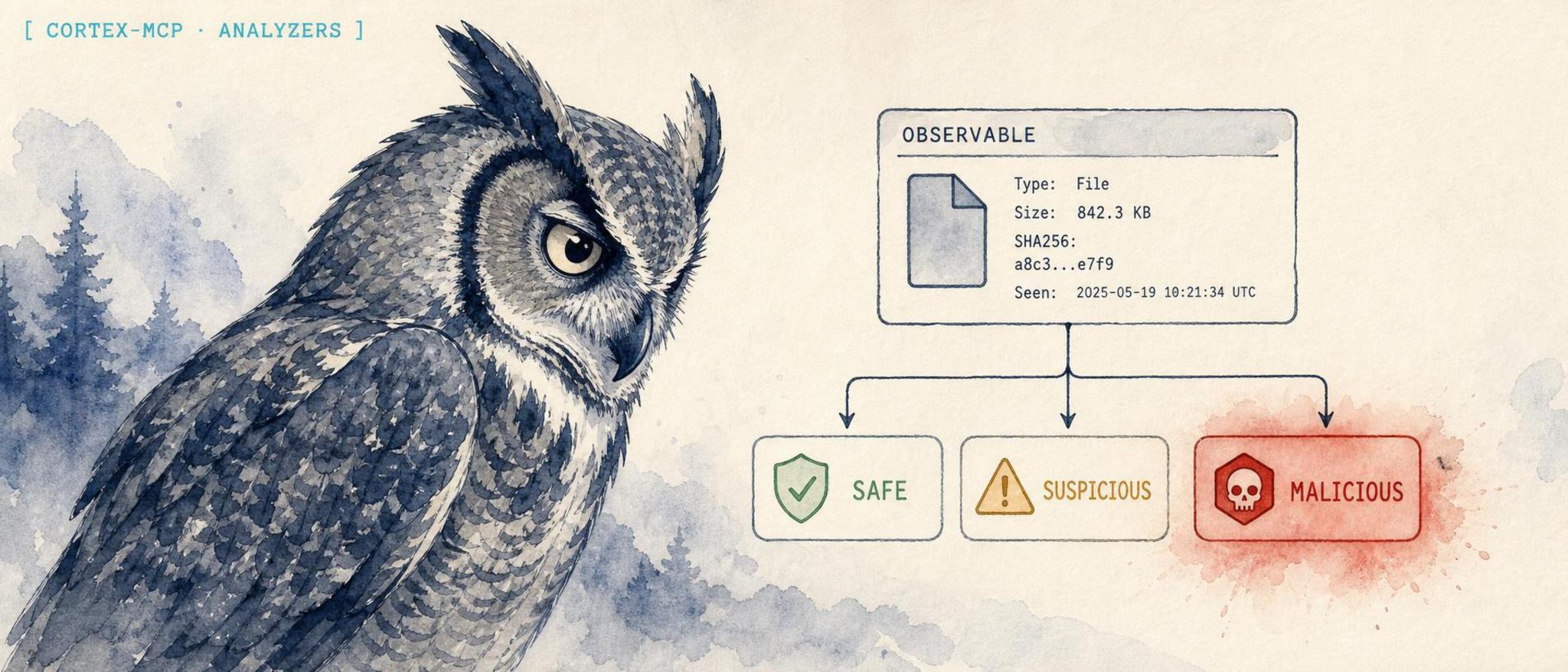

An MCP server that lets an AI client run Cortex observable analysis and response, end to end.
Website: https://lidless.dev/cortex-mcp




cortex-mcp is a Model Context Protocol (MCP) server for Cortex, the observable analysis and active-response engine from StrangeBee/TheHive Project. It exists because analysts already drive Cortex by hand through its web UI or raw REST API, and an AI client can do that work faster: detonate an indicator across every applicable analyzer, aggregate the taxonomy verdicts, and pull artifacts without anyone clicking through a dozen jobs. It differs from a generic HTTP bridge by exposing Cortex's real domain model as 31 typed MCP tools, auto-detecting observable data types, fanning out analysis with a cap, and gating every destructive action (responders, deletes, file reads) behind explicit confirmation.
cortex-mcp connects an MCP-capable AI client (Claude Desktop, Claude Code, Codex CLI, OpenClaw, Hermes, and others) to a running Cortex instance so the model can perform real observable analysis and threat-intelligence enrichment. Cortex is the analyzer/responder engine in the StrangeBee and TheHive SOAR stack: it runs analyzers against observables (IPs, domains, URLs, file hashes, emails, files) and executes responders against TheHive entities. This server speaks Cortex's REST API and projects the full pipeline as MCP tools, resources, and prompts, so an agent can browse analyzer definitions, enable and configure them, submit observables, wait for job reports, extract IOC artifacts, and triage alerts. Auto-detection classifies an observable's data type before analysis, bulk analysis fans out across applicable analyzers and aggregates the taxonomy results, and superadmin tools cover organization and user/API-key management. The result is conversational observable analysis: ask "what does Cortex think of 185.220.101.42?" and get an aggregated multi-analyzer verdict back.
If you prefer to run from a checkout instead of npx:
git clone https://github.com/lidless-labs/cortex-mcp.git
cd cortex-mcp
npm install
npm run build
Then point your client at the built binary (see the per-client recipes below).
Add this to your MCP client config (this example is Claude Desktop's claude_desktop_config.json; the same command/args/env shape works for Claude Code, Codex, OpenClaw, and Hermes). It runs the published npm package directly with npx, no clone or build required:
{
  "mcpServers": {
    "cortex": {
      "command": "npx",
      "args": ["-y", "thehive-cortex-mcp"],
      "env": {
        "CORTEX_URL": "http://cortex.example.com:9001",
        "CORTEX_API_KEY": "your-org-admin-key",
        "CORTEX_SUPERADMIN_KEY": "your-superadmin-key"
      }
    }
  }
}
The npm package is named thehive-cortex-mcp; it installs a cortex-mcp binary. Set CORTEX_SUPERADMIN_KEY only if you want the organization and user management tools.
claude mcp add cortex \
  --env CORTEX_URL=http://cortex.example.com:9001 \
  --env CORTEX_API_KEY=your-org-admin-key \
  --env CORTEX_SUPERADMIN_KEY=your-superadmin-key \
  -- npx -y thehive-cortex-mcp
Add --scope user to make it available from any directory instead of only the current project.
openclaw mcp set cortex '{
  "command": "npx",
  "args": ["-y", "thehive-cortex-mcp"],
  "env": {
    "CORTEX_URL": "http://cortex.example.com:9001",
    "CORTEX_API_KEY": "your-org-admin-key",
    "CORTEX_SUPERADMIN_KEY": "your-superadmin-key"
  }
}'
If you are running from a source checkout instead, point command/args at the built dist/index.js:
openclaw mcp set cortex '{
  "command": "node",
  "args": ["/absolute/path/to/cortex-mcp/dist/index.js"],
  "env": {
    "CORTEX_URL": "http://cortex.example.com:9001",
    "CORTEX_API_KEY": "your-org-admin-key",
    "CORTEX_SUPERADMIN_KEY": "your-superadmin-key"
  }
}'
Then restart the OpenClaw gateway so the new server is picked up:
systemctl --user restart openclaw-gateway
openclaw mcp list   # confirm "cortex" is registered
Hermes Agent reads MCP config from ~/.hermes/config.yaml under the mcp_servers key. Add an entry:
mcp_servers:
  cortex:
    command: "npx"
    args: ["-y", "thehive-cortex-mcp"]
    env:
      CORTEX_URL: "http://cortex.example.com:9001"
      CORTEX_API_KEY: "your-org-admin-key"
      CORTEX_SUPERADMIN_KEY: "your-superadmin-key"
Then reload MCP from inside a Hermes session:
/reload-mcp
Codex CLI registers MCP servers via codex mcp add:
codex mcp add cortex \
  --env CORTEX_URL=http://cortex.example.com:9001 \
  --env CORTEX_API_KEY=your-org-admin-key \
  --env CORTEX_SUPERADMIN_KEY=your-superadmin-key \
  -- npx -y thehive-cortex-mcp
Codex writes the entry to ~/.codex/config.toml under [mcp_servers.cortex]. Verify with:
codex mcp list
export CORTEX_URL=http://cortex.example.com:9001
export CORTEX_API_KEY=your-org-admin-key
npx -y thehive-cortex-mcp     # or `npm start` from a source checkout
| Tool | Description |
|---|---|
cortex_get_status | Get Cortex instance health, version, and configuration |
| Tool | Description |
|---|---|
cortex_list_analyzers | List all enabled analyzers, optionally filtered by data type |
cortex_get_analyzer | Get details about a specific analyzer by ID |
cortex_run_analyzer | Submit an observable to a specific analyzer for analysis |
cortex_run_analyzer_by_name | Run an analyzer by name instead of ID (convenience wrapper) |
cortex_run_analyzer_file | Submit a file to an analyzer. filePath is confined to CORTEX_FILE_BASE_DIR (disabled if unset); or pass fileBase64 |
| Tool | Description |
|---|---|
cortex_list_analyzer_definitions | Browse all available analyzer definitions with filtering (by data type, free/no-config, search) |
cortex_enable_analyzer | Enable an analyzer definition in the current org with configuration |
cortex_disable_analyzer | Disable (remove) an enabled analyzer (destructive; requires confirm=true) |
| Tool | Description |
|---|---|
cortex_get_job | Get the status and details of an analysis job |
cortex_get_job_report | Get the full report of a completed analysis job |
cortex_wait_and_get_report | Wait for a job to complete and return the report |
cortex_list_jobs | List recent analysis jobs with optional filters |
cortex_get_job_artifacts | Get artifacts (extracted IOCs) from a completed job |
cortex_delete_job | Delete a specific job (destructive; requires confirm=true) |
cortex_cleanup_jobs | Bulk delete jobs by status or age (with dry-run) |
| Tool | Description |
|---|---|
cortex_list_responders | List all enabled responders, optionally filtered by data type |
cortex_run_responder | Execute a responder action against a TheHive entity (destructive; requires CORTEX_ALLOW_DESTRUCTIVE=1 and confirm=true) |
| Tool | Description |
|---|---|
cortex_list_responder_definitions | Browse all available responder definitions with filtering |
cortex_enable_responder | Enable a responder definition with configuration |
cortex_disable_responder | Disable (remove) an enabled responder |
| Tool | Description |
|---|---|
cortex_analyze_observable | Run analyzers against an observable (auto-detected data type) and aggregate taxonomy results. Pass an analyzers allowlist, or fanOut=true to run all applicable analyzers (capped by CORTEX_MAX_FANOUT) |
| Tool | Description |
|---|---|
cortex_list_organizations | List all organizations |
cortex_get_organization | Get organization details |
cortex_create_organization | Create a new organization |
cortex_update_organization | Update organization description or status |
| Tool | Description |
|---|---|
cortex_list_users | List all users across organizations |
cortex_get_user | Get user details |
cortex_create_user | Create a new user in an organization |
cortex_renew_user_key | Generate a new API key for a user (invalidates previous) |
cortex_get_user_key | Retrieve a user's current API key |
| URI | Description |
|---|---|
cortex://analyzers | Enabled analyzers with capabilities |
cortex://analyzer-definitions | All available analyzer definitions with config requirements |
cortex://responder-definitions | All available responder definitions with config requirements |
cortex://jobs/recent | Last 50 analysis jobs |
| Prompt | Description |
|---|---|
analyze-observable | Guided workflow for analyzing an observable through Cortex |
investigate-ioc | Deep investigation workflow for a suspicious IOC |
setup-cortex | Guided setup wizard for fresh Cortex instances (enable free analyzers, configure API keys) |
triage-alert | Structured alert triage workflow with multi-observable analysis and risk assessment |
| Variable | Required | Default | Description |
|---|---|---|---|
CORTEX_URL | Yes | - | Cortex base URL (e.g., http://cortex.example.com:9001) |
CORTEX_API_KEY | Yes | - | API key for normal operations (org admin level) |
CORTEX_SUPERADMIN_KEY | No | - | Superadmin API key for org/user/definition management |
CORTEX_VERIFY_SSL | No | true | Set to false to skip SSL verification. Applied via a scoped HTTP dispatcher for Cortex requests only; it does not disable TLS verification process-wide. |
CORTEX_TIMEOUT | No | 30 | Request timeout in seconds |
CORTEX_FILE_BASE_DIR | No | - | Absolute base directory that cortex_run_analyzer_file may read files from. filePath is confined to this directory (realpath checked to defeat symlink/.. escapes); paths outside it are refused. When unset, reading files by path is disabled and you must submit file content via fileBase64. |
CORTEX_ALLOW_DESTRUCTIVE | No | 0 | Set to 1 (or true) to permit running responders (cortex_run_responder), which cause real-world side effects. Off by default. Responders also require confirm=true per call. |
CORTEX_MAX_FANOUT | No | 10 | Maximum number of analyzers cortex_analyze_observable will submit to in a single call when fanning out. |
This server can trigger real-world actions and submit observables to third-party services, so several capabilities are secured by default:
cortex_run_analyzer_file only reads files inside CORTEX_FILE_BASE_DIR (realpath-confined to defeat symlink/.. escapes). With no base dir configured, path-based reads are refused; use fileBase64 to submit content explicitly.cortex_run_responder requires both CORTEX_ALLOW_DESTRUCTIVE=1 in the environment and confirm=true in the call.cortex_delete_job and cortex_disable_analyzer require confirm=true.cortex_analyze_observable does not fan out to every analyzer by default. Pass an explicit analyzers allowlist, or set fanOut=true to run all applicable analyzers (capped by CORTEX_MAX_FANOUT).CORTEX_VERIFY_SSL relaxes TLS only for Cortex connections, never for the whole Node process.1. Use cortex_list_analyzer_definitions with freeOnly=true to find analyzers
that need no API keys.
2. Use cortex_enable_analyzer to enable "Abuse_Finder_3_0" with empty config.
3. Use cortex_analyze_observable with data "8.8.8.8" and fanOut=true to run
all applicable analyzers (or pass analyzers ["Abuse_Finder"] to scope it).
Use cortex_analyze_observable with data "185.220.101.42" and fanOut=true
(no dataType needed - auto-detects as IP). Or pass an `analyzers` allowlist
to limit which analyzers run.
Use cortex_cleanup_jobs with status "Failure", dryRun true to preview,
then dryRun false to delete.
Set CORTEX_FILE_BASE_DIR=/srv/cortex-uploads in the server environment, then:
Use cortex_run_analyzer_file with analyzerId "Yara_3_0",
filePath "/srv/cortex-uploads/suspicious.exe" to scan with YARA rules.
(Paths outside CORTEX_FILE_BASE_DIR are refused; alternatively pass fileBase64.)
Use cortex_renew_user_key with userId "analyst1" to rotate their API key.
Use the triage-alert prompt with alertDescription "Suspicious outbound traffic
detected" and observables "185.220.101.42, evil.example.com, 44d88612fea8a8f36de82e1278abb02f"
| Type | Examples | Auto-detected |
|---|---|---|
ip | 8.8.8.8, 2001:db8::1 | yes |
domain | example.com | yes |
url | https://malware.example.com/payload | yes |
hash | MD5, SHA1, SHA256, SHA512 | yes |
mail | user@example.com | yes |
fqdn | mail.example.com | As domain |
filename | malware.exe | Manual |
registry | HKLM\Software\Malware | Manual |
file | Binary file uploads | Manual |
other | CVEs, custom types | Manual |
bash -c "$(wget -qLO - https://raw.githubusercontent.com/lidless-labs/cortex-mcp/main/scripts/proxmox_install.sh)"
npm test              # Unit tests
npm run test:watch    # Watch mode
npm run lint          # Type check

# Integration tests (requires live Cortex instance)
CORTEX_URL=http://cortex.example.com:9001 \
CORTEX_API_KEY=your-key \
CORTEX_SUPERADMIN_KEY=your-superadmin-key \
npx vitest run tests/integration.test.ts
cortex-mcp/
  src/
    index.ts                  # MCP server entry point
    config.ts                 # Environment config + validation
    client.ts                 # Cortex REST API client (full surface)
    types.ts                  # Cortex API type definitions
    resources.ts              # MCP resources (4)
    prompts.ts                # MCP prompts (4)
    tools/
      analyzers.ts            # Analyzer tools (list, get, run, run-by-name)
      analyzer-definitions.ts # Definition browsing, enable, disable
      jobs.ts                 # Job management + cleanup
      responders.ts           # Responder tools (list, run)
      responder-definitions.ts # Definition browsing, enable, disable
      bulk.ts                 # Bulk analysis with auto-detect
      status.ts               # Health/version check
      organizations.ts        # Org CRUD (superadmin)
      users.ts                # User CRUD + key management (superadmin)
  tests/
    client.test.ts            # API client unit tests
    tools.test.ts             # Tool handler unit tests
    integration.test.ts       # Live instance integration tests
  scripts/
    proxmox_install.sh        # Proxmox LXC deployment script
Issues and pull requests are welcome. See CONTRIBUTING.md for the contribution path and SECURITY.md for reporting vulnerabilities. By participating you agree to the Code of Conduct.
MIT. See LICENSE.
Part of Lidless Labs · the eye does not close
Security / SOC: soc-stack · wazuh-mcp · misp-mcp · suricata-mcp · thehive-mcp · mitre-mcp · zeek-mcp · hotwash
Run Claude Code as an MCP server so any agent can delegate coding tasks to it
 @microsoft✓ Official
Browser automation using accessibility snapshots instead of screenshots
 @googleapis✓ Official
Google's universal MCP server supporting PostgreSQL, MySQL, MongoDB, Redis, and 10+ databases
 @github✓ Official
Official GitHub integration for repos, issues, PRs, and CI/CD workflows