

Are you the author? Sign in to claim
MCP server for Adobe Edge Delivery Services — 20 tools for AI agents to preview, publish, read content, query metrics, a
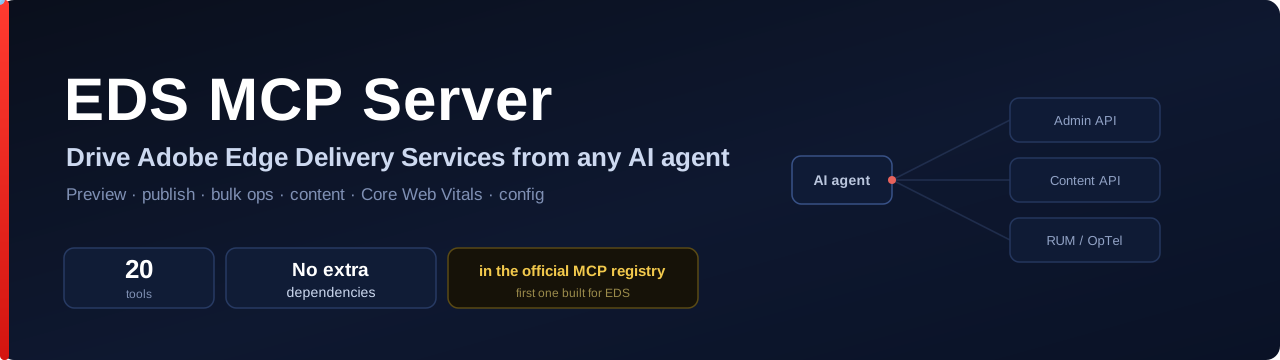




20 tools. No extra dependencies beyond the MCP SDK. Works with any EDS site. The first MCP server purpose-built for Edge Delivery Services.
claude mcp add eds -e EDS_OWNER=your-org -e EDS_REPO=your-site -- npx @focusgts/eds-mcp-server
Then just ask your agent:
"Preview and publish the homepage." "What are the Core Web Vitals across the site?" "Find every page about pricing and list the ones missing a description."
That's it — no local AEM, no scripts, no glue code.
flowchart LR
  A["AI agent<br/>(Claude Code · Cursor · Copilot)"] -- MCP / stdio --> B["eds-mcp-server<br/>20 tools"]
  B --> C["Admin API<br/>admin.hlx.page"]
  B --> D["Content API<br/>*.aem.live"]
  B --> E["RUM / OpTel<br/>Core Web Vitals"]
  C --> F["Your EDS site"]
  D --> F
  E --> F
The agent calls tools; the server talks to the live EDS infrastructure. Read-only tools (content, sitemap, metadata) need no credentials at all.
No more pasting a fresh admin token every day:
sequenceDiagram
  participant You
  participant CLI as eds-mcp-server login
  participant Adobe as admin.hlx.page
  You->>CLI: npx @focusgts/eds-mcp-server login
  CLI->>Adobe: open browser (client_id=aem-cli)
  You->>Adobe: sign in & approve
  Adobe-->>CLI: siteToken → localhost callback
  CLI-->>You: cached ~/.aem/auth-token.json (reused automatically)
Use Chrome or Firefox — Safari blocks the local callback (same as Adobe's AEM CLI).
EDS_API_KEYworks as the CI / fallback path.
|
Publishing
|
Content
|
Analytics & config
|
claude mcp add eds -e EDS_OWNER=your-org -e EDS_REPO=your-site -- npx @focusgts/eds-mcp-server
.cursor/mcp.json{
"mcpServers": {
"eds": {
"command": "npx",
"args": ["@focusgts/eds-mcp-server"],
"env": { "EDS_OWNER": "your-org", "EDS_REPO": "your-site" }
}
}
}
.vscode/mcp.json{
"servers": {
"eds": {
"command": "npx",
"args": ["@focusgts/eds-mcp-server"],
"env": { "EDS_OWNER": "your-org", "EDS_REPO": "your-site" }
}
}
}
| Variable | Required | Description |
|---|---|---|
EDS_OWNER | Yes | GitHub org/user that owns the EDS site repo |
EDS_REPO | Yes | GitHub repository name |
EDS_REF | No | Git branch (default: main) |
EDS_API_KEY | No | Admin token (see Authentication). Browser login is the alternative. |
EDS_DOMAIN_KEY | No | OpTel domain key for analytics queries (CWV, 404s, experiments) |
Read-only tools (content, sitemap, metadata) need no keys. Write tools (preview, publish, cache) need an admin token. Analytics tools need EDS_DOMAIN_KEY.
Admin operations require an EDS Admin token. Two ways to provide one.
Browser sign-in (recommended for interactive use)
EDS_OWNER=your-org EDS_REPO=your-site npx @focusgts/eds-mcp-server login
Opens your browser to Adobe's admin.hlx.page login (the same flow as the AEM CLI). The admin site token caches at ~/.aem/auth-token.json (mode 0600, ~24h) and is reused automatically. Use Chrome or Firefox — Safari blocks the local callback.
EDS_API_KEY (CI / automation, and the fallback) — always takes precedence when set.
EDS_OWNER=your-org EDS_REPO=your-site EDS_API_KEY=<your-admin-token> npx @focusgts/eds-mcp-server
To get a token (per Adobe's API key docs): sign in at https://admin.hlx.page/login, then copy the auth_token cookie value from DevTools — or copy the x-auth-token header from an authenticated AEM Sidekick request. For a durable credential, configure a site API key.
Built following Adobe's MCP conventions (derived from adobe-rnd/da-mcp):
@modelcontextprotocol/sdk + zod, stateless per requesteds_{verb}_{noun} · stdio transportfetch() (Node 18+) — no HTTP dependenciesgit clone https://github.com/Focus-GTS/eds-mcp-server.git
cd eds-mcp-server && npm install && npm run build && npm test
| eds-content-ops-skills | AI skills for EDS content ops — first third-party contributor merged into Adobe's official skills repo |
| eds-ops | CLI + GitHub Action for automated site grading and PR gating |
| EDS Score | Free browser-based site health analyzer |
Built by FocusGTS — Adobe Silver Solution Partner · Apache-2.0
Not affiliated with or endorsed by Adobe Inc.
Run Claude Code as an MCP server so any agent can delegate coding tasks to it
 @microsoft✓ Official
Browser automation using accessibility snapshots instead of screenshots
 @googleapis✓ Official
Google's universal MCP server supporting PostgreSQL, MySQL, MongoDB, Redis, and 10+ databases
 @github✓ Official
Official GitHub integration for repos, issues, PRs, and CI/CD workflows
