

Are you the author? Sign in to claim
starter kit for fast mcp
A simple Model Context Protocol (MCP) server starter kit built with FastMCP.
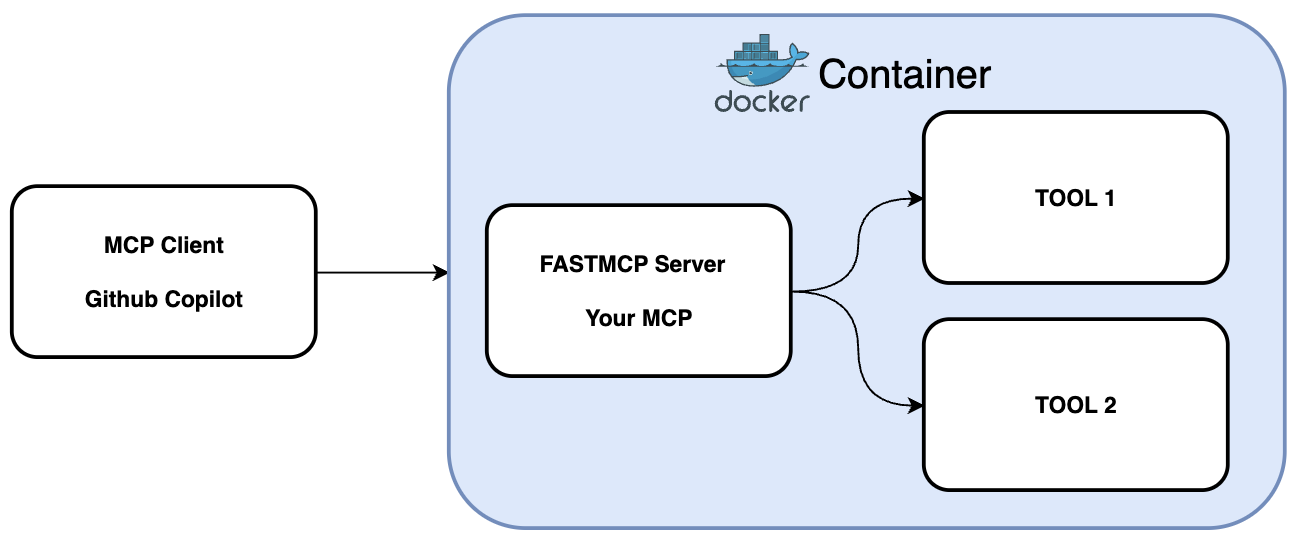
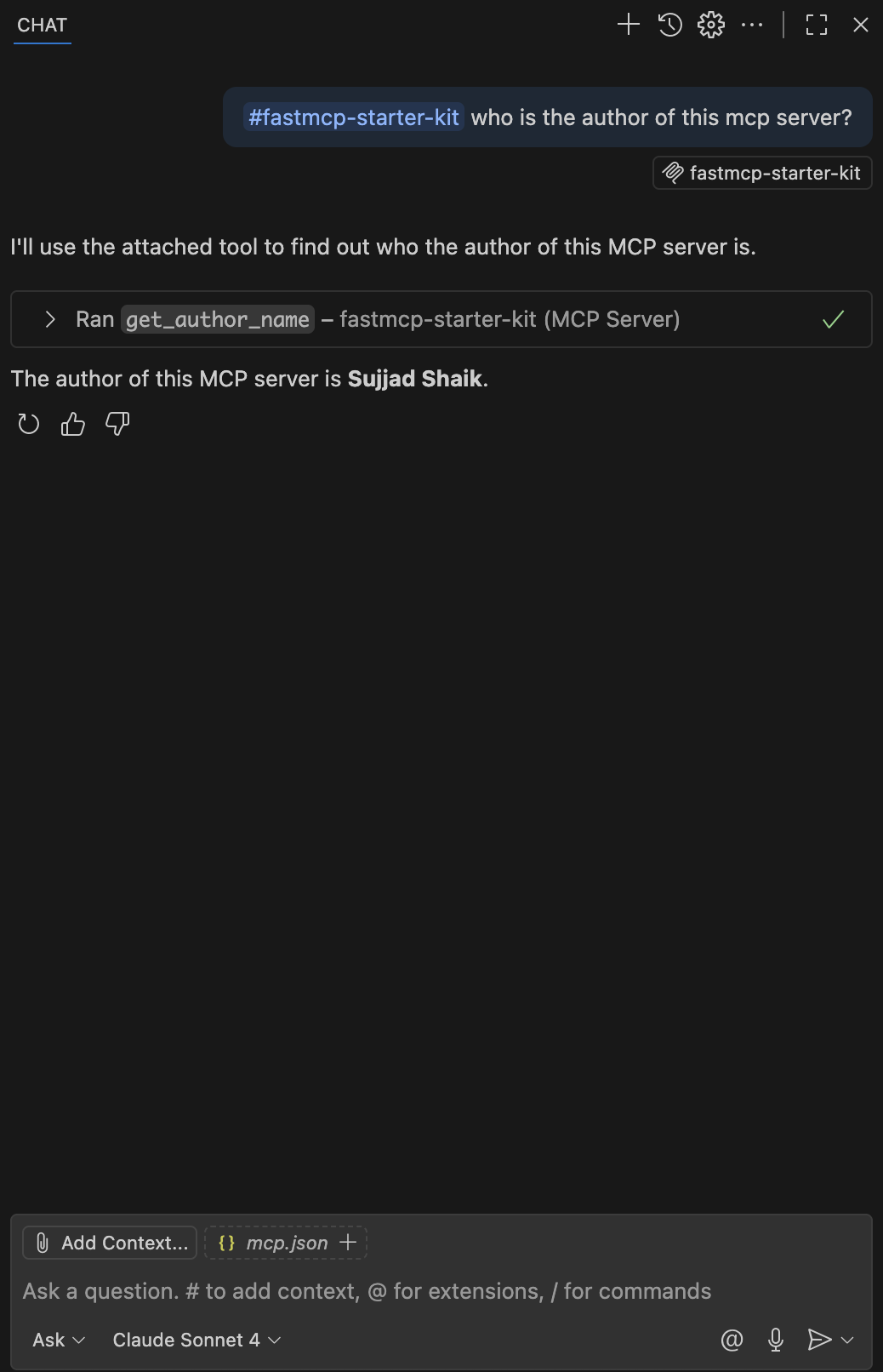
get_author_name - Returns the author name of this MCP serverFork and Clone this repository.
Install dependencies using uv (recommended):
uv sync
Or using pip:
pip install -e .
Start the server using:
docker compose up -d
To use this MCP server with GitHub Copilot in VS Code, create a .vscode/mcp.json file in your project root:
{
  "servers": {
    "fastmcp-starter-kit": {
      "command": "npx",
      "args": ["-y", "mcp-remote", "http://localhost:8100/sse", "--allow-http"]
    }
  }
}
Important Notes:
http://localhost:8000/sse--allow-http flag is required for local HTTP connectionsOnce you have the MCP server running, you can connect it to GitHub Copilot to access the custom tools. Here's how it looks in GitHub Copilot:
To add new tools to your MCP server:
src/server.py using the @mcp.tool() decoratorExample:
@mcp.tool()
async def my_new_tool(param: str) -> str:
    """Description of what this tool does."""
    return f"Processed: {param}"
Run Claude Code as an MCP server so any agent can delegate coding tasks to it
 @microsoft✓ Official
Browser automation using accessibility snapshots instead of screenshots
 @googleapis✓ Official
Google's universal MCP server supporting PostgreSQL, MySQL, MongoDB, Redis, and 10+ databases
 @github✓ Official
Official GitHub integration for repos, issues, PRs, and CI/CD workflows