

Are you the author? Sign in to claim
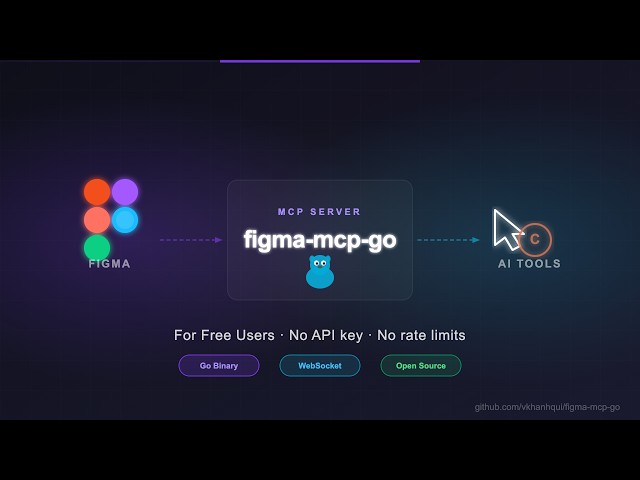
Figma MCP for free users — no rate limits, full read/write, text to designs, designs to code
Figma MCP — Free, No Rate Limits 



Open-source Figma MCP server with full read/write access via plugin — no REST API, no rate limits. Turn text into designs and designs into real code. Works with Cursor, Claude, GitHub Copilot, and any MCP-compatible AI tool.
Highlights
Styles, Variables, Components, Prototypes, and Content
https://github.com/user-attachments/assets/eae41471-fc72-4574-8261-4f42c38b8c99
Text to Design, Design to Code
https://github.com/user-attachments/assets/17bda971-0e83-4f18-8758-8ac2b8dcba62
Most Figma MCP servers rely on the Figma REST API.
That sounds fine… until you hit this:
| Plan | Limit |
|---|---|
| Starter / View / Collab | 6 tool calls/month |
| Pro / Org (Dev seat) | 200 tool calls/day |
| Enterprise | 600 tool calls/day |
If you're experimenting with AI tools, you'll burn through that in minutes.
I didn't have enough money to pay for higher limits. So I built something that doesn't use the API at all.
Install via npx — no build step required. Watch the setup video or follow the steps below.
Claude Code CLI
claude mcp add -s project figma-mcp-go -- npx -y @vkhanhqui/figma-mcp-go@latest
Codex CLI
codex mcp add figma-mcp-go -- npx -y @vkhanhqui/figma-mcp-go@latest
.mcp.json (Claude and other MCP-compatible tools)
{
  "mcpServers": {
    "figma-mcp-go": {
      "command": "npx",
      "args": ["-y", "@vkhanhqui/figma-mcp-go"]
    }
  }
}
.vscode/mcp.json (Cursor / VS Code / GitHub Copilot)
{
  "servers": {
    "figma-mcp-go": {
      "type": "stdio",
      "command": "npx",
      "args": [
        "-y",
        "@vkhanhqui/figma-mcp-go"
      ]
    }
  }
}
manifest.json from the plugin.zip| Tool | Description |
|---|---|
create_frame | Create a frame with optional auto-layout, fill, and parent |
create_rectangle | Create a rectangle with optional fill and corner radius |
create_ellipse | Create an ellipse or circle |
create_text | Create a text node (font loaded automatically) |
import_image | Decode base64 image and place it as a rectangle fill |
create_component | Convert an existing FRAME node into a reusable component |
create_section | Create a Figma Section node to organise frames on a page |
| Tool | Description |
|---|---|
set_text | Update text content of an existing TEXT node |
set_fills | Set solid fill color (hex) on a node |
set_strokes | Set solid stroke color and weight on a node |
set_opacity | Set opacity of one or more nodes (0 = transparent, 1 = opaque) |
set_corner_radius | Set corner radius — uniform or per-corner |
set_auto_layout | Set or update auto-layout (flex) properties on a frame |
set_visible | Show or hide one or more nodes |
lock_nodes | Lock one or more nodes to prevent accidental edits |
unlock_nodes | Unlock one or more nodes |
rotate_nodes | Set absolute rotation in degrees on one or more nodes |
reorder_nodes | Change z-order: bringToFront, sendToBack, bringForward, sendBackward |
set_blend_mode | Set blend mode (MULTIPLY, SCREEN, OVERLAY, …) on one or more nodes |
set_constraints | Set responsive constraints { horizontal, vertical } on one or more nodes |
move_nodes | Move nodes to an absolute x/y position |
resize_nodes | Resize nodes by width and/or height |
rename_node | Rename a node |
clone_node | Clone a node, optionally repositioning or reparenting |
reparent_nodes | Move nodes to a different parent frame, group, or section |
batch_rename_nodes | Bulk rename nodes via find/replace, regex, or prefix/suffix |
find_replace_text | Find and replace text across all TEXT nodes in a subtree or page; supports regex |
| Tool | Description |
|---|---|
delete_nodes | Delete one or more nodes permanently |
| Tool | Description |
|---|---|
set_reactions | Set prototype reactions (triggers + actions) on a node; mode replace or append |
remove_reactions | Remove all or specific reactions by zero-based index from a node |
| Tool | Description |
|---|---|
set_effects | Apply drop shadow / blur effects directly on a node (no style required) |
create_paint_style | Create a named paint style with a solid color |
create_text_style | Create a named text style with font, size, and spacing |
create_effect_style | Create a named effect style (drop shadow, inner shadow, blur) |
create_grid_style | Create a named layout grid style (columns, rows, or grid) |
update_paint_style | Rename or recolor an existing paint style |
apply_style_to_node | Apply an existing local style to a node, linking it to that style |
delete_style | Delete any style (paint, text, effect, or grid) by ID |
| Tool | Description |
|---|---|
create_variable_collection | Create a new local variable collection with an optional initial mode |
add_variable_mode | Add a new mode to an existing collection (e.g. Light/Dark) |
create_variable | Create a variable (COLOR/FLOAT/STRING/BOOLEAN) in a collection |
set_variable_value | Set a variable's value for a specific mode |
bind_variable_to_node | Bind a variable to a node property — supports fillColor, strokeColor, visible, opacity, rotation, width, height, corner radii, spacing, and more |
delete_variable | Delete a variable or an entire collection |
| Tool | Description |
|---|---|
add_page | Add a new page to the document (optional name and index) |
delete_page | Delete a page by ID or name (cannot delete the only page) |
rename_page | Rename a page by ID or current name |
| Tool | Description |
|---|---|
navigate_to_page | Switch the active Figma page by ID or name |
group_nodes | Group two or more nodes into a GROUP |
ungroup_nodes | Ungroup GROUP nodes, moving children to the parent |
swap_component | Swap the main component of an INSTANCE node |
detach_instance | Detach component instances, converting them to plain frames |
| Tool | Description |
|---|---|
get_document | Full current page tree |
get_metadata | File name, pages, current page |
get_pages | All pages (IDs + names) — lightweight, no tree loading |
get_selection | Currently selected nodes |
get_node | Single node by ID |
get_nodes_info | Multiple nodes by ID |
get_design_context | Depth-limited tree with detail level (minimal/compact/full) |
search_nodes | Find nodes by name substring and/or type within a subtree |
scan_text_nodes | All text nodes in a subtree |
scan_nodes_by_types | Nodes matching given type list |
get_viewport | Current viewport center, zoom, and visible bounds |
| Tool | Description |
|---|---|
get_styles | Paint, text, effect, and grid styles |
get_variable_defs | Variable collections and values |
get_local_components | All components + component sets with variant properties |
get_annotations | Dev-mode annotations |
get_fonts | All fonts used on the current page, sorted by frequency |
get_reactions | Prototype/interaction reactions on a node |
| Tool | Description |
|---|---|
get_screenshot | Base64 image export of any node |
save_screenshots | Export images to disk (server-side, no API call) |
export_frames_to_pdf | Export multiple frames as a single multi-page PDF file saved to disk |
export_tokens | Export design tokens (variables + paint styles) as JSON or CSS |
| Prompt | Description |
|---|---|
read_design_strategy | Best practices for reading Figma designs |
design_strategy | Best practices for creating and modifying designs |
text_replacement_strategy | Chunked approach for replacing text across a design |
annotation_conversion_strategy | Convert manual annotations to native Figma annotations |
swap_overrides_instances | Transfer overrides between component instances |
reaction_to_connector_strategy | Map prototype reactions into interaction flow diagrams |
Issues and PRs are welcome.
Run Claude Code as an MCP server so any agent can delegate coding tasks to it
 @microsoft✓ Official
Browser automation using accessibility snapshots instead of screenshots
 @googleapis✓ Official
Google's universal MCP server supporting PostgreSQL, MySQL, MongoDB, Redis, and 10+ databases
 @github✓ Official
Official GitHub integration for repos, issues, PRs, and CI/CD workflows