

Are you the author? Sign in to claim
The deploy button for AI coding agents - MCP server connecting Claude Code, Cursor, Windsurf, Trae & Antigravity to your

The deploy button for AI coding agents. Claude Code · Claude Desktop · Cursor · Windsurf · Trae · Antigravity → your own FTP / FTPS / SFTP servers.
Version française → README.fr.md




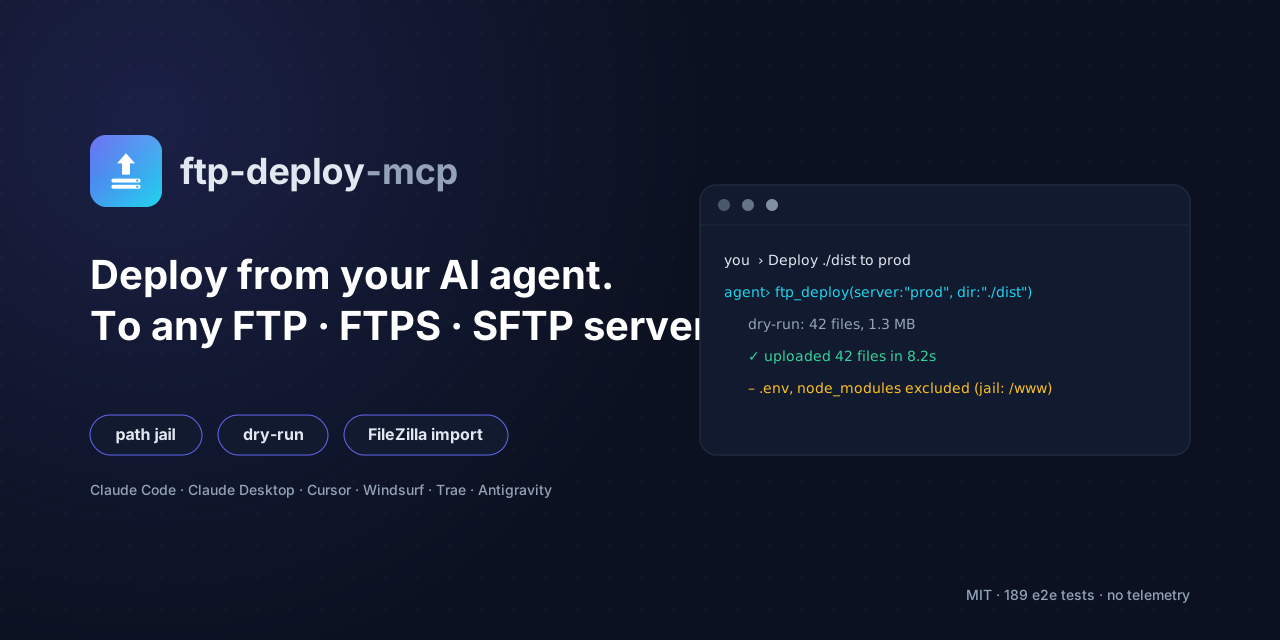
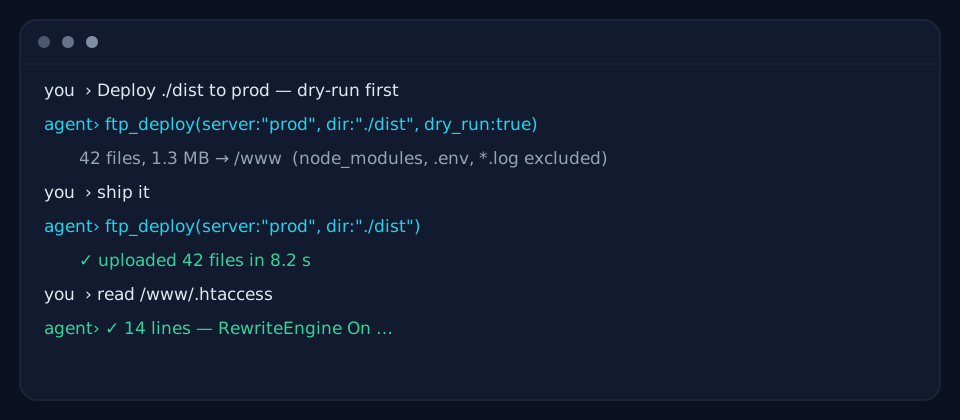
Your agent runs the deploy — you just ask.
git push.ftp-deploy-mcp gives any MCP client a deploy path to your own infrastructure, in the same conversation where the code was written.| Feature | Description |
|---|---|
| Multi-server | FTP / FTPS / SFTP, any number of servers in one config |
| One-command deploy | Recursive directory deploy, gitignore-like excludes at any depth, dry-run |
| Path jail | Every operation confined under a per-server root |
| Read-only mode | Block every write on servers that must stay untouched |
| FileZilla import | Convert your existing sitemanager.xml sites in one command |
| Auto-setup | Configures 5+ MCP clients automatically, with timestamped config backups |
| Doctor | Read-only diagnostic of Node, config, servers and client wiring |
| Zero build | Plain ESM JavaScript — Node stdlib + 5 small dependencies |
| Battle-tested | 189 e2e assertions against real local FTP + SFTP servers |
| No telemetry | Nothing leaves your machine except calls to your own servers |
git clone https://github.com/alebgl77/ftp-deploy-mcp.git && cd ftp-deploy-mcpinstall.cmd (double-click, Windows) or ./install.sh (macOS / Linux).flowchart LR
subgraph agents [AI agents]
A[Claude Code]; B[Cursor]; C[Windsurf]; D[Trae]; E[Antigravity]
end
agents -- MCP stdio --> S[ftp-deploy-mcp<br/>10 tools · path jail · read-only guard]
S -- FTP / FTPS --> F[(your web hosts)]
S -- SFTP --> G[(your servers)]
K[ftp-servers.json<br/>credentials stay local] -.-> S
An MCP (Model Context Protocol) server that runs over stdio and exposes 10 tools to
your coding agent. Credentials live in a local config file and never travel through the
LLM context. Every remote operation is confined under a root you choose per server.
Requires Node.js >= 18. No native dependency to compile.
git clone https://github.com/alebgl77/ftp-deploy-mcp.git
cd ftp-deploy-mcp
Then launch the wizard:
install.cmd../install.sh (run chmod +x install.sh first if needed).npm install && npm run setup.The setup wizard does everything for you:
.backup-<date> backup
before modifying any existing file;Then restart your IDE and ask your agent, e.g. "List my FTP servers".
At any time, a read-only diagnostic (writes nothing):
npm run doctor # or: node src/index.js doctor
It prints the Node version, which config file is in use, the server list (never
passwords), and — per client — whether the ftp entry is wired to this install.
setup options (node src/index.js setup [options]):
| Option | Effect |
|---|---|
--yes | Non-interactive (keeps the existing config, or imports with --from-filezilla). |
--clients <all|none|id,id> | Clients to configure (default: all detected). |
--from-filezilla [path] | Import from FileZilla (path optional → default location). |
--config-dest <path> | Config file destination (default ~/.ftp-mcp/servers.json). |
--skip-test | Skip the connection tests. |
--dry-run | Print the planned actions and write nothing. |
--force | Replace an existing but different ftp entry. |
npm install -g .
The ftp-deploy-mcp command is now on your PATH; use it instead of
node .../src/index.js.
npx -y usage)If you publish this package to npm under your own name, clients can run it with no prior install:
{ "command": "npx", "args": ["-y", "your-package-name"] }
Create an ftp-servers.json file. The server looks for it in this order (first found
wins):
--config <path> (command-line flag)FTP_MCP_CONFIG environment variable (path to the JSON)./ftp-servers.json (process working directory)~/.ftp-mcp/servers.json{
"defaultServer": "prod", // optional: used when "server" is not given
"servers": {
"prod": {
"protocol": "sftp", // REQUIRED: "ftp" | "ftps" | "sftp"
"host": "ssh.example.com", // REQUIRED
"port": 22, // optional (defaults: ftp/ftps 21, sftp 22)
"user": "deploy", // REQUIRED
"password": "${ENV:PROD_PW}", // optional: password (or an env placeholder)
"privateKeyPath": "~/.ssh/id_ed25519", // optional (sftp); "~" is expanded
"passphrase": "…", // optional: private-key passphrase
"root": "/var/www/site", // optional (default "/"): ALL ops are jailed under it
"readOnly": false, // optional: blocks upload/deploy/mkdir/rename/delete
"insecureTLS": false, // optional (ftps): accept a self-signed certificate
"implicitTLS": false // optional (ftps): implicit TLS (port 990, legacy servers)
}
}
}
The block above uses
//comments for teaching only. The real file must be strict JSON (no comments). Seeftp-servers.example.json.
Any string value may contain ${ENV:VARIABLE_NAME}. It is replaced with the environment
variable's value at startup. If the variable is unset, tools return a clear error naming
the missing variable.
"password": "${ENV:OVH_FTP_PASSWORD}"
ftp-servers.json to your .gitignore (already done in this repo).chmod 600 ftp-servers.json on Unix).${ENV:…}) or an SSH key over a plaintext
password.readOnly: true for servers the agent must never write to.root as narrow as possible: the jail prevents any ../ breakout.Already have your sites in FileZilla? Convert them:
# Auto-detect the default sitemanager.xml location…
node src/index.js import-filezilla

# …or an explicit file, written to an ftp-servers.json
node src/index.js import-filezilla --file /path/sitemanager.xml --out ./ftp-servers.json
Without --out, the JSON is printed to stdout. Base64-encoded passwords are decoded; sites
without a stored password get a ${ENV:<NAME>_PASSWORD} placeholder (you set the variable
yourself). Example output:
{
  "defaultServer": "my-site",
  "servers": {
    "my-site": {
      "protocol": "ftp",
      "host": "ftp.example.com",
      "user": "deploy",
      "password": "…",
      "root": "/www/html"
    }
  }
}
Heads-up: the generated file contains decoded plaintext passwords — keep it out of version control (
.gitignore) and restrict its permissions (chmod 600).
setup)
npm run setupwrites these files automatically (with backups). This section is only useful if you'd rather wire everything by hand.
Replace /absolute/path/to/ftp-deploy-mcp/src/index.js with the real path (forward
slashes / also work on Windows). If you published the package to npm, swap
"command": "node", "args": ["…/src/index.js"] for
"command": "npx", "args": ["-y", "your-package-name"].
The file locations below are the default locations at the time of writing; these products' UIs evolve, so check their docs if needed.
Project-root .mcp.json:
{
  "mcpServers": {
    "ftp": {
      "command": "node",
      "args": ["/absolute/path/to/ftp-deploy-mcp/src/index.js"]
    }
  }
}
Or in one command:
claude mcp add ftp -- node /absolute/path/to/ftp-deploy-mcp/src/index.js
%APPDATA%\Claude\claude_desktop_config.json~/Library/Application Support/Claude/claude_desktop_config.json~/.config/Claude/claude_desktop_config.json{
"mcpServers": {
"ftp": {
"command": "node",
"args": ["/absolute/path/to/ftp-deploy-mcp/src/index.js"]
}
}
}
~/.cursor/mcp.json (global) or .cursor/mcp.json (project):
{
  "mcpServers": {
    "ftp": {
      "command": "node",
      "args": ["/absolute/path/to/ftp-deploy-mcp/src/index.js"]
    }
  }
}
~/.codeium/windsurf/mcp_config.json:
{
  "mcpServers": {
    "ftp": {
      "command": "node",
      "args": ["/absolute/path/to/ftp-deploy-mcp/src/index.js"]
    }
  }
}
Trae has no stable config file — everything is done in its UI. AI chat panel →
Settings/gear → MCP → Add → Configure Manually, then paste (this is the block
setup prints and copies to your clipboard):
{
  "mcpServers": {
    "ftp": {
      "command": "node",
      "args": ["/absolute/path/to/ftp-deploy-mcp/src/index.js"]
    }
  }
}
Depending on the version, the file is one of:
~/.gemini/antigravity/mcp_config.json~/.gemini/config/mcp_config.json{
"mcpServers": {
"ftp": {
"command": "node",
"args": ["/absolute/path/to/ftp-deploy-mcp/src/index.js"]
}
}
}
You can also use the agent's MCP panel (MCP server management) → add a server, with the same structure.
All remote paths (path, remote_path, …) are relative to the server root and use
POSIX style. The server parameter is always optional (see resolution below).
| Tool | Parameters | Description |
|---|---|---|
ftp_list_servers | (none) | List configured servers (protocol, host, port, root, read-only, auth kind). Never a password. |
ftp_test | server? | Connect, list the root, confirm success. |
ftp_list | server?, path? | List a remote directory (directories first). |
ftp_read | server?, path, max_bytes? | Read a text file (default 262144, max 1048576 bytes). Refuses binary files. |
ftp_upload | server?, local_path, remote_path? | Upload one file, creating parent directories. |
ftp_deploy | server?, local_dir, remote_dir?, include?, exclude?, dry_run? | Recursively deploy a directory over a single connection, with default excludes. dry_run works even on a read-only (readOnly) server. |
ftp_download | server?, remote_path, local_path, overwrite? | Download a file; refuses to overwrite unless overwrite: true. |
ftp_mkdir | server?, path | Create a directory (recursive). |
ftp_rename | server?, from_path, to_path | Rename or move. |
ftp_delete | server?, path, recursive? | Delete a file; a directory requires recursive: true. Never the root. |
Server resolution: explicit server parameter → defaultServer → the sole server if
there is only one → otherwise an error listing the available names.
ftp_deploy default excludes: **/node_modules/**, **/.git/**, .env, .env.*,
*.log, .DS_Store, Thumbs.db, ftp-servers.json, **/.ftp-mcp/** (your exclude
globs are added; include restricts to matching files). Slash-less patterns match at any
depth (gitignore-like): a nested apps/api/.env is excluded too.
./dist to the prod server."/www on ovh.".htaccess from prod and show it to me."./build to /www so I can see what would be sent."index.old.html to index.html on prod."root. Any breakout attempt (../…) is refused, even when root is /.readOnly: true blocks every write (upload, deploy, mkdir, rename,
delete); reads still work.privateKeyPath (~ is expanded) and, if the key is encrypted,
passphrase. Check the key's permissions.insecureTLS: true to accept an unverified certificate (only
for servers you trust).implicitTLS: true (ftps protocol) for legacy
servers that encrypt from the first byte, without an AUTH TLS command.ftp-servers.json or pass --config <path> / FTP_MCP_CONFIG=<path>.setup: fully restart the IDE (close
every window, not just the project), then verify the wiring with npm run doctor.stderr at launch
and returned on every tool call.npm test # runs the full smoke test (local FTP + SFTP, no external network)
node src/index.js --version
node src/index.js --help
Contributions are welcome — see CONTRIBUTING.md for the dev setup, the project's principles, and the PR checklist.
Found a vulnerability? Please do not open a public issue — see SECURITY.md for how to report it privately.
MIT — see LICENSE.
Run Claude Code as an MCP server so any agent can delegate coding tasks to it
 @microsoft✓ Official
Browser automation using accessibility snapshots instead of screenshots
 @googleapis✓ Official
Google's universal MCP server supporting PostgreSQL, MySQL, MongoDB, Redis, and 10+ databases
 @github✓ Official
Official GitHub integration for repos, issues, PRs, and CI/CD workflows