

Are you the author? Sign in to claim
Native macOS app for managing and monitoring Docker — local and over SSH. Agent-ready: built-in MCP server and App Inten
Native Docker management for your Mac. Local and over SSH. Agent-ready with a built-in MCP server. Free, open source, no limits.


Gantry is a fully native macOS app (SwiftUI, Swift 6) for managing and monitoring Docker — the local daemon and any number of remote hosts over SSH — plus apple/container hosts on your Mac. No Electron, no subscription, no artificial limits. It is built to be driven by AI agents too: a bundled MCP server and App Intents expose your Docker hosts to Claude, Shortcuts, Siri and scripts.
Website: https://getgantry.github.io/
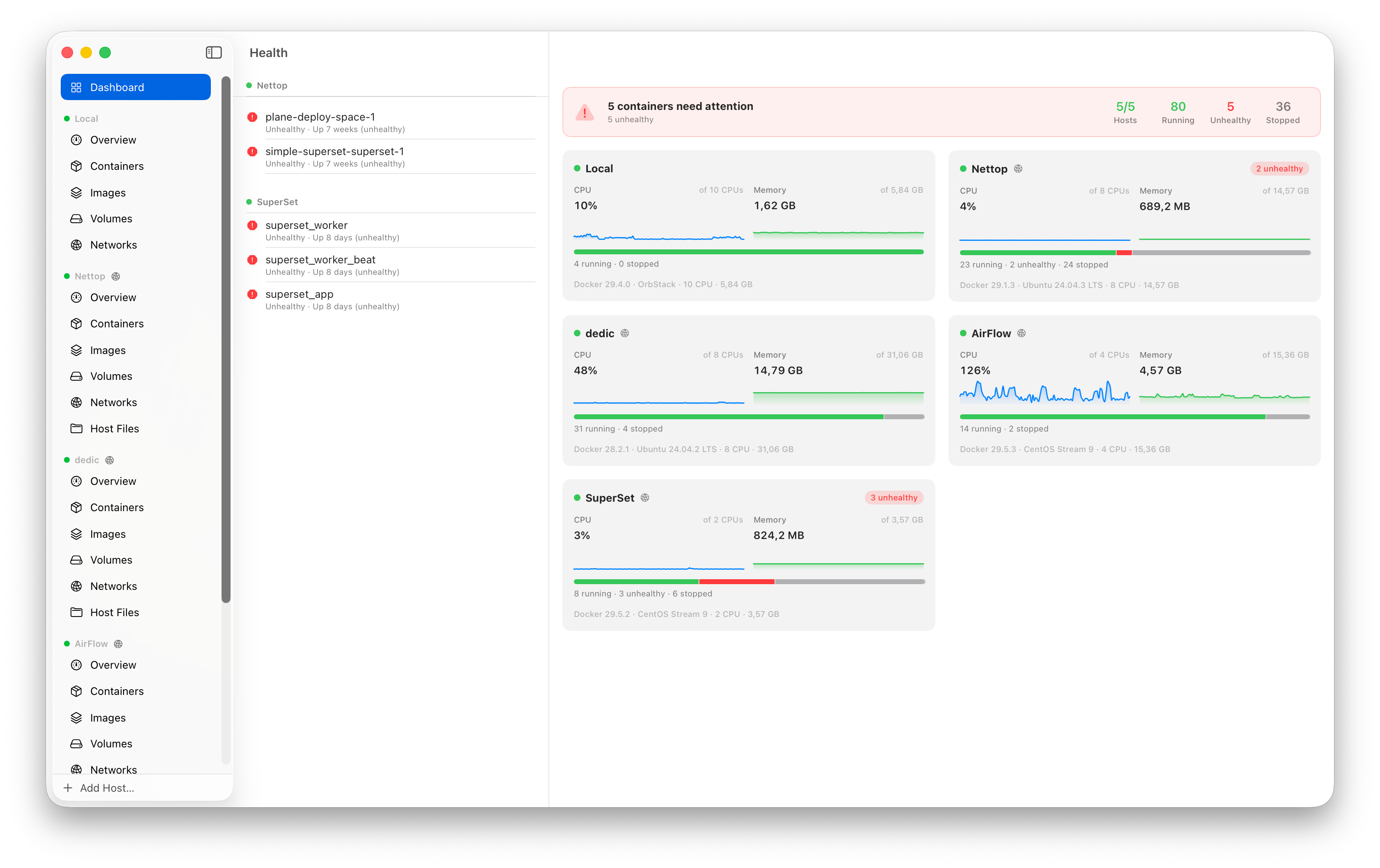
top), update restart policydocker system df), prune build cache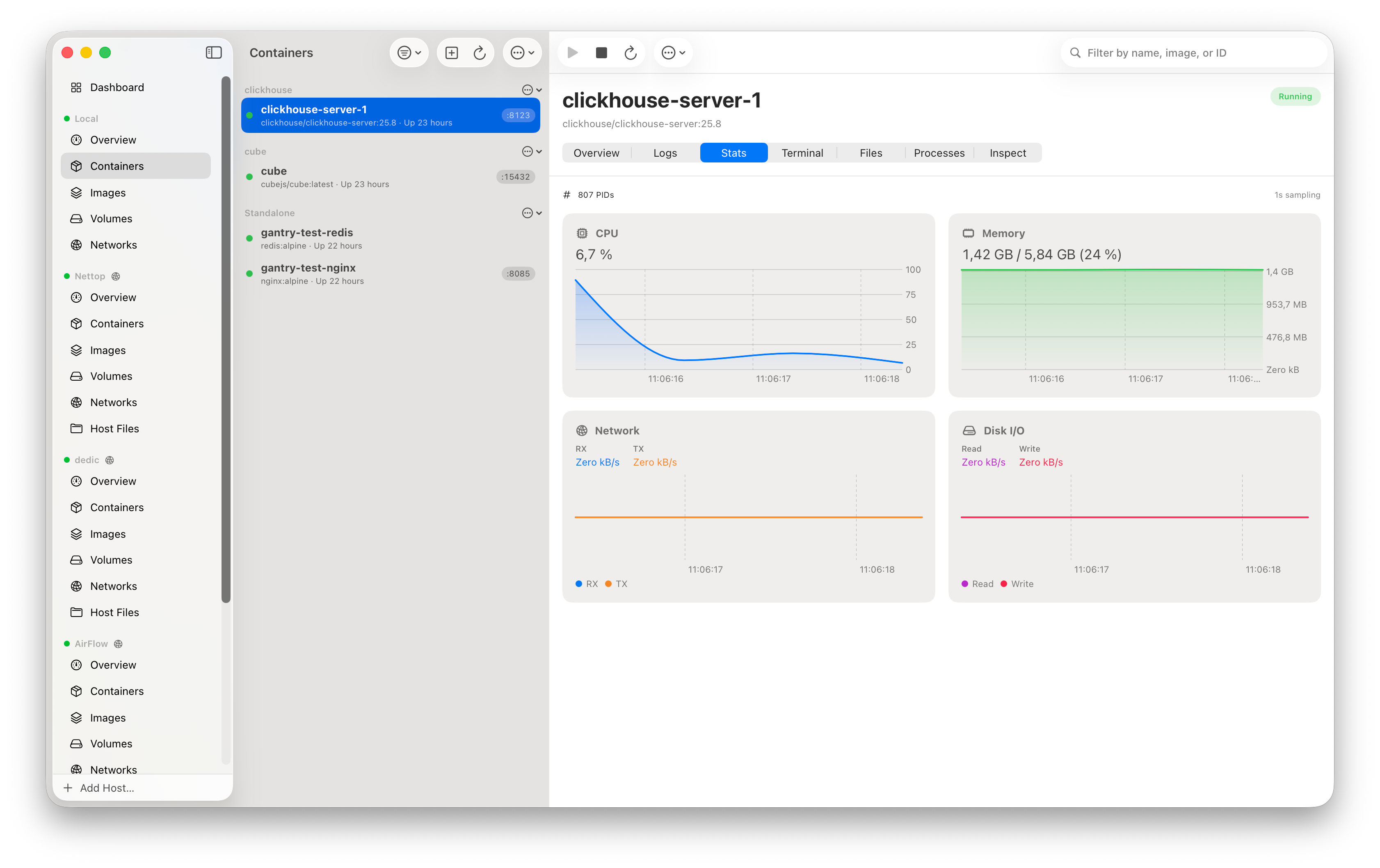
tar -x over exec)localhost (an ssh -L-style tunnel over a dedicated connection). If the
local port is taken, Gantry picks a free one — and you can edit it. Active
forwards are listed with open/copy-URL/stop controlsdocker -H ssh://user@host: an SSH exec channel runs
docker system dial-stdio and Gantry speaks HTTP/1.1 to the remote daemon
over it — nothing to install on the server beyond Docker itself~/.ssh/config (aliases, HostName, User, Port, IdentityFile,
ProxyJump — bastion chains with per-hop auth and host key checks);
the Add Host sheet offers one-click import of your config hosts~/.ssh/known_hosts; secrets live in the macOS Keychaincontainer CLI and offers to install or upgrade a supported
version through Homebrew for you, so the runtime is ready before you add a hostcontainer CLI and translated to the same engine
interface, so lifecycle, live logs, exec terminal, stats, create-container,
images (pull/tag/delete/prune), volumes, networks and disk usage all work
from the same UI — and through the MCP server and App Intentscontainer services if they are downcontainer background services from the
menu bar and Settings ▸ Apple, with live running/stopped statusname.domain hostname) with one-click open-in-browser
per portconfig.toml and restarts the services for you, so the
whole flow works without touching the CLIname.domain across your Mac; the resolver cache is flushed so it
works immediately. A DNS domain can also be chosen in New Container and
Quick Rundocker-compose.yml
and choose Open With ▸ Gantry or Quick Actions ▸ Compose Up in
apple/container (or File ▸ Open Compose File…). Gantry parses the file,
builds any build: services, creates the project's network and named
volumes, and starts every service in depends_on order with the standard
com.docker.compose.* labels — so the project groups in the sidebar just
like Compose on Docker. apple/container has no native compose; Gantry does
the orchestration itself over the container CLI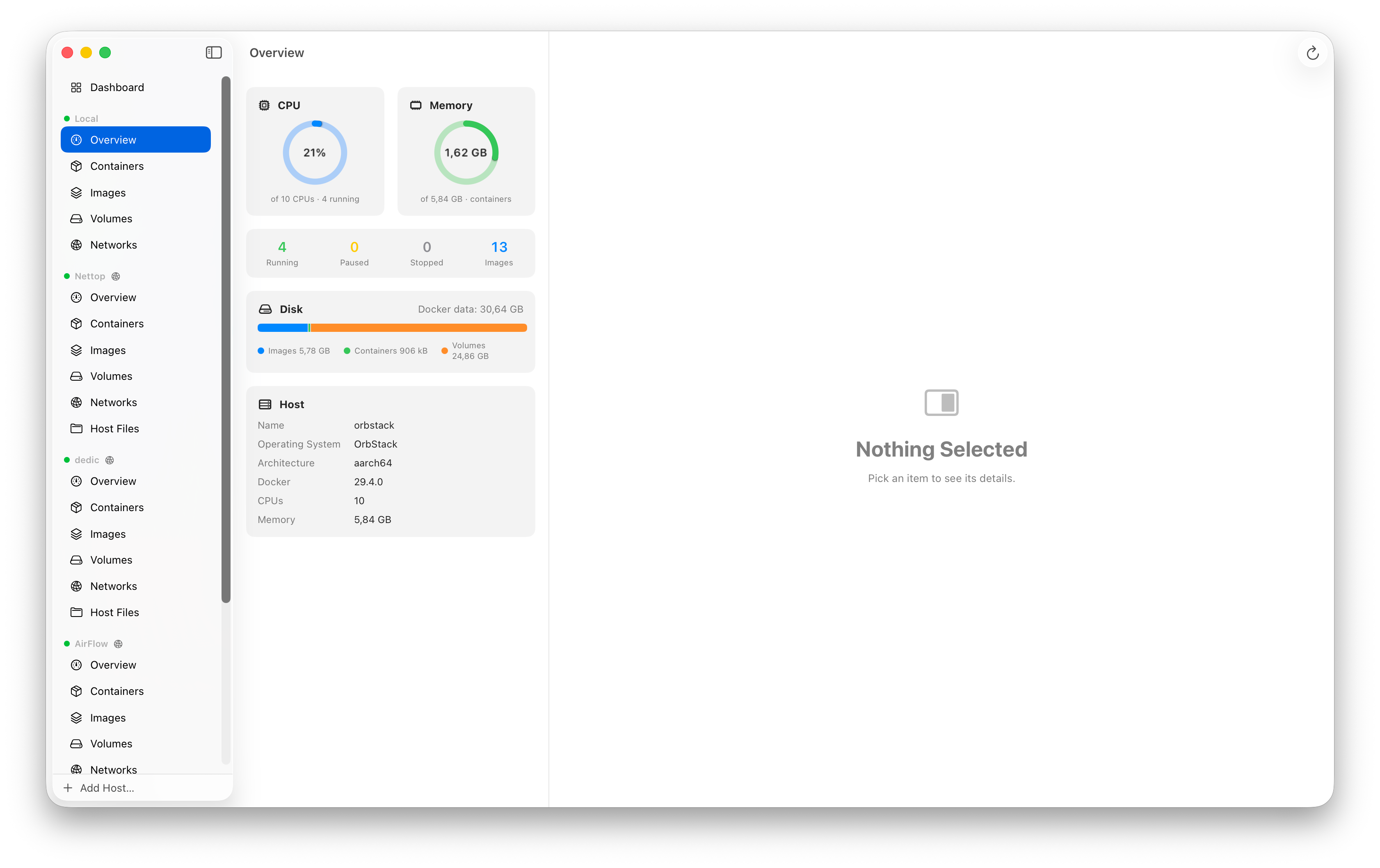
dns/ip:port, stop/restart inline, or click through to its detailsApp Intents — list/start/stop/restart containers and fetch logs from
Shortcuts, Siri, Spotlight, or scripts (shortcuts run); works even when
the app is closed
MCP server — a bundled gantry-mcp binary exposes hosts, containers,
images, volumes, networks, logs, stats, exec and disk usage as
Model Context Protocol tools over stdio,
so AI agents can manage your Docker hosts (including SSH ones):
claude mcp add gantry -- /Applications/Gantry.app/Contents/Resources/gantry-mcp
Headless SSH connections only use hosts whose keys you already trusted in the app.
Copy as Prompt — every container (list, detail view with ⌥⌘P, menu bar,
dashboard issues) can be copied as a paste-ready debugging prompt for an AI
coding agent. The prompt carries the host and how to reach it (the exact
ssh command or the local socket), the Gantry MCP host_id and tool names,
the container's identity and state — image, health, exit code, restarts,
ports, compose project — and a task matched to the symptom: unhealthy asks
to debug the failing health check, crash-looping to find the crash, healthy
leaves room for your own question. Paste into Claude Code and let it dig in.
brew install --cask getgantry/tap/gantry
xattr -dr com.apple.quarantine /Applications/Gantry.app
The xattr step clears the quarantine flag — the app is not notarized and
macOS refuses to open it otherwise.
Updating: because the app is ad-hoc signed (not notarized), in-app Sparkle auto-updates can't launch their installer under Gatekeeper, so updates go through Homebrew:
brew upgrade --cask gantry        # or: brew reinstall --cask gantry
xattr -dr com.apple.quarantine /Applications/Gantry.app
Download the latest zip from Releases
Unzip and drag Gantry.app to Applications
First launch: right-click the app and choose Open (the app is not notarized), or clear quarantine:
xattr -dr com.apple.quarantine /Applications/Gantry.app
Requires macOS 26 (Tahoe) or later. Works with Docker Desktop, OrbStack,
Colima, or a plain remote dockerd — the socket is auto-discovered
($DOCKER_HOST, ~/.docker/run, ~/.orbstack/run, ~/.colima, /var/run).
Updates arrive automatically via Sparkle once installed.
git clone https://github.com/getgantry/gantry.git
cd gantry
open Gantry.xcodeproj   # Xcode 26+, build the "Gantry" scheme
No setup steps. The project is a thin hand-written .xcodeproj whose code
lives in local Swift packages.
App/                  SwiftUI app target (views, intents, app shell)
Packages/
  DockerKit/          Docker Engine API client
    Transport/          unix socket (async-http-client), SSH dial-stdio glue,
                        raw-NIO hijack for exec, hand-rolled HTTP/1.1 codec
    Endpoints/          containers, images, volumes, networks, exec, archive,
                        system, streaming (logs/stats/events)
    Streams/            multiplexed log demuxer, JSON-lines decoder,
                        stats model with the docker CLI CPU/memory formulas,
                        tar reader/writer
  SSHKit/             SSH layer on Citadel: key loading, ssh_config parser,
                      known_hosts + TOFU, SSHDialStdioTransport, local port
                      forwarding (SSHPortForward)
  AppCore/            @Observable stores, hosts persistence, Keychain,
                      headless connections for Intents/MCP
  GantryMCP/          stdio MCP server executable (bundled into the app)
scripts/release.sh    release build + Sparkle appcast
Tools/                app icon generator
docker -H ssh:// does not forward the remote unix socket. It runs
docker system dial-stdio on the server, which bridges the SSH channel's
stdin/stdout to the daemon socket. Gantry does the same with
Citadel: one persistent exec channel
carries serialized HTTP/1.1 requests (FIFO, keep-alive), and every streaming
endpoint (logs, stats, events, exec) gets a dedicated channel so nothing blocks.
A 101 Upgraded response switches the parser into raw passthrough — that is
how the interactive terminal rides the same machinery.
Gantry currently builds against two small forks, both intended for upstreaming:
gantry-fixes) — fixes a process-killing preconditionFailure when a
pending read delivers a window adjust on a locally closed channel, and lets
a key type declare a distinct userauth algorithm namegantry) —
RSA signing with rsa-sha2-256 (RFC 8332) instead of legacy ssh-rsa, which
modern OpenSSH servers rejectswift test --package-path Packages/DockerKit # parsers, codecs, tar, exec
swift test --package-path Packages/SSHKit # ssh_config, known_hosts, keys
Live integration tests are gated: they run automatically only when a local Docker socket exists (lists, streaming, exec, pull, prune, archive) or when the SSH test host is reachable (dial-stdio, exec, stream-cancellation stress, RSA auth). On CI they skip cleanly.
scripts/release.sh 0.6.0
gh release create v0.6.0 dist/Gantry-0.6.0.zip --title "Gantry 0.6.0"
git add appcast.xml CHANGELOG.md && git commit -m "Release 0.6.0" && git push
The script builds the app, embeds gantry-mcp, zips, signs the Sparkle appcast
entry (EdDSA key in the login Keychain), and stamps the ## [Unreleased]
section of CHANGELOG.md with the version and date — so the
only manual changelog work is adding bullets under Unreleased as you go.
docker on PATH for dial-stdio (any recent version)Run Claude Code as an MCP server so any agent can delegate coding tasks to it
 @microsoft✓ Official
Browser automation using accessibility snapshots instead of screenshots
 @googleapis✓ Official
Google's universal MCP server supporting PostgreSQL, MySQL, MongoDB, Redis, and 10+ databases
 @github✓ Official
Official GitHub integration for repos, issues, PRs, and CI/CD workflows
