

Are you the author? Sign in to claim
Free MCP server for web search powered by Google AI Mode (Gemini). Unlimited, no API key.
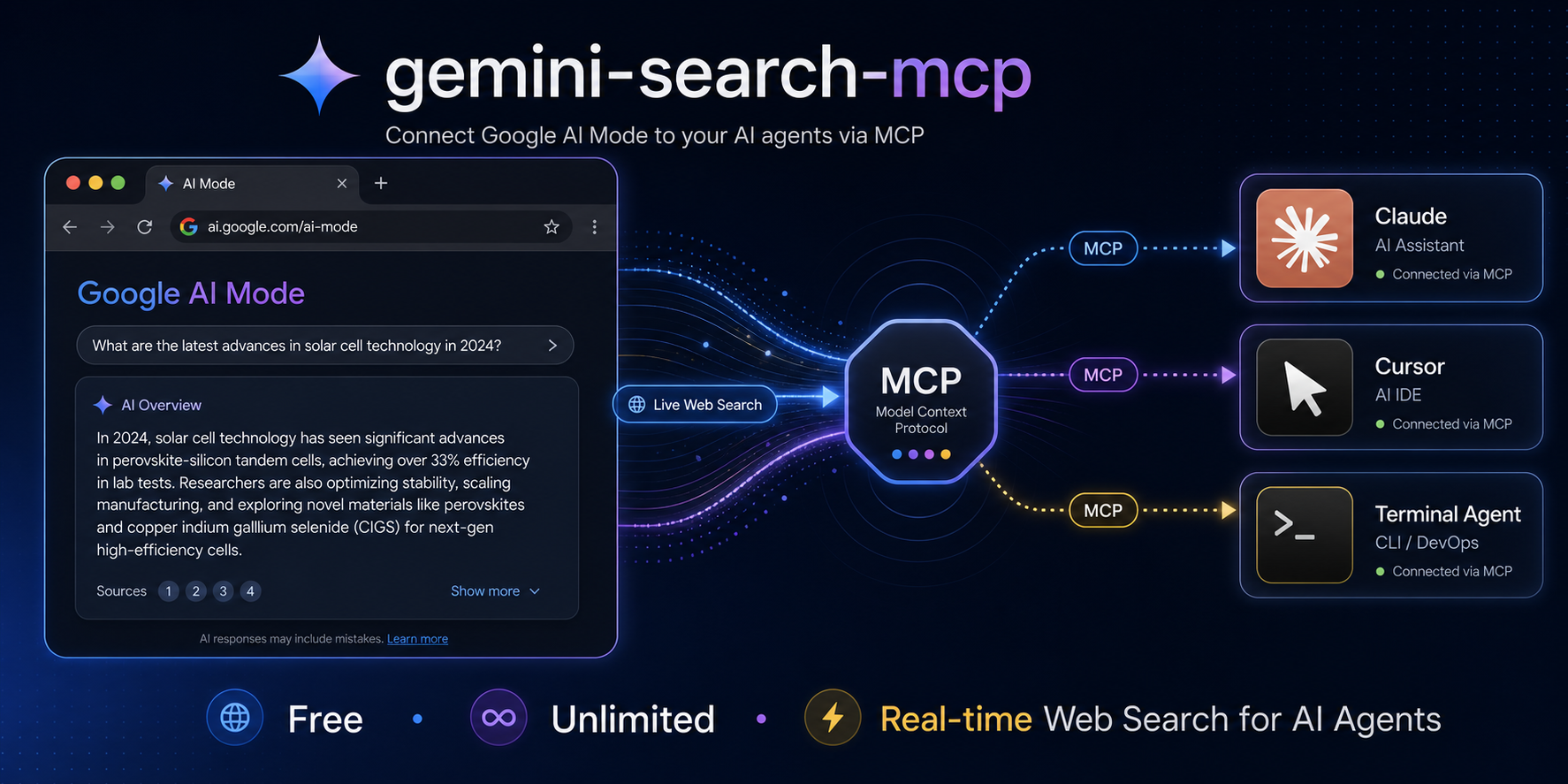

MCP server for web search powered by Google AI Mode (Gemini). Free, unlimited, no API key.
An MCP server that gives any AI agent (Claude, Cursor, Windsurf, etc.) the ability to search the web in real-time using Google's AI Mode — the same Gemini-powered search that lives in the "AI Mode" tab on Google Search.
Think of it as a free, unlimited alternative to Grok MCP / Tavily / SerpAPI, backed by Google's search index.
/v1/chat/completions for non-MCP clientspip install -e .
# Optional: install the undetected-chromedriver backend for CAPTCHA probes.
pip install -e '.[undetected]'
gemini-search-mcp
gemini-search --port 8080
claude mcp add gemini-search -- gemini-search-mcp
Add to claude_desktop_config.json:
{
  "mcpServers": {
    "gemini-search": {
      "command": "gemini-search-mcp",
      "args": [],
      "env": {
        "CDP_URL": "http://127.0.0.1:9222"
      }
    }
  }
}
Same pattern — point to gemini-search-mcp as an stdio MCP server.
| Tool | Description |
|---|---|
web_search(query) | Search the web and get a synthesized answer grounded in real-time results |
ask(prompt) | General question — AI Mode auto-decides whether to search the web |
web_search("latest AI regulation news 2026")
→ "The EU AI Act enforcement began on June 1, 2026, requiring..."

web_search("Bitcoin price today")
→ "As of June 30, 2026, Bitcoin is trading at $59,687 USD..."

ask("what is 1847 * 293")
→ "541171"
curl http://localhost:8080/v1/chat/completions \
  -H "Content-Type: application/json" \
  -d '{"model":"gemini-search","messages":[{"role":"user","content":"What happened in the news today?"}]}'
| Field | Value |
|---|---|
| Base URL | http://localhost:8080/v1 |
| API Key | anything |
| Model | gemini-search |
| Variable | Default | Description |
|---|---|---|
CDP_URL | (none) | Chrome DevTools URL. If set, connects to existing Chrome instead of launching one |
BROWSER_CHANNEL | chrome | Browser to use: chrome, msedge, chromium |
HEADLESS | 1 | Set to 0 to show browser window |
GEMINI_SEARCH_USER_DATA_DIR | (none) | Persistent Chrome profile directory. Reuses cookies across runs and is not deleted on shutdown |
GEMINI_SEARCH_CDP_PORT | 19250 | CDP port used for self-launched Chrome |
GEMINI_SEARCH_BROWSER_BACKEND | subprocess | Browser launcher: subprocess or undetected |
GEMINI_SEARCH_PROXY_SERVER | (none) | Chrome proxy server, e.g. socks5://127.0.0.1:7897 |
GEMINI_SEARCH_CHROMEDRIVER | (none) | Chromedriver executable used by the undetected backend |
If Google shows /sorry/ CAPTCHA for a fresh temporary profile, prime a persistent profile once in a visible Chrome window, then reuse the same directory in headless mode:
# 1) Visible first run: solve CAPTCHA manually if Google asks.
gemini-search --no-headless --user-data-dir "$HOME/.local/share/gemini-search-mcp/chrome-profile"

# 2) Later runs: reuse the same cookies headlessly.
GEMINI_SEARCH_USER_DATA_DIR="$HOME/.local/share/gemini-search-mcp/chrome-profile" gemini-search
For Windows-side validation from WSL, run the probe with Windows Python through PowerShell so it launches Windows Chrome:
$profile = Join-Path $env:TEMP 'gemini-search-mcp-persistent-profile'
python .\scripts\windows_chrome_profile_probe.py `
  --profile-dir $profile `
  --mode two-phase `
  --out .\headless-reuse-result.json
Success evidence is ok=true and stages.headless_reuse.captcha=false in the JSON output.
When a normal Chrome subprocess gets a Google /sorry/ CAPTCHA, install the optional backend and run the reusable probe against google.com.hk:
pip install -e '.[undetected]'
python scripts/uc_google_probe.py \
  --proxy socks5://127.0.0.1:7897 \
  --out-json uc-probe.json
Use the backend only when the probe reports ok=true, captcha=false, and successful_for_engine_integration=true.
gemini-search \
  --browser-backend undetected \
  --proxy-server socks5://127.0.0.1:7897 \
  --chromedriver-path /path/to/chromedriver \
  --no-headless
Observed on Windows Chrome for Testing 148 through Clash: headed UC passed (captcha=false and AI Mode tokens present), while headless UC hit Google /sorry/.
Google rate-limits by TLS fingerprint quality — not by IP. Automated HTTP clients (curl, requests, httpx) get throttled after a few requests. But a real Chrome browser's fetch() calls are trusted unconditionally.
This tool runs a single real Chrome tab and executes all queries as fetch() inside it over CDP, giving every request an authentic Chrome TLS/HTTP2 fingerprint. Google sees normal browser traffic and applies no rate limits. The optional undetected backend still uses the same CDP query path after launch.
Agent calls web_search("query")
  → Chrome Runtime.evaluate(fetch)
    → Google Search AI Mode (token extraction + folwr endpoint)
      → Parse answer from HTML response
        → Return to agent
| gemini-search-mcp | Grok MCP | Tavily | |
|---|---|---|---|
| Cost | Free | xAI API key ($) | API key ($) |
| Rate limit | None | API quota | API quota |
| Search backend | Google Search | Grok + web | Proprietary |
| Answer quality | Gemini synthesized | Grok synthesized | Extracted snippets |
| Setup | Chrome + CDP | API key | API key |
docker compose up -d
pyproject.tomlundetected-chromedriver and selenium via pip install -e '.[undetected]'MIT
Run Claude Code as an MCP server so any agent can delegate coding tasks to it
 @microsoft✓ Official
Browser automation using accessibility snapshots instead of screenshots
 @googleapis✓ Official
Google's universal MCP server supporting PostgreSQL, MySQL, MongoDB, Redis, and 10+ databases
 @github✓ Official
Official GitHub integration for repos, issues, PRs, and CI/CD workflows