

Are you the author? Sign in to claim
A video-call avatar frontend for your local LLM agent (Hermes/OpenClaw) — replaces the messenger chat and serves the age
Bind your local LLM agent (the ghost) into an avatar body (the vessel). A monitor-resident, video-call-style avatar that fronts your personal AI agent (Hermes / OpenClaw, or anything) — a full replacement for the Telegram/messenger chat you keep open to talk to it, serving that agent's exact slash-command menu right in the avatar's window. Not a waifu toy: a real agent client that happens to have a face.
Your agent replies; the avatar performs it: fine-grained facial emotion beats, a persistent mood that sinks when you scold it and brightens when you praise it, idle states that breathe, blink, and sometimes rest their eyes — all from pre-rendered clips, so the GPU stays free at runtime (no live inference).
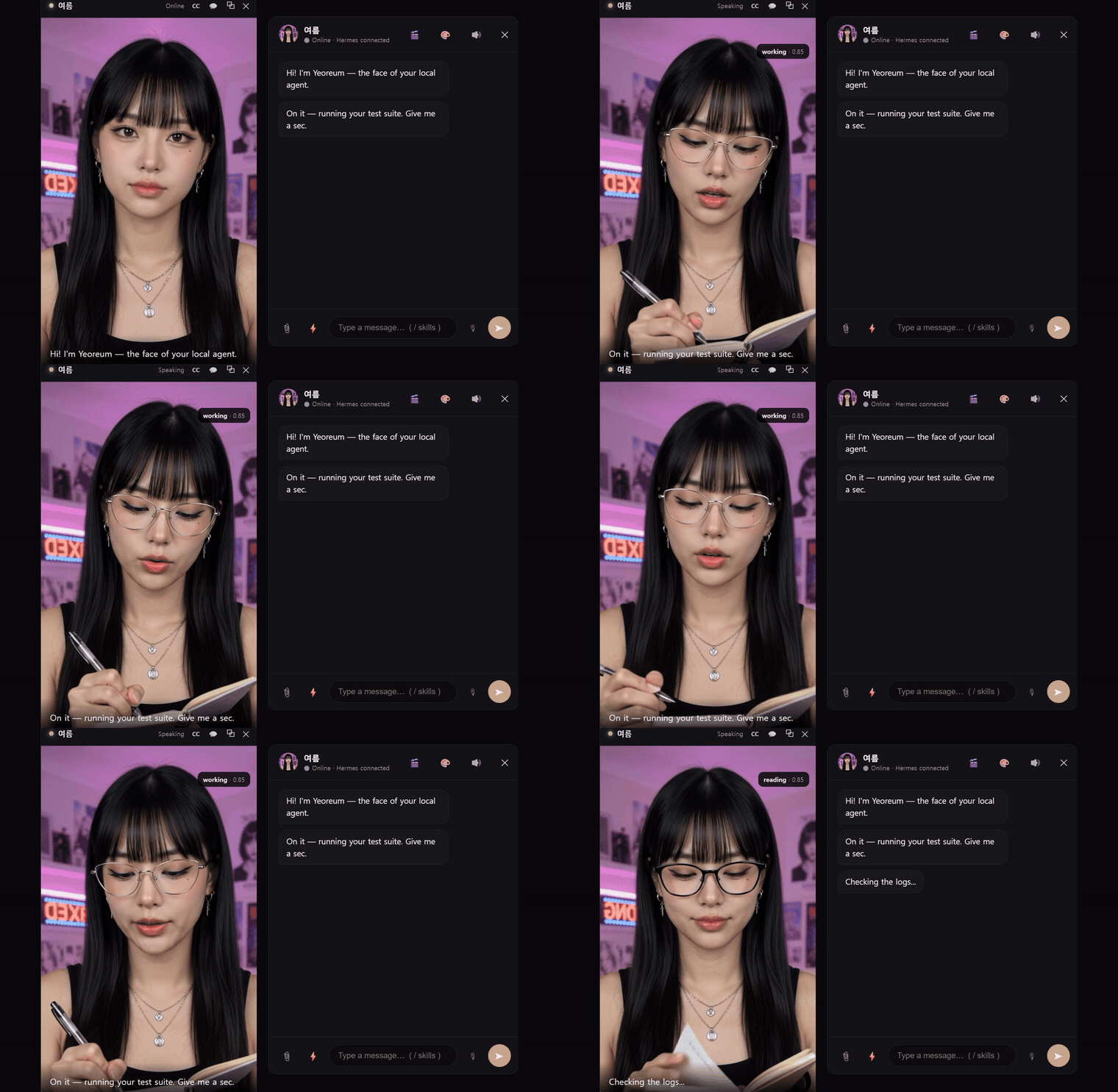
▶ Watch the full 45s demo with sound — emotion beats, the real Hermes slash menu, work loops, code cards, human-in-the-loop approval, and the floating monitor-resident windows.
The avatar above is Yeoreum, a photoreal preset sold separately. Cloning this repo gets you Haneul — a free 2D starter avatar that ships with the engine, so it runs the moment you clone it.
📦 Download for Windows — dependency-free (no Python), ships with both avatars. Pay-what-you-want lifetime key (package from $5, preset from $1) at ghostvessel.space.
📝 How it works — a writeup — the emotion-beat output contract, the no-runtime-GPU avatar, and hooking a real agent in as a connector.
you type ──► chat UI ──► bridge ──► relay connector ──► your agent (Hermes/OpenClaw)
                                                            │ reply (emotion-tagged)
video window ◄── performance player ◄── parser (3 planes) ◄─┘
  ▲ emotion beat clips + mood-based idle           │
  └── mood/affinity tracker (praise/scold, persistent state)
/ and the chat pulls your agent's
live command menu — the same one you'd see in Telegram (e.g. 52 commands for Hermes:
/model, /new, /goal, /status, /compress, …), served per-agent (Hermes or
OpenClaw). A real control surface, not a canned list; commands pass straight to the agent.echo gv-starter > presets/active.txt.
(Bringing your own? Drop its folder into presets/ and name it there instead.)python bridge/setup_connector.py (picks Hermes/OpenClaw,
Windows/WSL2, writes the connection + injects the avatar output contract into the
agent's prompt, scoped to this channel).python -m http.server 8777). Then either open
http://127.0.0.1:8777/player/index.html in a browser, or run the desktop shell
(cd src-tauri && cargo tauri dev) for a frameless, always-on-top avatar window.
(Each component is a small local server — wire up a launch script for your own setup.)An avatar is a pure-data bundle (clips + persona + theme + voice + emotion map) —
no code runs, so installing one is safe. Presets are folder-mapped: drop a folder
of clips named by convention (happy.mp4, angry.mp4, idle.mp4, …) into presets/
and the engine maps them automatically — the folder name is the avatar's name.
A free starter avatar ships with the engine, so cloning the repo gives you something
that actually runs: Haneul (presets/gv-starter/) — 2D anime, 6 emotion beats, a
blink-aligned idle, mood-based resting idles, and a talking loop.

She was built end to end with free local tools — Animagine XL
for the neutral source still, HunyuanVideo 1.5
(480p i2v, step-distilled) for the clips, then the tools/ scripts below to loop and validate
them. That's the same path this README asks you to walk, on one 12GB card, with no paid
service anywhere in it — so the method is demonstrated rather than just described.
The clip on the right is her actual happy / surprise / angry / downcast segments,
straight out of presets/gv-starter/avatar/segments/.
The demo at the top of this README is Yeoreum, a photoreal avatar sold separately — different tier, same engine. Nothing in the engine treats them differently.
Any art style works. The engine plays video clips and doesn't care what produced the pixels — photoreal, 2D anime, a 3D render, pixel art, an abstract shape. You can even take an existing Live2D or VRM model and pre-render its expressions into clips; a rig-based shell can't do the reverse.
Make your own. The bundle/filename spec is in
docs/PRESET_FORMAT.md, and tools/ ships the authoring
toolchain so you don't have to solve the fiddly parts yourself:
One neutral, front-facing still of your character.
Animate it into expression clips with an image-to-video model. The engine only needs MP4s, so any i2v model works — but the choice matters more than you'd think:
Prompt the whole arc — "calm neutral face at first, then , then returns to the neutral calm expression" + "static camera, fixed framing, only her face changes" — and describe expressions physically ("eyebrows slant down into a hard V"), not by label. Don't put "extreme expression" in the negative prompt; it flattens every expression you asked for.
Cut a multi-emotion take into segments — only if your model packs several expressions
into one take (cloud i2v often does). tools/cut_emotions.py --video take.mp4 --strip prints
a contact sheet so you can spot the neutral valleys, then --cuts 3.4,6.7 --emotions shy,happy,surprise slices and web-encodes them. One-emotion-per-clip? Skip this step.
Build a seamless idle loop — tools/build_idle_loop.py --video idle.mp4 --out presets/<id>/avatar.
Seamless looping is the part that actually takes effort, so this does it for you: it runs
MediaPipe over the take, finds the blink minima, and picks the blink→blink window that
maximizes eyes-open time and pose match — so the loop's seam lands on a closed eye and is
invisible. Falls back to pingpong when no clean blink pair exists, and records the
head-frontal "settle times" the player uses to time expression reveals.
Check it — tools/validate_preset.py presets/<id> gates on structure, asset
integrity, and emotion coverage. Exit 0 = shippable.
Drop the folder into presets/ and you're done. Keep it SFW; own your likeness rights.
Two traps worth knowing, since presets/gv-starter/ is a worked example of both:
emotion_map.json needs an axis ({emotion: {valence, arousal}}). It's what the mood
tracker reads — without it every emotion scores valence 0 and the whole mood/affinity
system silently does nothing. Same for reactions: the defaults name emotions
(excited, wince, frown_subtle) your preset may not ship, so remap them to yours.Prefer to skip the production step? Get the demo avatar (Yeoreum) — photoreal, 16 emotions, pay-what-you-want — or commission a custom one (open an issue or ask at ghostvessel.space).
Everything in this repository is MIT (see LICENSE) — the engine, the tools/
scripts, the docs, and the bundled Haneul starter avatar. Clone it and it's yours,
batteries included.
The one exception isn't in the repo: Yeoreum, the photoreal avatar sold at ghostvessel.space, is a commissioned likeness and ships under its own personal-use license — as does any third-party preset you install from elsewhere.
Open-sourced in donation-ware spirit — issues / PRs welcome. 🛠️
⚠️ Experimentelle Skill-Sammlung für deutsches Recht (Arbeits-, Gesellschafts-, Insolvenz-, Datenschutz-, Prozessrecht u
Manage multiple Claude Code agents from TUI or Web with tmux and git worktrees
Project management using GitHub Issues + Git worktrees for parallel agent execution
Core skills library for Claude Code with 20+ battle-tested skills including TDD, debugging, and brainstorming