

Are you the author? Sign in to claim
An experimental GitHub MCP server with local database.

GitHub Brain is an experimental MCP server for summarizing GitHub discussions, issues, and pull requests. Answer questions like:
https://github.com/user-attachments/assets/80910025-9d58-4367-af00-bf4c51e6ce86
GitHub Brain complements (but does not replace) the official GitHub MCP server. It stores GitHub data in a local database for:
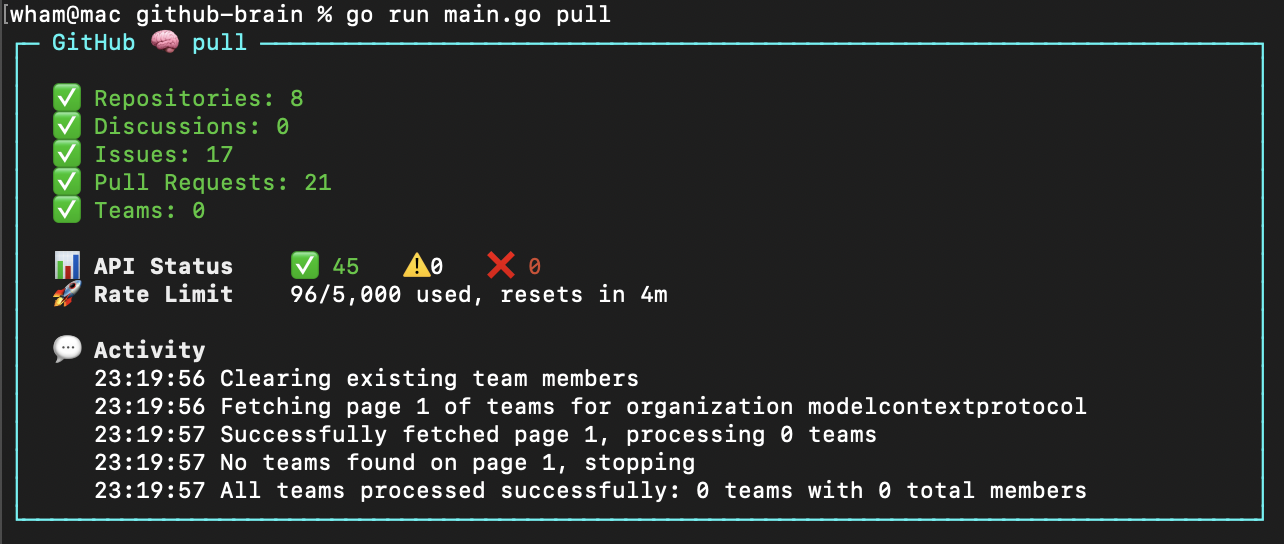
GitHub Brain is programmed in Markdown.
npm i -g github-brain
Rerun to update. sudo may be required on some systems.
Alternatively use npx to run without installing globally and needing sudo.
npx github-brain@latest
github-brain
Or with npx:
npx github-brain@latest
Launches the interactive TUI where you can:
.env directlyRe-run pull anytime to update the database with new GitHub data.
The app loads environment variables from a .env file in the GitHub Brain's home directory - ~/.github-brain by default.
GITHUB_TOKEN=your_github_token
ORGANIZATION=my-org
| Argument | Description |
|---|---|
-m | Home directory. Default: ~/.github-brain |
Use [fine-grained personal access tokens](https://github.com/settings/personal-access-tokens).

**Private organizations:** Token needs read access to discussions, issues, metadata, and pull requests. [Generate token](https://github.com/settings/personal-access-tokens/new?name=github-brain&description=http%3A%2F%2Fgithub.com%2Fwham%2Fgithub-brain&issues=read&pull_requests=read&discussions=read).

**Public organizations:** Any token works (data is publicly accessible).
Start the MCP server using the local database:
github-brain mcp
Or with npx:
npx github-brain@latest mcp
| Argument | Variable | Description |
|---|---|---|
-o | ORGANIZATION | GitHub organization. Required. |
-m | Home directory. Default: ~/.github-brain |
Add to the Claude MCP configuration file:
{
  "mcpServers": {
    "github-brain": {
      "type": "stdio",
      "command": "github-brain",
      "args": ["mcp"]
    }
}
Or with npx:
{
  "mcpServers": {
    "github-brain": {
      "type": "stdio",
      "command": "npx",
      "args": ["github-brain@latest", "mcp"]
    }
}
Merge with existing mcpServers if present.
Add to the VS Code MCP configuration file:
{
  "servers": {
    "github-brain": {
      "type": "stdio",
      "command": "github-brain",
      "args": ["mcp"],
      "version": "0.0.1"
    }
  }
}
Or with npx:
{
  "servers": {
    "github-brain": {
      "type": "stdio",
      "command": "npx",
      "args": ["github-brain@latest", "mcp"],
      "version": "0.0.1"
    }
  }
}
Merge with existing servers if present.
scripts/run builds and runs github-brain with the checkout directory as home -m (database in db/, config in .env).
 @googleapis✓ Official
Google's universal MCP server supporting PostgreSQL, MySQL, MongoDB, Redis, and 10+ databases
Official MongoDB integration — query collections, run aggregations, inspect schemas
 @designcomputer
Secure MCP server for MySQL database interaction, queries, and schema management
 @github✓ Official
Official GitHub integration for repos, issues, PRs, and CI/CD workflows