

Are you the author? Sign in to claim
A self-hosted RSS reader and personal knowledge management tool.
[!IMPORTANT] Join our Discord to stay updated on the latest developments and get support.
This project is still in development and is not ready for production use.
A self-hosted RSS reader and personal knowledge management tool.
Glean (拾灵) helps information-heavy consumers efficiently manage their reading through intelligent RSS aggregation.
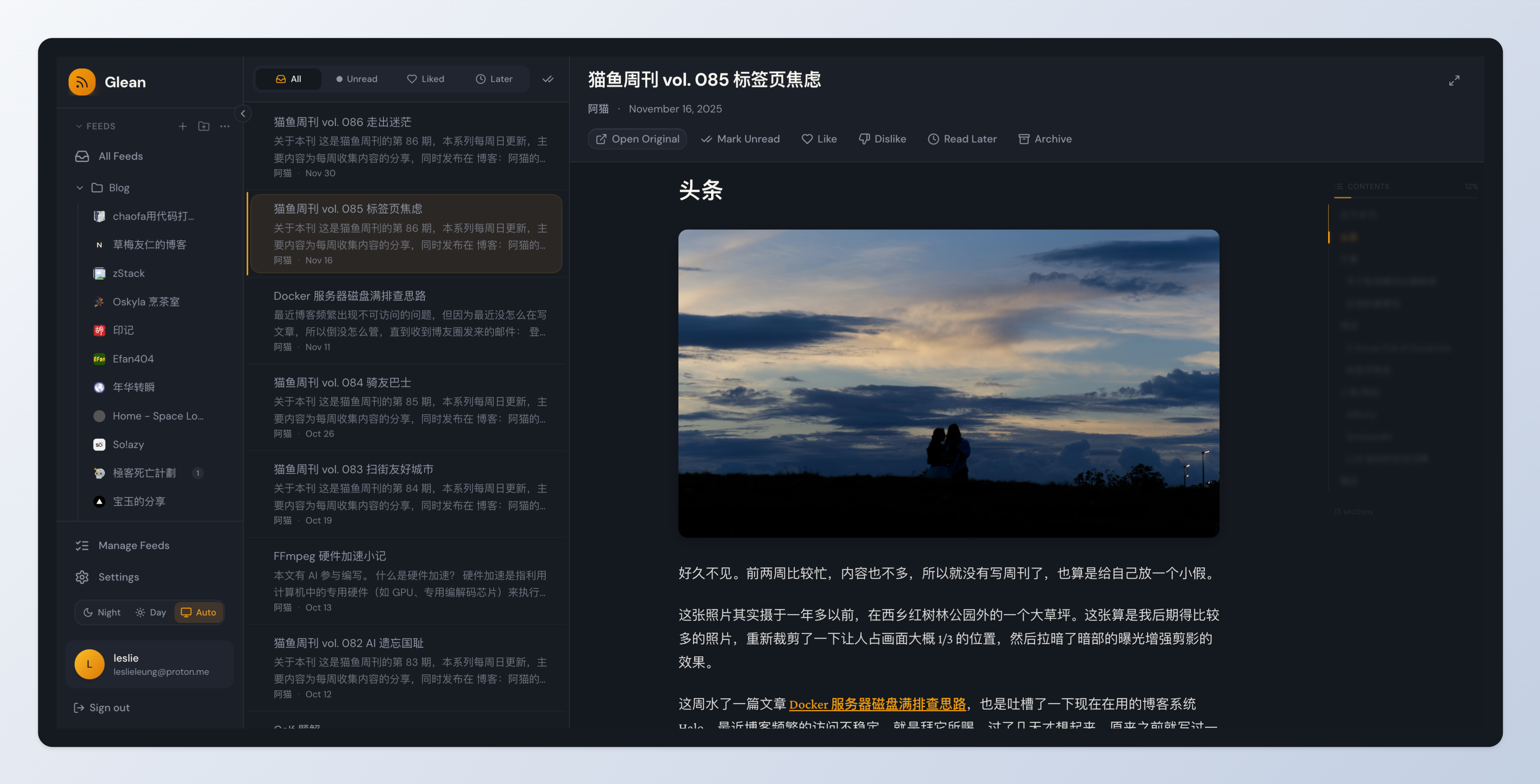
# Download docker-compose.yml
curl -fsSL https://raw.githubusercontent.com/LeslieLeung/glean/main/docker-compose.yml -o docker-compose.yml

# Start Glean (full deployment with Milvus)
docker compose up -d

# Access:
# - Web App: http://localhost
# - Admin Dashboard: http://localhost:3001 (default: admin/Admin123!)
Default Admin Account: An admin account is automatically created with:
adminAdmin123!Lite Deployment (without Milvus, if you don't need Phase 3 features):
# Download lite version
curl -fsSL https://raw.githubusercontent.com/LeslieLeung/glean/main/docker-compose.lite.yml -o docker-compose.yml

# Start Glean
docker compose up -d

# Admin Dashboard: http://localhost:3001 (default: admin/Admin123!)
To use custom admin credentials instead of the defaults, create a .env file before starting:
# Set custom admin credentials in .env
cat > .env << EOF
ADMIN_USERNAME=admin
ADMIN_PASSWORD=YourSecurePassword123!
SECRET_KEY=$(openssl rand -base64 32)
EOF

# Start services
docker compose up -d
To disable auto-creation and create admin manually:
# Disable auto-creation in .env
echo "CREATE_ADMIN=false" >> .env

# Start services
docker compose up -d

# Create admin manually
docker exec -it glean-backend /app/scripts/create-admin-docker.sh
For production, customize your deployment with environment variables. Download the example file:
curl -fsSL https://raw.githubusercontent.com/LeslieLeung/glean/main/.env.example -o .env
Important settings to change:
| Variable | Description | Default |
|---|---|---|
SECRET_KEY | JWT signing key | Must change in production! |
POSTGRES_PASSWORD | Database password | glean (Change in production!) |
ADMIN_PASSWORD | Admin password | Admin123! (Change!) |
WEB_PORT | Web interface port | 80 |
ADMIN_PORT | Admin dashboard port | 3001 |
CREATE_ADMIN | Auto-create admin | true (set false to disable) |
For all configuration options, see .env.example.
Pre-built images are available on GitHub Container Registry:
ghcr.io/leslieleung/glean-backend:latest - API server & workerghcr.io/leslieleung/glean-web:latest - Web frontendghcr.io/leslieleung/glean-admin:latest - Admin dashboardSupported architectures: linux/amd64, linux/arm64
Want to test upcoming features? Use pre-release versions (alpha/beta/rc):
Method 1: Using environment variable (recommended)
# Set the IMAGE_TAG in .env file
echo "IMAGE_TAG=v0.3.0-alpha.1" >> .env

# Or export it directly
export IMAGE_TAG=v0.3.0-alpha.1

# Start with pre-release images
docker compose up -d
Method 2: Inline environment variable
IMAGE_TAG=v0.3.0-alpha.1 docker compose up -d
Note: Pre-release versions are for testing only. They won't trigger auto-updates for Electron apps and are not recommended for production use.
See available pre-release versions on the Releases page.
The default deployment includes all services (full version):
Lite deployment (without Milvus) is also available using docker-compose.lite.yml.
For detailed deployment instructions and configuration, see DEPLOY.md.
Backend:
Frontend:
See DEVELOPMENT.md for complete development setup instructions.
Quick start:
# Clone and setup
git clone https://github.com/LeslieLeung/glean.git
cd glean
npm install

# Start infrastructure
make up

# Initialize database (first time only)
make db-upgrade

# Install pre-commit hooks (optional but recommended)
make pre-commit-install

# Start all services
make dev-all

# Access:
# - Web: http://localhost:3000
# - Admin: http://localhost:3001
# - API Docs: http://localhost:8000/api/docs
The project uses pre-commit hooks to ensure code quality:
# Install hooks (one-time setup)
make pre-commit-install

# Run hooks manually on all files
make pre-commit-run

# Uninstall hooks (if needed)
make pre-commit-uninstall
Hooks automatically run on commit and check:
| Phase | Status | Features |
|---|---|---|
| Phase 1: MVP | ✅ Done | User system, RSS subscription, reader, admin dashboard |
| Phase 2: Organization | ✅ Done | Bookmarks, folders, tags, read later |
| Phase 3: Preferences | 🚧 WIP | Embedding pipeline, preference learning, smart recommendations |
| Phase 4: Rules | 📋 Planned | Rule engine, Jinja2 conditions, automated actions |
| Phase 5: AI | 📋 Planned | AI summaries, auto-tagging, keyword extraction, BYOK support |
| Phase 6: Extensions | 📋 Planned | Chrome extension, PWA, web snapshots |
See Product Requirements for detailed feature specifications.
Contributions are welcome! Please read our Development Guide first.
This project is licensed under the AGPL-3.0 License - see the LICENSE file for details.
Run Claude Code as an MCP server so any agent can delegate coding tasks to it
 @microsoft✓ Official
Browser automation using accessibility snapshots instead of screenshots
 @googleapis✓ Official
Google's universal MCP server supporting PostgreSQL, MySQL, MongoDB, Redis, and 10+ databases
 @github✓ Official
Official GitHub integration for repos, issues, PRs, and CI/CD workflows