

Are you the author? Sign in to claim
An Israeli weather MCP server that gives an LLM real browser control via Playwright — it opens a browser, types a city,
Weather forecasts Made in Israel — not through a boring API, but the Israeli way: open a browser, poke your nose into the site, type, click... and get a forecast.




In the classic Weather MCP example, the LLM pulls weather data through a US API. Nice, but... who really cares about a forecast somewhere in the USA?
This project builds an Israeli MCP Server that gives the LLM a completely human ability: to control a real browser. Instead of calling an API, the Agent:
The big idea: everything a human user does with two hands — the LLM learns to do with four Tools.
| # | Skill |
|---|---|
| 1 | Build your own MCP Server for any purpose |
| 2 | Expose Python functions as Tools for an LLM using a decorator |
| 3 | Use Playwright to give an LLM control over a browser |
| 4 | Build RAG — stream live page content into the model's context |
flowchart TB
    User(["User<br/>terminal chat"])

    subgraph HOST["host.py — the Host"]
        Loop["Chat Loop"]
        Orch["Tool Orchestration"]
    end

    LLM(["LLM<br/>via OpenRouter"])

    subgraph CLIENTS["client.py — MCP Clients (stdio)"]
        C1["Client -> USA"]
        C2["Client -> Israel"]
    end

    subgraph SERVERS["MCP Servers"]
        S1["weather_USA.py<br/>NWS API"]
        S2["weather_Israel.py<br/>Playwright"]
    end

    Browser(["Chromium<br/>weather2day.co.il"])

    User <--> Loop
    Loop --> Orch
    Orch <-->|"which tools?<br/>which tool to call?"| LLM
    Orch --> C1 --> S1
    Orch --> C2 --> S2
    S2 -->|"open / type / click / scrape"| Browser

    style HOST fill:#1e293b,stroke:#6E56CF,color:#fff
    style SERVERS fill:#0f172a,stroke:#2EAD33,color:#fff
    style CLIENTS fill:#1e293b,stroke:#38bdf8,color:#fff
    style Browser fill:#052e16,stroke:#2EAD33,color:#fff
    style LLM fill:#3b0764,stroke:#c084fc,color:#fff
The LLM doesn't know the answer. But it knows how to call the right tools, one after another, until the forecast is in hand:
sequenceDiagram
    actor U as User
    participant H as Host
    participant L as LLM
    participant P as Playwright MCP
    participant B as Chromium

    U->>H: "What's the weather in Tel Aviv?"
    H->>L: question + list of available tools

    L-->>H: call open_weather_forecast_israel()
    H->>P: open()
    P->>B: launch browser + navigate to site
    B-->>P: page loaded

    L-->>H: call enter_..._city("Tel Aviv")
    H->>P: enter(city)
    P->>B: type "Tel Aviv" into the search field
    B-->>P: suggestions appeared

    L-->>H: call select_..._city()
    H->>P: select()
    P->>B: click the first suggestion
    B-->>P: forecast page loaded

    L-->>H: call get_forecast_content()
    H->>P: scrape()
    P->>B: extract & clean the page text
    B-->>P: "29.2°, humidity 64%, wind 16 km/h..."

    L-->>H: "In Tel Aviv it's 29.2°, humid and clear..."
    H-->>U: final answer in the chat
All real — screenshots from a live run of the Agent.
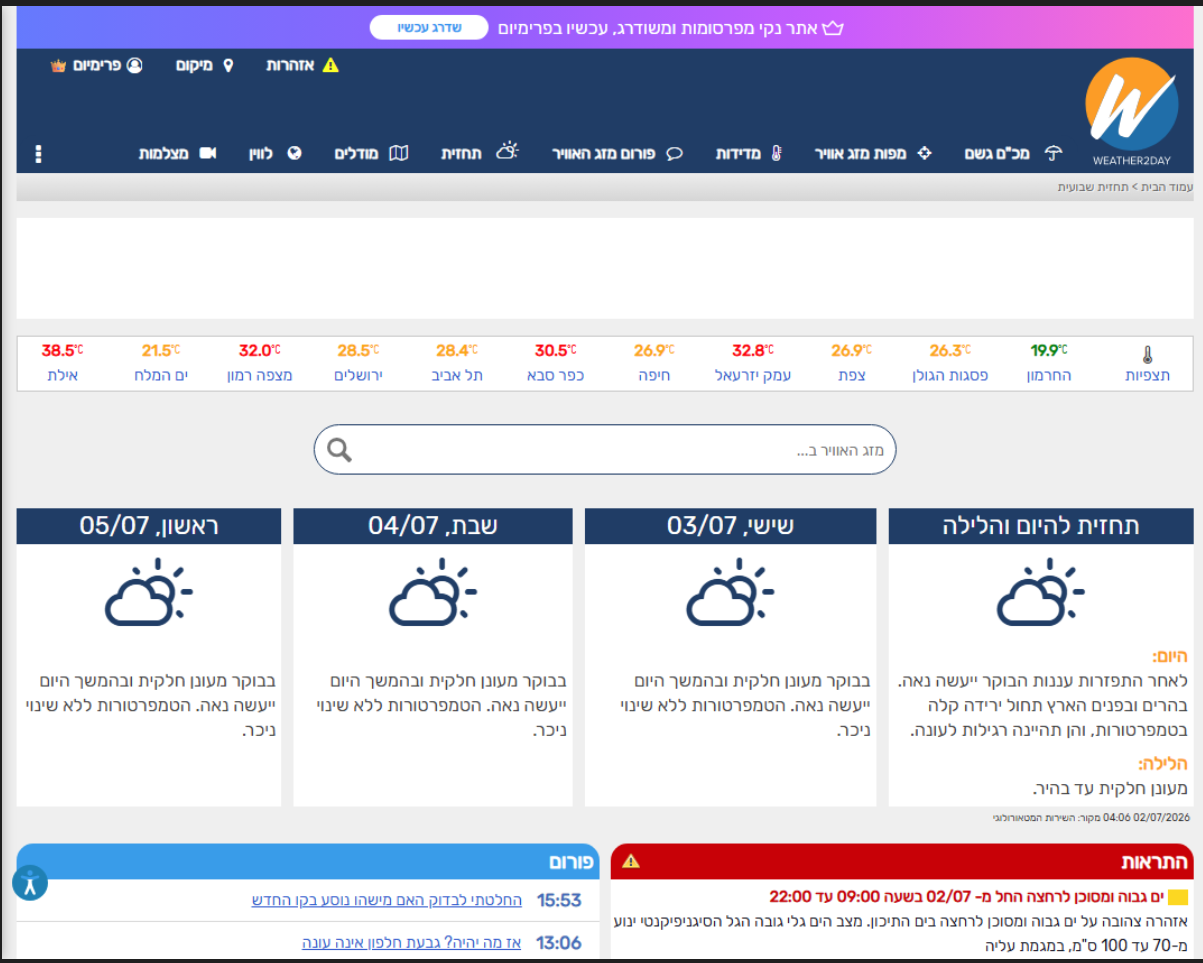
Step 0 — the Agent opens the browser and navigates to the weather site
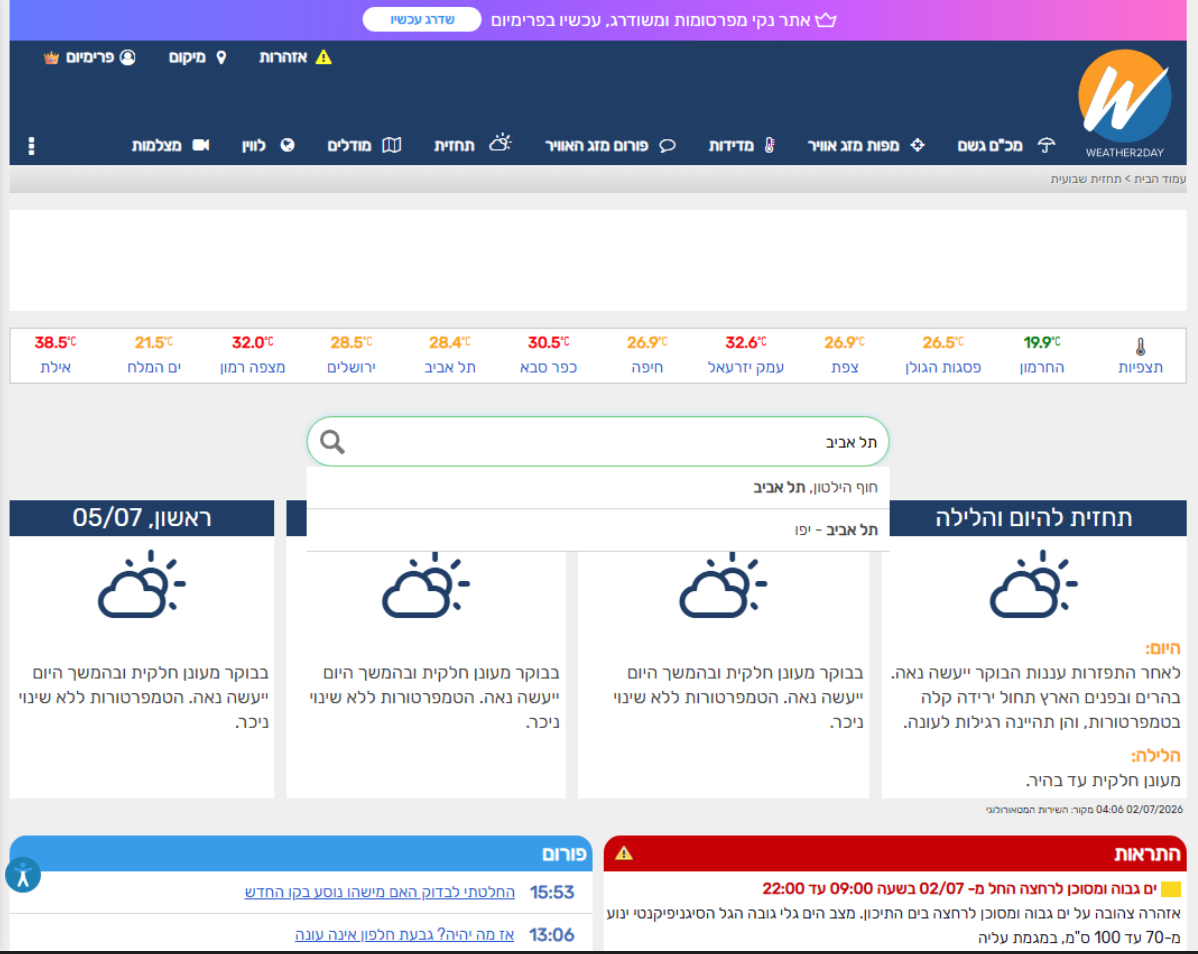
Steps 1–2 — the Agent types a city and picks it from the autocomplete dropdown
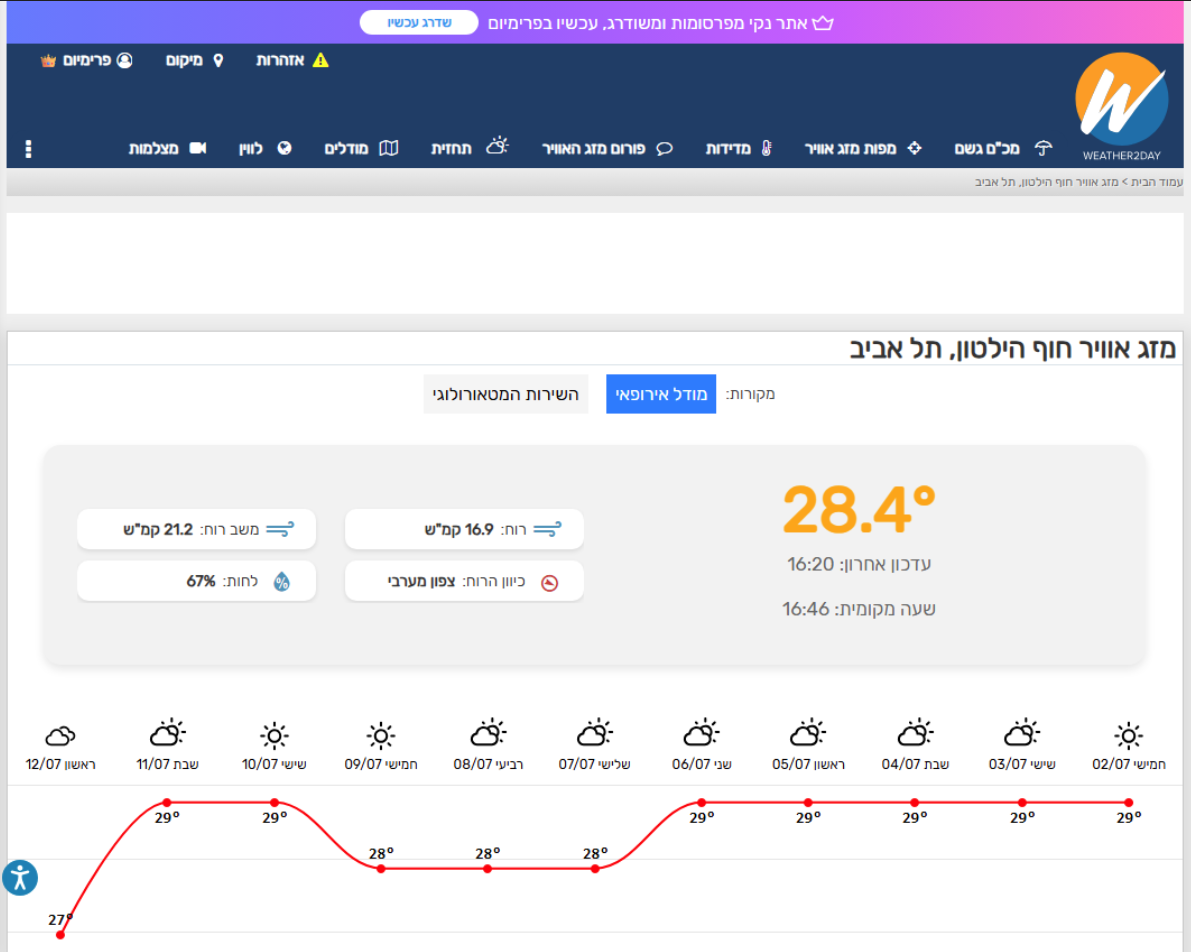
Steps 3–4 — the full forecast page loads, and the data is scraped for the LLM
Step 5 — the LLM composes the answer in the terminal (calling the 4 tools in sequence)
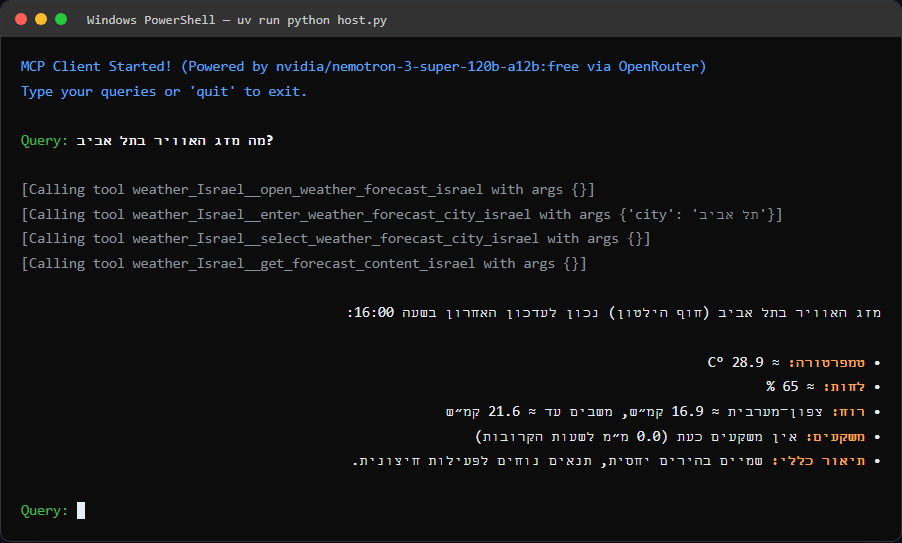
Note: everything happens right before your eyes in a real browser — exactly as a human would do it manually, only the LLM does it on its own.
The manual steps a human performs on the site — broken down into 4 tools the LLM calls as needed:
| Tool | What it does | Human equivalent |
|---|---|---|
open_weather_forecast_israel | Launches Chromium and navigates to the forecast site | Open a browser and go to the site |
enter_weather_forecast_city_israel | Types a city name into the search field (char-by-char, to trigger autocomplete) | Type a city name |
select_weather_forecast_city_israel | Picks the first suggestion from the dropdown | Click the right city |
get_forecast_content_israel | Scrapes the page content, cleans it, and feeds it to the LLM (RAG) | Read the forecast with your eyes |
Why not just search Google? A Google search through Playwright triggers a CAPTCHA. For real web search you use an engine like Tavily — not by opening a browser. The goal of this project is to build a specific MCP; for generic actions there's already the official Playwright MCP.
# 1. Install dependencies and set up the environment
uv sync

# 2. Install the Chromium browser for Playwright
uv run playwright install chromium

# 3. Configure the API key
#    Copy .env.example to .env and fill in your key
copy .env.example .env
#    Then edit .env:  OPENROUTER_API_KEY=sk-or-...

# 4. Start the chat
uv run python host.py
After it starts, a chat opens in the terminal. Type a question and watch the browser open on its own and navigate to the forecast.
To exit — type quit.
Israel (via Playwright):
USA (via NWS API):
MCP with Playwright/
├── host.py             # Terminal chat — connects the LLM to the MCPs (OpenRouter)
├── client.py           # Generic MCP Client (stdio)
├── weather_USA.py      # MCP Server — USA forecast via NWS API
├── weather_Israel.py   # MCP Server — Israel forecast via Playwright
├── pyproject.toml      # Dependencies and metadata
├── .env.example        # Template for the API key
└── README.md           # This file
The get_forecast_content_israel tool is the heart of the project:
flowchart LR
    A["Full forecast<br/>page (HTML)"] --> B["Extract text<br/>+ clean blank lines"]
    B --> C["Trim to 4000 chars<br/>to avoid overloading tokens"]
    C --> D["Inject into<br/>the LLM's context"]
    D --> E["Natural-language<br/>answer in the chat"]

    style A fill:#052e16,stroke:#2EAD33,color:#fff
    style D fill:#3b0764,stroke:#c084fc,color:#fff
    style E fill:#1e293b,stroke:#38bdf8,color:#fff
Instead of returning a raw page to the user, we feed it back to the LLM — and it composes a human, accurate answer. This is exactly Retrieval-Augmented Generation.
headless=False) with slow_mo — so you can watch with your own eyes the LLM controlling the mouse.Playwright was born long before the GenAI era — as a testing automation tool. But when AI Agents started popping up everywhere, it got a boost and rose to center stage, because suddenly, giving an LLM "hands and a mouse" became something everyone wants.
Run Claude Code as an MCP server so any agent can delegate coding tasks to it
 @microsoft✓ Official
Browser automation using accessibility snapshots instead of screenshots
 @googleapis✓ Official
Google's universal MCP server supporting PostgreSQL, MySQL, MongoDB, Redis, and 10+ databases
 @github✓ Official
Official GitHub integration for repos, issues, PRs, and CI/CD workflows
