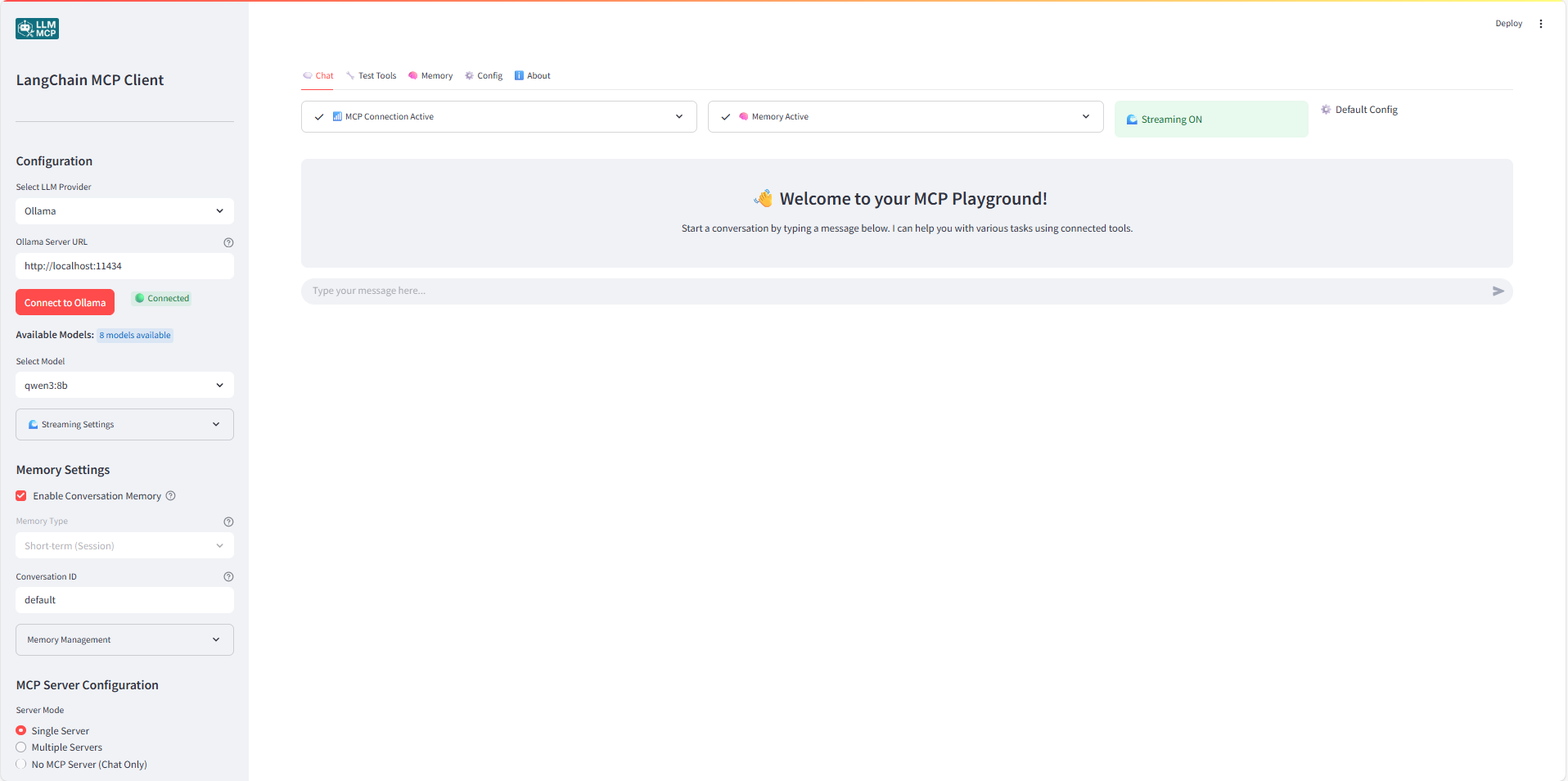
This Streamlit application provides a user interface for connecting to MCP (Model Context Protocol) servers and interacting with them using different LLM providers (OpenAI, Anthropic, Google, Ollama).
⚠️ Development Status
This application is currently in active development. While functional, you may encounter bugs, incomplete features, or unexpected behavior. We appreciate your patience and welcome feedback to help improve the application.
Features
Multi-Provider LLM Support: OpenAI, Anthropic Claude, Google Gemini, and Ollama
OpenAI Reasoning Models Support: Enhanced support for o3-mini, o4-mini with specialized parameter handling
Streaming Responses: Real-time token-by-token streaming for supported models
File Attachments & Multimodal Input: Attach images, PDFs, and text/Markdown files to your chat messages (vision-capable models only for images)
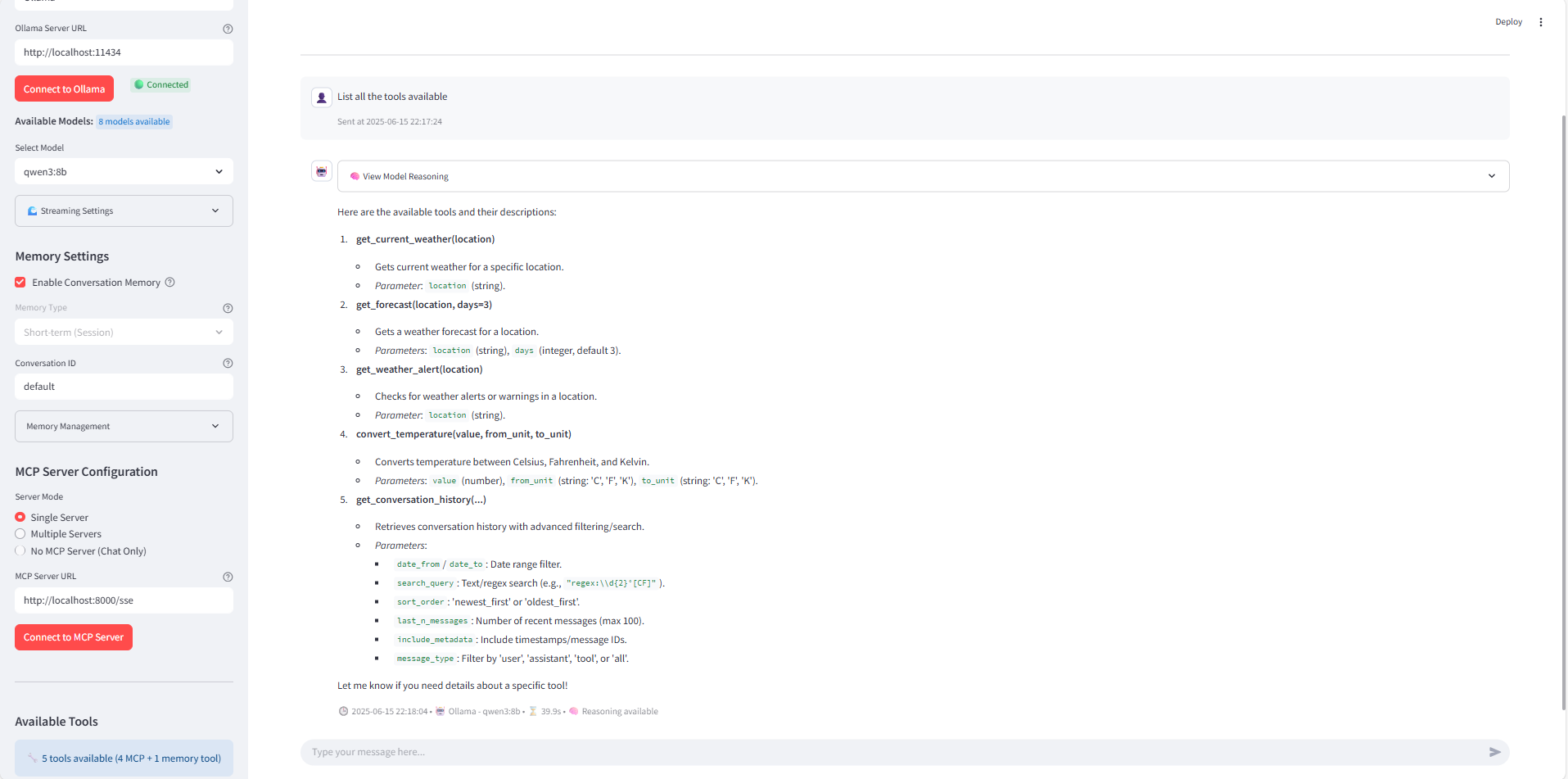
MCP (Model Context Protocol) Integration: Connect to MCP servers for tool access
Advanced Memory Management: Short-term session memory and persistent cross-session memory
Multi-Server Support: Connect to multiple MCP servers simultaneously
Tool Testing Interface: Test individual tools with custom parameters
Chat-Only Mode: Use without MCP servers for simple conversations
Advanced Model Configuration: Custom temperature, max tokens, timeout, and system prompts
Intelligent Model Validation: Automatic parameter validation and compatibility checking
Comprehensive Logging: Track all tool executions and conversations
Export/Import: Save and load conversation history
Containerized Deployment: Easy Docker setup
NEW - File Attachments (Multimodal Input)
The application now supports attaching files to your chat messages.
Drag and drop files directly onto the chat input, or
Use the "📎 Attach files (PDF, TXT, images)" expander above the chat to select multiple files.
Attachments are sent along with your next message and appear in the conversation metadata.
How It Works
Images: Sent as inline image blocks. Supported by OpenAI GPT-4o/o4 family, Anthropic Claude 3.x, and Google Gemini models. Not supported by Ollama in this app.
PDFs: Text is extracted locally using pypdf and included as contextual text alongside your prompt.
Text/Markdown: File contents are read and included as additional text context.
Provider Support Notes
OpenAI: Use vision-capable models (e.g., gpt-4o, o4-*, gpt-4.1, gpt-4-turbo) for images. Text/PDF work across text models.
Anthropic: Claude 3 family (Sonnet/Opus/Haiku) supports images and text.
Google: Gemini models support images, text, and MCP tool calling.
Ollama: Images not supported here; PDFs/Text are included as text.
NEW - Streaming Support
The application now supports real-time streaming responses for all compatible models:
Alternative: Install with pip and requirements.txt
hljs language-bash
python -m venv venv
source venv/bin/activate  # On Windows: venv\Scripts\activate
pip install -r requirements.txt
streamlit run app.py
Setting Up an MCP Server
To use this application, you'll need an MCP server running or a valid URL to an MCP server.
Use the simple MCP server available on weather_server.py for a quick test:
Run with UV (recommended):
hljs language-bash
uv run python weather_server.py
Alternative (pip/venv):
hljs language-bash
python weather_server.py
The server will start on port 8000 by default. In the Streamlit app, you can connect to it using the URL http://localhost:8000/sse.
Troubleshooting
Connection Issues: Ensure your MCP server is running and accessible
API Key Errors: Verify that you've entered the correct API key for your chosen LLM provider
Tool Errors: Check the server logs for details on any errors that occur when using tools
Reasoning Model Issues:
If you see "o1 Series Models Not Supported", use o3-mini or o4-mini instead
Reasoning models don't support custom temperature settings
Some reasoning models may not support streaming (check the model-specific warnings)
Custom Model Names: When using "Other" option, ensure the model name is exactly as expected by the provider's API, and you have access to it.
File Attachments:
Images require a vision-capable model (e.g., GPT-4o/o4, Claude 3.x, Gemini). Ollama is text-only here.
PDF text extraction depends on the quality of the PDF; scanned images may yield limited text.


 @microsoft✓ Official
 @googleapis✓ Official
 @github✓ Official