

Are you the author? Sign in to claim
A Mattermost integration that connects to Model Context Protocol (MCP) servers, leveraging a LangGraph-based Agent.
A Mattermost integration that connects to Model Context Protocol (MCP) servers, leveraging a LangGraph-based AI agent to provide an intelligent interface for interacting with users and executing tools directly within Mattermost.



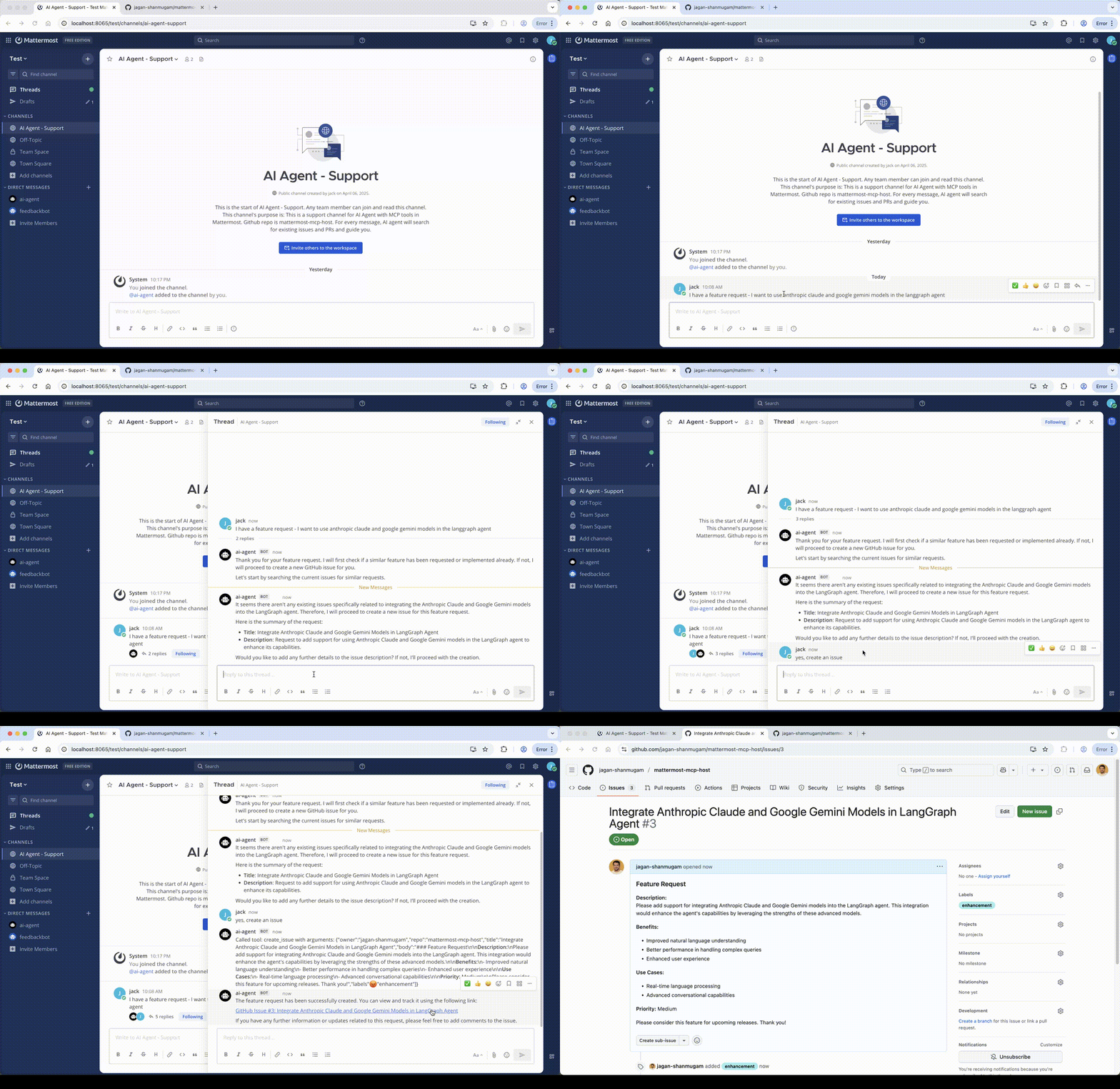
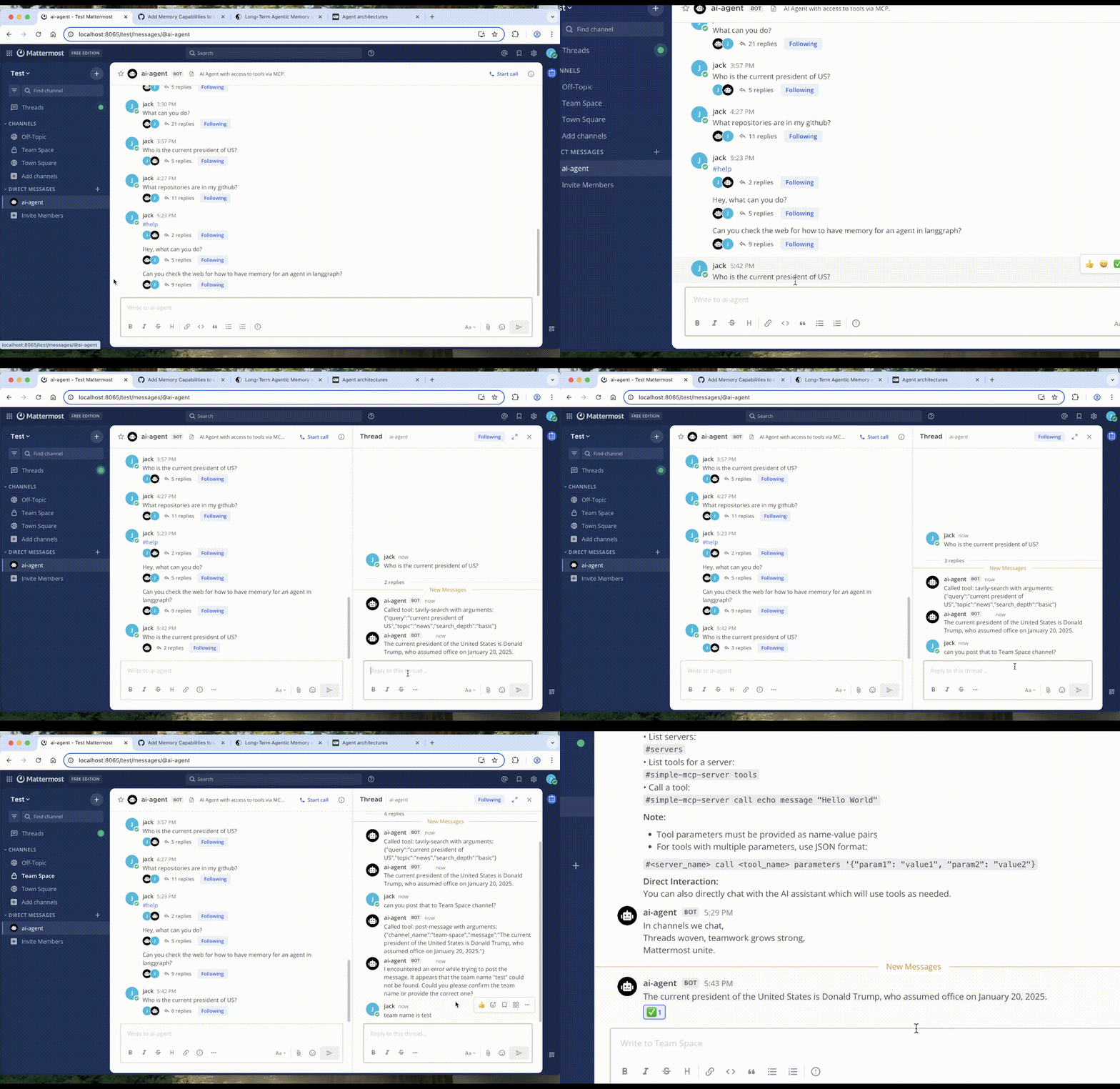
mcp-servers.json.#).The integration works as follows:
mattermost_client.py): Connects to the Mattermost server via API and WebSocket to listen for messages in a specified channel.mcp_client.py): Establishes connections (primarily stdio) to each MCP server defined in src/mattermost_mcp_host/mcp-servers.json. It discovers available tools on each server.agent/llm_agent.py): A LangGraphAgent is created, configured with the chosen LLM provider and the dynamically loaded tools from all connected MCP servers.main.py):
#), it's parsed as a direct command to list servers/tools or call a specific tool via the corresponding MCPClient.LangGraphAgent.MCPClient instances, and generates a response.Clone the repository:
git clone <repository-url>
cd mattermost-mcp-host
Install:
# Install uv if you don't have it yet
# curl -LsSf https://astral.sh/uv/install.sh | sh

# Activate venv
source .venv/bin/activate

# Install the package with uv
uv sync

# To install dev dependencies
uv sync --dev --all-extras
Configure Environment (.env file):
Copy the .env.example and fill in the values or
Create a .env file in the project root (or set environment variables):
# Mattermost Details
MATTERMOST_URL=http://your-mattermost-url
MATTERMOST_TOKEN=your-bot-token # Needs permissions to post, read channel, etc.
MATTERMOST_TEAM_NAME=your-team-name
MATTERMOST_CHANNEL_NAME=your-channel-name # Channel for the bot to listen in
# MATTERMOST_CHANNEL_ID= # Optional: Auto-detected if name is provided

# LLM Configuration (Azure OpenAI is default)
DEFAULT_PROVIDER=azure
AZURE_OPENAI_ENDPOINT=your-azure-endpoint
AZURE_OPENAI_API_KEY=your-azure-api-key
AZURE_OPENAI_DEPLOYMENT=your-deployment-name # e.g., gpt-4o
# AZURE_OPENAI_API_VERSION= # Optional, defaults provided

# Optional: Other providers (install with `[all]` extra)
# OPENAI_API_KEY=...
# ANTHROPIC_API_KEY=...
# GOOGLE_API_KEY=...

# Command Prefix
COMMAND_PREFIX=#
See .env.example for more options.
Configure MCP Servers:
Edit src/mattermost_mcp_host/mcp-servers.json to define the MCP servers you want to connect to. See src/mattermost_mcp_host/mcp-servers-example.json.
Depending on the server configuration, you might npx, uvx, docker installed in your system and in path.
Start the Integration:
mattermost-mcp-host
mcp-servers.jsonTAVILY_API_KEY in .env fileOnce the integration is running and connected:
#) for specific actions:
#help - Display help information.#servers - List configured and connected MCP servers.#<server_name> tools - List available tools for <server_name>.#<server_name> call <tool_name> <json_arguments> - Call <tool_name> on <server_name> with arguments provided as a JSON string.
#my-server call echo '{"message": "Hello MCP!"}'#<server_name> resources - List available resources for <server_name>.#<server_name> prompts - List available prompts for <server_name>.
Please feel free to open a PR.
This project is licensed under the MIT License - see the LICENSE file for details.
Run Claude Code as an MCP server so any agent can delegate coding tasks to it
 @microsoft✓ Official
Browser automation using accessibility snapshots instead of screenshots
 @googleapis✓ Official
Google's universal MCP server supporting PostgreSQL, MySQL, MongoDB, Redis, and 10+ databases
 @github✓ Official
Official GitHub integration for repos, issues, PRs, and CI/CD workflows
