

Are you the author? Sign in to claim
This repository demonstrates how to use AutoGen to integrate local and remote MCP (Model Context Protocol) servers. It s
This repository provides a practical demonstration of integrating tools with AI agents using the Model Context Protocol (MCP) within the AutoGen framework.
Key Features Demonstrated:
math_server.py) using Stdio transport.add, multiply) running locally via math_server.py.AssistantAgent configured to utilize both sets of tools to answer user queries.Goal: To illustrate the flexibility of MCP in enabling AI agents to access diverse tools, whether hosted locally or remotely, through standardized communication protocols (Stdio and SSE).
Scenario: The example agent answers two distinct questions:
(3 + 5) x 12?), expected to use the local math_server.py.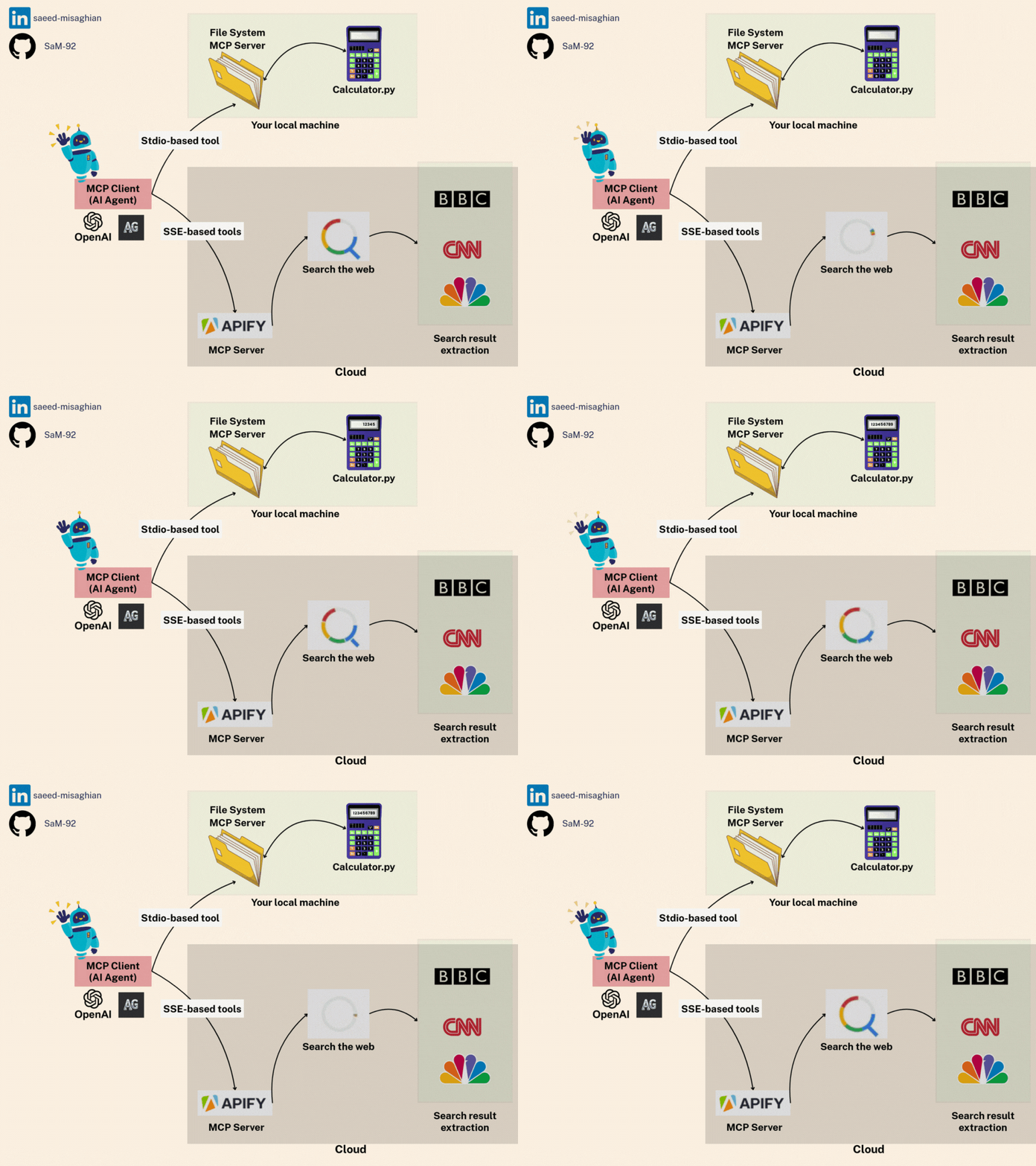
Follow these steps carefully to set up your environment:
Prerequisites:
uv if not already installed:
pip install uv
Navigate to Project Directory:
cd mcp_autogen_sse_stdio
Create and Activate Virtual Environment:
# Create virtual environment using uv
uv venv --python 3.12

# Activate the virtual environment
source .venv/bin/activate  # On macOS/Linux
# OR
.\.venv\Scripts\activate  # On Windows
Install Dependencies:
# Install project dependencies
uv pip install -e .
Troubleshooting Note: If you encounter any issues with the MCP CLI installation, you can manually install it:
uv add "mcp[cli]"
Configure Environment Variables:
.env file in the mcp_autogen_sse_stdio directory.OPENAI_API_KEY=your_openai_api_key_here
APIFY_API_KEY=your_apify_api_key_here
Make sure you're in the parent directory (one level up from the project directory):
cd ..
Run the main script using uv:
uv run mcp_autogen_sse_stdio/main.py
This will run the demo that:
(3 + 5) x 12 using the local math toolMCP is a protocol that standardizes communication between AI models and tools. This example demonstrates two ways to use MCP:
math_server.py provides simple math operationsOur main.py demonstrates:
Environment Setup:
Tool Configuration:
Agent Creation:
Task Execution:
User → AutoGen Agent → MCP Tools → Results → User
This example shows how easily different tool types can be integrated into one agent using MCP!
Run Claude Code as an MCP server so any agent can delegate coding tasks to it
 @microsoft✓ Official
Browser automation using accessibility snapshots instead of screenshots
 @googleapis✓ Official
Google's universal MCP server supporting PostgreSQL, MySQL, MongoDB, Redis, and 10+ databases
 @github✓ Official
Official GitHub integration for repos, issues, PRs, and CI/CD workflows