

Are you the author? Sign in to claim
PowerPoint MCP Server & CLI - 18 tools, ~98 operations for AI-powered PowerPoint automation via COM API





Automate PowerPoint with AI — a Model Context Protocol server and CLI
for live, real-time PowerPoint automation through conversational AI. Sibling project to
mcp-server-excel, following the same layered
architecture: ComInterop → Core → CLI / MCP Server.
MCP Server for PowerPoint enables AI assistants (GitHub Copilot, Claude, ChatGPT) to build and
edit real .pptx presentations through natural language — slides, shapes, text, tables, charts,
speaker notes, and layouts — no VBA or PowerPoint object-model knowledge required.
🛡️ Live COM automation, not file parsing — Most PowerPoint MCP servers manipulate .pptx
files offline with libraries like python-pptx, or use agent-run scripts with LibreOffice-rendered
thumbnails. This project instead drives a live, real PowerPoint desktop instance via
Microsoft.Office.Interop.PowerPoint — the official Primary Interop Assembly. That means
true-fidelity rendering, compatibility with an already-open deck, and zero risk of producing a
.pptx that PowerPoint itself can't open, because PowerPoint is the one writing it.
🖼️ Export-to-verify — the core differentiator. After any visual edit, export the slide (or the
whole deck) to an image with export(action="export-slide-to-image", ...) /
export(action="export-all-slides-to-images", ...) and let a
vision-capable AI assistant see the result — catching overlapping shapes, text overflow, and
layout regressions that text-only automation simply cannot detect.
Technical Requirements:
[!TIP] Also automating spreadsheets? Check out Excel MCP Server — the sister project, built the same way.
13 MCP tools with 137 operations across 13 domains:
.potx/.pptx
template's masters/theme/layouts, read the current theme name, read/write built-in and custom
document propertiesEvery domain is exposed as a single action-dispatch tool (e.g. shape, table, chart,
presentation) with an action parameter selecting the specific operation — keeping the tool
list small for AI assistants while still exposing every operation.
📚 Complete Feature Reference → — detailed documentation of every tool and operation
Build a deck from scratch:
Tables & charts:
Formatting & shapes:
Speaker notes:
Templates & themes:
Visual verification:
Perfect for:
.pptx decksNot suitable for:
| Platform | Installation |
|---|---|
| VS Code | Install Extension (one-click, recommended) |
| Claude Desktop | Download .mcpb from latest release |
| Any MCP Client | Download mcp-powerpoint.exe from latest release and add to PATH |
| Details | 📖 Full Installation Guide → |
⚠️ Important: Close any open instances of the target file before automating it — the server needs exclusive access to the presentation while it's driving PowerPoint.
This project provides both a CLI and an MCP Server interface. Choose based on your use case:
| Interface | Best For | Why |
|---|---|---|
CLI (pptcli / powerpointcli.exe) | Coding agents (Copilot, Cursor, Windsurf) + scripting | Single tool, no large schemas — better for cost-sensitive, high-throughput automation. |
MCP Server (mcp-powerpoint) | Conversational AI (Claude Desktop, VS Code Chat) | Rich tool discovery, persistent session. Better for interactive, exploratory workflows. |
Manual installation:
# Primary: Download standalone executables from latest release (no .NET runtime required)
# https://github.com/sbroenne/mcp-server-powerpoint/releases/latest
# - PowerPointMcp-MCP-Server-{version}-windows.zip → extract mcp-powerpoint.exe
# - PowerPointMcp-CLI-{version}-windows.zip → extract powerpointcli.exe

# Secondary: Install via .NET tool (requires .NET 10 runtime)
dotnet tool install --global Sbroenne.PowerPointMcp.McpServer
dotnet tool install --global Sbroenne.PowerPointMcp.CLI

# After installing either way, auto-configure your coding agents:
npx add-mcp "mcp-powerpoint" --name powerpoint-mcp
# Optional: Install the agent skill for better AI guidance
npx skills add sbroenne/mcp-server-powerpoint --skill powerpoint-mcp
💡 The VS Code extension installs this skill automatically. Manual
npx skills addis for other MCP clients (Claude Code, Cursor, Windsurf, etc.).
PowerPointMcp uses Windows COM automation to control the actual PowerPoint application (not
just .pptx files).
The MCP Server and CLI are two equal, first-class entry points. Each hosts its own PowerPointMcp Service that manages presentation sessions — the MCP Server runs it in-process (direct calls, no pipe), while the CLI uses a background daemon over a named pipe so sessions persist across CLI invocations:
┌──────────────────────┐        ┌──────────────────────┐
│  MCP Server          │        │  CLI (pptcli)        │
│  (AI assistants)     │        │  (coding agents)     │
└──────────┬───────────┘        └──────────┬───────────┘
           │ in-process                     │ named pipe →
           │ (direct calls)                 │ background daemon
           ▼                                ▼
┌──────────────────────┐        ┌──────────────────────┐
│  PowerPointMcp       │        │  PowerPointMcp       │
│  Service             │        │  Service             │
│  (session mgmt)      │        │  (daemon; sessions   │
│                      │        │   persist across     │
│                      │        │   CLI invocations)   │
└──────────┬───────────┘        └──────────┬───────────┘
           ▼                                ▼
      Core Commands                    Core Commands
           ▼                                ▼
┌──────────────────────┐        ┌──────────────────────┐
│  PowerPoint COM API  │        │  PowerPoint COM API  │
│  (PowerPoint.        │        │  (PowerPoint.        │
│   Application)       │        │   Application)       │
└──────────────────────┘        └──────────────────────┘
Both entry points share the same Core Commands codebase, so every operation behaves identically. They are separate processes, though: each runs its own PowerPointMcp Service and its own PowerPoint instance, and they do not share live sessions with each other.
Key Benefits:
pptcli calls, so scripts don't re-open files each timePowerPoint.Application via COM, not just
file parsing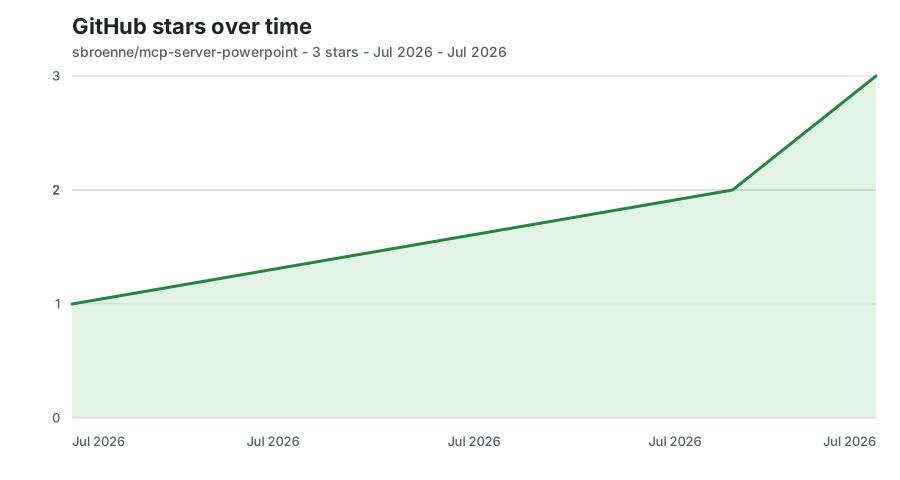
Updated daily from GitHub's stargazer data.
📚 MCP Server Guide → | CLI Guide → | Agent Skills →
📖 Complete Feature Reference • Installation Guide • Changelog • Contributing • Security • Privacy
License: MIT License — see LICENSE
Built With: This entire project was developed using GitHub Copilot AI assistance.
Acknowledgments:
Other projects by the author:
⚠️ Experimentelle Skill-Sammlung für deutsches Recht (Arbeits-, Gesellschafts-, Insolvenz-, Datenschutz-, Prozessrecht u
Manage multiple Claude Code agents from TUI or Web with tmux and git worktrees
Project management using GitHub Issues + Git worktrees for parallel agent execution
Core skills library for Claude Code with 20+ battle-tested skills including TDD, debugging, and brainstorming

