

Are you the author? Sign in to claim
MCP for calling Siri Shorcuts from LLMs
This MCP server provides access to Siri shortcuts functionality via the Model Context Protocol (MCP). It allows listing, opening, and running shortcuts from the macOS Shortcuts app.
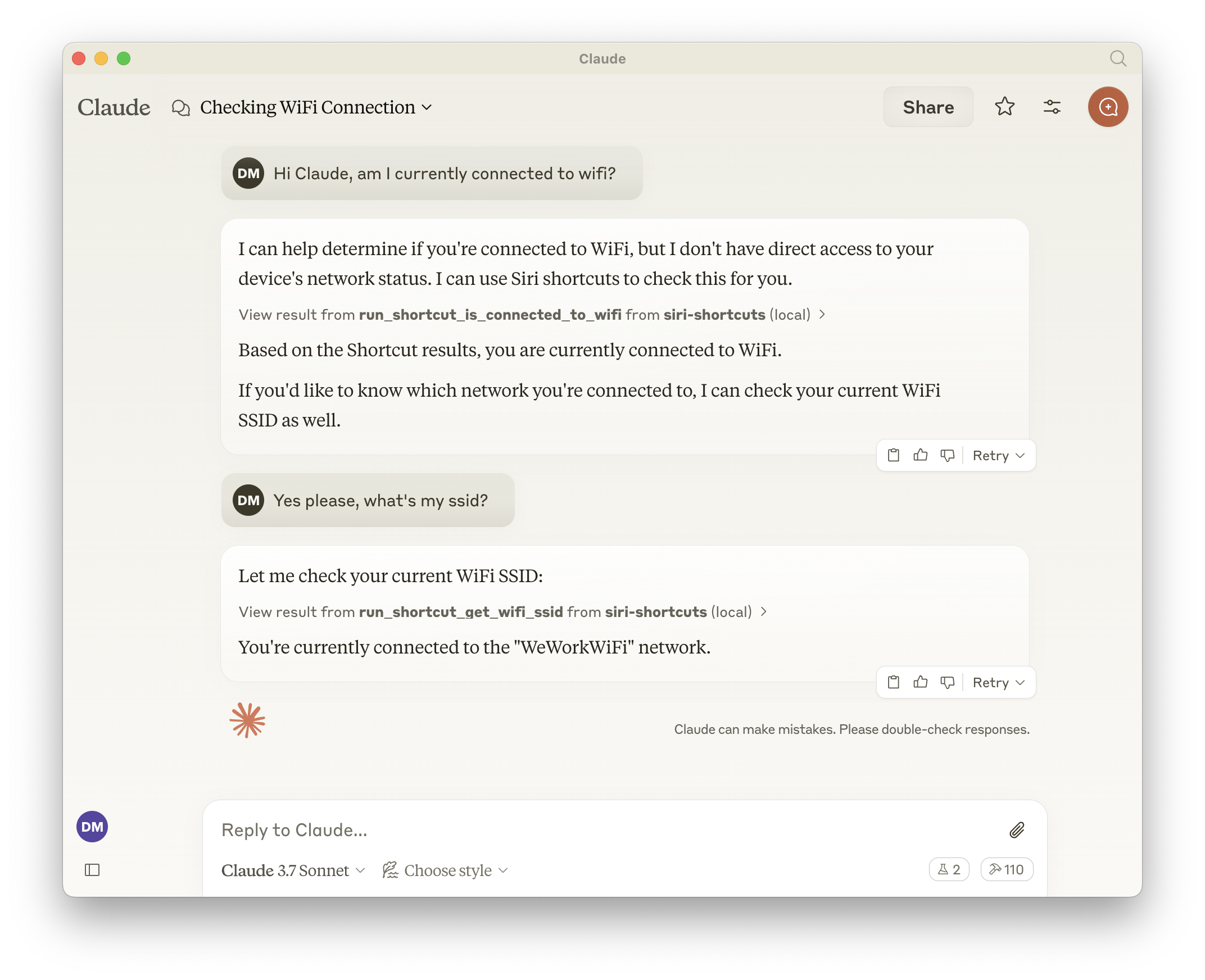
list_shortcuts
{
  "shortcuts": [{ "name": "My Shortcut 1" }, { "name": "My Shortcut 2" }]
}
open_shortcut
name (string): Name of the shortcut to openrun_shortcut
name (string): Name or identifier (UUID) of the shortcut to runinput (string, optional): Text input or filepath to pass to the shortcutThe server automatically generates additional tools for each available shortcut in the format:
run_shortcut_[sanitized_shortcut_name]input (string, optional): Text input or filepath to pass to the shortcutThe server supports the following environment variables:
GENERATE_SHORTCUT_TOOLS (default: true): When set to false, disables the generation of dynamic shortcut tools. Only the base tools (list_shortcuts, open_shortcut, run_shortcut) will be available.INJECT_SHORTCUT_LIST (default: false): When set to true, injects the list of available shortcuts into the run_shortcut tool description to help the LLM understand which shortcuts are available.Add to your Claude configuration:
{
  "mcpServers": {
    "siri-shortcuts": {
      "command": "npx",
      "args": ["mcp-server-siri-shortcuts"],
      "env": {
        "GENERATE_SHORTCUT_TOOLS": "true",
        "INJECT_SHORTCUT_LIST": "false"
      }
    }
  }
}
shortcuts CLI command under the hoodRun Claude Code as an MCP server so any agent can delegate coding tasks to it
 @microsoft✓ Official
Browser automation using accessibility snapshots instead of screenshots
 @googleapis✓ Official
Google's universal MCP server supporting PostgreSQL, MySQL, MongoDB, Redis, and 10+ databases
 @github✓ Official
Official GitHub integration for repos, issues, PRs, and CI/CD workflows