

Are you the author? Sign in to claim
MCP SSH Server: 37 tools for remote SSH management | Claude Code & OpenAI Codex | DevOps automation, backups, database o
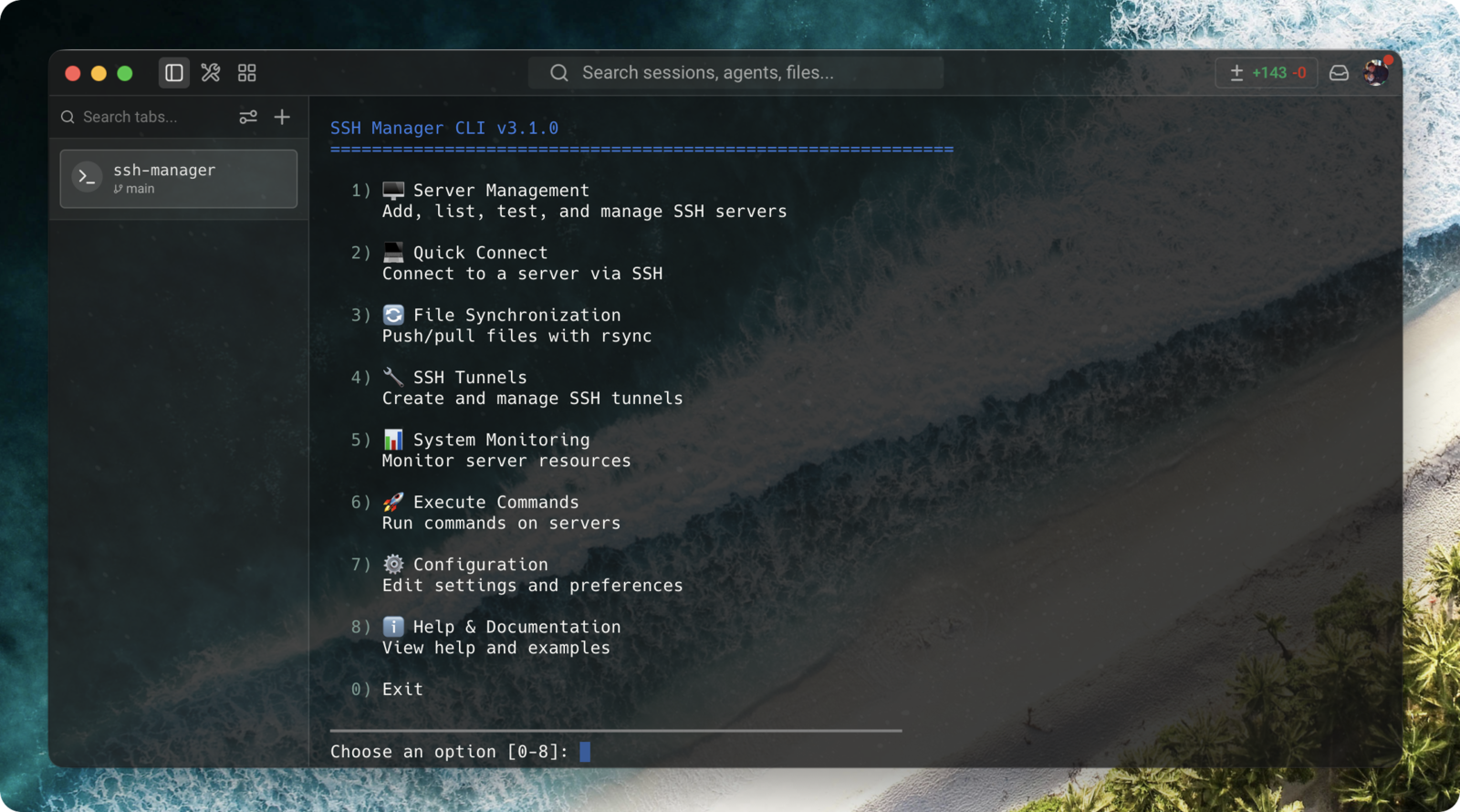
A Model Context Protocol (MCP) server that enables Claude Code and OpenAI Codex to manage multiple SSH connections. Execute commands, transfer files, manage databases, create backups, monitor health, and automate DevOps tasks across your servers — directly from your AI assistant.






Richer tool descriptions — better AI tool-calling (Released: June 9, 2026)
ssh_db_import and ssh_backup_restore are destructive, ssh_db_query is SELECT-only, and ssh_upload/ssh_deploy are blocked on readonly servers.description strings changed; logic, parameters, and tool names are identical. All tests pass unmodified.tunnel-manager.js and session-manager.js registered module-level setIntervals that were never unref()'d, so importing either module kept Node's event loop alive. Both are now unref()'d. Full changelog →.env/TOML and the running MCP server picks it up on the next call, no restart. A ServerConfigManager reloads lazily on file-signature change (path + mtime + size); a failed reload keeps the last known-good config; real process.env vars keep top priority. No watcher, no polling.SIGINT handler every session leaked a ~83 MB node process. Shutdown is now idempotent across SIGINT/SIGTERM/SIGHUP/stdin-close, timers are unref()'d, and the process exits ~10 ms after teardown instead of never. Full changelog →Dead (#39 — thanks @username77) — the liveness probe ran echo "ping" and cmd.exe echoed the quotes literally, failing a strict === 'ping' check and needlessly rebuilding live connections. Now uses echo ping parsed by a null-safe isPingAlive(stdout) helper (CRLF/quote/case-normalized), covered by tests/test-ssh-ping.js. Full changelog →readonly / restricted + audit log (May 18, 2026)A second authorization layer that filters tool invocations inside the MCP server, complementing the existing client-side autoApprove. Useful when sharing the MCP with a third-party agent, a CI bot, or any client where ssh_execute shouldn't be unconditionally trusted.
MODE field = identical to v3.4.x):
unrestricted (default) — strict no-op. evaluatePolicy() early-returns on the first line, zero overhead.readonly — blocks mutating tools (ssh_upload, ssh_deploy, ssh_sync, ssh_execute_sudo, ssh_backup_*, ssh_db_import/dump, plus action-gated ssh_key_manage accept|remove, ssh_alert_setup set, ssh_process_manager kill) AND applies a built-in denylist on ssh_execute (rm, mv, dd, mkfs, chmod, chown, sudo, systemctl restart/stop, docker rm/stop, pipe-to-sh, redirect outside /tmp, curl|sh, etc.).restricted — every command must match at least one ALLOW_PATTERNS regex AND no DENY_PATTERNS regex. DENY wins. With no ALLOW_PATTERNS everything is refused (fail-closed).SSH_SERVER_<N>_AUDIT_LOG=/path/to/audit.jsonl). Records ts, server, tool, args, allowed, reason on denial, exitCode/success on execution. Sensitive arg fields (password, passphrase, sudoPassword, token, secret, apikey) are replaced with ***.DENY pattern can't be bypassed via an alias..env or TOML loads identically. No MODE field → zero behavior change. The interactive wizard (ssh-manager server add) defaults all three new prompts to skip. All 13 pre-existing tests pass unmodified. New tests/test-policy.js adds 26 tests covering modes, DENY > ALLOW precedence, invalid-regex handling, redaction, and the backward-compat fast path. Full reference →curve25519-sha256 (+@libssh.org), diffie-hellman-group15-sha512, diffie-hellman-group16-sha512rsa-sha2-512, rsa-sha2-256 (RFC 8332)aes128-gcm@openssh.com, aes256-gcm@openssh.comhmac-sha2-256-etm@openssh.com, hmac-sha2-512-etm@openssh.com, hmac-sha1-etm@openssh.comSet-Location replacing cd && (#31, thanks @WenKingSu)ECHO: 0 PTY, real $? exit codes, no more "Timeout waiting for shell prompt" on custom/slow/AIX shells (#30, thanks @MakksSh)ssh_execute timeout silently capped at 30 s — fixed (#28, #29)/bin/bash shim error — fixed (#22, #23)server add blocked by missing rsync — rsync now optional (#26).env path resolution now uses a fallback chain instead of hardcoded __dirname — works correctly with npm install -g (#16, #19)
~/.ssh-manager/.env → cwd/.env → ~/.env → project .env~/.ssh-manager/.env on first ssh-manager server addssh-manager CLI registered as binary: npm install -g now creates both mcp-ssh-manager and ssh-manager commands (#18)PROXYJUMP config field (#15)
npx mcp-ssh-manager now works correctly (#14)ssh-agent when SSH_AUTH_SOCK is available — passphrase-protected keys work transparentlypassphrase field for both .env and TOML formatsThanks to @snjax for the original contribution (#12).
platform config field (SSH_SERVER_FOO_PLATFORM=windows or platform = "windows" in TOML)platform=windows, the Linux timeout/sh -c command wrapper is skipped and the SSH library's native timeout is used insteadssh_execute, ssh_tail, ssh_monitor, ssh_deploy, ssh_execute_sudo, ssh_group_execute) are platform-awareprocess.env.HOME is undefined (#8)os.homedir() for cross-platform compatibility (Linux, macOS, Windows)ssh-manager tools list/configure/enable/disableThis release adds 12 new MCP tools transforming SSH Manager into a comprehensive DevOps automation platform:
📊 Total: 37 MCP Tools | 🔧 ~4,100 Lines of Code Added | ✅ Production Ready
.env file setup with guided configuration toolNEW in v3.1: Reduce Claude Code context usage by 92% with tool activation management!
MCP SSH Manager includes 37 tools organized into 6 groups. By default, all tools are enabled, but you can optimize for your specific workflow:
# Interactive configuration wizard
ssh-manager tools configure

# View current configuration
ssh-manager tools list

# Enable/disable specific groups
ssh-manager tools enable monitoring
ssh-manager tools disable backup
| Mode | Tools | Context Usage | Best For |
|---|---|---|---|
| All (default) | 37 tools | ~43.5k tokens | Full feature set, most users |
| Minimal | 5 tools | ~3.5k tokens | Basic SSH operations only |
| Custom | 5-37 tools | Varies | Tailored to your workflow |
📖 Complete Tool Management Guide →
brew install hudochenkov/sshpass/sshpassapt-get install sshpassOption A: Install from npm (recommended)
# Install globally from npm
npm install -g mcp-ssh-manager

# Or install locally
npx mcp-ssh-manager
Option B: Install from source
# Clone and install
git clone https://github.com/bvisible/mcp-ssh-manager.git
cd mcp-ssh-manager
npm install

# Install the Bash CLI
cd cli && ./install.sh

# Configure your first server
ssh-manager server add
# For personal use (current user only)
claude mcp add ssh-manager node /path/to/mcp-ssh-manager/src/index.js

# For team sharing (creates .mcp.json in project)
claude mcp add ssh-manager --scope project node /path/to/mcp-ssh-manager/src/index.js

# For all your projects
claude mcp add ssh-manager --scope user node /path/to/mcp-ssh-manager/src/index.js
To avoid being prompted for approval on every SSH command, add auto-approve configuration:
Edit ~/.config/claude-code/claude_code_config.json:
{
  "mcpServers": {
    "ssh-manager": {
      "command": "node",
      "args": ["/path/to/mcp-ssh-manager/src/index.js"],
      "autoApprove": [
        "mcp__ssh-manager__ssh_execute",
        "mcp__ssh-manager__ssh_list_servers",
        "mcp__ssh-manager__ssh_upload",
        "mcp__ssh-manager__ssh_download",
        "mcp__ssh-manager__ssh_sync",
        "mcp__ssh-manager__ssh_alias"
      ]
    }
  }
}
Important: Restart Claude Code after making this change.
For full auto-approval of all SSH tools, see the complete list in examples/claude-code-config.example.json.
autoApprove is all-or-nothing per tool: once ssh_execute is approved, anything goes. If you want a second layer that filters what the MCP server actually accepts to run — useful when sharing the MCP with a third-party agent, a CI bot, or a client's server — declare a per-server security mode.
# In your .env — three optional fields. Omit them all to keep v3.4.x behavior exactly.
SSH_SERVER_CLIENT_PROD_HOST=client-prod.example.com
SSH_SERVER_CLIENT_PROD_USER=consultant
SSH_SERVER_CLIENT_PROD_KEYPATH=~/.ssh/consultant_ed25519

SSH_SERVER_CLIENT_PROD_MODE=readonly                          # unrestricted | readonly | restricted
SSH_SERVER_CLIENT_PROD_AUDIT_LOG=~/.ssh-manager/audit.jsonl   # opt-in JSONL audit trail
# For mode=restricted, provide an allowlist of regex (DENY wins over ALLOW):
# SSH_SERVER_CI_ALLOW_PATTERNS="^docker (ps|logs);^kubectl get "
unrestricted (default, no field needed) — identical to pre-v3.5.0 behavior. Zero overhead.readonly — blocks ssh_upload, ssh_deploy, ssh_sync, ssh_execute_sudo, backup/db write tools, and built-in destructive commands (rm, mv, sudo, systemctl restart, redirects outside /tmp, curl | sh, …).restricted — every ssh_execute command must match at least one ALLOW_PATTERNS regex AND no DENY_PATTERNS regex.Existing configs are unaffected — no field is mandatory, no behavior changes unless you opt in. See docs/SECURITY_MODES.md for the full reference, recipes, and limitations.
In Claude Code, you can now:
"List all my SSH servers"
"Execute 'ls -la' on production server"  # Uses default directory if set
"Run 'docker ps' on staging"
"Upload config.json to production:/etc/app/config.json"
"Download logs from staging:/var/log/app.log"
With Default Directories:
If you set /var/www/html as default for production, these commands are equivalent:
"Run 'ls' on production" → executes in /var/www/html"Run 'ls' on production in /tmp" → executes in /tmp (overrides default)Same installation as Claude Code (see above), then configure for Codex:
# Set up Codex integration
ssh-manager codex setup

# Migrate existing servers to TOML format (if you have .env servers)
ssh-manager codex migrate

# Test the integration
ssh-manager codex test
If you prefer manual setup, add to ~/.codex/config.toml:
[mcp_servers.ssh-manager]
command = "node"
args = ["/absolute/path/to/mcp-ssh-manager/src/index.js"]
env = { SSH_CONFIG_PATH = "/Users/you/.codex/ssh-config.toml" }
startup_timeout_ms = 20000
Create or edit ~/.codex/ssh-config.toml:
[ssh_servers.production]
host = "prod.example.com"
user = "admin"
password = "secure_password"  # or use key_path
key_path = "~/.ssh/id_rsa"   # for SSH key auth (recommended)
passphrase = "key_passphrase" # optional, for passphrase-protected keys
port = 22
default_dir = "/var/www"
description = "Production server"

[ssh_servers.staging]
host = "staging.example.com"
user = "deploy"
key_path = "~/.ssh/staging_key"
port = 2222
default_dir = "/home/deploy/app"

[ssh_servers.winhost]
host = "192.168.1.90"
user = "svc-ssh"
key_path = "~/.ssh/winhost_key"
port = 2222
platform = "windows"
description = "Windows host via OpenSSH"

[ssh_servers.bastion]
host = "bastion.example.com"
user = "jumpuser"
key_path = "~/.ssh/bastion_key"

[ssh_servers.internal]
host = "10.0.0.5"
user = "admin"
key_path = "~/.ssh/internal_key"
proxy_jump = "bastion"
description = "Private server behind bastion"
💡 See examples/codex-ssh-config.example.toml for more complete examples!
In OpenAI Codex, you can now:
"List my SSH servers"
"Execute 'docker ps' on production"
"Upload file.txt to staging:/tmp/"
"Monitor CPU usage on all servers"
"Download production:/var/log/app.log to ./logs/"
Switch easily between Claude Code (.env) and Codex (TOML):
# Convert .env to TOML (for Codex)
ssh-manager codex convert to-toml

# Convert TOML back to .env (for Claude Code)
ssh-manager codex convert to-env
Both formats can coexist! The system supports both simultaneously.
ssh_list_serversLists all configured SSH servers with their details.
ssh_executeExecute commands on remote servers.
server (name), command, cwd (optional working directory)cwd is provided, uses the server's default directory if configuredssh_uploadUpload files to remote servers.
server, local_path, remote_pathssh_downloadDownload files from remote servers.
server, remote_path, local_pathssh_backup_createCreate backup of database or files on remote server.
server, type, name, database, paths, retentionssh_backup_listList all available backups on remote server.
server, type (optional filter)ssh_backup_restoreRestore from a previous backup.
server, backupId, database, targetPathssh_backup_scheduleSchedule automatic backups using cron.
server, schedule (cron format), type, namessh_health_checkPerform comprehensive health check on remote server.
ssh_service_statusCheck status of services (nginx, mysql, docker, etc.).
server, services (array)ssh_process_managerList, monitor, or kill processes on remote server.
ssh_alert_setupConfigure health monitoring alerts and thresholds.
ssh_db_dumpCreate database dump/backup on remote server.
server, type, database, outputFile, dbUser, dbPassword, dbHost, dbPortcompress (gzip), tables (specific tables only)ssh_db_importImport SQL dump or restore database on remote server.
server, type, database, inputFile, dbUser, dbPassword, dbHost, dbPortdrop (drop database before restore for MongoDB)ssh_db_listList databases or tables on remote server.
server, type, database (optional), dbUser, dbPassword, dbHost, dbPortssh_db_queryExecute read-only SQL queries on remote database.
server, type, database, query, dbUser, dbPassword, dbHost, dbPortcollection parameter for find queriesssh_deploy 🚀Deploy files with automatic permission and backup handling.
server, files (array), options (owner, permissions, backup, restart)ssh_execute_sudo 🔐Execute commands with sudo privileges.
server, command, password (optional), cwd (optional)ssh_alias 🏷️Manage server aliases for easier access.
action (add/remove/list), alias, serverssh_command_alias 📝Manage command aliases for frequently used commands.
action (add/remove/list/suggest), alias, commandssh_hooks 🎣Manage automation hooks for SSH operations.
action (list/enable/disable/status), hookssh_profile 📚Manage configuration profiles for different project types.
action (list/switch/current), profileSSH Manager uses profiles to configure aliases and hooks for different project types:
Set active profile:
export SSH_MANAGER_PROFILE=frappe.ssh-manager-profile with profile namedefault profile if not specifiedAvailable profiles:
default - Basic SSH operationsfrappe - Frappe/ERPNext specificdocker - Docker container managementnodejs - Node.js applicationsprofiles/ directoryServers are configured in the .env file with this pattern:
# Server configuration pattern
SSH_SERVER_[NAME]_HOST=hostname_or_ip
SSH_SERVER_[NAME]_USER=username
SSH_SERVER_[NAME]_PASSWORD=password  # For password auth
SSH_SERVER_[NAME]_KEYPATH=~/.ssh/key  # For SSH key auth
SSH_SERVER_[NAME]_PASSPHRASE=key_passphrase  # Optional, for passphrase-protected keys
SSH_SERVER_[NAME]_PORT=22  # Optional, defaults to 22
SSH_SERVER_[NAME]_DEFAULT_DIR=/path/to/dir  # Optional, default working directory
SSH_SERVER_[NAME]_DESCRIPTION=Description  # Optional
SSH_SERVER_[NAME]_PLATFORM=windows  # Optional: "linux" (default) or "windows"
SSH_SERVER_[NAME]_PROXYJUMP=bastion  # Optional: name of another server to use as jump host
SSH_SERVER_[NAME]_PROXYCOMMAND=command  # Optional: custom proxy command (ncat, ssh -W, etc.)

# Example: Linux server
SSH_SERVER_PRODUCTION_HOST=prod.example.com
SSH_SERVER_PRODUCTION_USER=admin
SSH_SERVER_PRODUCTION_PASSWORD=secure_password
SSH_SERVER_PRODUCTION_PORT=22
SSH_SERVER_PRODUCTION_DEFAULT_DIR=/var/www/html
SSH_SERVER_PRODUCTION_DESCRIPTION=Production Server
SSH_SERVER_PRODUCTION_SUDO_PASSWORD=secure_sudo_pass  # Optional, for automated deployments

# Example: Windows server (OpenSSH for Windows)
SSH_SERVER_WINHOST_HOST=192.168.1.90
SSH_SERVER_WINHOST_USER=svc-ssh
SSH_SERVER_WINHOST_KEYPATH=~/.ssh/winhost_key
SSH_SERVER_WINHOST_PORT=2222
SSH_SERVER_WINHOST_PLATFORM=windows
SSH_SERVER_WINHOST_DESCRIPTION=Windows host via OpenSSH

# Example: Server behind a bastion/jump host
SSH_SERVER_BASTION_HOST=bastion.example.com
SSH_SERVER_BASTION_USER=jumpuser
SSH_SERVER_BASTION_KEYPATH=~/.ssh/bastion_key

SSH_SERVER_INTERNAL_HOST=10.0.0.5
SSH_SERVER_INTERNAL_USER=admin
SSH_SERVER_INTERNAL_KEYPATH=~/.ssh/internal_key
SSH_SERVER_INTERNAL_PROXYJUMP=bastion
SSH_SERVER_INTERNAL_DESCRIPTION=Private server behind bastion
The Python management tool (tools/server_manager.py) provides:
mcp-ssh-manager/
├── src/
│   ├── index.js              # Main MCP server (37 tools)
│   ├── ssh-manager.js        # SSH connection handling
│   ├── config-loader.js      # .env & TOML config loading
│   ├── session-manager.js    # Persistent SSH sessions
│   ├── backup-manager.js     # Backup & restore
│   ├── health-monitor.js     # Health checks & alerts
│   ├── database-manager.js   # Database operations
│   ├── tunnel-manager.js     # SSH tunnel management
│   ├── server-groups.js      # Group operations
│   └── ...
├── cli/
│   ├── ssh-manager           # Bash CLI entrypoint
│   ├── commands/              # CLI command modules
│   └── lib/                   # CLI libraries
├── profiles/                  # Configuration profiles (frappe, docker, nodejs...)
├── examples/                  # Example configs
├── docs/                      # Documentation
└── package.json
python tools/test-connection.py production
claude mcp list
/mcp
.env files - Always use .env.example as templateMCP SSH Manager supports passphrase-protected SSH keys in two ways:
Option 1: SSH Agent (recommended)
If your SSH key is loaded into ssh-agent, MCP SSH Manager will use it automatically — no configuration changes needed:
# Add your key to the agent (enter passphrase once)
ssh-add ~/.ssh/your_key

# Verify the key is loaded
ssh-add -l
The server detects the SSH_AUTH_SOCK environment variable and connects to the running agent. This is the same mechanism that regular ssh uses for GUI passphrase prompts.
Option 2: Passphrase in configuration
You can store the passphrase directly in the server config:
.env format:
SSH_SERVER_MYSERVER_KEYPATH=~/.ssh/id_rsa
SSH_SERVER_MYSERVER_PASSPHRASE="your_passphrase"
TOML format:
[ssh_servers.myserver]
key_path = "~/.ssh/id_rsa"
passphrase = "your_passphrase"
Note: SSH Agent is preferred over storing passphrases in config files for better security.
Connect to servers behind a bastion or jump host. The connection is tunneled through the jump server transparently — all tools (execute, upload, download, sync) work as usual.
# Define the bastion server
SSH_SERVER_BASTION_HOST=bastion.example.com
SSH_SERVER_BASTION_USER=jumpuser
SSH_SERVER_BASTION_KEYPATH=~/.ssh/bastion_key

# Point the target server to the bastion
SSH_SERVER_PRIVATE_HOST=10.0.0.5
SSH_SERVER_PRIVATE_USER=admin
SSH_SERVER_PRIVATE_PROXYJUMP=bastion
Or in TOML:
[ssh_servers.bastion]
host = "bastion.example.com"
user = "jumpuser"
key_path = "~/.ssh/bastion_key"

[ssh_servers.private]
host = "10.0.0.5"
user = "admin"
proxy_jump = "bastion"
Chained jumps are supported: if bastion itself has a proxy_jump, the chain is followed recursively. Circular references are detected and rejected.
Connect through SOCKS5 proxies or custom proxy commands. The proxy command executes locally and forwards traffic to the remote host.
# SOCKS5 proxy via ncat
SSH_SERVER_SOCKS_HOST=target.example.com
SSH_SERVER_SOCKS_USER=admin
SSH_SERVER_SOCKS_PROXYCOMMAND="ncat --proxy 127.0.0.1:1080 --proxy-type socks5 %h %p"

# Windows SSH proxy command
SSH_SERVER_WINPROXY_HOST=internal.example.com
SSH_SERVER_WINPROXY_USER=admin
SSH_SERVER_WINPROXY_PROXYCOMMAND="C:\Windows\System32\OpenSSH\ssh.exe -W %h:%p user@jump-host"
Or in TOML:
[ssh_servers.socks]
host = "target.example.com"
user = "admin"
proxy_command = "ncat --proxy 127.0.0.1:1080 --proxy-type socks5 %h %p"

[ssh_servers.winproxy]
host = "internal.example.com"
user = "admin"
proxy_command = "C:\\Windows\\System32\\OpenSSH\\ssh.exe -W %h:%p user@jump-host"
The proxy command must be a valid command that reads from stdin and writes to stdout, accepting %h and %p placeholders for host and port.
Symptoms:
Solution: v3.1.1 includes automatic fixes:
Performance Tuning (add to .env):
# Reduce output size (default: 10000 characters)
MCP_SSH_MAX_OUTPUT_LENGTH=5000

# Increase timeout for slow commands (default: 120000ms)
MCP_SSH_DEFAULT_TIMEOUT=180000

# Use compact JSON to save tokens (default: false)
MCP_SSH_COMPACT_JSON=true
For large outputs:
# Instead of: cat huge-log.txt
# Use: tail -n 100 huge-log.txt
# Or: grep ERROR huge-log.txt | tail -n 50
See docs/TROUBLESHOOTING.md for complete guide.
claude mcp listssh-manager server test [server_name]chmod 600 ~/.ssh/your_key"Backup production MySQL database before deployment"
"List all backups on production server"
"Restore backup from yesterday"
"Schedule daily database backup at 2 AM"
"Backup website files excluding cache and logs"
For detailed backup examples, see examples/backup-workflow.js and docs/BACKUP_GUIDE.md.
# Basic server management
ssh-manager server list
ssh-manager server add
ssh-manager ssh prod1

# File synchronization
ssh-manager sync push prod1 ./app /var/www/
ssh-manager sync pull prod1 /var/log/app.log ./

# SSH tunnels
ssh-manager tunnel create prod1 local 3307:localhost:3306
ssh-manager tunnel list

# Execute commands
ssh-manager exec prod1 "docker ps"
Once installed, simply ask your AI assistant:
Claude Code examples:
OpenAI Codex examples:
Both AI assistants support the same MCP tools! 🚀
We welcome contributions! Please see CONTRIBUTING.md for details.
./scripts/setup-hooks.sh
This project uses automated quality checks:
Run validation manually: ./scripts/validate.sh
This project is licensed under the MIT License - see the LICENSE file for details.
timeout wrapper is used for reliable command terminationPLATFORM=windows in your server config to skip the Linux timeout/sh -c wrapper (which is incompatible with Windows OpenSSH)sshpass to be installedssh_connection_status tool with reconnect actionFor issues, questions, or suggestions:
Made with ❤️ for the Claude Code community
Run Claude Code as an MCP server so any agent can delegate coding tasks to it
Official MongoDB integration — query collections, run aggregations, inspect schemas
 @designcomputer
Secure MCP server for MySQL database interaction, queries, and schema management
Run analytics queries on ClickHouse — explore schemas, execute SQL, fetch results
