

Are you the author? Sign in to claim
MCPCAN is a centralized management platform for MCP services. It deploys each MCP service using a container deployment m
The open source integration platform for MCP Server.
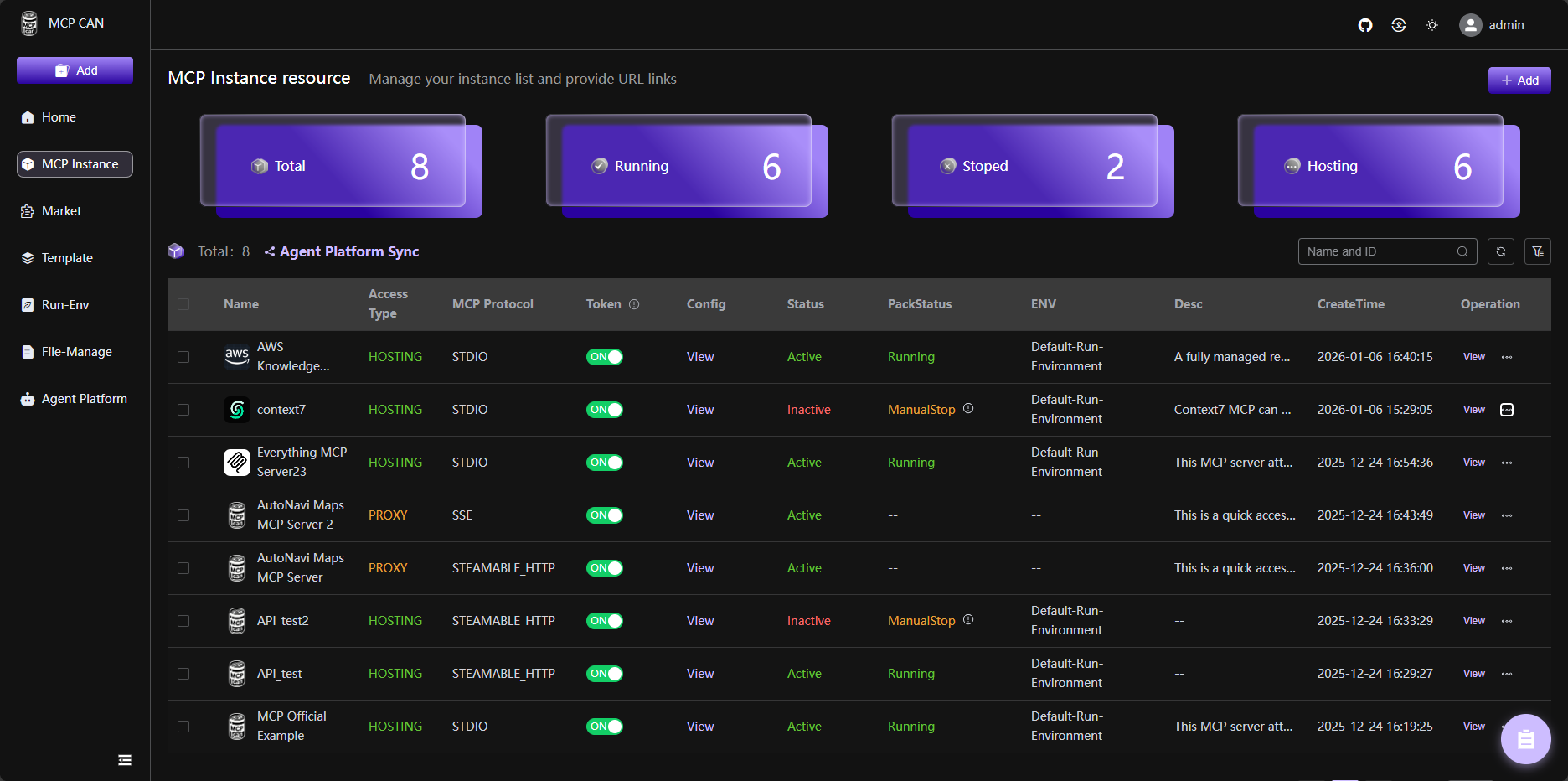
MCPCAN uses containers for flexible deployment of MCP services, resolving potential system configuration conflicts. It supports multi-protocol compatibility and conversion, enabling seamless integration between different MCP service architectures. It also provides visual monitoring, security authentication, and one-stop deployment capabilities.





English | 中文版
DemoSite : demo.mcpcan.com(login: admin/admin123) | MainSite : www.mcpcan.com
Document


MCPCan is an open-source platform focused on efficient management of MCP (Model Context Protocol) services, providing DevOps and development teams with comprehensive MCP service lifecycle management capabilities through a modern web interface. MCPCan supports multi-protocol compatibility and conversion, enabling seamless integration between different MCP service architectures while providing visual monitoring, security authentication, and one-stop deployment capabilities.
MCPCan is an open-source platform focused on efficient management of MCP (Model Context Protocol) services, providing DevOps and development teams with comprehensive MCP service lifecycle management capabilities through a modern web interface.
MCPCan supports multi-protocol compatibility and conversion, enabling seamless integration between different MCP service architectures while providing visual monitoring, security authentication, and one-stop deployment capabilities.
For the best demo experience, try directly DemoSite : demo.mcpcan.com(login: admin/admin123).
Watch our demo video on Bilibili: BV1htBXBbECr
To view our official website address, simply click MainSite : www.mcpcan.com.
For detailed deployment instructions, please refer to our Deployment Guide.
# Recommended: GitHub
git clone https://github.com/Kymo-MCP/mcpcan.git
cd mcpcan/deploy/docker-compose/
Docker Compose Quick Start (Recommended)
Suitable for local development, testing, and lightweight production deployments.
# 1. Initialize configuration
cp example.env .env
# (Optional) Modify .env file for settings like REGISTRY_PREFIX to switch between global/CN mirrors

# 2. Generate final configuration
chmod +x replace.sh
./replace.sh

# 3. Start services
docker compose up -d

# 4. Access Web UI
Login: admin/admin123
After successful installation, access http://localhost (or http://<Your Public IP>) to start using.
Helm Installation
Suitable for Kubernetes environment deployment, please refer to Helm Deployment Guide.
MCPCan adopts a microservices architecture, consisting of the following core components:
| Component Name | Directory Path | Functional Description |
|---|---|---|
| MCPCan-Web | frontend/ | Management UI based on Vue 3 |
| MCP-Market | backend/cmd/market/ | Core business: Marketplace & Instance management |
| MCP-Authz | backend/cmd/authz/ | RBAC, User & Dept management |
Welcome to submit PR to contribute! Please refer to Contributing for detailed guidelines.
Before contributing, please ensure:
If you discover a security vulnerability, please refer to our Security Policy for responsible disclosure guidelines.
Copyright (c) 2024-2025 MCPCan Team, All rights reserved.
Licensed under the Sustainable Use License. Portions of this software (specifically Enterprise features in .ee folders) are subject to the Enterprise License (LICENSE_EE.md).
Unless required by applicable law or agreed to in writing, software distributed under the License is distributed on an "AS IS" BASIS, WITHOUT WARRANTIES OR CONDITIONS OF ANY KIND, either express or implied. See the License for the specific language governing permissions and limitations under the License.

Run Claude Code as an MCP server so any agent can delegate coding tasks to it
 @microsoft✓ Official
Browser automation using accessibility snapshots instead of screenshots
 @googleapis✓ Official
Google's universal MCP server supporting PostgreSQL, MySQL, MongoDB, Redis, and 10+ databases
 @github✓ Official
Official GitHub integration for repos, issues, PRs, and CI/CD workflows