

Are you the author? Sign in to claim
Supercharge AI Agents, Safely




📺 Watch the full walkthrough · 📚 Read the docs · 🌐 mcpproxy.app
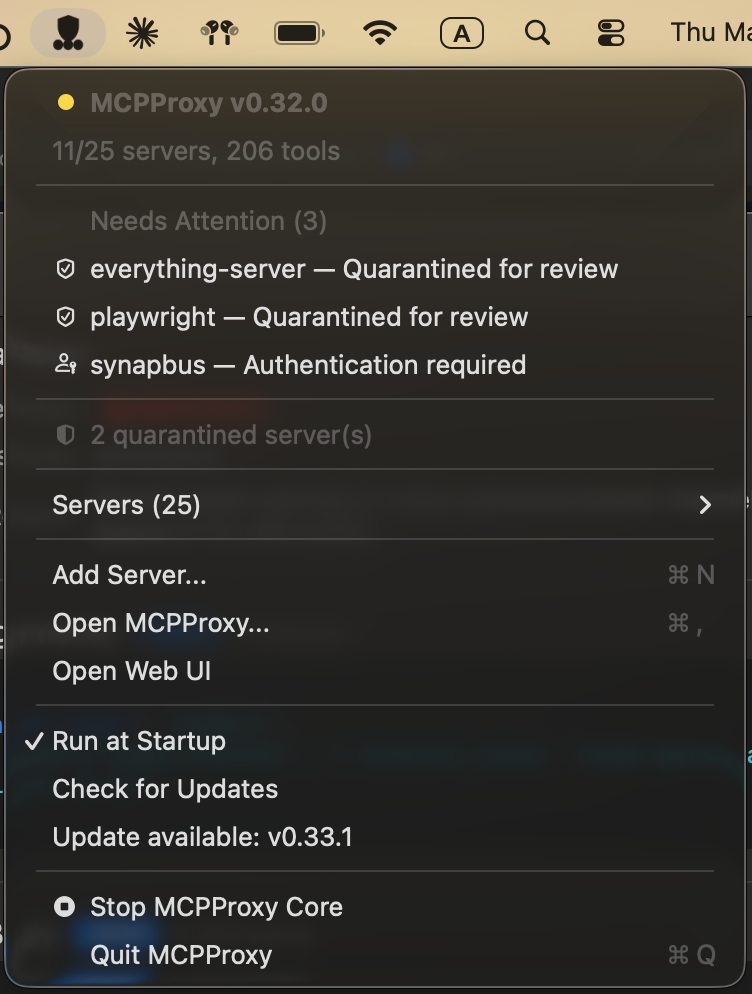
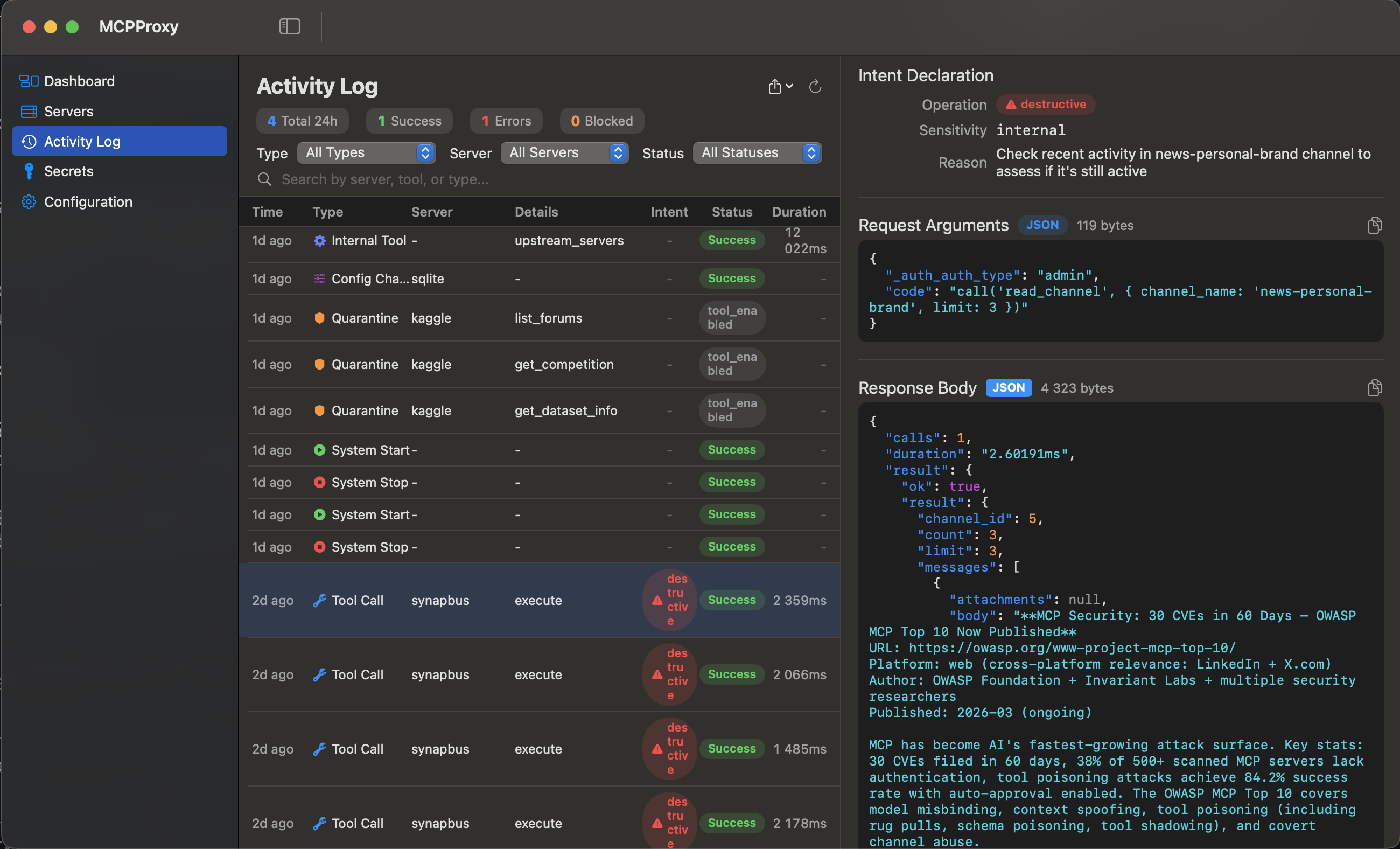
The demo above shows the embedded web UI. The MCPProxy core is a single binary for macOS, Linux, and Windows — the web UI ships inside it, with no extra service to run. On macOS, an optional menu‑bar app adds one‑click convenience (start/stop, server health, quarantine, logs).
retrieve_tools function instead of hundreds of schemas. Research shows ~99 % token reduction with 43 % accuracy improvement.macOS (Recommended - DMG Installer):
Download the latest DMG installer for your architecture:
mcpproxy-*-darwin-arm64.dmgmcpproxy-*-darwin-amd64.dmgWindows (Recommended - Installer):
Download the latest Windows installer for your architecture:
mcpproxy-setup-*-amd64.exemcpproxy-setup-*-arm64.exeThe installer automatically:
mcpproxy.exe (core server) and mcpproxy-tray.exe (system tray app) to Program Files.\mcpproxy-setup.exe /VERYSILENTAlternative install methods:
macOS (Homebrew):
# macOS — GUI tray app (recommended):
brew install --cask smart-mcp-proxy/mcpproxy/mcpproxy

# macOS / Linux — headless CLI only:
brew install smart-mcp-proxy/mcpproxy/mcpproxy
The cask installs the menu-bar app (bundles the CLI); the formula is the CLI binary only. Both update via brew upgrade.
Linux (Debian/Ubuntu) — apt repository, auto-updates via apt upgrade:
sudo install -m 0755 -d /etc/apt/keyrings
curl -fsSL https://apt.mcpproxy.app/mcpproxy.gpg \
  | sudo tee /etc/apt/keyrings/mcpproxy.gpg > /dev/null
echo "deb [arch=$(dpkg --print-architecture) signed-by=/etc/apt/keyrings/mcpproxy.gpg] https://apt.mcpproxy.app stable main" \
  | sudo tee /etc/apt/sources.list.d/mcpproxy.list > /dev/null
sudo apt update && sudo apt install mcpproxy
Linux (Fedora / RHEL / Rocky / AlmaLinux) — dnf repository, auto-updates via dnf upgrade:
sudo dnf config-manager --add-repo https://rpm.mcpproxy.app/mcpproxy.repo
# Fedora 41+ (dnf5): sudo curl -fsSL https://rpm.mcpproxy.app/mcpproxy.repo -o /etc/yum.repos.d/mcpproxy.repo
sudo dnf install -y mcpproxy
Arch Linux (AUR): mcpproxy-bin
yay -S mcpproxy-bin
# or
git clone https://aur.archlinux.org/mcpproxy-bin.git && cd mcpproxy-bin && makepkg -si
The apt and dnf packages ship a hardened systemd unit and start the service automatically. Repository signing key fingerprint: 3B6F A1AD 5D53 59DA 51F1 8DDC E1B5 9B9B A1CB 8A3B.
For one-off .deb / .rpm downloads (air-gapped installs), grab them from the latest release.
Manual download (all platforms):
Prerelease Builds (Latest Features):
Want to try the newest features? Download prerelease builds from the next branch:
dmg-darwin-arm64 (Apple Silicon Macs)dmg-darwin-amd64 (Intel Macs)versioned-linux-amd64, versioned-windows-amd64 (other platforms)Note: Prerelease builds are signed and notarized for macOS but contain cutting-edge features that may be unstable.
Anywhere with Go 1.25+:
go install github.com/smart-mcp-proxy/mcpproxy-go/cmd/mcpproxy@latest
mcpproxy serve # starts HTTP server on :8080 and shows tray
Create or edit ~/.mcpproxy/mcp_config.json:
{
  "listen": "127.0.0.1:8080",
  "mcpServers": [
    { "name": "local-python", "command": "python", "args": ["-m", "my_server"], "protocol": "stdio", "enabled": true },
    { "name": "remote-http", "url": "http://localhost:3001", "protocol": "http", "enabled": true }
  ]
}
See Configuration and Upstream Servers for the full reference.
📖 Complete Setup Guide - Detailed instructions for Cursor, VS Code, Claude Desktop, and Goose
    "MCPProxy": {
      "type": "http",
      "url": "http://localhost:8080/mcp/"
    }
MCPProxy works with HTTP by default for easy setup. HTTPS is optional and primarily useful for production environments or when stricter security is required.
💡 Note: Most users can stick with HTTP (the default) as it works perfectly with all supported clients including Claude Desktop, Cursor, and VS Code.
1. Enable HTTPS (choose one method):
# Method 1: Environment variable
export MCPPROXY_TLS_ENABLED=true
mcpproxy serve

# Method 2: Config file
# Edit ~/.mcpproxy/mcp_config.json and set "tls.enabled": true
2. Trust the certificate (one-time setup):
mcpproxy trust-cert
3. Use HTTPS URLs:
https://localhost:8080/mcphttps://localhost:8080/ui/For Claude Desktop, add this to your claude_desktop_config.json:
HTTP (Default - Recommended):
{
  "mcpServers": {
    "mcpproxy": {
      "command": "npx",
      "args": [
        "-y",
        "mcp-remote",
        "http://localhost:8080/mcp"
      ]
    }
  }
}
HTTPS (With Certificate Trust):
{
  "mcpServers": {
    "mcpproxy": {
      "command": "npx",
      "args": [
        "-y",
        "mcp-remote",
        "https://localhost:8080/mcp"
      ],
      "env": {
        "NODE_EXTRA_CA_CERTS": "~/.mcpproxy/certs/ca.pem"
      }
    }
  }
}
localhost, 127.0.0.1, ::1mcpproxy trust-cert to add to system keychain~/.mcpproxy/certs/ (ca.pem, server.pem, server-key.pem)Certificate trust issues:
# Re-trust certificate
mcpproxy trust-cert --force

# Check certificate location
ls ~/.mcpproxy/certs/

# Test HTTPS connection
curl -k https://localhost:8080/api/v1/status
Claude Desktop connection issues:
NODE_EXTRA_CA_CERTS points to the correct ca.pem filemcpproxy serve --log-level=debugWe welcome issues, feature ideas, and PRs!
make dev-setup                # Install swag, frontend deps, Playwright
brew install prek             # Install pre-commit hook runner (or: uv tool install prek)
prek install                  # Install pre-commit hooks
prek install --hook-type pre-push  # Install pre-push hooks
We use prek to catch issues before they reach CI:
| Hook | Stage | What it does |
|---|---|---|
gofmt | pre-commit | Auto-formats staged Go files |
trailing-whitespace | pre-commit | Removes trailing whitespace |
end-of-file-fixer | pre-commit | Ensures files end with newline |
check-merge-conflict | pre-commit | Detects merge conflict markers |
swagger-verify | pre-push | Fails if OpenAPI spec is out of date |
go-build | pre-push | Verifies the project compiles |
Run hooks manually: prek run --all-files
make build          # Build frontend + backend
make swagger        # Regenerate OpenAPI spec
make test           # Unit tests
make test-e2e       # E2E tests
make lint           # Run linters
Run Claude Code as an MCP server so any agent can delegate coding tasks to it
 @microsoft✓ Official
Browser automation using accessibility snapshots instead of screenshots
 @googleapis✓ Official
Google's universal MCP server supporting PostgreSQL, MySQL, MongoDB, Redis, and 10+ databases
 @github✓ Official
Official GitHub integration for repos, issues, PRs, and CI/CD workflows
