

Are you the author? Sign in to claim
MLX Studio - Home of JANG_Q - Image Gen/Edit + Chat/Code All in one - + OpenClaw (Anthropic API)






-Recommended-orange?style=for-the-badge&logo=swift&logoColor=white)

vMLX v2 — native Swift + Metal, 50–95 t/s on M-series.
Zero PyTorch in the hot path. Pure SwiftUI. Drag and drop models.
The Python panel above remains available for legacy support.
Features • Screenshots • API Server • Image Generation • JANG Quantization • Requirements • Build • 한국어
MLX Studio is a complete desktop app for running LLMs, VLMs, and image generation models locally on your Mac. No cloud, no API keys, no data leaving your machine. Supports every model on mlx-community -- Qwen, Llama, Mistral, Gemma, Phi, DeepSeek, and thousands more. Built on vMLX Engine and Apple's MLX framework.
JANG 2-bit destroys MLX 4-bit on MiniMax M2.5:
Quantization MMLU (200q) Size JANG_2L (2-bit) 74% 89 GB MLX 4-bit 26.5% 120 GB MLX 3-bit 24.5% 93 GB MLX 2-bit 25% 68 GB Adaptive mixed-precision quantization keeps critical layers at higher precision while compressing the rest. Check scores at jangq.ai. Models at JANGQ-AI.
Download the latest DMG -- one file, ready to go.
vMLX-X.Y.Z-arm64.dmgAll releases are code-signed and notarized by Apple for macOS Gatekeeper. No Homebrew, no pip, no Xcode required.
The vMLX inference engine is published on PyPI as vmlx -- same engine that powers the desktop app, available as a standalone CLI. This is real, published software with 1,894+ tests.
# Recommended: use uv (fast, no venv hassle)
brew install uv
uv tool install vmlx
vmlx serve mlx-community/Qwen3-8B-4bit

# Or with pipx (isolates from system Python)
brew install pipx
pipx install vmlx
vmlx serve mlx-community/Qwen3-8B-4bit

# Or with pip in a virtual environment
python3 -m venv ~/.vmlx-env && source ~/.vmlx-env/bin/activate
pip install vmlx
vmlx serve mlx-community/Qwen3-8B-4bit
Note: On macOS 14+,
pip install vmlxwithout a venv will fail with "externally-managed-environment". Useuv,pipx, or create a venv first.
Once running, your local OpenAI-compatible API server is live at http://localhost:8000. Point any OpenAI or Anthropic SDK client at it.
mlx-community/Qwen3-8B-4bit)That's it. The app manages the entire Python engine, model downloads, and server lifecycle for you.
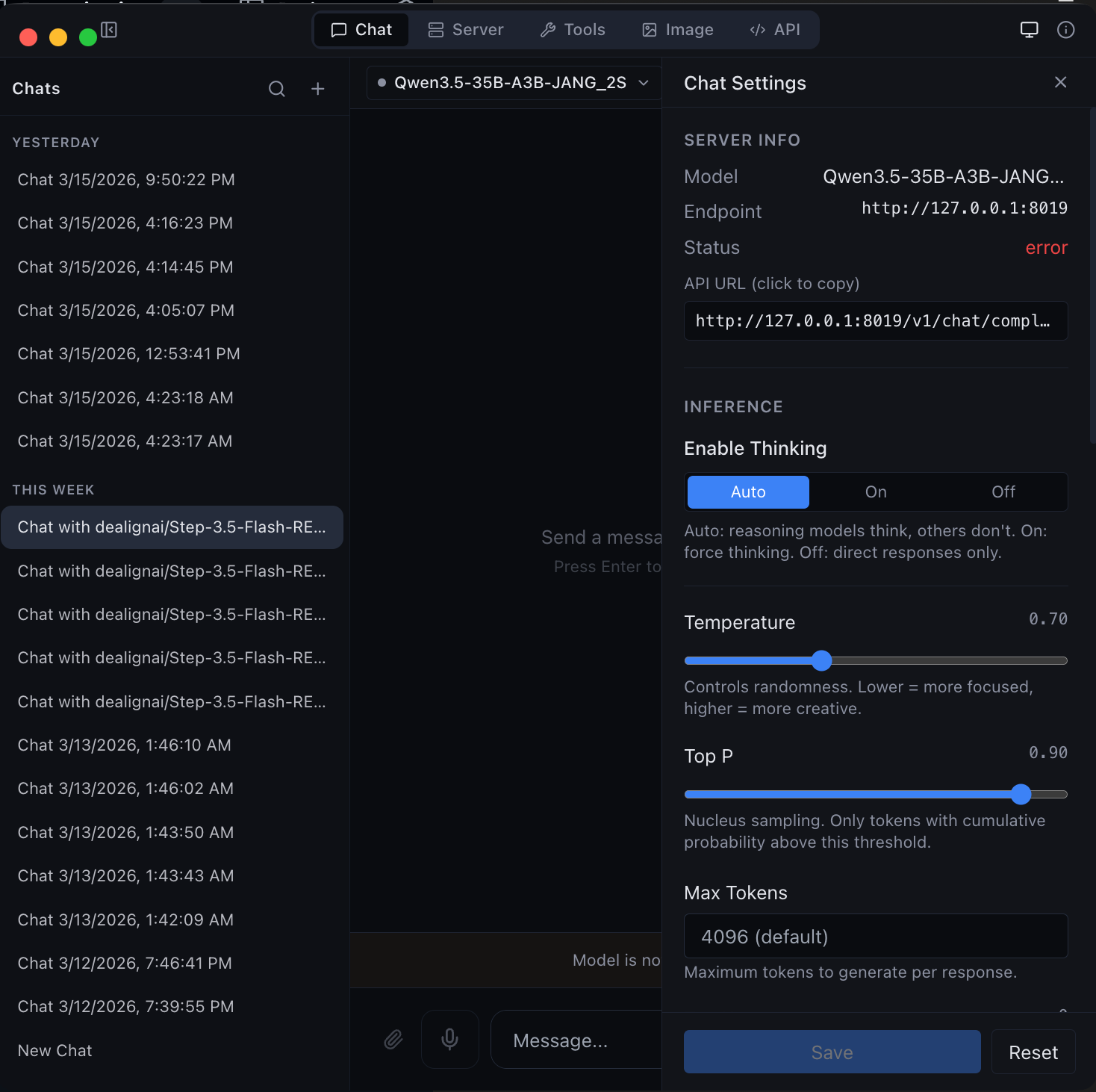 Chat Interface Streaming conversations with thinking mode, code highlighting, and markdown | 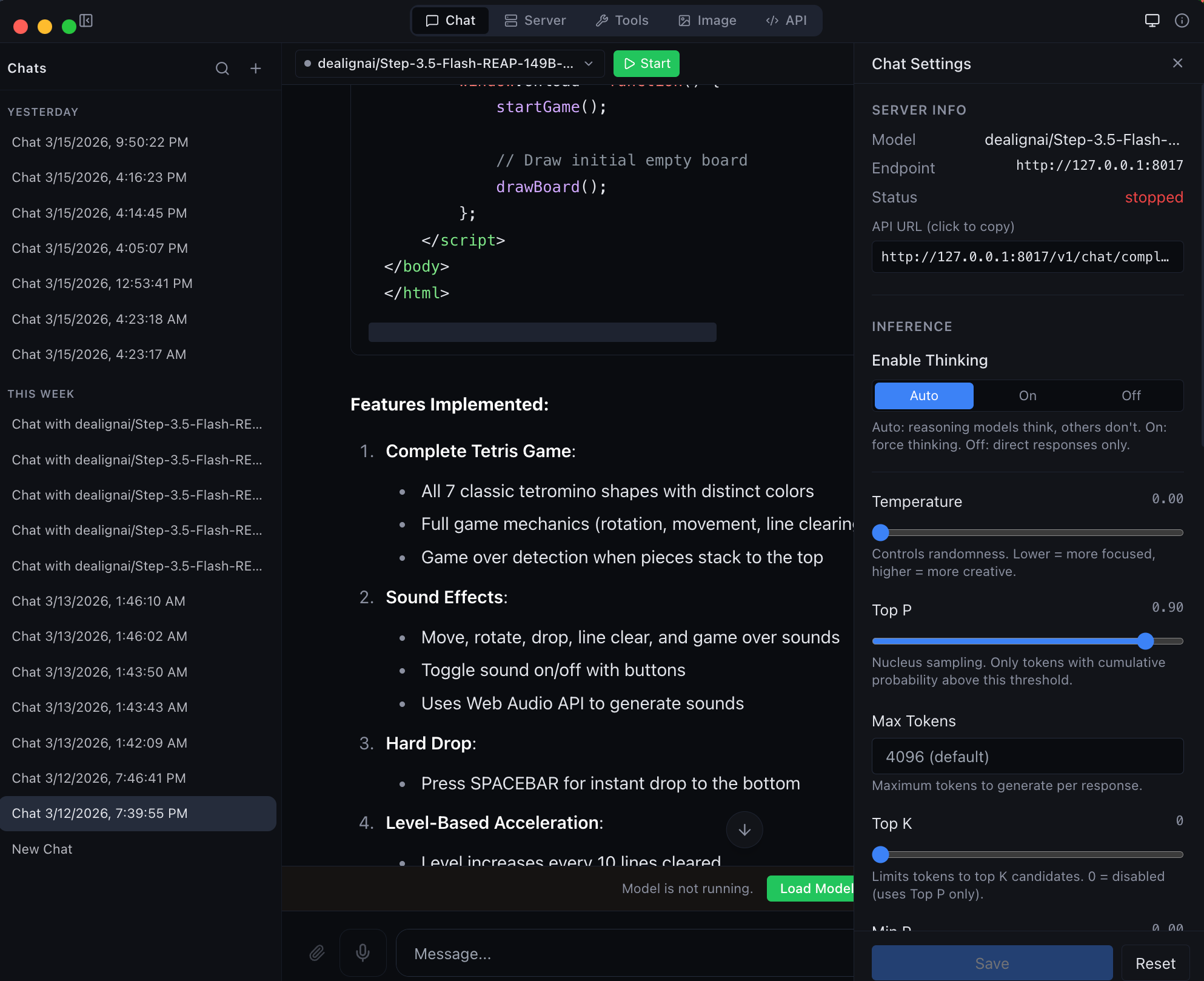 Agentic Coding Full tool calling with file I/O, shell execution, and web search |
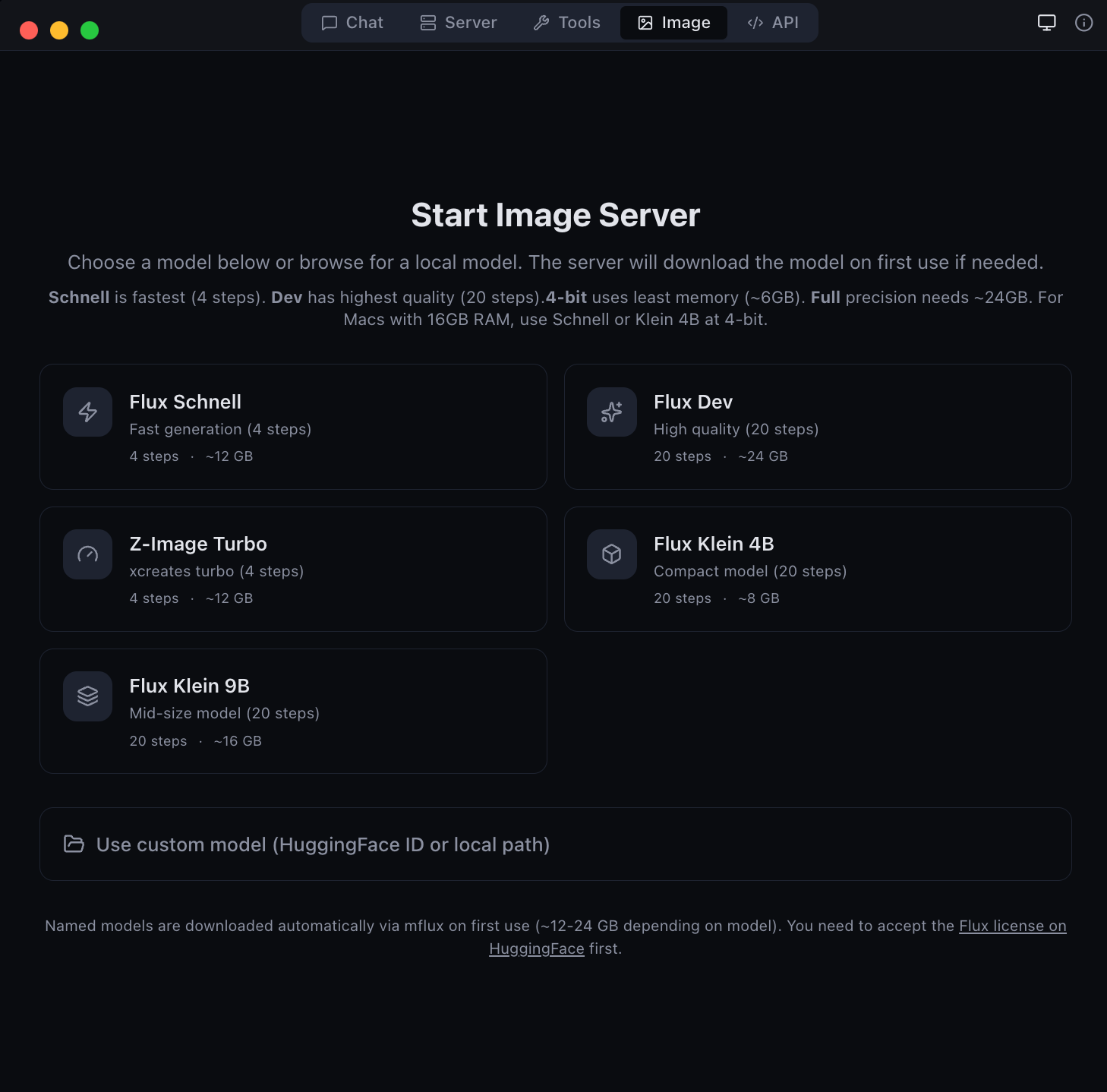 Image Generation & Editing Flux Schnell, Dev, Z-Image Turbo, Klein + Qwen Image Edit | 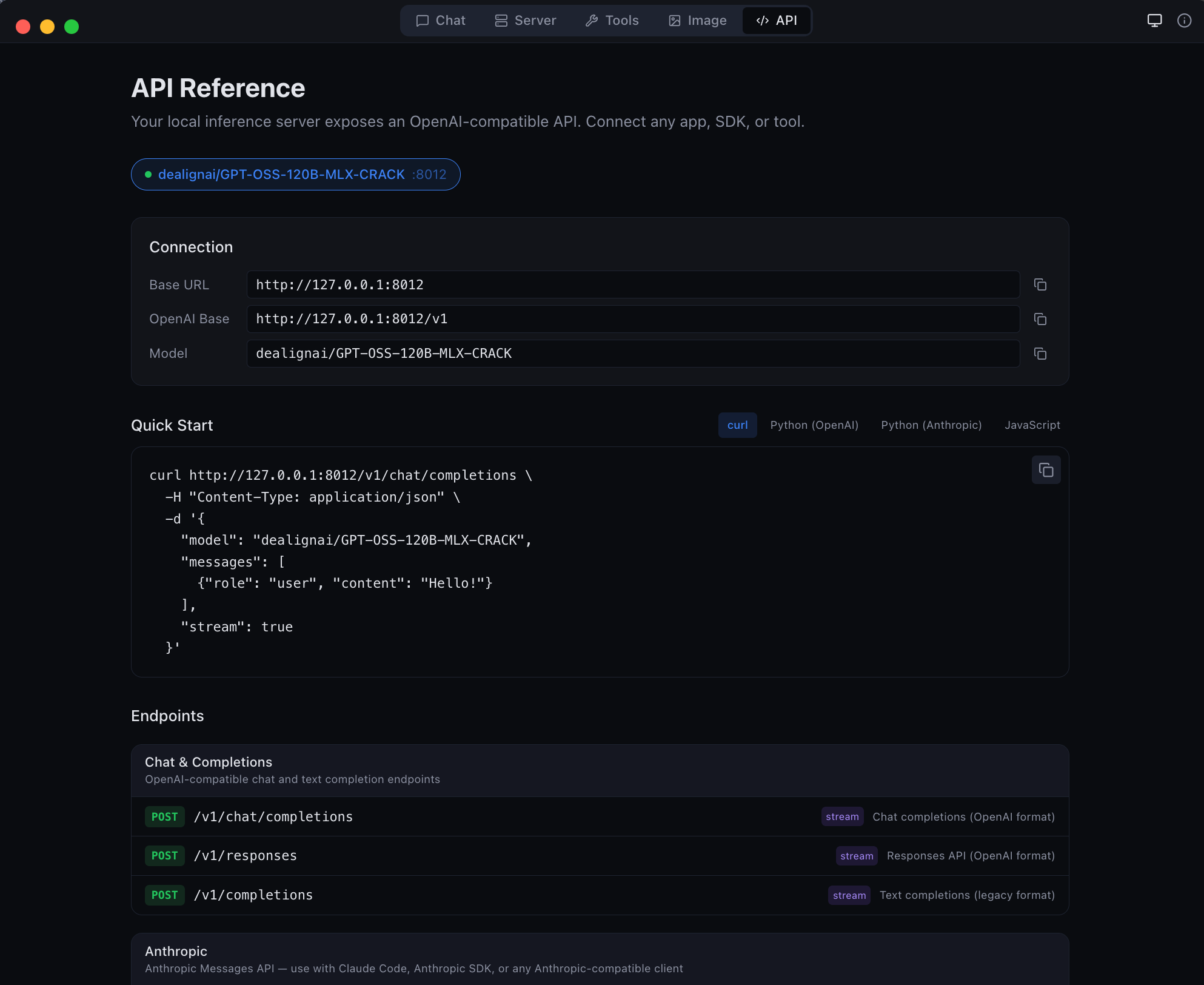 Anthropic API Compatible Drop-in /v1/messages endpoint for Anthropic SDK clients |
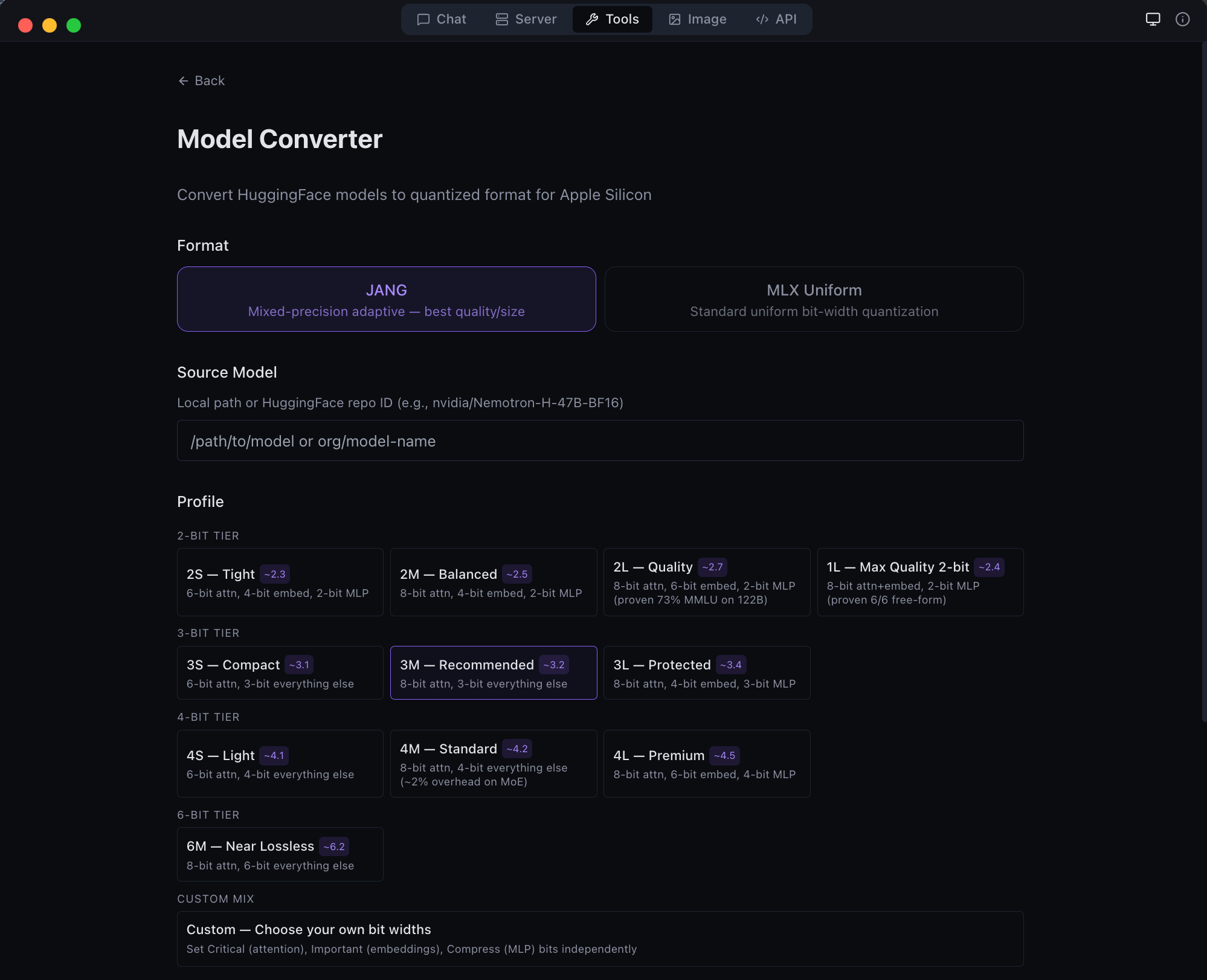
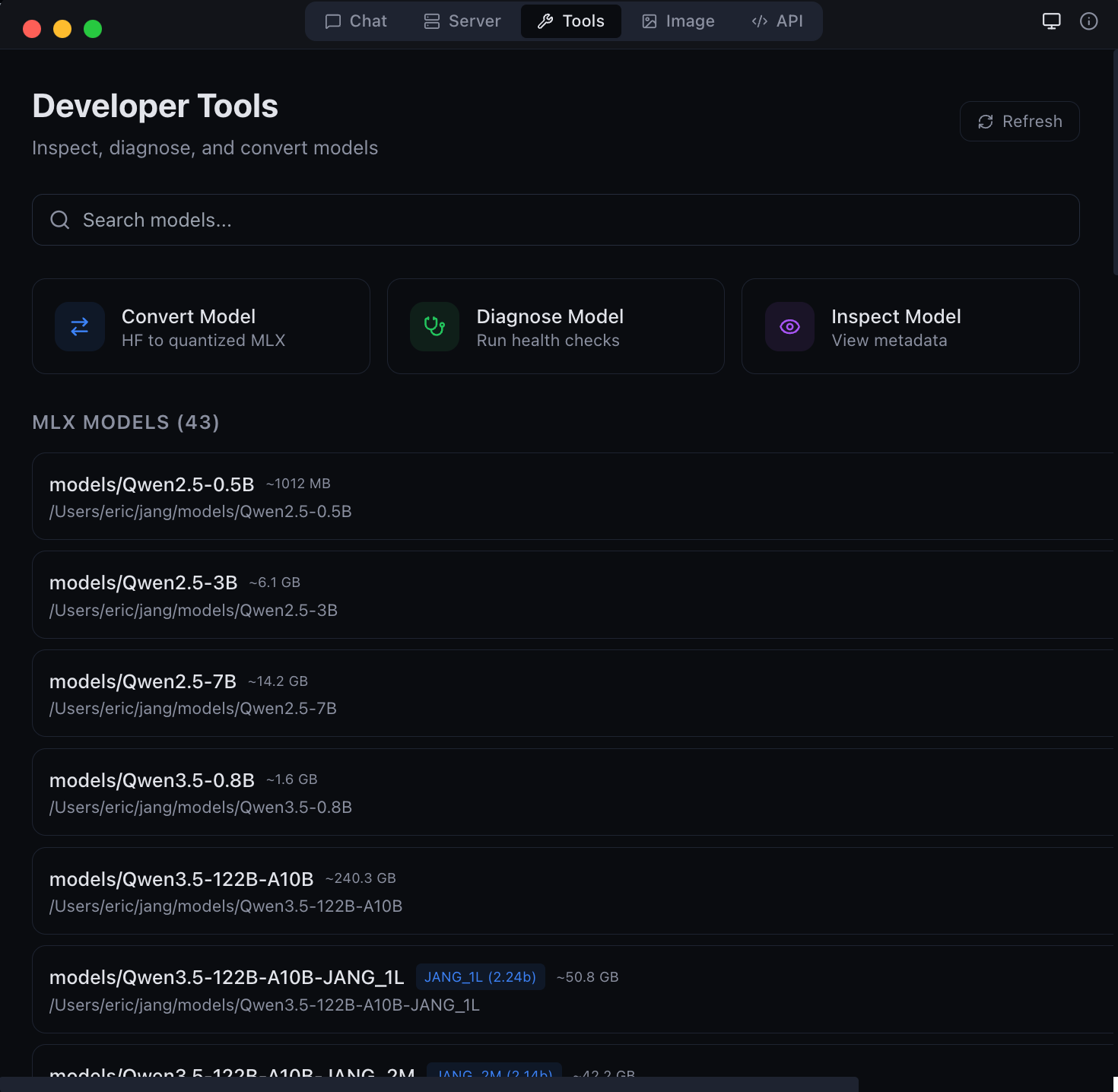 Developer Tools Convert, inspect, and diagnose models | 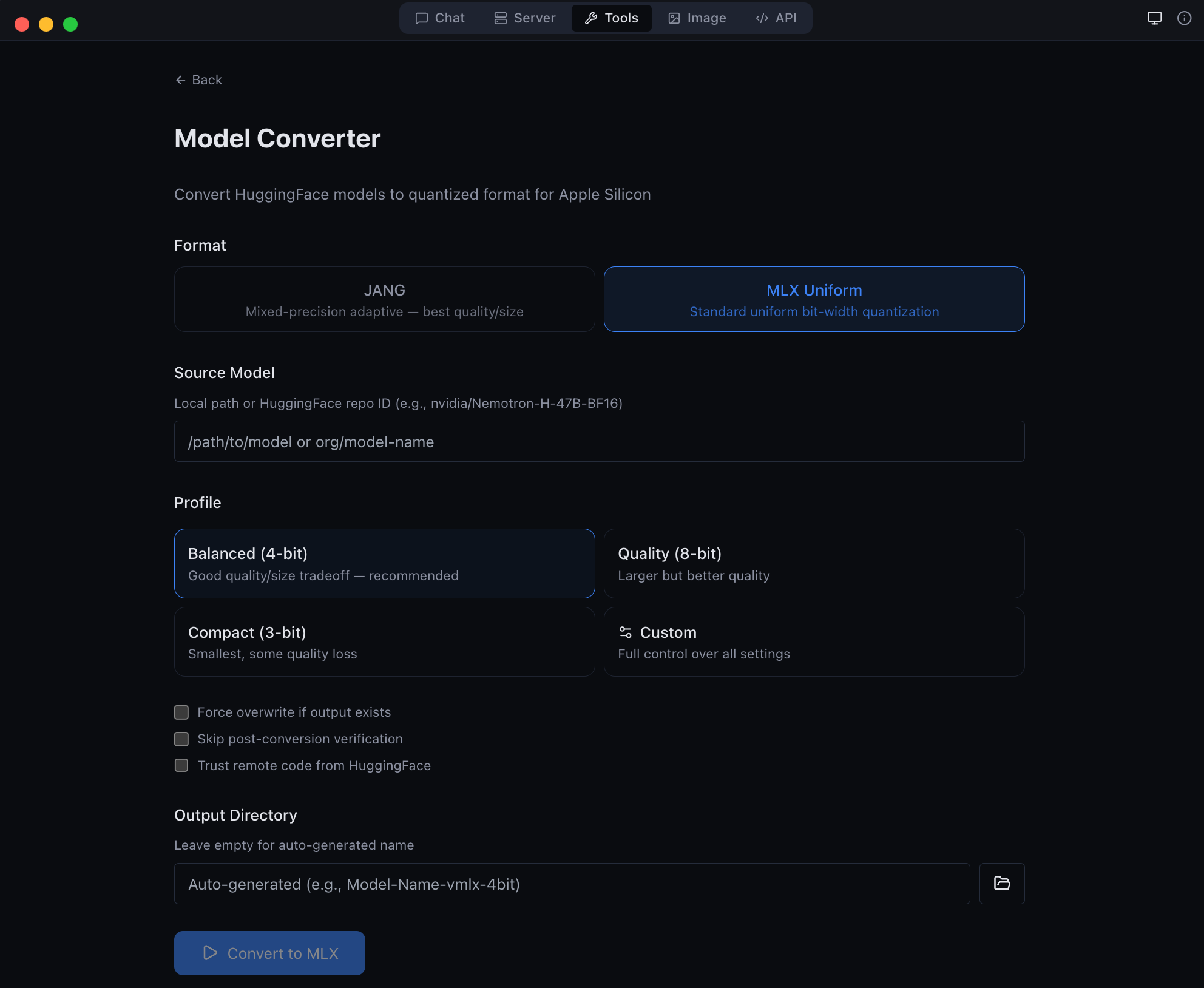 Model Conversion GGUF to MLX, 16-bit to quantized, and JANG adaptive mixed-precision |
 HuggingFace Browser Search and download models directly in-app | 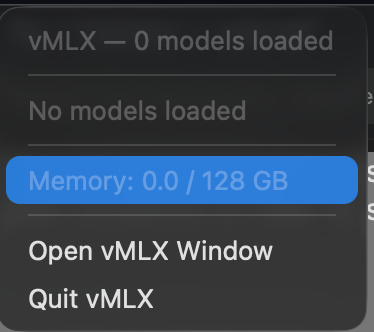 Menu Bar Running models, GPU memory, and quick controls |
Run any MLX model from HuggingFace -- thousands of models, zero configuration:
/v1/chat/completions, /v1/messages, /v1/responses, and /api/chatQuantizedLinearEvery session launches a full API server. Point any OpenAI SDK client at your local endpoint:
POST /v1/chat/completions -- Chat Completions API with streaming, tool calling, vision, structured outputPOST /v1/responses -- OpenAI Responses API (agentic format) with streamingPOST /v1/completions -- Text completionsPOST /v1/images/generations -- Image generation (Flux/Z-Image models, OpenAI format with usage field)POST /v1/images/edits -- Image editing (Qwen Image Edit, instruction-based)POST /v1/embeddings -- Text embeddings with dimension control and batch processingPOST /v1/rerank -- Document rerankingPOST /v1/audio/speech -- Text-to-speech (Kokoro TTS)POST /v1/audio/transcriptions -- Speech-to-text (Whisper)GET /v1/models -- List loaded modelsGET /health -- Server health with VRAM usage, queue length, load timesDrop-in replacement for the Anthropic Claude API:
POST /v1/messages -- Anthropic Messages API formatbase_url to your local serverAuto-detected tool call parsers for every major model family:
<tool_call> XML format<function=name> format[TOOL_CALLS] format<tool_call> JSON formatmodel_type in config.json with regex name fallback26+ Built-in Tools:
ask_user tool for human-in-the-loop interruptsCollapsible thinking blocks with dedicated parsing for reasoning models:
<think>...</think> blocksFull multimodal input support for vision-language models:
Production-grade multi-user serving:
--api-key flag for secured accessMulti-tier caching for maximum throughput and memory efficiency:
POST /v1/cache/warm) for pre-loading common promptsGET /v1/cache/stats) for monitoring hit rates and memory usageFull control over text generation:
response_format with json_object or json_schema modes for guaranteed valid JSONstream_options.include_usage)Convert models directly in-app via the Tools tab:
Generate images locally with Flux and Z-Image models:
/v1/images/generations endpoint with usage fieldFull-featured conversation UI:
~/.mlxstudio/models, ~/.cache/huggingface/hub, ~/.exo/models, and custom directoriesmodel_type primary, name regex fallback)MLX Studio supports standard MLX quantization (4-bit, 8-bit) as well as JANG adaptive mixed-precision -- an advanced format that assigns different bit widths to different layer types for better quality at the same model size.
vmlx convert model --jang-profile JANG_3MQuantizedLinear + quantized_matmulSee the vMLX source repo for profiles and conversion details.
For MoE models that don't fit in RAM, Smelt loads only a subset of experts per layer from SSD and keeps the backbone resident. Response quality stays coherent while RAM usage drops; throughput scales inversely with expert % loaded because expert swaps hit SSD on the hot path.
Benchmarks on Nemotron-Cascade-2-30B-A3B-JANG_4M (23 MoE layers × 128 experts, Apple M3 Ultra / 128 GB, dedicated machine, no parallel models):
--smelt-experts | Active RAM | Decode tok/s | RAM saving | Coherent |
|---|---|---|---|---|
| off (baseline) | 17,408 MB | 89.9 | — | ✓ |
50 | 9,529 MB | 66.5 | −45% | ✓ |
25 | 5,590 MB | * | −68% | ✓ |
* Responses too short for reliable steady-state tok/s measurement at 25 %. Subjectively responsive.
All three configurations produced coherent, non-looping output. No quality degradation observed.
Credit: Smelt mode is inspired by Anemll's flash-moe — a pure C / Objective‑C / Metal inference engine that showed huge MoE models (Qwen3.5-397B) can run on modest Apple Silicon hardware by streaming expert weights from SSD with
pread()on demand. vMLX Smelt takes a different implementation path: Python/MLX, tied to the JANG quantization format, and loading a fixed subset of experts per layer at startup (backbone resident, routing biased toward the loaded subset) rather than on-demand per-token. It plugs into the full vMLX server with continuous batching, paged cache, and OpenAI-compatible API. Different engine, same core insight — thanks to the flash-moe team for validating the approach.
Smelt is mutually exclusive with VLM mode. MLX Studio / vMLX v1.3.33+ automatically disables --is-mllm when smelt is active (with a warning) because the vision tower is not wired through the partial-expert loader — image input on a smelt-loaded VLM would produce garbage logits. Use a text-only model when running smelt, or disable smelt when running a VLM.
Requires an MoE model in JANG format. Not compatible with dense models (no experts to partial-load).
| Requirement | Minimum |
|---|---|
| macOS | 14.0 Sonoma or later |
| Chip | Apple Silicon (M1 / M2 / M3 / M4) |
| RAM | 8 GB (16 GB+ recommended for larger models) |
| Disk | ~500 MB for app; models range from 1-50 GB each |
git clone https://github.com/jjang-ai/vmlx.git
cd vmlx

# Python engine
python3 -m venv .venv && source .venv/bin/activate
pip install -e ".[dev]"

# Electron app
cd panel && npm install && npm run build
npx electron-builder --mac --dir   # .app bundle
npx electron-builder --mac dmg     # DMG installer
| Resource | Link |
|---|---|
| Source Code | github.com/jjang-ai/vmlx |
| PyPI | pypi.org/project/vmlx |
| MLX Models | huggingface.co/mlx-community |
| JANG Models | huggingface.co/JANGQ-AI |
| Website | vmlx.net |
Apache License 2.0
Built by Jinho Jang • eric@jangq.ai • JANGQ AI • Support on Ko-fi
Mac에서 LLM, VLM, 이미지 생성 및 편집 모델을 완전히 로컬로 실행하세요.
JANG 2비트가 MLX 4/3/2비트보다 높은 성능 — 적응형 혼합 정밀도 양자화(JANG_2S, JANG_2.6)가 MiniMax M2.5, Qwen3 등에서 표준 MLX 양자화를 능가합니다. jangq.ai에서 벤치마크 확인. JANGQ-AI에서 사전 양자화 모델 다운로드.
설치: 최신 DMG 다운로드 — 드래그 앤 드롭으로 설치.
| 기능 | 설명 |
|---|---|
| 채팅 | 대화 인터페이스, 도구 호출, 에이전트 코딩 |
| 이미지 생성 | Flux Schnell/Dev, Z-Image Turbo, FLUX.2 Klein |
| 이미지 편집 | Qwen Image Edit (텍스트 지시 기반 편집) |
| 5단계 캐싱 | 프리픽스, 페이지드, KV 양자화, 디스크 캐시 |
| API 서버 | OpenAI + Anthropic 호환 API |
| 30개 도구 | 파일, 웹 검색, Git, 터미널 내장 도구 |
개발자: 장진호 (eric@jangq.ai)
JANGQ AI •
Ko-fi로 후원하기
⚠️ Experimentelle Skill-Sammlung für deutsches Recht (Arbeits-, Gesellschafts-, Insolvenz-, Datenschutz-, Prozessrecht u
Manage multiple Claude Code agents from TUI or Web with tmux and git worktrees
Project management using GitHub Issues + Git worktrees for parallel agent execution
Core skills library for Claude Code with 20+ battle-tested skills including TDD, debugging, and brainstorming