

Are you the author? Sign in to claim
Open Android AI agent runtime for phone control, app automation, VLM screen reading, skill routing, mini apps, and Mihom
MobileClaw is an experimental Android app for running LLM agents on a real phone. It sits at the intersection of Android automation, mobile AI agents, accessibility-based phone control, on-device Python tools, multi-agent workflows, and VPN/proxy operations.
The idea is simple: a mobile agent should not just chat about your device. It should be able to observe the screen, choose the right tools, act through Android capabilities, create new workflows, and keep enough memory to improve across tasks.





MobileClaw is currently going through a UI refresh, so some screens may feel visually inconsistent or rough while the new interface is being rebuilt.
The roadmap also includes MCP support, including MCP connection and MCP creation flows, so agents can connect to standard MCP servers and expose compatible tools through the same runtime.
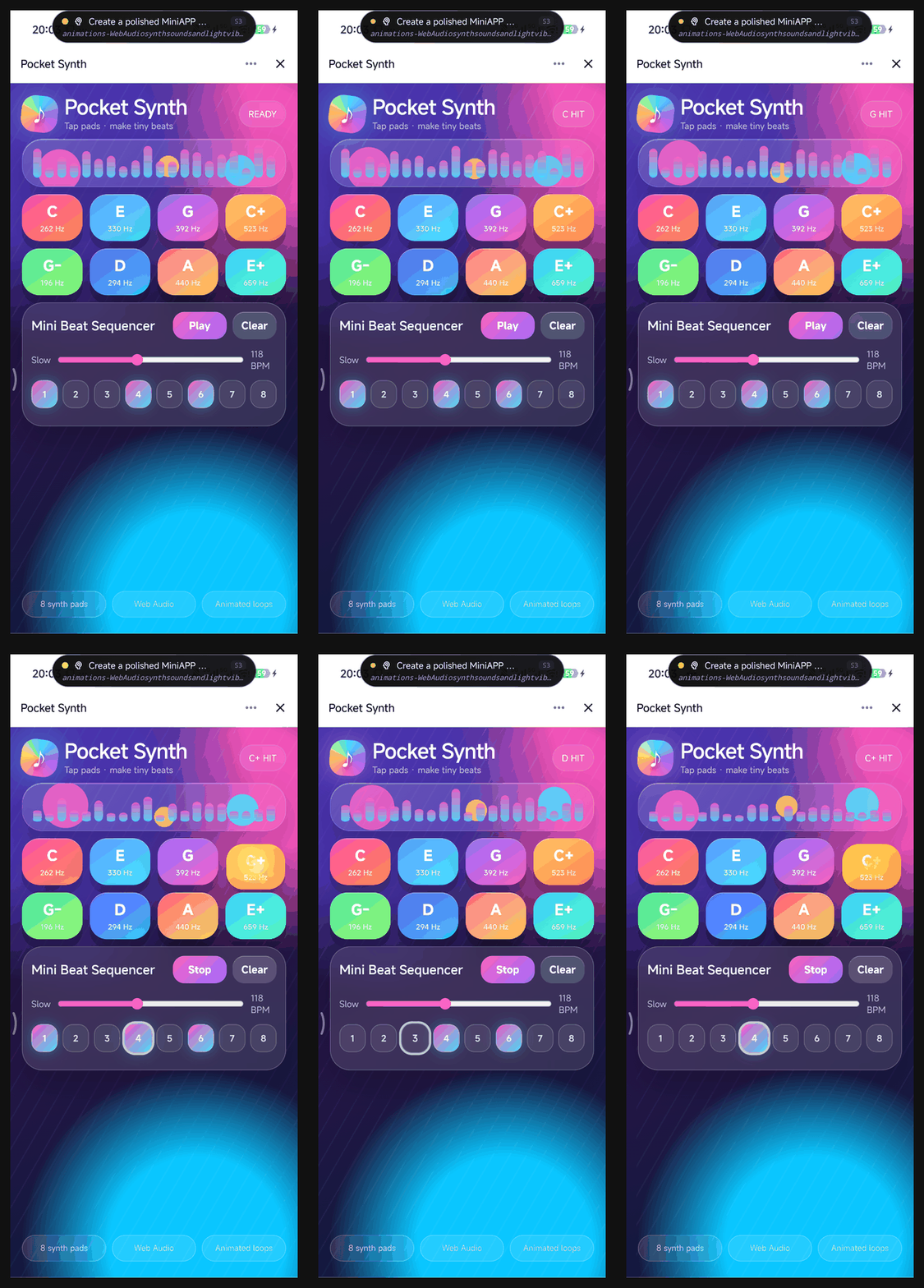
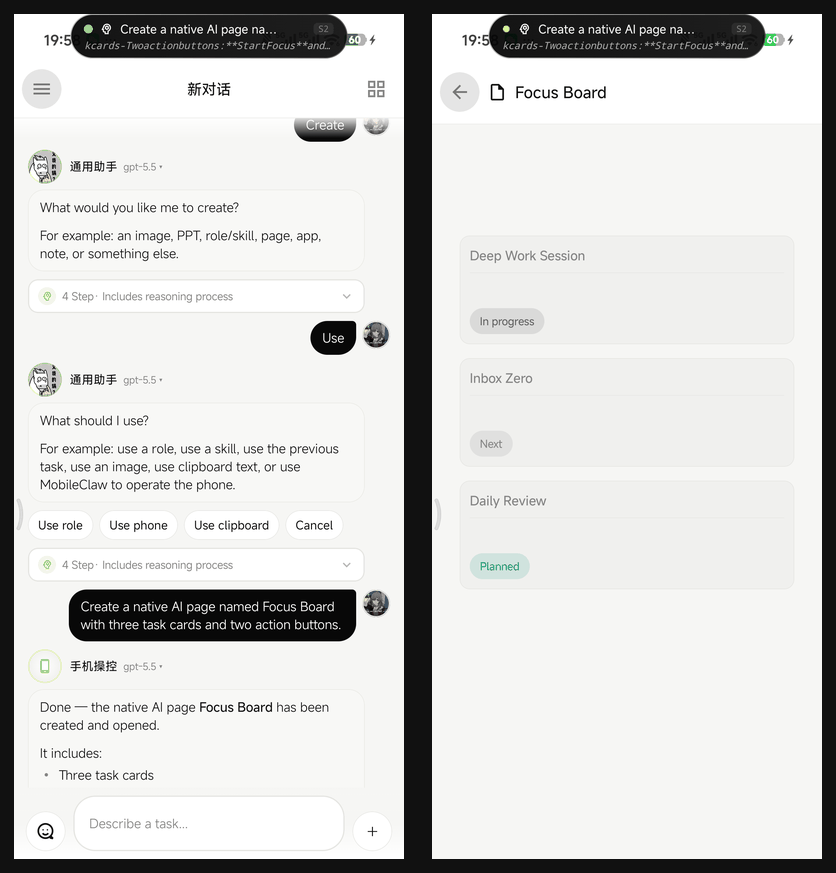
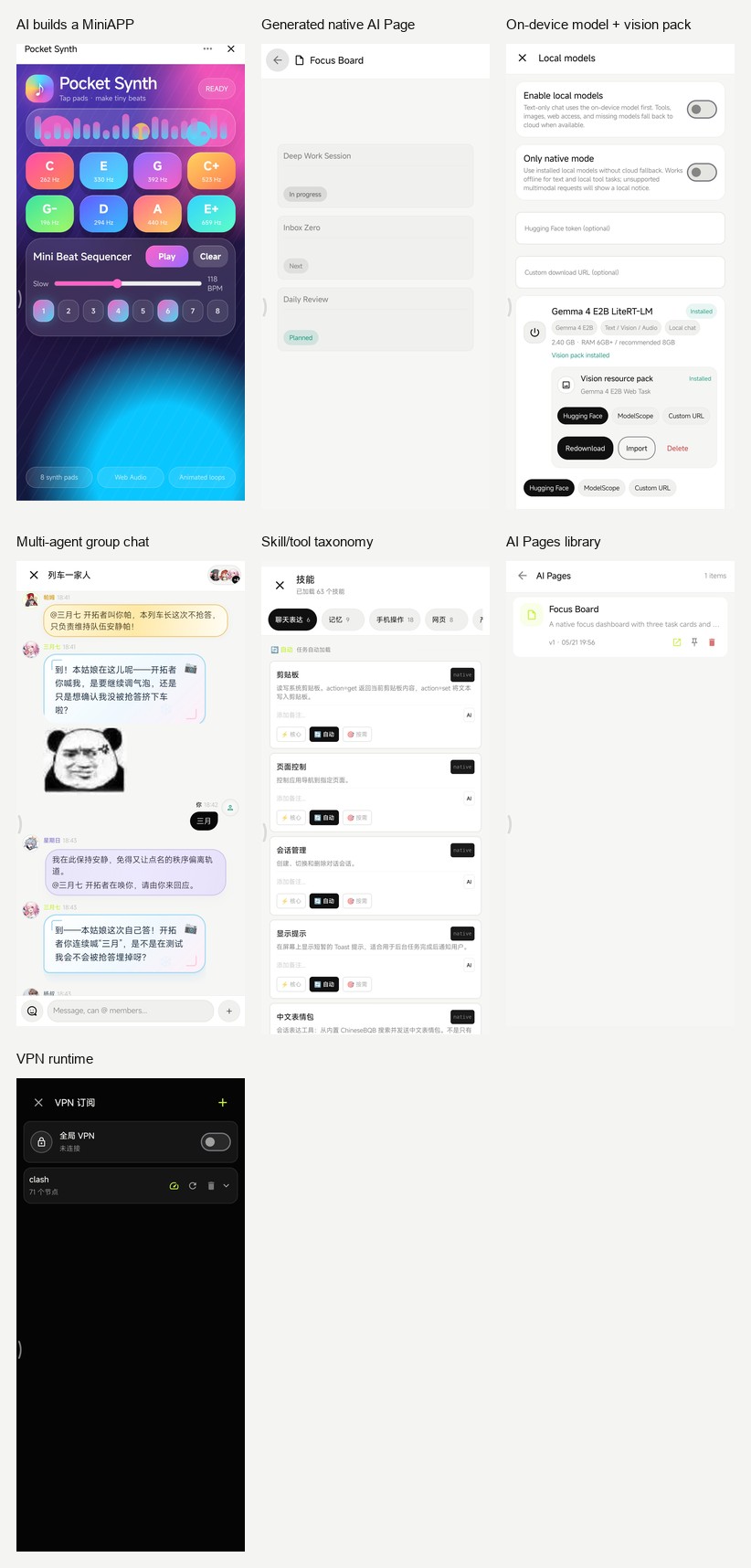
Captured from a Xiaomi device running the debug build. These are real agent runs, not mockups: MobileClaw created and opened a WebView MiniAPP, created a native AI Page, kept a multi-agent group chat with stickers, manages on-device models with vision packs, and exposes its skill/VPN/runtime surfaces.
Join the WeChat group to discuss MobileClaw usage, Android agent development, local models, skills, ROM compatibility, and real-device bugs.
This WeChat group QR code is valid until June 19, 2026. If it expires, open the latest README or ask for an updated invite.
Most mobile AI apps are chat surfaces. MobileClaw is closer to a small operating layer for agents.
A user request is turned into a scoped task. The task gets a role, a short plan, a filtered tool set, and an execution loop. That shape is the core of the project:
user goal -> task type -> role scheduler -> planner -> allowed skills -> observe -> act -> verify
This matters because phone automation fails quickly when every tool is always available. MobileClaw keeps phone control, web research, file work, app building, image generation, VPN control, skill management, and code execution in different task modes.
The project is still moving fast. Some pieces are stable enough to use daily; some are research-grade and need device-specific fixes. The code is open because this kind of Android agent needs real devices, real ROM quirks, and real users to become good.
see_screen, which captures a screenshot, marks interactive targets, and returns coordinates for direct action.screenshot fallback when XML is empty or misleading, especially for Flutter, React Native, WebView, and game-like UIs.bg_launch, bg_read_screen, bg_screenshot, bg_stop.TaskClassifier maps requests into task types such as PHONE_CONTROL, WEB_RESEARCH, APP_BUILD, VPN_CONTROL, SKILL_MANAGEMENT, and CODE_EXECUTION.TaskPlanner makes a planning call before tool execution.TaskToolPolicy controls which tools are visible for each task.RoleScheduler chooses from built-in and user-created roles.AgentRuntime runs a ReAct-style loop with repeated-perception guards, screenshot context trimming, structured observations, and task events.Built-in roles include:
Roles are not just personas. They can declare preferred task types, keywords, scheduler priority, forced skills, and model overrides. User-created roles participate in the same scheduler.
The role UI is designed around quick task assignment rather than decorative persona editing. The Roles page highlights the current role first, then lists built-in and custom roles with readable capability labels such as code, research, phone control, apps, images, VPN, and skills. Built-in roles are protected as presets: editing them creates a custom copy, while custom roles can be edited directly. Advanced fields such as system prompt addenda, model override, and pinned skills are kept behind an advanced section so normal role creation stays approachable.
MobileClaw has a native skill registry with injection levels:
Built-in skill groups include:
see_screen, screenshot, read_screen, tap, scroll, input_text, navigate, list_apps.web_search, fetch_url, hidden WebView browsing, page content extraction, JavaScript execution.vpn_control.Dynamic skills can be Python or HTTP definitions saved under app storage. Native and shell skills are intentionally not generated by the agent through the normal meta-skill path.
MobileClaw has two app-building paths:
Claw JavaScript bridge for HTTP, SQLite, Python, shell, memory, config, files, clipboard, device info, app launch, URL opening, sharing, and asking the agent.Both are created from chat through skills. Mini apps are good for fast web-like tools. AI Pages are better when a workflow should feel native.
Follow-up edits keep artifact context. If the user asks to change "that page" after creating an AI Page, MobileClaw carries the recent page ID into the next task and routes the update back through ui_builder instead of falling back to one-off HTML.
MobileClaw includes a VPN stack designed for Android agent use:
MATCH,GLOBAL.VpnService creates the TUN interface.hev-socks5-tunnel bridges Android TUN traffic to mihomo.This stack does not use Xray. mihomo handles the proxy protocols; hev is kept because Android still needs a TUN-to-SOCKS bridge.
MobileClaw can run selected on-device models through LiteRT-LM:
.task resource packages can be downloaded or imported separately while the current Android LiteRT-LM chat path uses .litertlm text runtime files.console_editor.app/src/main/java/com/mobileclaw
├─ agent
│ ├─ TaskSession.kt task types, task plans, tool policy
│ ├─ AgentRuntime.kt ReAct loop and task events
│ ├─ AgentContext.kt prompt construction
│ ├─ Role.kt built-in roles and role metadata
│ └─ RoleScheduler.kt automatic role routing
├─ skill
│ ├─ SkillRegistry.kt registration, injection levels, overrides
│ ├─ SkillLoader.kt dynamic Python/HTTP skill persistence
│ ├─ builtin/ native skills
│ └─ executor/ Python, HTTP, shell executors
├─ perception
│ ├─ ClawAccessibilityService.kt
│ ├─ ScreenshotController.kt
│ ├─ ActionController.kt
│ ├─ VirtualDisplayManager.kt
│ └─ ClawIME.kt
├─ ui
│ ├─ ChatScreen.kt main chat
│ ├─ GroupChatScreen.kt multi-agent group chat
│ ├─ DynamicUiRenderer.kt inline generated UI blocks
│ ├─ MiniAppActivity.kt WebView mini apps
│ └─ aipage/ native AI page runtime
├─ vpn
│ ├─ VpnManager.kt
│ ├─ ClashParser.kt
│ ├─ MihomoConfigBuilder.kt
│ ├─ MihomoProcess.kt
│ └─ ClawVpnService.kt
├─ llm
│ ├─ OpenAiGateway.kt OpenAI-compatible cloud gateway
│ ├─ LocalGemmaGateway.kt LiteRT-LM local gateway
│ └─ LocalModelManager.kt local model download/import/delete
├─ memory
│ ├─ SemanticMemory.kt
│ ├─ EpisodicMemory.kt
│ ├─ ConversationMemory.kt
│ └─ UserProfileExtractor.kt
└─ server
├─ ConsoleServer.kt
├─ LocalApiServer.kt
├─ PrivilegedServer.kt
└─ PrivilegedClient.kt
Requirements:
git clone https://github.com/eggbrid2/mobileClaw.git
cd mobileClaw
./gradlew :app:assembleDebug
Debug APK:
app/build/outputs/apk/debug/app-debug.apk
The app uses Kotlin 2.2, Jetpack Compose, Room, DataStore, WebView, OkHttp, Gson, Jsoup, SnakeYAML, Chaquopy Python 3.11, LiteRT-LM, mihomo, and hev-socks5-tunnel.
MobileClaw works by turning user-authorized Android capabilities into explicit agent tools. Depending on the feature, it may ask for:
VpnService.Root is not a baseline requirement. Some background-display features may still need ROM-specific setup, root, or the bundled shell-uid helper.
Before opening a PR, read CONTRIBUTING.md. For device-specific behavior, use the ROM compatibility issue template and include the checklist from docs/recipes/rom-compatibility-report.md.
MobileClaw is not a polished assistant product. It is an open-source Android agent lab with a working app around it. Expect sharp edges, especially around device permissions, ROM policies, VPN configs, and long-running automation.
If you contribute, keep behavior inspectable. Small, understandable tools are better than magic.
MIT. See LICENSE.
⚠️ Experimentelle Skill-Sammlung für deutsches Recht (Arbeits-, Gesellschafts-, Insolvenz-, Datenschutz-, Prozessrecht u
Manage multiple Claude Code agents from TUI or Web with tmux and git worktrees
Project management using GitHub Issues + Git worktrees for parallel agent execution
Core skills library for Claude Code with 20+ battle-tested skills including TDD, debugging, and brainstorming
