

Are you the author? Sign in to claim
Turn complex codebases into clear, navigable architecture diagrams with Claude Code.
English | Türkçe | 한국어 | 日本語 | 中文


AI writes code in seconds. Humans understand it in hours.
But skip understanding, the codebase becomes a black box — even to you.
omm closes the gap — architecture docs, generated by AI, for humans.
Paste this in your terminal:
npm install -g oh-my-mermaid && omm setup
Then open your AI coding tool and use the /omm-scan skill:
/omm-scan
That's it. View the result:
omm view
omm scanned itself. This is what it found.
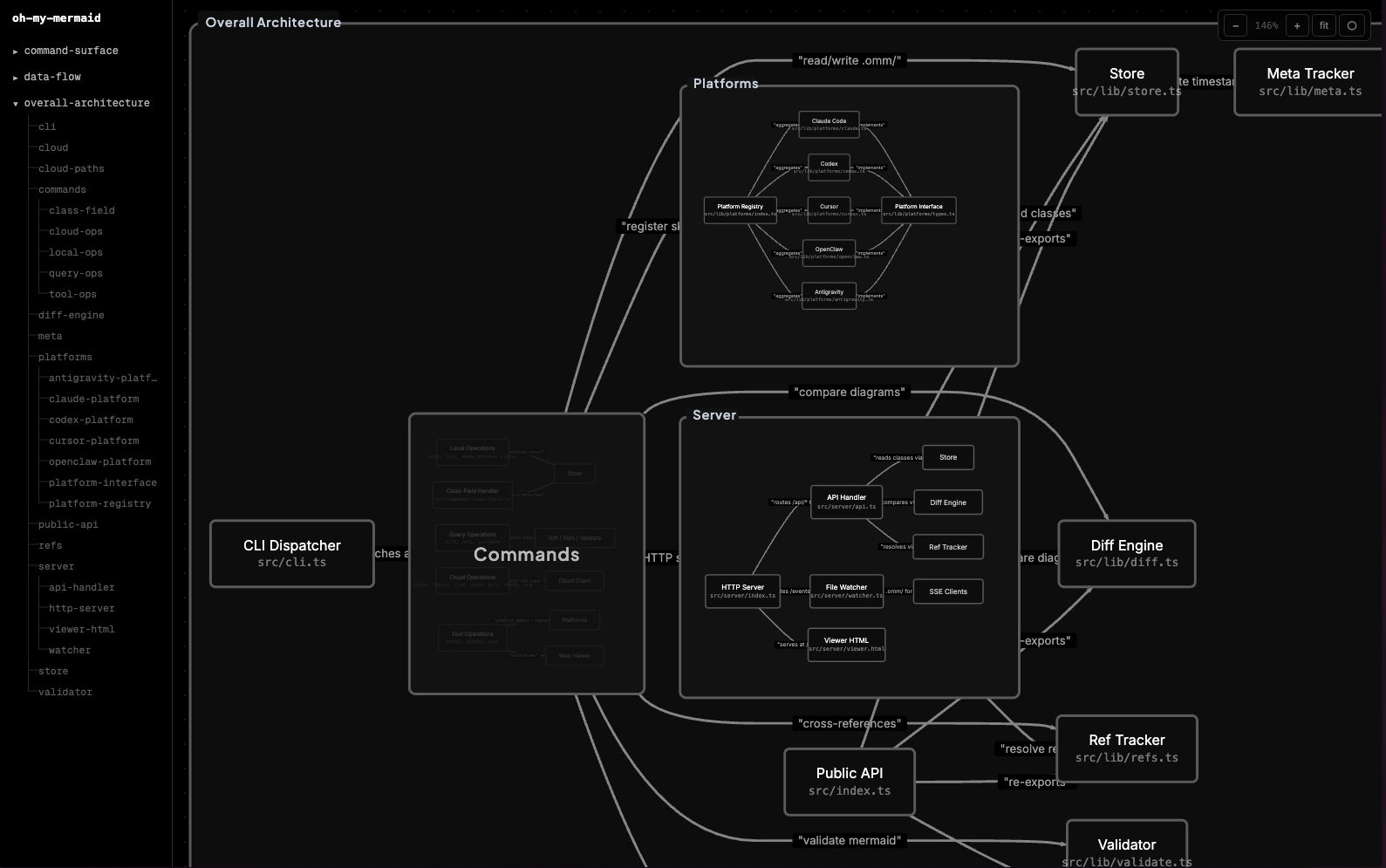 | 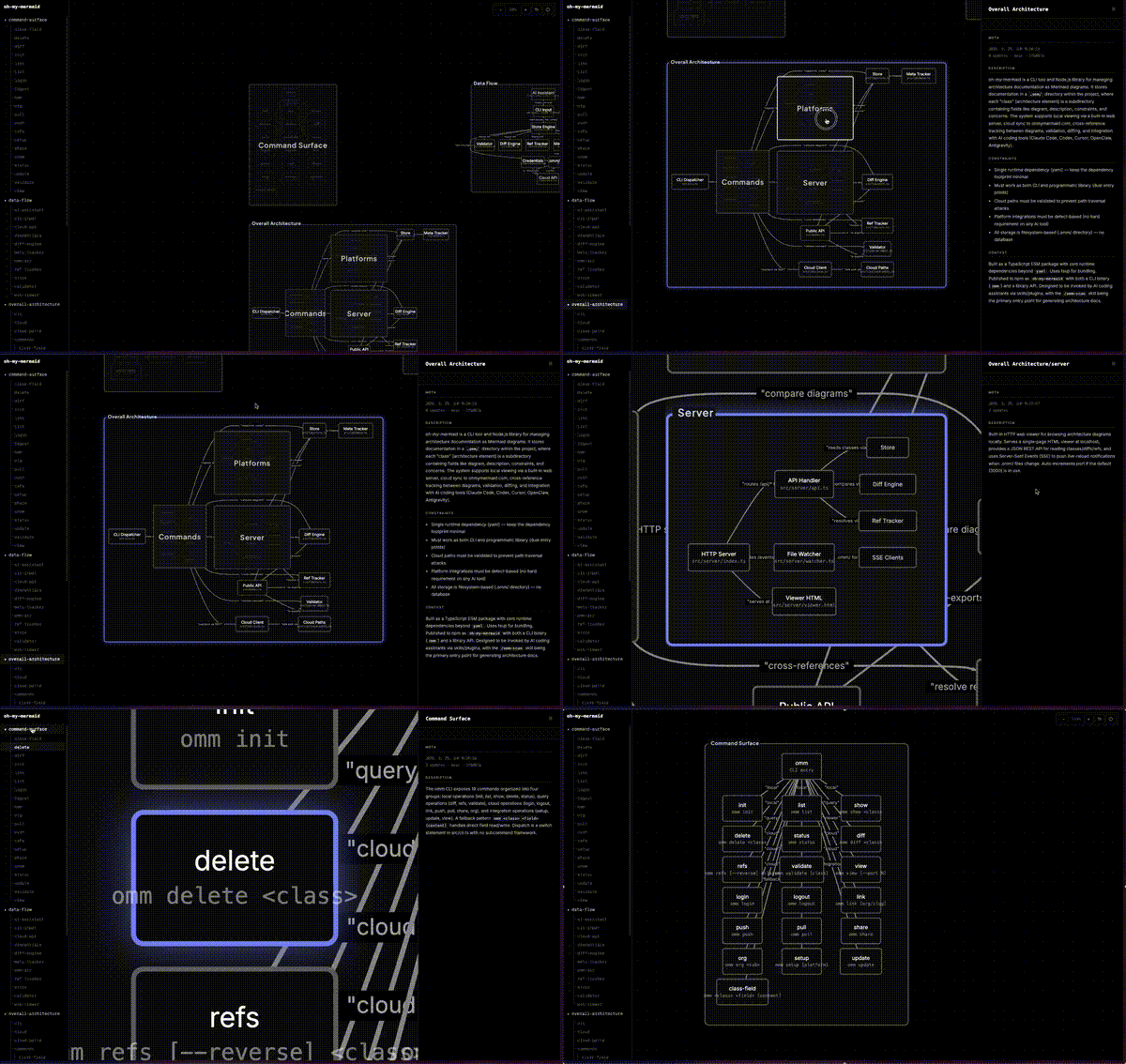 |
Your AI analyzes the codebase and generates perspectives — different lenses on your architecture (structure, data flow, integrations...). Each perspective contains a Mermaid diagram and documentation fields.
Every node gets recursively analyzed. Complex nodes become nested child elements with their own diagrams. Simple ones stay as leaves. The filesystem reflects the tree:
.omm/
├── overall-architecture/           ← perspective
│   ├── description.md
│   ├── diagram.mmd
│   ├── context.md
│   ├── main-process/               ← nested element
│   │   ├── description.md
│   │   ├── diagram.mmd
│   │   └── auth-service/           ← deeper nesting
│   │       └── ...
│   └── renderer/
│       └── ...
├── data-flow/
└── external-integrations/
The viewer auto-detects nesting from the filesystem — elements with children render as expandable groups, others as nodes.
Each element carries up to 7 fields: description, diagram, context, constraint, concern, todo, note.
omm setup                          # Register skills with your AI tools
omm view                           # Open interactive viewer
omm config language ko             # Set content language
omm update                         # Update to latest version
Run omm help for the full command list.
Skills are commands you run inside your AI coding tool (not the terminal). They start with /.
| Skill | What it does |
|---|---|
/omm-scan | Analyze codebase → generate architecture docs |
/omm-push | Login + link + push to cloud in one step |
You can store your architecture in the cloud via ohmymermaid.com.
omm login && omm link && omm push
It's private by default. Share with your team, or make it public like this example.
| Platform | Setup |
|---|---|
| Claude Code | omm setup claude |
| Codex | omm setup codex |
| Cursor | omm setup cursor |
| OpenClaw | omm setup openclaw |
| Antigravity | omm setup antigravity |
Run omm setup to auto-detect and configure all installed tools.
See docs/ROADMAP.md.
git clone https://github.com/oh-my-mermaid/oh-my-mermaid.git
cd oh-my-mermaid
npm install && npm run build
npm test
Issues and PRs welcome. Use Conventional Commits.
1000+ skills curated from Anthropic, Vercel, Stripe, and other engineering teams
Design enforcement with memory — keeps your UI consistent across a project
Detects 37 AI writing patterns and rewrites text with human rhythm across 5 voice profiles
WCAG accessibility audit — automated scanning, manual review, remediation