

Are you the author? Sign in to claim
🚀 Ladonx — A unified multi-agent gateway for OpenAI Codex and Claude Code. Connect and orchestrate any LLM provider, in
Open desktop workspace for modern AI coding agents — Codex-style and Claude Code-style workflows in one native Tauri app.
npm install · npm run tauri:dev · OpenAI Responses / Anthropic Messages










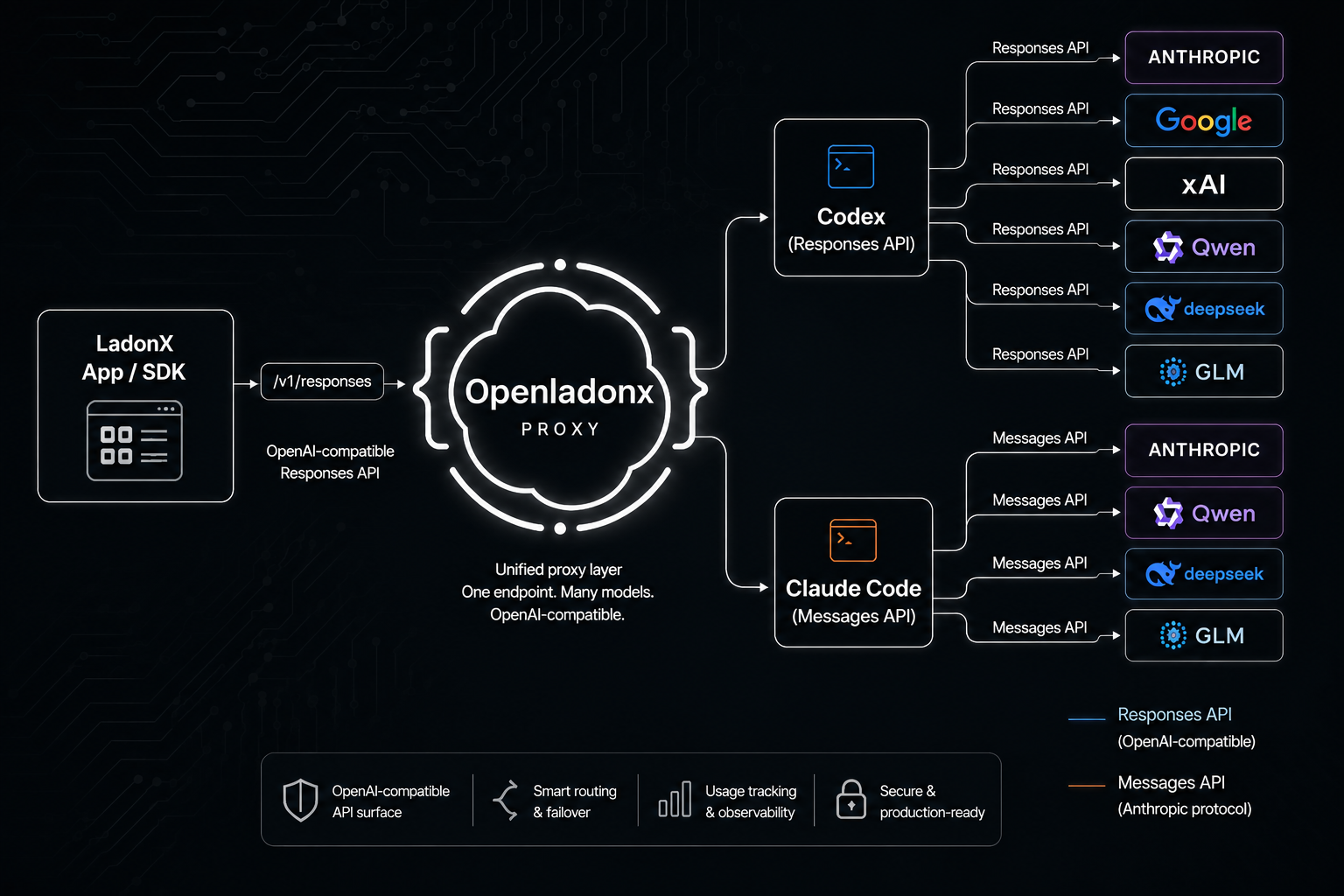
OpenLadonx is an open desktop workspace for modern AI coding agents. It brings Codex-style and Claude Code-style workflows into one native Tauri app: chat threads, workspace context, git review, terminals, model routing, skills, plugins, MCP server status, and local desktop integrations.
Codex and Claude Code both offer powerful agent experiences, but their official desktop clients are closed-source. OpenLadonx takes a different path: it integrates the desktop-side workflow patterns developers already like, opens most of the implementation, and gives builders a real codebase they can study, modify, fork, and reshape into the agent desktop they actually want.
Use the built-in provider path, or connect your own OpenAI Responses-compatible and Anthropic Messages-compatible model endpoints. OpenLadonx is designed for developers, teams, and agent tinkerers who want a local-first command center instead of another locked-down black box or browser tab.
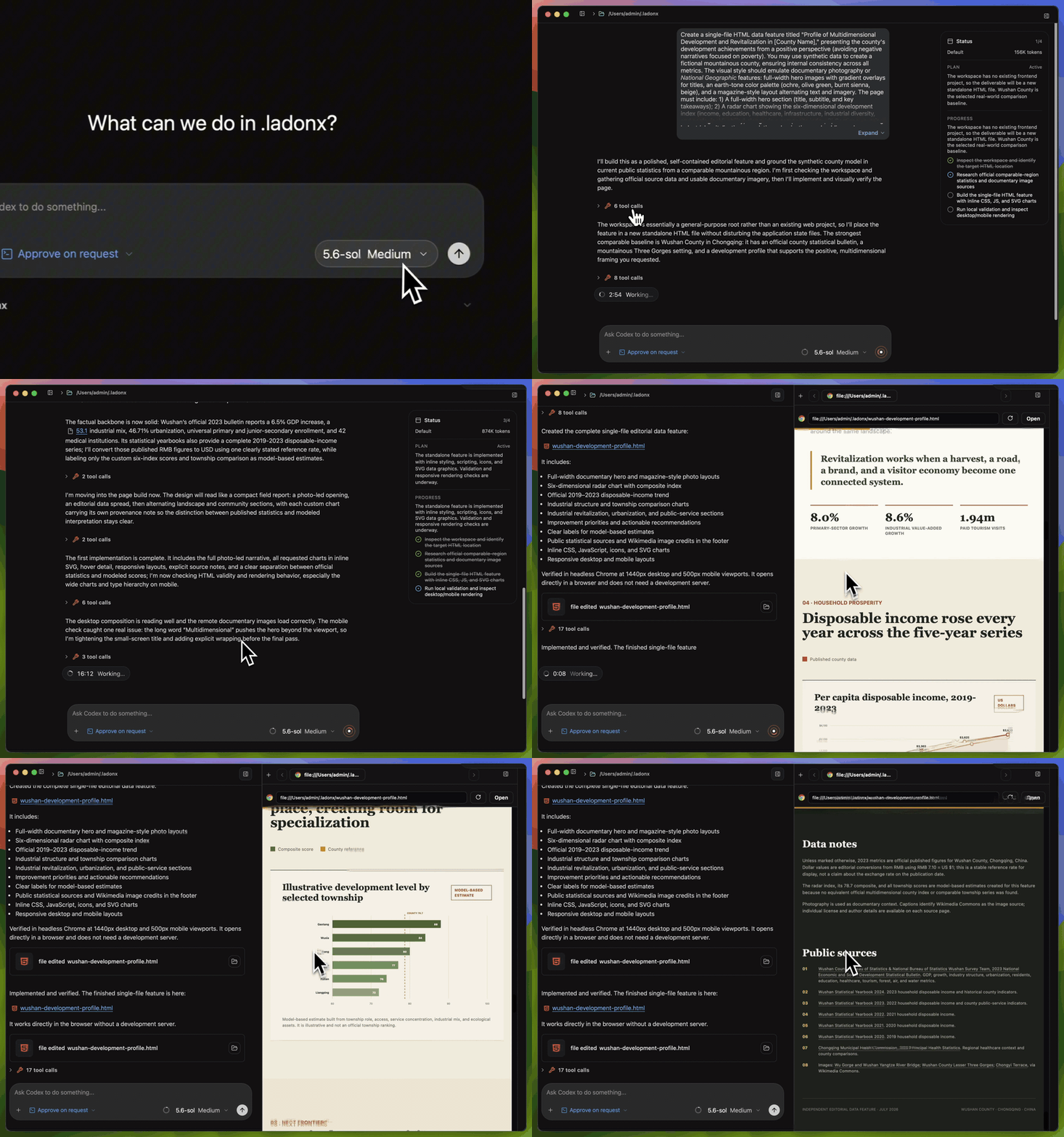
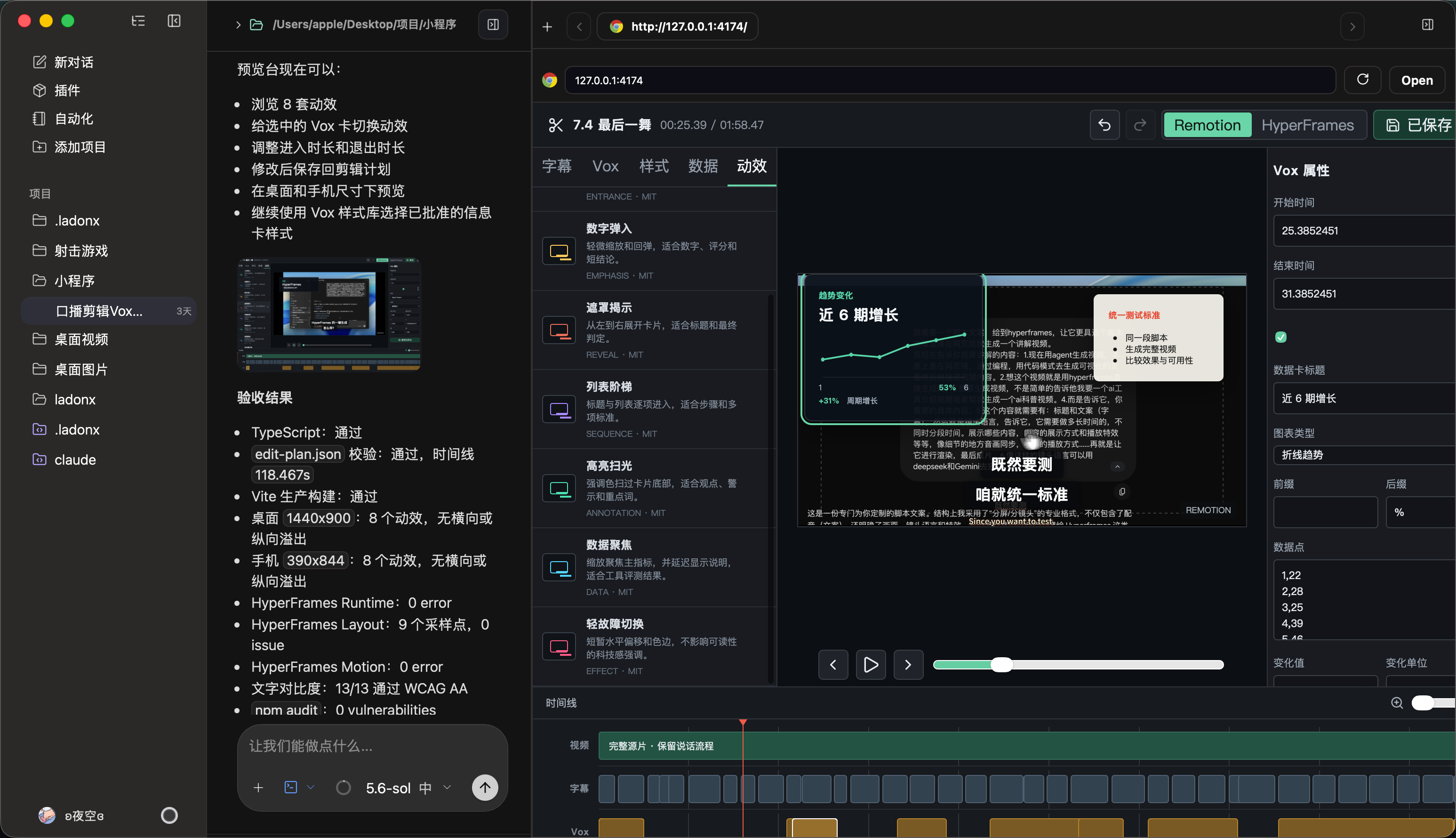
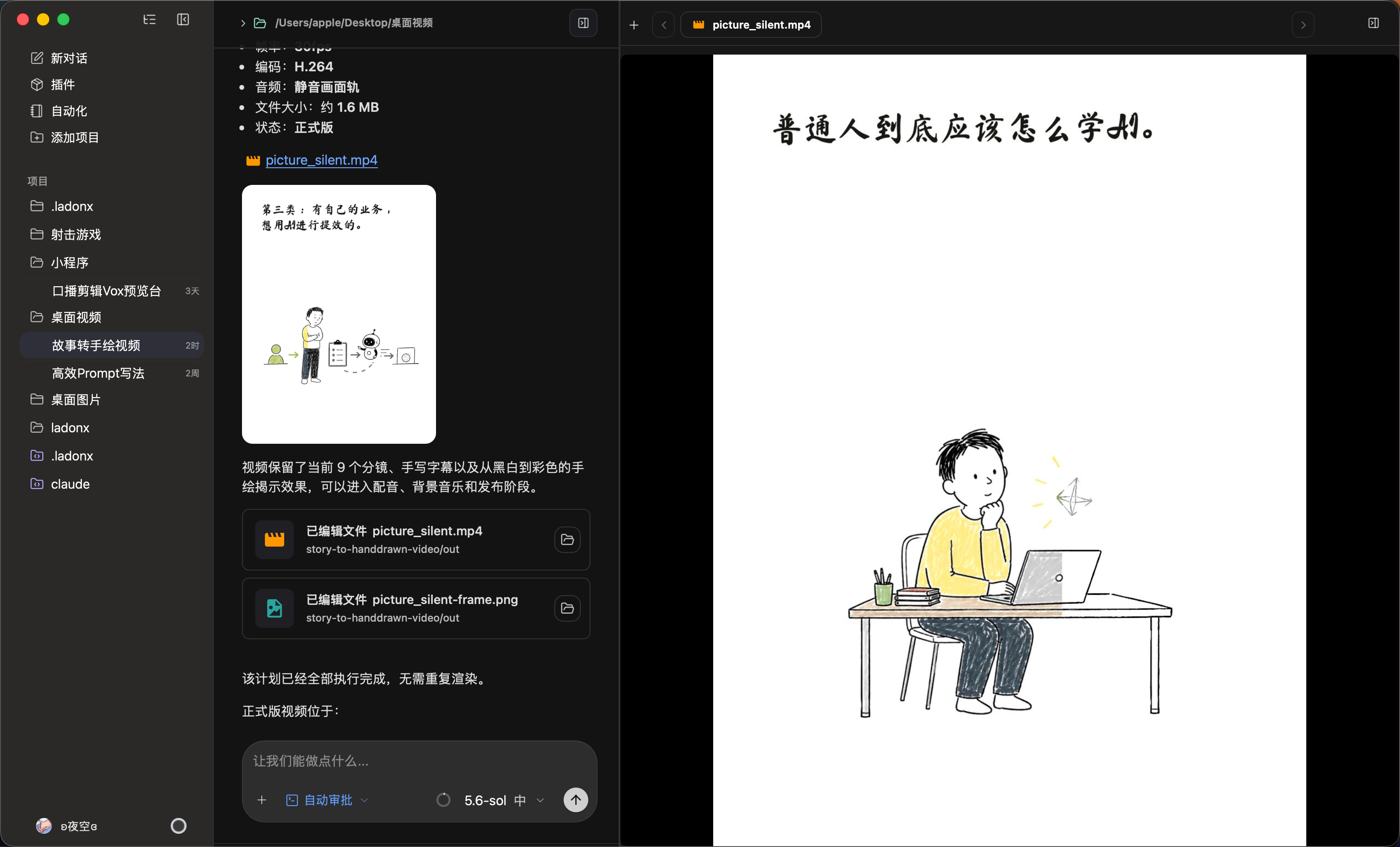
OpenLadonx turns the desktop client itself into something developers can own. Instead of treating the agent UI as a sealed product, it exposes the practical building blocks behind a serious AI coding workspace: model connections, prompt and instruction surfaces, local workspace awareness, terminal access, git context, plugin state, MCP visibility, and native app integration.
/v1/responses endpoints or Anthropic Messages-compatible /v1/messages endpoints.AGENTS.md editing.config.toml, plugin state, MCP status, and desktop settings.If you are building an internal agent platform, experimenting with custom models, designing a new coding-agent UX, or just tired of waiting for closed desktop clients to expose the one feature you need, OpenLadonx is meant to be a strong starting point.
 |  |
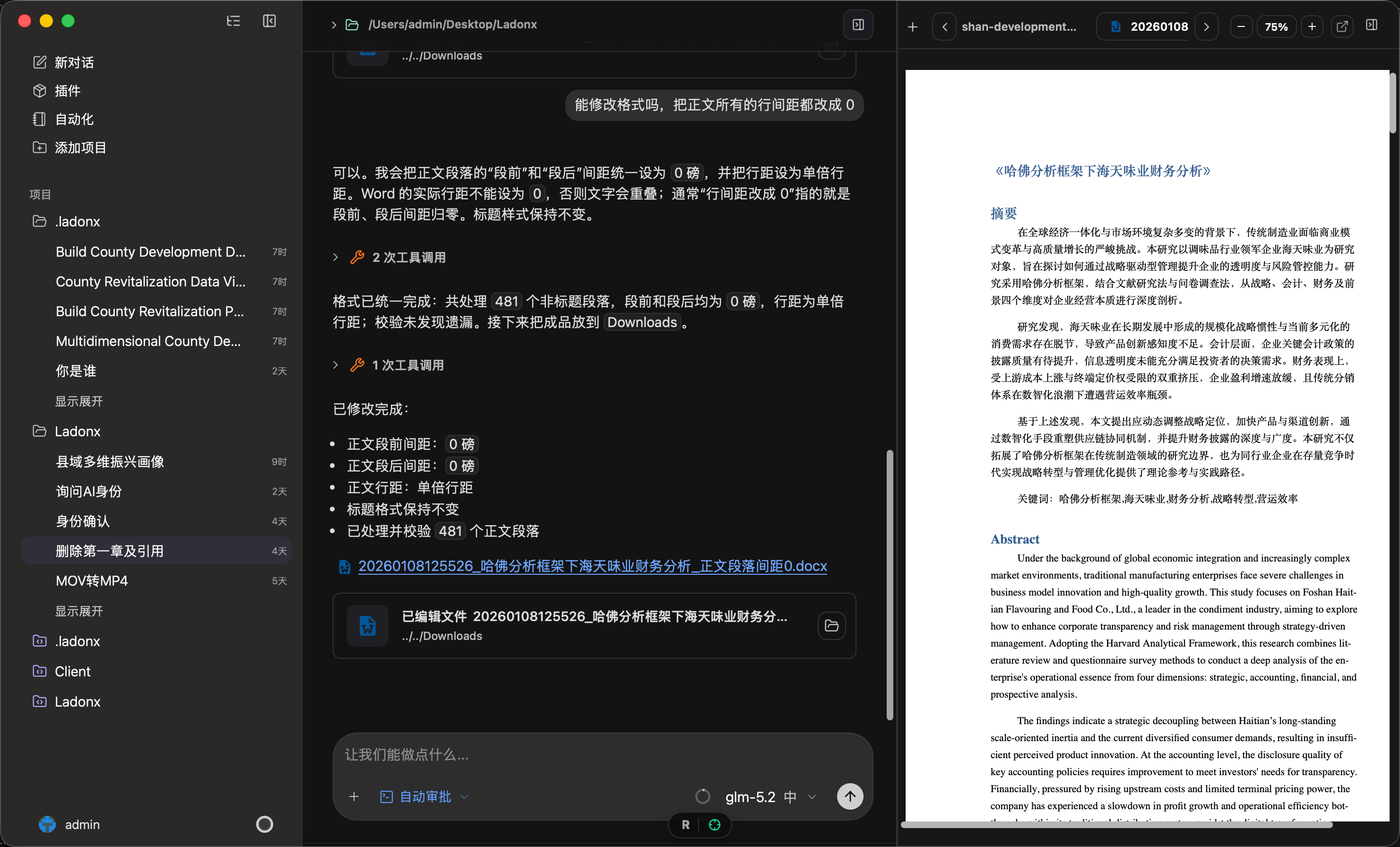 | 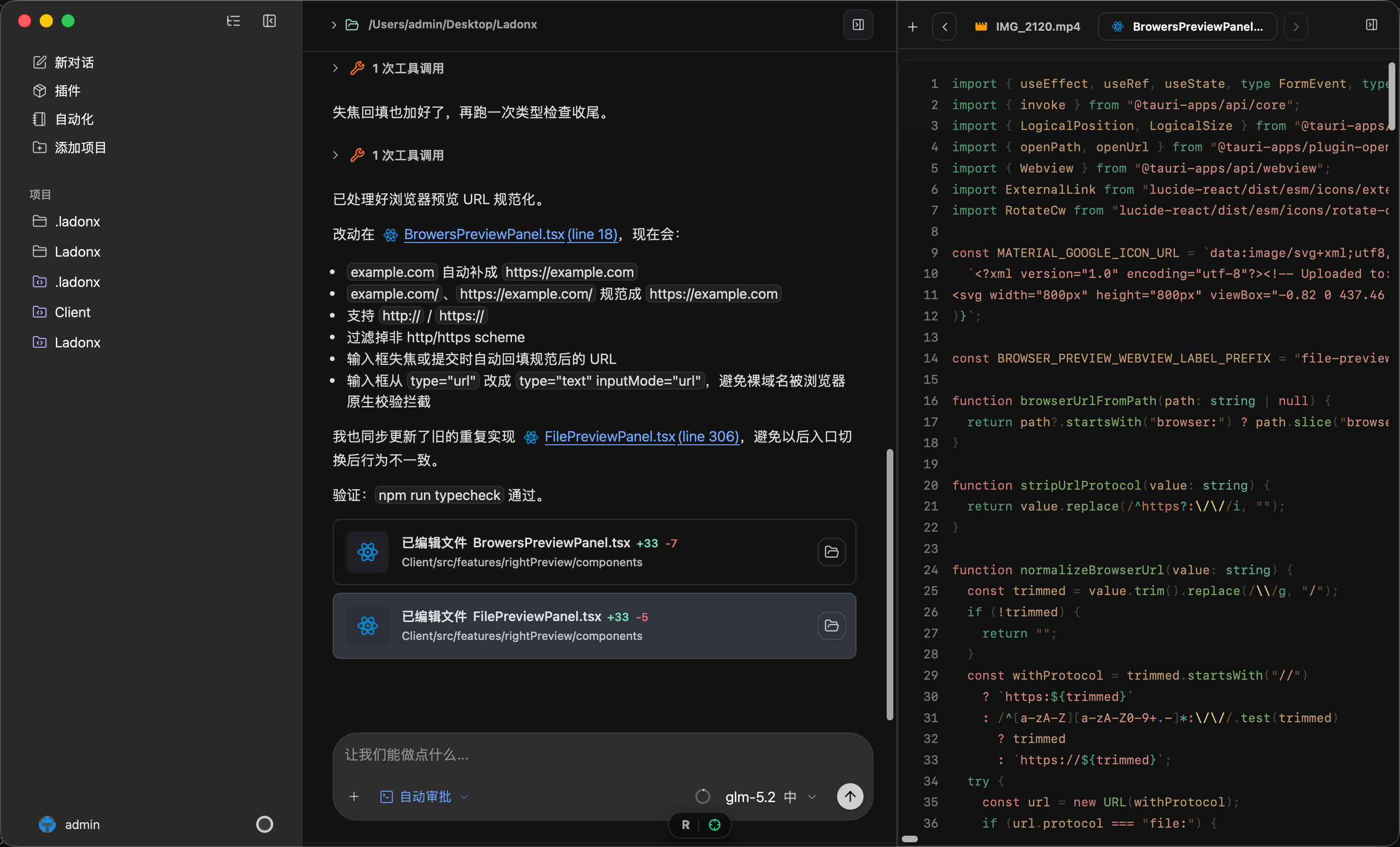 |
OpenLadonx supports two custom API protocol families from Settings:
| Protocol | Endpoint style | Typical use |
|---|---|---|
OpenAI/Response | /v1/responses | OpenAI Responses-compatible providers, routers, and proxy layers. |
Anthropic/Messages | /v1/messages | Anthropic Messages-compatible providers, routers, and Claude-style model surfaces. |
To add a model:
OpenAI/Response or Anthropic/Messages.Custom model settings are stored locally. Do not commit API keys, local auth files, generated config, or machine-specific signing settings.
Install dependencies:
npm install
npm install also runs local asset/resource sync. The Tauri resources under
src-tauri/resources/ are intentionally ignored because they include local
tool binaries. If they are missing, run:
npm run sync:tauri-resources
Run the frontend only:
npm run dev
Launch the full Tauri desktop app:
npm run tauri:dev
Run the strict environment check before desktop builds:
npm run doctor:strict
npm run build
npm run sync:tauri-resources
npm run sync:tauri-resources:all
npm run lint
npm run test
npm run typecheck
cargo check --manifest-path src-tauri/Cargo.toml
sync:tauri-resources prepares the current platform binaries and generated
resource templates before local dev. sync:tauri-resources:all validates all
macOS/Windows resource slots and is used by the desktop release script.
For focused Rust/Tauri validation:
cd src-tauri
cargo check
cargo test
AGENTS.md instructions.config.toml editing from the desktop UI..
├── public/ # Static web assets
├── src/ # React application code
│ ├── features/ # Feature modules
│ ├── hooks/ # Shared React hooks
│ ├── services/ # App and Tauri service clients
│ ├── styles/ # Global and design-system styles
│ ├── test/ # Vitest setup
│ └── utils/ # Shared helpers
├── src-tauri/ # Tauri configuration and Rust code
│ ├── resources/ # Ignored generated templates and local tool binaries
│ ├── src/ # Rust commands, services, and app wiring
│ └── tests/ # Rust integration tests
├── scripts/ # Build, doctor, release, and maintenance scripts
└── docs/ # Project documentation and static docs site
OpenLadonx reads and writes local desktop settings, Codex configuration, and workspace instruction files. Typical local configuration includes:
AGENTS.md instructions.config.toml content.For Anthropic-compatible providers, add a model from Settings with the Anthropic/Messages protocol. Use a base URL that exposes a Messages-compatible /v1/messages endpoint, enter the provider API key, and list the model IDs you want to show in the selector, such as Claude-family models or compatible router model names. OpenLadonx keeps this configuration local so you can switch between official Anthropic access, private gateways, and third-party compatible providers without changing the app code.
The repository includes .testflight.local.env.example as a reference for local release configuration. Copy it to an ignored local file when needed.
PascalCase, hooks as useSomething, utilities in camelCase, and Rust functions in snake_case.@/, @app/, @services/, and @utils/.npm run typecheck, npm run lint, and relevant tests before opening a pull request.This project is licensed under the terms in LICENSE.
Manage multiple Claude Code agents from TUI or Web with tmux and git worktrees
Kanban-based orchestration for 10+ coding agents with isolated git worktrees per agent
⚠️ Experimentelle Skill-Sammlung für deutsches Recht (Arbeits-, Gesellschafts-, Insolvenz-, Datenschutz-, Prozessrecht u
191 agents, 155 skills, and 82 plugins cross-compatible with Claude Code, Cursor, and Codex