

Are you the author? Sign in to claim
MCP server connecting AI agents to ITASCA PFC — run DEM simulations through natural conversation





pfc3d>model new ;now, with LLM.
pfc-mcp connects AI agents to ITASCA PFC — Itasca's discrete element method (DEM) code — through the Model Context Protocol. Browse documentation, run simulations, and execute code, all through natural conversation.
pfc3d>model solve ;LLM solves.
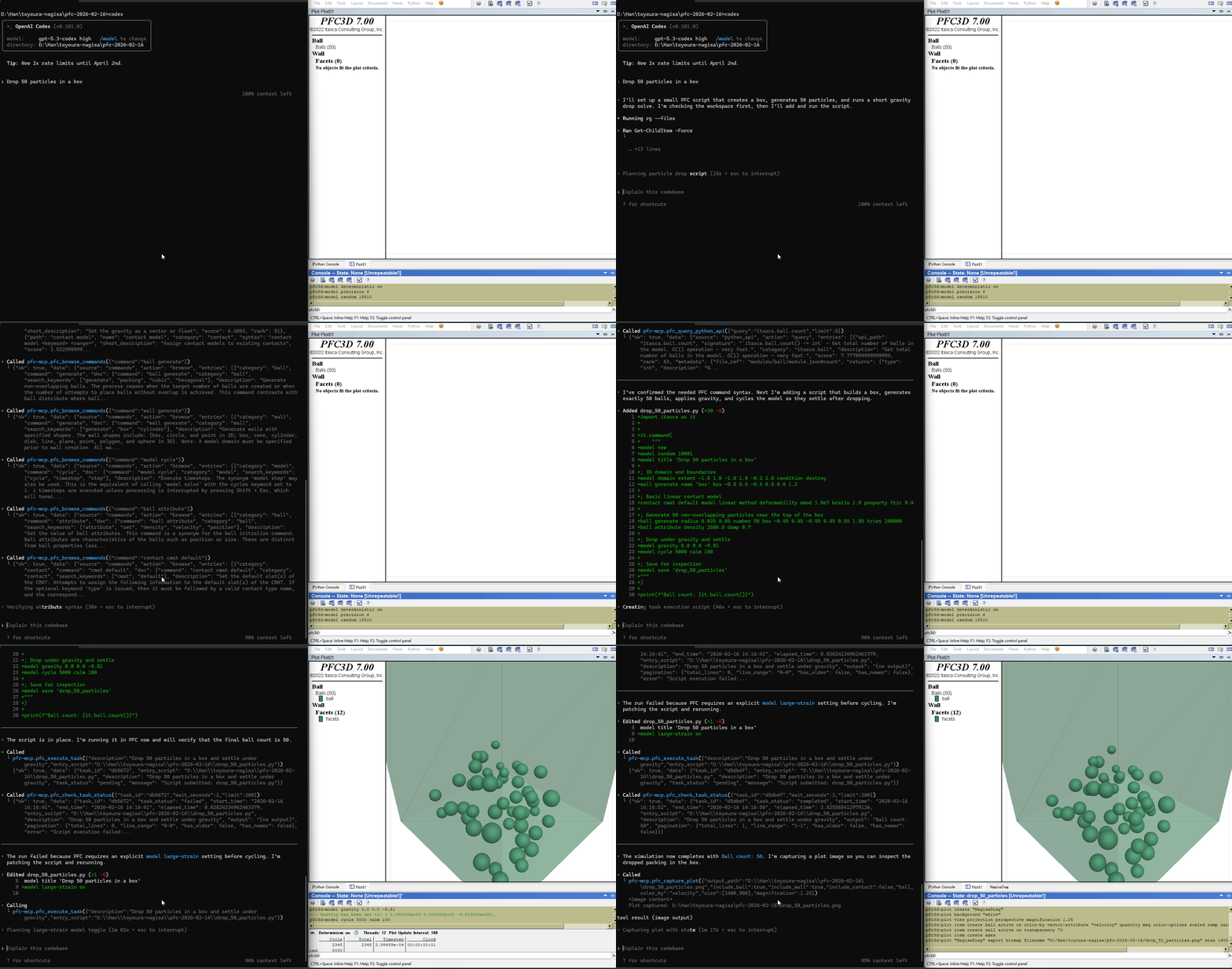
5 documentation tools — browse and search PFC commands, Python API, and reference docs. No bridge required.
5 execution tools — interactive REPL, task submission, progress monitoring, interruption, and history. Requires bridge.
uvx)Copy this to your AI agent and let it self-configure:
Fetch and follow this bootstrap guide end-to-end:
https://raw.githubusercontent.com/yusong652/pfc-mcp/main/docs/agentic/pfc-mcp-bootstrap.md
1. Register the MCP server in your client config:
{
  "mcpServers": {
    "pfc-mcp": {
      "command": "uvx",
      "args": ["pfc-mcp"]
    }
  }
}
2. Start the bridge from inside PFC:
Download addon.py, then use either of these two flows inside PFC:
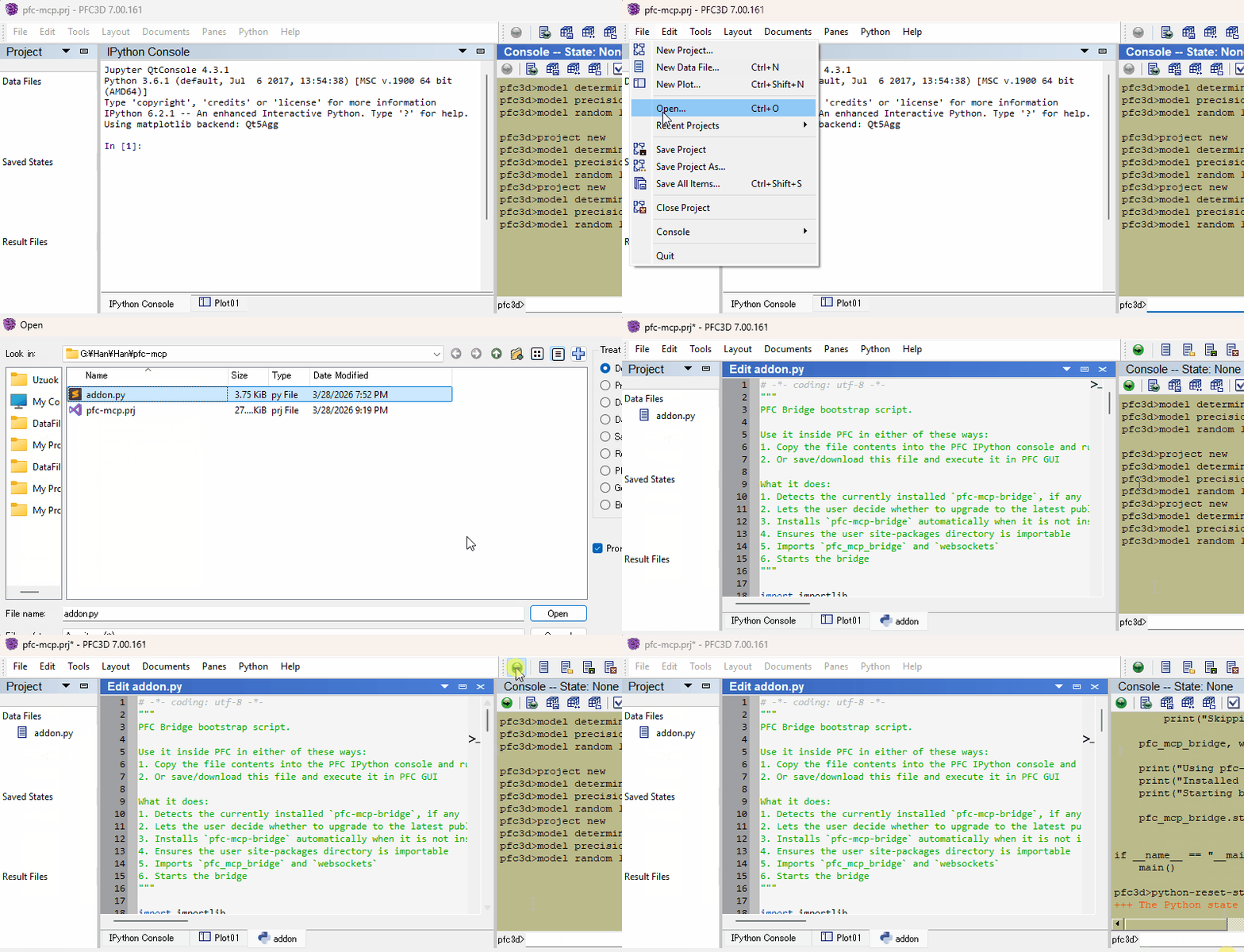
Restart your AI agent (Claude Code, Codex CLI, Gemini CLI, etc.) and ask it to call pfc_execute_code to verify the connection.
Once first-time setup is done, each new PFC session only needs the bridge re-started — paste addon.py into PFC's IPython console and you're back online. The MCP client config persists.
version parameterSee Troubleshooting in the bootstrap guide.
See Developer Guide: Install and Run from Source.
PRs and issues are welcome! See the Developer Guide to get started.
MIT - see LICENSE.
Run Claude Code as an MCP server so any agent can delegate coding tasks to it
 @microsoft✓ Official
Browser automation using accessibility snapshots instead of screenshots
 @googleapis✓ Official
Google's universal MCP server supporting PostgreSQL, MySQL, MongoDB, Redis, and 10+ databases
 @github✓ Official
Official GitHub integration for repos, issues, PRs, and CI/CD workflows
