

Are you the author? Sign in to claim
Self-hosted encrypted tunnel for webhooks, AI pipelines, and local development. End-to-end Noise encryption, pipeline tr
Self-hosted, encrypted tunnel for webhooks, AI pipelines, and local development. End-to-end Noise encryption, pipeline tracing, web dashboard.
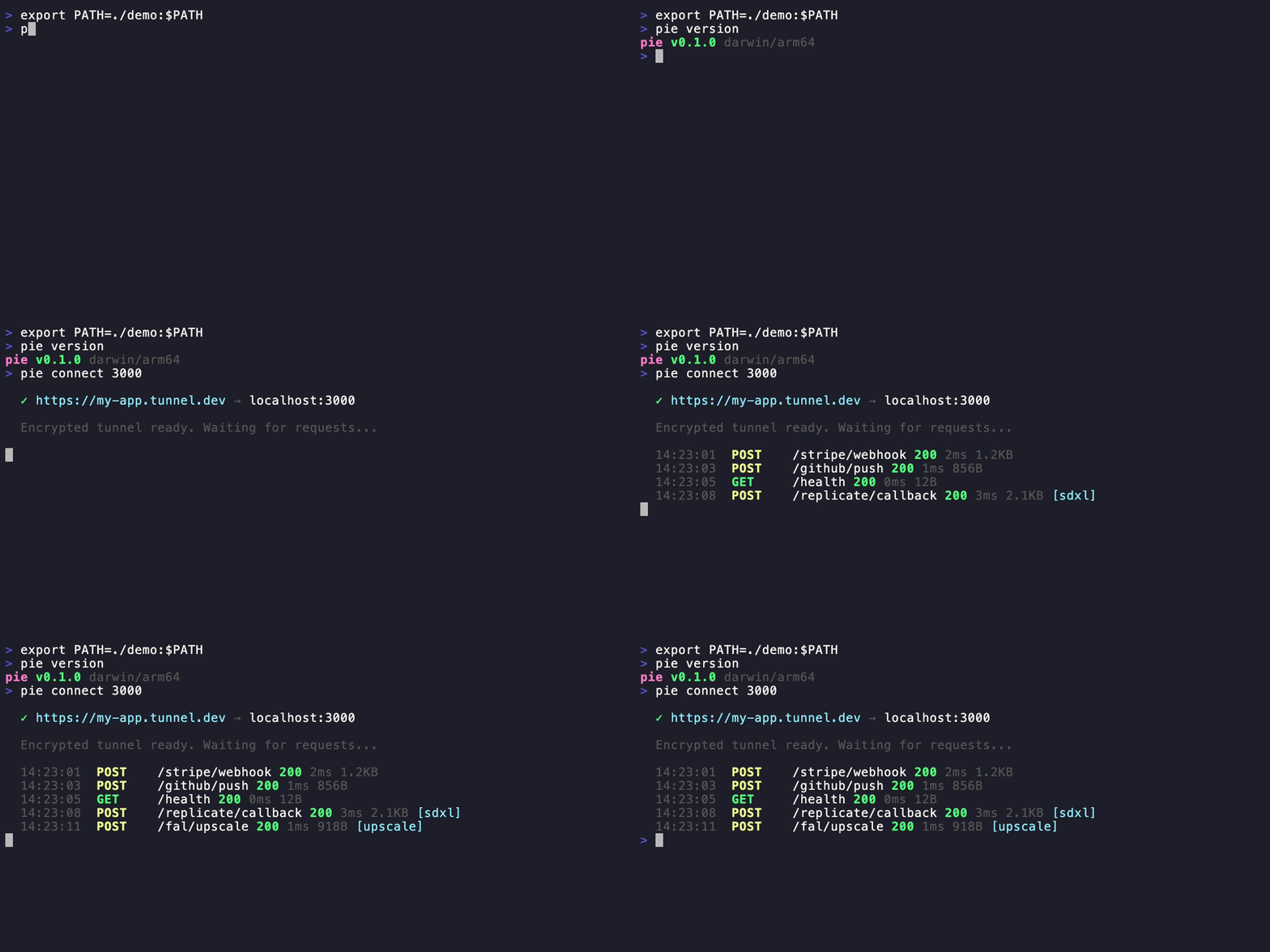
pie connect 3000
# ✓ https://my-app.tunnel.dev → localhost:3000
pie mcp gives Claude, Cursor, and AI tools direct access to tunnels, requests, and pipeline traces.pie setup on server, pie login on client, done.# Homebrew
brew install pipepie/tap/pipepie
# Script
curl -sSL https://raw.githubusercontent.com/pipepie/pipepie/main/install.sh | sh
# Or build from source
git clone https://github.com/pipepie/pipepie && cd pipepie && make build
pie setup
Interactive wizard handles DNS, firewall, TLS (Let's Encrypt auto or Cloudflare), nginx detection, systemd service — everything.
# Save server connection (key from pie setup)
pie login --server tunnel.mysite.com:9443 --key a7f3bc21...

# Tunnel any local port
pie connect 3000
pie connect --ollama       # Ollama (port 11434, auth enabled)
pie connect --comfyui      # ComfyUI (port 8188, WebSocket)
pie connect --n8n          # n8n workflows (port 5678)
pie connect --tma          # Telegram Mini App (port 5173)
pie connect 3000                    # HTTP tunnel
pie connect 3000 --name my-app     # Stable subdomain
pie connect --tcp 5432              # TCP (databases, gRPC)
pie connect 3000 --auth secret      # Password-protected URL
pie up                              # Multi-tunnel from pipepie.yaml
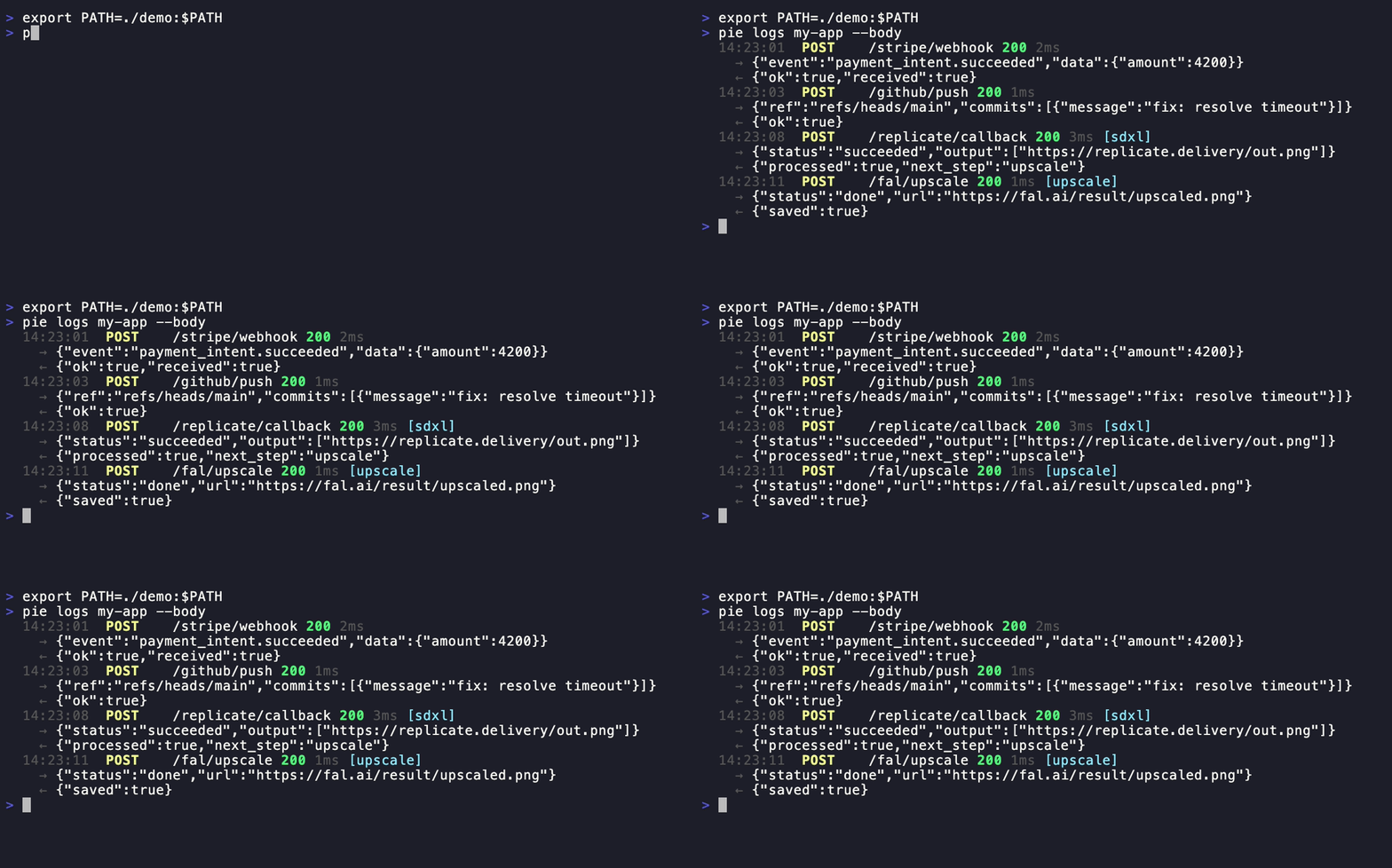
pie logs my-app --follow --body     # Stream with request/response bodies
pie inspect <request-id>            # Full headers, body, metadata
pie replay <request-id>             # Re-send a captured webhook
pie dashboard                       # Open web UI in browser
Pipepie auto-detects webhooks from AI providers — no configuration needed:
| Provider | Detection | What's extracted |
|---|---|---|
| Replicate | webhook-id header + payload | Job ID, status, predict_time |
| fal.ai | x-fal-signature header | Request ID, status |
| RunPod | UPPERCASE status in payload | Run ID, execution time |
| Modal | call_id in payload | Call ID, status |
| OpenAI | batch_ prefix in ID | Batch ID, model |
| MCP | JSON-RPC 2.0 method field | Tool name, call ID |
Webhooks from the same pipeline are auto-correlated into traces:
pie traces my-app                   # Terminal timeline view
pie dashboard                       # Web UI with Jaeger-style bars
Or use headers for manual correlation:
curl -X POST https://my-app.tunnel.dev/webhook \
  -H "X-Pipepie-Pipeline: image-gen" \
  -H "X-Pipepie-Step: generate" \
  -H "X-Pipepie-Trace-ID: trace-001"
# pipepie.yaml
server: tunnel.mysite.com:9443
key: a7f3bc21...

tunnels:
  api:
    subdomain: my-api
    forward: http://localhost:3000
  frontend:
    subdomain: my-app
    port: 5173

pipeline:
  name: image-gen
  steps:
    - name: replicate-sdxl
      webhook: /replicate
      forward: localhost:3000/on-image
    - name: fal-upscale
      webhook: /fal
      forward: localhost:3000/on-upscale
pie up
pie login --server work.example.com:9443 --key abc...
pie login --server personal.example.com:9443 --key def...

pie account                         # List all, see active
pie account use work.example.com    # Switch
pie logout personal.example.com     # Remove

pie setup                           # Interactive setup wizard
pie server --config pipepie.yaml    # Start server
pie doctor --config pipepie.yaml    # Diagnose configuration
pie status                          # Tunnel overview
pie status --json                   # JSON output for scripts
Client (pie connect)                    Server (pie server)
     │                                       │
     │◄──── Noise NK handshake ────►│
     │       (ChaChaPoly + BLAKE2b)          │
     │                                       │
     │◄──── yamux multiplexing ────►│
     │       (parallel streams)              │
     │                                       │
     │◄──── Protobuf + zstd ──────►│
     │       (binary, compressed)            │
     │                                       │
  localhost:3000              https://sub.domain.com
Noise NK — server authenticated by public key. Know the key = have access. yamux — multiplexed streams, no head-of-line blocking. Protobuf — binary wire format, ~10x smaller than JSON. zstd — bodies >1KB auto-compressed. SSE/streaming — pass-through without buffering (Vercel AI SDK, Ollama compatible).
Pipepie includes a built-in Model Context Protocol server. Your AI tools can inspect webhooks, replay requests, manage tunnels, and debug pipelines — directly from the chat.
# Claude Code (one command)
claude mcp add --transport stdio pipepie -- pie mcp
Add to claude_desktop_config.json or Cursor MCP settings:
{
  "mcpServers": {
    "pipepie": {
      "command": "pie",
      "args": ["mcp"]
    }
  }
}
13 tools available:
| Tool | What it does |
|---|---|
overview | Dashboard with all tunnels, stats, success rates |
list_tunnels | All registered tunnels with online/offline status |
tunnel_status | Check if a specific tunnel is online |
connect | Start a tunnel (e.g. port 3000 → public URL) |
disconnect | Stop a running tunnel |
active_tunnels | List tunnels running in this session |
list_requests | Recent webhook requests for a tunnel |
inspect_request | Full request details: headers, body, response |
replay_request | Re-send a captured webhook |
pipeline_traces | AI pipeline execution traces |
trace_timeline | Step-by-step timeline for a trace |
create_tunnel | Register a new subdomain |
delete_tunnel | Remove a tunnel and its data |
| Command | Description |
|---|---|
pie connect [port] | Create a tunnel |
pie connect --tcp [port] | TCP tunnel |
pie connect --ollama | Ollama preset |
pie connect --comfyui | ComfyUI preset |
pie connect --n8n | n8n preset |
pie connect --tma | Telegram Mini App preset |
pie login | Add server connection |
pie logout | Remove account |
pie account | List & switch accounts |
pie dashboard | Open web UI in browser |
pie status | Show tunnels and activity |
pie logs [name] | Stream requests |
pie inspect [id] | Full request details |
pie replay [id] | Replay a webhook |
pie traces [name] | Pipeline trace timelines |
pie up | Multi-tunnel from pipepie.yaml |
pie setup | Server setup wizard |
pie server | Start relay server |
pie doctor | Diagnose server config |
pie mcp | Start MCP server for AI tools |
pie update | Self-update to latest |
pie version | Version + update check |
| Metric | Result |
|---|---|
| Latency | 2ms overhead |
| Sequential | 119 req/s |
| Parallel (20 workers) | 577 req/s |
| 1MB body | 16ms |
AGPL-3.0 — free to use, modify, and self-host. If you modify and offer as a service, you must open-source your changes.
Run Claude Code as an MCP server so any agent can delegate coding tasks to it
 @microsoft✓ Official
Browser automation using accessibility snapshots instead of screenshots
 @googleapis✓ Official
Google's universal MCP server supporting PostgreSQL, MySQL, MongoDB, Redis, and 10+ databases
 @github✓ Official
Official GitHub integration for repos, issues, PRs, and CI/CD workflows