

Are you the author? Sign in to claim
An MCP (Model Context Protocol) server for querying a PostgreSQL database. Execute SQL queries, view table details, and

An MCP (Model Context Protocol) server for querying a PostgreSQL database. Execute SQL queries, view table details, and manage database connections through MCP-compatible clients.
Follow these steps for installation:
Download the postgres-connector.mcpb file from this repository (located in the root directory).
postgres-connector.mcpb file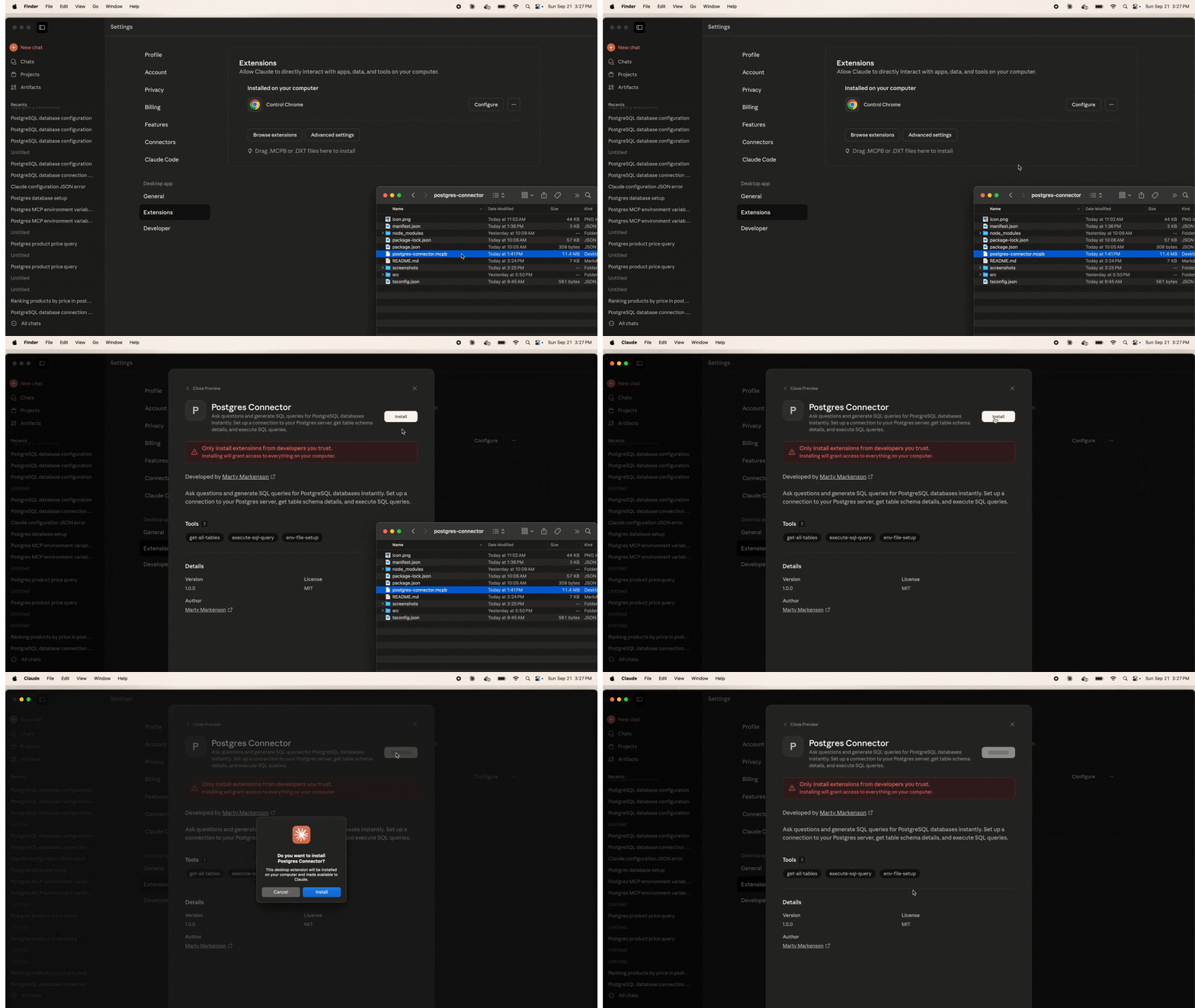 Screenshot placeholder: Installing the .mcpb file
After installation, the PostgreSQL Connector will appear in your Claude Desktop with default environment variables that you can configure with your database details.
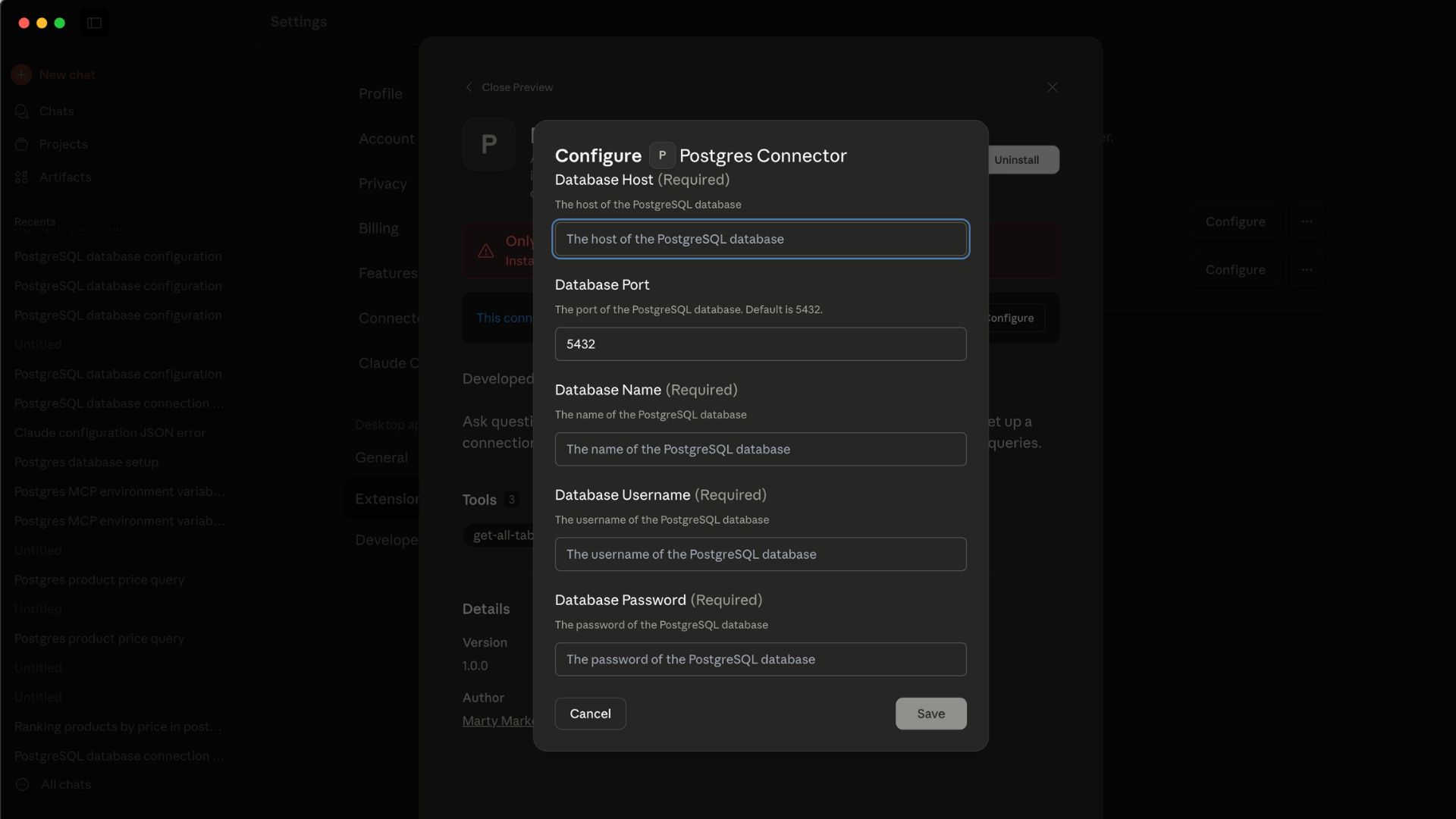 Screenshot placeholder: Database configuration interface showing environment variables
Send a query "test the database connection"
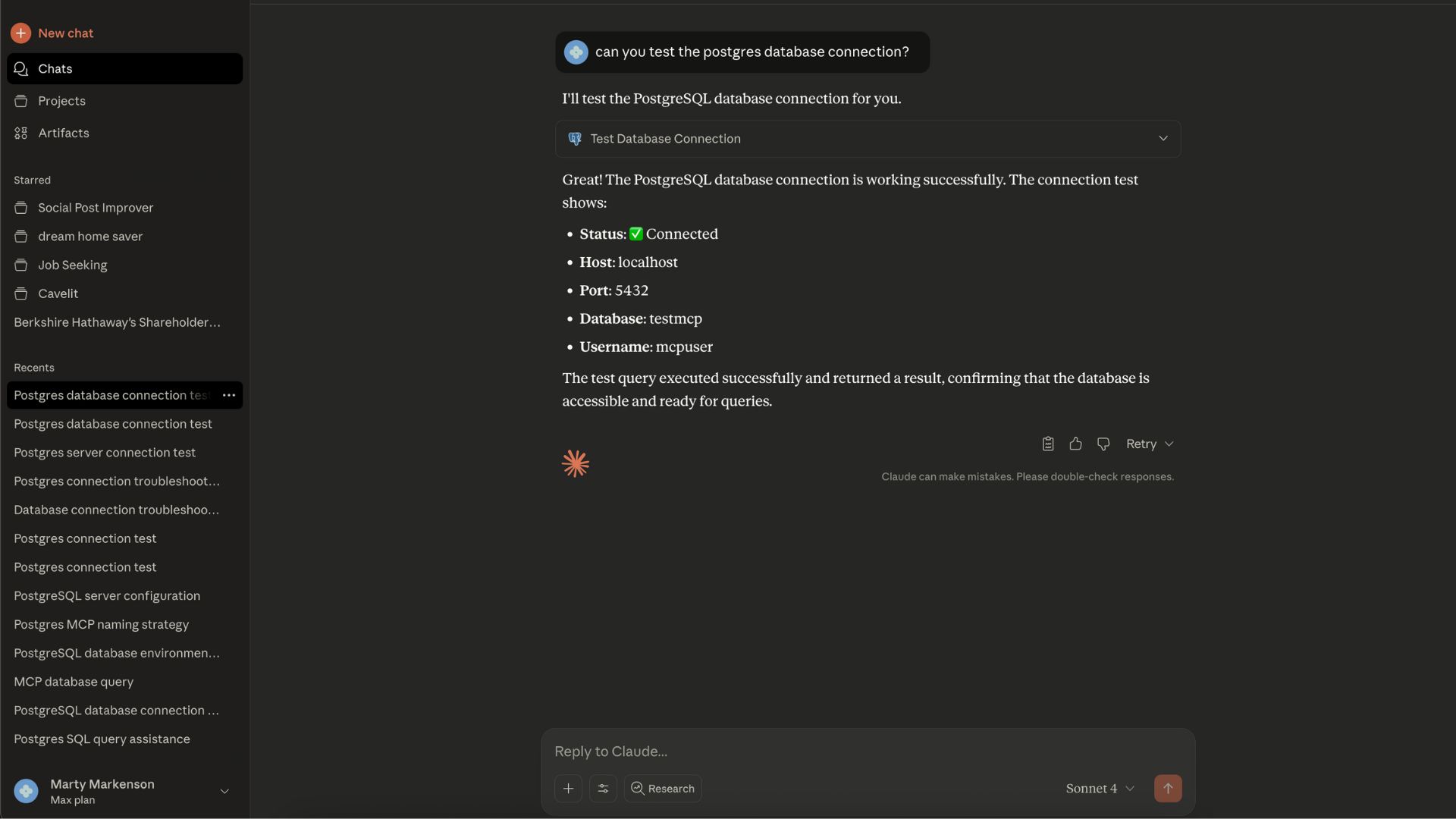
You'll need to provide the following information for your PostgreSQL database:
| Environment Variable | Description | Required | Default |
|---|---|---|---|
| POSTGRES_HOST | The hostname or IP address of your PostgreSQL server | ✅ Yes | - |
| POSTGRES_PORT | The port number for your PostgreSQL server | ❌ No | 5432 |
| POSTGRES_DB | The name of the specific database to connect to | ✅ Yes | - |
| POSTGRES_USER | Your PostgreSQL username | ✅ Yes | - |
| POSTGRES_PASSWORD | Your PostgreSQL password | ✅ Yes | - |
These environment variables will be automatically available for configuration in the extension settings panel after installing the extension in Claude Desktop.
Tool: test-postgres-connection
Tests your database connection and displays the current configuration (password hidden for security).
Example Output:
✅ Database connection successful!

Configuration:
{
  "host": "localhost",
  "port": "5432",
  "database": "myapp_production",
  "username": "postgres",
  "password": "***hidden***"
}

Connection test result: [
  {
    "test": 1
  }
]
Tool: get-all-tables
Retrieves a list of all tables in the public schema of your database.
Example Output:
[
  {
    "table_name": "users"
  },
  {
    "table_name": "orders"
  },
  {
    "table_name": "products"
  },
  {
    "table_name": "categories"
  }
]
Tool: execute-sql-query
Executes SELECT queries on your database with security validation.
Input:
sql: The SQL query to execute (SELECT statements only)Example Usage:
SELECT id, name, email FROM users LIMIT 5;
Example Output:
[
  {
    "id": 1,
    "name": "John Doe",
    "email": "john@example.com"
  },
  {
    "id": 2,
    "name": "Jane Smith",
    "email": "jane@example.com"
  }
]
The PostgreSQL MCP server includes security measures:
Best practice is to create a read-only database user for the postgres connector to use.
The following SQL operations are NOT ALLOWED for security:
DROP (deleting tables/databases)DELETE (removing data)TRUNCATE (clearing tables)ALTER (modifying structure)CREATE (creating new objects)INSERT (adding data)UPDATE (modifying data)Use the get-all-tables tool to retrieve all tables in your database schema.
Use the execute-sql-query tool with SELECT statements:
SELECT * FROM users LIMIT 10;
Problem: "Database connection failed"
Problem: "Connection timeout"
Problem: "Dangerous operation detected"
Problem: "Query execution failed"
Problem: MCP server not appearing in Claude Desktop client
Problem: Environment variables not showing up
Problem: Cannot configure database settings
postgres-connector/
├── src/
│   └── server.ts          # Main MCP server implementation
├── package.json           # Node.js dependencies
├── manifest.json          # MCP extension manifest
├── icon.png              # Extension icon
└── postgres-connector.mcpb # Compiled extension bundle
MIT License - see the LICENSE file for details.
Marty Markenson
Need help? Open an issue in this repository or reach out to martymarkenson
 @googleapis✓ Official
Google's universal MCP server supporting PostgreSQL, MySQL, MongoDB, Redis, and 10+ databases
Official MongoDB integration — query collections, run aggregations, inspect schemas
 @designcomputer
Secure MCP server for MySQL database interaction, queries, and schema management
Run Claude Code as an MCP server so any agent can delegate coding tasks to it