

Are you the author? Sign in to claim
A modern, responsive web-based dashboard for managing Amazon Q MCP (Model Context Protocol) servers on macOS. This dashb
A modern, responsive web-based dashboard for managing Amazon Q MCP (Model Context Protocol) servers on macOS. This dashboard allows you to easily view, enable, and disable MCP servers configured in your ~/.aws/amazonq/mcp.json file.
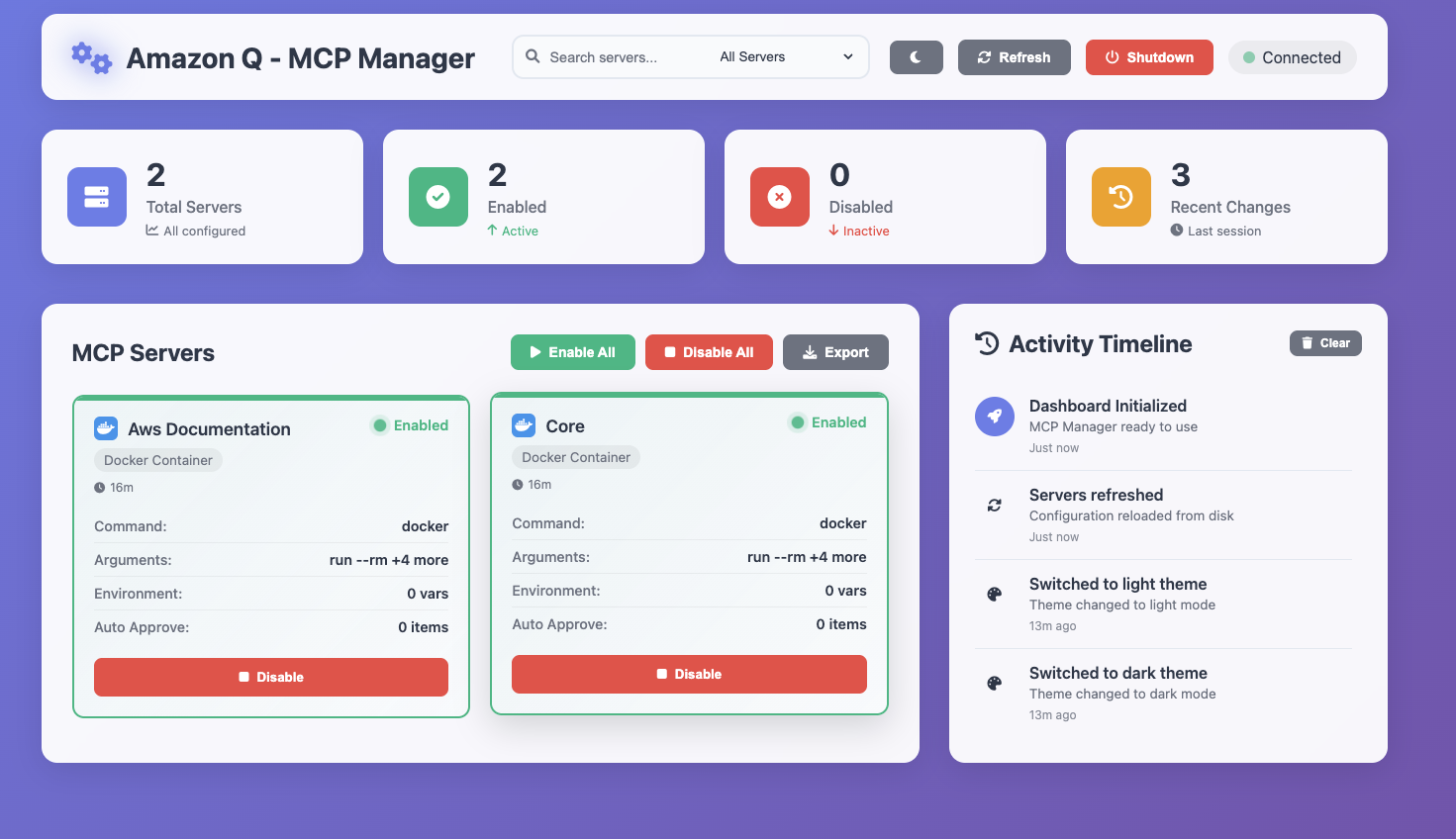
The clean, modern interface with glassmorphism design and intuitive controls:
The sleek dark theme with enhanced visual contrast and modern aesthetics:
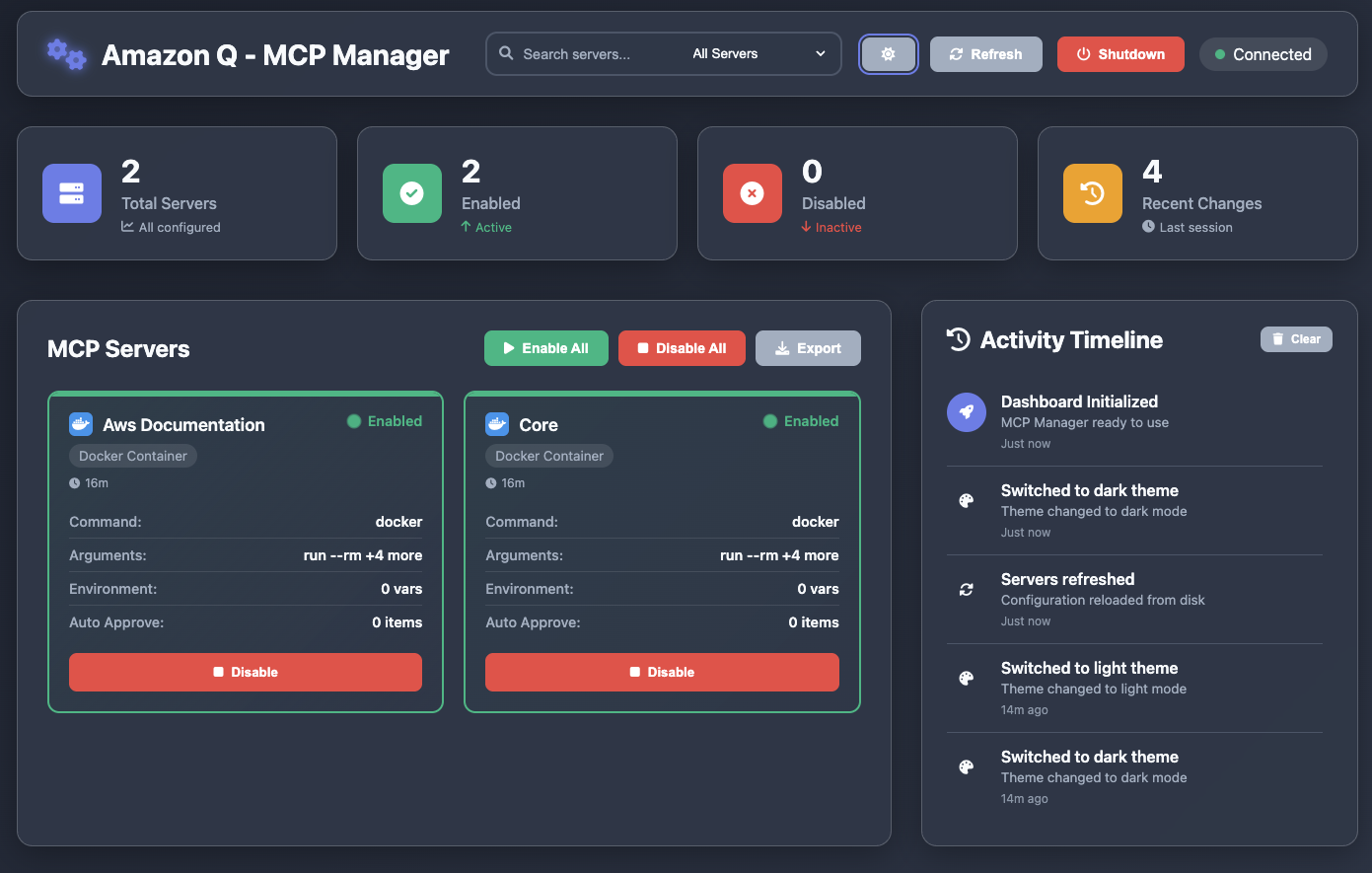
Based on the screenshots above, here's what you'll find on the dashboard:
Each server is displayed as an individual card containing:
The dashboard enables you to:
~/.aws/amazonq/mcp.jsonClone the repository:
git clone https://github.com/YOUR_USERNAME/q-mcp-manager.git
cd q-mcp-manager
Install dependencies:
npm install
Verify your MCP configuration exists:
ls -la ~/.aws/amazonq/mcp.json
./start.sh start --background
Make sure start.sh and server.sh scripts have executable permissions(chmod +x)
✅ Server starts + Dashboard opens + Terminal is free!
Option 1: Direct server script
./scripts/server.sh start --background
Option 2: NPM command
npm start
Option 3: Development mode
npm run dev
To stop: Click the red "Shutdown" button in the dashboard header.
http://localhost:3000  # Default port
http://localhost:8080  # Custom port example
All server operations use a single script: ./scripts/server.sh
./scripts/server.sh start [options] - Start the server (auto-opens browser)./scripts/server.sh stop [options] - Stop the server gracefully./scripts/server.sh restart [options] - Restart the server./scripts/server.sh status [options] - Check server status and health./scripts/server.sh logs [--follow] - View server logs./scripts/server.sh help - Show all available commandsRun the dashboard on any port to avoid conflicts or match your preferences:
Default port (3000):
./scripts/server.sh start --background
Custom port options:
# Using --port flag
./scripts/server.sh start --port 8080 --background
./scripts/server.sh start -p 5000 --background --no-open

# Using --port= syntax
./scripts/server.sh start --port=4000 --background

# All commands support custom ports
./scripts/server.sh status --port 8080
./scripts/server.sh stop --port 8080
Port validation:
Common use cases:
Environment variable support:
# Direct Node.js execution with custom port
PORT=8080 node src/backend/server.js

# NPM script with custom port
PORT=8080 npm start
🌐 Auto-Open Feature: The dashboard automatically opens in your browser when you start the server (use --no-open to disable)
📖 For detailed server management instructions, see docs/SERVER_GUIDE.md
Once the dashboard is running:
Ctrl/Cmd + R: Refresh serversCtrl/Cmd + E: Enable all serversCtrl/Cmd + D: Disable all serversThe backend server provides the following REST API endpoints:
GET /api/mcp-config: Read the current MCP configurationPOST /api/mcp-config: Update the MCP configurationPOST /api/validate-config: Validate a configuration before savingGET /api/health: Check server health statusq-mcp-manager/
├── src/
│ ├── backend/
│ │ └── server.js # Express.js server
│ ├── frontend/
│ │ ├── dashboard/ # Main dashboard
│ │ │ ├── index.html
│ │ │ ├── script.js
│ │ │ └── styles.css
│ │ └── home/ # Home launcher
│ │ ├── index.html
│ │ ├── script.js
│ │ └── styles.css
│ └── assets/ # Static assets & screenshots
│ ├── launcher.html
│ ├── start.html
│ ├── Screenshot_1.png # Light mode dashboard
│ └── Screenshot_2.png # Dark mode dashboard
├── scripts/
│ └── server.sh # Main server control script
├── docs/
│ ├── QUICK_START.md # Quick start guide
│ └── SERVER_GUIDE.md # Detailed server guide
├── logs/ # Server logs (auto-generated)
├── start.sh # Convenience startup script
├── package.json # Node.js dependencies
├── CONTRIBUTING.md # Development guidelines
├── LICENSE # MIT License
├── README.md # This file
└── .gitignore # Git ignore rules
The dashboard works with the standard Amazon Q MCP configuration format:
{
  "mcpServers": {
    "server-name": {
      "command": "docker",
      "args": ["run", "--rm", "--interactive", "image:latest"],
      "env": {},
      "disabled": false,
      "autoApprove": []
    }
  }
}
node --versionlsof -i :3000npm installls -la ~/.aws/amazonq/mcp.jsonchmod 644 ~/.aws/amazonq/mcp.jsoncat ~/.aws/amazonq/mcp.json | jq .To contribute or modify the dashboard:
index.html, styles.css, or script.jsserver.jsnpm run dev for auto-reloadMIT License - feel free to modify and distribute as needed.
If you encounter any issues:
Run Claude Code as an MCP server so any agent can delegate coding tasks to it
 @microsoft✓ Official
Browser automation using accessibility snapshots instead of screenshots
 @googleapis✓ Official
Google's universal MCP server supporting PostgreSQL, MySQL, MongoDB, Redis, and 10+ databases
 @github✓ Official
Official GitHub integration for repos, issues, PRs, and CI/CD workflows